cruise control GMC YUKON 2006 Owner's Manual
[x] Cancel search | Manufacturer: GMC, Model Year: 2006, Model line: YUKON, Model: GMC YUKON 2006Pages: 540, PDF Size: 3.14 MB
Page 161 of 540
Instrument Panel Overview...............................3-4
Hazard Warning Flashers................................3-6
Other Warning Devices...................................3-6
Horn.............................................................3-6
Tilt Wheel.....................................................3-6
Turn Signal/Multifunction Lever.........................3-7
Turn and Lane-Change Signals........................3-8
Headlamp High/Low-Beam Changer..................3-8
Flash-to-Pass.................................................3-9
Windshield Wipers..........................................3-9
Windshield Washer.......................................3-10
Rear Window Wiper/Washer...........................3-10
Cruise Control..............................................3-11
Headlamps..................................................3-14
Headlamps on Reminder................................3-15
Daytime Running Lamps (DRL).......................3-16
Automatic Headlamp System..........................3-16
Fog Lamps..................................................3-18
Auxiliary Roof Mounted Lamp.........................3-19
Instrument Panel Brightness...........................3-19
Dome Lamps...............................................3-19
Dome Lamp Override....................................3-20Entry Lighting...............................................3-20
Exit Lighting.................................................3-20
Front Reading Lamps....................................3-20
Battery Run-Down Protection..........................3-20
Accessory Power Outlet(s).............................3-20
Ashtray(s) and Cigarette Lighter......................3-21
Climate Controls............................................3-22
Climate Control System.................................3-22
Dual Climate Control System..........................3-23
Dual Automatic Climate Control System...........3-25
Outlet Adjustment.........................................3-31
Rear Air Conditioning and Heating System.......3-32
Rear Air Conditioning and Heating System
and Electronic Climate Controls...................3-33
Warning Lights, Gages, and Indicators............3-35
Instrument Panel Cluster................................3-36
Speedometer and Odometer...........................3-37
Trip Odometer..............................................3-37
Tachometer.................................................3-37
Safety Belt Reminder Light.............................3-37
Airbag Readiness Light..................................3-38
Section 3 Instrument Panel
3-1
Page 162 of 540
Passenger Airbag Status Indicator...................3-38
Battery Warning Light....................................3-40
Voltmeter Gage............................................3-41
Brake System Warning Light..........................3-42
Anti-Lock Brake System Warning Light.............3-43
Engine Coolant Temperature Gage..................3-43
Transmission Temperature Gage.....................3-44
Tire Pressure Light.......................................3-45
Malfunction Indicator Lamp.............................3-46
Oil Pressure Gage........................................3-48
Security Light...............................................3-49
Cruise Control Light......................................3-49
Highbeam On Light.......................................3-50
Four-Wheel-Drive Light..................................3-50
Tow/Haul Mode Light....................................3-50
Fuel Gage...................................................3-51
Low Fuel Warning Light.................................3-51
Driver Information Center (DIC).......................3-52
DIC Operation and Displays...........................3-53
DIC Warnings and Messages.........................3-56
DIC Vehicle Customization.............................3-67Audio System(s).............................................3-74
Setting the Time for Radios without
Radio Data Systems (RDS)........................3-75
Setting the Time for Radios with Radio
Data Systems (RDS)..................................3-75
AM-FM Radio...............................................3-76
Radio with CD..............................................3-79
Radio with Cassette and CD..........................3-90
Radio with Six-Disc CD................................3-104
Navigation/Radio System..............................3-118
Rear Seat Entertainment System...................3-118
Rear Seat Audio (RSA)................................3-130
Theft-Deterrent Feature................................3-132
Audio Steering Wheel Controls......................3-132
Radio Reception.........................................3-133
Care of the Cassette Tape Player.................3-134
Care of Your CDs and DVDs........................3-135
Care of the CD and DVD Player...................3-135
Fixed Mast Antenna....................................3-136
XM™ Satellite Radio Antenna System............3-136
Chime Level Adjustment...............................3-136
Section 3 Instrument Panel
3-2
Page 167 of 540
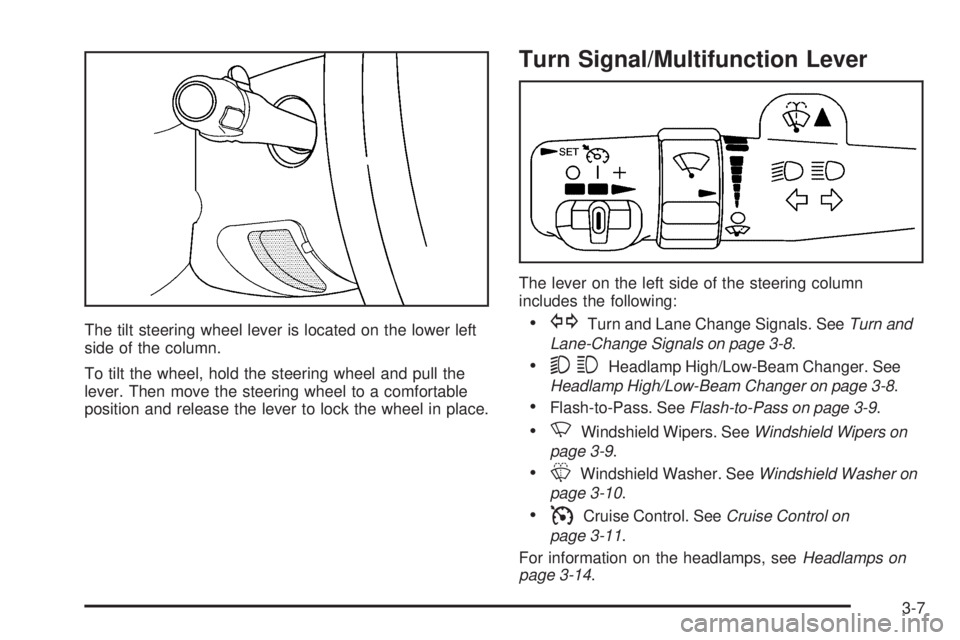
The tilt steering wheel lever is located on the lower left
side of the column.
To tilt the wheel, hold the steering wheel and pull the
lever. Then move the steering wheel to a comfortable
position and release the lever to lock the wheel in place.
Turn Signal/Multifunction Lever
The lever on the left side of the steering column
includes the following:
GTurn and Lane Change Signals. SeeTurn and
Lane-Change Signals on page 3-8.
53Headlamp High/Low-Beam Changer. See
Headlamp High/Low-Beam Changer on page 3-8.
Flash-to-Pass. SeeFlash-to-Pass on page 3-9.
NWindshield Wipers. SeeWindshield Wipers on
page 3-9.
LWindshield Washer. SeeWindshield Washer on
page 3-10.
ICruise Control. SeeCruise Control on
page 3-11.
For information on the headlamps, seeHeadlamps on
page 3-14.
3-7
Page 171 of 540

Cruise Control
9(Off):This position
turns the system off.
R(On):This position activates the system.
+ (Resume/Accelerate):Push the lever to this symbol
to make the vehicle accelerate or resume to a
previously set speed.
T(Set):Press this button to set the speed.With cruise control, you can maintain a speed of about
25 mph (40 km/h) or more without keeping your foot
on the accelerator. This can really help on long
trips. Cruise control does not work at speeds below
about 25 mph (40 km/h).
If you apply your brakes, the cruise control will shut off.
{CAUTION:
Cruise control can be dangerous where you
cannot drive safely at a steady speed. So, do
not use your cruise control on winding roads
or in heavy traffic.
Cruise control can be dangerous on slippery
roads. On such roads, fast changes in tire
traction can cause needless wheel spinning,
and you could lose control. Do not use cruise
control on slippery roads.
3-11
Page 172 of 540

Setting Cruise Control
{CAUTION:
If you leave your cruise control on when you
are not using cruise, you might hit a button
and go into cruise when you do not want to.
You could be startled and even lose control.
Keep the cruise control switch off until you
want to use cruise control.
1. Move the cruise control switch to on.
2. Get up to the speed you want.
3. Press in the set button at the end of the lever and
release it.
4. Take your foot off the accelerator pedal.The cruise symbol on the
instrument panel will
illuminate when the cruise
control is engaged.
Resuming a Set Speed
Suppose you set your cruise control at a desired
speed and then you apply the brake. This, of course,
disengages the cruise control. But you don’t need
to reset it.
Once you’re going about 25 mph (40 km/h) or more,
you can move the cruise control switch briey from on to
resume/accelerate.
You’ll go right back up to your chosen speed and
stay there.
If you hold the switch at resume/accelerate the vehicle
will keep going faster until you release the switch or
apply the brake. So unless you want to go faster, don’t
hold the switch at resume/accelerate.
3-12
Page 173 of 540

Increasing Speed While Using
Cruise Control
There are two ways to go to a higher speed:
Use the accelerator pedal to get to the higher
speed. Press the set button at the end of the lever,
then release the button and the accelerator pedal.
You’ll now cruise at the higher speed. If the
accelerator pedal is held longer than 60 seconds,
cruise control will turn off.
Move the cruise switch from on to
resume/accelerate. Hold it there until you get
up to the speed you want, and then release
the switch. To increase your speed in very
small amounts, move the switch briey to
resume/accelerate. Each time you do this, your
vehicle will go about 1 mph (1.6 km/h) faster.
Reducing Speed While Using Cruise
Control
Press in the button at the end of the lever until you
reach the lower speed you want, then release it.
To slow down in very small amounts, briey press
the set button. Each time you do this, you’ll go
about 1 mph (1.6 km/h) slower.
Passing Another Vehicle While Using
Cruise Control
Use the accelerator pedal to increase your speed.
When you take your foot off the pedal, your vehicle will
slow down to the cruise control speed you set earlier.
Using Cruise Control on Hills
How well your cruise control will work on hills depends
upon your speed, load and the steepness of the hills.
When going up steep hills, you may want to step on the
accelerator pedal to maintain your speed. When going
downhill, you may have to brake or shift to a lower gear to
keep your speed down. Of course, applying the brake
takes you out of cruise control. Many drivers nd this to
be too much trouble and don’t use cruise control on
steep hills.
3-13
Page 174 of 540

Ending Cruise Control
There are four ways to turn off the cruise control:
Step lightly on the brake pedal,
move the cruise control switch to off, or
shift the transmission to NEUTRAL (N).
If your vehicle has the StabiliTrak®feature, cruise
control will turn off if road conditions cause
StabiliTrak
®to activate.
If the accelerator pedal is held for 60 seconds or
longer, cruise control will turn off.
Erasing Speed Memory
When you turn off the cruise control or the ignition,
your cruise control set speed memory is erased.
Headlamps
The control on the driver’s side of your instrument panel
operates the headlamps.
Turn the control clockwise to operate the lamps.
3-14
Page 209 of 540
A reading in the low pressure zone may be caused by a
dangerously low oil level or some other problem
causing low oil pressure. Check your oil as soon as
possible. See “OIL PRESSURE LOW” underDIC
Warnings and Messages on page 3-56andEngine Oil
on page 5-15.
{CAUTION:
Do not keep driving if the oil pressure is low.
If you do, your engine can become so hot that
it catches re. You or others could be burned.
Check your oil as soon as possible and have
your vehicle serviced.
Notice:Lack of proper engine oil maintenance may
damage the engine. The repairs would not be
covered by your warranty. Always follow the
maintenance schedule in this manual for changing
engine oil.
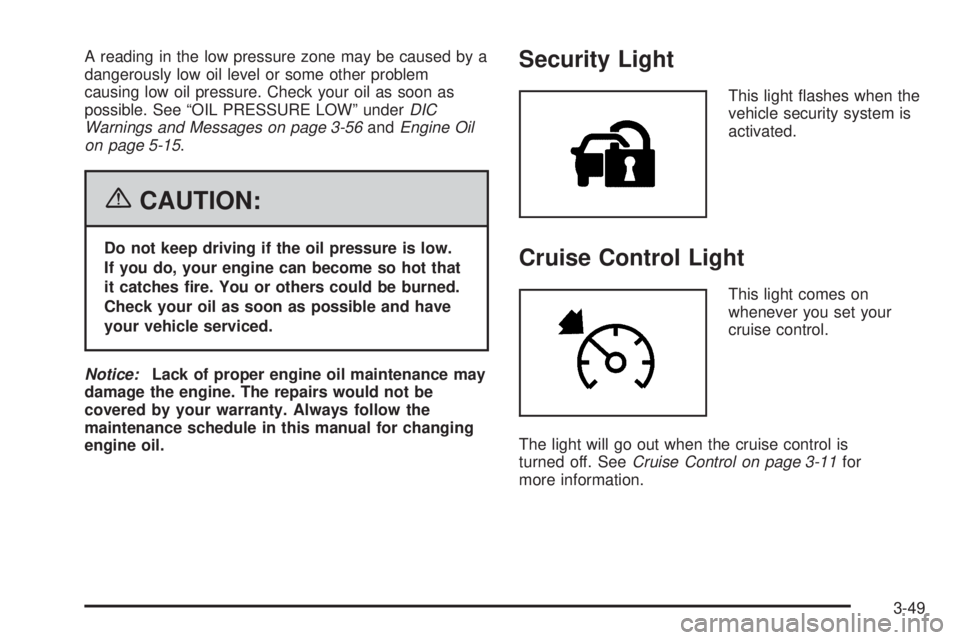
Security Light
This light ashes when the
vehicle security system is
activated.
Cruise Control Light
This light comes on
whenever you set your
cruise control.
The light will go out when the cruise control is
turned off. SeeCruise Control on page 3-11for
more information.
3-49
Page 307 of 540

In the limited mode, the traction-control system will only
use engine traction-control and is limited in it’s ability
to provide optimal performance since the system will
not utilize brake traction-control to control slip on
the drive wheels. The system will return to normal
operation after the brakes have cooled. This can take
up to two minutes or longer depending on brake usage.
Notice:If you allow the wheel(s) of one axle to
spin excessively while the traction off, ABS
and brake warning lights and the SERVICE
STABILITY message are displayed, you could
damage the transfer case. The repairs would not
be covered by your warranty. Reduce engine power
and do not spin the wheel(s) excessively while
these lights and this message are displayed.
The traction control system may activate on dry or
rough roads or under conditions such as heavy
acceleration while turning or abrupt upshifts/downshifts
of the transmission. When this happens, you may
notice a reduction in acceleration, or may hear a noise
or vibration. This is normal.
If your vehicle is in cruise control when the system
activates, the STABILITY SYS ACTIVE message will
appear on the Driver Information Center (DIC), and
the cruise control will automatically disengage. When
road conditions allow you to use cruise again, you
may re-engage the cruise control. SeeCruise Control
on page 3-11.StabiliTrak®may also turn off automatically if it
determines that a problem exists with the system.
If the problem does not clear itself after restarting the
vehicle, you should see your dealer for service.
Steering
Power Steering
If you lose power steering assist because the engine
stops or the system is not functioning, you can steer
but it will take much more effort.
Steering Tips
It is important to take curves at a reasonable speed.
A lot of the “driver lost control” accidents mentioned on
the news happen on curves. Here is why:
Experienced driver or beginner, each of us is subject
to the same laws of physics when driving on curves.
The traction of the tires against the road surface makes
it possible for the vehicle to change its path when
you turn the front wheels. If there is no traction, inertia
will keep the vehicle going in the same direction.
If you have ever tried to steer a vehicle on wet ice,
you will understand this.
4-11
Page 482 of 540

Fuses Usage
HTR A/C Climate Control System
LCKPower Door Lock Relay
(Lock Function)
HVAC 1Inside Rearview Mirror,
Climate Control System
LT DRDriver’s Door Harness
Connection
CRUISE Cruise Control
UNLCKPower Door Lock Relay
(Unlock Function)
RR FOG LP Rear Fog Lamp (Export Only)
BRAKE Anti-Lock Brake System
DRIVER UNLCKPower Door Lock Relay
(Driver’s Door Unlock
Function)
IGN 0 PCM, TCM
TBC IGN 0 Truck Body Controller
VEH CHMSLVehicle and Trailer High
Mounted Stoplamp
LT TRLR ST/TRN Left Turn Signal/Stop Trailer
LT TRNLeft Turn Signals and
Sidemarkers
VEH STOPVehicle Stoplamps,
Brake Module, Electronic
Throttle Control Module
RT TRLR ST/TRN Right Turn Signal/Stop TrailerFuses Usage
RT TRNRight Turn Signals and
Sidemarkers
BODY Harness Connector
DDM Driver Door Module
AUX PWR 2, M/GATERear Cargo Area Power
Outlets
LCKS Power Door Lock System
ECC, TPMRear Electronic Climate
Control, Liftgate, Tire
Pressure Monitoring System
TBC 2C Truck Body Controller
HAZRD Flasher Module
CB LT DRSLeft Power Window Circuit
Breaker
TBC 2B Truck Body Controller
TBC 2A Truck Body Controller
Center Instrument Panel
Fuse Block
The center instrument panel utility block is located
underneath the instrument panel, to the left of the
steering column.
5-108