ECU GMC YUKON 2021 Owner's Guide
[x] Cancel search | Manufacturer: GMC, Model Year: 2021, Model line: YUKON, Model: GMC YUKON 2021Pages: 433, PDF Size: 6.54 MB
Page 89 of 433
GMC Yukon/Yukon XL/Denali Owner Manual (GMNA-Localizing-U.S./
Canada/Mexico-13690468) - 2021 - crc - 8/14/20
86 Seats and Restraints
Securing Child Restraints (With
the Seat Belt in the Front
Passenger Seat)
This vehicle has airbags. A rear seat is a
safer place to secure a forward-facing child
restraint. SeeWhere to Put the Restraint
0 76.
In addition, the vehicle has a passenger
sensing system which is designed to turn off
the front outboard passenger frontal airbag
under certain conditions. See Passenger
Sensing System 066 and
Passenger Airbag Status Indicator 0110 for
more information, including important
safety information.
Never put a rear-facing child restraint in the
front. This is because the risk to the
rear-facing child is so great, if the airbag
deploys.
{Warning
A child in a rear-facing child restraint can
be seriously injured or killed if the front
outboard passenger frontal airbag
inflates. This is because the back of the
rear-facing child restraint would be very
(Continued)
Warning (Continued)
close to the inflating airbag. A child in a
forward-facing child restraint can be
seriously injured or killed if the front
outboard passenger frontal airbag inflates
and the passenger seat is in a forward
position.
Even if the passenger sensing system has
turned off the front outboard passenger
frontal airbag, no system is fail-safe. No
one can guarantee that an airbag will not
deploy under some unusual circumstance,
even though it is turned off.
Secure rear-facing child restraints in a
rear seat, even if the airbag is off. If you
secure a forward-facing child restraint in
the front outboard passenger seat,
always move the seat as far back as it
will go. It is better to secure the child
restraint in a rear seat.
SeePassenger Sensing System 066 for
additional information.
If the child restraint uses a top tether, see
Lower Anchors and Tethers for Children
(LATCH System) 077 for top tether anchor
locations. Do not secure a child seat in a position
without a top tether anchor if a national or
local law requires that the top tether be
anchored, or if the instructions that come
with the child restraint say that the top
tether must be anchored.
In Canada, the law requires that
forward-facing child restraints have a top
tether, and that the tether be attached.
When using the lap-shoulder belt to secure
the child restraint in this position, follow the
instructions that came with the child
restraint and the following instructions:
1. Move the seat as far back as it will go before securing the forward-facing child
restraint. Move the seat upward or the
seatback to an upright position,
if needed, to get a tight installation of
the child restraint.
When the passenger sensing system has
turned off the front outboard passenger
frontal airbag, the OFF indicator on the
passenger airbag status indicator should
light and stay lit when you start the
vehicle. See Passenger Airbag Status
Indicator 0110.
2. Put the child restraint on the seat.
Page 90 of 433
GMC Yukon/Yukon XL/Denali Owner Manual (GMNA-Localizing-U.S./
Canada/Mexico-13690468) - 2021 - crc - 8/14/20
Seats and Restraints 87
3. Pick up the latch plate, and run the lapand shoulder portions of the vehicle seat
belt through or around the child
restraint. The child restraint instructions
will show you how.
4. Push the latch plate into the buckle untilit clicks.
Position the release button on the
buckle, away from the child restraint, so
that the seat belt could be quickly
unbuckled if necessary.
5. Pull the shoulder belt all the way out ofthe retractor to set the lock. When the
retractor lock is set, the belt can be
tightened but not pulled out of the
retractor.6. To tighten the belt, push down on thechild restraint, pull the shoulder portion
of the belt to tighten the lap portion of
the belt, and feed the shoulder belt back
into the retractor. When installing a
forward-facing child restraint, it may be
helpful to use your knee to push down
on the child restraint as you tighten
the belt.
Try to pull the belt out of the retractor
to make sure the retractor is locked.
If the retractor is not locked, repeat
Steps 5 and 6.
7. Before placing a child in the child restraint, make sure it is securely held in
place. To check, grasp the child restraint
at the seat belt path and attempt to
Page 91 of 433
GMC Yukon/Yukon XL/Denali Owner Manual (GMNA-Localizing-U.S./
Canada/Mexico-13690468) - 2021 - crc - 8/14/20
88 Seats and Restraints
move it side to side and back and forth.
When the child restraint is properly
installed, there should be no more than
2.5 cm (1 in) of movement.
If the airbag is off, the OFF indicator in the
passenger airbag status indicator will come
on and stay on when the vehicle is started.
If a child restraint has been installed and
the ON indicator is lit, see “If the On
Indicator Is Lit for a Child Restraint” under
Passenger Sensing System 066.
To remove the child restraint, unbuckle the
vehicle seat belt and let it return to the
stowed position.Securing Child Restraints (With
the Seat Belt in the Center
Front Seat)
{Warning
A child in a child restraint in the center
front seat can be badly injured or killed
by the frontal airbags if they inflate.
Never secure a child restraint in the
center front seat. It is always better to
secure a child restraint in a rear seat.
Do not use child restraints in the center
front seat position.
Page 97 of 433
GMC Yukon/Yukon XL/Denali Owner Manual (GMNA-Localizing-U.S./
Canada/Mexico-13690468) - 2021 - crc - 8/14/20
94 Storage
Caution
Loading cargo on the roof rack that
weighs more than 100 kg (220 lb) or
hangs over the rear or sides of the
vehicle may damage the vehicle. Do not
load cargo exceeding 100 kg (220 lbs) and
always load cargo so that it rests evenly
between the crossrails and does not block
the vehicle lamps or windows. Fasten the
cargo securely.To prevent damage or loss of cargo when
driving, check to make sure crossrails and
cargo are securely fastened. Loading cargo
on the roof rack will make the vehicle’s
center of gravity higher. Avoid high speeds,
sudden starts, sharp turns, sudden braking,
or abrupt maneuvers, otherwise it may
result in loss of control. If driving for a long
distance, on rough roads, or at high speeds,
occasionally stop the vehicle to make sure
the cargo remains in its place.
Do not exceed the maximum vehicle
capacity when loading the vehicle. For more
information on vehicle capacity and loading,
see
Vehicle Load Limits 0222.
A Center High-Mounted Stoplamp (CHMSL) is
located above the rear window glass. Make
sure items loaded on the roof of the vehicle
do not block or damage the CHMSL.
Page 98 of 433
GMC Yukon/Yukon XL/Denali Owner Manual (GMNA-Localizing-U.S./
Canada/Mexico-13690468) - 2021 - crc - 8/14/20
Instruments and Controls 95
Instruments and Controls
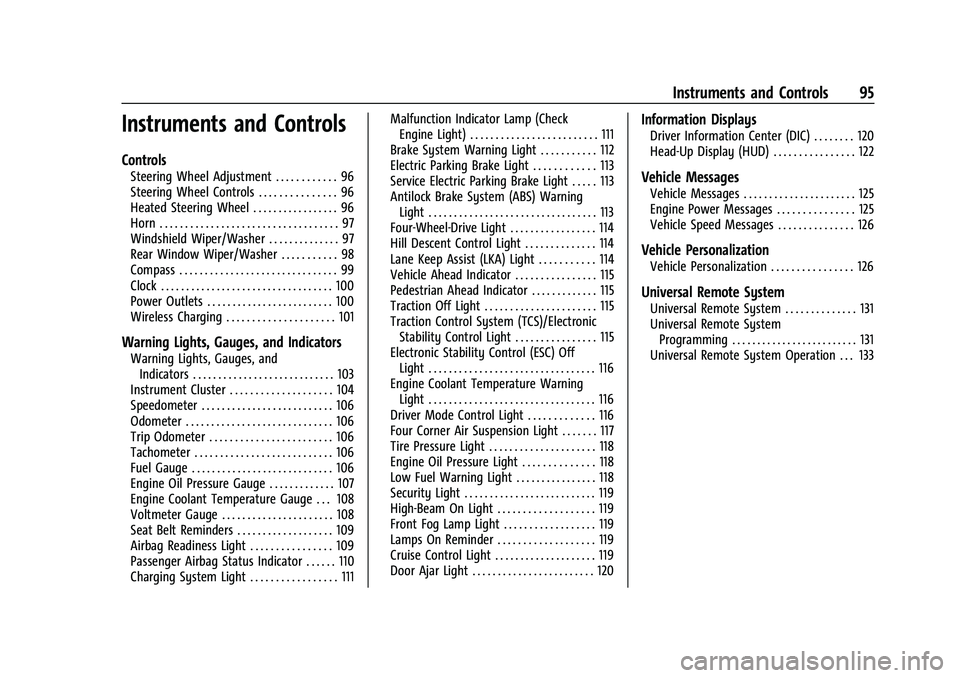
Controls
Steering Wheel Adjustment . . . . . . . . . . . . 96
Steering Wheel Controls . . . . . . . . . . . . . . . 96
Heated Steering Wheel . . . . . . . . . . . . . . . . . 96
Horn . . . . . . . . . . . . . . . . . . . . . . . . . . . . . . . . . . . 97
Windshield Wiper/Washer . . . . . . . . . . . . . . 97
Rear Window Wiper/Washer . . . . . . . . . . . 98
Compass . . . . . . . . . . . . . . . . . . . . . . . . . . . . . . . 99
Clock . . . . . . . . . . . . . . . . . . . . . . . . . . . . . . . . . . 100
Power Outlets . . . . . . . . . . . . . . . . . . . . . . . . . 100
Wireless Charging . . . . . . . . . . . . . . . . . . . . . 101
Warning Lights, Gauges, and Indicators
Warning Lights, Gauges, andIndicators . . . . . . . . . . . . . . . . . . . . . . . . . . . . 103
Instrument Cluster . . . . . . . . . . . . . . . . . . . . 104
Speedometer . . . . . . . . . . . . . . . . . . . . . . . . . . 106
Odometer . . . . . . . . . . . . . . . . . . . . . . . . . . . . . 106
Trip Odometer . . . . . . . . . . . . . . . . . . . . . . . . 106
Tachometer . . . . . . . . . . . . . . . . . . . . . . . . . . . 106
Fuel Gauge . . . . . . . . . . . . . . . . . . . . . . . . . . . . 106
Engine Oil Pressure Gauge . . . . . . . . . . . . . 107
Engine Coolant Temperature Gauge . . . 108
Voltmeter Gauge . . . . . . . . . . . . . . . . . . . . . . 108
Seat Belt Reminders . . . . . . . . . . . . . . . . . . . 109
Airbag Readiness Light . . . . . . . . . . . . . . . . 109
Passenger Airbag Status Indicator . . . . . . 110
Charging System Light . . . . . . . . . . . . . . . . . 111 Malfunction Indicator Lamp (Check
Engine Light) . . . . . . . . . . . . . . . . . . . . . . . . . 111
Brake System Warning Light . . . . . . . . . . . 112
Electric Parking Brake Light . . . . . . . . . . . . 113
Service Electric Parking Brake Light . . . . . 113
Antilock Brake System (ABS) Warning Light . . . . . . . . . . . . . . . . . . . . . . . . . . . . . . . . . 113
Four-Wheel-Drive Light . . . . . . . . . . . . . . . . . 114
Hill Descent Control Light . . . . . . . . . . . . . . 114
Lane Keep Assist (LKA) Light . . . . . . . . . . . 114
Vehicle Ahead Indicator . . . . . . . . . . . . . . . . 115
Pedestrian Ahead Indicator . . . . . . . . . . . . . 115
Traction Off Light . . . . . . . . . . . . . . . . . . . . . . 115
Traction Control System (TCS)/Electronic Stability Control Light . . . . . . . . . . . . . . . . 115
Electronic Stability Control (ESC) Off Light . . . . . . . . . . . . . . . . . . . . . . . . . . . . . . . . . 116
Engine Coolant Temperature Warning Light . . . . . . . . . . . . . . . . . . . . . . . . . . . . . . . . . 116
Driver Mode Control Light . . . . . . . . . . . . . 116
Four Corner Air Suspension Light . . . . . . . 117
Tire Pressure Light . . . . . . . . . . . . . . . . . . . . . 118
Engine Oil Pressure Light . . . . . . . . . . . . . . 118
Low Fuel Warning Light . . . . . . . . . . . . . . . . 118
Security Light . . . . . . . . . . . . . . . . . . . . . . . . . . 119
High-Beam On Light . . . . . . . . . . . . . . . . . . . 119
Front Fog Lamp Light . . . . . . . . . . . . . . . . . . 119
Lamps On Reminder . . . . . . . . . . . . . . . . . . . 119
Cruise Control Light . . . . . . . . . . . . . . . . . . . . 119
Door Ajar Light . . . . . . . . . . . . . . . . . . . . . . . . 120
Information Displays
Driver Information Center (DIC) . . . . . . . . 120
Head-Up Display (HUD) . . . . . . . . . . . . . . . . 122
Vehicle Messages
Vehicle Messages . . . . . . . . . . . . . . . . . . . . . . 125
Engine Power Messages . . . . . . . . . . . . . . . 125
Vehicle Speed Messages . . . . . . . . . . . . . . . 126
Vehicle Personalization
Vehicle Personalization . . . . . . . . . . . . . . . . 126
Universal Remote System
Universal Remote System . . . . . . . . . . . . . . 131
Universal Remote System Programming . . . . . . . . . . . . . . . . . . . . . . . . . 131
Universal Remote System Operation . . . 133
Page 122 of 433
GMC Yukon/Yukon XL/Denali Owner Manual (GMNA-Localizing-U.S./
Canada/Mexico-13690468) - 2021 - crc - 8/14/20
Instruments and Controls 119
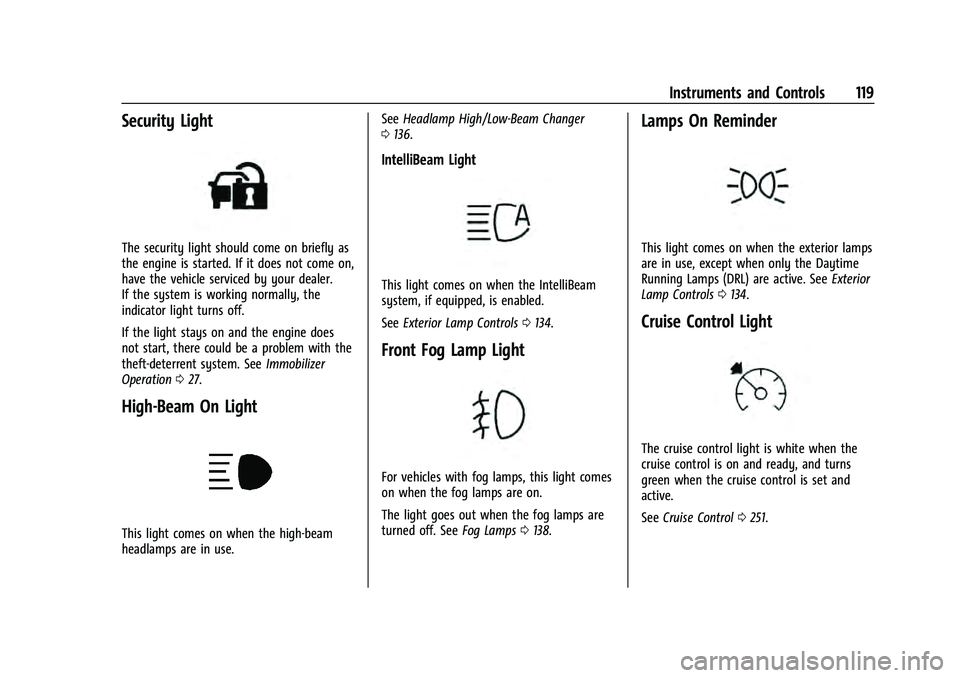
Security Light
The security light should come on briefly as
the engine is started. If it does not come on,
have the vehicle serviced by your dealer.
If the system is working normally, the
indicator light turns off.
If the light stays on and the engine does
not start, there could be a problem with the
theft-deterrent system. SeeImmobilizer
Operation 027.
High-Beam On Light
This light comes on when the high-beam
headlamps are in use. See
Headlamp High/Low-Beam Changer
0 136.
IntelliBeam Light
This light comes on when the IntelliBeam
system, if equipped, is enabled.
See Exterior Lamp Controls 0134.
Front Fog Lamp Light
For vehicles with fog lamps, this light comes
on when the fog lamps are on.
The light goes out when the fog lamps are
turned off. See Fog Lamps0138.
Lamps On Reminder
This light comes on when the exterior lamps
are in use, except when only the Daytime
Running Lamps (DRL) are active. See Exterior
Lamp Controls 0134.
Cruise Control Light
The cruise control light is white when the
cruise control is on and ready, and turns
green when the cruise control is set and
active.
See Cruise Control 0251.
Page 123 of 433
GMC Yukon/Yukon XL/Denali Owner Manual (GMNA-Localizing-U.S./
Canada/Mexico-13690468) - 2021 - crc - 8/14/20
120 Instruments and Controls
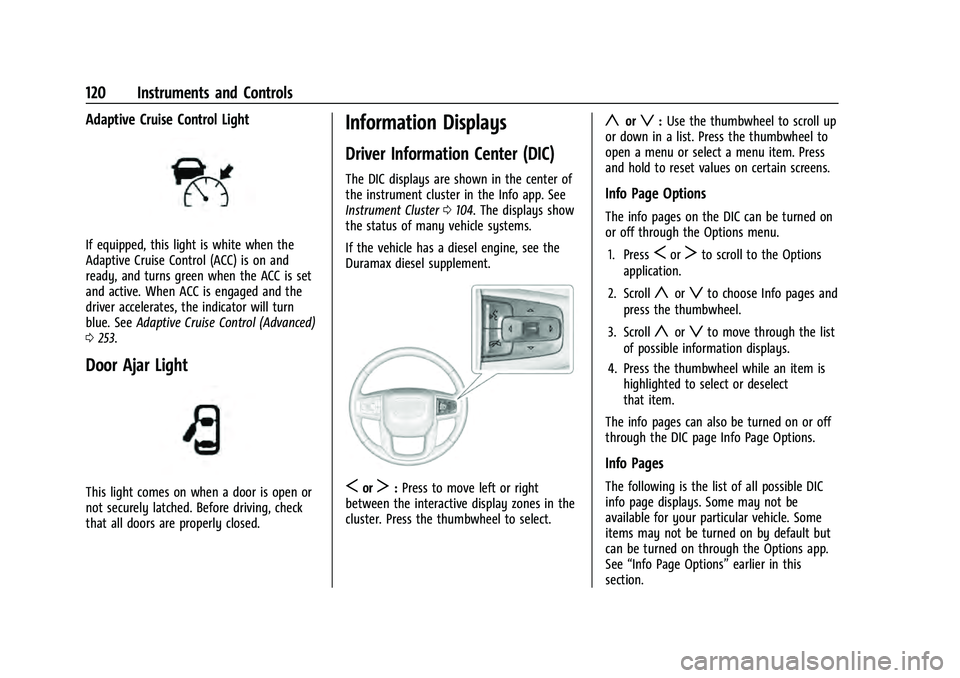
Adaptive Cruise Control Light
If equipped, this light is white when the
Adaptive Cruise Control (ACC) is on and
ready, and turns green when the ACC is set
and active. When ACC is engaged and the
driver accelerates, the indicator will turn
blue. SeeAdaptive Cruise Control (Advanced)
0 253.
Door Ajar Light
This light comes on when a door is open or
not securely latched. Before driving, check
that all doors are properly closed.
Information Displays
Driver Information Center (DIC)
The DIC displays are shown in the center of
the instrument cluster in the Info app. See
Instrument Cluster 0104. The displays show
the status of many vehicle systems.
If the vehicle has a diesel engine, see the
Duramax diesel supplement.
SorT: Press to move left or right
between the interactive display zones in the
cluster. Press the thumbwheel to select.
yorz: Use the thumbwheel to scroll up
or down in a list. Press the thumbwheel to
open a menu or select a menu item. Press
and hold to reset values on certain screens.
Info Page Options
The info pages on the DIC can be turned on
or off through the Options menu.
1. Press
SorTto scroll to the Options
application.
2. Scroll
yorzto choose Info pages and
press the thumbwheel.
3. Scroll
yorzto move through the list
of possible information displays.
4. Press the thumbwheel while an item is highlighted to select or deselect
that item.
The info pages can also be turned on or off
through the DIC page Info Page Options.
Info Pages
The following is the list of all possible DIC
info page displays. Some may not be
available for your particular vehicle. Some
items may not be turned on by default but
can be turned on through the Options app.
See “Info Page Options” earlier in this
section.
Page 128 of 433
GMC Yukon/Yukon XL/Denali Owner Manual (GMNA-Localizing-U.S./
Canada/Mexico-13690468) - 2021 - crc - 8/14/20
Instruments and Controls 125
Care of the HUD
Clean the inside of the windshield to remove
any dirt or film that could reduce the
sharpness or clarity of the HUD image.
Clean the HUD lens with a soft cloth
sprayed with glass cleaner. Wipe the lens
gently, then dry it.
HUD Troubleshooting
Check that:
.Nothing is covering the HUD lens.
.The HUD brightness setting is not too
dim or too bright.
.The HUD is adjusted to the proper height.
.Polarized sunglasses are not worn.
.The windshield and HUD lens are clean.
If the HUD image is not correct, contact
your dealer.
The windshield is part of the HUD system.
See Windshield Replacement 0330.
Vehicle Messages
Messages displayed on the DIC indicate the
status of the vehicle or some action that
may be needed to correct a condition.
Multiple messages may appear one after
another.
The messages that do not require
immediate action can be acknowledged and
cleared by pressing
V. The messages that
require immediate action cannot be cleared
until that action is performed.
All messages should be taken seriously;
clearing the message does not correct the
problem.
If a SERVICE message appears, see your
dealer.
Follow the instructions given in the
messages. The system displays messages
regarding the following topics:
.Service Messages
.Fluid Levels
.Vehicle Security
.Brakes
.Steering
.Ride Control Systems
.Driver Assistance Systems
.Cruise Control
.Lighting and Bulb Replacement
.Wiper/Washer Systems
.Doors and Windows
.Seat Belts
.Airbag Systems
.Engine and Transmission
.Tire Pressure
.Battery
.Four Corner Air Suspension System
Engine Power Messages
REDUCED ACCELERATION DRIVE
WITH CARE
This message displays when the vehicle's
propulsion power is reduced. A reduction in
propulsion power can affect the vehicle's
ability to accelerate. If this message is on,
but there is no observed reduction in
performance, proceed to your destination.
Under certain conditions the performance
may be reduced the next time the vehicle is
driven. The vehicle may be driven while this
message is on, but maximum acceleration
and speed may be reduced. Anytime this
message stays on, or displays repeatedly,
the vehicle should be taken to your dealer
for service as soon as possible.
Page 134 of 433
GMC Yukon/Yukon XL/Denali Owner Manual (GMNA-Localizing-U.S./
Canada/Mexico-13690468) - 2021 - crc - 8/14/20
Instruments and Controls 131
Valet Mode
This will lock the infotainment system and
steering wheel controls. It may also limit
access to vehicle storage locations,
if equipped.
To enable valet mode:1. Enter a four-digit code on the keypad.
2. Select Enter to go to the confirmation screen.
3. Re-enter the four-digit code.
Touch Lock or Unlock to lock or unlock the
system. Touch Back to go back to the
previous menu.
Universal Remote System
See Radio Frequency Statement 0407.
Universal Remote System
Programming
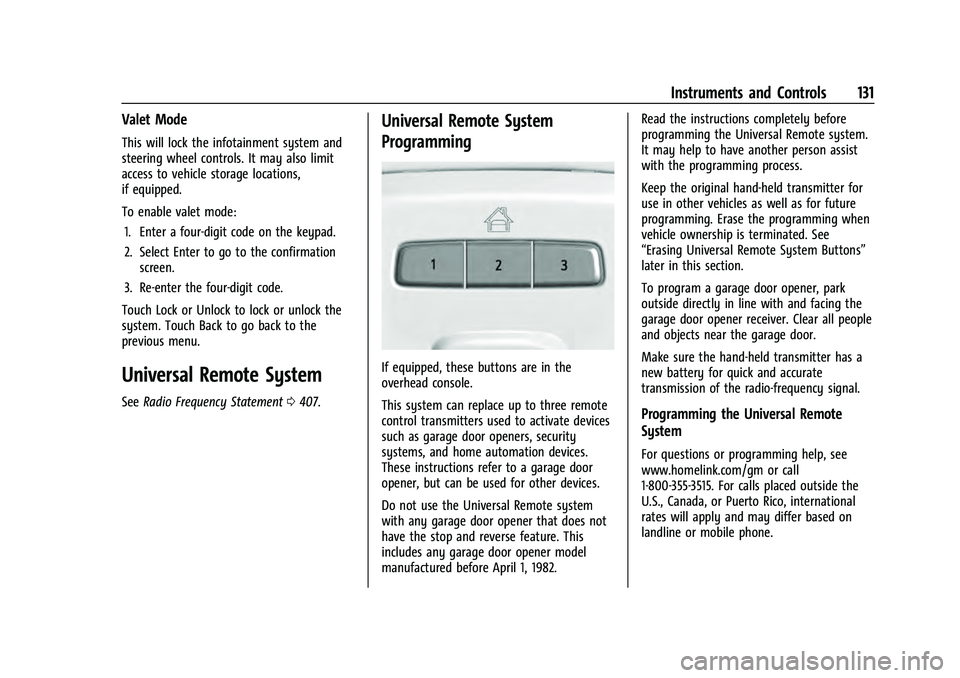
If equipped, these buttons are in the
overhead console.
This system can replace up to three remote
control transmitters used to activate devices
such as garage door openers, security
systems, and home automation devices.
These instructions refer to a garage door
opener, but can be used for other devices.
Do not use the Universal Remote system
with any garage door opener that does not
have the stop and reverse feature. This
includes any garage door opener model
manufactured before April 1, 1982. Read the instructions completely before
programming the Universal Remote system.
It may help to have another person assist
with the programming process.
Keep the original hand-held transmitter for
use in other vehicles as well as for future
programming. Erase the programming when
vehicle ownership is terminated. See
“Erasing Universal Remote System Buttons”
later in this section.
To program a garage door opener, park
outside directly in line with and facing the
garage door opener receiver. Clear all people
and objects near the garage door.
Make sure the hand-held transmitter has a
new battery for quick and accurate
transmission of the radio-frequency signal.
Programming the Universal Remote
System
For questions or programming help, see
www.homelink.com/gm or call
1-800-355-3515. For calls placed outside the
U.S., Canada, or Puerto Rico, international
rates will apply and may differ based on
landline or mobile phone.
Page 190 of 433
GMC Yukon/Yukon XL/Denali Owner Manual (GMNA-Localizing-U.S./
Canada/Mexico-13690468) - 2021 - crc - 8/14/20
Infotainment System 187
Press{on the center stack to return to the
Home Page.
Features are subject to change. For further
information on how to set up Android Auto
and Apple CarPlay in the vehicle, see
my.gmc.com.
Android Auto is provided by Google and is
subject to Google’s terms and privacy policy.
Apple CarPlay is provided by Apple and is
subject to Apple’s terms and privacy policy.
Data plan rates apply. For Android Auto
support see https://support.google.com/
androidauto. For Apple CarPlay support see
www.apple.com/ios/carplay/. Apple or
Google may change or suspend availability
at any time. Android Auto, Android, Google,
Google Play, and other marks are
trademarks of Google Inc.; Apple CarPlay is a
trademark of Apple Inc.
Press
{on the center stack to exit Android
Auto or Apple CarPlay. To enter back into
Android Auto or Apple CarPlay, press and
hold
{on the center stack.
Apple CarPlay and Android Auto can be
disabled from the infotainment system. To
do this, touch Home, Settings, and then touch the Apps tab along the top of the
display. Use the On/Off toggled to turn off
Apple CarPlay or Android Auto.
Settings
Certain settings can be managed in the
Owner Center sites when an account is
established, and may be modified if other
users have accessed the vehicle or created
accounts. This may result in changes to the
security or functionality of the infotainment
system. Some settings may also be
transferred to a new vehicle, if equipped. For
instructions, in the U.S. see my.gmc.com or
in Canada see mygmc.ca or mongmc.ca.
Refer to the User Terms and Privacy
Statement for important details. To view,
touch the Settings icon on the Home Page
of the infotainment display.
The settings menu may be organized into
four categories. Select the desired category
by touching System, Apps, Vehicle,
or Personal.
To access the personalization menus:
1. Touch Settings on the Home Page on the infotainment display.
2. Touch the desired category to display a list of available options. 3. Touch to select the desired feature
setting.
4. Touch the options on the infotainment display to disable or enable a feature.
5. Touch
zto go to the top level of the
Settings menu.
System
The menu may contain the following:
Time / Date
Use the following features to set the clock:
.Automatic Time and Date: Touch Off or
On to enable or disable automatic update
of the time and date. When this feature
is on, the time and date cannot be
manually set.
.Set Time: Touch to manually set the time
using the controls on the infotainment
display.
.Set Date: Touch to manually set the date
using the controls on the infotainment
display.
.Automatic Time Zone (if equipped): Touch
Off or On to disable or enable automatic
update of the time zone based on vehicle
location. When this feature is on, the
time zone cannot be manually set.