transmission GMC YUKON DENALI 2003 User Guide
[x] Cancel search | Manufacturer: GMC, Model Year: 2003, Model line: YUKON DENALI, Model: GMC YUKON DENALI 2003Pages: 447, PDF Size: 21.97 MB
Page 144 of 447
Section 3 Instrument Panel
Instrument Panel Overview ............................... 3.4
Hazard Warning Flashers
................................ 3.5
Other Warning Devices ................................... 3.6
Horn
............................................................. 3.6
Tilt Wheel
..................................................... 3-6
Turn SignaVMultifunction Lever
......................... 3.7
Exterior Lamps
............................................. 3.13
Interior Lamps
.............................................. 3.16
Accessory Power Outlets
............................... 3.17
Ashtrays and Cigarette Lighter
........................ 3.18
Climate Controls ............................................ 3. 1 9
Electronic Climate Control System
................... 3.19
Outlet Adjustment
......................................... 3.25
Rear Climate Control System
......................... 3.25
Climate Controls Personalization
..................... 3.27
Warning Lights, Gages and Indicators ............. 3.28
Instrument Panel Cluster
................................ 3.29
Speedometer and Odometer
........................... 3.30
Tachometer
................................ ......... 3.30
~
Safety Belt Reminder Light ............................. 3.30
Air Bag Readiness Light
................................ 3.31
Passenger Air Bag Status Indicator ................ -3-32
Charging System Light
.................................. 3-33
Voltmeter Gage
............................................ 3-34
Brake System Warning Light
...................... 3-34
Anti-Lock Brake System Warning Light
........................................... 3-35
Traction
Off Light .......................................... 3-36
Transmission Temperature Gage
..................... 3-37
Malfunction Indicator Lamp
............................. 3-38
Oil Pressure Gage ........................................ 3-40
Security Light
............................................... 3-41
Tow/Haul Mode Light .................................... 3-42
Fuel Gage
................................................... 3-42
Low Fuel Warning Light
............................. 3-42
Engine Coolant Temperature Gage
.................. 3-36
Cruise Control
Light ...................................... 3-41
3- 1
Page 155 of 447
Increasing Speed While Using Cruise
Control
There are two ways to go to a higher speed:
Use the accelerator pedal to get to the higher
speed. Press the SET button at the end of the lever,
then release the button and the accelerator pedal.
You’ll now cruise at the higher speed.
resume/accelerate. Hold it there until you get up to
the speed you want, and then release the switch.
To increase your speed in very small amounts,
move the switch briefly to resume/accelerate.
Each time you do this, your vehicle will go about
1 mph (1.6 km/h) faster.
Move the cruise switch from on to
Reducing Speed While Using Cruise
Control
Press in the button at the end of the lever until you
reach the lower speed you want, then release it.
To slow down in very small amounts, briefly press
the set button. Each time you do this, you’ll go
about
1 mph (1.6 km/h) slower.
Passing Another Vehicle While Using
Cruise Control
Use the accelerator pedal to increase your speed.
When you take your foot
off the pedal, your vehicle will
slow down to the cruise control speed you set earlier.
Using Cruise Control on Hills
How well your cruise control will work on hills depends
upon your speed, load and the steepness of the
hills. When going up steep hills, you may want to step
on the accelerator pedal to maintain your speed.
When going downhill, you may have to brake or shift to
a lower gear to keep your speed down. Of course,
applying the brake takes you out of cruise control. Many
drivers find this to be too much trouble and don’t use
cruise control on steep hills.
Ending Cruise Control
There are four ways to turn off the cruise control:
e Step lightly on the brake pedal,
move the cruise control switch to off, or
shift the transmission to NEUTRAL (N).
If your vehicle has the Stabilitrak@feature, cruise
control will deactivate
if road conditions cause
Stabilitrak@to activate.
Erasing Speed Memory
When you turn off the cruise control or the ignition, your
cruise control set speed memory is erased.
3-1 2
Page 158 of 447
The DRL system will come on when the following
conditions are met:
0 The ignition is on,
the exterior lamps control is in AUTO,
the transmission is not in PARK (P), and
0 the light sensor determines it is daytime.
When the DRL are on, only your DRL lamps will be on
The taillamps, sidemarker and other lamps won’t be
on. The instrument panel won’t be
lit up either.
When it begins
to get dark, the automatic headlamp
system will switch from DRL
to the headlamps.
As with any vehicle, you should turn on the regular
headlamp system when you need it.
Puddle Lamps
Your vehicle is equipped with puddle lamps to help you
see the area near the base of the front doors when
it
is dark out. The puddle lamps will illuminate when a door
is opened or when you press the unlock button on the
keyless entry transmitter. The lamps will time out or turn
off once the engine is started.
Fog Lamps
Use the fog lamps for better vision in foggy or misty
conditions. Your parking lamps and/or low-beam
headlamps must be on for your fog lamps
to work.
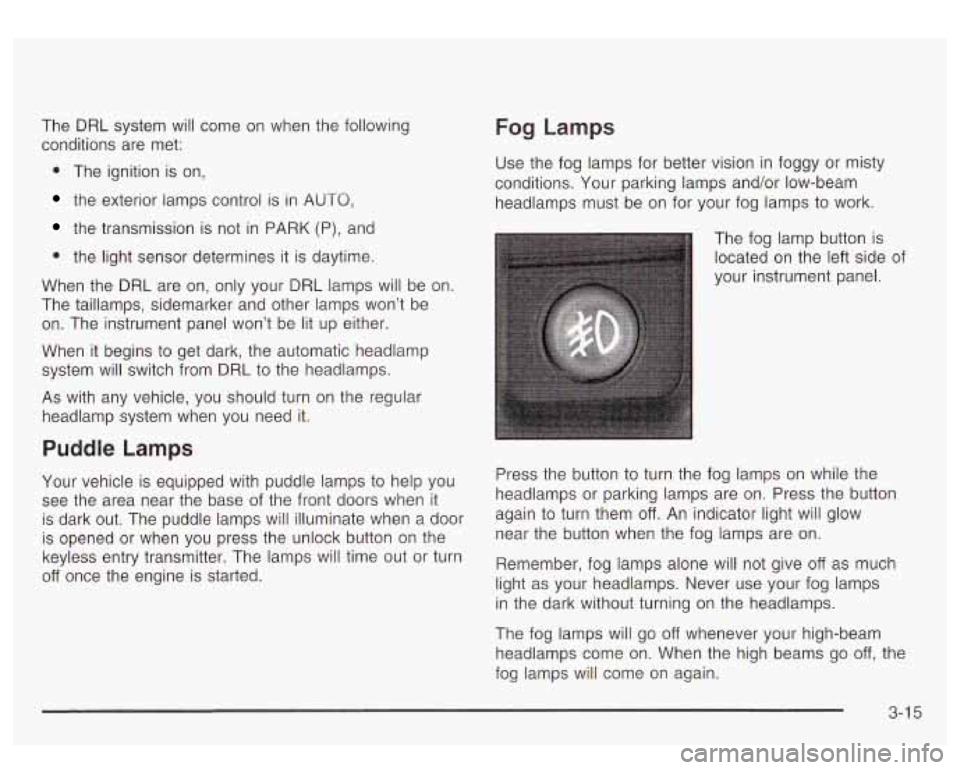
The fog lamp button
is
located on the left side of
your instrument panel.
Press the button
to turn the fog lamps on while the
headlamps or parking lamps are on. Press the button
again to turn them
off. An indicator light will glow
near the button when the fog lamps are on.
Remember, fog lamps alone will not give
off as much
light as your headlamps. Never use your fog lamps
in the dark without turning on the headlamps.
The fog lamps will go
off whenever your high-beam
headlamps come on. When the high beams go
off, the
fog lamps will come on again.
3-1 5
Page 180 of 447
Transmission Temperature Gage
--
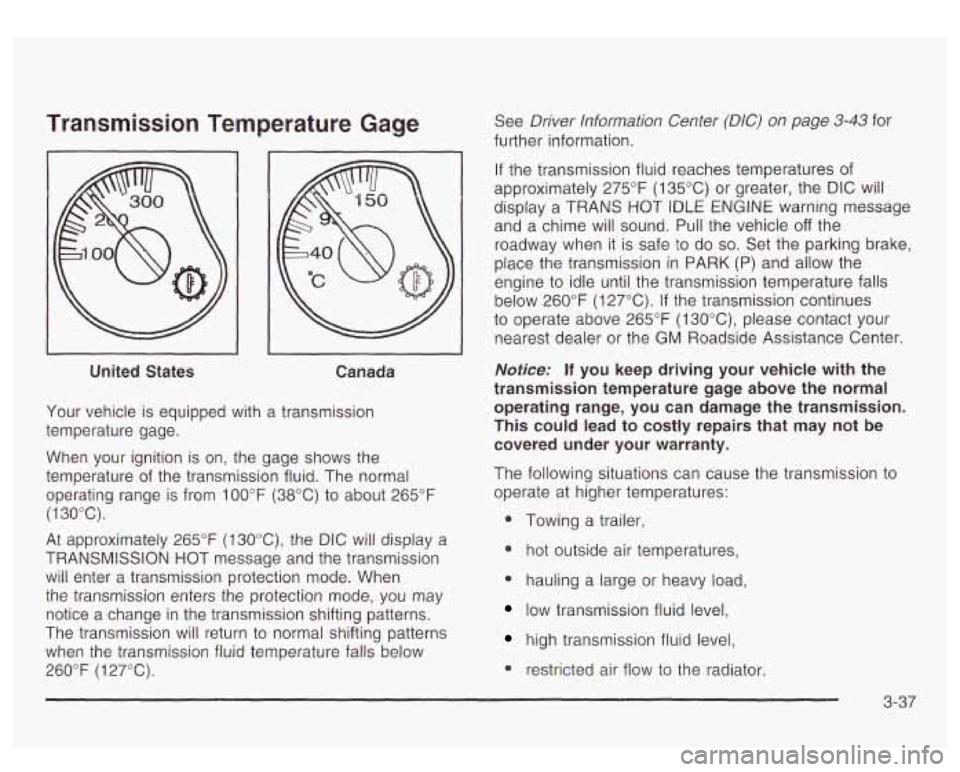
United States Canada
Your vehicle is equipped with a transmission
temperature gage.
When your ignition is on, the gage shows the
temperature of the transmission fluid. The normal
operating range is from
100°F (38°C) to about 265°F
(1 30°C).
At approximately 265°F (130°C), the DIC will display a
TRANSMISSION HOT message and the transmission
will enter a transmission protection mode. When
the transmission enters the protection mode, you may
notice a change in the transmission shifting patterns.
The transmission will return to normal shifting patterns
when the transmission fluid temperature falls below
260°F
(1 27°C). See
Driver Information
Center (DIC) on page 3-43 for
further information.
If the transmission fluid reaches temperatures of
approximately 275°F (135°C) or greater, the DIC will
display a TRANS
HOT tDLE ENGtNE warning message
and a chime will sound. Pull the vehicle
off the
roadway when it is safe
to do so. Set the parking brake,
place the transmission in PARK
(P) and allow the
engine to idle until the transmission temperature falls
below 260°F (127°C).
If the transmission continues
to operate above 265°F
(1 30"C), please contact your
nearest dealer or the
GM Roadside Assistance Center.
Notice: If you keep driving your vehicle with the
transmission temperature gage above the normal
operating range, you can damage the transmission.
This could lead to costly repairs that may not be
covered under your warranty.
The following situations can cause the transmission to
operate at higher temperatures:
0 Towing a trailer,
* hot outside air temperatures,
0 hauling a large or heavy load,
low transmission fluid level,
high transmission fluid level,
0 restricted air flow to the radiator.
Page 181 of 447
A temporary solution to hotter transmission operating
temperatures may be
to let the transmission cool down.
If the transmission is operated at higher temperatures
on a frequent basis, see
Scheduled Maintenance
on page
6-5 for the proper transmission maintenance
intervals.
Malfunction Indicator Lamp
Check Engine Light
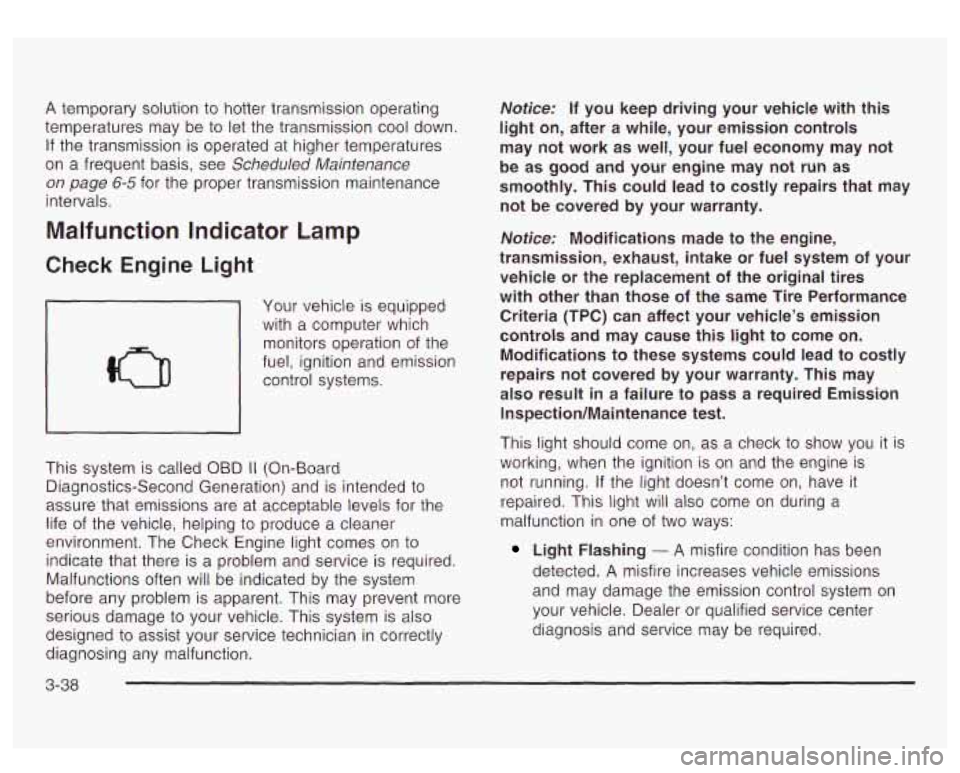
Your vehicle is equipped
with
a computer which
monitors operation of the
fuel, ignition and emission
control systems.
This system is called OBD
II (On-Board
Diagnostics-Second Generation) and is intended to
assure that emissions are at acceptable levels for the
life of the vehicle, helping
to produce a cleaner
environment. The Check Engine light comes on
to
indicate that there is a problem and service is required.
Malfunctions often will be indicated by the system
before any problem is apparent. This may prevent more
serious damage
to your vehicle. This system is also
designed to
assist your service technician in correctly
diagnosing any malfunction.
Notice: If you keep driving your vehicle with this
light on, after a while, your emission controls
may not work as well, your fuel economy may not
be as good and your engine may not run as
smoothly. This could lead to costly repairs that may
not be covered by your warranty.
Notice: Modifications made to the engine,
transmission, exhaust, intake or fuel system of your
vehicle or the replacement of the original tires
with other than those of the same Tire Performance
Criteria (TPC) can affect your vehicle’s emission
controls and may cause this light to come on.
Modifications to these systems could lead to costly
repairs not covered by your warranty. This may
also result
in a failure to pass a required Emission
Inspection/Maintenance test.
This light should come on, as a check to show you it is
working, when the ignition is on and the engine is
not running. If the light doesn’t come on, have it
repaired. This light will also come on during
a
malfunction in one of two ways:
Light Flashing - A misfire condition has been
detected.
A misfire increases vehicle emissions
and may damage the emission control system on
your vehicle. Dealer or qualified service center
diagnosis and service may be required.
3-38
Page 198 of 447

FUEL LEVEL LOW
If the fuel level is low, this message will appear on the
DIC and you will hear a chime. Refuel as soon as
possible. Pressing the select button will acknowledge
this message immediately and clear it from the DIC
display. It will also clear itself after
10 seconds until the
next ignition cycle. The low fuel light near the fuel
gage will still remain on in either case.
CHECK WASHER FLUID
If the washer fluid level is low, this message will appear
on the DIC. Adding washer fluid will clear the message.
Pressing the select button will acknowledge this
message and clear it from the DIC display. This
message will clear itself after
10 seconds until the next
igntion cycle.
TRANSMISSION HOT
If the transmission fluid temperature becomes high, the
message center will display this message.
When the transmission enters the protection mode, you
may notice a change in the transmission shifting
patterns. When the transmission fluid temperature
returns
to normal, the display will turn off and the
transmission shifting patterns will return
to normal.
Notice: If you keep driving your vehicle with the
transmission
TRANS FLUID HOT message
displayed, you can damage the transmission. This
could lead to costly repairs that may not be covered
under your warranty.
The following situations can cause the transmission to
operate at higher temperatures:
Towing a trailer
@ Hot outside air temperatures
Hauling a large or heavy load
Low transmission fluid level
High transmission fluid level
Restricted air flow to the radiator.
A temporary solution
to hotter transmission operating
temperatures may be
to let the transmission cool down.
If the transmission is operated at higher temperatures
on a frequent basis, see Scheduled Maintenance
on page 6-5 for the proper transmission maintenance
intervals.
TRANS HOT IDLE ENGINE
If the transmission fluid in the vehicle gets hot, this
message will appear on the DIC along with a continuous
chime. Driving with the transmission fluid temperature
high can cause damage
to the vehicle.
3-55
Page 199 of 447
Stop the vehicle and let it idle to allow the transmission
to cool. This message will clear and the chime will
stop when the fluid temperature reaches a safe level.
DRIVER DOOR AJAR
If the driver’s door is not fully closed and the vehicle is
in a drive gear, this message will appear on the
display and you will hear a chime. Stop and turn
off the
vehicle, check the door for obstacles, and close the
door again. Check
to see if the message still appears on
the DIC. Pressing the select button will acknowledge
this message and clear it from the DIC display.
PASSENGER DOOR AJAR
If the passenger’s door is not fully closed and the
vehicle is in a drive gear, this message will appear on
the display and you will hear a chime. Stop and turn
off
the vehicle, check the door for obstacles, and close
the door again. Check
to see if the message still
appears on the DIC. Pressing the select button will
acknowledge this message and clear it from the DIC
display.
LEFT REAR DOOR AJAR
If the driver’s side rear door is not fully closed and the
vehicle is in a drive gear, this message will appear
on the display and you will hear a chime. Stop and turn
off the vehicle, check the door for obstacles, and
close the door again. Check
to see if the message still
3-56
appears on the DlC. Pressing the select button will
acknowledge this message and clear it from the DIC
display.
RIGHT REAR DOOR AJAR
If the passenger’s side rear door is not fully closed and
the vehicle is in a drive gear, this message will
appear on the display and you
will hear a chime. Stop
and turn
off the vehicle, check the door for obstacles,
and close the door again. Check
to see if the message
still appears on the DIC. Pressing the select button
will acknowledge this message and clear it from the DIC
display.
RFA # BATTERY LOW
If a remote keyless entry transmitter battery is low, this
message will appear on the DIC. The battery needs
to be replaced in the transmitter. Pressing the select
button will acknowledge this message and clear it from
the DIC display.
STABILITY SYS ACTIVE
You may see the STABILITY SYS ACTIVE message on
the DIC. It means that an advanced computer-controlled
system has come on
to help your vehicle continue to
go in the direction in which you’re steering.
Stabilitrak@activates when the computer senses that
your vehicle is just starting to spin, as
it might if you hit
a patch of ice or other slippery spot on the road.
Page 244 of 447
The traction control system may activate on dry or
rough roads or under conditions such as heavy
acceleration while turning or abrupt upshifts/downshifts
of the transmission. When this happens you may
notice a reduction in acceleration, or may hear
a noise
or vibration. This is normal.
If your vehicle is in cruise control when the system
activates, the STABILITY SYS ACTIVE message will
appear on the Driver Information Center and the cruise
control will automatically disengage. When road
conditions allow you
to use cruise again, you may
re-engage the cruise control. See “Cruise Control” under
Turn SignaVMultifunction
Lever on page 3-7
Stabilitrak@may also turn off automatically if it
determines that a problem exists with the system. If the
problem does not clear itself after restarting the
vehicle, you should see your dealer for service.
Power Steering
If you lose power steering assist because the engine
stops or the system is not functioning, you can steer but
it will take much more effort.
Steering Tips
Driving on Curves
It’s important to take curves at a reasonable speed.
A
lot of the “driver lost control” accidents mentioned on
the news happen on curves. Here’s why:
Experienced driver or beginner, each of us is subject to
the same laws of physics when driving on curves.
The traction of the tires against the road surface makes
it possible for the vehicle
to change its path when
you turn the front wheels. If there’s no traction, inertia
will keep the vehicle going in the same direction.
If
you’ve ever tried to steer a vehicle on wet ice, you’ll
understand this.
The traction you can get
in a curve depends on the
condition of your tires and the road surface, the angle at
which the curve is banked, and your speed. While you’re
in a curve, speed is the one factor you can control.
Suppose you’re steering through a sharp curve. Then you
suddenly accelerate. Both control systems
- steering
and acceleration
- have to do their work where the tires
meet the road. Adding the sudden acceleration can
demand too much of those places. You can lose control.
What should you do
if this ever happens? Ease up on
the accelerator pedal, steer the vehicle the way
you want
it to go, and slow down.
4-1 1
Page 255 of 447
If your engine is still running, shift the transmission
to REVERSE (R), release the parking brake, and
slowly back down the hill as straight as possible in
REVERSE (R).
As you are backing down the hill, put your left hand
on the steering wheel at the
12 o’clock position.
This way, you’ll be able
to tell if your wheels
are straight and maneuver as you back down.
It’s best that you back down the hill with your wheels
straight rather than in the left or right direction.
Turning the wheel
too far to the left or right
will increase the possibility of a rollover.
Here are some things you
must not do if you stall, or
are about to stall, when going up a hill.
Never attempt to prevent a stall by shifting into
NEUTRAL (N)
to “rev-up” the engine and regain
forward momentum. This won’t work. Your vehicle
will roll backwards very quickly and you could
go out of control. Instead, apply the
regular brake to stop the vehicle.
Then apply the parking brake. Shift to
REVERSE
(R), release the parking brake, and
slowly back straight down.
Never attempt to turn around if you are about to
stall when going up a hill. If the hill is steep
enough to stall your vehicle, it’s steep enough
to
cause you to roll over if you turn around. If you can’t
make it up the hill, you must back straight down
the hill.
Q: Suppose, after stalling, I try to back down
the hill and decide
I just can’t do it. What
should
I do?
A: Set the parking brake, put your transmission in
PARK
(P) and turn off the engine. Leave the
vehicle and
go get some help. Exit on the uphill
side and stay clear of the path the vehicle would
take
if it rolled downhill.
4-22
Page 256 of 447
Driving Downhill
When off-roading takes you downhill, you’ll want to
consider a number of things:
How steep is the downhill? Will I be able to maintain
vehicle control?
0 What’s the surface like? Smooth? Rough? Slippery?
Hard-packed dirt? Gravel?
Are there hidden surface obstacles? Ruts? Logs?
Boulders?
What’s at the bottom of the hill? Is there a hidden
creek bank or even a river bottom with large rocks?
If you decide you can go down a hill safely, then try to
keep your vehicle headed straight down, and use a
low gear. This way, engine drag can help your brakes
and they won’t have to do all the work. Descend slowly,
keeping your vehicle under control at all times.
Heavy braking when going down a hill can
cause your brakes to overheat and fade.
This could cause
loss of control and a serious
accident. Apply the brakes lightly when
descending a hill and use a
low gear to keep
vehicle speed under control.
0: Are there some things I should not do when
driving down a hill?
A: Yes! These are important because if you ignore
them you could lose control and have a serious
accident.
When driving downhill, avoid turns that take you
across the incline of the hill. A hill that’s not too
steep to drive down may be too steep to drive across. You could roll over
if you don’t drive
straight down.
Never go downhill with the transmission in
NEUTRAL (N). This is called “free-wheeling.”
Your brakes will have to
do all the work and could
overheat and fade.
4-23