tow GMC YUKON DENALI 2003 Owner's Manual
[x] Cancel search | Manufacturer: GMC, Model Year: 2003, Model line: YUKON DENALI, Model: GMC YUKON DENALI 2003Pages: 447, PDF Size: 21.97 MB
Page 125 of 447
Running Your Engine While You
Are Parked
It’s better not to park with the engine running. But if you
ever have
to, here are some things to know.
Id g the en- le with the climate co ,ol
system off could allow dangerous exhaust into
your vehicle. See the earlier Caution under
“Engine Exhaust.”
Also, idling in a closed-in place can let deadly
carbon monoxide (CO) into your vehicle even
if
the fan is at the highest setting. One place this
can happen is a garage. Exhaust
- with CO -
can come in easily. NEVER park in a garage
with
the engine running.
Another closed-in place can be a blizzard. See
“Winter Driving”
in the Index.
It can be dangerous to get out of your vehicle
if the shift lever is not fully in PARK (P) with
the parking brake firmly set. Your vehicle can
roll. Don’t leave your vehicle when the engine
is running unless you have to.
If you’ve left the
engine running, the vehicle can move
suddenly. You or others could be injured.
To
be sure your vehicle won’t move, even when
you’re on fairly level ground, always set your
parking brake and move
the shift lever to
PARK (P).
Follow the proper steps to be sure your vehicle won’t
move. See Shifting lnto Park
(P) on page 2-26.
If you’re pulling a trailer, see Towing a Trailer on
page
4-47.
2-30
Page 128 of 447
3. Keep pressing the on/off button until the desired
zone number appears in the display. Release the
button. After approximately four seconds of
inactivity, the new zone number will be locked in
and the comphemp display will return.
4. Calibrate the compass as described below.
Compass Calibration
The compass may need calibration if one of the
following occurs:
After approximately five seconds, the display does
not show a compass heading
(N for North, for
example), there may be a strong magnetic field
interfering with the compass. Such interference may
be caused by a magnetic antenna mount, magnetic
note pad holder or a similar magnetic item.
The compass does not display the correct heading
and the compass zone variance is set correctly. In
order
to calibrate, CAL must be displayed in the
mirror compass windows. If CAL is not displayed, push
the on/off button for approximately
12 seconds or
until CAL is displayed.
The compass can be calibrated by drivingthe vehicle in
circles at
5 mph (8 km/h) or less until the display
reads a direction.
Passenger Air Bag Indicator
Your vehicle may be equipped with a passenger air bag
indicator, on the mirror glass, just above the buttons.
If your vehicle has this feature, the mirror will display the
word
ON, or an air bag symbol in Canada, when the
passenger air bag is enabled. For more information, see
Passenger Sensing System on page
1-8 1.
Cleaning the Mirror
When cleaning the mirror, use a paper towel or similar
material dampened with glass cleaner.
Do not spray
glass cleaner directly on the mirror as that may cause
the liquid cleaner
to enter the mirror housing.
2-33
Page 140 of 447
Car?? Cover
An improperly storc cargo cover COL., be
thrown about the vehicle during a collision or
sudden maneuver. You or others could be
injured.
If you remove the cover, always store
it in the proper storage location. When you put
it back, always be sure that is securely
reattached.
If you have a cargo cover, you can use it to cover items
in the cargo area of your vehicle.
To use the cover, do the following:
1. Pull the cover handle toward the rear of the vehicle.
2. Latch the cover posts into the retaining sockets
on the cargo area trim panels.
To return the cover to the retracted position, do the
following:
1. Pull up on the cover handle to release the cover
2. Let the cover move forward to the full retracted
posts
from the retaining sockets.
position. To remove the cover from the vehicle, do
the following:
1. Let the cover go all the way into the holder.
2. Then, grasping the passenger’s side cover endcap,
push the cover endcap toward the driver’s side of
the vehicle. The endcap should lock in the
compressed position.
cover rearward and take it out
of the vehicle.
3. Lift the cover up on the passenger’s side, swing the
To put the cover in the vehicle, do the following:
1. Make sure the cover slot in the holder faces
rearward with the round surface facing down.
2. Then, hold the cover at an angle and place the
cover holder tab into the
slot in the driver’s side
trim panel.
3. Move the other end of the cover forward and hold it
next
to the passenger’s side trim panel slot.
4. Push the button on top of the passenger’s side
endcap. This will allow the cover to extend into
the trim
slot.
5. Lightly pull on the cover holder to make sure it is
secure. On some models there are two
slots. The
slots furthest forward allow the cover to be used
if the third seat is removed or folded down.
2-45
Page 144 of 447
Section 3 Instrument Panel
Instrument Panel Overview ............................... 3.4
Hazard Warning Flashers
................................ 3.5
Other Warning Devices ................................... 3.6
Horn
............................................................. 3.6
Tilt Wheel
..................................................... 3-6
Turn SignaVMultifunction Lever
......................... 3.7
Exterior Lamps
............................................. 3.13
Interior Lamps
.............................................. 3.16
Accessory Power Outlets
............................... 3.17
Ashtrays and Cigarette Lighter
........................ 3.18
Climate Controls ............................................ 3. 1 9
Electronic Climate Control System
................... 3.19
Outlet Adjustment
......................................... 3.25
Rear Climate Control System
......................... 3.25
Climate Controls Personalization
..................... 3.27
Warning Lights, Gages and Indicators ............. 3.28
Instrument Panel Cluster
................................ 3.29
Speedometer and Odometer
........................... 3.30
Tachometer
................................ ......... 3.30
~
Safety Belt Reminder Light ............................. 3.30
Air Bag Readiness Light
................................ 3.31
Passenger Air Bag Status Indicator ................ -3-32
Charging System Light
.................................. 3-33
Voltmeter Gage
............................................ 3-34
Brake System Warning Light
...................... 3-34
Anti-Lock Brake System Warning Light
........................................... 3-35
Traction
Off Light .......................................... 3-36
Transmission Temperature Gage
..................... 3-37
Malfunction Indicator Lamp
............................. 3-38
Oil Pressure Gage ........................................ 3-40
Security Light
............................................... 3-41
Tow/Haul Mode Light .................................... 3-42
Fuel Gage
................................................... 3-42
Low Fuel Warning Light
............................. 3-42
Engine Coolant Temperature Gage
.................. 3-36
Cruise Control
Light ...................................... 3-41
3- 1
Page 148 of 447
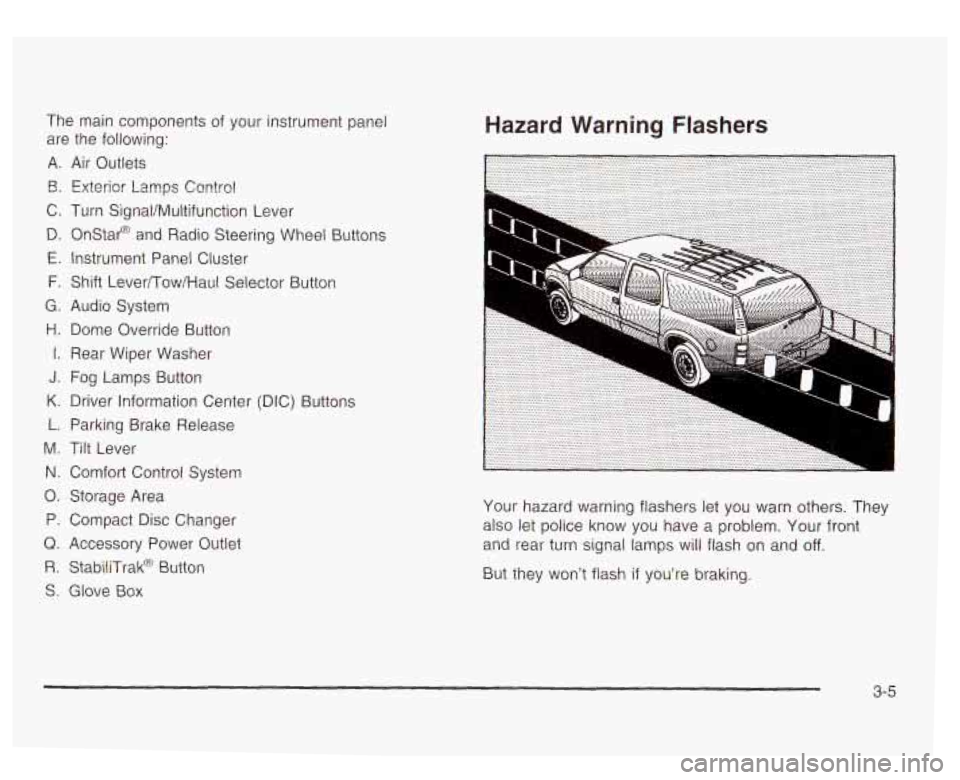
The main components of your instrument panel
are the following:
A. Air Outlets
€3. Exterior Lamps Contro!
C. Turn SignaVMultifunction Lever
D. Onstar@ and Radio Steering Wheel Buttons
E. Instrument Panel Cluster
F. Shift Lever/Tow/Haul Selector Button
G. Audio System
H. Dome Override Button
I. Rear Wiper Washer
J. Fog Lamps Button
K. Driver Information Center (DIC) Buttons
L. Parking Brake Release
M. Tilt Lever
N. Comfort Control System
0. Storage Area
P. Compact Disc Changer
Q. Accessory Power Outlet
R. StabiliTrak@ Button
S. Glove Box
Hazard Warning Flashers
Your hazard warning flashers let you warn others. They
also let police know you have a problem, Your front
and rear turn signal
lamps will flash on and off.
But they won’t flash if you’re braking.
3-5
Page 151 of 447
Turn Signal On Chime
If your turn signal is left on for more than 3/4 of a mile
(1.2 km), a chime will sound at each flash of the
turn signal and the message TURN SIGNAL ON will
also appear in the
DIC. To turn the chime and message
off, move the turn signal lever td the off position.
Headlamp High/Low-Beam Changer
$0 io (Headlamp High/Low Beam Changer): To
change the headlamps from low
to high beam, push the
lever toward the instrument panel. To return
to
low-beam headlamps, pull the multifunction lever toward
you. Then release
it.
When the high beams are
on, this indicator light on
the instrument panel
cluster will also be on.
I I
Flash-to-Pass
This feature lets you use your high-beam headlamps to
signal a driver in front of you that you want to pass.
It works even if your headlamps are in the automatic
position. To
use it, pull the turn signal lever toward you, then
release it.
If your headlamps are in the automatic position or on
low beam, your high-beam headlamps will turn on.
They’ll stay on
as long as you hold the lever toward you.
The high-beam indicator
on the instrument panel
cluster will come on. Release the lever
to return to
normal operation.
Windshield Wipers
You control the windshield wipers by turning the band
with the wiper symbol on it.
(Mist): For a single wiping cycle, turn the band to
mist. Hold it there until the wipers start. Then let go.
The wipers will stop after one wipe.
If you want
more wipes, hold the band on mist longer.
(Delay): You can set the wiper speed for a long or
short delay between wipes. This can be very useful
in light rain or snow. Turn the band to choose the delay
time. The closer
to the top of the lever, the shorter
the delay.
0 (Low Speed): For steady wiping at low speed,
turn the band away from you
to the first solid band past
the delay settings. For high-speed wiping, turn the
band further, to the second solid band past the delay
settings. To stop the wipers, move the band
to off.
3-8
Page 156 of 447
Exterior Lamps
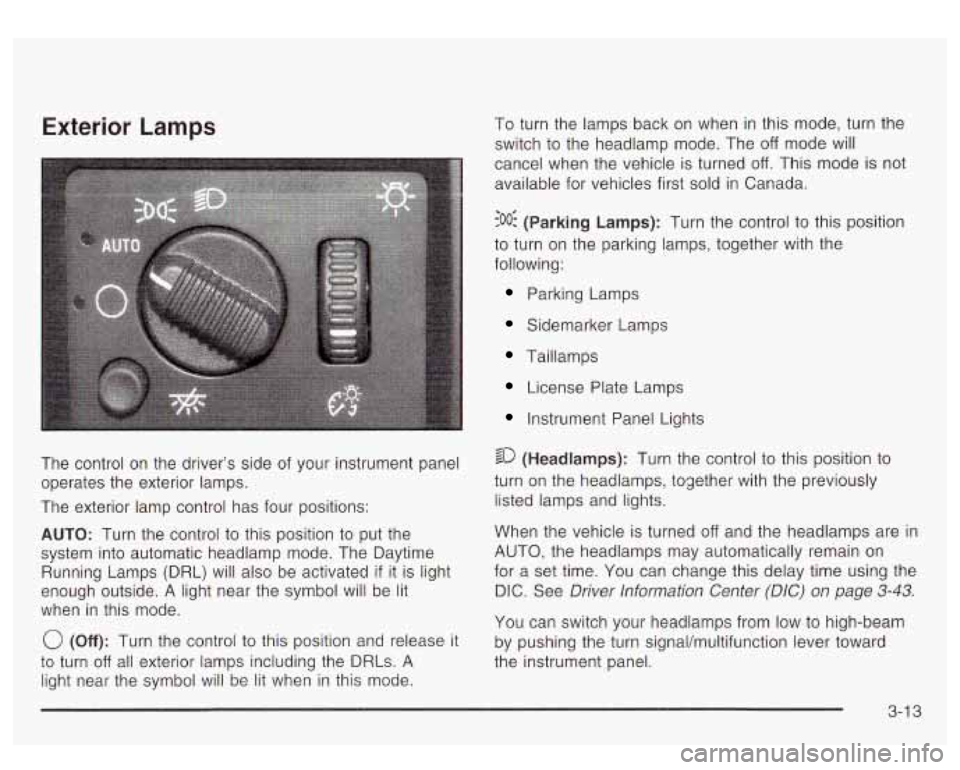
The control on the driver’s side of your instrument panel
operates the exterior lamps.
The exterior lamp control has four positions:
AUTO: Turn the control to this position to put the
system into automatic headlamp mode. The Daytime
Running Lamps (DRL) will also be activated
if it is light
enough outside.
A light near the symbol will be lit
when in this mode.
0 (Off): Turn the control to this position and release it
to turn
off all exterior lamps including the DRLs. A
light near the symbol will be lit when in this mode.
To turn the lamps back on when in this mode, turn the
switch to the headlamp mode. The
off mode will
cancel when the vehicle is turned
off. This mode is not
available for vehicles first sold in Canada.
:oo: (Parking Lamps): Turn the control to this position
to turn on the parking lamps, together with the
following:
Parking Lamps
Sidemarker Lamps
Taillamps
License Plate Lamps
Instrument Panel Lights
$0 (Headlamps): Turn the control to this position to
turn
on the headlamps, together with the previously
listed lamps and lights.
When the vehicle is turned
off and the headlamps are in
AUTO, the headlamps may automatically remain on
for a set time. You can change this delay time using the
DIC. See Driver hformation Center
(DIC) on page 3-43.
You can switch your headlamps from low to high-beam
by pushing the turn signaVmultifunction lever toward
the instrument panel.
3-1 3
Page 169 of 447
AUX: Turn the knob, located on the left side of the
control panel, to this position
to allow the rear seat
passengers
to have control over the rear climate control
system. See “Rear Passenger Console Control’’ later
for more information.
0 (Off): Turn the knob, located on the left side of the
control panel,
to this position to turn the rear climate
control system
off.
@ (Fan): To adjust the airflow speed, turn the fan
knob located on the left side of the control panel
to the
desired setting. Choose AUTO
if you want the system
to automatically choose the fan speed to maintain
a selected temperature. See “Auto Mode” later in this
section for more information on using this feature.
“F (“C): To adjust the air temperature, turn the
temperature knob on the center of the control panel. For
cooler or warmer air turn the knob counterclockwise
toward
66°F (1 9°C) or clockwise toward 82°F (27°C).
To regulate the airflow direction, adjust the right knob on
the control panel. Turn the knob clockwise for floor
vent airflow or counterclockwise for headliner vent
airflow. Generally, the upper vents are used for air
conditioning and the floor vents for heating. The knob
can be set
to any blend setting. Choose AUTO if
you want the system to automatically regulate the
airflow. See “Auto Mode” later in this section for more
information on using this feature.
Rear Passenger Console Control
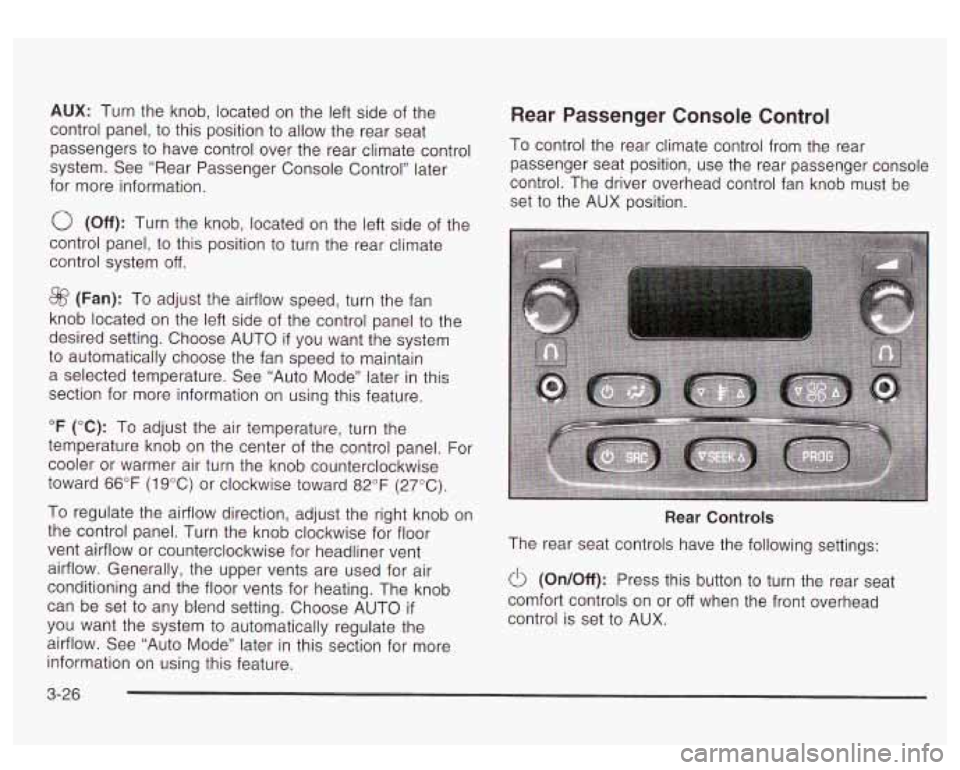
To control the rear climate control from the rear
passenger seat position, use the rear passenger console
control. The driver overhead control fan knob must be
set
to the AUX position.
Rear Controls
The rear seat controls have the following settings:
0 (OnIOff): Press this button to turn the rear seat
Comfort controls on or
off when the front overhead
control is set
to AUX.
3-26
Page 178 of 447
w,
United States Canada
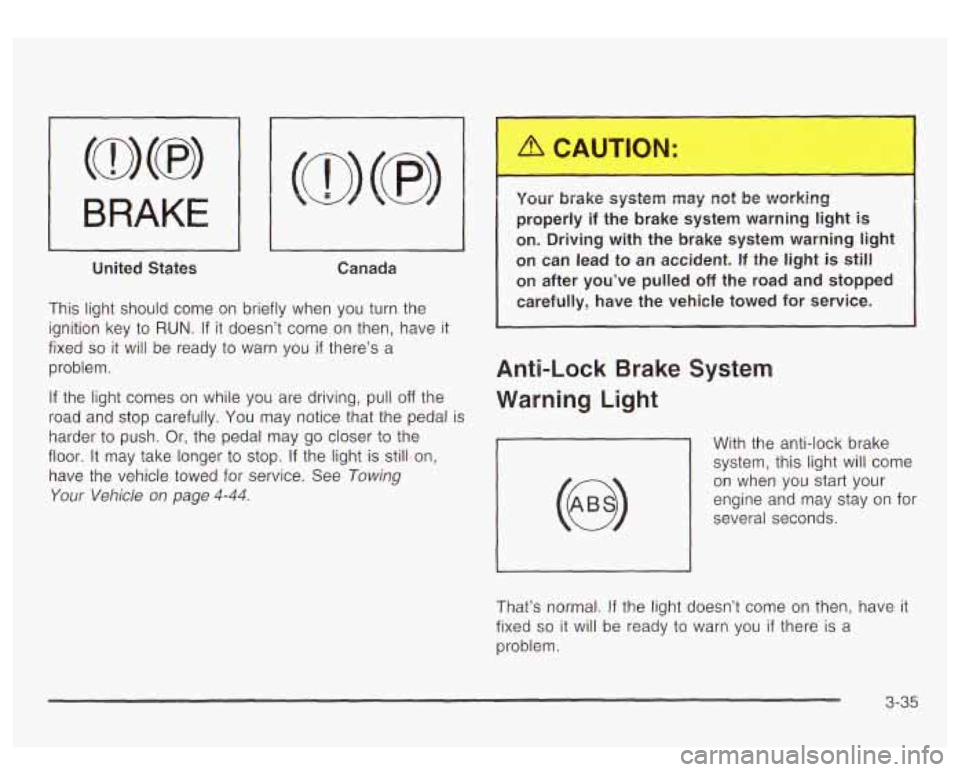
This light should come on briefly when you turn the
ignition key to
RUN. If it doesn’t come on then, have it
fixed
so it will be ready to warn you if there’s a
problem.
If the light comes on while you are driving, pull off the
road and stop carefully. You may notice that the pedal
is
harder to push. Or, the pedal may go closer to the
floor.
It may take longer to stop. If the light is still on,
have
the vehicle towed for service. See Towing
Your Vehicle on page 4-44.
Your brake system may not be working
properly
if the brake system warning light is
on. Driving with the brake system warning light
on can lead to an accident.
If the light is still
on after you’ve pulled off the road and stopped
carefully, have the vehicle towed for service.
Anti-Lock Brake System
Warning Light
With the anti-lock brake
system, this light will come
on when you start your
engine and may stay on for
several seconds.
That’s normal. If the light doesn’t come on then, have
it
fixed so it will be ready to warn you if there is a
problem.
3-35
Page 180 of 447
Transmission Temperature Gage
--
United States Canada
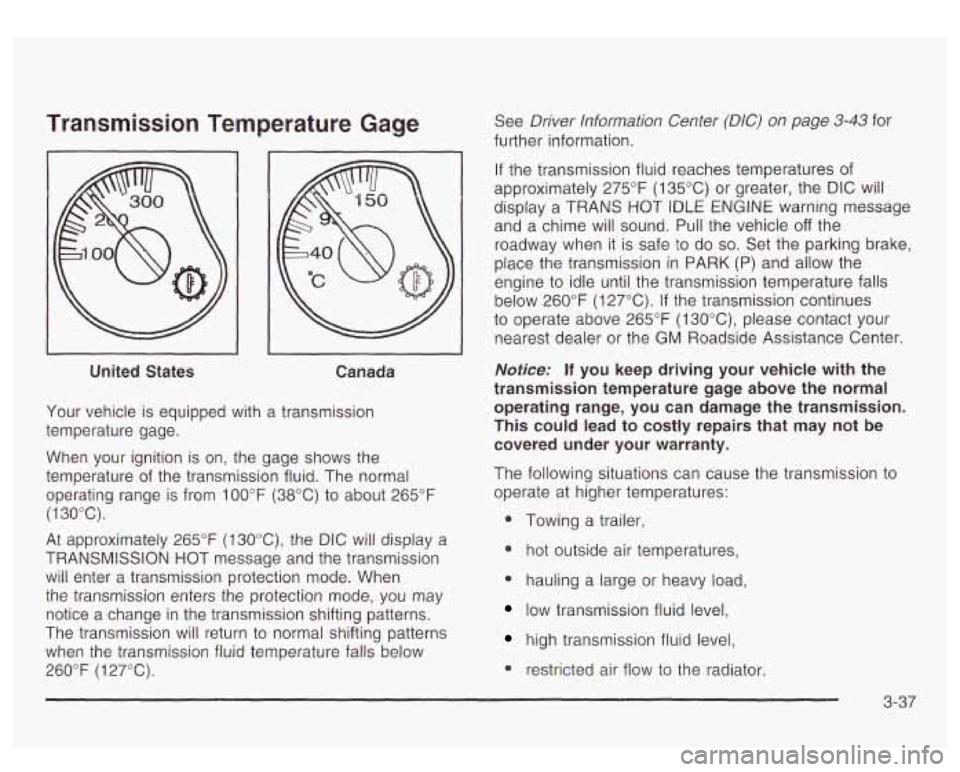
Your vehicle is equipped with a transmission
temperature gage.
When your ignition is on, the gage shows the
temperature of the transmission fluid. The normal
operating range is from
100°F (38°C) to about 265°F
(1 30°C).
At approximately 265°F (130°C), the DIC will display a
TRANSMISSION HOT message and the transmission
will enter a transmission protection mode. When
the transmission enters the protection mode, you may
notice a change in the transmission shifting patterns.
The transmission will return to normal shifting patterns
when the transmission fluid temperature falls below
260°F
(1 27°C). See
Driver Information
Center (DIC) on page 3-43 for
further information.
If the transmission fluid reaches temperatures of
approximately 275°F (135°C) or greater, the DIC will
display a TRANS
HOT tDLE ENGtNE warning message
and a chime will sound. Pull the vehicle
off the
roadway when it is safe
to do so. Set the parking brake,
place the transmission in PARK
(P) and allow the
engine to idle until the transmission temperature falls
below 260°F (127°C).
If the transmission continues
to operate above 265°F
(1 30"C), please contact your
nearest dealer or the
GM Roadside Assistance Center.
Notice: If you keep driving your vehicle with the
transmission temperature gage above the normal
operating range, you can damage the transmission.
This could lead to costly repairs that may not be
covered under your warranty.
The following situations can cause the transmission to
operate at higher temperatures:
0 Towing a trailer,
* hot outside air temperatures,
0 hauling a large or heavy load,
low transmission fluid level,
high transmission fluid level,
0 restricted air flow to the radiator.