cooling GMC YUKON DENALI 2003 Owners Manual
[x] Cancel search | Manufacturer: GMC, Model Year: 2003, Model line: YUKON DENALI, Model: GMC YUKON DENALI 2003Pages: 447, PDF Size: 21.97 MB
Page 108 of 447
Lockout Protection
This feature protects you from locking your key in the
vehicle when the key is in the ignition and a door is open.
If the power lock switch is pressed when a door is open
and the key is in the ignition, all
of the doors will
lock and then the driver’s door will unlock.
Liftgate/Liftglass
It can be dangerous to drive with the liftgab- or
liftglass open because carbon monoxide (CO)
gas can come into your vehicle. You can’t see
or smell CO.
It can cause unconsciousness
and even death. If you must drive with the
liftgate open or
if electrical wiring or other
cable connections must pass through the seal
between the body and the liftgate or liftglass:
Make sure all other windows are shut.
CAUTION: (Continued)
7 ill :: ;he fan your hez ... jg or cooling
system to its highest speed and select the
control setting that will force outside air
into your vehicle. See ”Comfort Controls”
in the Index.
@ If you have air outlets on or under the
instrument panel, open them all the way.
See ”Engine Exhaust” in the Index.
To open from the outside, insert the key into the lock
and turn it counterclockwise
to unlock the glass
and liftgate.
The liftgate glass can be opened using the pushbutton
on the liftgate after the doors have been unlocked.
This can be done by using either the power door locks or the remote keyless entry system.
To open the entire liftgate,
lift the handle located in the
center of the door.
To lock from the outside, insert the key into the lock
button and turn clockwise.
All doors will lock. You may
also use the remote keyless entry system or the
power door locks to lock the liftgate and liftgate glass.
2-1 3
Page 162 of 447
Climate Controls
Electronic Climate Control System
With this system, you can control the heating, cooling
and ventilation in your vehicle. Your vehicle also
has a flow-through ventilation system described later in
this section.
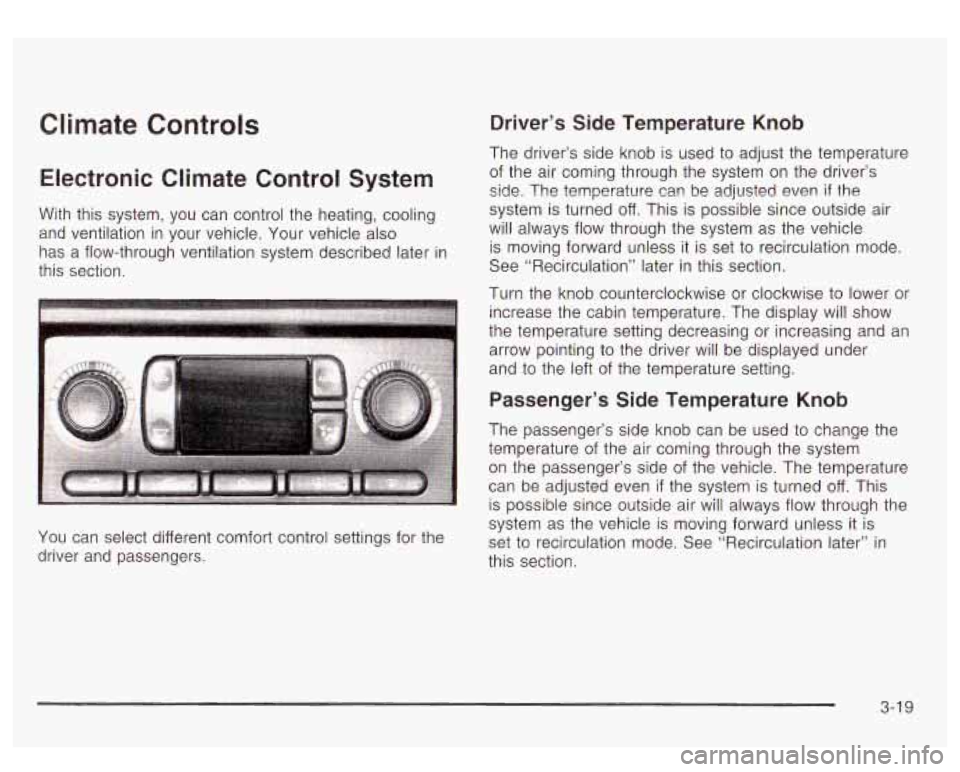
You can select different comfort control settings for the
driver and passengers.
Driver’s Side Temperature Knob
The driver’s side knob is used to adjust the temperature
of the air coming through the system on the driver’s
side. The temperature can be adjusted even if the
system is turned off. This is possible since outside air
will always
flow through the system as the vehicle
is moving forward unless it is set
to recirculation mode.
See “Recirculation” later in this section.
Turn the knob counterclockwise or clockwise
to lower or
increase the cabin temperature. The display will show
the temperature setting decreasing or increasing and an
arrow pointing
to the driver will be displayed under
and
to the left of the temperature setting.
Passenger’s Side Temperature Knob
The passenger’s side knob can be used to change the
temperature of the air coming through the system
on the passenger’s side
of the vehicle. The temperature
can be adjusted even
if the system is turned off. This
is possible since outside air will always flow through the
system as the vehicle is moving forward unless
it is
set
to recirculation mode. See “Recirculation later” in
this section.
3-1 9
Page 164 of 447
2. Set the driver’s and passenger’s temperature.
To find your comfort setting, start with a
74°F (23°C)
temperature setting and allow about
20 minutes
for the system to regulate. Turn the driver’s or
passenger’s side temperature knob
to adjust the
temperature setting as necessary.
If you choose the temperature setting of 60°F
(15°C) the system will remain at the maximum
cooling setting.
If you choose the temperature
setting of
90°F (32°C) the system will remain at the
maximum heat setting. Choosing either maximum
setting will not cause the vehicle to heat or cool
any faster.
Be careful not to cover the sensor located on the
top of the instrument panel near the windshield. This
sensor regulates air temperature based on sun
load, and also turns on your headlamps.
To avoid blowing cold air in cold weather, the
system will delay turning on the fan until warm air is
available. The length of delay depends on the
engine coolant temperature. Pressing the fan switch
will override this delay and change the fan to a
selected speed.
Manual Operation
You may manually adjust the air delivery mode or
fan speed.
0 (Off): Press this button to turn off the entire climate
control system. Outside air will still enter the vehicle, and
will be directed
to the floor. This direction can be changed
by pressing the mode button. The temperature can also
be adjusted using either temperature knob. Press the up
or down arrows on the fan switch, the defrost button, the
AUTO button, or the air conditioning button to turn the
system on when it is
off.
v (Fan): The switch with the fan symbol allows
you
to manually adjust the fan speed. Press the up
arrow
to increase fan speed and the down arrow
to decrease fan speed.
Pressing this button when the system
is off will turn the
system on.
% *d (Mode): Press this button to manually change the
direction of the airflow in your vehicle; keep pressing the
button until the desired mode appears on the display.
If you press the mode button to select an air delivery
mode, the display will change to show you the selected
air mode delivery. The display will then show the
current status of the system. When the system is turned
off, the display will go blank after displaying the
current status of the system.
3-21
Page 170 of 447
r5;’ (Mode): Press this button to select the air delivery
mode and AUTO mode. Choose AUTO
if you want
the system
to automatically regulate the airflow.
See
“Auto Mode” later in this section for more
information on using this feature.
(Temperature): Press this button up or down to
increase or decrease the temperature setting.
A @ 7 (Fan): Press this button up or down to adjust
the fan speed. Choose AUTO
if you want the system
to automatically choose the fan speed to maintain
a selected temperature. See “Auto Mode” later in this
section for more information on using this feature.
AUTO Mode
When using the system in auto mode, find your comfort
setting by placing the temperature control
to 74°F
(23°C) and allowing about 20 minutes for the system to
regulate. Then adjust the temperature setting as
necessary. If you choose full cold
60” F (15”C), the
system will remain at the maximum cooling setting.
If you choose full hot 90 F (32”C), the system will remain
at the maximum heat setting.
Climate Controls Personalization
You can store and recall the climate control settings for
temperature, air delivery mode and fan speed for
two different
drivers. The personal ch~i~e settings
recalled are determined by the transmitter used
to enter
the vehicle.
After the button with the unlock symbol on a remote
keyless entry transmitter is pressed, the climate control
will adjust
to the last settings of the identified driver.
The settings can also be changed by pressing one of the
memory buttons
(1 or 2) located on the driver’s door.
When adjustments are made, the new settings are
automatically saved for that driver.
3-27
Page 179 of 447
If the light stays on, or comes on when you’re driving,
your vehicle needs service. You will also hear a
chime sound when the light is on steady.
If the regular
brake system warning light isn’t on, you still have
brakes, but you don’t have anti-lock brakes.
If the
regular brake system warning light is also on you don’t
have anti-lock brakes and there’s a problem with
your regular brakes. In addition to both lights, you will
also hear a chime sound on the first occurrence of
a problem and each time the car is shut off and then
restarted. See Brake System Warning Light on
page
3-34.
Traction Off Light
If you have the
Stabilitrak@system, this
light should come on briefly
when you turn the
ignition to
RUN.
If the light doesn’t come on then, the system may
require service; have it fixed
so it will be there to warn
you
if the system is turned off.
For more information on the traction off light, see
Stabilitrak@
System on page 4-9.
3-36
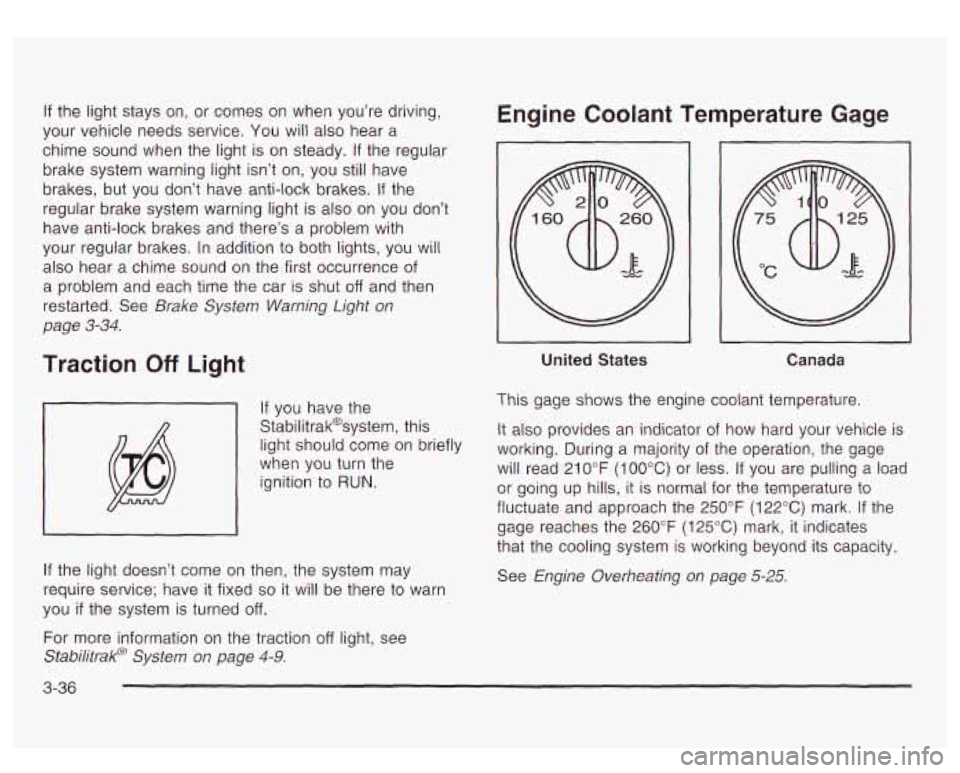
Engine Coolant Temperature Gage
~~ ~
United States
I I
Canada
This gage shows the engine coolant temperature.
It also provides an indicator
of how hard your vehicle is
working. During a majority of the operation, the gage
will read 21
0°F (100°C) or less. If you are pulling a load
or going up hills, it is normal for the temperature to
fluctuate and approach the 250°F (122°C) mark.
If the
gage reaches the 260°F
(125°C) mark, it indicates
that the cooling system
is working beyond its capacity.
See Engine Overheating on page
5-25.
Page 196 of 447

OIL LIFE RESET ENGINE COOLANT HOT
This message will appear on the display for about
10 seconds after resetting the change engine oil
message.
OIL PRESSURE LOW
If low oil pressure levels occur, this message will be
displayed on the DIC and a chime will sound. Stop the
vehicle as soon as safely possible and do not operate
it until the cause of the low oil pressure has been
corrected. Check your oil as soon as possible and have
your vehicle serviced.
CHECK OIL LEVEL
If the oil level in the vehicle is low, this message will
appear on the DIC. Check the oil level and correct it as
necessary. You may need
to let the vehicle cool or
warm up and cycle the ignition
to be sure this message
will clear. Once the problem is corrected, pressing
the select button will clear this message from the DIC
display. This message will clear itself after
10 seconds
until the next igntion cycle.
LOW COOLANT LEVEL
If the engine coolant level is low, this message will
appear on the DIC. Adding coolant will clear the
message. This message will clear itself after
10 seconds
until the next igntion cycle. If
the cooling system temperature gets hot, this message
will appear in the DIC. Stop the vehicle and
let the
engine idle in PARK
(P) to allow the coolant to reach a
safe temperature. This message will clear when the
coolant temperature drops
to a safe operating
temperature.
ENGINE OVERHEATED
If the engine cooling system reaches unsafe
temperatures for operation, this message will appear in
the DIC and you will hear a chime. Stop and turn
off
the vehicle as soon as it is safe to do so to avoid severe
damage. This message will clear when the engine
has cooled
to a safe operating temperature.
REDUCED ENGINE POWER
This message is displayed and you will hear a chime
when the cooling system temperature gets too hot
and the engine further enters the engine coolant
protection mode.
See
Engine Overheating on page 5-25 for further
information.
3-53
Page 260 of 447

Driving in Water
Heavy rain can mean flash flooding, and flood waters
demand extreme caution.
Find out how deep the water
is before you drive through
it. If it’s deep enough to cover your wheel hubs, axles
or exhaust pipe, don’t try
it - you probably won’t
get through. Also, water that deep can damage your
axle and other vehicle parts.
If the water isn’t too deep, drive slowly through it. At
faster speeds, water splashes on your ignition system
and your vehicle can stall. Stalling can also occur
if you
get your tailpipe under water. And, as long as your
tailpipe is under water, you’ll never be able to start your
engine. When you go through water, remember that
when your brakes get wet, it may take you longer
to stop.
I
- - - - -ng through rushing water can be
dangerous. Deep water can sweep your vehicle
downstream and you and your passengers
i could drown. If it’s only shallow water, it can
still wash away the ground from under your
tires, and you could lose traction and roll the
vehicle over. Don’t drive through rushing water.
I I
See Driving in Rain and on Wet Roads on page 4-29 for
more information on driving through water.
After Off-Road Driving
Remove any brush or debris that has collected on the
underbody, chassis or under the hood. These
accumulations can be a fire hazard.
After operation in mud or sand, have the brake linings
cleaned and checked. These substances can cause
glazing and uneven braking. Check the body structure,
steering, suspension, wheels, tires and exhaust
system for damage.
Also, check the fuel lines and
cooling system for any leakage.
Your vehicle will require more frequent service due to
off-road use. Refer
to the Maintenance Schedule
for additional information.
4-27
Page 269 of 447
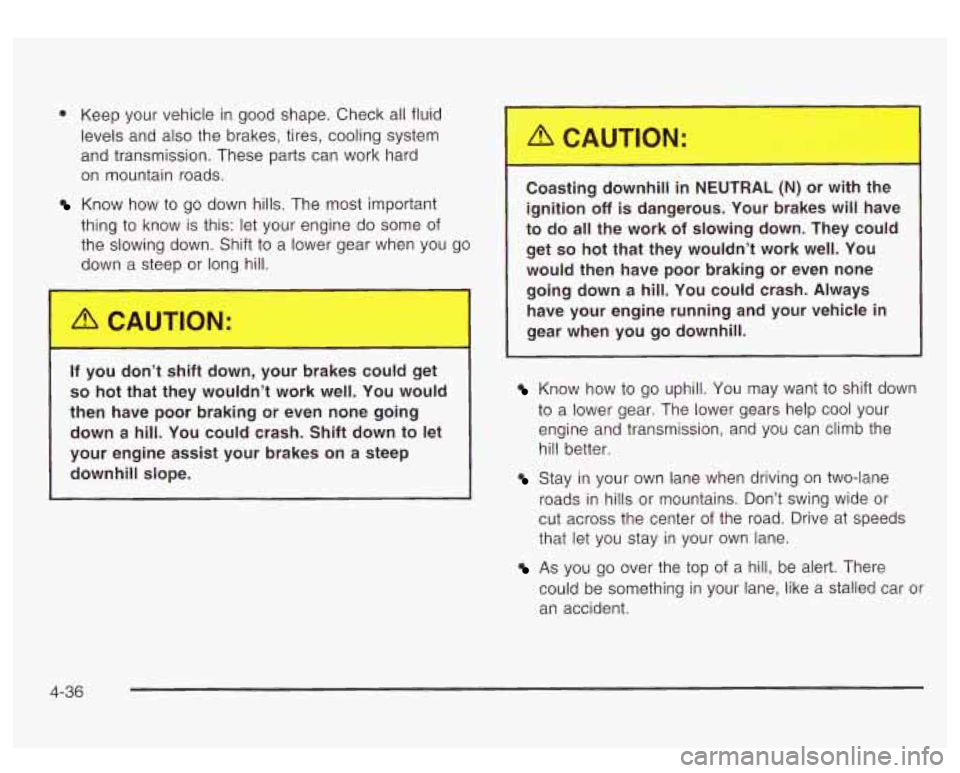
0 Keep your vehicle in good shape. Check all fluid
levels and also the brakes, tires, cooling system
and transmission. These parts can work hard
on mountain roads.
Know how to go down hills. The most important
thing to know is this: let your engine do some of
the slowing down. Shift
to a lower gear when you go
down a steep or long hill.
_. you c tt : ft down, your brakes could get
so hot that they wouldn’t work well. You would
then have poor braking or even none going down
a hill. You could crash. Shift down to let
your engine assist your brakes on
a steep
downhill slope.
L,ast,,,, ,ownh,,, NEUTrlmL (N) or with the
ignition
off is dangerous. Your brakes will have
to do all the work
of slowing down. They could
get so hot that they wouldn’t work well. You
would then have poor braking
or even none
going down
a hill. You could crash. Always
have your engine running and your vehicle in
gear when you go downhill.
Know how to go uphill. You may want to shift down
to a lower gear. The lower gears help cool your
engine and transmission, and you can climb the
hill better.
Stay in your own lane when driving on two-lane
roads in hills or mountains. Don’t swing wide or
cut across the center of the road. Drive at speeds
that let you stay in your own lane.
As you go over the top of a hill, be alert. There
could be something in your lane, like a stalled car or
an accident.
4-36
Page 286 of 447
Driving with a Trailer
If you have a rear-most window open and you
pull a trailer with your vehicle, carbon
monoxide (CO) could come into your vehicle.
You can’t see or smell CO.
It can cause
unconsciousness or death. See “Engine
Exhaust” in the Index.
To maximize your safety
when towing a trailer:
Have your exhaust system inspected for
leaks, and make necessary repairs before
starting on your trip.
Keep the rear-most windows closed.
If exhaust does come into your vehicle
through a window in the rear or another
opening, drive with your front, main
heating or cooling system on and with the
fan on any speed. This will bring fresh,
outside air into your vehicle.
Do not use
the comfort control setting for maximum
air because
it only recirculates the air
inside your vehicle. See “Comfort
1 Controls” in the Index. Towing a trailer requires a certain amount
of experience.
Before setting out for the open road, you’ll want to get
to know your rig. Acquaint yourself with the feel of
handling and braking with the added weight of the trailer.
And always keep
in mind that the vehicle you are
driving is now a good deal longer and not nearly as
responsive as your vehicle is by itself.
Before you start, check the trailer hitch and platform
(and attachments), safety chains, electrical connector,
lamps, tires and mirror adjustment.
If the trailer has
electric brakes, start your vehicle and trailer moving and
then apply the trailer brake controller by hand to be
sure the brakes are working. This lets you check your
electrical connection at the same time.
During your trip, check occasionally to be sure that the
load is secure, and that the lamps and any trailer
brakes are still working.
Following Distance
Stay at least twice as far behind the vehicle ahead a5
you would when driving your vehicle without a trailer.
This can help you avoid situations that require
heavy braking and sudden turns.
Passing
You’ll need more passing distance up ahead when
you’re towing a trailer. And, because you’re a good deal
longer, you’ll need to go much farther beyond the
passed vehicle before you can return to your lane.
4-53
Page 288 of 447
Parking on Hills
You really should not park your vehicle, with a
trailer attached, on a hill.
If something goes
wrong, your rig could start to move. People
can be injured, and both your vehicle and the
trailer can be damaged.
But if you ever have to park your rig on a hill, here’s
how to do it:
1. Apply your regular brakes, but don’t shift into
2. Have someone place chocks under the trailer
3. When the wheel chocks are in place, release the
PARK
(P) yet.
wheels.
regular brakes until the chocks absorb the load.
4. Reapply the regular brakes. Then apply your
5. Release the regular brakes.
parking brake
and shift into PARK
(P).
When You Are Ready to Leave After
Parking on a Hill
1. Apply your regular brakes and hold the pedal down
while you:
start your engine,
shift into a gear, and
release the parking brake.
2. Let up on the brake pedal.
3. Drive slowly until the trailer is clear of the chocks.
4. Stop and have someone pick up and store the
chocks.
Maintenance When Trailer Towing
Your vehicle will need service more often when you’re
pulling a trailer. See the Maintenance Schedule for more
on this. Things that are especially important in trailer
operation are automatic transmission fluid (don’t overfill),
engine
oil, axle lubricant, belts, cooling system and
brake system. Each
of these is covered in this manual,
and the Index will help you find them quickly. If
you’re trailering, it’s a good idea to review these sections
before you start your trip.
Check periodically to see that all hitch nuts and bolts
are tight.
4-55