ignition GMC YUKON DENALI 2010 Owner's Manual
[x] Cancel search | Manufacturer: GMC, Model Year: 2010, Model line: YUKON DENALI, Model: GMC YUKON DENALI 2010Pages: 560, PDF Size: 4.32 MB
Page 153 of 560
Starting Procedure
1. With your foot off the accelerator pedal, turn theignition to START. When the engine starts,
let go of the key. The idle speed will slow down
as the engine warms. Do not race the engine
immediately after starting it. Operate the engine
and transmission gently to allow the oil to warm up
and lubricate all moving parts.
The vehicle has a Computer-Controlled Cranking
System. This feature assists in starting the engine
and protects components. If the ignition key is
turned to the START position, and then released
when the engine begins cranking, the engine will
continue cranking for a few seconds or until the
vehicle starts. If the engine does not start and the
key is held in START, cranking will be stopped
after 15 seconds to prevent cranking motor
damage. To prevent gear damage, this system also
prevents cranking if the engine is already running.
Engine cranking can be stopped by turning the
ignition switch to the ACC/ACCESSORY or
LOCK/OFF position.
Notice: Cranking the engine for long periods of
time, by returning the key to the START position
immediately after cranking has ended, can overheat
and damage the cranking motor, and drain the
battery. Wait at least 15 seconds between each try,
to let the cranking motor cool down. 2. If the engine does not start after 5‐10 seconds,
especially in very cold weather (below 0°F or
−18°C), it could be flooded with too much gasoline.
Try pushing the accelerator pedal all the way to the
floor and holding it there as you hold the key in
START for up to a maximum of 15 seconds. Wait at
least 15 seconds between each try, to allow the
cranking motor to cool down. When the engine
starts, let go of the key and accelerator. If the
vehicle starts briefly but then stops again, repeat
these steps. This clears the extra gasoline from the
engine. Do not race the engine immediately after
starting it. Operate the engine and transmission
gently until the oil warms up and lubricates all
moving parts.
Notice: The engine is designed to work with the
electronics in the vehicle. If you add electrical
parts or accessories, you could change the way
the engine operates. Before adding electrical
equipment, check with your dealer/retailer. If you
do not, the engine might not perform properly.
Any resulting damage would not be covered by the
vehicle warranty.
3-27
Page 162 of 560
Parking Brake
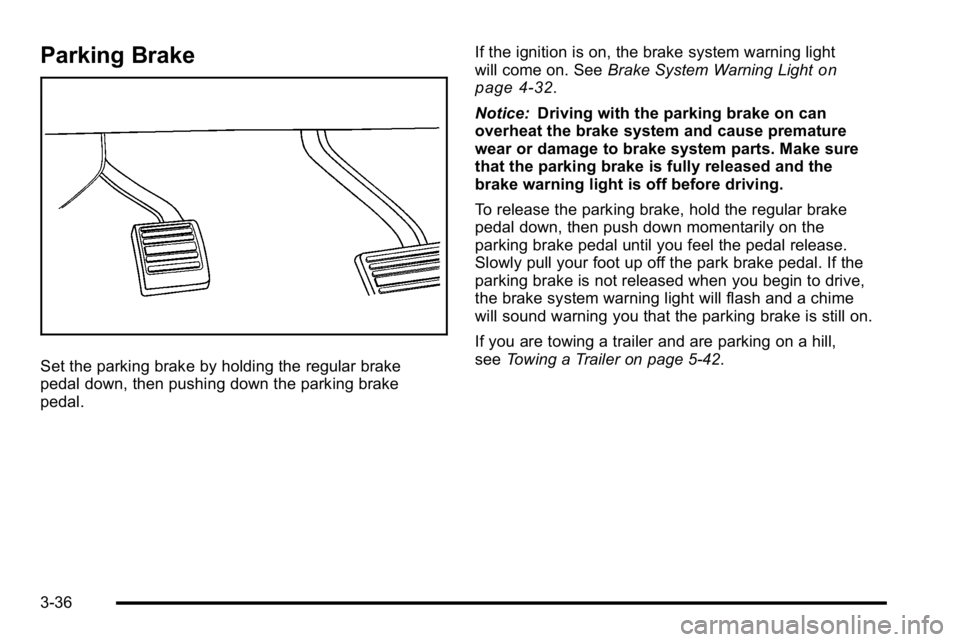
Set the parking brake by holding the regular brake
pedal down, then pushing down the parking brake
pedal.If the ignition is on, the brake system warning light
will come on. See
Brake System Warning Light
on
page 4‑32.
Notice: Driving with the parking brake on can
overheat the brake system and cause premature
wear or damage to brake system parts. Make sure
that the parking brake is fully released and the
brake warning light is off before driving.
To release the parking brake, hold the regular brake
pedal down, then push down momentarily on the
parking brake pedal until you feel the pedal release.
Slowly pull your foot up off the park brake pedal. If the
parking brake is not released when you begin to drive,
the brake system warning light will flash and a chime
will sound warning you that the parking brake is still on.
If you are towing a trailer and are parking on a hill,
see Towing a Trailer on page 5‑42.
3-36
Page 163 of 560
Shifting Into Park
{WARNING:
It can be dangerous to get out of the vehicle if the
shift lever is not fully in P (Park) with the parking
brake firmly set. The vehicle can roll. If you have
left the engine running, the vehicle can move
suddenly. You or others could be injured. To be
sure the vehicle will not move, even when you are
on fairly level ground, use the steps that follow.
If you are pulling a trailer, seeTowing a Trailer
on
page 5‑42
.
1. Hold the brake pedal down, then set the parking brake.
2. Move the shift lever into the P (Park) position by pulling the shift lever toward you and moving it up
as far as it will go.
3. Turn the ignition key to LOCK/OFF.
4. Remove the key and take it with you. If you can leave the vehicle with the ignition key in your hand,
the vehicle is in P (Park).
Leaving the Vehicle With the Engine
Running
{WARNING:
It can be dangerous to leave the vehicle with the
engine running. The vehicle could move suddenly
if the shift lever is not fully in P (Park) with the
parking brake firmly set. And, if you leave the
vehicle with the engine running, it could overheat
and even catch fire. You or others could be
injured. Do not leave the vehicle with the engine
running.
If you have to leave the vehicle with the engine running,
be sure the vehicle is in P (Park) and the parking brake
is firmly set. After the shift lever is moved into P (Park),
hold the regular brake pedal down. Then, see if you can
move the shift lever away from P (Park) without first
pulling it toward you. If you can, it means that the shift
lever was not fully locked into P (Park).
3-37
Page 164 of 560
Torque Lock
If you are parking on a hill and you do not shift the
transmission into P (Park) properly, the weight of the
vehicle can put too much force on the parking pawl in
the transmission. It might be difficult to pull the shift
lever out of P (Park). This is called torque lock.
To prevent torque lock, set the parking brake and then
shift into P (Park) properly before you leave the driver
seat. To find out how, seeShifting Into Park
on
page 3‑37.
When you are ready to drive, move the shift lever out
of P (Park) before releasing the parking brake.
If torque lock does occur, you might need to have
another vehicle push yours a little uphill to take some of
the pressure from the parking pawl in the transmission.
Then you should be able to pull the shift lever out of
P (Park).
Shifting Out of Park
This vehicle is equipped with an electronic shift lock
release system. The shift lock release is designed to:
.Prevent ignition key removal unless the shift lever
is in P (Park) with the shift lever button fully
released, and
.Prevent movement of the shift lever out of
P (Park), unless the ignition is in ON/RUN or
ACC/ACCESSORY and the regular brake pedal
is applied.
The shift lock release is always functional except in the
case of an uncharged or low voltage (less than 9 volt)
battery.
If the vehicle has an uncharged battery or a battery with
low voltage, try charging or jump starting the battery.
See Jump Starting
on page 6‑42for more information.
3-38
Page 168 of 560
Mirrors
Manual Rearview Mirror
Hold the inside rearview mirror in the center to move it
for a clearer view behind your vehicle. Adjust the mirror
to avoid glare from the headlamps behind you. Push the
tab forward for daytime use and pull it for nighttime use.
Automatic Dimming Rearview Mirror
The vehicle may have an automatic dimming rearview
mirror.
Vehicles with OnStar
®have three additional control
buttons for the OnStar®system. See your dealer/retailer
for more information about OnStar®and how to
subscribe to it. See the OnStar®owner's guide for more
information about the services OnStar®provides.
O(On/Off): Press to turn the dimming feature on or off.
The vehicle may also have a Rear Vision Camera
(RVC). See Rear Vision Camera (RVC)
on page 3‑50for more information.
If the vehicle has RVC, the
O(On/Off) button for
turning the automatic dimming feature on or off will not
be available.
Automatic Dimming Mirror Operation
Automatic dimming reduces the glare from the
headlamps of the vehicle behind you. The dimming
feature comes on and the indicator light illuminates
each time the ignition is turned to start.
Cleaning the Mirror
Do not spray glass cleaner directly on the mirror. Use a
soft towel dampened with water.
3-42
Page 170 of 560
Park Tilt Mirrors
If the vehicle has the memory package, the passenger
and/or driver mirror tilts to a preselected position when
the vehicle is in R (Reverse). This feature lets the driver
view the curb when parallel parking. The mirror(s) return
to the original position when the vehicle is shifted out of
R (Reverse), or the ignition is turned off or to
OFF/LOCK.
Turn this feature on or off through the Driver Information
Center (DIC). SeeDIC Vehicle Customization (With DIC
Buttons)
on page 4‑66for more information.
Outside Convex Mirror
{WARNING:
A convex mirror can make things, like other
vehicles, look farther away than they really are.
If you cut too sharply into the right lane, you could
hit a vehicle on the right. Check the inside mirror
or glance over your shoulder before changing
lanes. The passenger side mirror is convex shaped. A convex
mirror's surface is curved so more can be seen from the
driver seat.
Outside Heated Mirrors
<(Rear Window Defogger):
Press to heat the
mirrors.
See “Rear Window Defogger” underDual Automatic
Climate Control System
on page 4‑18for more
information.
Side Blind Zone Alert (SBZA)
If the vehicle has the Side Blind Zone Alert (SBZA)
system, see Side Blind Zone Alert (SBZA)on
page 3‑47for more information.
3-44
Page 192 of 560
Cargo Tie Downs
If the vehicle has cargo tie downs located in the rear
cargo area, these can be used to strap cargo down and
keep it from moving inside the vehicle.
Sunroof
Your vehicle may be equipped with a power sliding
sunroof. To open or close the sunroof, the ignition
needs to be turned to ON/RUN, or Retained Accessory
Power (RAP) must be active. When RAP is active, the
sunroof will work for 10 minutes after the ignition is
turned off, or until a front door is opened. SeeRetained
Accessory Power (RAP)
on page 3‑26for more
information.
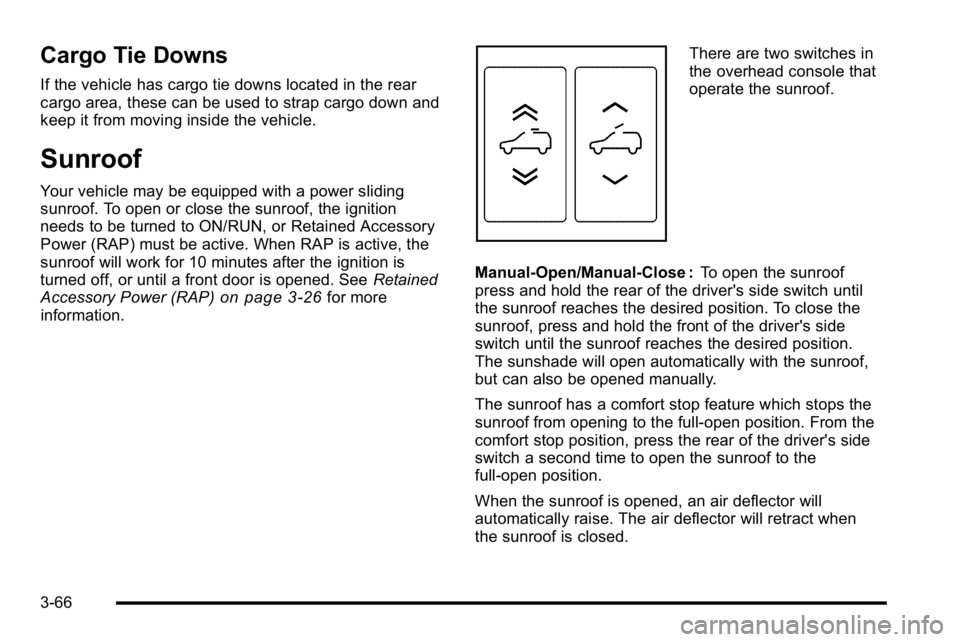
There are two switches in
the overhead console that
operate the sunroof.
Manual-Open/Manual-Close : To open the sunroof
press and hold the rear of the driver's side switch until
the sunroof reaches the desired position. To close the
sunroof, press and hold the front of the driver's side
switch until the sunroof reaches the desired position.
The sunshade will open automatically with the sunroof,
but can also be opened manually.
The sunroof has a comfort stop feature which stops the
sunroof from opening to the full-open position. From the
comfort stop position, press the rear of the driver's side
switch a second time to open the sunroof to the
full-open position.
When the sunroof is opened, an air deflector will
automatically raise. The air deflector will retract when
the sunroof is closed.
3-66
Page 205 of 560
When going downhill, you might have to brake or shift
to a lower gear to keep the vehicle's speed down. When
the brakes are applied the cruise control is disengaged.
Ending Cruise Control
There are three ways to end cruise control:
.Step lightly on the brake pedal.
.Press the[button on the steering wheel.
.Press theIbutton on the steering wheel.
Erasing Speed Memory
The cruise control set speed memory is erased when
the cruise control or the ignition is turned off.
Exterior Lamps
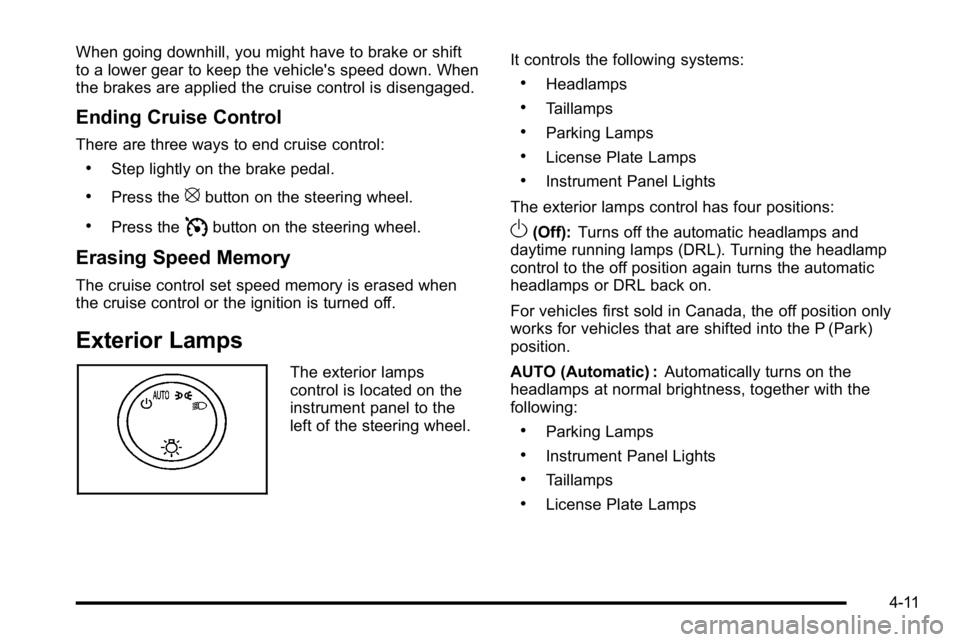
The exterior lamps
control is located on the
instrument panel to the
left of the steering wheel.It controls the following systems:
.Headlamps
.Taillamps
.Parking Lamps
.License Plate Lamps
.Instrument Panel Lights
The exterior lamps control has four positions:
O(Off): Turns off the automatic headlamps and
daytime running lamps (DRL). Turning the headlamp
control to the off position again turns the automatic
headlamps or DRL back on.
For vehicles first sold in Canada, the off position only
works for vehicles that are shifted into the P (Park)
position.
AUTO (Automatic) : Automatically turns on the
headlamps at normal brightness, together with the
following:
.Parking Lamps
.Instrument Panel Lights
.Taillamps
.License Plate Lamps
4-11
Page 206 of 560
;(Parking Lamps) : Turns on the parking lamps
together with the following:
.Instrument Panel Lights
.Taillamps
.License Plate Lamps
2 (Headlamps) : Turns on the headlamps together with
the following lamps listed below.
.Parking Lamps
.Instrument Panel Lights
.Taillamps
.License Plate Lamps
When the headlamps are turned on while the vehicle is
on, the headlamps will turn off automatically 10 minutes
after the ignition is turned off. When the headlamps are
turned on while the vehicle is off, the headlamps will
stay on for 10 minutes before automatically turning off
to prevent the battery from being drained. Turn the
headlamp control to off and then back to the headlamp
on position to make the headlamps stay on for an
additional 10 minutes.
Headlamps on Reminder
A reminder chime will sound when the headlamps or
parking lamps are manually turned on and the ignition is
off and a door is open. To disable the chime, turn the
light off.
Daytime Running Lamps (DRL)
Daytime Running Lamps (DRL) can make it easier for
others to see the front of your vehicle during the day.
Fully functional daytime running lamps are required on
all vehicles first sold in Canada.
The DRL system comes on when the following
conditions are met:
.The ignition is on.
.The exterior lamps control is in AUTO.
.The engine is running.
.The light sensor determines it is daytime.
When the DRL system is on, only the DRL lamps are
on. The taillamps, sidemarker, instrument panel lights,
and other lamps will not be on.
When it begins to get dark, the automatic headlamp
system switches from DRL to the headlamps.
4-12
Page 207 of 560
To turn off the DRL lamps, turn the exterior lamps
control to the OFF position and then release.
For vehicles first sold in Canada, the transmission
must be in the P (Park) position, before the DRL lamps
can be turned off.
Automatic Headlamp System
When it is dark enough outside, the automatic
headlamp system turns on the headlamps at the normal
brightness, along with the taillamps, sidemarker, parking
lamps, and the instrument panel lights. The radio lights
will also be dim.
To turn off the automatic headlamp system, turn the
exterior lamps switch to the off position and then
release it. For vehicles first sold in Canada, the
transmission must be in the P (Park) position, before
the automatic headlamp system can be turned off.
The vehicle has a light sensor located on the top of the
instrument panel in the defroster grille that regulates
when the automatic headlamps turn on. Do not cover
the sensor or the headlamps will come on whenever the
ignition is on.
The system may also turn on the headlamps when
driving through a parking garage, heavy overcast
weather, or a tunnel. This is normal.There is a delay in the transition between the daytime
and nighttime operation of the Daytime Running Lamps
(DRL) and the automatic headlamp systems so that
driving under bridges or bright overhead street lights
does not affect the system. The DRL and automatic
headlamp system is only affected when the light
sensor detects a change in lighting lasting longer than
the delay.
If the vehicle is started in a dark garage, the automatic
headlamp system will come on immediately. Once the
vehicle leaves the garage, it takes approximately
one minute for the automatic headlamp system to
change to DRL if it is bright enough outside. During that
delay, the instrument panel cluster may not be as bright
as usual. Make sure the instrument panel brightness
control is in the full bright position. See
Instrument
Panel Brightness on page 4‑14.
To idle the vehicle with the automatic headlamp system
off, turn the control to the off position.
The headlamps will also stay on after you exit the
vehicle. This feature can be programmed using the
Driver Information Center (DIC). See DIC Vehicle
Customization (With DIC Buttons) on page 4‑66.
The regular headlamp system can be turned on when
needed.
4-13