lock GMC YUKON DENALI 2010 Repair Manual
[x] Cancel search | Manufacturer: GMC, Model Year: 2010, Model line: YUKON DENALI, Model: GMC YUKON DENALI 2010Pages: 560, PDF Size: 4.32 MB
Page 172 of 560
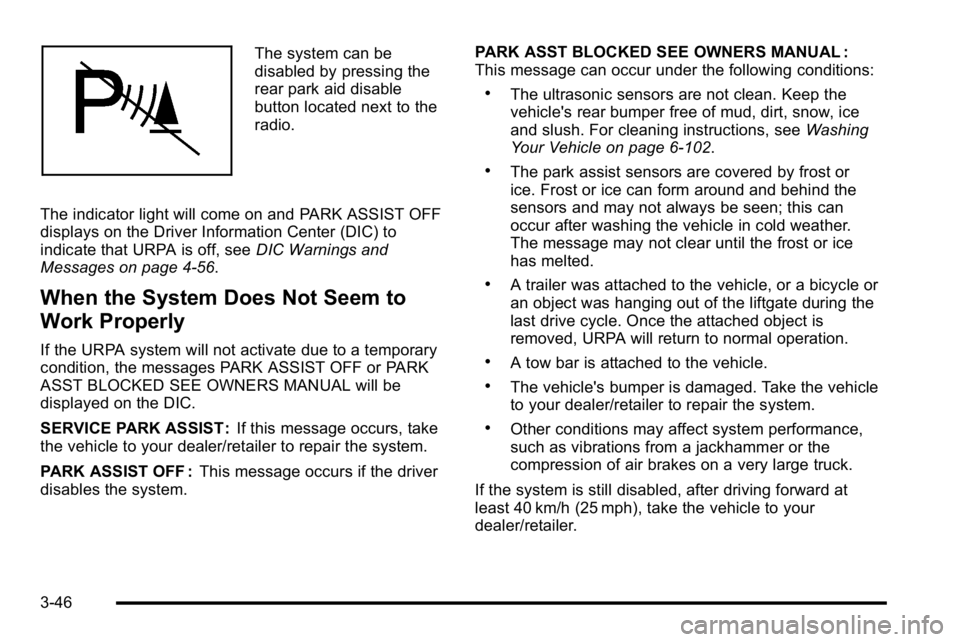
The system can be
disabled by pressing the
rear park aid disable
button located next to the
radio.
The indicator light will come on and PARK ASSIST OFF
displays on the Driver Information Center (DIC) to
indicate that URPA is off, see DIC Warnings and
Messages on page 4‑56.
When the System Does Not Seem to
Work Properly
If the URPA system will not activate due to a temporary
condition, the messages PARK ASSIST OFF or PARK
ASST BLOCKED SEE OWNERS MANUAL will be
displayed on the DIC.
SERVICE PARK ASSIST : If this message occurs, take
the vehicle to your dealer/retailer to repair the system.
PARK ASSIST OFF : This message occurs if the driver
disables the system. PARK ASST BLOCKED SEE OWNERS MANUAL :
This message can occur under the following conditions:
.The ultrasonic sensors are not clean. Keep the
vehicle's rear bumper free of mud, dirt, snow, ice
and slush. For cleaning instructions, see
Washing
Your Vehicle on page 6‑102.
.The park assist sensors are covered by frost or
ice. Frost or ice can form around and behind the
sensors and may not always be seen; this can
occur after washing the vehicle in cold weather.
The message may not clear until the frost or ice
has melted.
.A trailer was attached to the vehicle, or a bicycle or
an object was hanging out of the liftgate during the
last drive cycle. Once the attached object is
removed, URPA will return to normal operation.
.A tow bar is attached to the vehicle.
.The vehicle's bumper is damaged. Take the vehicle
to your dealer/retailer to repair the system.
.Other conditions may affect system performance,
such as vibrations from a jackhammer or the
compression of air brakes on a very large truck.
If the system is still disabled, after driving forward at
least 40 km/h (25 mph), take the vehicle to your
dealer/retailer.
3-46
Page 175 of 560
The SBZA displays may remain on if a trailer is
attached to the vehicle, or a bicycle or object is
extending out to either side of the vehicle.
When SBZA is disabled for any reason other than the
driver turning it off, the driver will not be able to turn
SBZA back on using the DIC. The SIDE BLIND ZONE
ALERT ON option will not be selectable if the conditions
for normal system operation are not met. Until normal
operating conditions for SBZA are met, you should not
rely upon SBZA while driving.
SBZA Error Messages
The following messages may appear in the DIC:
SIDE BLIND ZONE ALERT SYSTEM OFF :This
message indicates that the driver has turned the
system off.
SIDE BLIND ZONE SYS. UNAVAILABLE : This
message indicates that the SBZA system is disabled
either because the sensor is blocked and cannot detect
vehicles in your blind zone, or the vehicle is passing
through an open field of view area, such as the
desert, where there is insufficient data for operation. The sensor may be blocked by mud, dirt, snow, ice,
slush, or even heavy rainstorms. This message may
also activate during heavy rain or due to road spray.
The vehicle does not need service. For cleaning, see
Washing Your Vehicle on page 6‑102.
SERVICE SIDE BLIND ZONE ALERT SYSTEM :
If this
message appears, both SBZA displays will remain on
indicating there is a problem with the SBZA system.
If these displays remain on after continued driving,
the system needs service. Take the vehicle to your
dealer/retailer.FCC Information
See Radio Frequency Statementon page 8‑19for
FCC information.
Frequency of operation: 24.05GHz –24.25GHz
Field Strength: Not greater than 2.5V/m peak (0.25V/m
average) at a distance of 3m
The manufacturer is not responsible for any radio or
TV interference caused by unauthorized modifications
to this equipment. Such modifications could void the
user's authority to operate the equipment.
3-49
Page 188 of 560
Storage Areas
Glove Box
Lift up the glove box handle to open it. Use the key to
lock and unlock the glove box.
Cupholders
Cupholders may be located in the front and rear of the
console or in the fold down armrest. Cupholders may
also be located in the second and third row seat
armrest areas.
Press down and release the access door latch button to
open the door and use the front cupholder. Push the
door back down to close the cupholder. Squeeze the
top center of the cupholder front and pull it out from
under the chrome ring to remove it for cleaning.
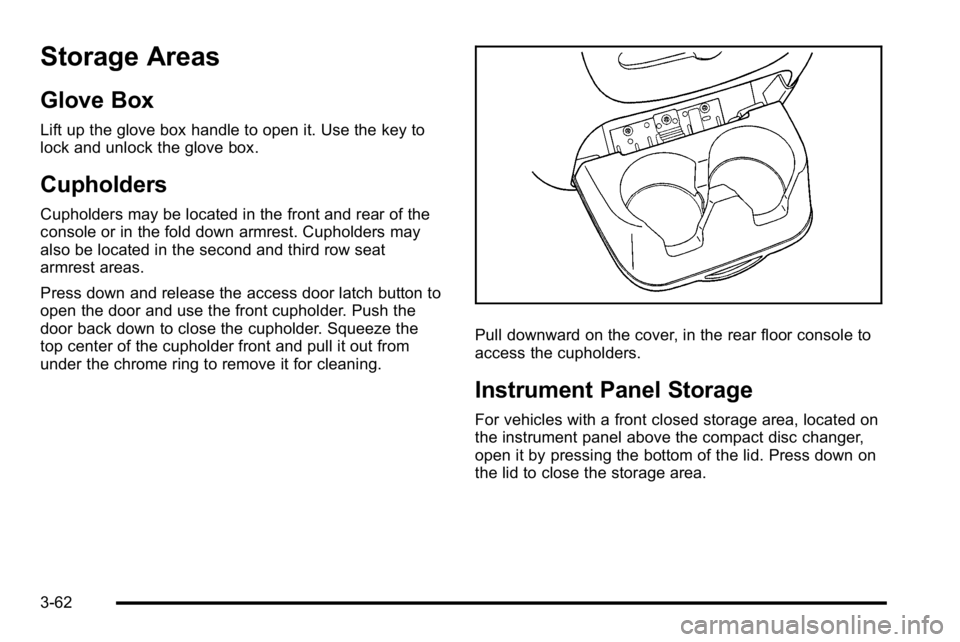
Pull downward on the cover, in the rear floor console to
access the cupholders.
Instrument Panel Storage
For vehicles with a front closed storage area, located on
the instrument panel above the compact disc changer,
open it by pressing the bottom of the lid. Press down on
the lid to close the storage area.
3-62
Page 190 of 560
Don't exceed the maximum vehicle capacity when
loading the vehicle. For more information on vehicle
capacity and loading, seeLoading the Vehicle
on
page 5‑31.
Be sure the cargo is properly loaded.
.If small heavy objects are placed on the roof, place
the load in the area over the rear wheels (behind
the rear side door on Yukon XL Denali models).
If needed, cut a piece of 3/8 inch plywood to fit
inside the crossrails and siderails to spread the
load. If plywood is used, tie it to the siderail
supports.
.Tie the load to the crossrails or the siderail
supports. Use the crossrails only to keep the load
from sliding. To move the crossrails, pull out on
the latch release handle at each end. Slide the
crossrail to the desired position balancing the force
side to side. Push the release handle back into the
latched position and slide the crossrail back and
forth slightly to be sure the latch snaps securely
into place.
.If needed to carry long items, move the crossrails
as far apart as possible. Tie the load to the
crossrails and the siderails or siderail supports.
Also tie the load to the bumpers, but do not tie the
load so tightly that the crossrails or siderails are
damaged.
.To reduce wind noise, put the front crossrail
approximately 18 to 24 inches (46 to 58 cm) to the
front supports.
.After moving a crossrail, be sure it is securely
locked into the siderail.
A Center High-Mounted Stoplamp (CHMSL) is located
above the rear window. Make sure items are loaded on
the roof of the vehicle, do not block or damage the
CHMSL.
To prevent damage or loss of cargo while driving,
periodically stop and check to make sure the luggage
and cargo is still securely fastened.
Rear Storage Area
For vehicles with a rear storage area, it is located in the
rear cargo area of the vehicle on the driver's side trim
panel.
Turn the knobs and swing the storage door to access
the storage compartment. The door can be removed.
Convenience Net
Use the convenience net, located in the rear, to store
small loads as far forward as possible. The net should
not be used to store heavy loads.
3-64
Page 195 of 560
Section 4 Instrument Panel
Instrument Panel Overview. . . . . . . . . . . . . . . . . . . . . . . .4-3
Hazard Warning Flashers . . . . . . . . . . . . . . . . . . . . . . . 4-3
Horn . . . . . . . . . . . . . . . . . . . . . . . . . . . . . . . . . . . . . . . . . . . . 4-3
Tilt Wheel . . . . . . . . . . . . . . . . . . . . . . . . . . . . . . . . . . . . . . . 4-3
Heated Steering Wheel . . . . . . . . . . . . . . . . . . . . . . . . . 4-4
Turn Signal/Multifunction Lever . . . . . . . . . . . . . . . . . . 4-4
Turn and Lane-Change Signals . . . . . . . . . . . . . . . . . 4-5
Headlamp High/Low-Beam Changer . . . . . . . . . . . . 4-5
Flash-to-Pass . . . . . . . . . . . . . . . . . . . . . . . . . . . . . . . . . . . 4-6
Windshield Wipers . . . . . . . . . . . . . . . . . . . . . . . . . . . . . . 4-6
Windshield Washer . . . . . . . . . . . . . . . . . . . . . . . . . . . . . 4-7
Rear Window Wiper/Washer . . . . . . . . . . . . . . . . . . . . 4-7
Cruise Control . . . . . . . . . . . . . . . . . . . . . . . . . . . . . . . . . . 4-8
Exterior Lamps . . . . . . . . . . . . . . . . . . . . . . . . . . . . . . . . . 4-11
Headlamps on Reminder . . . . . . . . . . . . . . . . . . . . . . 4-12
Daytime Running Lamps (DRL) . . . . . . . . . . . . . . . . 4-12
Automatic Headlamp System . . . . . . . . . . . . . . . . . . 4-13
Fog Lamps . . . . . . . . . . . . . . . . . . . . . . . . . . . . . . . . . . . . 4-14
Instrument Panel Brightness . . . . . . . . . . . . . . . . . . . 4-14
Dome Lamps . . . . . . . . . . . . . . . . . . . . . . . . . . . . . . . . . . 4-14
Dome Lamp Override . . . . . . . . . . . . . . . . . . . . . . . . . . 4-14
Entry Lighting . . . . . . . . . . . . . . . . . . . . . . . . . . . . . . . . . . 4-15
Exit Lighting . . . . . . . . . . . . . . . . . . . . . . . . . . . . . . . . . . . 4-15
Front Reading Lamps . . . . . . . . . . . . . . . . . . . . . . . . . . 4-15
Electric Power Management . . . . . . . . . . . . . . . . . . . 4-15 Battery Run-Down Protection . . . . . . . . . . . . . . . . . . 4-16
Accessory Power Outlet(s) . . . . . . . . . . . . . . . . . . . . . 4-16
Ashtray(s) and Cigarette Lighter . . . . . . . . . . . . . . . 4-17
Climate Controls . . . . . . . . . . . . . . . . . . . . . . . . . . . . . . . . . . 4-18
Dual Automatic Climate Control System . . . . . . . 4-18
Outlet Adjustment . . . . . . . . . . . . . . . . . . . . . . . . . . . . . . 4-23
Rear Air Conditioning and Heating System
and Electronic Climate Controls . . . . . . . . . . . . . 4-24
Warning Lights, Gages, and Indicators . . . . . . . . . .4-25
Instrument Panel Cluster . . . . . . . . . . . . . . . . . . . . . . . 4-26
Speedometer and Odometer . . . . . . . . . . . . . . . . . . . 4-27
Trip Odometer . . . . . . . . . . . . . . . . . . . . . . . . . . . . . . . . . 4-27
Tachometer . . . . . . . . . . . . . . . . . . . . . . . . . . . . . . . . . . . . 4-27
Safety Belt Reminders . . . . . . . . . . . . . . . . . . . . . . . . . 4-27
Airbag Readiness Light . . . . . . . . . . . . . . . . . . . . . . . . 4-28
Passenger Airbag Status Indicator . . . . . . . . . . . . . 4-29
Charging System Light . . . . . . . . . . . . . . . . . . . . . . . . 4-30
Voltmeter Gage . . . . . . . . . . . . . . . . . . . . . . . . . . . . . . . . 4-31
Brake System Warning Light . . . . . . . . . . . . . . . . . . . 4-32
Antilock Brake System (ABS) Warning Light . . . 4-33
StabiliTrak
®Indicator Light . . . . . . . . . . . . . . . . . . . . . 4-33
Engine Coolant Temperature Gage . . . . . . . . . . . . 4-34
Tire Pressure Light . . . . . . . . . . . . . . . . . . . . . . . . . . . . 4-34
Malfunction Indicator Lamp . . . . . . . . . . . . . . . . . . . . 4-35
Oil Pressure Gage . . . . . . . . . . . . . . . . . . . . . . . . . . . . . 4-38
4-1
Page 196 of 560
Section 4 Instrument Panel
Oil Pressure Light . . . . . . . . . . . . . . . . . . . . . . . . . . . . . 4-39
Security Light . . . . . . . . . . . . . . . . . . . . . . . . . . . . . . . . . . 4-39
Fog Lamp Light . . . . . . . . . . . . . . . . . . . . . . . . . . . . . . . . 4-40
Cruise Control Light . . . . . . . . . . . . . . . . . . . . . . . . . . . 4-40
Highbeam On Light . . . . . . . . . . . . . . . . . . . . . . . . . . . . 4-40
Tow/Haul Mode Light . . . . . . . . . . . . . . . . . . . . . . . . . . 4-40
Fuel Gage . . . . . . . . . . . . . . . . . . . . . . . . . . . . . . . . . . . . . 4-41
Low Fuel Warning Light . . . . . . . . . . . . . . . . . . . . . . . . 4-42
Driver Information Center (DIC) . . . . . . . . . . . . . . . . . .4-42
DIC Operation and Displays (Using DIC Buttons) . . . . . . . . . . . . . . . . . . . . . . . . . 4-43
DIC Operation and Displays (Using Trip Odometer Reset Stem) . . . . . . . . . . 4-50
DIC Compass . . . . . . . . . . . . . . . . . . . . . . . . . . . . . . . . . . 4-53
DIC Warnings and Messages . . . . . . . . . . . . . . . . . . 4-56
DIC Vehicle Customization (With DIC Buttons) . . . . . . . . . . . . . . . . . . . . . . . . . . 4-66 Audio System(s)
. . . . . . . . . . . . . . . . . . . . . . . . . . . . . . . . . . 4-75
Setting the Clock . . . . . . . . . . . . . . . . . . . . . . . . . . . . . . 4-76
Radio(s) . . . . . . . . . . . . . . . . . . . . . . . . . . . . . . . . . . . . . . . 4-77
Using an MP3 (Radios with CD) . . . . . . . . . . . . . . . 4-94
Using an MP3 (Radios with CD and DVD) . . . . 4-101
XM Radio Messages . . . . . . . . . . . . . . . . . . . . . . . . . 4-108
Navigation/Radio System . . . . . . . . . . . . . . . . . . . . . 4-110
Bluetooth
®. . . . . . . . . . . . . . . . . . . . . . . . . . . . . . . . . . . . 4-110
Rear Seat Entertainment (RSE) System . . . . . . 4-120
Rear Seat Audio (RSA) . . . . . . . . . . . . . . . . . . . . . . . 4-130
Theft-Deterrent Feature . . . . . . . . . . . . . . . . . . . . . . 4-132
Audio Steering Wheel Controls . . . . . . . . . . . . . . . 4-132
Radio Reception . . . . . . . . . . . . . . . . . . . . . . . . . . . . . . 4-135
Rear Side Window Antenna . . . . . . . . . . . . . . . . . . 4-136
XM™ Satellite Radio Antenna System . . . . . . . . 4-136
4-2
Page 201 of 560
Clear ice and snow from the wiper blades before using
them. If frozen to the windshield, carefully loosen or
thaw them. Damaged wiper blades should be replaced.
SeeWindshield Wiper Blade Replacement
on
page 6‑55.
Heavy snow or ice can overload the wiper motor.
A circuit breaker will stop the motor until it cools down.
Windshield Washer
{WARNING:
In freezing weather, do not use your washer until
the windshield is warmed. Otherwise the washer
fluid can form ice on the windshield, blocking your
vision.
L(Washer Fluid): Push the paddle marked with
the windshield washer symbol at the top of the
multifunction lever, to spray washer fluid on the
windshield. The wipers clear the window and then
either stop or return to the preset speed.
Rear Window Wiper/Washer
{WARNING:
In freezing weather, do not use your washer until
the windshield is warmed. Otherwise the washer
fluid can form ice on the windshield, blocking your
vision.
The rear wiper control is located on the turn signal/
multifunction lever.
To turn the rear wiper on, slide the lever to a wiper
position.
9 (Off) : Turns the wiper off.
5(Rear Wiper Delay): Turns on the rear wiper delay.
Z(Rear Wiper):Turns on the rear wiper.
=(Rear Wiper Wash): To turn on the rear wiper
wash, push the button on the end of the turn signal/
multifunction lever to spray washer fluid on the rear
window. The wipers will clear the rear window and
either stop or return to your preset speed. For more
washer cycles, press and hold the button.
4-7
Page 208 of 560
Fog Lamps
For vehicles with fog lamps, the control is located next
to the exterior lamps control on the instrument panel to
the left of the steering column.
#(Fog Lamps):Press the button to turn the fog lamps
on or off. A indicator light comes on in the instrument
panel cluster. The ignition must be in the ON/RUN
position for the fog lamps to come on.
When the fog lamps are turned on, the headlamps
automatically turn on.
When the headlamps are changed to high-beam, the
fog lamps also go off. When the high-beam headlamps
go off, the fog lamps will come on again.
Some localities have laws that require the headlamps to
be on along with the fog lamps.
Instrument Panel Brightness
D (Instrument Panel Brightness) : This feature
controls the brightness of the instrument panel lights
and is located next to the exterior lamp control.
Push the knob to extend out and then it can be turned. Turn the knob clockwise or counterclockwise to brighten
or dim the instrument panel lights. Turning the knob to
the farthest clockwise position turns on the dome lamps.
Dome Lamps
The dome lamps come on when any door is opened.
They turn off after all the doors are closed.
The dome lamps can also be turned on by turning the
instrument panel brightness knob, located on the
instrument panel to the left of the steering column,
clockwise to the farthest position. In this position, the
dome lamps remain on whether a door is opened or
closed.
Dome Lamp Override
The dome lamp override button is located next to the
exterior lamps control.
k(Dome Off):
Press the button in and the dome
lamps remain off when a door is opened. Press the
button again to return it to the extended position so that
the dome lamps come on when a door is opened.
4-14
Page 210 of 560
EPM works to prevent excessive discharge of the
battery. It does this by balancing the generator's output
and the vehicle's electrical needs. It can increase
engine idle speed to generate more power, whenever
needed. It can temporarily reduce the power demands
of some accessories.
Normally, these actions occur in steps or levels, without
being noticeable. In rare cases at the highest levels of
corrective action, this action may be noticeable to the
driver. If so, a Driver Information Center (DIC) message
might be displayed, such as BATTERY SAVER
ACTIVE, BATTERY VOLTAGE LOW, or LOW
BATTERY. If this message is displayed, it is
recommended that the driver reduce the electrical loads
as much as possible. SeeDIC Warnings and Messages
on page 4‑56.
Battery Run-Down Protection
This feature shuts off the dome, and reading lamps if
they are left on for more than 10 minutes when the
ignition is off. This will keep the battery from
running down.
Accessory Power Outlet(s)
Accessory power outlets can be used to connect
auxiliary electrical equipment, such as a cellular
telephone.
There are two under the climate controls, one inside the
center floor console, one on the rear of the center floor
console and one accessory power outlet in the rear
cargo area on the passenger side.
To use an accessory power outlet, remove the
protective cap. When not in use, always cover the
accessory power outlet with the protective cap.
The accessory power outlets are powered, even with
the ignition off. Continuing to use accessory power
outlets while the ignition is in LOCK/OFF may cause the
vehicle's battery to run down.
Notice:If electrical devices are left plugged into a
power outlet, the battery may drain causing the
vehicle not to start or damage to the battery. This
would not be covered by the vehicle warranty.
Always unplug all electrical devices when turning
off the vehicle.
4-16
Page 217 of 560
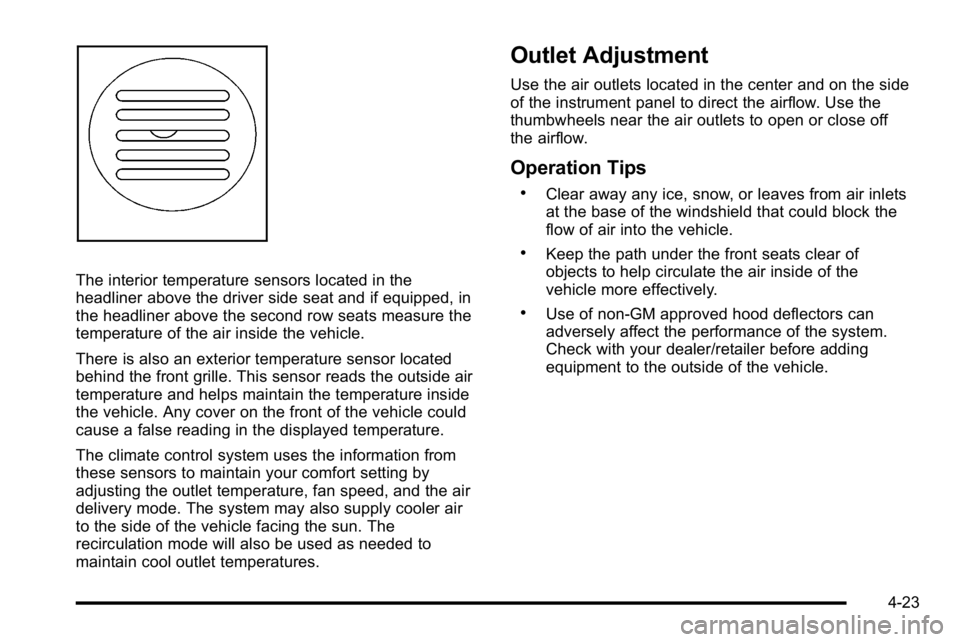
The interior temperature sensors located in the
headliner above the driver side seat and if equipped, in
the headliner above the second row seats measure the
temperature of the air inside the vehicle.
There is also an exterior temperature sensor located
behind the front grille. This sensor reads the outside air
temperature and helps maintain the temperature inside
the vehicle. Any cover on the front of the vehicle could
cause a false reading in the displayed temperature.
The climate control system uses the information from
these sensors to maintain your comfort setting by
adjusting the outlet temperature, fan speed, and the air
delivery mode. The system may also supply cooler air
to the side of the vehicle facing the sun. The
recirculation mode will also be used as needed to
maintain cool outlet temperatures.
Outlet Adjustment
Use the air outlets located in the center and on the side
of the instrument panel to direct the airflow. Use the
thumbwheels near the air outlets to open or close off
the airflow.
Operation Tips
.Clear away any ice, snow, or leaves from air inlets
at the base of the windshield that could block the
flow of air into the vehicle.
.Keep the path under the front seats clear of
objects to help circulate the air inside of the
vehicle more effectively.
.Use of non‐GM approved hood deflectors can
adversely affect the performance of the system.
Check with your dealer/retailer before adding
equipment to the outside of the vehicle.
4-23