battery GMC YUKON XL 2007 User Guide
[x] Cancel search | Manufacturer: GMC, Model Year: 2007, Model line: YUKON XL, Model: GMC YUKON XL 2007Pages: 608, PDF Size: 3.01 MB
Page 138 of 608
Retained Accessory Power (RAP)
Your vehicle has a Retained Accessory Power
(RAP) feature which will allow certain features on
your vehicle to continue to work up to 10 minutes
after the ignition key is turned to LOCK.
The radio, power windows, and if the vehicle
has these features, the sunroof and OnStar
®
System, will work when the ignition key is in
RUN or ACCESSORY. Once the key is turned
from RUN to LOCK, these features will continue
to work for up to 10 minutes or until a door is
opened.
Starting the Engine
Move your shift lever to PARK (P) or
NEUTRAL (N). Your engine will not start in
any other position — that is a safety feature.
To restart when you are already moving, use
NEUTRAL (N) only.
Notice:Do not try to shift to PARK (P) if
your vehicle is moving. If you do, you could
damage the transmission. Shift to PARK (P)
only when your vehicle is stopped.1. With your foot off the accelerator pedal, turn
the ignition key to START. When the engine
starts, let go of the key. The idle speed will go
down as your engine gets warm.
Your vehicle has a Computer-Controlled
Cranking System. This feature assists in
starting the engine and protects the electrical
system. If the ignition key is turned to the
START position, and then released when the
engine begins cranking, the engine will continue
cranking until the vehicle starts or until it
exceeds the maximum cranking time allowed,
approximately 15 seconds to prevent cranking
motor damage. To prevent gear damage, this
system also prevents cranking if the engine is
already running. The engine cranking can be
stopped by turning the ignition switch to the
ACCESSORY or LOCK position.
Notice:Cranking the engine for long periods of
time, by returning the key to the START position
immediately after cranking has ended, can
overheat and damage the cranking motor and
drain the battery. Waiting about 15 seconds
between each try, to allow the cranking motor to
cool down, will prevent damage due to
overheating.
138
Page 145 of 608
Notice:Spinning the tires or holding the
vehicle in one place on a hill using only
the accelerator pedal may damage the
transmission. If you are stuck, do not spin
the tires. When stopping on a hill, use
the brakes to hold the vehicle in place.
When temperatures are very cold, the Hydra-Matic
Automatic Transmission’s gear shifting may be
delayed providing more stable shifts until the
engine warms up. Shifts may be more noticeable
with a cold transmission. This difference in
shifting is normal.
The transmission torque converter clutch operation
is restricted during cold operation. When the
startup transmission temperature is approximately
64°F (18° C) your torque converter clutch will
temporarily not operate. Once the transmission
temperature rises above 68° F (20° C), normal
operation will resume.Tow/Haul Mode
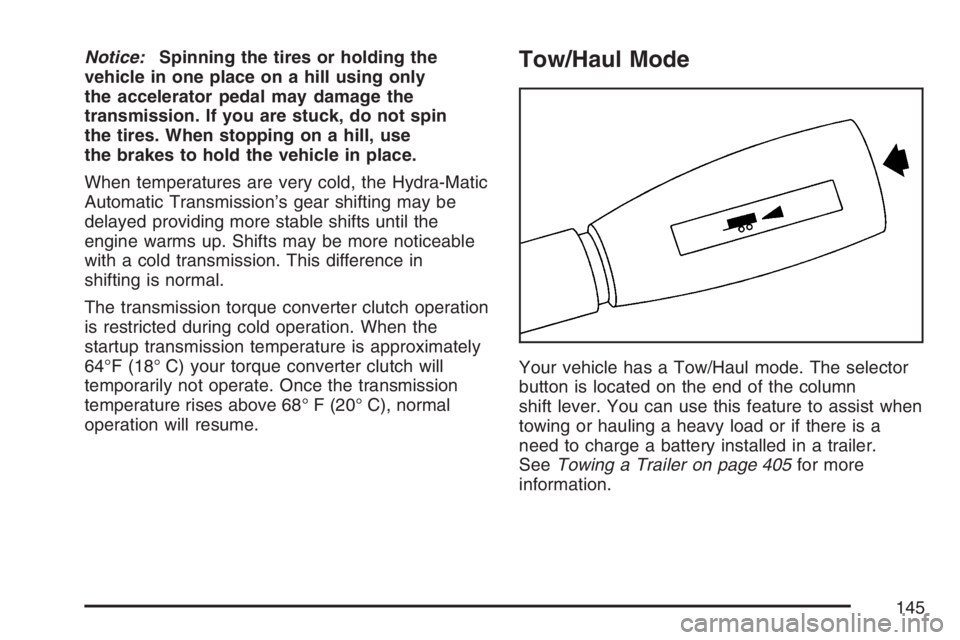
Your vehicle has a Tow/Haul mode. The selector
button is located on the end of the column
shift lever. You can use this feature to assist when
towing or hauling a heavy load or if there is a
need to charge a battery installed in a trailer.
SeeTowing a Trailer on page 405for more
information.
145
Page 171 of 608
Be sure that people and objects are clear of
the garage door or gate operator you are
programming. When programming a garage door,
it is advised to park outside of the garage.
It is recommended that a new battery be installed
in your hand-held transmitter for quicker and
more accurate transmission of the radio-frequency
signal.
Programming Universal Home Remote
Follow these steps to program up to three
channels:
1. Press and hold down the two outside
Universal Home Remote buttons, releasing
only when the Universal Home Remote
indicator light begins to ash, after
20 seconds. Do not hold down the buttons
for longer than 30 seconds and do not repeat
this step to program a second and/or third
hand-held transmitter to the remaining
two Universal Home Remote buttons.2. Position the end of your hand-held transmitter
about 1 to 3 inches (3 to 8 cm) away from the
Universal Home Remote buttons while
keeping the indicator light in view.
3. Simultaneously press and hold both the
desired Universal Home Remote button
and the hand-held transmitter button. Do not
release the buttons until Step 4 has been
completed.
Some entry gates and garage door openers
may require you to substitute Step 3 with
the procedure noted in “Gate Operator and
Canadian Programming” later in this section.
4. The indicator light will ash slowly at rst and
then rapidly after Universal Home Remote
successfully receives the frequency signal
from the hand-held transmitter. Release both
buttons.
171
Page 183 of 608
Instrument Panel Overview.........................186
Hazard Warning Flashers...........................188
Other Warning Devices..............................188
Horn...........................................................189
Tilt Wheel..................................................189
Turn Signal/Multifunction Lever...................190
Turn and Lane-Change Signals..................191
Headlamp High/Low-Beam Changer...........192
Flash-to-Pass.............................................192
Windshield Wipers......................................192
Rainsense™ II Wipers................................193
Windshield Washer.....................................194
Rear Window Wiper/Washer.......................195
Cruise Control............................................196
Exterior Lamps...........................................199
Headlamps on Reminder............................200
Daytime Running Lamps (DRL)..................201
Automatic Headlamp System......................201
Fog Lamps.................................................202
Auxiliary Roof Mounted Lamp.....................203
Instrument Panel Brightness.......................203
Dome Lamps.............................................203
Dome Lamp Override.................................204
Entry Lighting.............................................204
Exit Lighting...............................................204Reading Lamps..........................................204
Battery Run-Down Protection......................204
Ultrasonic Rear Parking Assist (URPA).......205
Accessory Power Outlet(s).........................208
Ashtray(s) and Cigarette Lighter.................209
Climate Controls..........................................210
Climate Control System..............................210
Dual Automatic Climate Control System.....213
Outlet Adjustment.......................................220
Rear Air Conditioning and Heating
System...................................................220
Rear Air Conditioning and Heating System
and Electronic Climate Controls................222
Warning Lights, Gages, and Indicators......224
Instrument Panel Cluster............................225
Speedometer and Odometer.......................226
Trip Odometer............................................226
Tachometer................................................226
Safety Belt Reminder Light.........................226
Passenger Safety Belt Reminder Light.......227
Airbag Readiness Light..............................227
Passenger Airbag Status Indicator..............228
Charging System Light...............................230
Voltmeter Gage..........................................231
Section 3 Instrument Panel
183
Page 204 of 608
Dome Lamp Override
E(Dome Lamp Override):Press the dome
override button, located next to the exterior lamps
control, to keep the dome lamps off when a
door is open. To set the lamps to the automatic
operation, press the button again so that it is
extended. With the button in this position,
the dome lamps will come on when a door is
opened.
Entry Lighting
Your vehicle has an illuminated entry feature.
When the doors are opened, the dome lamps will
come on if the dome override button is in the
extended position. If the dome override button is
pressed in, the lamps will not come on.
Exit Lighting
With exit lighting, the interior lamps will come on
when you remove the key from the ignition.
They will turn off automatically in 20 seconds.
The lights will not come on if the dome override
button is pressed in.
Reading Lamps
If your vehicle has reading lamps they are located
on the overhead console.
To turn on the reading lamps, press the button
located next to each lamp. To turn them off, press
the button again.
The lamps can be adjusted to point in the direction
you want.
Your vehicle may also have reading lamps in
other locations. To turn the lamps on or off, press
the button located next to the lamp. The lamps
are xed and cannot be adjusted.
Battery Run-Down Protection
This feature shuts off the dome, and reading
lamps if they are left on for more than 10 minutes
when the ignition is off. This will keep the
battery from running down.
204
Page 209 of 608
If you experience a problem, see your dealer for
additional information on the accessory
power plugs.
The accessory power outlets are powered, even
with the ignition off. Continuing to use power
outlets while the ignition is off may cause
the vehicle’s battery to run down.
Notice:Adding any electrical equipment to
your vehicle may damage it or keep other
components from working as they should.
The repairs would not be covered by your
warranty. Do not use equipment exceeding
maximum amperage rating. Check with your
dealer before adding electrical equipment.
When adding electrical equipment, be sure to
follow the proper installation instructions included
with the equipment. Do not use equipment
exceeding the maximum amperage rating of
20 amperes.
Notice:Improper use of the power outlet can
cause damage not covered by your warranty.
Do not hang any type of accessory or
accessory bracket from the plug because the
power outlets are designed for accessory
power plugs only.Ashtray(s) and Cigarette Lighter
The front ashtray is located near the center of the
instrument panel or on the front console, if
equipped. Pull on the ashtray door to open it.
Notice:If you put papers, pins, or other
ammable items in the ashtray, hot cigarettes
or other smoking materials could ignite
them and possibly damage your vehicle. Never
put ammable items in the ashtray.
To remove the front ashtray pull the ashtray up.
To use the cigarette lighter, push it in all the way,
and let go. When it’s ready, it will pop back out
by itself.
Notice:Holding a cigarette lighter in while it
is heating will not allow the lighter to back
away from the heating element when it is hot.
Damage from overheating may occur to the
lighter or heating element, or a fuse could be
blown. Do not hold a cigarette lighter in
while it is heating.
209
Page 230 of 608
If, after several seconds, all status indicator lights
remain on, or if there are no lights at all, there
may be a problem with the lights or the passenger
sensing system. See your dealer for service.
{CAUTION:
If the off indicator and the airbag
readiness light ever come on together, it
means that something may be wrong with
the airbag system. If this ever happens,
have the vehicle serviced promptly,
because an adult-size person sitting in the
right front passenger seat may not have
the protection of the frontal airbag. See
Airbag Readiness Light on page 227.
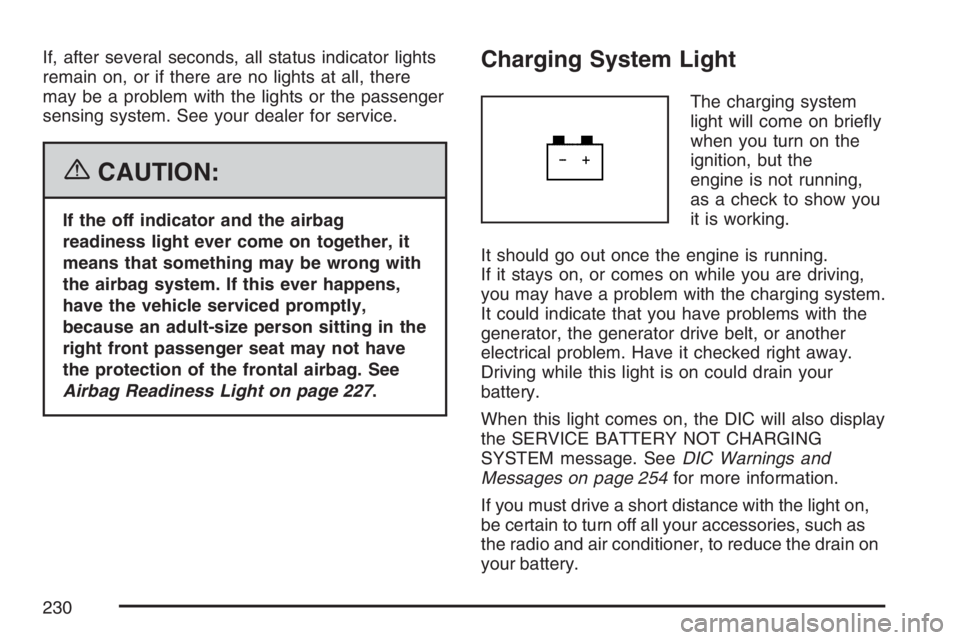
Charging System Light
The charging system
light will come on briey
when you turn on the
ignition, but the
engine is not running,
as a check to show you
it is working.
It should go out once the engine is running.
If it stays on, or comes on while you are driving,
you may have a problem with the charging system.
It could indicate that you have problems with the
generator, the generator drive belt, or another
electrical problem. Have it checked right away.
Driving while this light is on could drain your
battery.
When this light comes on, the DIC will also display
the SERVICE BATTERY NOT CHARGING
SYSTEM message. SeeDIC Warnings and
Messages on page 254for more information.
If you must drive a short distance with the light on,
be certain to turn off all your accessories, such as
the radio and air conditioner, to reduce the drain on
your battery.
230
Page 231 of 608
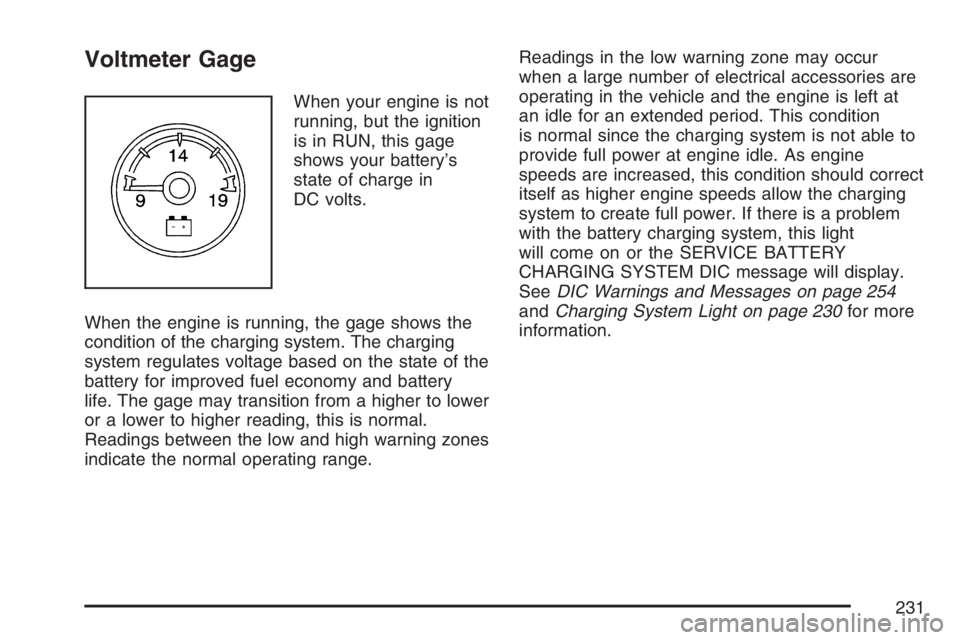
Voltmeter Gage
When your engine is not
running, but the ignition
is in RUN, this gage
shows your battery’s
state of charge in
DC volts.
When the engine is running, the gage shows the
condition of the charging system. The charging
system regulates voltage based on the state of the
battery for improved fuel economy and battery
life. The gage may transition from a higher to lower
or a lower to higher reading, this is normal.
Readings between the low and high warning zones
indicate the normal operating range.Readings in the low warning zone may occur
when a large number of electrical accessories are
operating in the vehicle and the engine is left at
an idle for an extended period. This condition
is normal since the charging system is not able to
provide full power at engine idle. As engine
speeds are increased, this condition should correct
itself as higher engine speeds allow the charging
system to create full power. If there is a problem
with the battery charging system, this light
will come on or the SERVICE BATTERY
CHARGING SYSTEM DIC message will display.
SeeDIC Warnings and Messages on page 254
andCharging System Light on page 230for more
information.
231
Page 239 of 608
Emissions Inspection and Maintenance
Programs
Some state/provincial and local governments have
or may begin programs to inspect the emission
control equipment on your vehicle. Failure to pass
this inspection could prevent you from getting a
vehicle registration.
Here are some things you need to know to help
your vehicle pass an inspection:
Your vehicle will not pass this inspection if the
check engine light is on or not working properly.
Your vehicle will not pass this inspection if the OBD
(on-board diagnostic) system determines that
critical emission control systems have not been
completely diagnosed by the system. The vehicle
would be considered not ready for inspection. This
can happen if you have recently replaced your
battery or if your battery has run down. The
diagnostic system is designed to evaluate critical
emission control systems during normal driving.
This may take several days of routine driving. If you
have done this and your vehicle still does not pass
the inspection for lack of OBD system readiness,
your GM dealer can prepare the vehicle for
inspection.
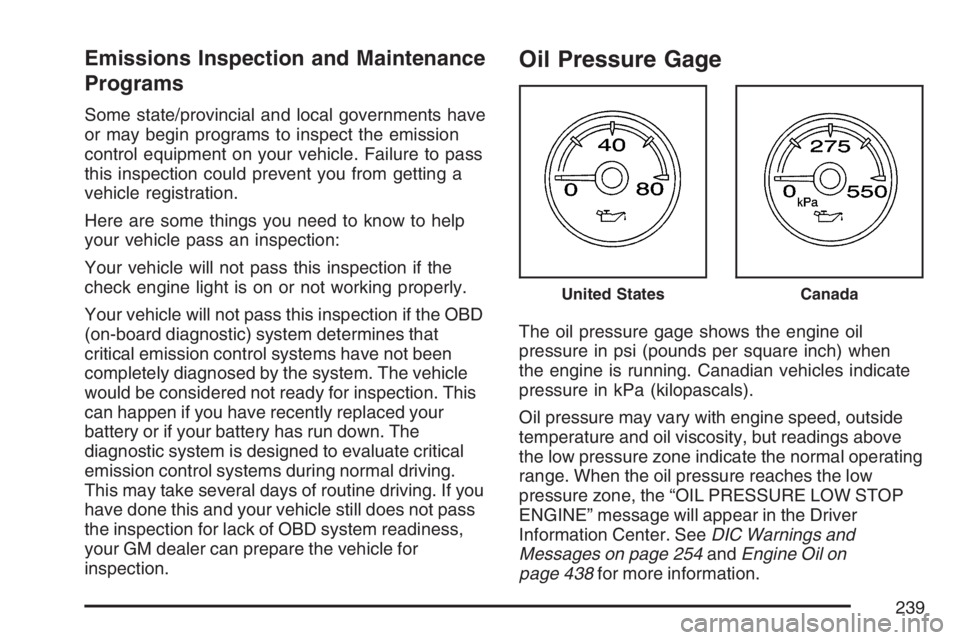
Oil Pressure Gage
The oil pressure gage shows the engine oil
pressure in psi (pounds per square inch) when
the engine is running. Canadian vehicles indicate
pressure in kPa (kilopascals).
Oil pressure may vary with engine speed, outside
temperature and oil viscosity, but readings above
the low pressure zone indicate the normal operating
range. When the oil pressure reaches the low
pressure zone, the “OIL PRESSURE LOW STOP
ENGINE” message will appear in the Driver
Information Center. SeeDIC Warnings and
Messages on page 254andEngine Oil on
page 438for more information.
United StatesCanada
239
Page 259 of 608
REMOTE KEY LEARNING ACTIVE
This message will display while you are matching
a remote keyless entry transmitter to your
vehicle. See “Matching Transmitter(s) to Your
Vehicle” underRemote Keyless Entry System
Operation on page 113andDIC Operation
and Displays (With DIC Buttons) on page 244or
DIC Operation and Displays (Without DIC Buttons)
on page 251for more information.
REPLACE BATTERY IN REMOTE KEY
If a remote keyless entry transmitter battery is low,
this message will display. The battery needs to
be replaced in the transmitter. See “Battery
Replacement” underRemote Keyless Entry
System Operation on page 113.
RIGHT REAR DOOR OPEN
If the passenger’s side rear door is not fully closed
and the vehicle is in a drive gear, this message
will display and a chime will sound. Stop and turn
off the vehicle, check the door for obstructions,
and close the door again. Check to see if the
message still appears on the DIC.
SERVICE 4 WHEEL DRIVE
If a problem occurs with the four-wheel-drive
system, this message will display. If this message
appears, stop as soon as possible and turn off
the vehicle. Restart the vehicle and check for the
message on the DIC display. If the message
is still displayed or appears again when you begin
driving, the four-wheel-drive system needs
service. See your GM dealer.
SERVICE AIR BAG
If there is a problem with the airbag system, this
message will display. Have your GM dealer inspect
the system for problems. SeeAirbag Readiness
Light on page 227andAirbag System on page 90
for more information.
259