radio controls GMC YUKON XL 2007 User Guide
[x] Cancel search | Manufacturer: GMC, Model Year: 2007, Model line: YUKON XL, Model: GMC YUKON XL 2007Pages: 608, PDF Size: 3.01 MB
Page 315 of 608
If the DVD does not begin playing the movie
automatically, press the pushbutton located under
the play/pause symbol tag displayed on the radio.
If the DVD still does not play, refer to the on-screen
instructions, if available.
c(Stop):Press this button to stop playing,
rewinding, or fast forwarding a DVD.
r(Enter):Press this button to select the
choices that are highlighted in any menu.
y(Menu):Press this button to access the DVD
menu. The DVD menu is different on every
DVD. Use the pushbuttons located under the
navigation arrows to navigate the cursor through
the DVD menu. After making a selection press the
enter button. This button only operates when
using a DVD.
Nav (Navigate):Press this button to display
directional arrows for navigating through the
menus.
q(Return):Press this button to exit the current
active menu and return to the previous menu.
This button will operate only when a DVD is
playing and a menu is active.
DVD-A (Audio) Display Buttons
Once a DVD-A is inserted, radio display menu will
show several tag options for DVD playing.
Press the pushbuttons located under any desired
tag option during DVD playback. See the tag
options listed below for more information.
The rear seat operator can navigate the DVD-A
menus and controls through the remote control.
See “Remote Control”, underRear Seat
Entertainment System on page 321for more
information. The Video Screen does not
automatically power on when the DVD-A is
inserted into the DVD slot. It must be manually
turned on by the rear seat occupant through
the remote control power button.
r/j(Play/Pause):Press either the play or
pause icon displayed on the radio system,
to toggle between pausing or restarting playback
of a DVD. If the forward arrow is showing on
display, the system is in pause mode. If the pause
icon is showing on display, the system is in
playback mode.
315
Page 332 of 608
Rear Seat Audio (RSA)
This feature allows rear seat passengers to listen
to and control any of the music sources: radio,
CDs, DVDs, or other auxiliary sources. However,
the rear seat passengers can only control the
music sources the front seat passengers are not
listening to (except on some radios where
dual control is allowed). For example, rear seat
passengers can listen to and control a CD through
the headphones, while the driver listens to the
radio through the front speakers. The rear
seat passengers have control of the volume for
each set of headphones.
You can operate the RSA functions even when
the main radio is off.
Audio can be heard through wired headphones
(not included) plugged into the jacks on the RSA.
If your vehicle has this feature, audio can also
be heard on Channel 2 of the wireless
headphones.
The audio system mutes the rear speakers when
the RSA audio is active through the headphones.
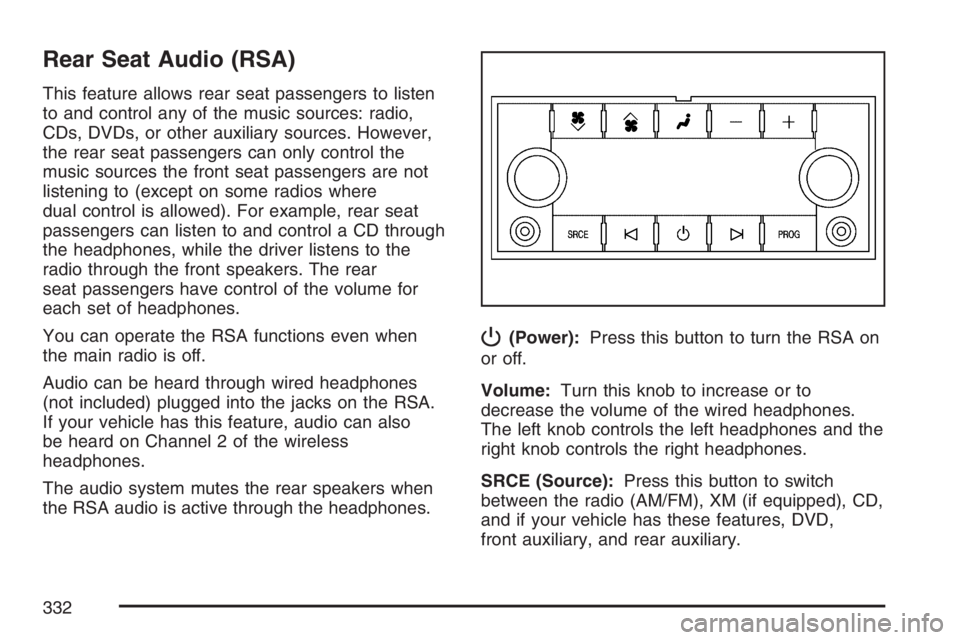
P(Power):Press this button to turn the RSA on
or off.
Volume:Turn this knob to increase or to
decrease the volume of the wired headphones.
The left knob controls the left headphones and the
right knob controls the right headphones.
SRCE (Source):Press this button to switch
between the radio (AM/FM), XM (if equipped), CD,
and if your vehicle has these features, DVD,
front auxiliary, and rear auxiliary.
332
Page 334 of 608
Theft-Deterrent Feature
THEFTLOCK®is designed to discourage theft of
your vehicle’s radio. The feature works
automatically by learning a portion of the Vehicle
Identication Number (VIN). If the radio is
moved to a different vehicle, it will not operate and
LOCKED will appear on the display.
When the radio and vehicle are turned off, the
blinking red light indicates that THEFTLOCK
®is
armed.
With THEFTLOCK
®activated, the radio will not
operate if stolen.
Audio Steering Wheel Controls
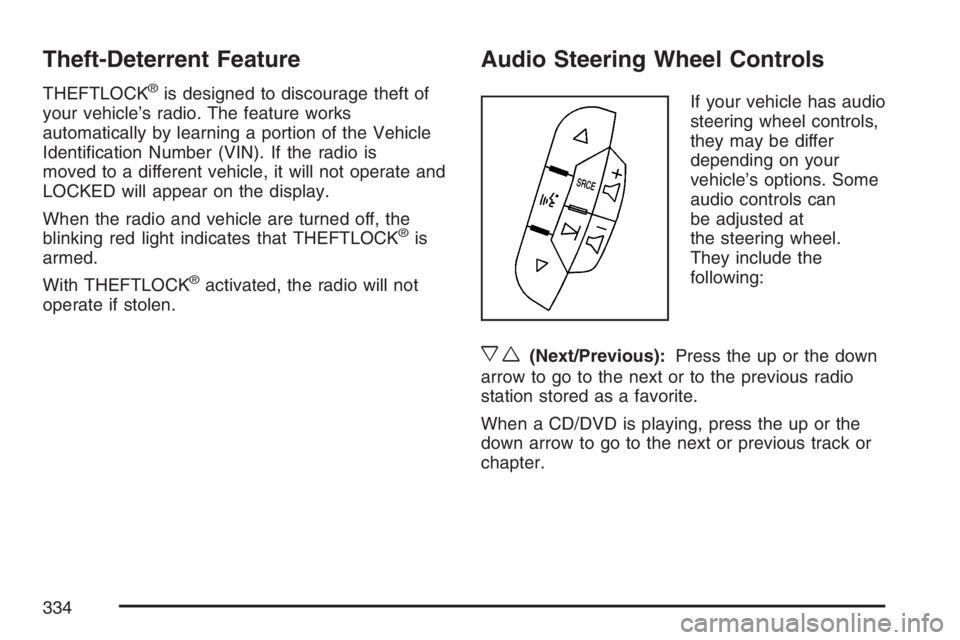
If your vehicle has audio
steering wheel controls,
they may be differ
depending on your
vehicle’s options. Some
audio controls can
be adjusted at
the steering wheel.
They include the
following:
xw(Next/Previous):Press the up or the down
arrow to go to the next or to the previous radio
station stored as a favorite.
When a CD/DVD is playing, press the up or the
down arrow to go to the next or previous track or
chapter.
334
Page 594 of 608

Appearance Care (cont.)
Vehicle Care/Appearance Materials........... 537
Washing Your Vehicle............................... 532
Weatherstrips............................................ 531
Windshield, Backglass, and Wiper Blades.... 534
Ashtray(s)..................................................... 209
Audio System(s)........................................... 274
Audio Steering Wheel Controls................. 334
Care of Your CD and DVD Player............. 337
Care of Your CDs and DVDs.................... 336
Navigation/Radio System,
see Navigation Manual.......................... 321
Radio with CD.......................................... 278
Radio with CD and DVD........................... 295
Rear Seat Audio (RSA)............................. 332
Rear Side Window Antenna...................... 337
Setting the Time................................276, 277
Theft-Deterrent Feature............................. 334
Understanding Radio Reception................ 335
XM™ Satellite Radio Antenna System....... 337
Automatic Headlamp System........................ 201
Automatic Transmission
Fluid......................................................... 445
Operation.................................................. 142
Autoride
®..................................................... 405
Auxiliary Roof Mounted Lamp Switch........... 203
B
Battery......................................................... 466
Run-Down Protection................................ 204
Before Leaving on a Long Trip..................... 380
Bench Seat, Split (60/40)............................... 20
Brake
Anti-Lock Brake System (ABS).................. 345
Emergencies............................................. 347
Parking..................................................... 151
System Warning Light............................... 232
Brake Pedal, Throttle.................................... 140
Brakes......................................................... 463
Braking........................................................ 344
Braking in Emergencies................................ 347
Break-In, New Vehicle.................................. 136
Bucket Seats, Rear........................................ 26
Bulb Replacement........................................ 478
Halogen Bulbs.......................................... 478
Headlamp Aiming...................................... 475
License Plate Lamps................................. 480
Replacement Bulbs................................... 481
Taillamps, Turn Signal, Stoplamps and
Back-up Lamps..................................... 478
Buying New Tires......................................... 500
594
Page 603 of 608
Power (cont.)
Steering Fluid........................................... 461
Windows................................................... 131
Pretensioners, Safety Belt.............................. 60
Programmable Automatic Door Locks........... 121
Q
Questions and Answers About Safety Belts....... 42
R
Radios......................................................... 274
Care of Your CD and DVD Player............. 337
Care of Your CDs and DVDs.................... 336
Navigation/Radio System,
see Navigation Manual.......................... 321
Radio with CD.......................................... 278
Radio with CD and DVD........................... 295
Rear Seat Audio....................................... 332
Setting the Time................................276, 277
Theft-Deterrent.......................................... 334
Understanding Reception.......................... 335
Rainsense™ II Wipers.................................. 193
Reading Lamps............................................ 204Rear Air Conditioning and Heating System...... 220
Rear Air Conditioning and Heating System
and Electronic Climate Controls................ 222
Rear Axle..................................................... 472
Locking..................................................... 347
Rear Door Security Locks............................ 122
Rear Heated Seats........................................ 19
Rear Safety Belt Comfort Guides................... 56
Rear Seat Armrest....................................... 176
Rear Seat Audio (RSA)................................ 332
Rear Seat Entertainment System.................. 321
Rear Seat Passengers, Safety Belts............... 54
Rear Side Window Antenna.......................... 337
Rear Storage Area....................................... 176
Rear Windshield Washer/Wiper.................... 195
Rearview Mirror, Automatic Dimming with
Compass and Temperature Display........... 160
Rearview Mirror, Automatic Dimming with
OnStar
®, Compass and Temperature
Display..................................................... 157
Reclining Seatbacks....................................... 15
Recommended Fluids and Lubricants........... 564
Recovery Hooks........................................... 389
Recreational Vehicle Towing......................... 401
Remote Keyless Entry System..................... 112
603