audio GMC YUKON XL DENALI 2005 Owners Manual
[x] Cancel search | Manufacturer: GMC, Model Year: 2005, Model line: YUKON XL DENALI, Model: GMC YUKON XL DENALI 2005Pages: 62, PDF Size: 1.17 MB
Page 1 of 62
Overview........................................................ 1-1
Overview
.................................................. 1-2
Features and Controls..................................... 2-1
Features and Controls
................................ 2-2Navigation Audio System................................ 3-1
Navigation Audio System
............................ 3-2
Index.................................................................1
2005 GMC Yukon/Yukon XL, Yukon Denali/Yukon Denali XL
Navigation System
M
Page 5 of 62
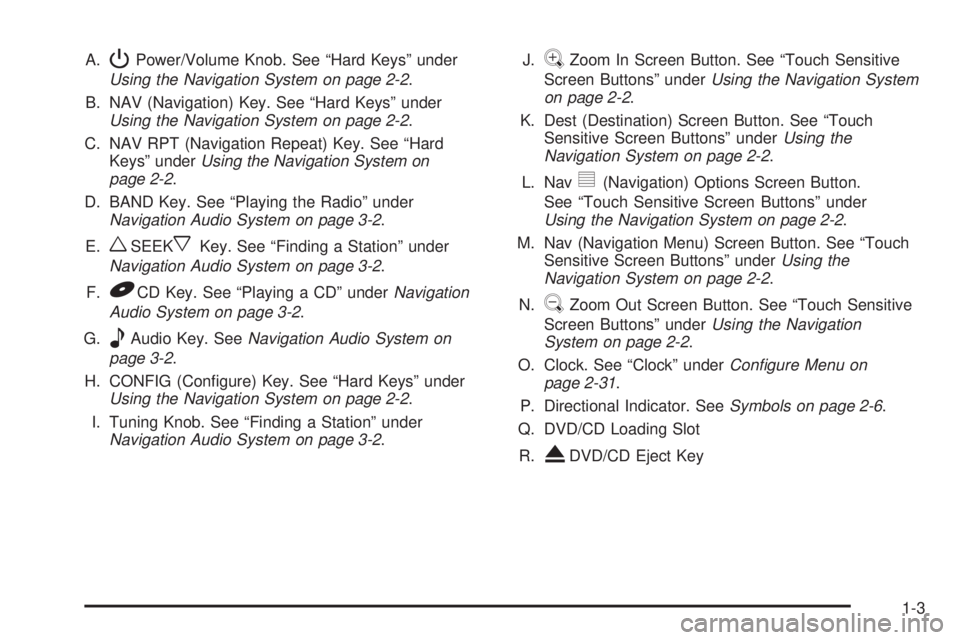
A.PPower/Volume Knob. See “Hard Keys” under
Using the Navigation System on page 2-2.
B. NAV (Navigation) Key. See “Hard Keys” under
Using the Navigation System on page 2-2.
C. NAV RPT (Navigation Repeat) Key. See “Hard
Keys” underUsing the Navigation System on
page 2-2.
D. BAND Key. See “Playing the Radio” under
Navigation Audio System on page 3-2.
E.
wSEEKxKey. See “Finding a Station” under
Navigation Audio System on page 3-2.
F.
BCD Key. See “Playing a CD” underNavigation
Audio System on page 3-2.
G.
eAudio Key. SeeNavigation Audio System on
page 3-2.
H. CONFIG (Congure) Key. See “Hard Keys” under
Using the Navigation System on page 2-2.
I. Tuning Knob. See “Finding a Station” under
Navigation Audio System on page 3-2.J.
VZoom In Screen Button. See “Touch Sensitive
Screen Buttons” underUsing the Navigation System
on page 2-2.
K. Dest (Destination) Screen Button. See “Touch
Sensitive Screen Buttons” underUsing the
Navigation System on page 2-2.
L. Nav
y(Navigation) Options Screen Button.
See “Touch Sensitive Screen Buttons” under
Using the Navigation System on page 2-2.
M. Nav (Navigation Menu) Screen Button. See “Touch
Sensitive Screen Buttons” underUsing the
Navigation System on page 2-2.
N.
UZoom Out Screen Button. See “Touch Sensitive
Screen Buttons” underUsing the Navigation
System on page 2-2.
O. Clock. See “Clock” underConfigure Menu on
page 2-31.
P. Directional Indicator. SeeSymbols on page 2-6.
Q. DVD/CD Loading Slot
R.
XDVD/CD Eject Key
1-3
Page 6 of 62
Getting Started
Before you begin to operate the navigation system, read
this manual thoroughly to become familiar with it and
to understand how the system works.
The navigation system allows you to do the following:
Plan a route with provided turn-by-turn route
and map guidance with voice prompts.
Select a destination using various methods
and choices.
The information in the system may not always be
complete. Road conditions such as prohibited turns,
detours, and construction zones, change frequently.
It is important to consider whether you can follow
the directions given by the system for the current
conditions.
When getting started, you may set the navigation system
to your preference using various options. You will also
need to know how to perform various functions to begin
route guidance. Reference the following topics for
further information:
Setting Radio Station Presets
To set preset radio stations, do the following:
1. Press the power/volume knob to turn the audio and
navigation system on.
2. Press the BAND hard key to access the band menu
and select the desired band. You may choose
between AM, FM1, FM2, and XM1, and XM2
(if equipped).
3. Use the tuning knob or the SEEK hard key arrows
to select a station.
4. Touch and hold one of the six screen buttons at the
bottom of the screen until you hear a beep or see
the station displayed on the selected preset button.
Setting the Time
To set the time, do the following:
1. Press the power/volume knob to turn the audio and
navigation system on.
2. Press the CONFIG hard key.
3. Touch the Clock screen button.
4. Touch the appropriate Time Zone screen button.
5. Touch the Daylight Savings screen button.
The time is now set. Touch the Manual Adjust screen
button if you need to further adjust the time. The radio will
use the GPS satellite to set the time. The vehicle needs
to be in an open area to receive the signal.
1-4
Page 7 of 62
Entering an Address, Point of Interest,
Home and Preset Destinations
Before you enter an Address, Point of Interest, Home or
any Preset Destination, you must select the appropriate
search area that contains the nal destination you
wish to enter. Your vehicle must be stopped to perform
this operation.
Setting the Search Area
To set the search area, do the following:
1. Press the power/volume knob to turn the audio and
navigation system on.
2. Insert the DVD map disc into the radio CD slot.
3. A notice may appear. Touch the NEXT screen
button to proceed.
If the radio is already on with a map disc inserted,
push the NAV hard key.
4. Touch the DEST screen button.
5. Touch the Change screen button.
6. Touch the appropriate Search Area numbered
screen button that contains your nal destination.
You will automatically be returned to the
Destination menu.
Entering an Address
You can set a destination by entering a street address.
To enter an address, do the following:
1. Press the power/volume knob to turn the audio and
navigation system on.
2. Insert the DVD map disc into the radio CD slot.
3. A notice may appear. Touch the NEXT screen
button to proceed.
If the radio is already on with a map disc inserted,
push the NAV hard key.
4. Touch the DEST screen button located in the lower
left corner of the map.
5. Verify that the selected Search Area is correct.
6. Touch the Address screen button.
7. Enter the street name using the alpha keypad on
the screen.
Do not enter directional information or street type,
and be sure to use the space symbol screen button
(
U) between street or city names. For example,
the street name N. Royal Oak Rd. should be entered
as royal
Uoak. Use the backspace (V) screen
button for misspellings.
1-5
Page 8 of 62
8. Select the desired street name from the list by
touching the screen button beside the correct
street name.
9. Enter the address number using the numeric
keypad on the screen. You may rst have to
select the correct range for the address number,
then enter the desired address and touch the
OK screen button.
10. Touch the screen button beside the correct city.
11. Touch the Enter Destination screen button.
The address entry is now complete.
12. Once you begin driving you will hear an audio
prompt to “Proceed to the highlighted route.”
You are now in route guidance mode.
Entering a Point of Interest (POI)
You can set a destination by entering a Point of
Interest (POI). To enter a POI, do the following:
1. Press the power/volume knob to turn the audio and
navigation system on.
2. Insert the DVD map disc into the radio CD slot.
3. A notice may appear. Touch the NEXT screen
button to proceed.
If the radio is already on with a map disc inserted,
push the NAV hard key.4. Touch the DEST screen button located in the lower
left corner of the map.
5. Verify that the selected Search Area is correct.
6. Touch the POI screen button.
7. Enter the specic title of the POI in the Name
space (Washington Monument, Gateway Arch)
using the alpha keypad on the screen.
If there are POIs with the same name, spell out
the name and then touch the List screen button
(McDonald’s restaurant vs. McDonald corporate
office).
Select the business desired.
The system will list the locations of POIs in order
of distance from your location.
Touch the screen button next to the address of
the POI desired.
8. Touch the Enter Destination screen button. The POI
entry is now complete.
9. Once you begin driving you will hear an audio
prompt to “Proceed to the highlighted route.”
You are now in route guidance mode.
Using the Category or City selections will aid the system
in nding your POI by limiting the search options.
1-6
Page 9 of 62
Setting Home Destination
1. Press the power/volume knob to turn the audio and
navigation system on.
2. Insert the DVD map disc into the radio CD slot.
3. A notice may appear. Touch the NEXT screen
button to proceed.
If the radio is already on with a map disc inserted,
push the NAV hard key.
4. Touch the Nav
y(navigation) menu screen button.
5. Touch the Memory Points screen button.
6. Touch the Register Home screen button.
7. Touch the Address screen button and then enter all
address information.
8. Touch the Register Point screen button to store the
home address as a memory point.
Setting Preset Destinations
1. Press the power/volume knob to turn the audio and
navigation system on.
2. Insert the DVD map disc into the radio CD slot.
3. A notice may appear. Touch the NEXT screen
button to proceed.
If the radio is already on with a map disc inserted,
push the NAV hard key.
4. Touch the Nav
y(navigation) menu screen button.
5. Touch the Memory Points screen button.
6. Touch the Register screen button located under the
Preset Dest column.
7. Touch one of the ve preset buttons.
8. Touch the Address screen button and then enter
the address information.
9. Touch the Register Point screen button to store the
memory point.
1-7
Page 10 of 62
Using Your Home or Preset
Destinations
These destinations are available for selection
while driving.
1. Press the power/volume knob to turn the
audio and navigation system on.
2. Insert the DVD map disc into the radio CD slot.
3. Touch the DEST screen button.
4. Touch the
L(Home symbol) or one of the available
Preset Destination symbols at the bottom of the
Destination screen.
5. Once you begin driving, or if you are already
driving, you will hear an audio prompt to “Proceed
to the highlighted route.” You are now in route
guidance mode.
Canceling Guidance
Guidance will be canceled once you arrive at your nal
destination. To cancel guidance prior to arrival at the
nal destination, do the following:
1. From the map screen, touch the Nav Options
screen button.
2. Touch the Cancel Route screen button.
3. Touch the Yes screen button to conrm
cancellation.
1-8
Page 12 of 62
Features and Controls
Using the Navigation System
This section includes the basic information you will need
to know to operate the navigation system.
The main navigation menu displays a number of
options which offer information on a variety of topics.
SeeNavigation Menu on page 2-7for more information.
Use the keys located to the left of the navigation
screen along with the available touch-sensitive screen
buttons on the navigation screen to operate the system.
Once the vehicle is moving, various functions will be
disabled to reduce driver distractions.
Hard Keys
The following hard keys are located to the left of the
navigation screen:
P(Power/Volume Knob):Press the power/volume
knob to turn the audio and navigation systems on
and off. Turn the knob to increase or decrease the
volume to the audio system.
NAV RPT (Navigation Repeat):Press the NAV RPT
key to repeat the current voice guidance navigation
prompt.
NAV (Navigation):If you are in a menu and are not on
the map screen, press the NAV key to view the map
showing current vehicle position.
If a route has not been planned, pressing this key will
display the map screen and the following information:
North or Heading Up symbol
Time
Map scale
2-2
Page 13 of 62
If a route has been planned, pressing this key will
display the map screen and the following information:
Number of miles/kilometers between current
vehicle position and the destination. See “Route
Overview Menu” underDestination on page 2-16
for more information.
Estimated travel time to the destination. See “Route
Overview Menu” underDestination on page 2-16for
more information.
Highlighted route or turn-by-turn instructions.
See “Map Appearance” underNavigation Menu on
page 2-7for more information.
You will nd more information on each feature found on
a map screen later in this manual.
BAND:Press the BAND key to access the BAND
screen and switch between AM, FM1, FM2, XM1, or
XM2, if equipped. See “Finding a Station” under
Navigation Audio System on page 3-2.
xSEEKw:Press the SEEK up or down arrows to
go to the next or previous radio station and stay
there. See “Finding a Station” underNavigation Audio
System on page 3-2.
B(CD):Press the CD key to play a CD. The CD
screen will be displayed. See “Playing a CD” under
Navigation Audio System on page 3-2.
e(Audio):Press the audio key to access the Audio
menu. SeeNavigation Audio System on page 3-2.
CONFIG (Configure):Press the CONFIG key to access
the Congure menu. SeeConfigure Menu on page 2-31
for more information.
Tuning Knob:Turn the tuning knob to go to the next
or previous radio station and stay there. See “Finding a
Station” underNavigation Audio System on page 3-2.
X(Eject):Press the eject key located above the
DVD/CD slot to eject a map DVD or CD.
2-3
Page 14 of 62
Touch-Sensitive Screen Buttons
Touch-sensitive buttons are located on the navigation
screen. When you have successfully selected a
button on the screen, a beep will sound. This feature
can also be turned off. SeeConfigure Menu on
page 2-31for more information. Screen buttons will be
highlighted when available and dim when they are
unavailable. There are also some toggle touch-sensitive
screen buttons that will be light blue when active and
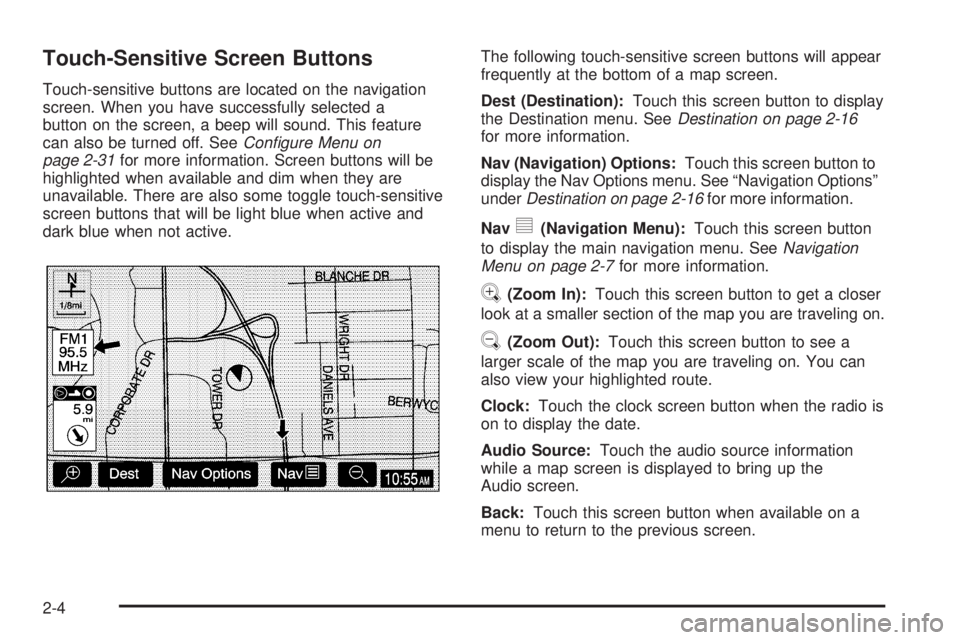
dark blue when not active.The following touch-sensitive screen buttons will appear
frequently at the bottom of a map screen.
Dest (Destination):Touch this screen button to display
the Destination menu. SeeDestination on page 2-16
for more information.
Nav (Navigation) Options:Touch this screen button to
display the Nav Options menu. See “Navigation Options”
underDestination on page 2-16for more information.
Nav
y(Navigation Menu):Touch this screen button
to display the main navigation menu. SeeNavigation
Menu on page 2-7for more information.
V(Zoom In):Touch this screen button to get a closer
look at a smaller section of the map you are traveling on.
U(Zoom Out):Touch this screen button to see a
larger scale of the map you are traveling on. You can
also view your highlighted route.
Clock:Touch the clock screen button when the radio is
on to display the date.
Audio Source:Touch the audio source information
while a map screen is displayed to bring up the
Audio screen.
Back:Touch this screen button when available on a
menu to return to the previous screen.
2-4