Fan GREAT WALL FLORID 2008 User Guide
[x] Cancel search | Manufacturer: GREAT WALL, Model Year: 2008, Model line: FLORID, Model: GREAT WALL FLORID 2008Pages: 281, PDF Size: 43.97 MB
Page 219 of 281
Downloaded from www.Manualslib.com manuals search engine GWFLORID Maintenance Manual212
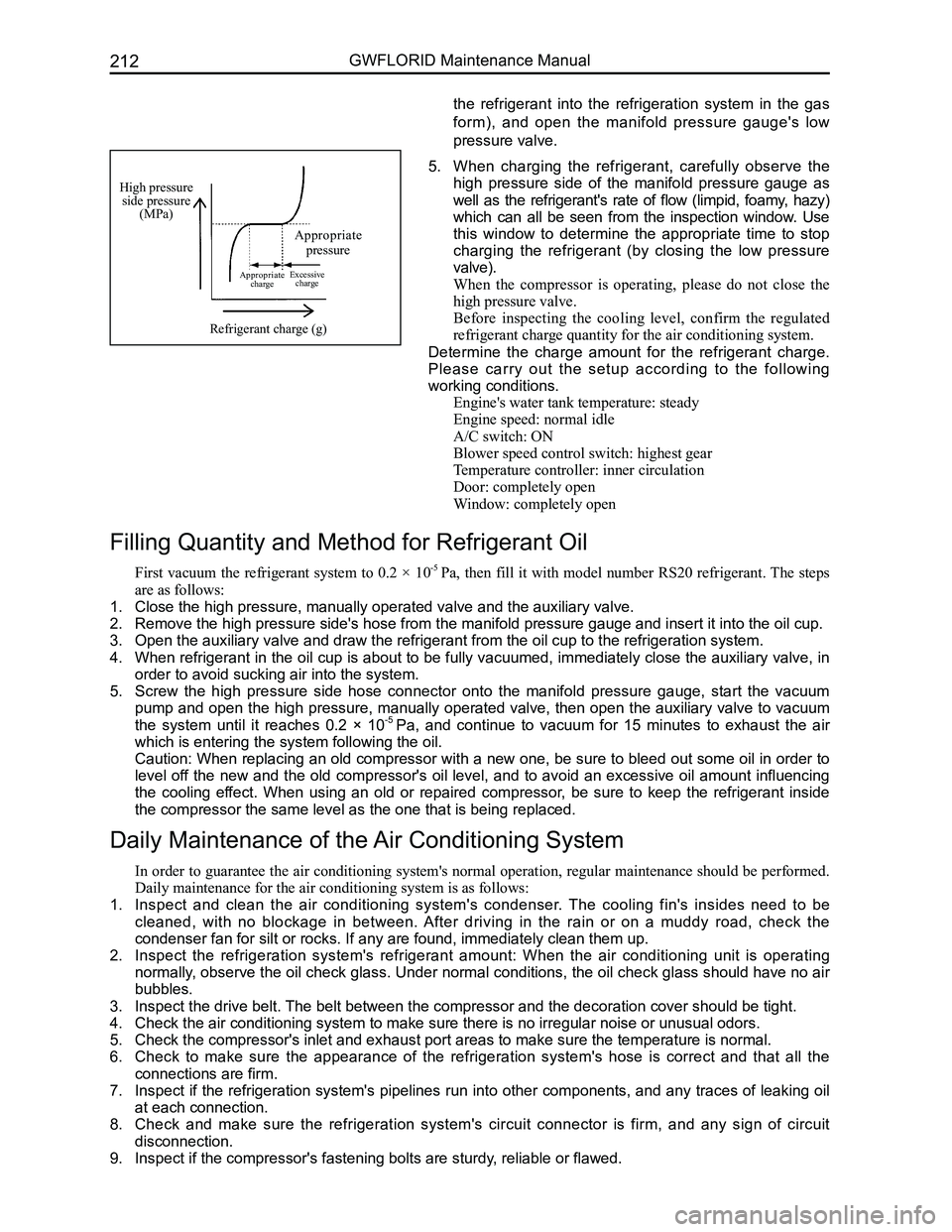
High pressure side pressure(MPa)
Appropriate pressure
Appropriate chargeExcessive charge
Refrigerant charge (g)
5. When charging the refrigerant, carefully observe the
high pressure side of the manifold pressure gauge as
well as the refrigerant's rate of flow (limpid, foamy, hazy)
which can all be seen from the inspection window. Use
this window to determine the appropriate time to stop
charging the refrigerant (by closing the low pressure
valve).
When the compressor is operating, please do not close the
high pressure valve.
Before inspecting the cooling level, confirm the regulated
refrigerant charge quantity for the air conditioning system.
Determine the charge amount for the refrigerant charge.
Please carry out the setup according to the following
working conditions.
Engine's water tank temperature: steady
Engine speed: normal idle
A/C switch: ON
Blower speed control switch: highest gear
Temperature controller: inner circulation
Door: completely open
Window: completely open
Filling Quantity and Method for Refrigerant Oil
First vacuum the refrigerant system to 0.2 × 10⁻⁵ Pa, then fill it with model number RS20 refrigerant. The steps
are as follows:
1. Close the high pressure, manually operated valve and the auxiliary valve\
.
2. Remove the high pressure side's hose from the manifold pressure gauge an\
d insert it into the oil cup.
3. Open the auxiliary valve and draw the refrigerant from the oil cup to th\
e refrigeration system.
4. When refrigerant in the oil cup is about to be fully vacuumed, immediately close the auxiliary valve, in
order to avoid sucking air into the system.
5. Screw the high pressure side hose connector onto the manifold pressure gauge, start the vacuum
pump and open the high pressure, manually operated valve, then open the auxiliary valve to vacuum
the system until it reaches 0.2 × 10⁻⁵ Pa, and continue to vacuum for 15 minutes to exhaust the air
which is entering the system following the oil.
Caution: When replacing an old compressor with a new one, be sure to bleed out some oil in order to
level off the new and the old compressor's oil level, and to avoid an excessive oil amount influencing
the cooling effect. When using an old or repaired compressor, be sure to keep the refrigerant inside
the compressor the same level as the one that is being replaced.
Daily Maintenance of the Air Conditioning System
In order to guarantee the air conditioning system's normal operation, regular maintenance should be performed.
Daily maintenance for the air conditioning system is as follows:
1. Inspect and clean the air conditioning system's condenser. The cooling fin's insides need to be
cleaned, with no blockage in between. After driving in the rain or on a muddy road, check the
condenser fan for silt or rocks. If any are found, immediately clean the\
m up.
2. Inspect the refrigeration system's refrigerant amount: When the air conditioning unit is operating
normally, observe the oil check glass. Under normal conditions, the oil check glass should have no air
bubbles.
3. Inspect the drive belt. The belt between the compressor and the decoration cover should be tight\
.
4. Check the air conditioning system to make sure there is no irregular noi\
se or unusual odors.
5. Check the compressor's inlet and exhaust port areas to make sure the tem\
perature is normal.
6. Check to make sure the appearance of the refrigeration system's hose is correct and that all the
connections are firm.
7. Inspect if the refrigeration system's pipelines run into other components, and any traces of leaking oil
at each connection.
8. Check and make sure the refrigeration system's circuit connector is firm, and any sign of circuit
disconnection.
9. Inspect if the compressor's fastening bolts are sturdy, reliable or flawed.
the refrigerant into the refrigeration system in the gas
form), and open the manifold pressure gauge's low
pressure valve.
Page 253 of 281
Downloaded from www.Manualslib.com manuals search engine GWFLORID Maintenance Manual246
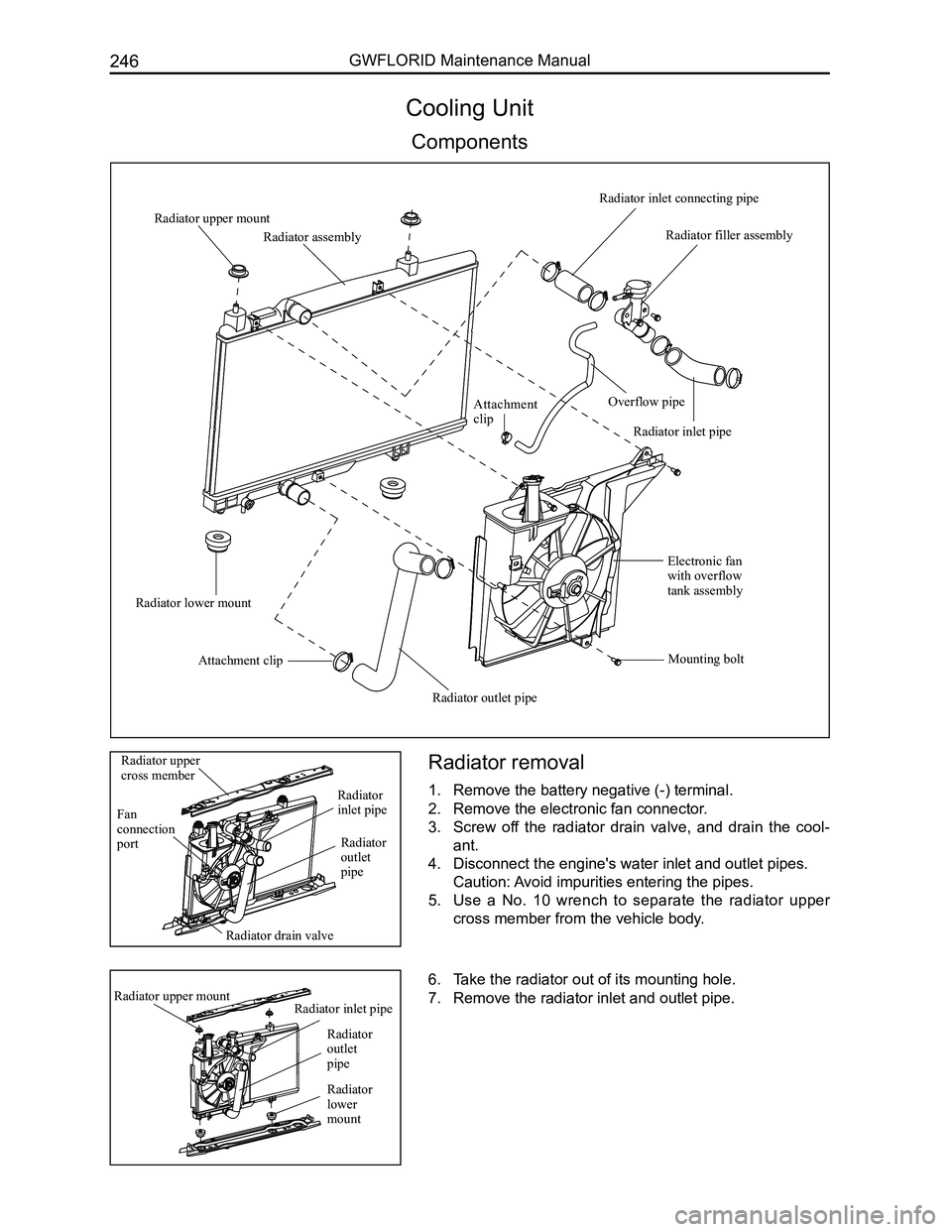
Cooling Unit
Components
Radiator removal
1. Remove the battery negative (-) terminal.
2. Remove the electronic fan connector.
3. Screw off the radiator drain valve, and drain the cool-
ant.
4. Disconnect the engine's water inlet and outlet pipes.
Caution: Avoid impurities entering the pipes.
5. Use a No. 10 wrench to separate the radiator upper
cross member from the vehicle body.
6. Take the radiator out of its mounting hole.
7. Remove the radiator inlet and outlet pipe.
Radiator filler assembly
Radiator upper mount
Radiator inlet connecting pipe
Attachment clip
Radiator assembly
Overflow pipe
Radiator inlet pipe
Electronic fan with overflow tank assembly
Mounting bolt
Radiator outlet pipe
Attachment clip
Radiator lower mount
Radiator drain valve
Fan connection port
Radiator upper cross member
Radiator lower mount
Radiator upper mount
Radiator outlet pipe
Radiator inlet pipe
Radiator
outlet pipe
Radiator inlet pipe
Page 254 of 281
Downloaded from www.Manualslib.com manuals search engine 247Vehicle Body
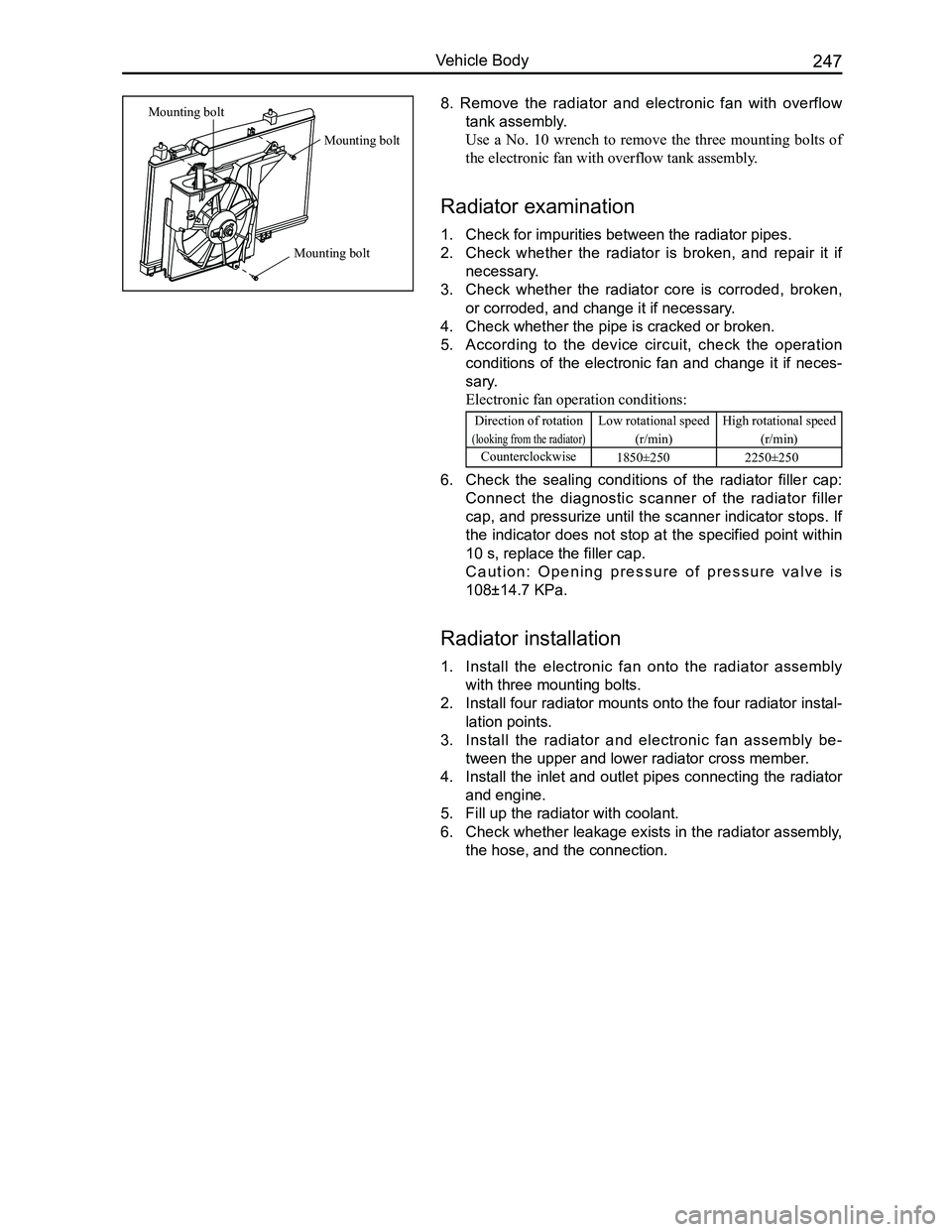
8. Remove the radiator and electronic fan with overflow
tank assembly.
Use a No. 10 wrench to remove the three mounting bolts of
the electronic fan with overflow tank assembly.
Radiator examination
1. Check for impurities between the radiator pipes.
2. Check whether the radiator is broken, and repair it if
necessary.
3. Check whether the radiator core is corroded, broken,
or corroded, and change it if necessary.
4. Check whether the pipe is cracked or broken.
5. According to the device circuit, check the operation
conditions of the electronic fan and change it if neces-
sary.
Electronic fan operation conditions:
Direction of rotation
(looking from the radiator)
Low rotational speed
(r/min)
High rotational speed
(r/min)
Counterclockwise1850±250 2250±250
6. Check the sealing conditions of the radiator filler cap:
Connect the diagnostic scanner of the radiator filler
cap, and pressurize until the scanner indicator stops. If
the indicator does not stop at the specified point within
10 s, replace the filler cap.
C a u t i o n : O p e n i n g p r e s s u r e o f p r e s s u r e v a l v e i s
108±14.7 KPa.
Radiator installation
1. Install the electronic fan onto the radiator assembly
with three mounting bolts.
2. Install four radiator mounts onto the four radiator instal-
lation points.
3. Install the radiator and electronic fan assembly be-
tween the upper and lower radiator cross member.
4. Install the inlet and outlet pipes connecting the radiator
and engine.
5. Fill up the radiator with coolant.
6. Check whether leakage exists in the radiator assembly,
the hose, and the connection.
Mounting bolt
Mounting bolt
Mounting bolt