stop start HONDA ACCORD 2013 9.G User Guide
[x] Cancel search | Manufacturer: HONDA, Model Year: 2013, Model line: ACCORD, Model: HONDA ACCORD 2013 9.GPages: 595, PDF Size: 20.67 MB
Page 72 of 595
71
uuIndicators u
Continued
Instrument Panel
*1:Models with the smart entry system have an ENGINE START/STOP button instead of an ignition switch.Indicator
Name
On/Blinking
Explanation
Message
*
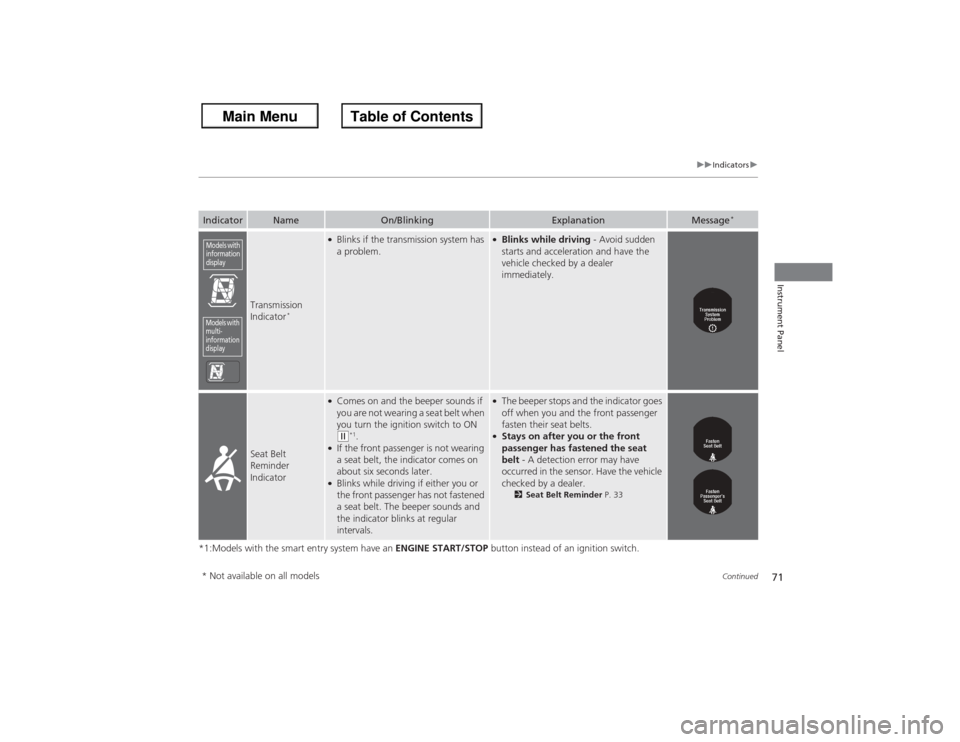
Transmission
Indicator
*
●Blinks if the transmission system has
a problem.
●Blinks while driving - Avoid sudden
starts and acceleration and have the
vehicle checked by a dealer
immediately.
Seat Belt
Reminder
Indicator
●Comes on and the beeper sounds if
you are not wearing a seat belt when
you turn the ignition switch to ON (w*1.
●If the front passenger is not wearing
a seat belt, the indicator comes on
about six seconds later.●Blinks while driving if either you or
the front passenger has not fastened
a seat belt. The beeper sounds and
the indicator blinks at regular
intervals.
●The beeper stops and the indicator goes
off when you and the front passenger
fasten their seat belts.●Stays on after you or the front
passenger has fastened the seat
belt - A detection error may have
occurred in the sens or. Have the vehicle
checked by a dealer.
2 Seat Belt Reminder P. 33
Models with
information
displayModels with
multi-
information
display* Not available on all models
Page 73 of 595
72
uuIndicators u
Instrument Panel
*1:Models with the smart entry system have an ENGINE START/STOP button instead of an ignition switch.Indicator
Name
On/Blinking
Explanation
Message
*
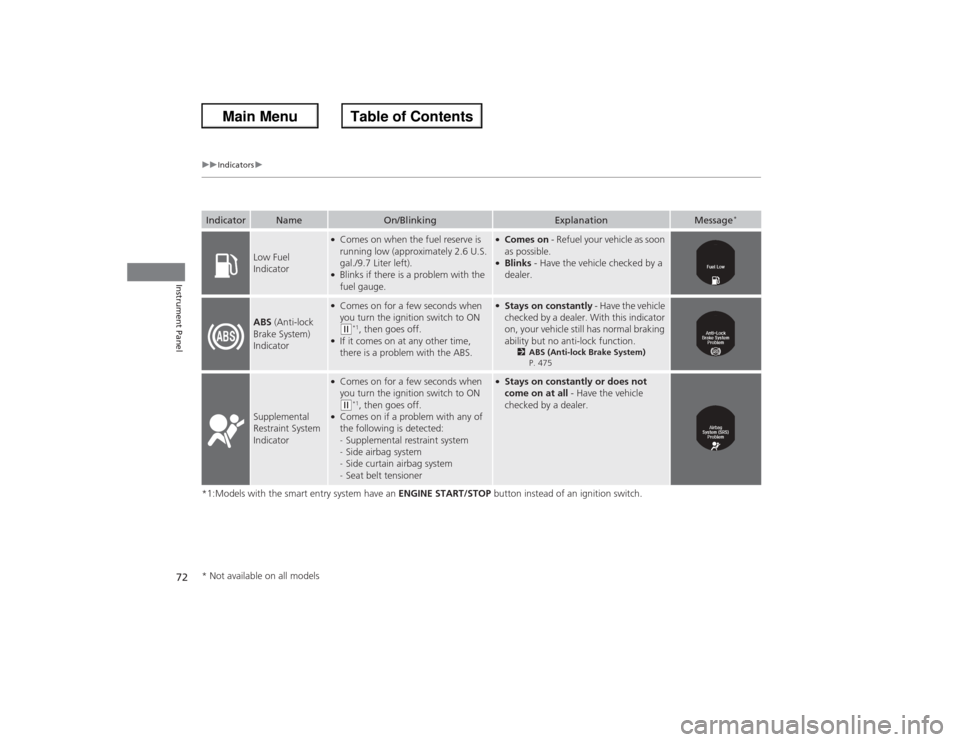
Low Fuel
Indicator
●Comes on when the fuel reserve is
running low (approximately 2.6 U.S.
gal./9.7 Liter left).●Blinks if there is a problem with the
fuel gauge.
●Comes on - Refuel your vehicle as soon
as possible.●Blinks - Have the vehicle checked by a
dealer.
ABS (Anti-lock
Brake System)
Indicator
●Comes on for a few seconds when
you turn the ignition switch to ON ( w*1, then goes off.
●If it comes on at any other time,
there is a problem with the ABS.
●Stays on constantly - Have the vehicle
checked by a dealer. With this indicator
on, your vehicle still has normal braking
ability but no anti-lock function.
2 ABS (Anti-lock Brake System)
P. 475
Supplemental
Restraint System
Indicator
●Comes on for a few seconds when
you turn the ignition switch to ON ( w*1, then goes off.
●Comes on if a problem with any of
the following is detected:
- Supplemental restraint system
- Side airbag system
- Side curtain airbag system
- Seat belt tensioner
●Stays on constantly or does not
come on at all - Have the vehicle
checked by a dealer.
* Not available on all models
Page 74 of 595
73
uuIndicators u
Continued
Instrument Panel
*1:Models with the smart entry system have an ENGINE START/STOP button instead of an ignition switch.Indicator
Name
On/Blinking
Explanation
Message
*
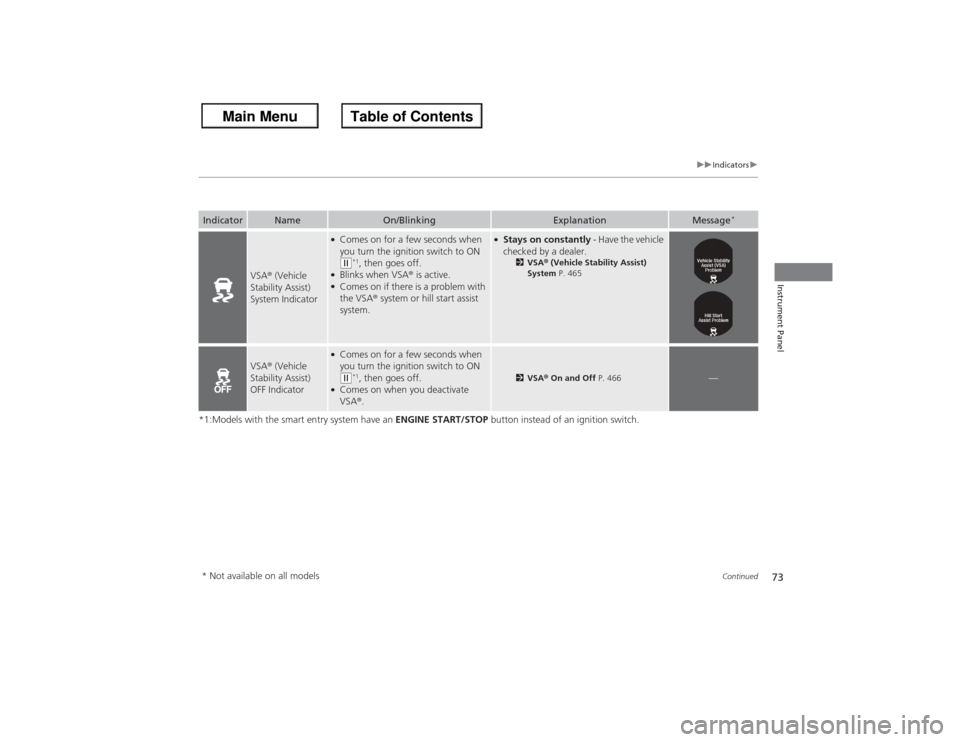
VSA® (Vehicle
Stability Assist)
System Indicator
●Comes on for a few seconds when
you turn the ignition switch to ON (w*1, then goes off.
●Blinks when VSA ® is active.●Comes on if there is a problem with
the VSA ® system or hill start assist
system.
●Stays on constantly - Have the vehicle
checked by a dealer.
2 VSA ® (Vehicle Stability Assist)
System P. 465
VSA® (Vehicle
Stability Assist)
OFF Indicator
●Comes on for a few seconds when
you turn the ignition switch to ON (w*1, then goes off.
●Comes on when you deactivate
VSA ®.
2 VSA ® On and Off P. 466
—
* Not available on all models
Page 75 of 595
74
uuIndicators u
Instrument Panel
*1:Models with the smart entry system have an ENGINE START/STOP button instead of an ignition switch.Indicator
Name
On/Blinking
Explanation
Message
*
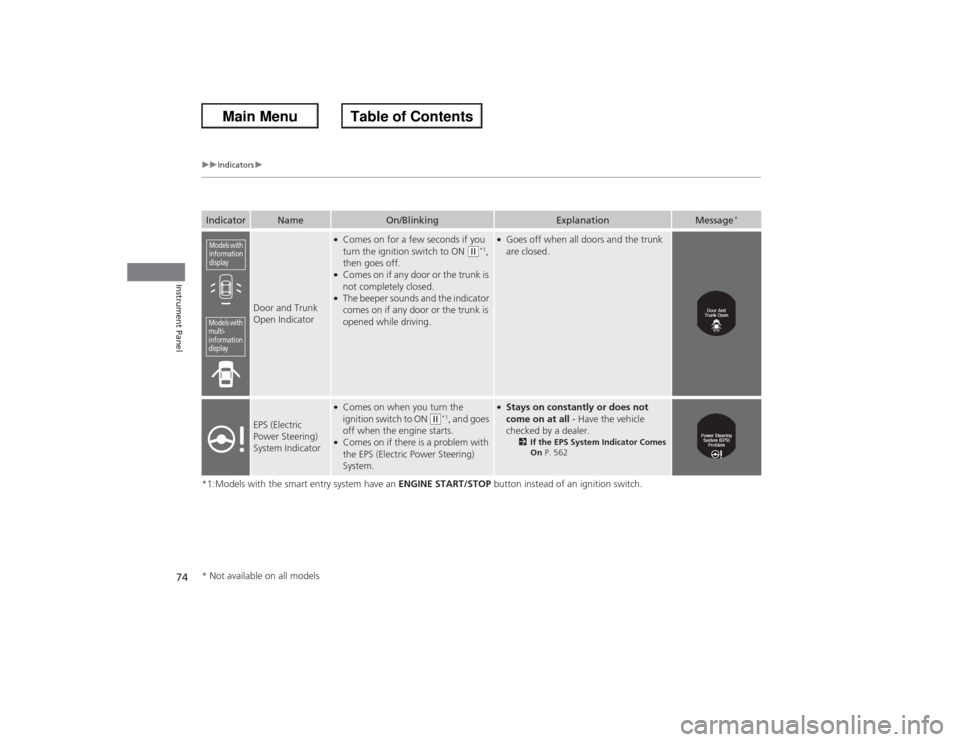
Door and Trunk
Open Indicator
●Comes on for a few seconds if you
turn the ignition switch to ON
(w*1,
then goes off.
●Comes on if any door or the trunk is
not completely closed.●The beeper sounds and the indicator
comes on if any door or the trunk is
opened while driving.
●Goes off when all doors and the trunk
are closed.
EPS (Electric
Power Steering)
System Indicator
●Comes on when you turn the
ignition switch to ON
(w*1, and goes
off when the engine starts.
●Comes on if there is a problem with
the EPS (Electric Power Steering)
System.
●Stays on constantly or does not
come on at all - Have the vehicle
checked by a dealer.
2 If the EPS System Indicator Comes
On P. 562
Models with
information
displayModels with
multi-
information
display* Not available on all models
Page 76 of 595
75
uuIndicators u
Continued
Instrument Panel
*1:Models with the smart entry system have an ENGINE START/STOP button instead of an ignition switch.Indicator
Name
On/Blinking
Explanation
Message
*
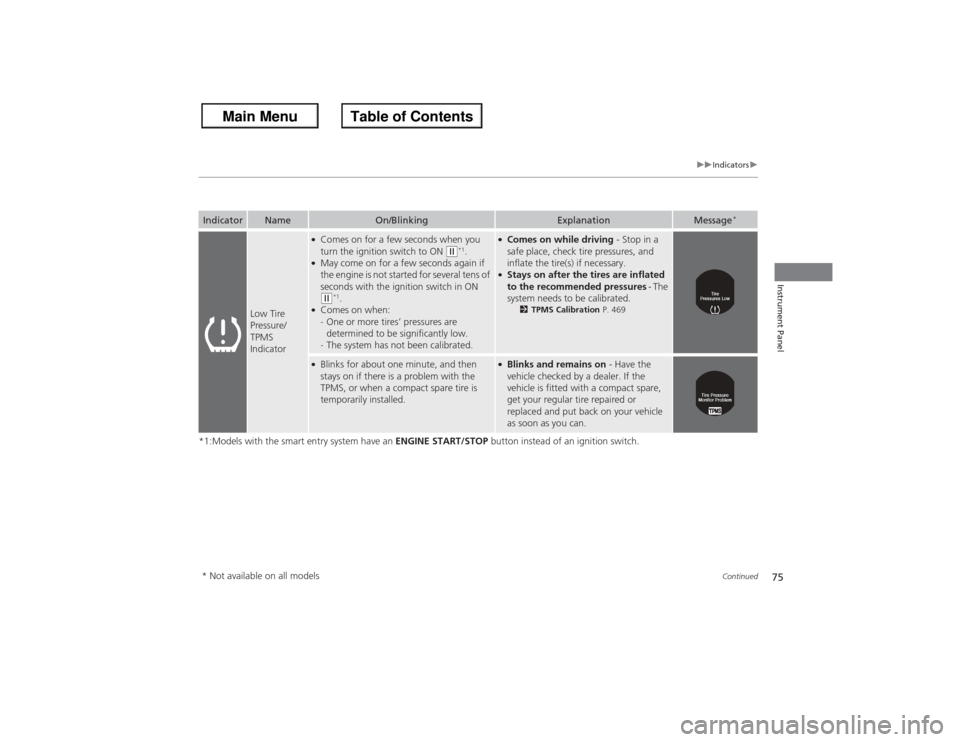
Low Tire
Pressure/
TPMS
Indicator
●Comes on for a few seconds when you
turn the ignition switch to ON
(w*1.
●May come on for a few seconds again if
the engine is not started for several tens of
seconds with the ignition switch in ON (w*1.
●Comes on when:
-One or more tires’ pressures are
determined to be significantly low.
- The system has not been calibrated.
●Comes on while driving - Stop in a
safe place, check tire pressures, and
inflate the tire(s) if necessary.●Stays on after the tires are inflated
to the recommended pressures - The
system needs to be calibrated.
2 TPMS Calibration P. 469
●Blinks for about one minute, and then
stays on if there is a problem with the
TPMS, or when a compact spare tire is
temporarily installed.
●Blinks and remains on - Have the
vehicle checked by a dealer. If the
vehicle is fitted with a compact spare,
get your regular tire repaired or
replaced and put back on your vehicle
as soon as you can.
* Not available on all models
Page 77 of 595
76
uuIndicators u
Instrument Panel
*1:Models with the smart entry system have an ENGINE START/STOP button instead of an ignition switch.Indicator
Name
On/Blinking
Explanation
Message
*
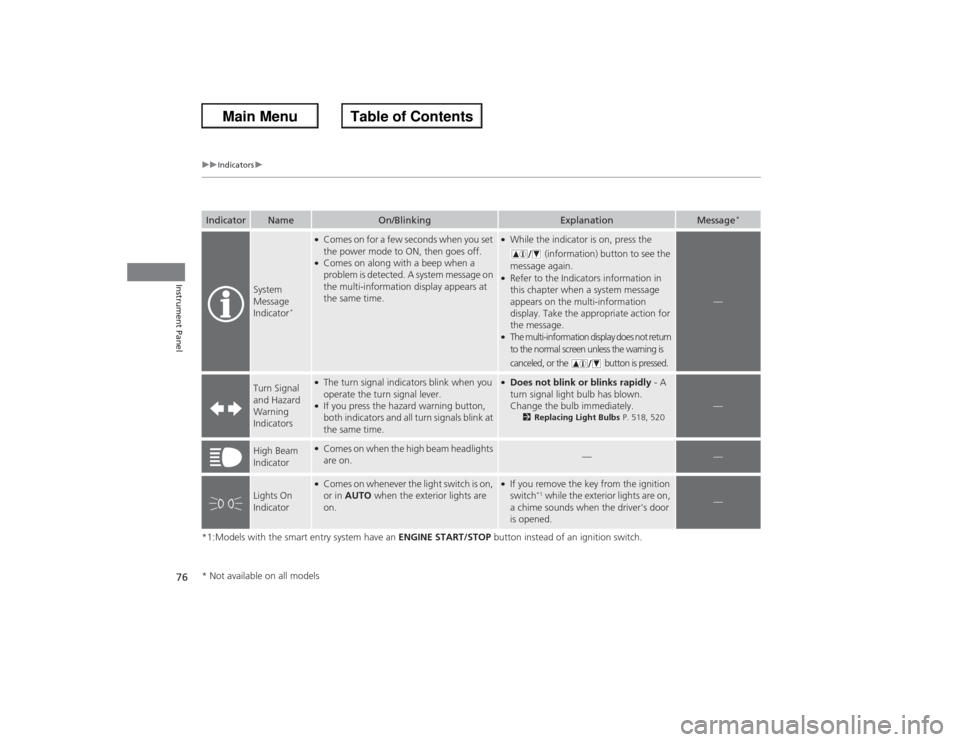
System
Message
Indicator
*
●Comes on for a few seconds when you set
the power mode to ON, then goes off.●Comes on along with a beep when a
problem is detected. A system message on
the multi-information display appears at
the same time.
●While the indicator is on, press the
(information) button to see the
message again.●Refer to the Indicators information in
this chapter when a system message
appears on the multi-information
display. Take the appropriate action for
the message.●The multi-information display does not return
to the normal screen unless the warning is
canceled, or the button is pressed.
—
Turn Signal
and Hazard
Warning
Indicators
●The turn signal indicators blink when you
operate the turn signal lever.●If you press the hazard warning button,
both indicators and all turn signals blink at
the same time.
●Does not blink or blinks rapidly - A
turn signal light bulb has blown.
Change the bulb immediately.
2 Replacing Light Bulbs P. 518, 520
—
High Beam
Indicator
●Comes on when the high beam headlights
are on.
—
—
Lights On
Indicator
●Comes on whenever the light switch is on,
or in AUTO when the exterior lights are
on.
●If you remove the key from the ignition
switch
*1 while the exterior lights are on,
a chime sounds when the driver's door
is opened.
—
* Not available on all models
Page 78 of 595
77
uuIndicators u
Continued
Instrument Panel
*1:Models with the smart entry system have an ENGINE START/STOP button instead of an ignition switch.Indicator
Name
On/Blinking
Explanation
Message
*
Fog Light
Indicator
*
●Comes on when the fog lights are
on.
—
—
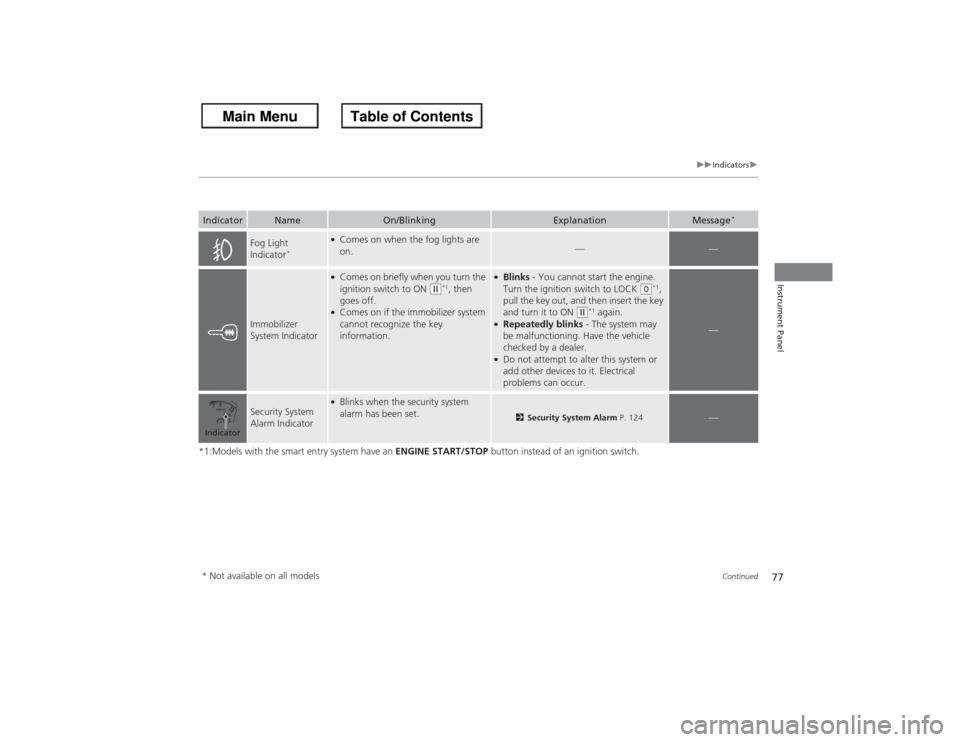
Immobilizer
System Indicator
●Comes on briefly when you turn the
ignition switch to ON
(w*1, then
goes off.
●Comes on if the immobilizer system
cannot recognize the key
information.
●Blinks - You cannot start the engine.
Turn the ignition switch to LOCK
(0*1,
pull the key out, and then insert the key
and turn it to ON
(w*1 again.
●Repeatedly blinks - The system may
be malfunctioning. Have the vehicle
checked by a dealer.●Do not attempt to alter this system or
add other devices to it. Electrical
problems can occur.
—
Security System
Alarm Indicator
●Blinks when the security system
alarm has been set.
2 Security System Alarm P. 124
—
Indicator* Not available on all models
Page 81 of 595
80
uuIndicators u
Instrument Panel
*1:Models with the smart entry system have an ENGINE START/STOP button instead of an ignition switch.Indicator
Name
On/Blinking
Explanation
Message
*
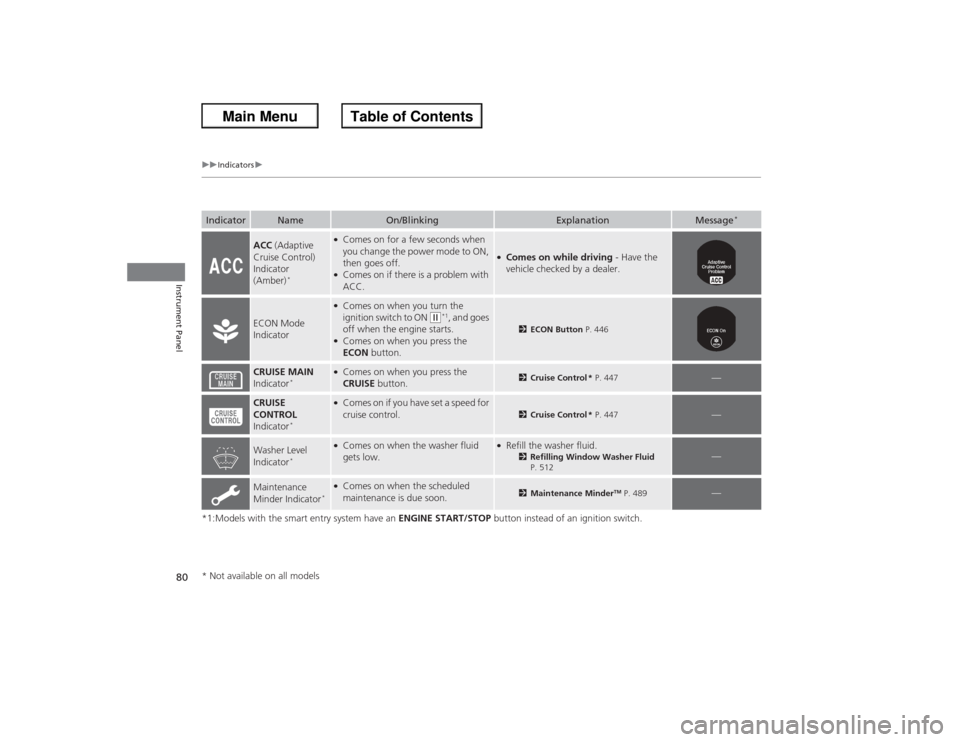
ACC (Adaptive
Cruise Control)
Indicator
(Amber)
*
●Comes on for a few seconds when
you change the power mode to ON,
then goes off.●Comes on if there is a problem with
ACC.
●Comes on while driving - Have the
vehicle checked by a dealer.
ECON Mode
Indicator
●Comes on when you turn the
ignition switch to ON
(w*1, and goes
off when the engine starts.
●Comes on when you press the
ECON button.
2ECON Button P. 446
CRUISE MAIN
Indicator
*
●Comes on when you press the
CRUISE button.
2Cruise Control * P. 447
—
CRUISE
CONTROL
Indicator
*
●Comes on if you have set a speed for
cruise control.
2 Cruise Control * P. 447
—
Washer Level
Indicator
*
●Comes on when the washer fluid
gets low.
●Refill the washer fluid.
2Refilling Window Washer Fluid
P. 512
—
Maintenance
Minder Indicator
*●Comes on when the scheduled
maintenance is due soon.
2 Maintenance Minder
TM P. 489
—
* Not available on all models
Page 82 of 595
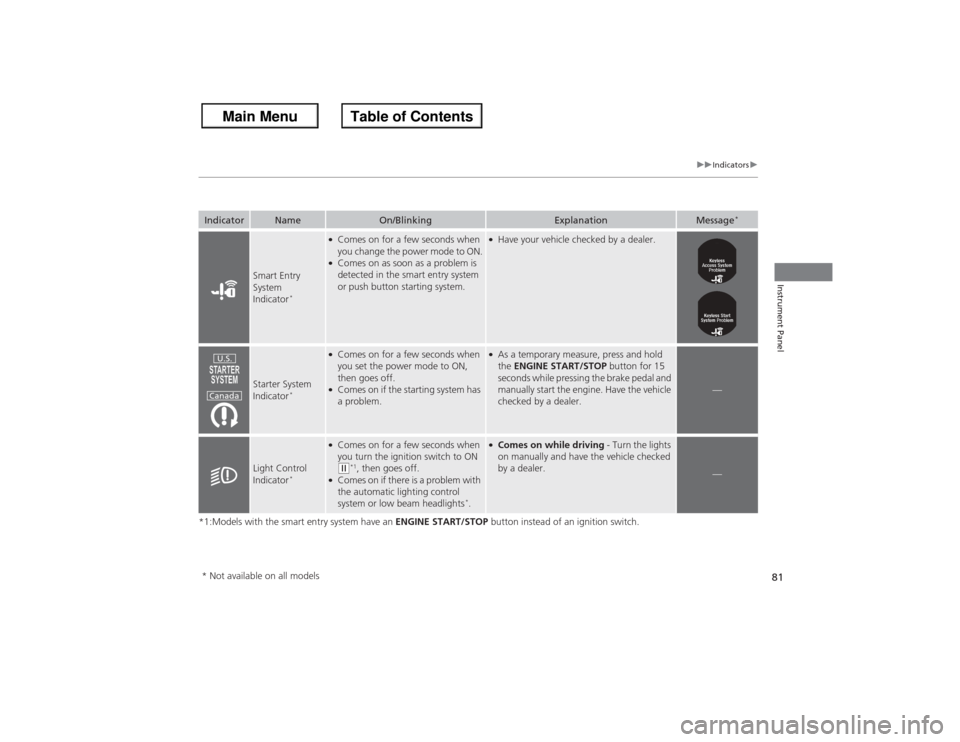
81
uuIndicators u
Instrument Panel
*1:Models with the smart entry system have an ENGINE START/STOP button instead of an ignition switch.Indicator
Name
On/Blinking
Explanation
Message
*
Smart Entry
System
Indicator
*
●Comes on for a few seconds when
you change the power mode to ON.●Comes on as soon as a problem is
detected in the smart entry system
or push button starting system.
●Have your vehicle checked by a dealer.
Starter System
Indicator
*
●Comes on for a few seconds when
you set the power mode to ON,
then goes off.●Comes on if the starting system has
a problem.
●As a temporary measure, press and hold
the ENGINE START/STOP button for 15
seconds while pressing the brake pedal and
manually start the engine. Have the vehicle
checked by a dealer.
—
Light Control
Indicator
*
●Comes on for a few seconds when
you turn the ignition switch to ON ( w*1, then goes off.
●Comes on if there is a problem with
the automatic lighting control
system or low beam headlights
*.
●Comes on while driving - Turn the lights
on manually and have the vehicle checked
by a dealer.
—
U.S.
Canada
* Not available on all models
Page 84 of 595
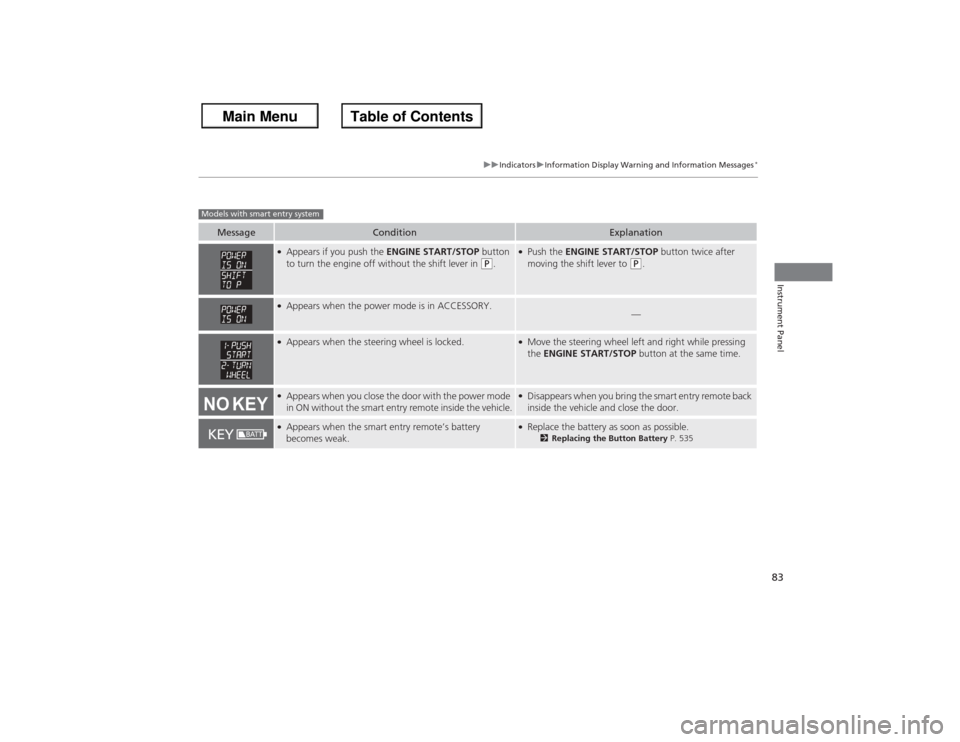
83
uuIndicators uInformation Display Warning and Information Messages
*
Instrument Panel
Message
Condition
Explanation
●Appears if you push the ENGINE START/STOP button
to turn the engine off without the shift lever in
(P.
●Push the ENGINE START/STOP button twice after
moving the shift lever to
(P.
●Appears when the power mode is in ACCESSORY.
—
●Appears when the steering wheel is locked.
●Move the steering wheel left and right while pressing
the ENGINE START/STOP button at the same time.
●Appears when you close the door with the power mode
in ON without the smart entry remote inside the vehicle.
●Disappears when you bring the smart entry remote back
inside the vehicle and close the door.
●Appears when the smart entry remote’s battery
becomes weak.
●Replace the battery as soon as possible.
2Replacing the Button Battery P. 535
Models with smart entry system