stop start HONDA ACCORD 2013 9.G Workshop Manual
[x] Cancel search | Manufacturer: HONDA, Model Year: 2013, Model line: ACCORD, Model: HONDA ACCORD 2013 9.GPages: 595, PDF Size: 20.67 MB
Page 165 of 595
uuInterior Lights/Interior Convenience Items uInterior Convenience Items
164Controls
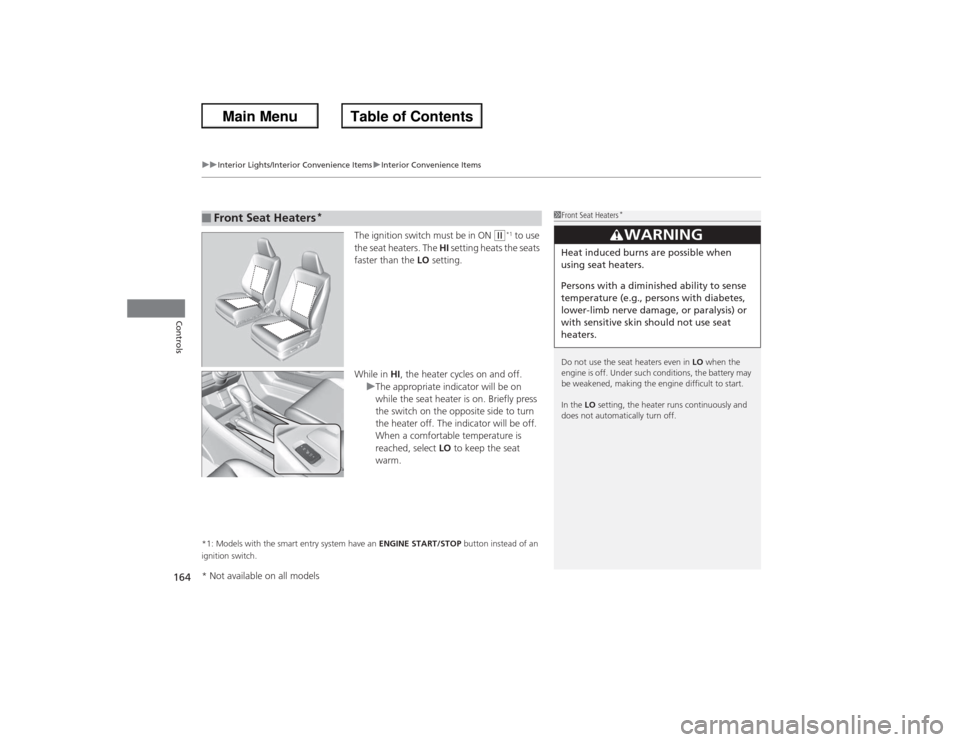
The ignition switch must be in ON
(w*1 to use
the seat heaters. The HI setting heats the seats
faster than the LO setting.
While in HI, the heater cycles on and off.
u The appropriate indicator will be on
while the seat heater is on. Briefly press
the switch on the opposite side to turn
the heater off. The indicator will be off.
When a comfortable temperature is
reached, select LO to keep the seat
warm.
*1: Models with the smart entry system have an ENGINE START/STOP button instead of an
ignition switch.■Front Seat Heaters
*
1 Front Seat Heaters
*
Do not use the seat heaters even in LO when the
engine is off. Under such conditions, the battery may
be weakened, making the engine difficult to start.
In the LO setting, the heater runs continuously and
does not automatically turn off.
3
WARNING
Heat induced burns are possible when
using seat heaters.
Persons with a diminish ed ability to sense
temperature (e.g., persons with diabetes,
lower-limb nerve damage, or paralysis) or
with sensitive skin should not use seat
heaters.
* Not available on all models
Page 166 of 595
165
uuInterior Lights/Interior Convenience Items uInterior Convenience Items
Controls
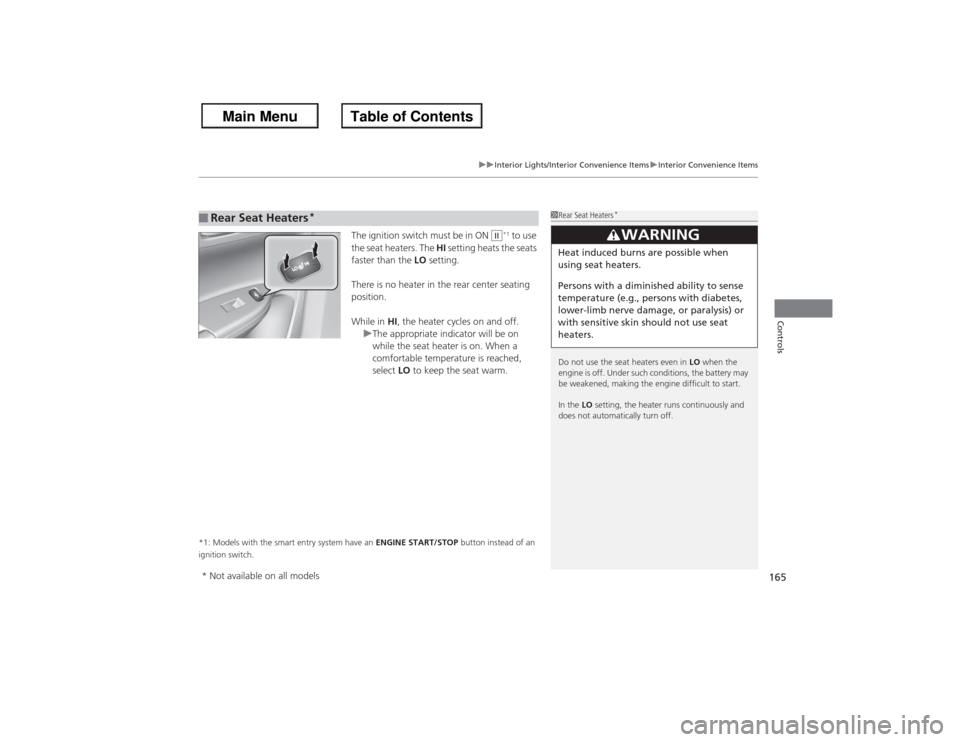
The ignition switch must be in ON
*1 to use
the seat heaters. The HI setting heats the seats
faster than the LO setting.
There is no heater in the rear center seating
position.
While in HI, the heater cycles on and off.
u The appropriate indicator will be on
while the seat heater is on. When a
comfortable temperature is reached,
select LO to keep the seat warm.
*1: Models with the smart entry system have an ENGINE START/STOP button instead of an
ignition switch.■Rear Seat Heaters
*
1 Rear Seat Heaters
*
Do not use the seat heaters even in LO when the
engine is off. Under such conditions, the battery may
be weakened, making the engine difficult to start.
In the LO setting, the heater runs continuously and
does not automatically turn off.
3
WARNING
Heat induced burns are possible when
using seat heaters.
Persons with a diminish ed ability to sense
temperature (e.g., persons with diabetes,
lower-limb nerve damage, or paralysis) or
with sensitive skin should not use seat
heaters.
II
* Not available on all models
Page 181 of 595
180Features
Audio System Basic OperationTo use the audio system function, the ignition switch must be in ACCESSORY
(q or
ON
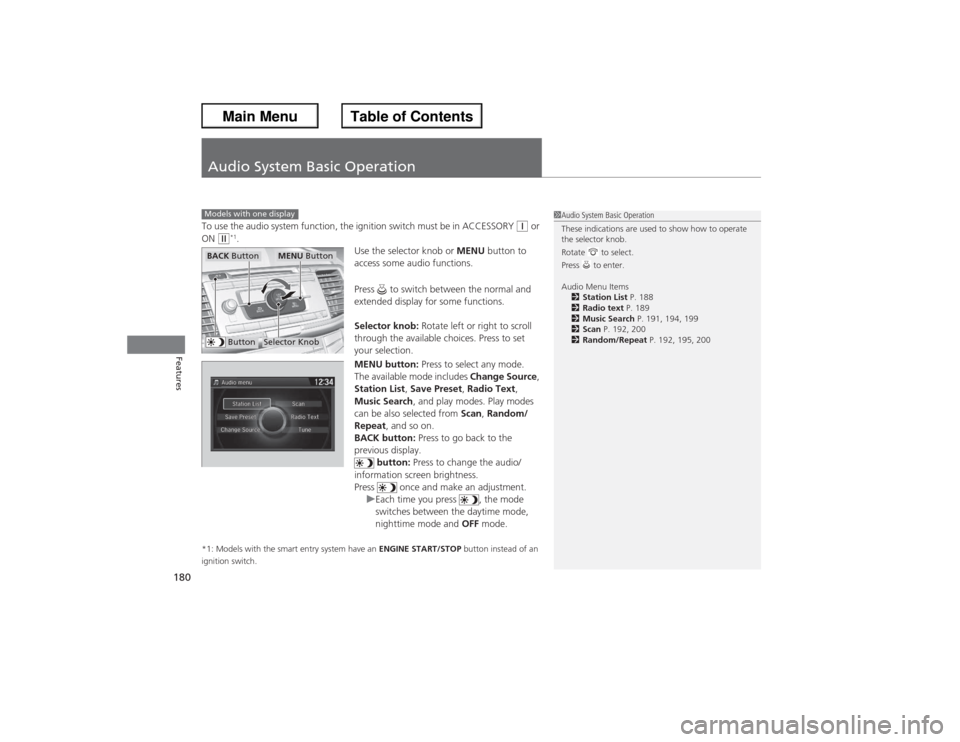
(w*1. Use the selector knob or MENU button to
access some audio functions.
Press to switch between the normal and
extended display for some functions.
Selector knob: Rotate left or right to scroll
through the available choices. Press to set
your selection.
MENU button: Press to select any mode.
The available mode includes Change Source ,
Station List, Save Preset, Radio Text,
Music Search , and play modes. Play modes
can be also selected from Scan, Random/
Repeat , and so on.
BACK button: Press to go back to the
previous display. button: Press to change the audio/
information screen brightness.
Press once and make an adjustment. uEach time you press , the mode
switches between the daytime mode,
nighttime mode and OFF mode.
*1: Models with the smart entry system have an ENGINE START/STOP button instead of an
ignition switch.Models with one display
1 Audio System Basic Operation
These indications are used to show how to operate
the selector knob.
Rotate to select.
Press to enter.
Audio Menu Items
2 Station List P. 188
2 Radio text P. 189
2 Music Search P. 191, 194, 199
2 Scan P. 192, 200
2 Random/Repeat P. 192, 195, 200
Button
Selector Knob
MENU Button
BACK Button
Page 300 of 595
299
Continued
Features
Customized FeaturesUse the audio/information screen to customize certain features.■How to customize
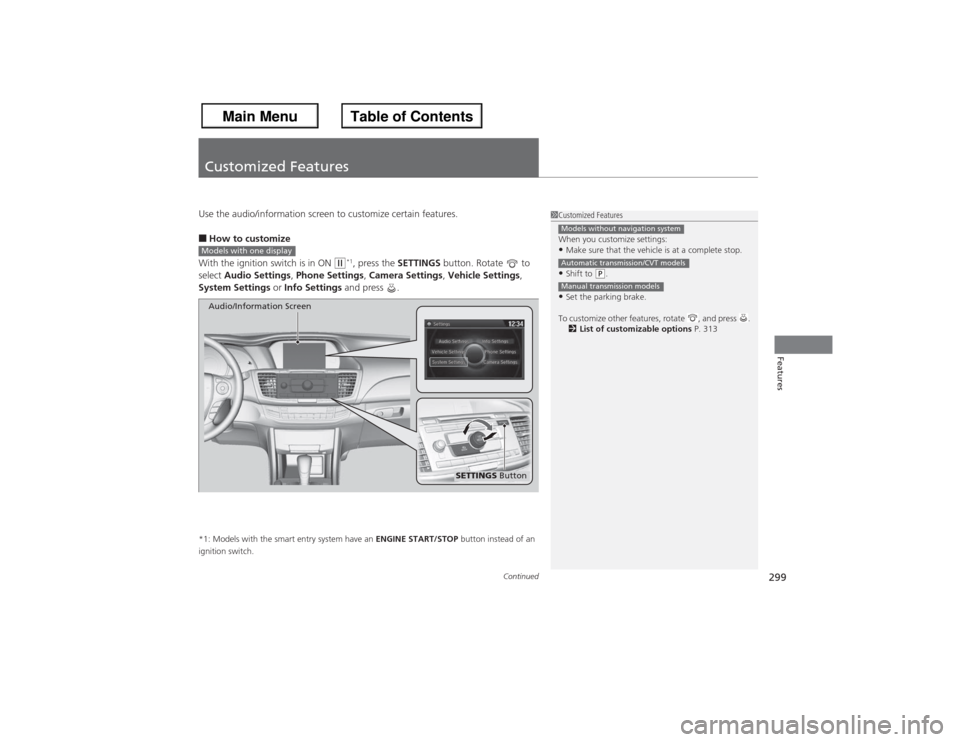
With the ignition switch is in ON
(w*1, press the SETTINGS button. Rotate to
select Audio Settings , Phone Settings , Camera Settings , Vehicle Settings,
System Settings or Info Settings and press .
*1: Models with the smart entry system have an ENGINE START/STOP button instead of an
ignition switch.
1 Customized Features
When you customize settings:•Make sure that the vehicle is at a complete stop.•Shift to
(P.
•Set the parking brake.
To customize other features, rotate , and press . 2 List of customizable options P. 313Models without navigation systemAutomatic transmission/CVT modelsManual transmission models
Models with one display
SETTINGS Button
Audio/Information Screen
Page 343 of 595
342
uuBluetooth ® HandsFreeLink ®u HFL Menus
Features
HFL MenusThe ignition switch must be in ACCESSORY
(q or ON
(w*1 to use HFL.
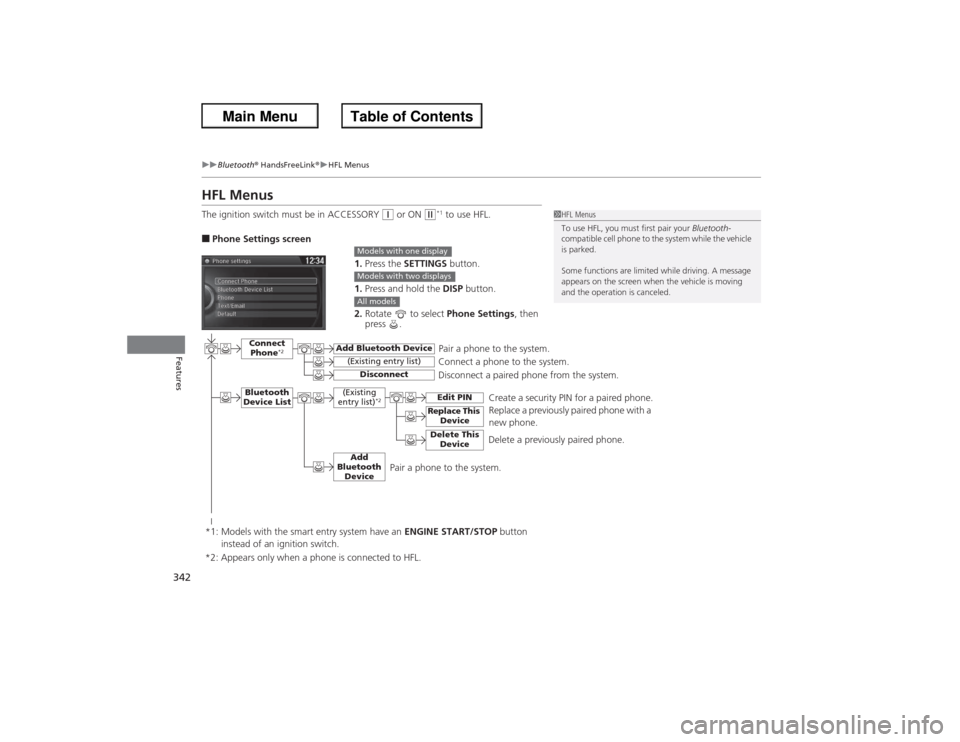
■Phone Settings screen
1.Press the SETTINGS button.
1. Press and hold the DISP button.
2. Rotate to select Phone Settings, then
press .
1 HFL Menus
To use HFL, you must first pair your Bluetooth-
compatible cell phone to the system while the vehicle
is parked.
Some functions are limited while driving. A message
appears on the screen when the vehicle is moving
and the operation is canceled.
Models with one displayModels with two displaysAll models
Pair a phone to the system.
Replace a previously paired phone with a
new phone.
Connect Phone
*2
Bluetooth
Device List
Add Bluetooth Device
Edit PIN
(Existing entry list)
Disconnect
Connect a phone to the system.
Disconnect a paired phone from the system.
*1: Models with the smart entry system have an ENGINE START/STOP button
instead of an ignition switch.
(Existing
entry list)
*2
Replace This DeviceDelete This Device
Delete a previously paired phone.Create a security PIN for a paired phone.
Add
Bluetooth Device
*2: Appears only when a phone is connected to HFL.
Pair a phone to the system.
Page 374 of 595
Continued
373
uuBluetooth® HandsFreeLink ®u HFL Menus
Features
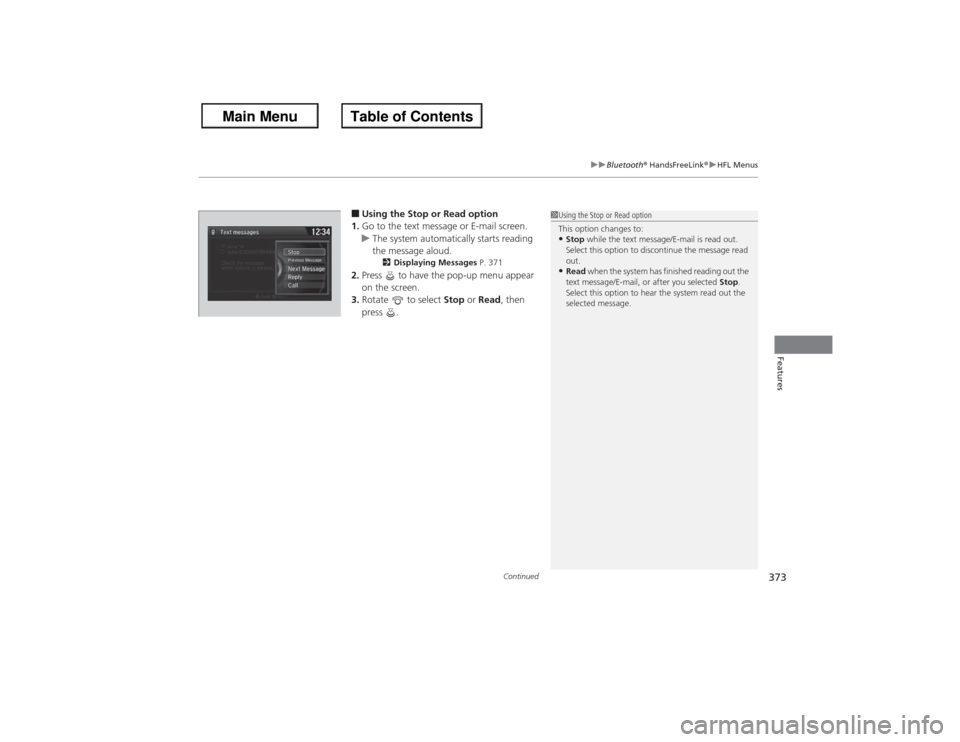
■Using the Stop or Read option
1. Go to the text message or E-mail screen.
u The system automatically starts reading
the message aloud.
2 Displaying Messages P. 371
2.Press to have the pop-up menu appear
on the screen.
3. Rotate to select Stop or Read , then
press .
1 Using the Stop or Read option
This option changes to:•Stop while the text message/E-mail is read out.
Select this option to discontinue the message read
out.•Read when the system has finished reading out the
text message/E-mail, or after you selected Stop.
Select this option to hear the system read out the
selected message.
Page 413 of 595
uuBluetooth ® HandsFreeLink ®u HFL Menus
412Features
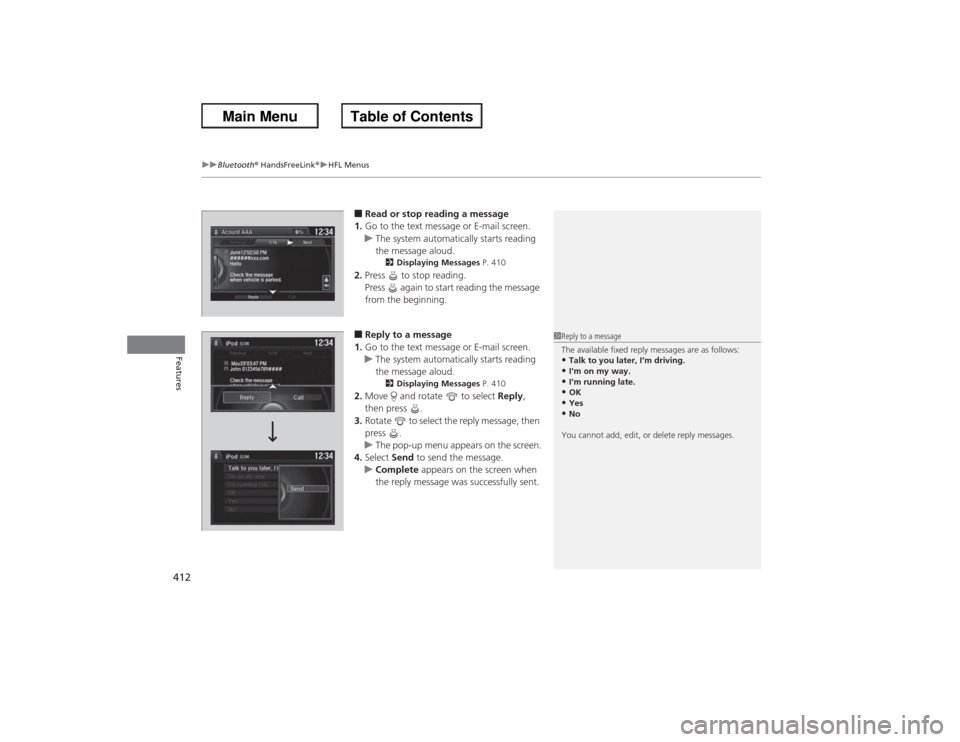
■Read or stop reading a message
1. Go to the text message or E-mail screen.
u The system automatically starts reading
the message aloud.
2 Displaying Messages P. 410
2.Press to stop reading.
Press again to start reading the message
from the beginning.■Reply to a message
1. Go to the text message or E-mail screen.
u The system automatically starts reading
the message aloud.
2 Displaying Messages P. 410
2.Move and rotate to select Reply,
then press .
3. Rotate to select the reply message, then
press .
u The pop-up menu appears on the screen.
4. Select Send to send the message.
u Complete appears on the screen when
the reply message was successfully sent.
1Reply to a message
The available fixed reply messages are as follows:•Talk to you later, I’m driving.•I’m on my way.•I’m running late.•OK•Yes•No
You cannot add, edit, or delete reply messages.
Page 418 of 595
417
Driving
This chapter discusses driving, refueling, and information on items such as accessories.
Before DrivingDriving Preparation .......................... 418
Maximum Load Limit........................ 421
Towing a Trailer
Towing Preparation .......................... 423
Driving Safely with a Trailer .............. 425
Towing Your Vehicle ........................ 426
When Driving Starting the Engine .................. 427, 429
Precautions While Driving................. 433
Automatic Transmission/CVT ............ 434
Shifting .................... 435, 437, 441, 443
ECON Button ................................... 446 Cruise Control
*............................... 447
ACC (Adaptive Cruise Control)
*....... 450
Forward Collision Warning (FCW)*.. 458
Lane Departure Warning (LDW)
*..... 462
VSA
® (Vehicle Stability Assist), aka ESC
(Electronic Stability Control), System ...... 465
LaneWatch
TM*.......................................... 467
TPMS (Tire Pressure Monitoring System) ... 469
Tire Pressure Monitoring System (TPMS) - Required Federal Explanation ......... 471
Braking
Brake System ................................... 473 ABS (Anti-lock Brake System) ........... 475
Brake Assist System ......................... 476
Parking Your Vehicle
When Stopped ................................ 477
Multi-View Rear Camera .................. 478
Rearview Camera ............................. 479
Refueling Fuel Information .............................. 480
How to Refuel ................................. 481
Fuel Economy Improving Fuel Economy .................. 482
Accessories and Modifications ........ 483
* Not available on all models
Page 429 of 595
uuWhen Driving uStarting the Engine
428Driving
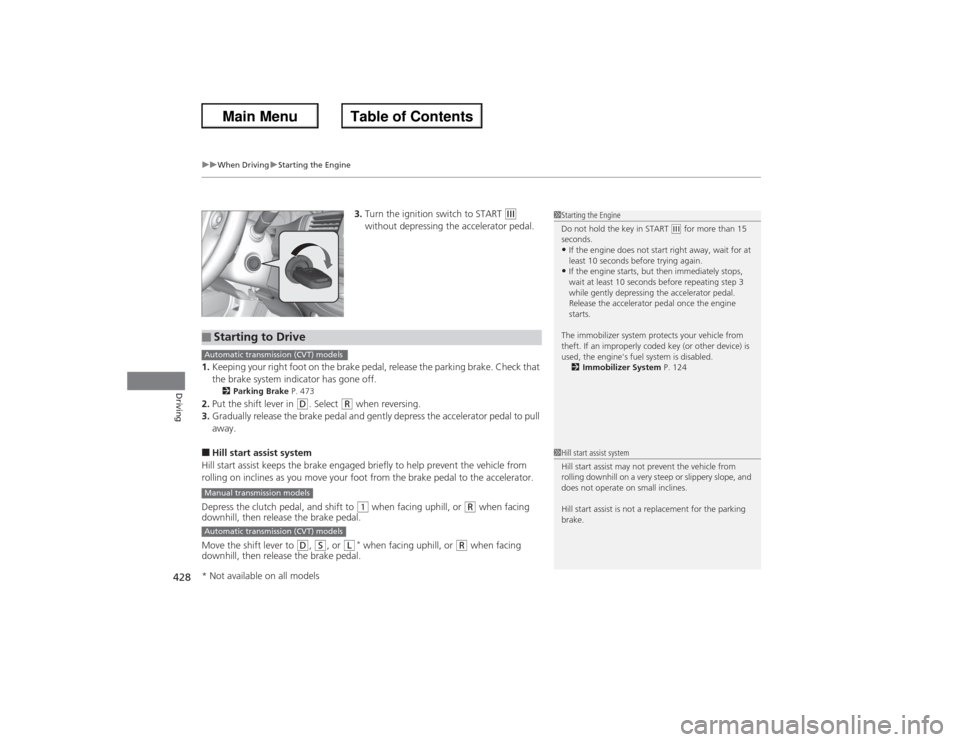
3. Turn the ignition switch to START
(e
without depressing the accelerator pedal.
1. Keeping your right foot on the brake pedal, release the parking brake. Check that
the brake system indicator has gone off.
2 Parking Brake P. 473
2.Put the shift lever in
(D. Select
(R when reversing.
3. Gradually release the brake pedal and gently depress the accelerator pedal to pull
away.
■Hill start assist system
Hill start assist keeps the brake engaged briefly to help prevent the vehicle from
rolling on inclines as you move your foot from the brake pedal to the accelerator.
Depress the clutch pedal, and shift to
(1 when facing uphill, or
(R when facing
downhill, then release the brake pedal.
Move the shift lever to
(D, ( S, or
(L
* when facing uphill, or
(R when facing
downhill, then release the brake pedal.
1 Starting the Engine
Do not hold the key in START
(e for more than 15
seconds.
•If the engine does not start right away, wait for at
least 10 seconds before trying again.•If the engine starts, but then immediately stops,
wait at least 10 seconds before repeating step 3
while gently depressing the accelerator pedal.
Release the accelerator pedal once the engine
starts.
The immobilizer system protects your vehicle from
theft. If an improperly coded key (or other device) is
used, the engine's fuel system is disabled. 2 Immobilizer System P. 124
■Starting to DriveAutomatic transmission (CVT) modelsManual transmission modelsAutomatic transmission (CVT) models
1Hill start assist system
Hill start assist may not prevent the vehicle from
rolling downhill on a very steep or slippery slope, and
does not operate on small inclines.
Hill start assist is not a replacement for the parking
brake.
* Not available on all models
Page 431 of 595
uuWhen Driving uStarting the Engine
430Driving
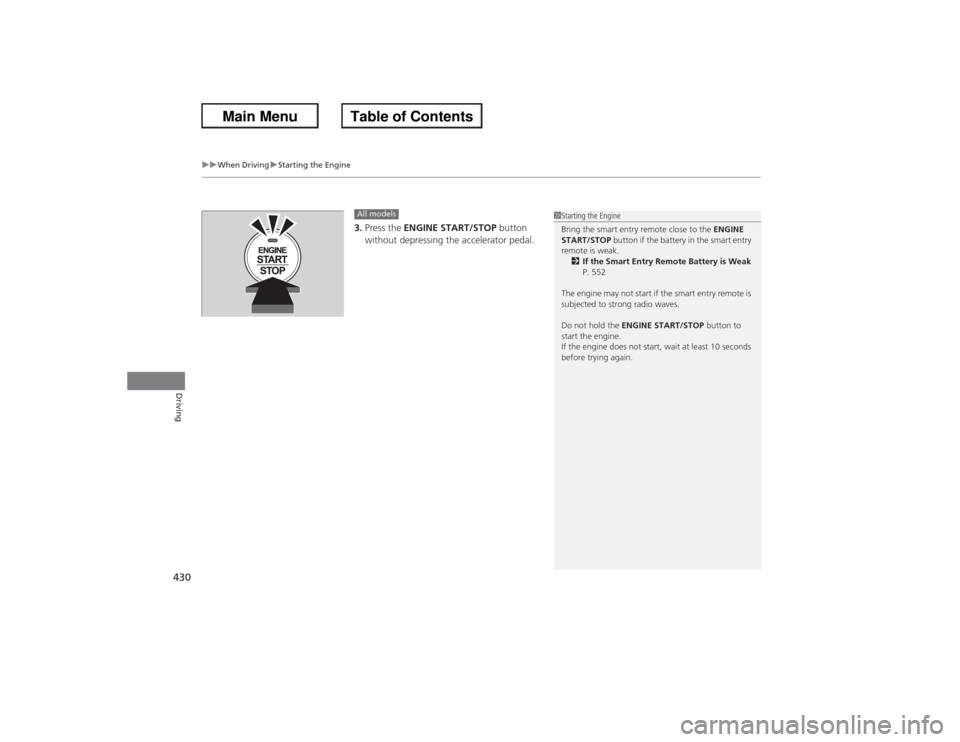
3. Press the ENGINE START/STOP button
without depressing the accelerator pedal.All models
1 Starting the Engine
Bring the smart entry remote close to the ENGINE
START/STOP button if the battery in the smart entry
remote is weak.
2 If the Smart Entry Remote Battery is Weak
P. 552
The engine may not start if the smart entry remote is
subjected to strong radio waves.
Do not hold the ENGINE START/STOP button to
start the engine.
If the engine does not start, wait at least 10 seconds
before trying again.