audio HONDA ACCORD 2015 9.G Service Manual
[x] Cancel search | Manufacturer: HONDA, Model Year: 2015, Model line: ACCORD, Model: HONDA ACCORD 2015 9.GPages: 593
Page 199 of 593
uuAudio System Basic Operation uPlaying a USB Flash Drive
198Features
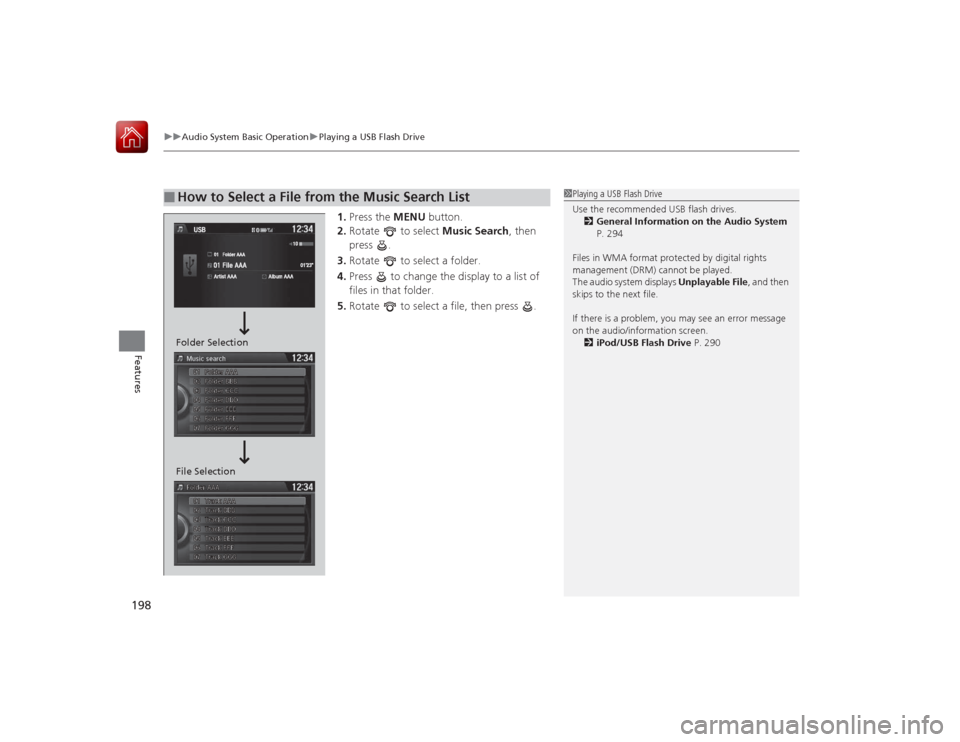
1. Press the MENU button.
2. Rotate to select Music Search, then
press .
3. Rotate to select a folder.
4. Press to change the display to a list of
files in that folder.
5. Rotate to select a file, then press .
■
How to Select a File from the Music Search List
1Playing a USB Flash Drive
Use the recommended USB flash drives.
2 General Information on the Audio System
P. 294
Files in WMA format protected by digital rights
management (DRM) cannot be played.
The audio system displays Unplayable File, and then
skips to the next file.
If there is a problem, you may see an error message
on the audio/information screen.
2 iPod/USB Flash Drive P. 290
File Selection Folder Selection
Page 200 of 593
199
uuAudio System Basic Operation uPlaying a USB Flash Drive
Features
You can select scan, repeat, and random modes when playing a file.
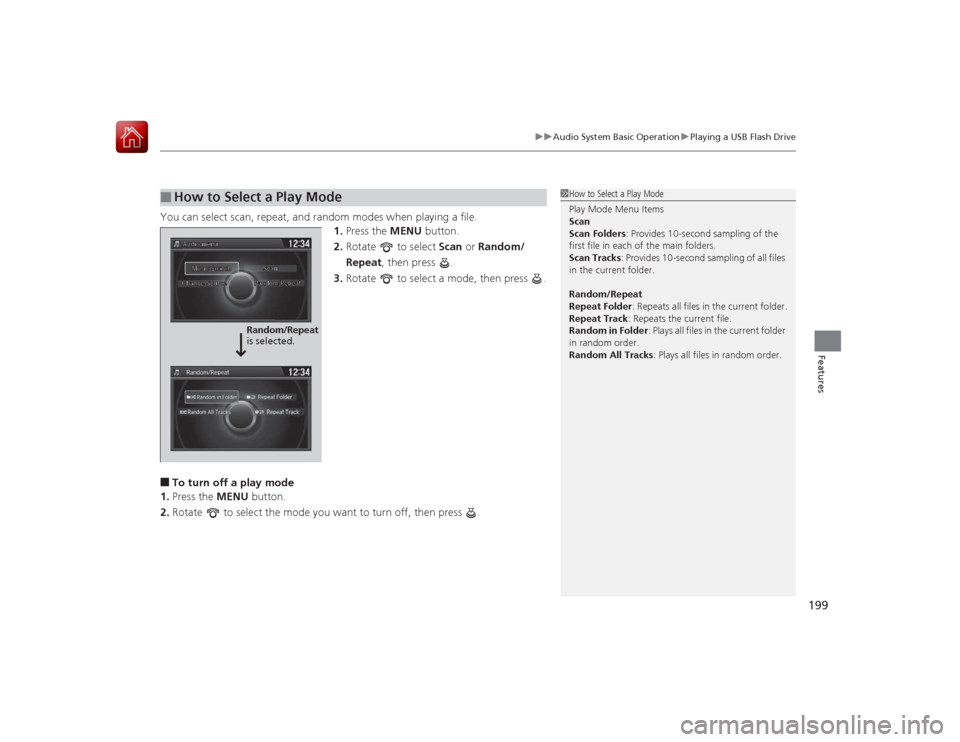
1.Press the MENU button.
2. Rotate to select Scan or Random/
Repeat , then press .
3. Rotate to select a mode, then press .■To turn off a play mode
1. Press the MENU button.
2. Rotate to select the mode you want to turn off, then press .■
How to Select a Play Mode
1How to Select a Play Mode
Play Mode Menu Items
Scan
Scan Folders: Provides 10-second sampling of the
first file in each of the main folders.
Scan Tracks : Provides 10-second sampling of all files
in the current folder.
Random/Repeat
Repeat Folder : Repeats all files in the current folder.
Repeat Track : Repeats the current file.
Random in Folder : Plays all files in the current folder
in random order.
Random All Tracks: Plays all files in random order.
Random/Repeat
is selected.
Page 201 of 593
200
uuAudio System Basic Operation uPlaying Bluetooth ® Audio
Features
Playing Bluetooth® AudioYour audio system allows you to listen to music from your Bluetooth-compatible
phone.
This function is available when the phone is paired and connected to the vehicle's
Bluetooth ® HandsFreeLink ® (HFL) system.2 Phone Setup P. 346
1Playing Bluetooth ® Audio
Not all Bluetooth-enabled phones with streaming
audio capabilities are compatible with the system.
For a list of compatible phones:•U.S.: Visit www.handsfreelink.honda.com , or call
1-888-528-7876.•Canada: Visit www.handsfreelink.ca , or call 1-888-
528-7876.
In some states, it may be illegal to perform some data
device functions while driving.
If more than one phone is paired to the HFL system,
there will be a delay before the system begins to play.
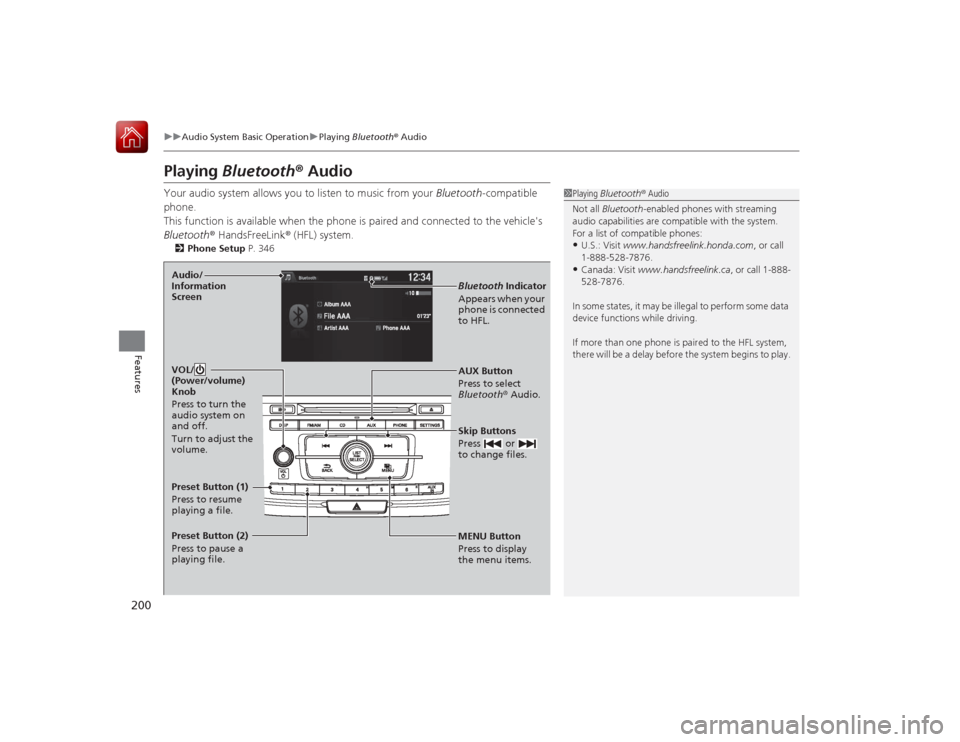
MENU Button
Press to display
the menu items. AUX Button
Press to select
Bluetooth ® Audio.
Skip Buttons
Press or
to change files.Bluetooth Indicator
Appears when your
phone is connected
to HFL.
VOL/
(Power/volume)
Knob
Press to turn the
audio system on
and off.
Turn to adjust the
volume.
Audio/
Information
ScreenPreset Button (1)
Press to resume
playing a file.
Preset Button (2)
Press to pause a
playing file.
Page 202 of 593
201
uuAudio System Basic Operation uPlaying Bluetooth ® Audio
Features
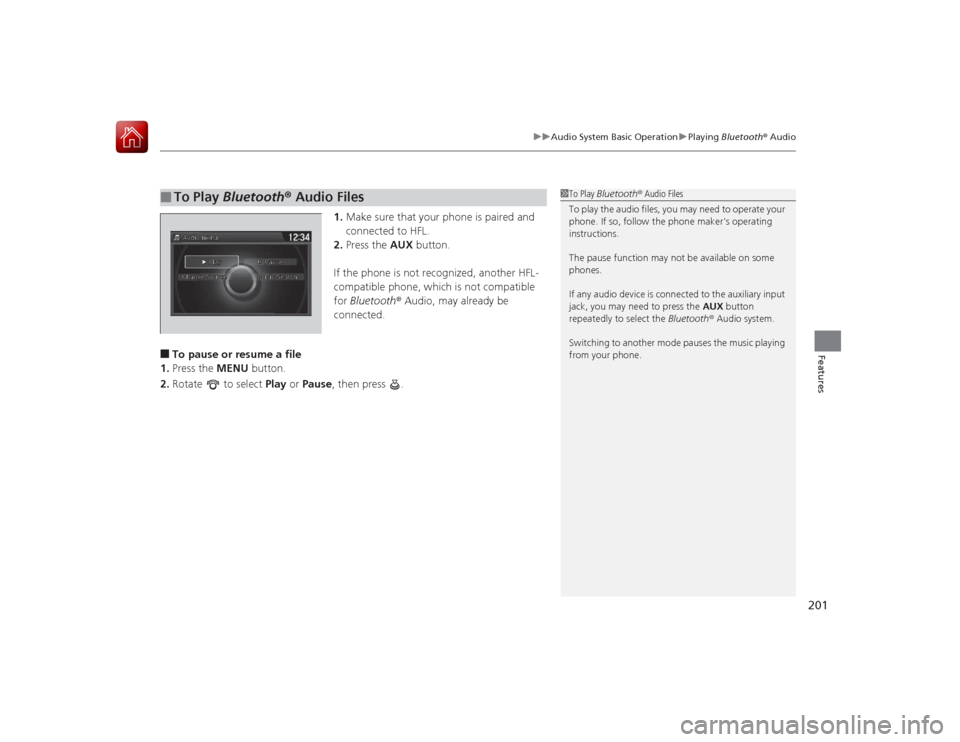
1. Make sure that your phone is paired and
connected to HFL.
2. Press the AUX button.
If the phone is not recognized, another HFL-
compatible phone, which is not compatible
for Bluetooth ® Audio, may already be
connected.
■To pause or resume a file
1. Press the MENU button.
2. Rotate to select Play or Pause , then press .■
To Play Bluetooth ® Audio Files
1 To Play Bluetooth ® Audio Files
To play the audio files, you may need to operate your
phone. If so, follow the phone maker's operating
instructions.
The pause function may not be available on some
phones.
If any audio device is connected to the auxiliary input
jack, you may need to press the AUX button
repeatedly to select the Bluetooth® Audio system.
Switching to another mode pauses the music playing
from your phone.
Page 203 of 593
202Features
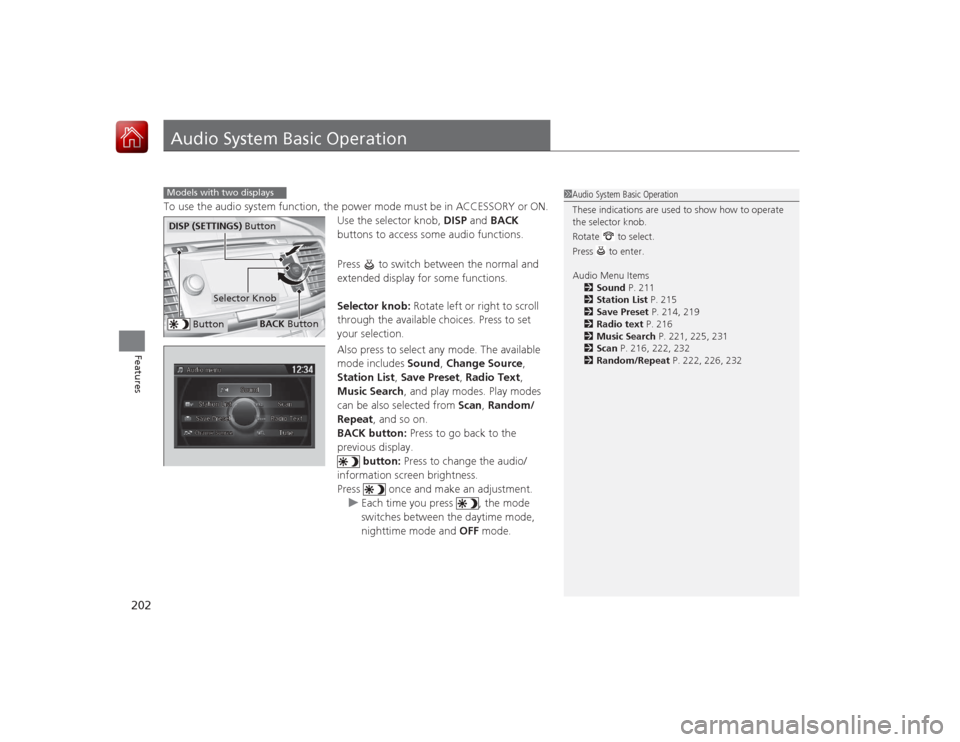
Audio System Basic OperationTo use the audio system function, the power mode must be in ACCESSORY or ON.Use the selector knob, DISP and BACK
buttons to access some audio functions.
Press to switch between the normal and
extended display for some functions.
Selector knob: Rotate left or right to scroll
through the available choices. Press to set
your selection.
Also press to select any mode. The available
mode includes Sound, Change Source ,
Station List , Save Preset , Radio Text,
Music Search , and play modes. Play modes
can be also selected from Scan, Random/
Repeat , and so on.
BACK button: Press to go back to the
previous display.
button: Press to change the audio/
information screen brightness.
Press once and make an adjustment. u Each time you press , the mode
switches between the daytime mode,
nighttime mode and OFF mode.Models with two displays
1Audio System Basic Operation
These indications are used to show how to operate
the selector knob.
Rotate to select.
Press to enter.
Audio Menu Items
2 Sound P. 211
2 Station List P. 215
2 Save Preset P. 214, 219
2 Radio text P. 216
2 Music Search P. 221, 225, 231
2 Scan P. 216, 222, 232
2 Random/Repeat P. 222, 226, 232
Button
Selector Knob
DISP (SETTINGS) Button
BACK Button
Page 204 of 593
203
uuAudio System Basic Operation uAudio with Touch Screen
Continued
Features
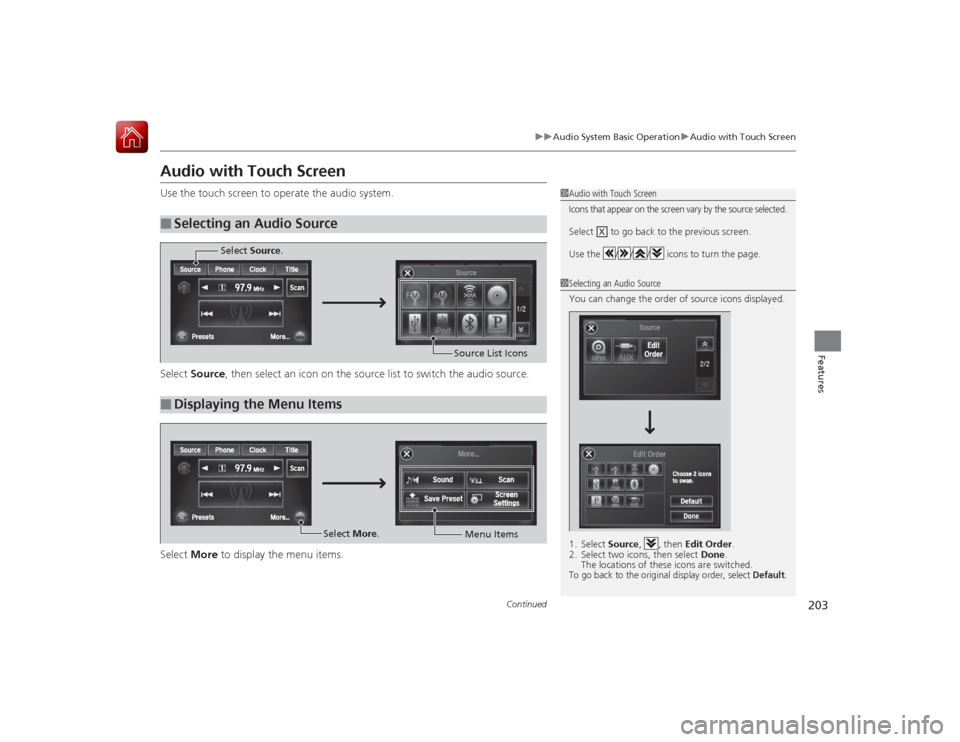
Audio with Touch ScreenUse the touch screen to operate the audio system.
Select Source , then select an icon on the sourc e list to switch the audio source.
Select More to display the menu items.■
Selecting an Audio Source
1Audio with Touch ScreenIcons that appear on the screen vary by the source selected.Select to go back to the previous screen.
Use the / / / icons to turn the page.
X
1Selecting an Audio Source
You can change the order of source icons displayed.
1. Select Source, , then Edit Order.
2. Select two icons, then select Done.
The locations of these icons are switched.To go back to the original display order, select
Default
.
■
Displaying the Menu Items
Select Source.
Source List Icons
Select More.
Menu Items
Page 205 of 593
uuAudio System Basic Operation uAudio with Touch Screen
204Features
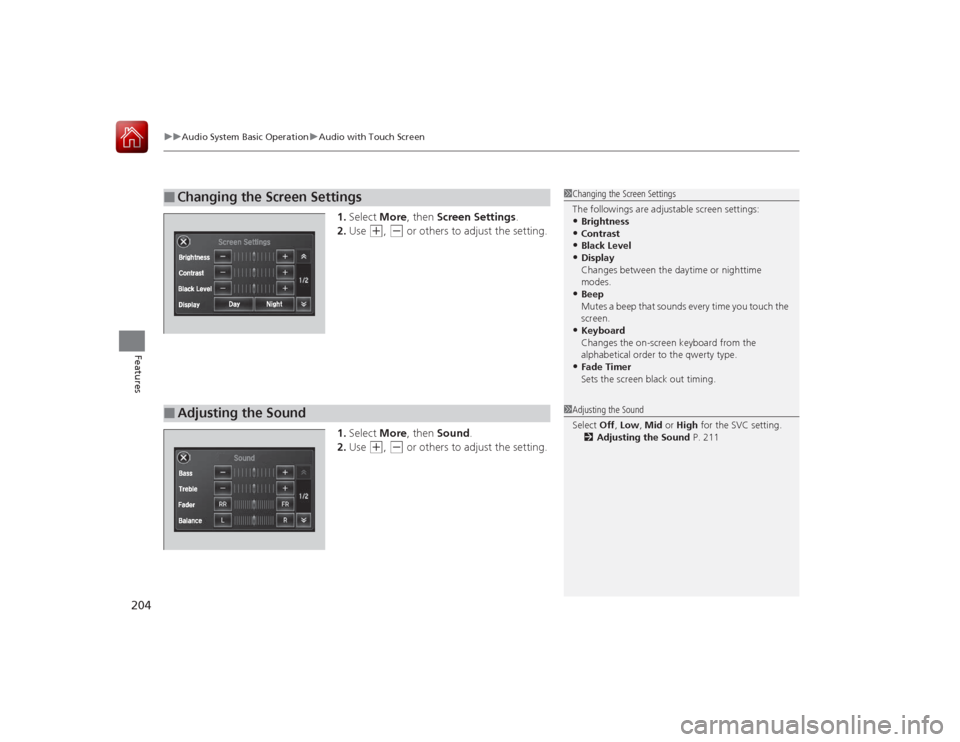
1. Select More, then Screen Settings .
2. Use
(+
, (-
or others to adjust the setting.
1. Select More, then Sound .
2. Use
(+
, (-
or others to adjust the setting.
■
Changing the Screen Settings
1Changing the Screen Settings
The followings are adjustable screen settings:•Brightness•Contrast•Black Level•Display
Changes between the daytime or nighttime
modes.•Beep
Mutes a beep that sounds every time you touch the
screen.•Keyboard
Changes the on-screen keyboard from the
alphabetical order to the qwerty type.•Fade Timer
Sets the screen black out timing.
■
Adjusting the Sound
1Adjusting the Sound
Select Off, Low , Mid or High for the SVC setting.
2 Adjusting the Sound P. 211
Page 206 of 593
205
uuAudio System Basic Operation uAudio with Touch Screen
Features
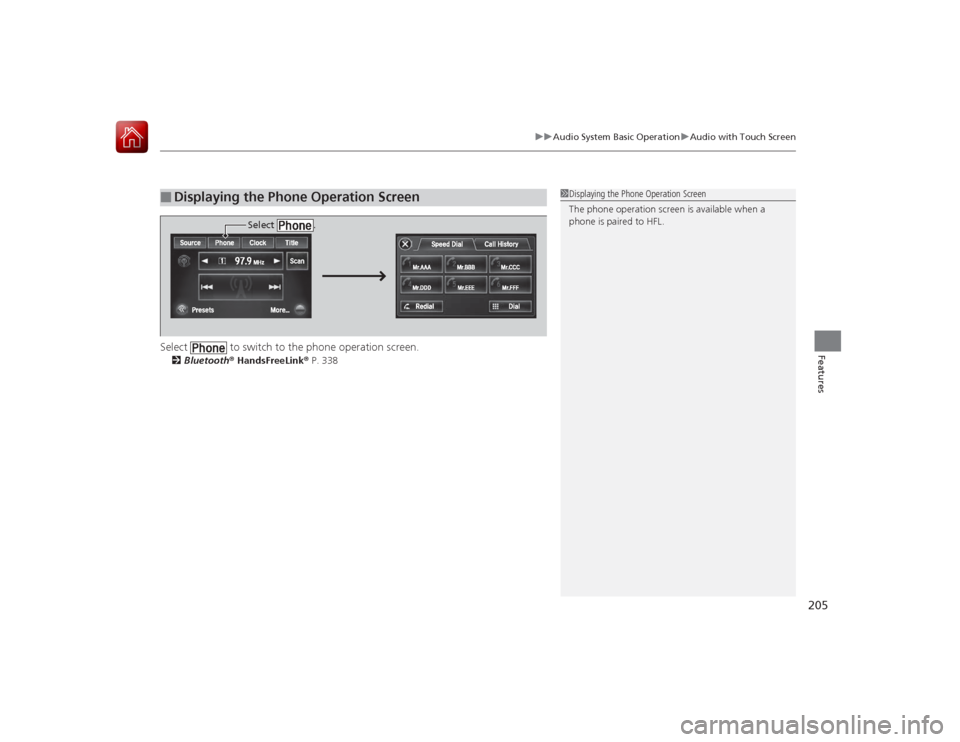
Select to switch to the phone operation screen.2 Bluetooth ® HandsFreeLink ® P. 338■
Displaying the Phone Operation Screen
1 Displaying the Phone Operation Screen
The phone operation screen is available when a
phone is paired to HFL.
Select .
Page 207 of 593
206
uuAudio System Basic Operation uAudio/Information Screen
Features
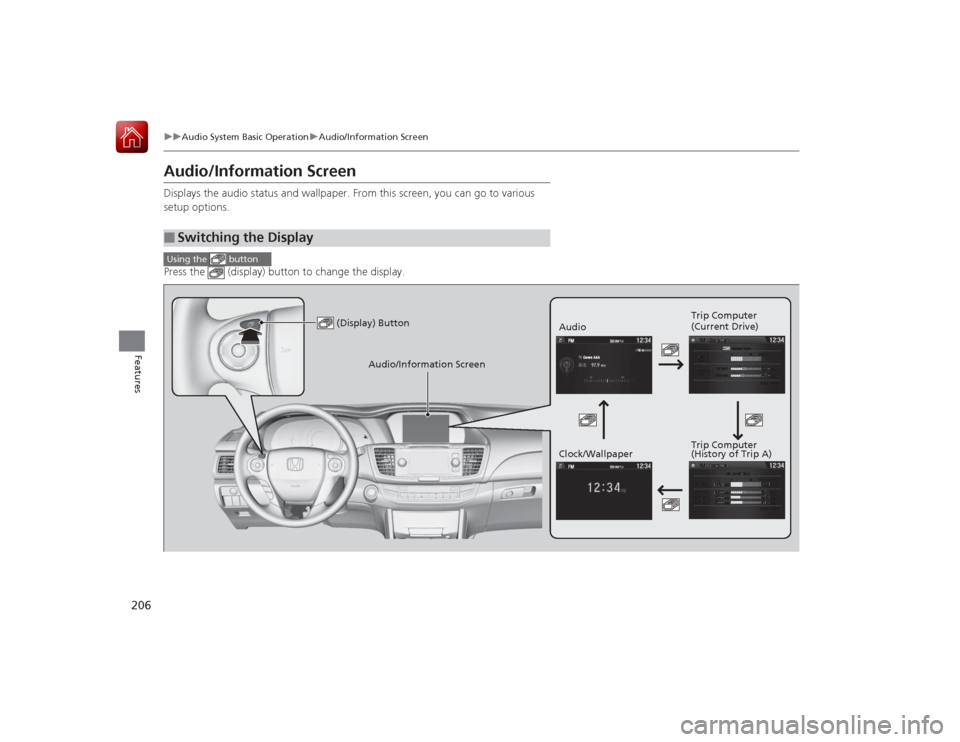
Audio/Information ScreenDisplays the audio status and wallpaper. From this screen, you can go to various
setup options.
Press the (display) button to change the display.■
Switching the DisplayUsing the button
(Display) Button
Audio Trip Computer
(Current Drive)
Clock/Wallpaper Trip Computer
(History of Trip A)
Audio/Information Screen
Page 208 of 593
207
uuAudio System Basic Operation uAudio/Information Screen
Continued
Features
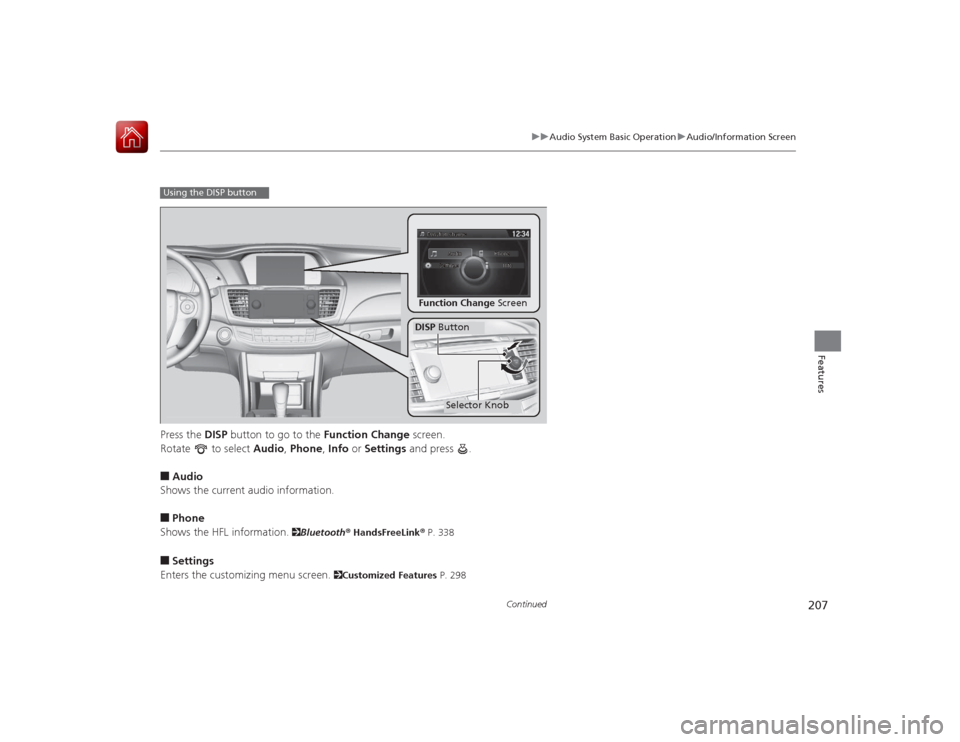
Press the DISP button to go to the Function Change screen.
Rotate to select Audio, Phone , Info or Settings and press .■Audio
Shows the current audio information.■Phone
Shows the HFL information.
2 Bluetooth® HandsFreeLink ® P. 338
■Settings
Enters the customizing menu screen.
2 Customized Features P. 298
Using the DISP button
Function Change ScreenDISP Button
Selector Knob