can HONDA ACCORD 2017 9.G Owners Manual
[x] Cancel search | Manufacturer: HONDA, Model Year: 2017, Model line: ACCORD, Model: HONDA ACCORD 2017 9.GPages: 613
Page 399 of 613
uuBluetooth ® HandsFreeLink ®u HFL Menus
398
Features
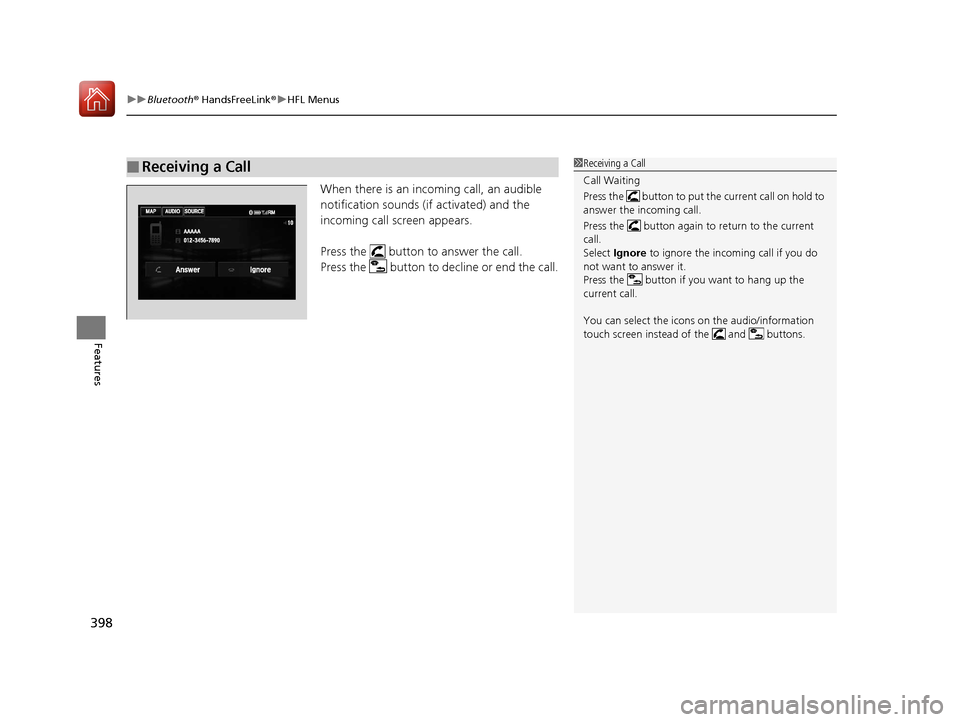
When there is an incoming call, an audible
notification sounds (i f activated) and the
incoming call screen appears.
Press the button to answer the call.
Press the button to decline or end the call.
■Receiving a Call1 Receiving a Call
Call Waiting
Press the button to put the current call on hold to
answer the incoming call.
Press the button again to return to the current
call.
Select Ignore to ignore the incoming call if you do
not want to answer it.
Press the button if you want to hang up the
current call.
You can select the icons on the audio/information
touch screen instead of the and buttons.
17 ACCORD 4D GAS-31T2A6400.book 398 ページ 2016年6月7日 火曜日 午後5時6分
Page 400 of 613
Continued399
uuBluetooth ® HandsFreeLink ®u HFL Menus
Features
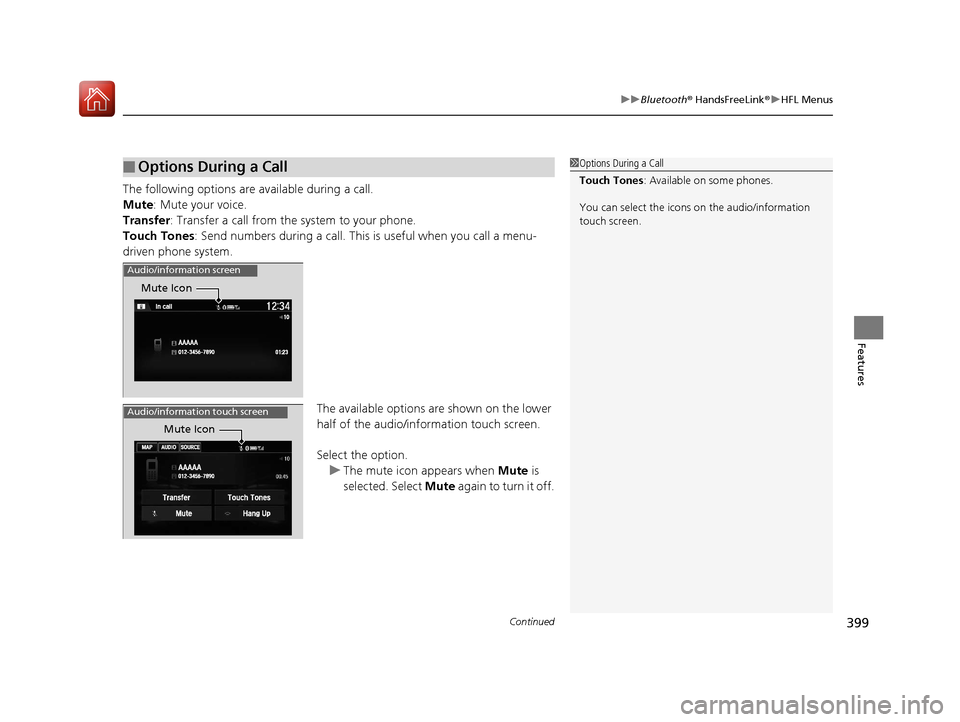
The following options are available during a call.
Mute : Mute your voice.
Transfer: Transfer a call from the system to your phone.
Touch Tones : Send numbers during a call. This is useful when you call a menu-
driven phone system.
The available options are shown on the lower
half of the audio/info rmation touch screen.
Select the option. u The mute icon appears when Mute is
selected. Select Mute again to turn it off.
■Options During a Call1Options During a Call
Touch Tones : Available on some phones.
You can select the icons on the audio/information
touch screen.
Audio/information screen
Mute Icon
Mute Icon
Audio/information touch screen
17 ACCORD 4D GAS-31T2A6400.book 399 ページ 2016年6月7日 火曜日 午後5時6分
Page 401 of 613
uuBluetooth ® HandsFreeLink ®u HFL Menus
400
Features
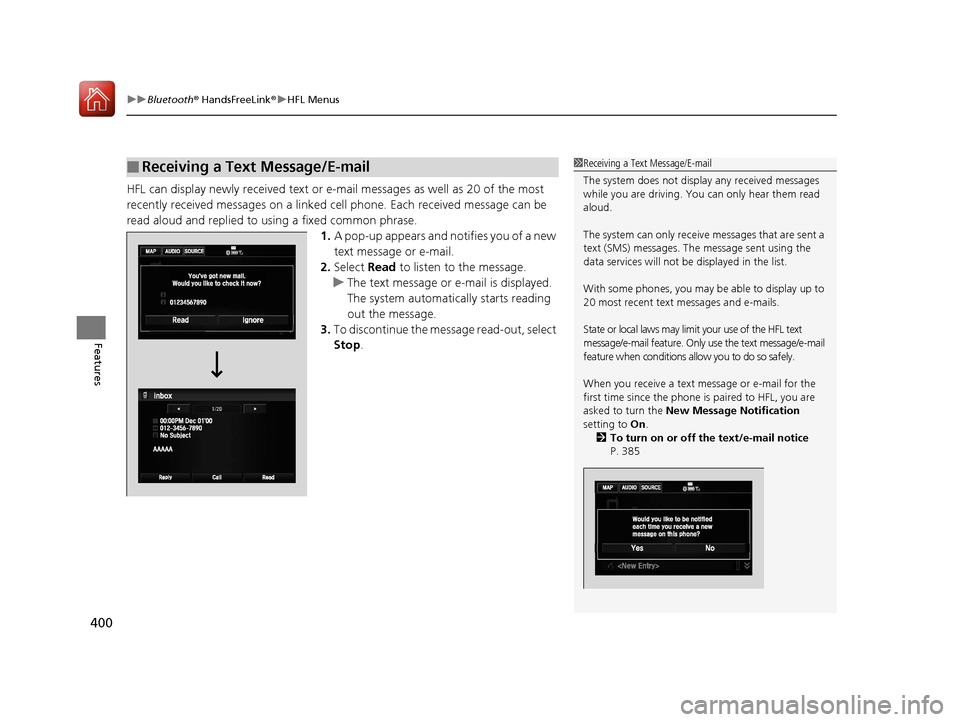
HFL can display newly received text or e- mail messages as well as 20 of the most
recently received messages on a linked ce ll phone. Each received message can be
read aloud and replied to using a fixed common phrase. 1.A pop-up appears and notifies you of a new
text message or e-mail.
2. Select Read to listen to the message.
u The text message or e-mail is displayed.
The system automatically starts reading
out the message.
3. To discontinue the message read-out, select
Stop .
■Receiving a Text Message/E-mail1Receiving a Text Message/E-mail
The system does not display any received messages
while you are driving. You can only hear them read
aloud.
The system can only receive messages that are sent a
text (SMS) messages. The message sent using the
data services will not be displayed in the list.
With some phones, you may be able to display up to
20 most recent text messages and e-mails.
State or local laws may limit your use of the HFL text
message/e-mail feature. Only use the text message/e-mail
feature when conditions a llow you to do so safely.
When you receive a text message or e-mail for the
first time since the phone is paired to HFL, you are
asked to turn the New Message Notification
setting to On.
2 To turn on or off the text/e-mail notice
P. 385
17 ACCORD 4D GAS-31T2A6400.book 400 ページ 2016年6月7日 火曜日 午後5時6分
Page 402 of 613
Continued401
uuBluetooth ® HandsFreeLink ®u HFL Menus
Features
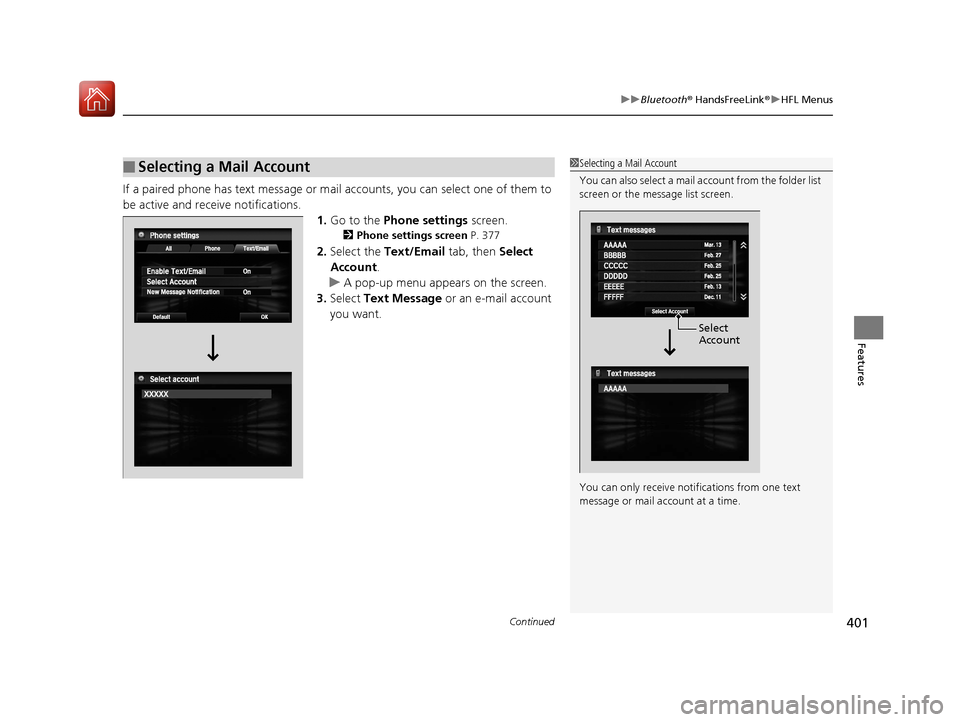
If a paired phone has text message or mail accounts, you can select one of them to
be active and receive notifications. 1.Go to the Phone settings screen.
2Phone settings screen P. 377
2.Select the Text/Email tab, then Select
Account .
u A pop-up menu appears on the screen.
3. Select Text Message or an e-mail account
you want.
■Selecting a Mail Account1 Selecting a Mail Account
You can also select a mail account from the folder list
screen or the message list screen.
You can only receive notif ications from one text
message or mail a ccount at a time.
Select
Account
17 ACCORD 4D GAS-31T2A6400.book 401 ページ 2016年6月7日 火曜日 午後5時6分
Page 405 of 613
uuBluetooth ® HandsFreeLink ®u HFL Menus
404
Features
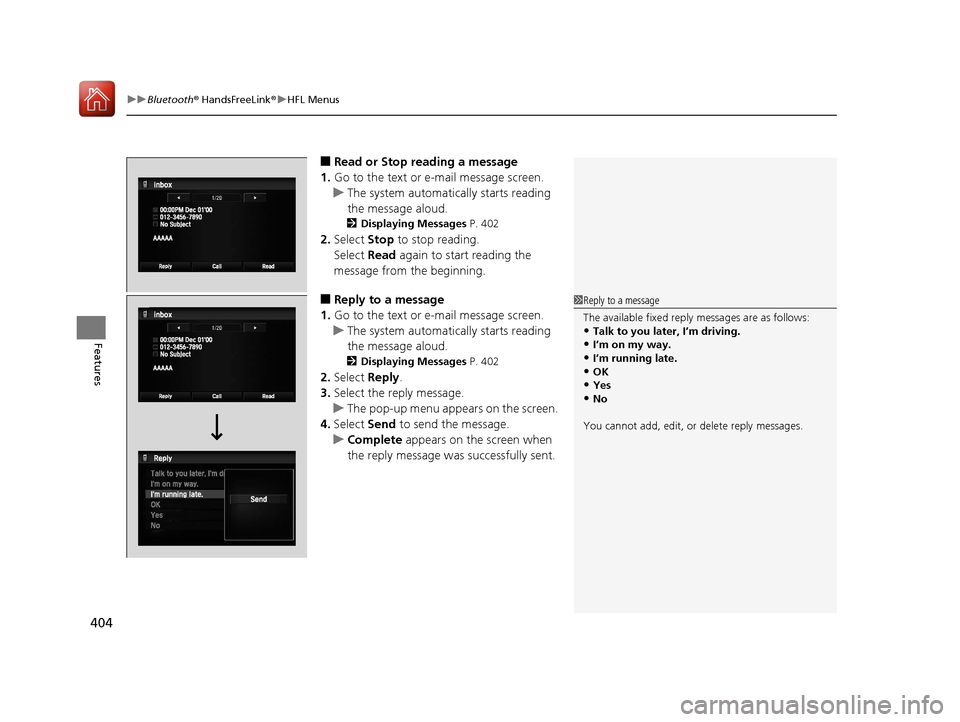
■Read or Stop reading a message
1. Go to the text or e-mail message screen.
u The system automatically starts reading
the message aloud.
2 Displaying Messages P. 402
2.Select Stop to stop reading.
Select Read again to start reading the
message from the beginning.
■Reply to a message
1. Go to the text or e-mail message screen.
u The system automatically starts reading
the message aloud.
2 Displaying Messages P. 402
2.Select Reply.
3. Select the reply message.
u The pop-up menu appears on the screen.
4. Select Send to send the message.
u Complete appears on the screen when
the reply message was successfully sent.
1 Reply to a message
The available fixed reply messages are as follows:
•Talk to you later, I’m driving.•I’m on my way.
•I’m running late.
•OK•Yes
•No
You cannot add, edit, or delete reply messages.
17 ACCORD 4D GAS-31T2A6400.book 404 ページ 2016年6月7日 火曜日 午後5時6分
Page 407 of 613
uuBluetooth ® HandsFreeLink ®u HFL Menus
406
Features
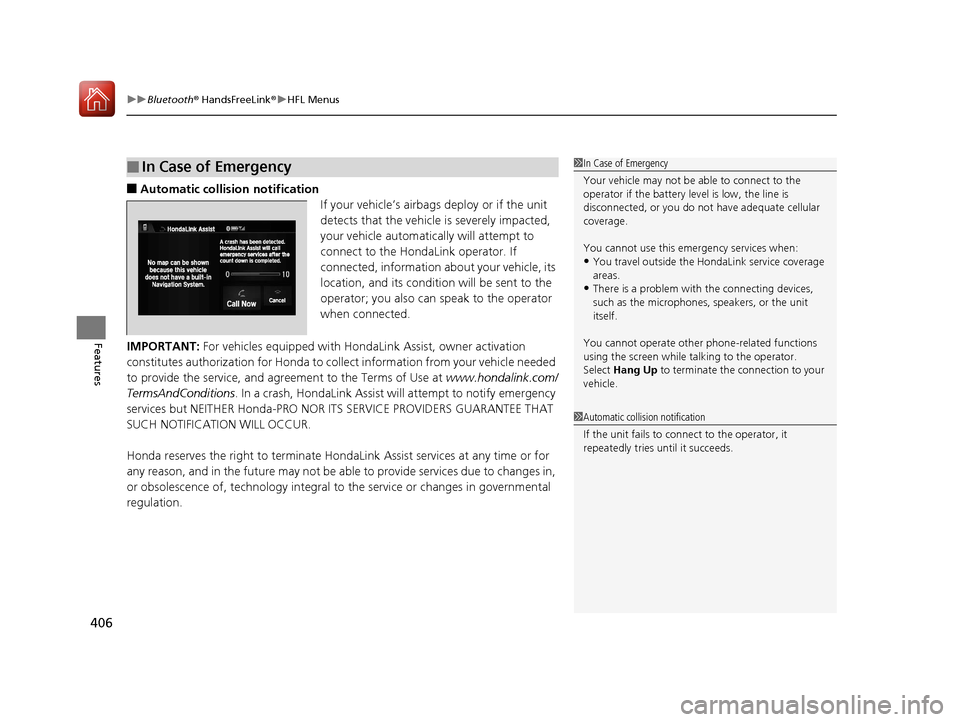
■Automatic collisi on notification
If your vehicle’s airbags deploy or if the unit
detects that the vehicle is severely impacted,
your vehicle automatically will attempt to
connect to the HondaLink operator. If
connected, information about your vehicle, its
location, and its condition will be sent to the
operator; you also can speak to the operator
when connected.
IMPORTANT: For vehicles equipped with Hond aLink Assist, owner activation
constitutes authorization for Honda to collect information from your vehicle needed
to provide the service, and agr eement to the Terms of Use at www.hondalink.com/
TermsAndConditions . In a crash, HondaLink Assist w ill attempt to notify emergency
services but NEITHER Honda-PRO NOR ITS SERVICE PROVIDERS GUARANTEE THAT
SUCH NOTIFICATION WILL OCCUR.
Honda reserves the right to terminate HondaLink Assist services at any time or for
any reason, and in the future may not be ab le to provide services due to changes in,
or obsolescence of, technology integral to the service or changes in governmental
regulation.
■In Case of Emergency1 In Case of Emergency
Your vehicle may not be able to connect to the
operator if the battery level is low, the line is
disconnected, or you do not have adequate cellular
coverage.
You cannot use this emergency services when:
•You travel outside the H ondaLink service coverage
areas.
•There is a problem with the connecting devices,
such as the microphones, speakers, or the unit
itself.
You cannot operate othe r phone-related functions
using the screen while talking to the operator.
Select Hang Up to terminate the connection to your
vehicle.
1 Automatic collision notification
If the unit fails to connect to the operator, it
repeatedly tries until it succeeds.
17 ACCORD 4D GAS-31T2A6400.book 406 ページ 2016年6月7日 火曜日 午後5時6分
Page 409 of 613
408
Features
Compass*
When you turn the ignition switch to ON (w*1, the compass self-calibrates, and the
compass display appears.
Compass Calibration
If the compass indicates the wrong direction, or the CAL indicator blinks, you need
to manually calibrate the system. 1.Turn the ignition switch to ON
(w*1.
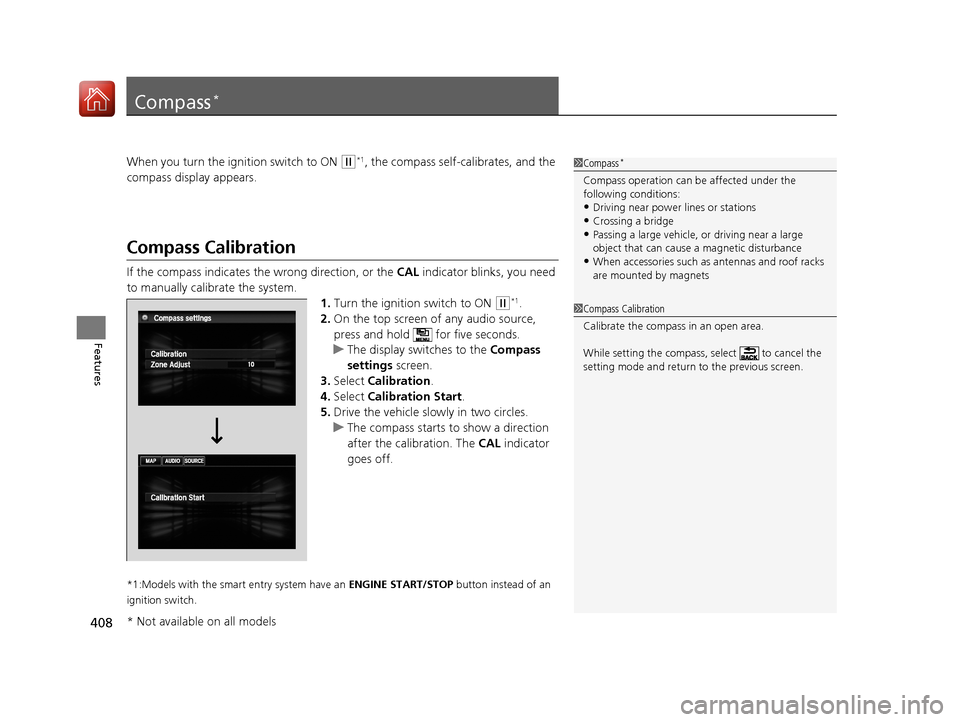
2. On the top screen of any audio source,
press and hold for five seconds.
u The display switches to the Compass
settings screen.
3. Select Calibration .
4. Select Calibration Start .
5. Drive the vehicle slowly in two circles.
u The compass starts to show a direction
after the calibration. The CAL indicator
goes off.
*1:Models with the smart entry system have an ENGINE START/STOP button instead of an
ignition switch.
1 Compass*
Compass operation can be affected under the
following conditions:
•Driving near power lines or stations
•Crossing a bridge•Passing a large vehicle, or driving near a large
object that can cause a magnetic disturbance
•When accessories such as antennas and roof racks
are mounted by magnets
1 Compass Calibration
Calibrate the compass in an open area.
While setting the compass, select to cancel the
setting mode and return to the previous screen.
* Not available on all models
17 ACCORD 4D GAS-31T2A6400.book 408 ページ 2016年6月7日 火曜日 午後5時6分
Page 413 of 613
412
Driving
Before Driving
Driving Preparation
Check the following items before you start driving.
• Make sure there are no obstructions on th e windows, door mirrors, exterior
lights, or other parts of the vehicle.
u Remove any frost, snow, or ice.
u Remove any snow on the roof, as this can slip down and obstruct your field of
vision while driving. If frozen solid , remove ice once it has softened.
u When removing ice from around the wheel s, be sure not to damage the wheel
or wheel components.
• Make sure the hood is securely closed.
u If the hood opens while driving, your front view will be blocked.
• Make sure the tires are in good condition.
u Check air pressure, check for damage and excessive wear.
2 Checking and Maintaining Tires P. 541
•Make sure there are no people or ob jects behind or around the vehicle.
u There are blind spots from the inside.
■Exterior Checks1Exterior Checks
NOTICE
When doors are frozen s hut, use warm water around
the door edges to melt any ice. Do not try to force
them open, as this can damage the rubber trim
around the doors. When done, wipe dry to avoid
further freezing.
Do not pour warm water into the key cylinder.
You will be unable to insert the key if the water
freezes in the hole.
Heat from the engine and exhaust can ignite
flammable material s left under the hood, causing a
fire. If you've parked y our vehicle for an extended
period, inspect and remove any debris that may have
collected, such as dried grass and leaves that have
fallen or have been carried in for use as a nest by a
small animal. Also check under the hood for leftover
flammable materials after you or someone else has
performed maintenance on your vehicle.
17 ACCORD 4D GAS-31T2A6400.book 412 ページ 2016年6月7日 火曜日 午後5時6分
Page 414 of 613
Continued413
uuBefore Driving uDriving Preparation
Driving
• Store or secure all items on board properly.
u Carrying too much cargo, or improperly storing it, can affect your vehicle's
handling, stability, sto pping distance, and tires, and make it unsafe.
2Maximum Load Limit P. 415
•Do not pile items higher than the seat height.
u They can block your view and may be thrown forward in the event of sudden
braking.
• Do not place anything in the front seat footwells. Make sure to secure the floor
mat.
u An object or unsecured floor mat can in terfere with your brake and accelerator
pedal operation while driving.
• If you have any animals on board, do not let them move around in the vehicle.
u They may interfere with driv ing and a crash could occur.
• Securely close and lock all doors and the trunk.
2 Locking/Unlocking the Doors from the Inside P. 124
•Adjust your seating position properly.
u Adjust the head restraint, too.
2Adjusting the Seats P. 160
2 Adjusting the Front and Rear Ou ter Head Restraint Positions P. 163
•Adjust the mirrors and steering wh eel properly for your driving.
u Adjust them while sitting in the proper driving position.
2 Adjusting the Mirrors P. 158
2 Adjusting the Steering Wheel P. 157
■Interior Checks1Interior Checks
The headlight aim is set by the factory, and does not
need to be adjusted. Howeve r, if you regularly carry
heavy items in the trunk or tow a trailer, have the
aiming readjusted at a de aler or by a qualified
technician.
17 ACCORD 4D GAS-31T2A6400.book 413 ページ 2016年6月7日 火曜日 午後5時6分
Page 415 of 613
414
uuBefore Driving uDriving Preparation
Driving
• Be sure items placed on the floor behind the front seats cannot roll under the
seats.
u They can interfere with the driver's ability to operate the pedals, the operation
of the seats, or the operation of the sensors under the seats.
• Everyone in the vehicle must fasten their seat belt.
2Fastening a Seat Belt P. 35
•Make sure that the indicators in the ins trument panel come on when you start the
vehicle, and go off soon after.
u Always have a dealer check the vehicle if a problem is indicated.
2 Indicators P. 68
17 ACCORD 4D GAS-31T2A6400.book 414 ページ 2016年6月7日 火曜日 午後5時6分