phone HONDA ACCORD 2023 User Guide
[x] Cancel search | Manufacturer: HONDA, Model Year: 2023, Model line: ACCORD, Model: HONDA ACCORD 2023Pages: 533, PDF Size: 20.09 MB
Page 212 of 533
210
uuAudio System uAudio Remote Controls
Features
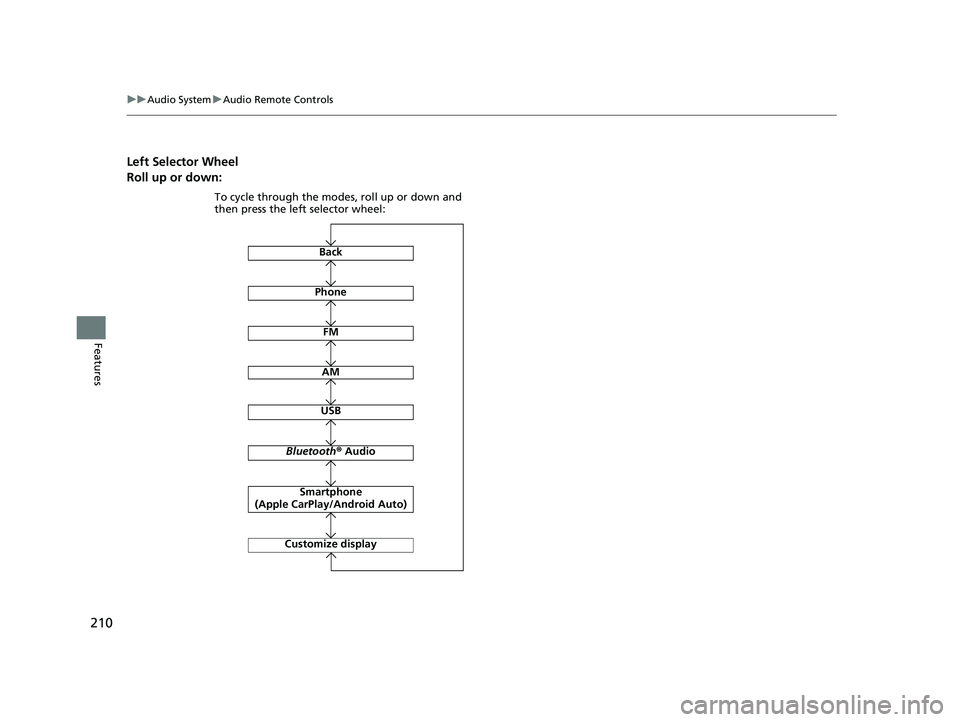
Left Selector Wheel
Roll up or down:
Back
AM
USB
Bluetooth ® Audio
Smartphone
(Apple CarPlay/Android Auto)
Customize display
Phone
FM
To cycle through the modes, roll up or down and
then press the left selector wheel:
23 ACCORD 4D US PET MAP-3130A6000_01.book 210 ページ 2022年10月19日 水曜日 午前11時49分
Page 225 of 533
223
uuAudio System Basic Operation uPlaying Bluetooth ® Audio
Continued
Features
Playing Bluetooth ® Audio
Your audio system allows you to listen to music from your Bluetooth-compatible
phone.
This function is available when the phone is paired and connected to the vehicle’s
Bluetooth ® HandsFreeLink ® (HFL) system.
2Phone Setup P. 270
1Playing Bluetooth ® Audio
Not all Bluetooth -enabled phones with streaming
audio capabilities are compatible with the system.
For a list of compatible phones:
•U.S.: Visit automobiles.honda.com/handsfreelink/ ,
or call 1-888-528-7876.
•Canada: For more info rmation on smartphone
compatibility, call 1-855-490-7351.
In some states, it may be il legal to perform some data
device functions while driving.
Only one phone can be used with HFL at a time.
When there are more than two paired phones in the
vehicle, the system automatically connects to the
prioritized phone. You can a ssign priority to a phone
in the Bluetooth Settings menu.
2 HFL Menus P. 268
To manually change the searched phone, select Go
to Device List .
In some cases, the name of the artist, album, or track
may not appear correctly.
Some functions may not be available on some
devices.
If a phone is currently conne cted via Apple CarPlay or
Android Auto, Bluetooth® Audio from that phone is
unavailable. 2 Phone Setup P. 270
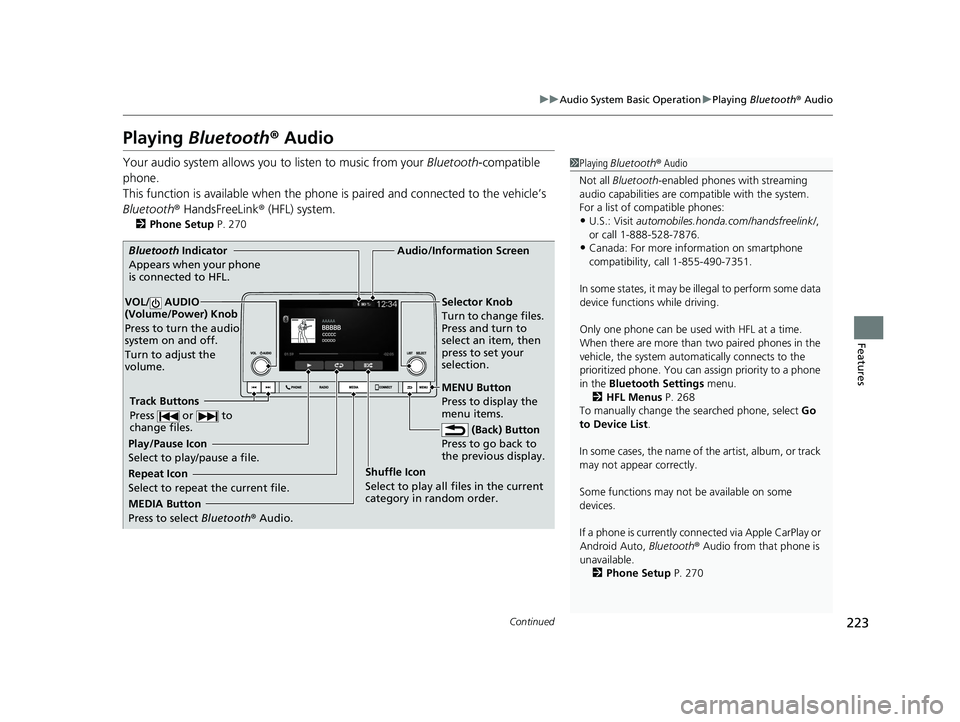
MEDIA Button
Press to select Bluetooth ® Audio.
VOL/ AUDIO
(Volume/Power) Knob
Press to turn the audio
system on and off.
Turn to adjust the
volume.
MENU Button
Press to display the
menu items.
Audio/Information Screen
Bluetooth Ind icator
App
ears when your phone
is connected to HFL.
Track Buttons
Press or to
change files.
Repeat Icon
Select to repeat the current file. Shuffle Icon
Select to play all files in the current
category in random order.Selector Knob
Turn to change files.
Press and turn to
select an item, then
press to set your
selection.
(Back) Button
Pr e
ss to go back to
the previous display.
Play/Pause Icon
Select to play/pause a file.
23 ACCORD 4D US PET MAP-3130A6000_01.book 223 ページ 2022年10月19日 水曜日 午前11時49分
Page 226 of 533
uuAudio System Basic Operation uPlaying Bluetooth ® Audio
224
Features
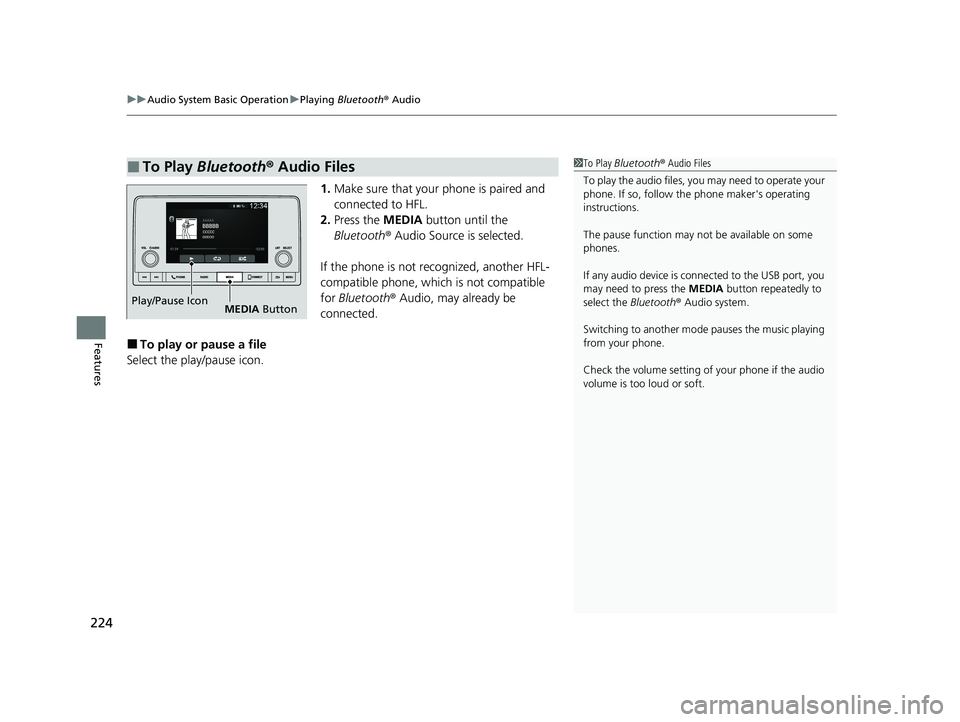
1. Make sure that your phone is paired and
connected to HFL.
2. Press the MEDIA button until the
Bluetooth ® Audio Source is selected.
If the phone is not recognized, another HFL-
compatible phone, which is not compatible
for Bluetooth ® Audio, may already be
connected.
■To play or pause a file
Select the play/pause icon.
■To Play Bluetooth ® Audio Files1 To Play Bluetooth ® Audio Files
To play the audio files, y ou may need to operate your
phone. If so, follow the phone maker's operating
instructions.
The pause function may no t be available on some
phones.
If any audio device is connected to the USB port, you
may need to press the MEDIA button repeatedly to
select the Bluetooth® Audio system.
Switching to another mode pauses the music playing
from your phone.
Check the volume setting of your phone if the audio
volume is too loud or soft.
Play/Pause Icon MEDIA Button
23 ACCORD 4D US PET MAP-3130A6000_01.book 224 ページ 2022年10月19日 水曜日 午前11時49分
Page 229 of 533
227
uuAudio System Basic Operation uSiri Eyes Free
Features
Siri Eyes Free
You can talk to Siri using the (Talk) button on the steering wheel when your
iPhone is paired to the Bluetooth® HandsFreeLink ® (HFL) system.
2Phone Setup P. 270
■Using Siri Eyes Free
1Siri Eyes Free
Check Apple Inc. website for features available for
Siri.
We recommend against using Si ri other than in Siri
Eyes Free mode whil e operating a vehicle.
1Using Siri Eyes Free
Some commands work only on specific phone
features or apps.
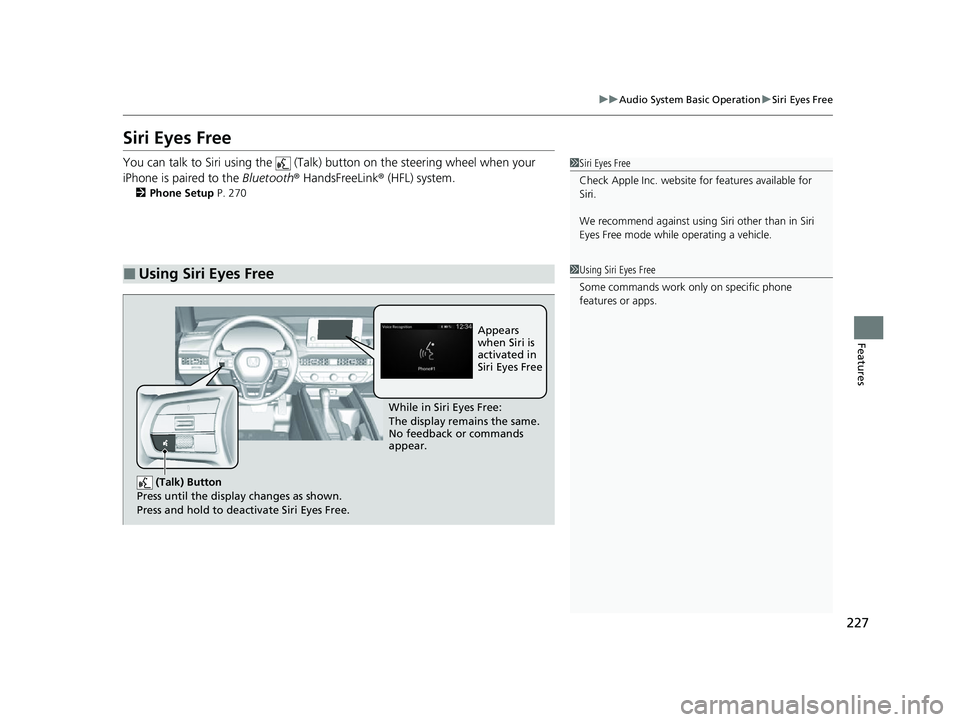
(Talk) Button
Press until the display changes as shown.
Press and hold to deactivate Siri Eyes Free.
While in Siri Eyes Free:
The display remains the same.
No feedback or commands
appear. Appears
when Siri is
activated in
Siri Eyes Free
23 ACCORD 4D US PET MAP-3130A6000_01.book 227 ページ 2022年10月19日 水曜日 午前11時49分
Page 230 of 533
228
uuAudio System Basic Operation uSmartphone Voice Recognition
Features
Smartphone Voice Recognition
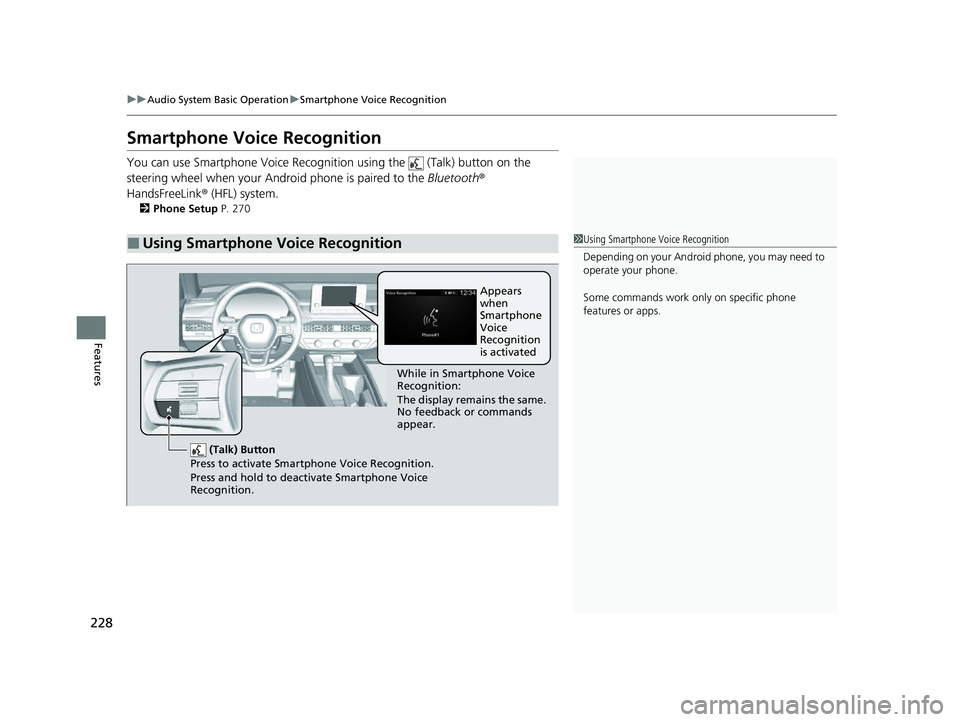
You can use Smartphone Voice Recognitio n using the (Talk) button on the
steering wheel when your Andr oid phone is paired to the Bluetooth®
HandsFreeLink ® (HFL) system.
2Phone Setup P. 270
■Using Smartphone Voice Recognition1Using Smartphone Voice Recognition
Depending on your Android phone, you may need to
operate your phone.
Some commands work only on specific phone
features or apps.
(Talk) Button
Press to activate Smartphone Voice Recognition.
Press and hold to deactivate Smartphone Voice
Recognition.
While in Smartphone Voice
Recognition:
The display remains the same.
No feedback or commands
appear. Appears
when
Smartphone
Voice
Recognition
is activated
23 ACCORD 4D US PET MAP-3130A6000_01.book 228 ページ 2022年10月19日 水曜日 午前11時49分
Page 231 of 533
229
uuAudio System Basic Operation uApple CarPlay
Continued
Features
Apple CarPlay
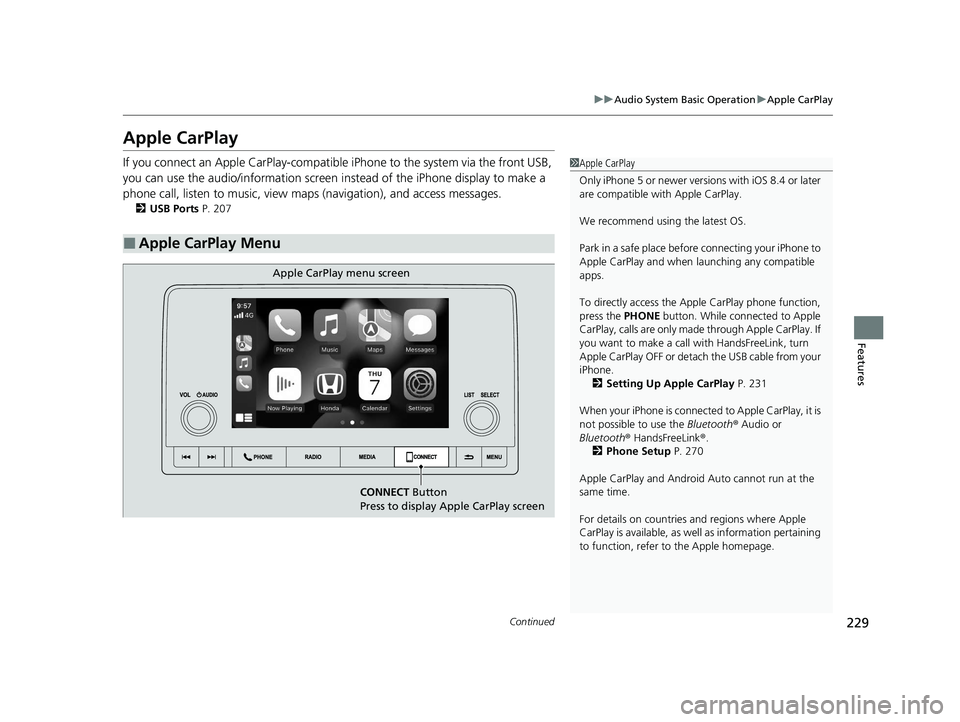
If you connect an Apple CarPlay-compatible iPhone to the system via the front USB,
you can use the audio/information screen instead of the iPhone display to make a
phone call, listen to music, view maps (navigation), and access messages.
2USB Ports P. 207
■Apple CarPlay Menu
1Apple CarPlay
Only iPhone 5 or newer versi ons with iOS 8.4 or later
are compatible with Apple CarPlay.
We recommend using the latest OS.
Park in a safe place before connecting your iPhone to
Apple CarPlay and when launching any compatible
apps.
To directly access the Appl e CarPlay phone function,
press the PHONE button. While connected to Apple
CarPlay, calls are only made through Apple CarPlay. If
you want to make a call with HandsFreeLink, turn
Apple CarPlay OFF or detach the USB cable from your
iPhone. 2 Setting Up Apple CarPlay P. 231
When your iPhone is connected to Apple CarPlay, it is
not possible to use the Bluetooth® Audio or
Bluetooth ® HandsFreeLink ®.
2 Phone Setup P. 270
Apple CarPlay and Android Auto cannot run at the
same time.
For details on c ountries and regions where Apple
CarPlay is available, as well as information pertaining
to function, refer to the Apple homepage.
CONNECT Button
Press to display Apple CarPlay screen
Apple CarPlay menu screen
23 ACCORD 4D US PET MAP-3130A6000_01.book 229 ページ 2022年10月19日 水曜日 午前11時49分
Page 232 of 533
uuAudio System Basic Operation uApple CarPlay
230
Features
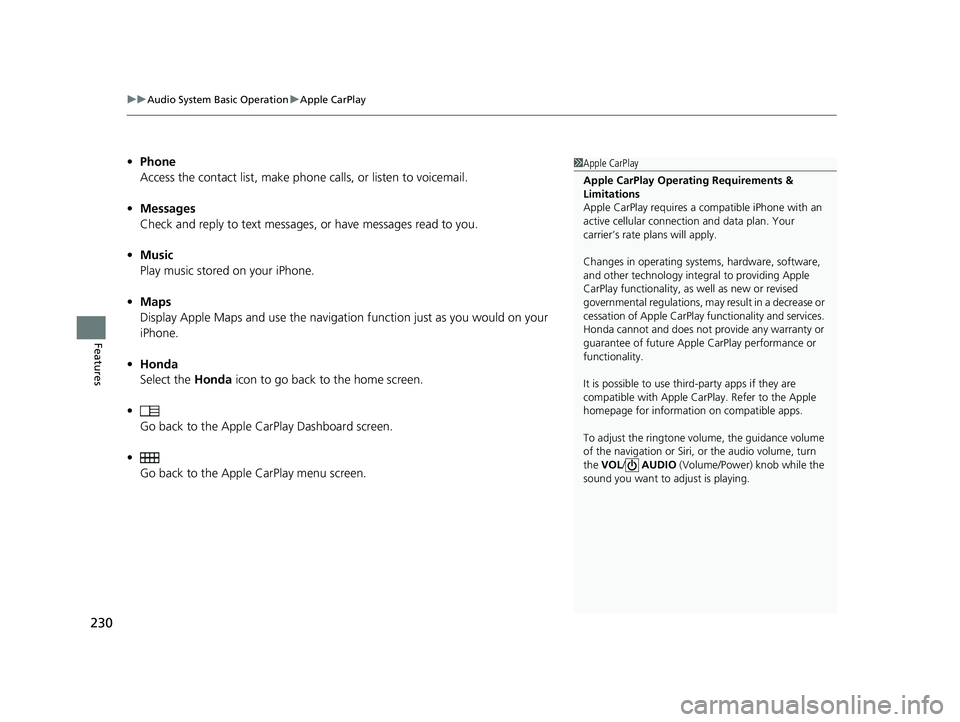
• Phone
Access the contact list, make phone calls, or listen to voicemail.
• Messages
Check and reply to text messages, or have messages read to you.
• Music
Play music stored on your iPhone.
• Maps
Display Apple Maps and use the navigation function just as you would on your
iPhone.
• Honda
Select the Honda icon to go back to the home screen.
• Go back to the Apple CarPlay Dashboard screen.
• Go back to the Apple CarPlay menu screen.1Apple CarPlay
Apple CarPlay Operating Requirements &
Limitations
Apple CarPlay requi res a compatible iPhone with an
active cellular connecti on and data plan. Your
carrier’s rate plans will apply.
Changes in operating systems, hardware, software,
and other technology integral to providing Apple
CarPlay functionality, as well as new or revised
governmental regulations, may result in a decrease or
cessation of Apple CarPlay functionality and services.
Honda cannot and does not pr ovide any warranty or
guarantee of future Appl e CarPlay performance or
functionality.
It is possible to use thir d-party apps if they are
compatible with Apple CarPlay. Refer to the Apple
homepage for information on compatible apps.
To adjust the ringtone volume, the guidance volume
of the navigation or Siri, or the audio volume, turn
the VOL / AUDIO (Volume/Power) knob while the
sound you want to adjust is playing.
23 ACCORD 4D US PET MAP-3130A6000_01.book 230 ページ 2022年10月19日 水曜日 午前11時49分
Page 233 of 533
Continued231
uuAudio System Basic Operation uApple CarPlay
Features
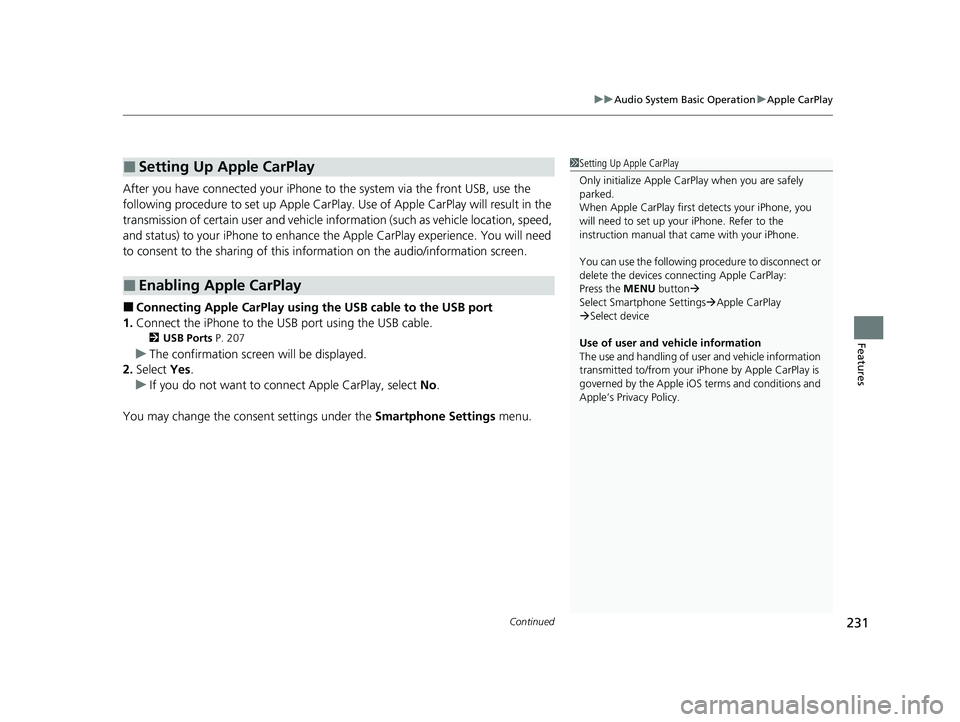
After you have connected your iPhone to the system via the front USB, use the
following procedure to set up Apple CarPlay. Use of Apple CarPlay will result in the
transmission of certain user and vehicle information (such as vehicle location, speed,
and status) to your iPhone to enhance the Apple CarPlay experience. You will need
to consent to the sharing of this in formation on the audio/information screen.
■Connecting Apple CarPlay using the USB cable to the USB port
1. Connect the iPhone to the USB port using the USB cable.
2 USB Ports P. 207
uThe confirmation screen will be displayed.
2. Select Yes.
u If you do not want to connect Apple CarPlay, select No.
You may change the consent settings under the Smartphone Settings menu.
■Setting Up Apple CarPlay
■Enabling Apple CarPlay
1Setting Up Apple CarPlay
Only initialize Apple CarPlay when you are safely
parked.
When Apple CarPlay first detects your iPhone, you
will need to set up your iPhone. Refer to the
instruction manual that came with your iPhone.
You can use the following procedure to disconnect or
delete the devices conn ecting Apple CarPlay:
Press the MENU button
Select Smartphone Settings Apple CarPlay
Select device
Use of user and vehicle information
The use and handling of user and vehicle information
transmitted to/from your iP hone by Apple CarPlay is
governed by the Apple iOS terms and conditions and
Apple’s Privacy Policy.
23 ACCORD 4D US PET MAP-3130A6000_01.book 231 ページ 2022年10月19日 水曜日 午前11時49分
Page 235 of 533
233
uuAudio System Basic Operation uAndroid AutoTM
Continued
Features
Android AutoTM
When you connect an Android phone to the audio system via the USB port, Android
Auto is automatically initiated. When connected via Android Auto, you can use the
audio/information screen to access the Phone, Google Maps (Navigation), and
Google Now functions. When you first use Android Auto, a tutorial will appear on
the screen.
We recommend that you complete this tuto rial while safely parked before using
Android Auto.
2 USB Ports P. 207
2 Auto Pairing Connection P. 235
1Android AutoTM
We recommend that you upda te Android OS to the
latest version when using Android Auto.
Bluetooth A2DP cannot be used while your phone is
connected to Android Auto.
To use Android Auto on a smartphone with Android
9.0 (Pie) or earl ier, you need to download the
Android Auto app from Google Play to your
smartphone.
Park in a safe place befo re connecting your Android
phone to Android Auto and when launching any
compatible apps.
To use Android Auto, connect the USB cable to the
USB port. 2 USB Ports P. 207
When your Android phone is connected to Android
Auto, it is not possible to use the Bluetooth® Audio.
2 Phone Setup P. 270
Apple CarPlay and Android Auto cannot run at the
same time.
Android Auto is a trademark of Google LLC.
23 ACCORD 4D US PET MAP-3130A6000_01.book 233 ページ 2022年10月19日 水曜日 午前11時49分
Page 236 of 533
uuAudio System Basic Operation uAndroid AutoTM
234
Features
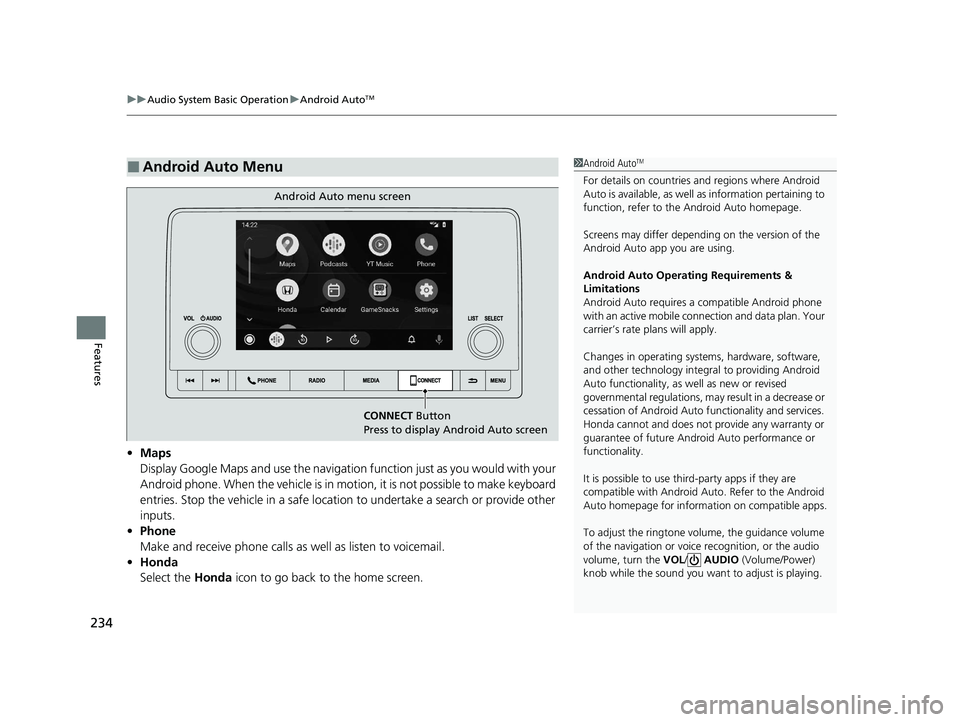
• Maps
Display Google Maps and use the navigation function just as you would with your
Android phone. When the vehicle is in motion, it is not possible to make keyboard
entries. Stop the vehicle in a safe location to undertake a search or provide other
inputs.
• Phone
Make and receive phone calls as well as listen to voicemail.
• Honda
Select the Honda icon to go back to the home screen.
■Android Auto Menu1Android AutoTM
For details on c ountries and regions where Android
Auto is available, as well as information pertaining to
function, refer to the Android Auto homepage.
Screens may differ depending on the version of the
Android Auto app you are using.
Android Auto Operating Requirements &
Limitations
Android Auto requires a compatible Android phone
with an active mobile connection and data plan. Your
carrier’s rate plans will apply.
Changes in operating systems, hardware, software,
and other technology integral to providing Android
Auto functionality, as well as new or revised
governmental regulations, may result in a decrease or
cessation of Android Auto functionality and services.
Honda cannot and does not pr ovide any warranty or
guarantee of future Android Auto performance or
functionality.
It is possible to use thir d-party apps if they are
compatible with Android Auto. Refer to the Android
Auto homepage for informat ion on compatible apps.
To adjust the ringtone volume, the guidance volume
of the navigation or voice recognition, or the audio
volume, turn the VOL / AUDIO (Volume/Power)
knob while the sound you want to adjust is playing.
CONNECT Button
Press to display Android Auto screen
Android Auto menu screen
23 ACCORD 4D US PET MAP-3130A6000_01.book 234 ページ 2022年10月19日 水曜日 午前11時49分