phone HONDA ACCORD 2023 Service Manual
[x] Cancel search | Manufacturer: HONDA, Model Year: 2023, Model line: ACCORD, Model: HONDA ACCORD 2023Pages: 533, PDF Size: 20.09 MB
Page 278 of 533
276
uuBluetooth ® HandsFreeLink ®u HFL Menus
Features
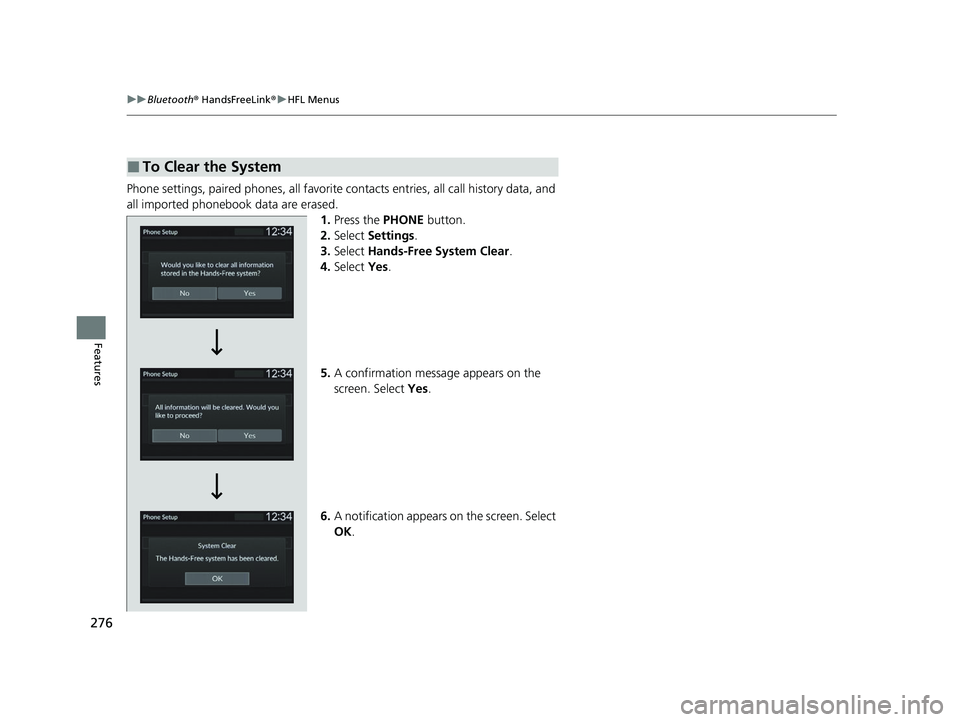
Phone settings, paired phones, all favorite co ntacts entries, all call history data, and
all imported phonebook data are erased. 1.Press the PHONE button.
2. Select Settings .
3. Select Hands-Free System Clear .
4. Select Yes.
5. A confirmation message appears on the
screen. Select Yes.
6. A notification appears on the screen. Select
OK .
■To Clear the System
23 ACCORD 4D US PET MAP-3130A6000_01.book 276 ページ 2022年10月19日 水曜日 午前11時49分
Page 279 of 533
Continued277
uuBluetooth ® HandsFreeLink ®u HFL Menus
Features
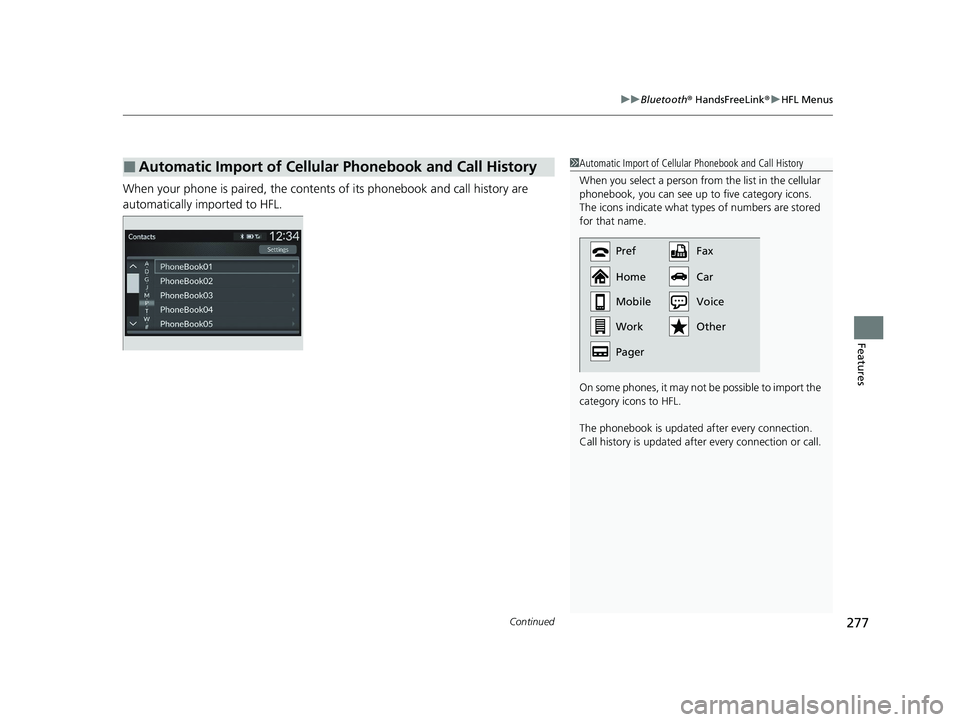
When your phone is paired, the contents of its phonebook and call history are
automatically imported to HFL.
■Automatic Import of Cellular Phonebook and Call History1Automatic Import of Cellular Phonebook and Call History
When you select a person from the list in the cellular
phonebook, you can see up to five category icons.
The icons indicate what types of numbers are stored
for that name.
On some phones, it may no t be possible to import the
category icons to HFL.
The phonebook is updated af ter every connection.
Call history is updated after every connection or call.
Pref
Home
Mobile
Pager WorkFax
Car
Other Voice
23 ACCORD 4D US PET MAP-3130A6000_01.book 277 ページ 2022年10月19日 水曜日 午前11時49分
Page 280 of 533
278
uuBluetooth ® HandsFreeLink ®u HFL Menus
Features
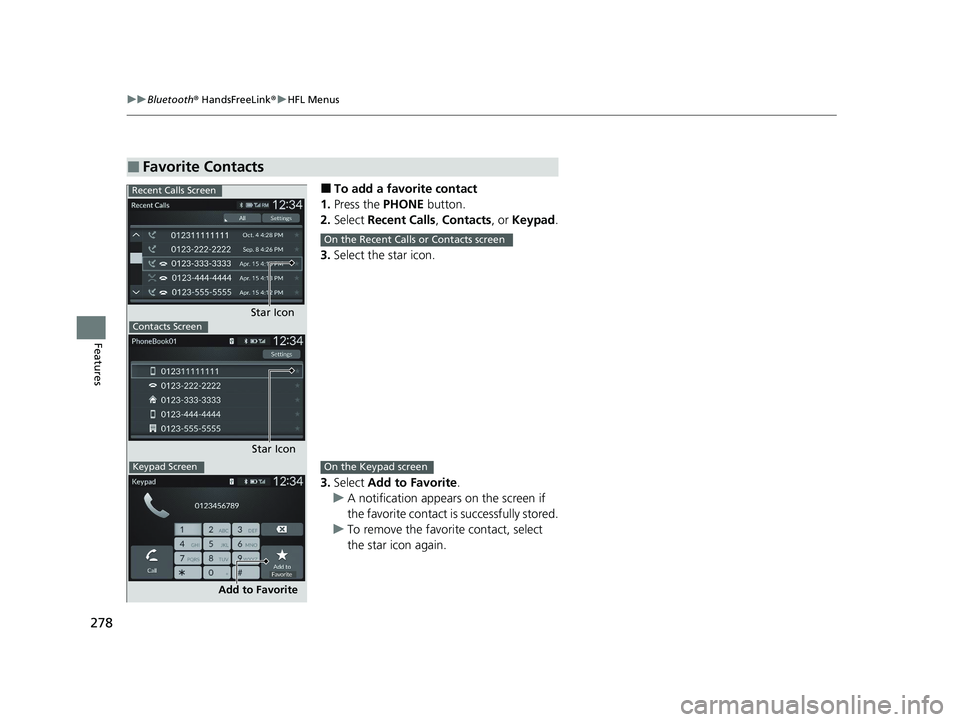
■To add a favorite contact
1. Press the PHONE button.
2. Select Recent Calls , Contacts , or Keypad .
3. Select the star icon.
3. Select Add to Favorite .
u A notification appears on the screen if
the favorite contact is successfully stored.
u To remove the favorite contact, select
the star icon again.
■Favorite Contacts
Recent Calls Screen
Star IconContacts Screen
Star Icon
Keypad Screen
Add to Favorite
On the Recent Calls or Contacts screen
On the Keypad screen
23 ACCORD 4D US PET MAP-3130A6000_01.book 278 ページ 2022年10月19日 水曜日 午前11時49分
Page 281 of 533
279
uuBluetooth ® HandsFreeLink ®u HFL Menus
Continued
Features
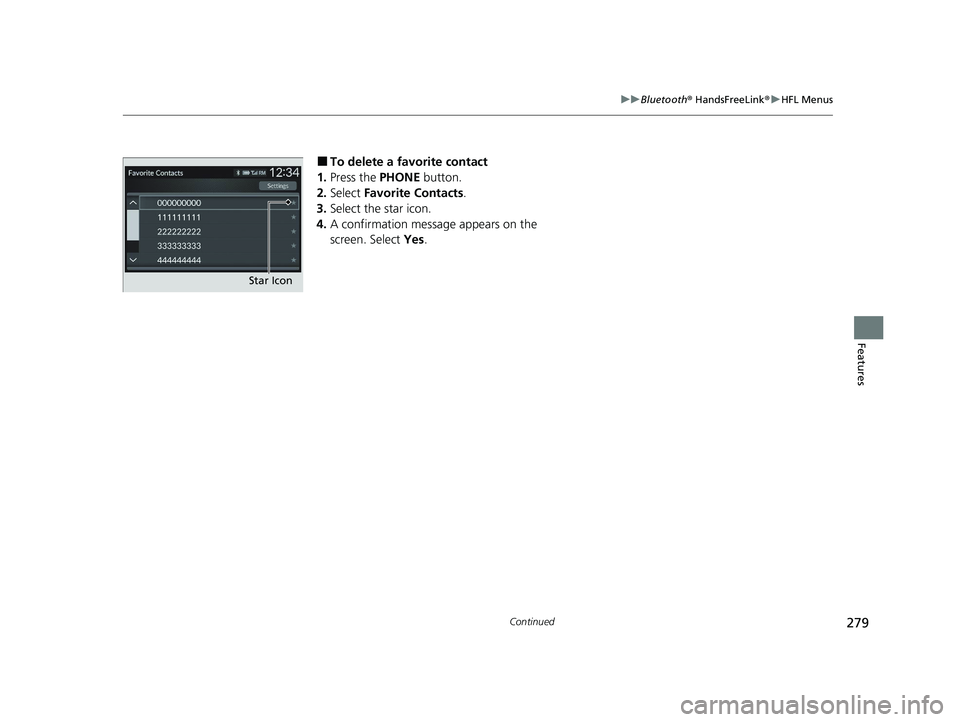
■To delete a favorite contact
1. Press the PHONE button.
2. Select Favorite Contacts .
3. Select the star icon.
4. A confirmation message appears on the
screen. Select Yes.
Star Icon
23 ACCORD 4D US PET MAP-3130A6000_01.book 279 ページ 2022年10月19日 水曜日 午前11時49分
Page 282 of 533
uuBluetooth ® HandsFreeLink ®u HFL Menus
280
Features
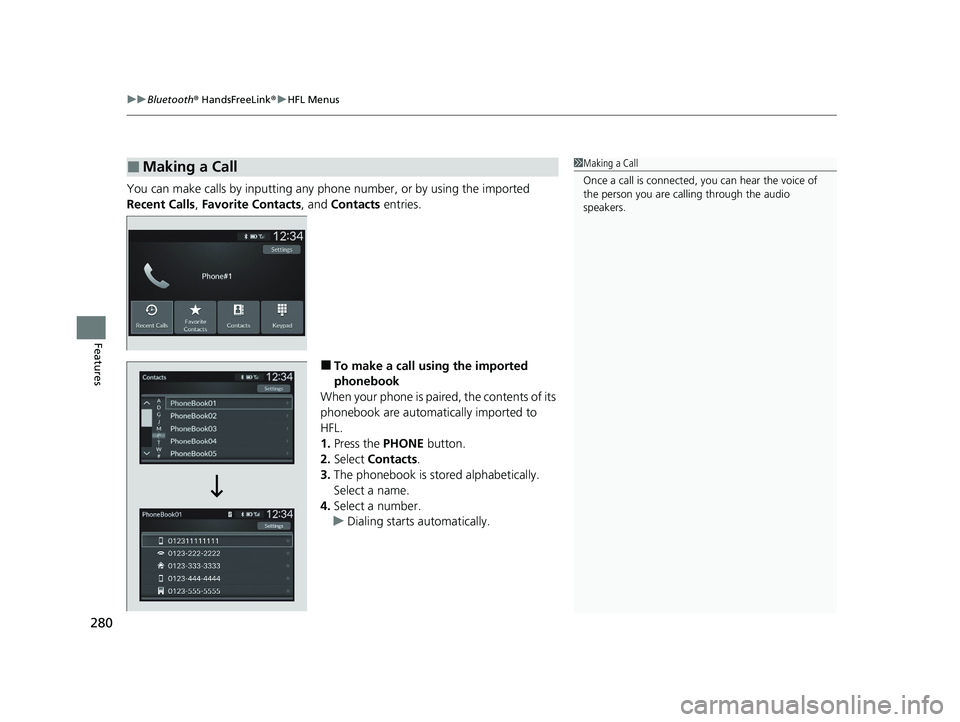
You can make calls by inpu tting any phone number, or by using the imported
Recent Calls , Favorite Contacts , and Contacts entries.
■To make a call using the imported
phonebook
When your phone is paired, the contents of its
phonebook are automatically imported to
HFL.
1. Press the PHONE button.
2. Select Contacts .
3. The phonebook is stored alphabetically.
Select a name.
4. Select a number.
u Dialing starts automatically.
■Making a Call1Making a Call
Once a call is connected, you can hear the voice of
the person you are call ing through the audio
speakers.
23 ACCORD 4D US PET MAP-3130A6000_01.book 280 ページ 2022年10月19日 水曜日 午前11時49分
Page 283 of 533
Continued281
uuBluetooth ® HandsFreeLink ®u HFL Menus
Features
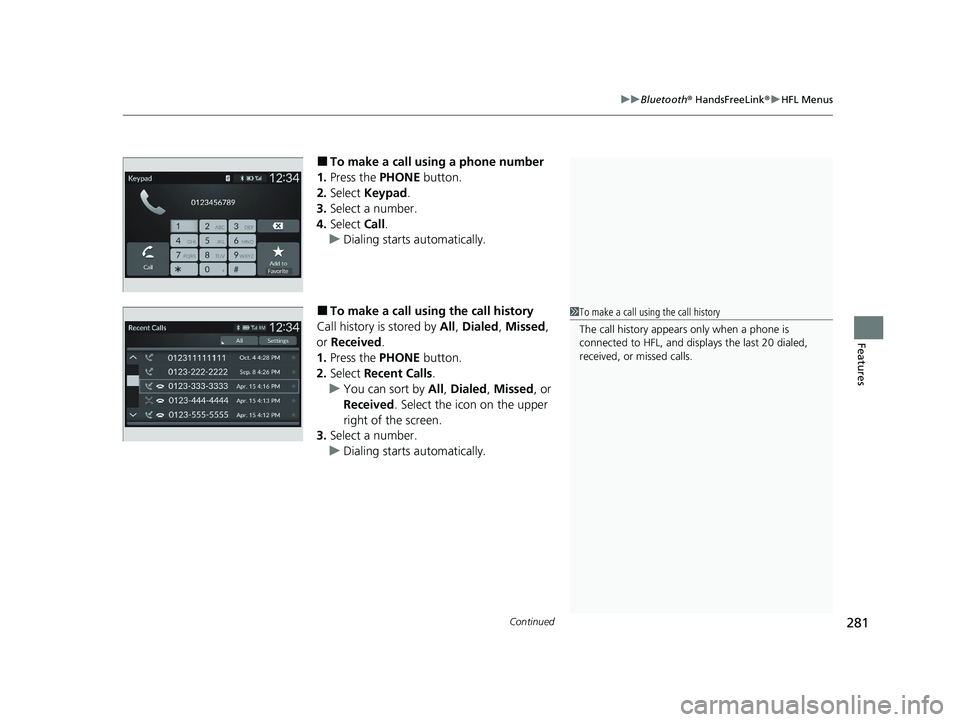
■To make a call using a phone number
1. Press the PHONE button.
2. Select Keypad .
3. Select a number.
4. Select Call.
u Dialing starts automatically.
■To make a call using the call history
Call history is stored by All, Dialed , Missed ,
or Received .
1. Press the PHONE button.
2. Select Recent Calls .
u You can sort by All, Dialed , Missed , or
Received . Select the icon on the upper
right of the screen.
3. Select a number.
u Dialing starts automatically.1To make a call using the call history
The call history appears only when a phone is
connected to HFL, and disp lays the last 20 dialed,
received, or missed calls.
23 ACCORD 4D US PET MAP-3130A6000_01.book 281 ページ 2022年10月19日 水曜日 午前11時49分
Page 284 of 533
282
uuBluetooth ® HandsFreeLink ®u HFL Menus
Features
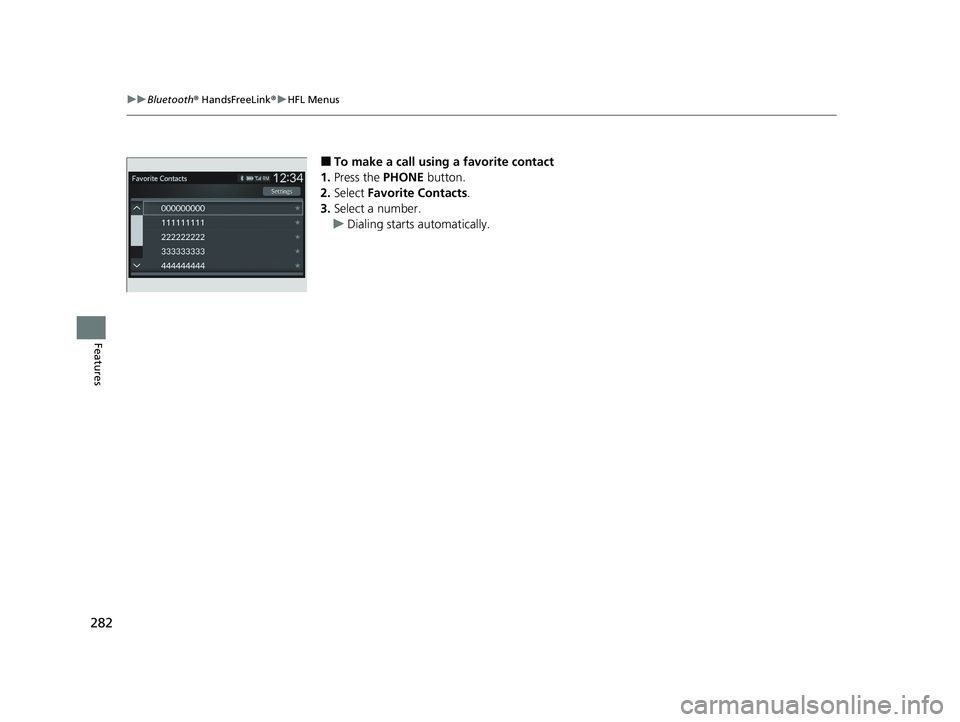
■To make a call using a favorite contact
1. Press the PHONE button.
2. Select Favorite Contacts .
3. Select a number.
u Dialing starts automatically.
23 ACCORD 4D US PET MAP-3130A6000_01.book 282 ページ 2022年10月19日 水曜日 午前11時49分
Page 286 of 533
uuBluetooth ® HandsFreeLink ®u HFL Menus
284
Features
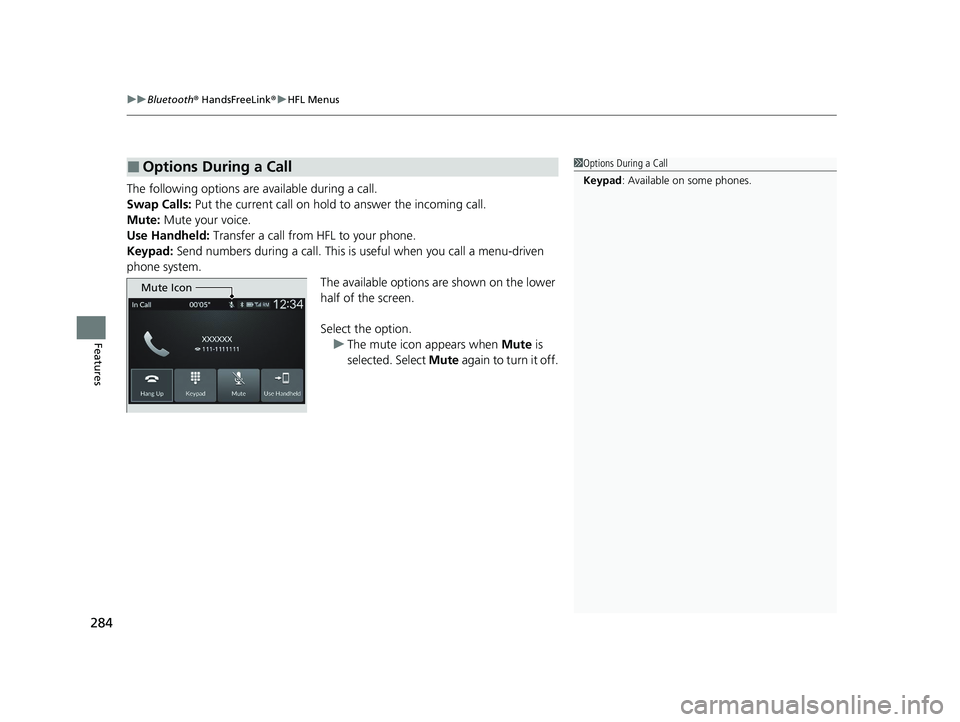
The following options are available during a call.
Swap Calls: Put the current call on hold to answer the incoming call.
Mute: Mute your voice.
Use Handheld: Transfer a call from HFL to your phone.
Keypad: Send numbers during a call. This is useful when you call a menu-driven
phone system. The available options are shown on the lower
half of the screen.
Select the option. u The mute icon appears when Mute is
selected. Select Mute again to turn it off.
■Options During a Call1Options During a Call
Keypad : Available on some phones.
Mute Icon
23 ACCORD 4D US PET MAP-3130A6000_01.book 284 ページ 2022年10月19日 水曜日 午前11時49分
Page 288 of 533
uuEmergency Call (eCall) uAutomatic emergency call
286
Features
If the eCall system is working properly, the indicator will light up in green.
• Green: eCall system is ready.
• Blinking in green: eCall system is conne cted and making an eCall to a PSAP
operator.
• Repeating a pattern of short flashes of the red light: The eCall system has failed
to connect to an operator. The eCall indica tor will continue this pattern for five
seconds, then it will light up in green.
If the 911-based eCall system is disabled in the event of a critical system failure, the
following warning will be given to the occupants of the vehicle:
• Red or blacked out: A problem with the eCa ll system has occurred. If the indicator
stays red or blacked out even after you have restarted the vehicle, have the system
check by a dealer.1 Emergency Call (eCall)
Your vehicle may NOT be ab le to connect to a PSAP
operator if:
•The 12V batter y is too low.
•Your vehicle is in an area without adequate cellular
coverage.
•There is a problem with the eCall system itself or its
peripheral equipment such as the microphone or
speakers.
23 ACCORD 4D US PET MAP-3130A6000_01.book 286 ページ 2022年10月19日 水曜日 午前11時49分
Page 289 of 533
287
uuEmergency Call (eCall) uManual emergency call
Features
Manual emergency call
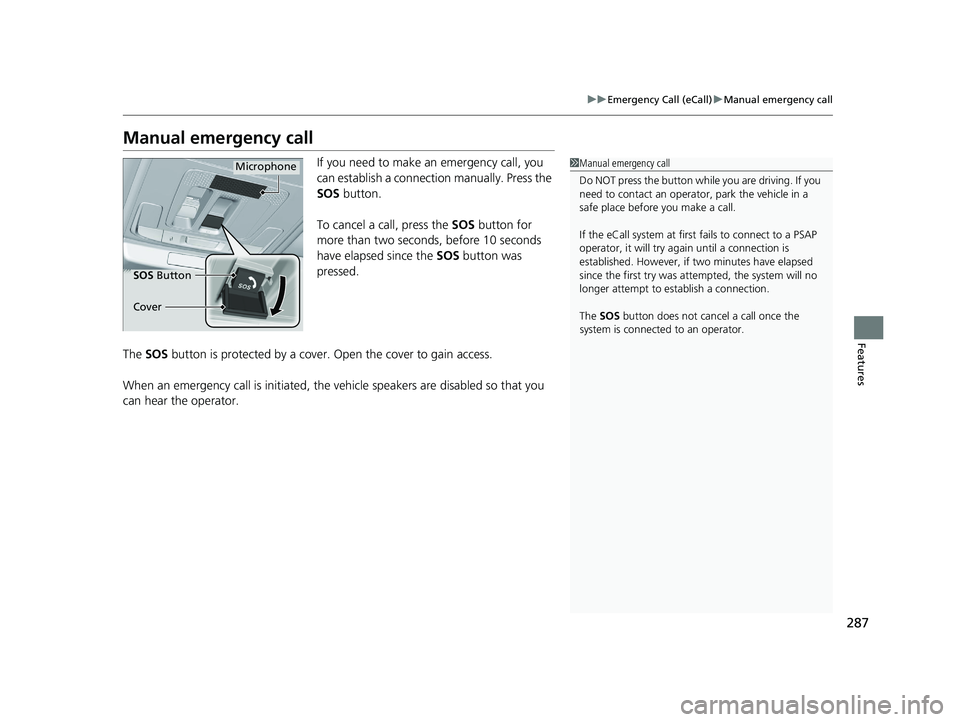
If you need to make an emergency call, you
can establish a connection manually. Press the
SOS button.
To cancel a call, press the SOS button for
more than two seconds, before 10 seconds
have elapsed since the SOS button was
pressed.
The SOS button is protected by a cover. Open the cover to gain access.
When an emergency call is initiated, the vehicle speakers are disabled so that you
can hear the operator.1 Manual emergency call
Do NOT press the button while you are driving. If you
need to contact an operator, park the vehicle in a
safe place before you make a call.
If the eCall system at first fails to connect to a PSAP
operator, it will try again until a connection is
established. However, if two minutes have elapsed
since the first try was attempted, the system will no
longer attempt to establish a connection.
The SOS button does not canc el a call once the
system is connected to an operator.Microphone
SOS Button
Cover
23 ACCORD 4D US PET MAP-3130A6000_01.book 287 ページ 2022年10月19日 水曜日 午前11時49分