flat tire HONDA ACCORD HYBRID 2014 9.G Owners Manual
[x] Cancel search | Manufacturer: HONDA, Model Year: 2014, Model line: ACCORD HYBRID, Model: HONDA ACCORD HYBRID 2014 9.GPages: 561, PDF Size: 20.3 MB
Page 1 of 561
Contents
This owner’s manual should be considered a permanent part of the
vehicle and should remain with the vehicle when it is sold.
This owner’s manual covers all models of your vehicle. You may find
descriptions of equipment and features that are not on your
particular model.
Images throughout this owner’s manual (including the front cover)
represent features and equipment that are available on some, but
not all, models. Your particular model may not have some of these features.
This owner’s manual is for vehicles sold in the United States and Canada.
The information and specifications included in this publication were
in effect at the time of approval for printing. Honda Motor Co., Ltd.
reserves the right, however, to discontinue or change specifications
or design at any time without notice and without incurring any
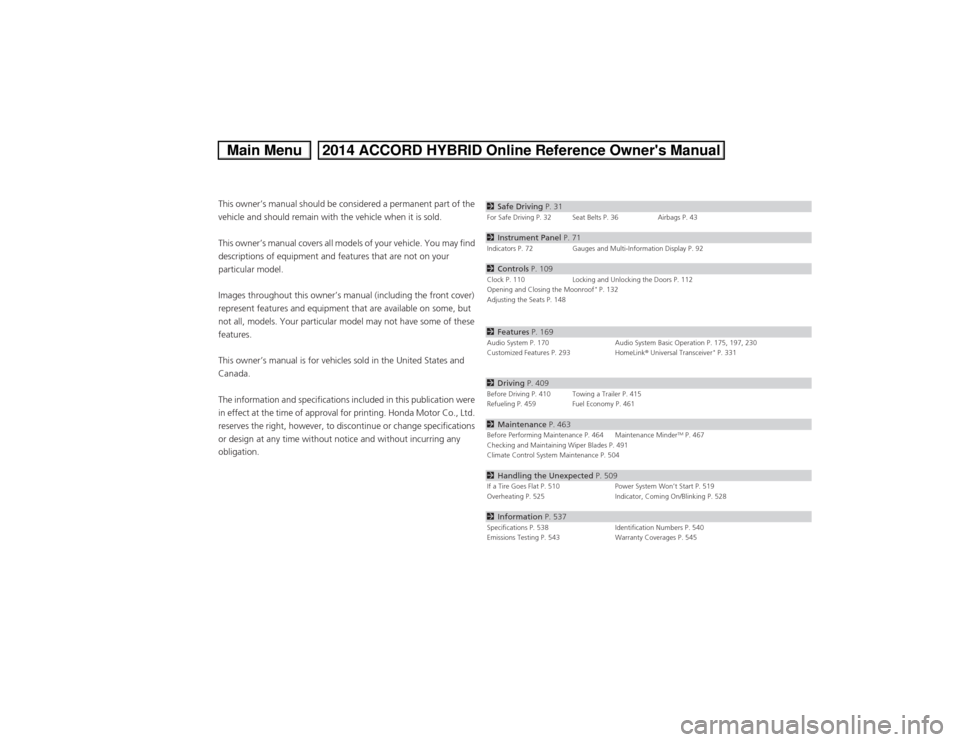
obligation.2 Safe Driving P. 31For Safe Driving P. 32 Seat Belts P. 36 Airbags P. 43
2Instrument Panel P. 71Indicators P. 72 Gauges and Multi-Information Display P. 92
2Controls P. 109Clock P. 110 Locking and Unlocking the Doors P. 112
Opening and Closing the Moonroof *
P. 132
Adjusting the Seats P. 148
2 Features P. 169Audio System P. 170 Audio System Basic Operation P. 175, 197, 230
Customized Features P. 293 HomeLink ® Universal Transceiver *
P. 331
2 Driving P. 409Before Driving P. 410 Towing a Trailer P. 415
Refueling P. 459 Fuel Economy P. 461
2Maintenance P. 463Before Performing Maintenance P. 464 Maintenance Minder TM
P. 467
Checking and Maintaining Wiper Blades P. 491
Climate Control System Maintenance P. 504
2 Handling the Unexpected P. 509If a Tire Goes Flat P. 510 Power System Won’t Start P. 519
Overheating P. 525 Indicator, Coming On/Blinking P. 528
2Information P. 537Specifications P. 538 Identification Numbers P. 540
Emissions Testing P. 543 Warranty Coverages P. 545
Main Menu2014 ACCORD HYBRID Online Reference Owner's Manual
Page 27 of 561
26
Quick Reference Guide
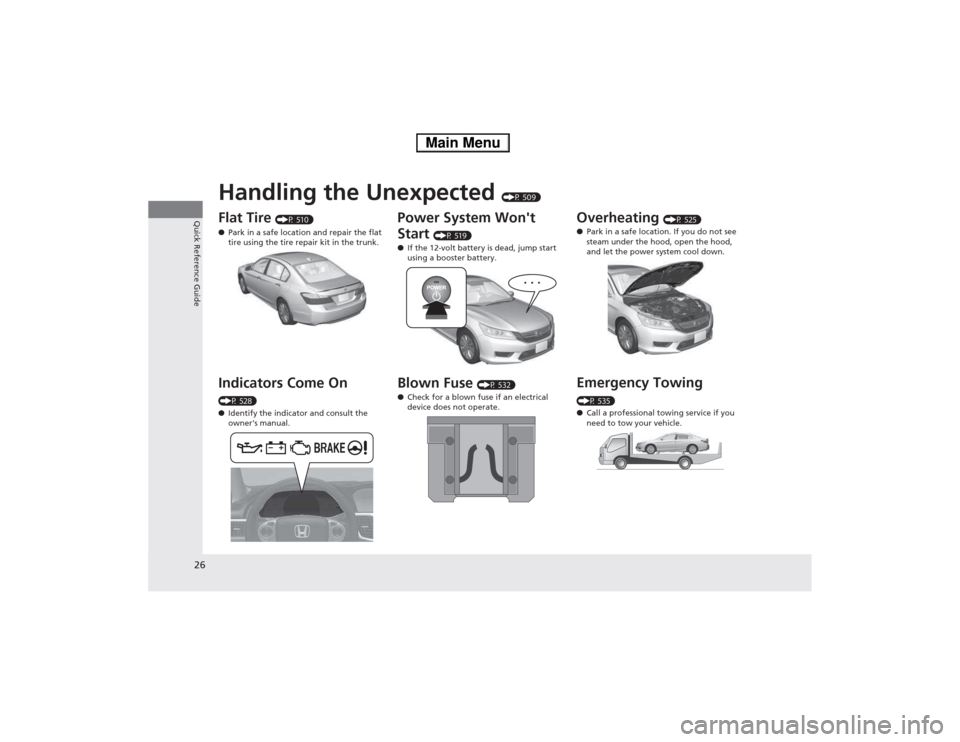
Handling the Unexpected (P 509)
Flat Tire (P 510)
● Park in a safe location and repair the flat
tire using the tire repair kit in the trunk.
Indicators Come On
(P 528) ● Identify the indicator and consult the
owner's manual.
Power System Won't Start (P 519)
● If the 12-volt battery is dead, jump start
using a booster battery.
Blown Fuse (P 532)
● Check for a blown fuse if an electrical
device does not operate.Overheating (P 525)
● Park in a safe location. If you do not see
steam under the hood, open the hood,
and let the power system cool down.
Emergency Towing
(P 535) ● Call a professional towing service if you
need to tow your vehicle.
Main Menu
Page 79 of 561
78
uuIndicatorsu
Instrument Panel
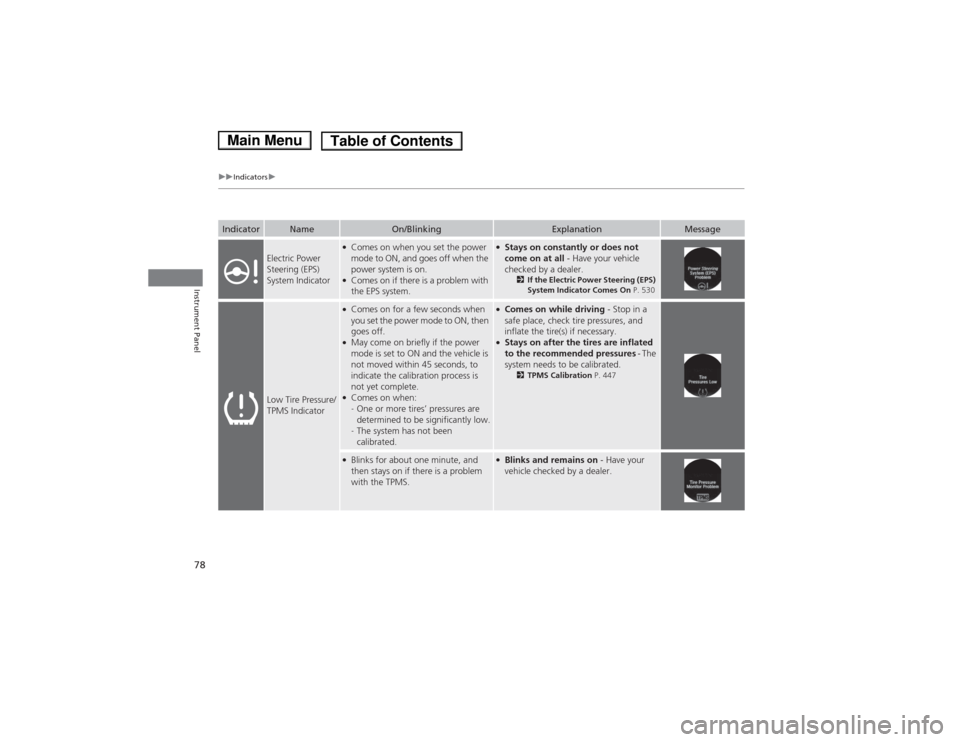
IndicatorNameOn/BlinkingExplanationMessage
Electric Power
Steering (EPS)
System Indicator
●Comes on when you set the power
mode to ON, and goes off when the
power system is on.
● Comes on if there is a problem with
the EPS system.●Stays on constantly or does not
come on at all - Have your vehicle
checked by a dealer. 2If the Electric Power Steering (EPS)
System Indicator Comes On P. 530
Low Tire Pressure/
TPMS Indicator
●
Comes on for a few seconds when
you set the power mode to ON, then
goes off.
● May come on briefly if the power
mode is set to ON and the vehicle is
not moved within 45 seconds, to
indicate the calibration process is
not yet complete.
● Comes on when: -One or more tires’ pressures are
determined to be significantly low.
- The system has not been
calibrated.●
Comes on while driving - Stop in a
safe place, check tire pressures, and
inflate the tire(s) if necessary.
● Stays on after the tires are inflated
to the recommended pressures - The
system needs to be calibrated. 2TPMS Calibration P. 447
●
Blinks for about one minute, and
then stays on if there is a problem
with the TPMS.●Blinks and remains on - Have your
vehicle checked by a dealer.
Main MenuTable of Contents
Page 163 of 561
uuInterior Lights/Interior Convenience ItemsuInterior Convenience Items
162
Controls
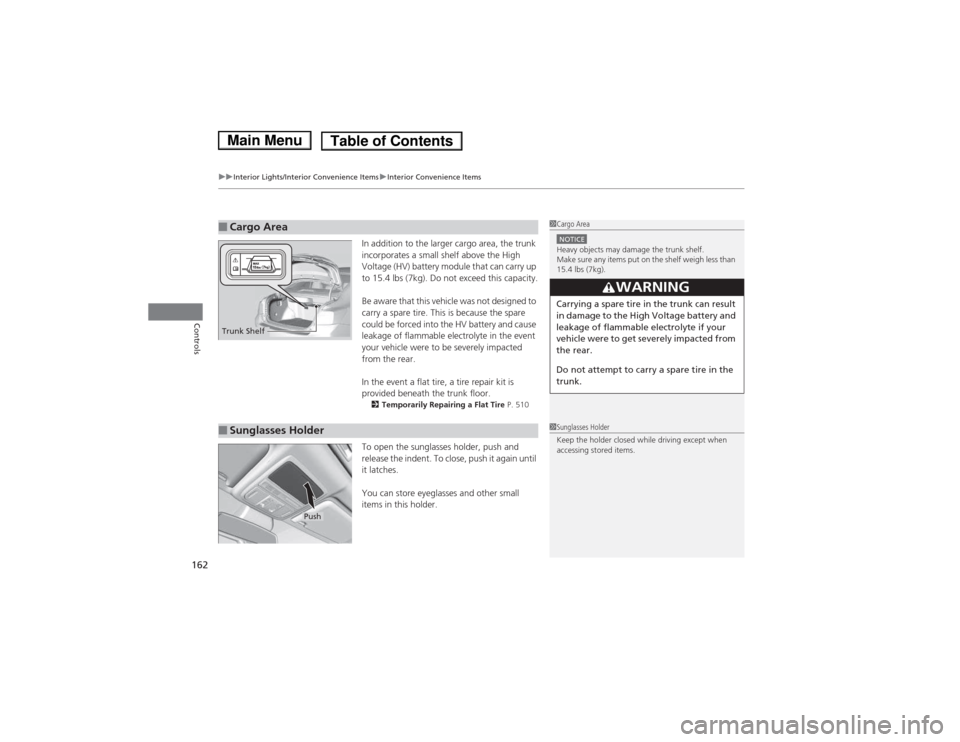
In addition to the larger cargo area, the trunk
incorporates a small shelf above the High
Voltage (HV) battery module that can carry up
to 15.4 lbs (7kg). Do not exceed this capacity.
Be aware that this vehicle was not designed to
carry a spare tire. This is because the spare
could be forced into the HV battery and cause
leakage of flammable electrolyte in the event
your vehicle were to be severely impacted
from the rear.
In the event a flat tire, a tire repair kit is
provided beneath the trunk floor. 2 Temporarily Repairing a Flat Tire P. 510
To open the sunglasses holder, push and
release the indent. To close, push it again until
it latches.
You can store eyeglasses and other small
items in this holder.
■Cargo Area1Cargo Area
NOTICEHeavy objects may damage the trunk shelf.
Make sure any items put on the shelf weigh less than
15.4 lbs (7kg).
3WARNING
Carrying a spare tire in the trunk can result
in damage to the High Voltage battery and
leakage of flammable electrolyte if your
vehicle were to get severely impacted from
the rear.
Do not attempt to carry a spare tire in the
trunk.
Trunk Shelf
■Sunglasses Holder1Sunglasses Holder
Keep the holder closed while driving except when
accessing stored items.
Push
Main MenuTable of Contents
Page 438 of 561
Continued437
uuWhen DrivinguForward Collision Warning (FCW)*
Driving
■
Automatic shutoff
FCW may automatically shut itself off and the FCW indicator comes and stays on when:
• The temperature inside the system is high.
• The windshield is blocked by di rt, mud, leaves, wet snow, etc.
• You drive off-road or on a mountain road, or curved and winding road for an
extended period.
• You drive in bad weather (rain, fog, snow, etc.).
• The radar sensor cover is blocked by dirt, mud, leaves, wet snow, etc.
• An abnormal tire condition is detec ted (wrong tire size, flat tire, etc.).
Once the conditions that caused FCW to shut off improve or are addressed (e.g.,
cleaning), the system comes back on.
1Automatic shutoff
To help reduce the likelihood that high interior
temperatures will cause the camera system to shut
off, when parking, find a shady area or face the front
of the vehicle away from the sun. If you use a
reflective sun shade, do not allow it to cover the
camera housing. Covering the camera can
concentrate heat on the camera.
If the Camera Too Hot message appears:
• Use the climate control system to cool down the
interior and, if necessary, the defroster mode when
windows are fogged.
• Start driving the vehicle to lower the windshield
temperature, which cools down the area around
the FCW system.
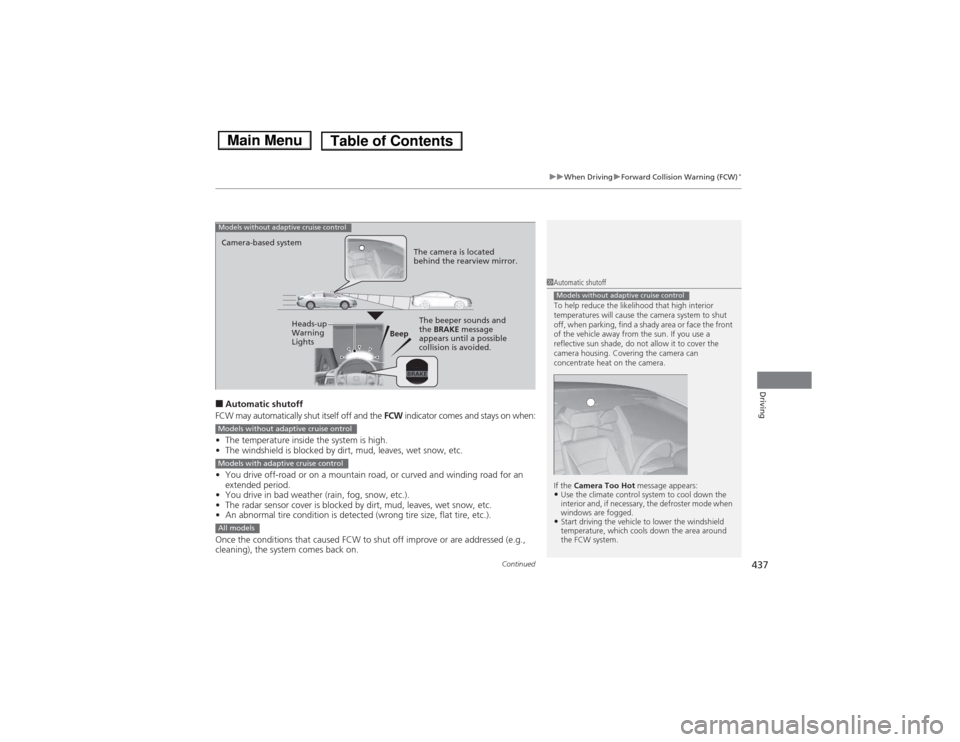
Models without adaptive cruise control
Beep
Camera-based system
Models without adaptive cruise control
The camera is located
behind the rearview mirror.
The beeper sounds and
the
BRAKE message
appears until a possible
collision is avoided.Heads-up
Warning
Lights
Models without adaptive cruise ontrol
Models with adaptive cruise control
All models
Main MenuTable of Contents
Page 439 of 561
438
uuWhen DrivinguForward Collision Warning (FCW)*
Driving
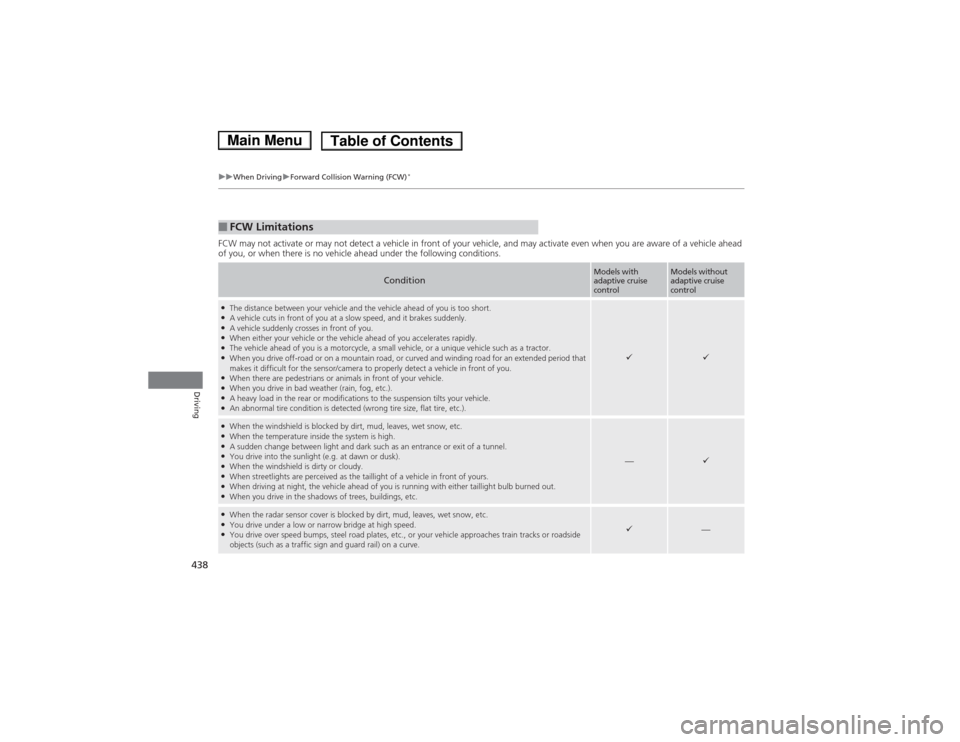
FCW may not activate or may not detect a vehicle in front of your vehicle, and may activate even when you are aware of a vehicl
e ahead
of you, or when there is no vehicle ahead under the following conditions.
■FCW Limitations
ConditionModels with adaptive cruise
controlModels without adaptive cruise
control
● The distance between your vehicle and the vehicle ahead of you is too short.
● A vehicle cuts in front of you at a slow speed, and it brakes suddenly.
● A vehicle suddenly crosses in front of you.
● When either your vehicle or the vehicle ahead of you accelerates rapidly.
● The vehicle ahead of you is a motorcycle, a small vehicle, or a unique vehicle such as a tractor.
● When you drive off-road or on a mountain road, or curved and winding road for an extended period that
makes it difficult for the sensor/camera to properly detect a vehicle in front of you.
● When there are pedestrians or animals in front of your vehicle.
● When you drive in bad weather (rain, fog, etc.).
● A heavy load in the rear or modifications to the suspension tilts your vehicle.
● An abnormal tire condition is detected (wrong tire size, flat tire, etc.).
●
When the windshield is blocked by dirt, mud, leaves, wet snow, etc.
● When the temperature inside the system is high.
● A sudden change between light and dark such as an entrance or exit of a tunnel.
● You drive into the sunlight (e.g. at dawn or dusk).
● When the windshield is dirty or cloudy.
● When streetlights are perceived as the taillight of a vehicle in front of yours.
● When driving at night, the vehicle ahead of you is running with either taillight bulb burned out.
● When you drive in the shadows of trees, buildings, etc.
—
●When the radar sensor cover is blocked by dirt, mud, leaves, wet snow, etc.
● You drive under a low or narrow bridge at high speed.
● You drive over speed bumps, steel road plates, etc., or your vehicle approaches train tracks or roadside
objects (such as a traffic sign and guard rail) on a curve.
—
Main MenuTable of Contents
Page 443 of 561
442
uuWhen DrivinguLane Departure Warning (LDW)*
Driving
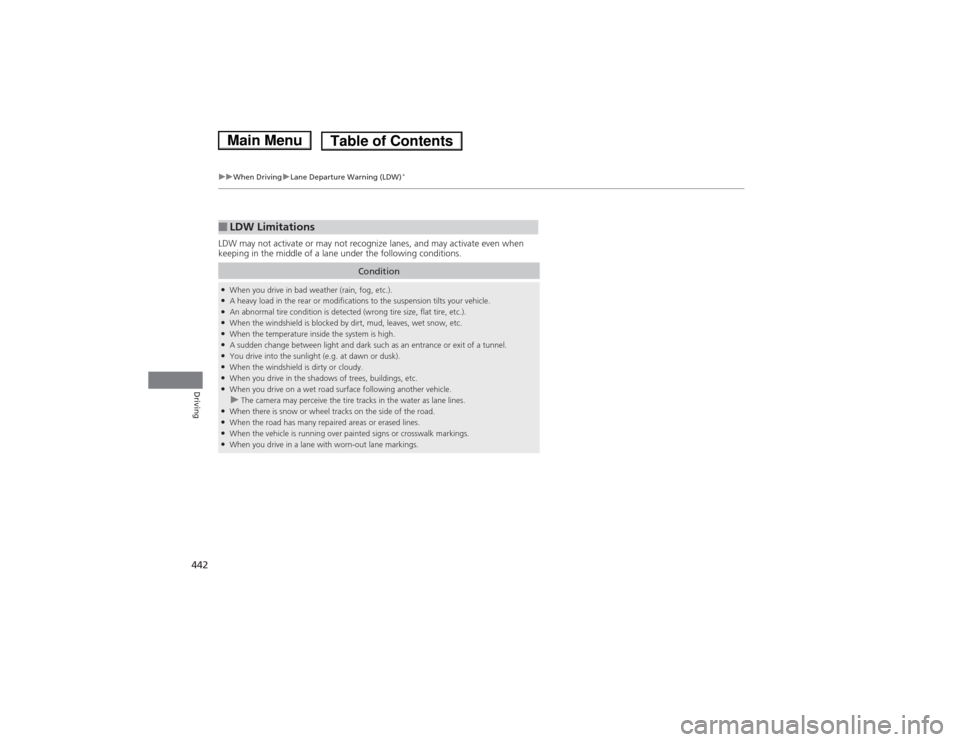
LDW may not activate or may not recognize lanes, and may activate even when
keeping in the middle of a lane under the following conditions.
■LDW Limitations
Condition
●
When you drive in bad weather (rain, fog, etc.).
● A heavy load in the rear or modifications to the suspension tilts your vehicle.
● An abnormal tire condition is detected (wrong tire size, flat tire, etc.).
● When the windshield is blocked by dirt, mud, leaves, wet snow, etc.
● When the temperature inside the system is high.
● A sudden change between light and dark such as an entrance or exit of a tunnel.
● You drive into the sunlight (e.g. at dawn or dusk).
● When the windshield is dirty or cloudy.
● When you drive in the shadows of trees, buildings, etc.
● When you drive on a wet road surface following another vehicle.
uThe camera may perceive the tire tracks in the water as lane lines.
● When there is snow or wheel tracks on the side of the road.
● When the road has many repaired areas or erased lines.
● When the vehicle is running over painted signs or crosswalk markings.
● When you drive in a lane with worn-out lane markings.
Main MenuTable of Contents
Page 446 of 561
445
uuWhen DrivinguLaneWatchTM
Continued
Driving
LaneWatch TM
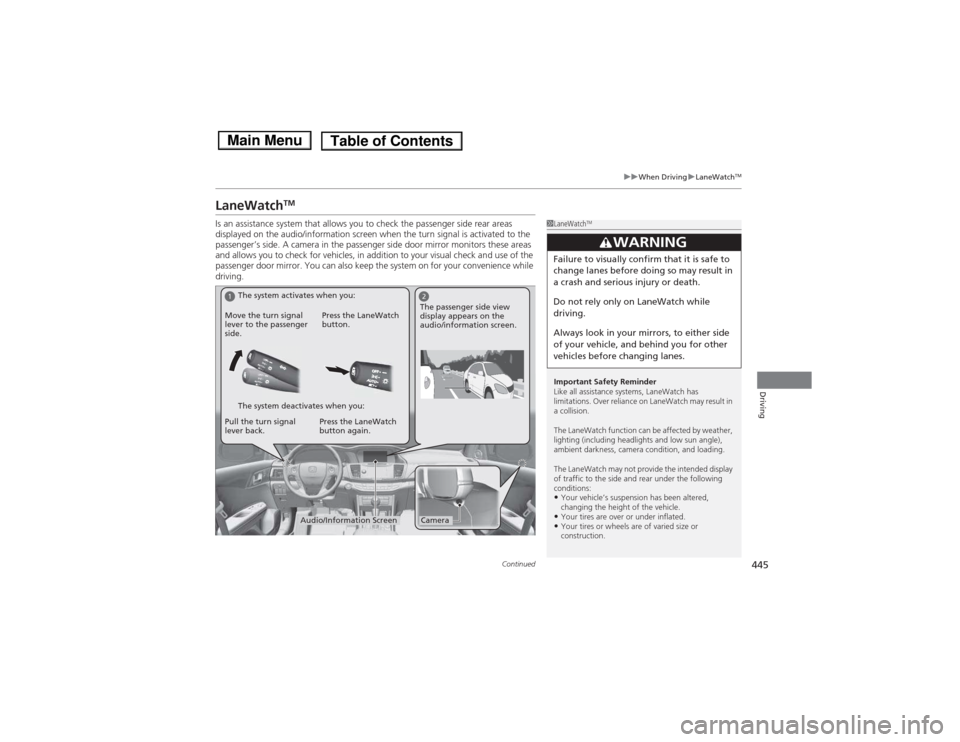
Is an assistance system that allows you to check the passenger side rear areas
displayed on the audio/information screen when the turn signal is activated to the
passenger’s side. A camera in the passenger side door mirror monitors these areas
and allows you to check for vehicles, in addition to your visual check and use of the
passenger door mirror. You can also keep the system on for your convenience while
driving.
1LaneWatch TM
Important Safety Reminder
Like all assistance systems, LaneWatch has
limitations. Over reliance on LaneWatch may result in a collision.
The LaneWatch function can be affected by weather,
lighting (including headlights and low sun angle),
ambient darkness, camera condition, and loading.
The LaneWatch may not provide the intended display
of traffic to the side and rear under the following
conditions: • Your vehicle’s suspension has been altered,
changing the height of the vehicle.
• Your tires are over or under inflated.
• Your tires or wheels are of varied size or
construction.
3WARNING
Failure to visually confirm that it is safe to
change lanes before doing so may result in
a crash and serious injury or death.
Do not rely only on LaneWatch while
driving.
Always look in your mirrors, to either side
of your vehicle, and behind you for other
vehicles before changing lanes.
12
CameraAudio/Information Screen
Move the turn signal
lever to the passenger
side.
Press the LaneWatch
button.
Pull the turn signal
lever back. Press the LaneWatch button again. The passenger side view
display appears on the
audio/information screen.
The system activates when you:
The system deactivates when you:
Main MenuTable of Contents
Page 448 of 561
447
uuWhen DrivinguTire Pressure Monitoring System (TPMS)
Continued
Driving
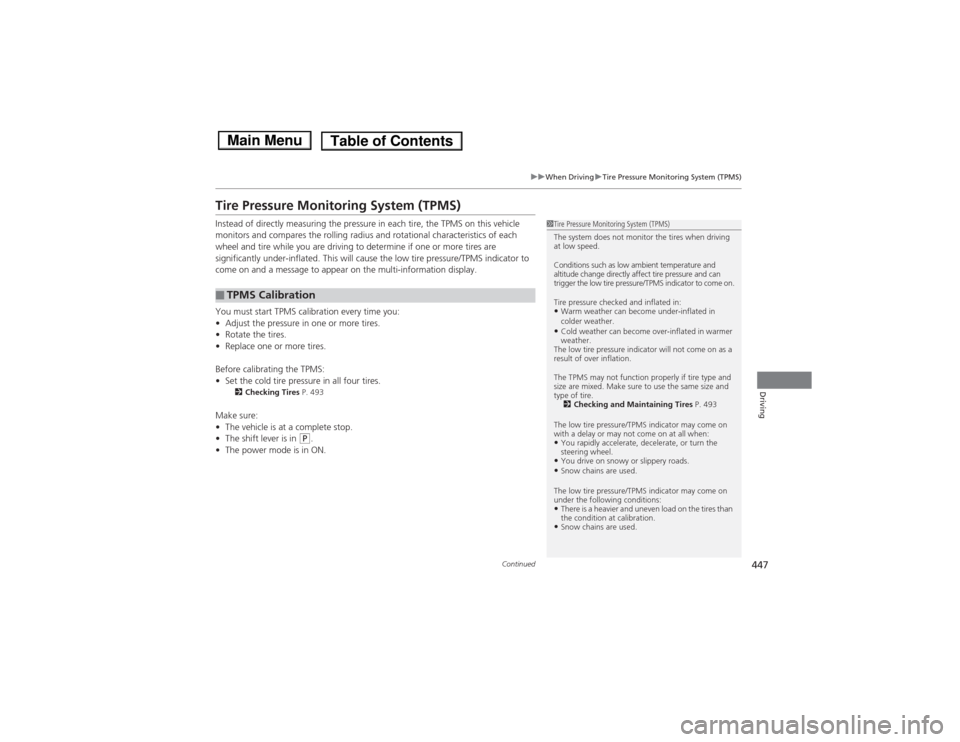
Tire Pressure Monitoring System (TPMS)
Instead of directly measuring the pressure in each tire, the TPMS on this vehicle
monitors and compares the rolling radius and rotational characteristics of each
wheel and tire while you are driving to determine if one or more tires are
significantly under-inflated. This will cause the low tire pressure/TPMS indicator to
come on and a message to appear on the multi-information display.
You must start TPMS calibration every time you: •Adjust the pressure in one or more tires.
• Rotate the tires.
• Replace one or more tires.
Before calibrating the TPMS:• Set the cold tire pressure in all four tires.
2 Checking Tires P. 493
Make sure:• The vehicle is at a complete stop.
• The shift lever is in
(P .
• The power mode is in ON.
■TPMS Calibration
1Tire Pressure Monitoring System (TPMS)
The system does not monitor the tires when driving at low speed.
Conditions such as low ambient temperature and
altitude change directly affect tire pressure and can
trigger the low tire pressure/TPMS indicator to come on.
Tire pressure checked and inflated in: •Warm weather can become under-inflated in
colder weather.
• Cold weather can become over-inflated in warmer weather.
The low tire pressure indicator will not come on as a
result of over inflation.
The TPMS may not function properly if tire type and
size are mixed. Make sure to use the same size and
type of tire. 2 Checking and Maintaining Tires P. 493
The low tire pressure/TPMS indicator may come on
with a delay or may not come on at all when:
• You rapidly accelerate, decelerate, or turn the
steering wheel.
• You drive on snowy or slippery roads.
• Snow chains are used.
The low tire pressure/TPMS indicator may come on
under the following conditions:• There is a heavier and uneven load on the tires than
the condition at calibration.
• Snow chains are used.
Main MenuTable of Contents
Page 449 of 561
uuWhen DrivinguTire Pressure Monitoring System (TPMS)
448
Driving
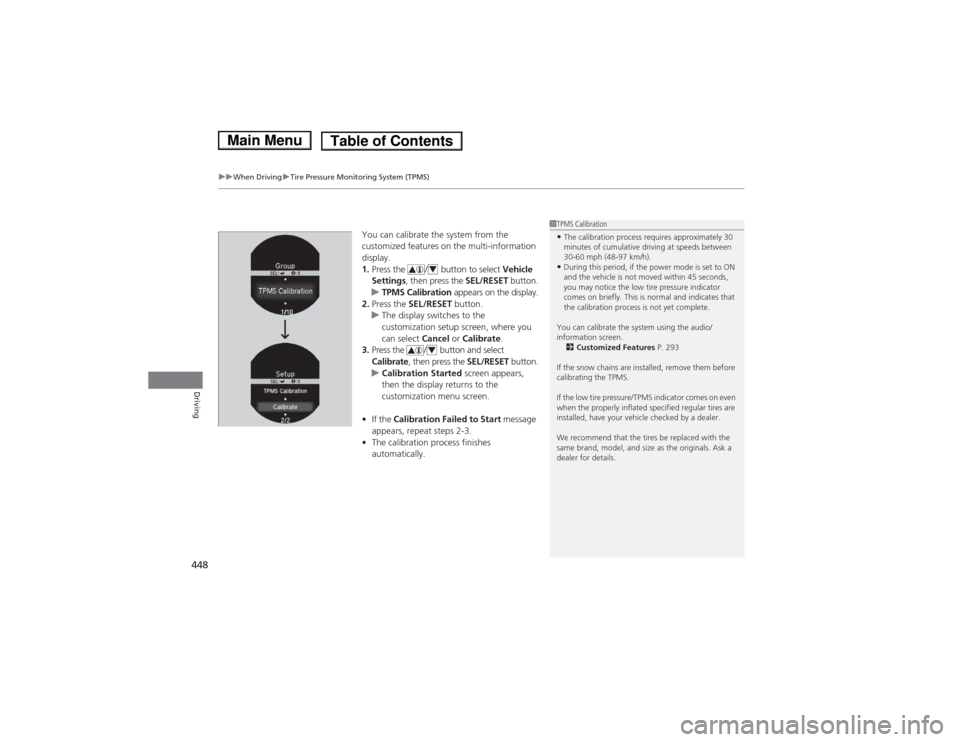
You can calibrate the system from the
customized features on the multi-information
display.1. Press the / button to select Vehicle
Settings , then press the SEL/RESET button.
uTPMS Calibration appears on the display.
2. Press the SEL/RESET button.
uThe display switches to the
customization setup screen, where you
can select Cancel or Calibrate .
3. Press the / button and select
Calibrate , then press the SEL/RESET button.
uCalibration Started screen appears,
then the display returns to the customization menu screen.
• If the Calibration Failed to Start message
appears, repeat steps 2-3.
• The calibration process finishes automatically.
1TPMS Calibration •The calibration process requires approximately 30
minutes of cumulative driving at speeds between
30-60 mph (48-97 km/h).
• During this period, if the power mode is set to ON
and the vehicle is not moved within 45 seconds,
you may notice the low tire pressure indicator
comes on briefly. This is normal and indicates that
the calibration process is not yet complete.
You can calibrate the system using the audio/information screen. 2 Customized Features P. 293
If the snow chains are installed, remove them before
calibrating the TPMS.
If the low tire pressure/TPMS indicator comes on even
when the properly inflated specified regular tires are
installed, have your vehicle checked by a dealer.
We recommend that the tires be replaced with the
same brand, model, and size as the originals. Ask a
dealer for details.
4
4
Main MenuTable of Contents