remote control HONDA ACCORD HYBRID 2017 9.G User Guide
[x] Cancel search | Manufacturer: HONDA, Model Year: 2017, Model line: ACCORD HYBRID, Model: HONDA ACCORD HYBRID 2017 9.GPages: 584
Page 135 of 584
134
Controls
Security System
Immobilizer System
The immobilizer system prevents a key that has not been pre-registered from
starting the motor. Each key contains el ectronic transmitters that use electronic
signals to verify the key.
Pay attention to the following when selecting the ACCESSORY mode with the
POWER button:
• Do not allow objects that emit strong radio waves near the POWER button.
• Make sure the key is not covered by or touching a metal object.
• Do not bring a key from another vehicle's immobilizer system near the smart entry
remote.
Security System Alarm
The security system alarm activates when the trunk, hood or doors are forcibly
opened. The alarm does not activate if th e trunk or doors are opened with the key,
remote transmitter or smart entry system.
However, the alarm activates if a door is opened with the key and then the shift lever
is moved out of
(P or the hood is opened before the power mode is set to ON.
■When the security sy stem alarm activates
The horn sounds intermittently and all the exterior lights flash.
■To deactivate the security system alarm
Unlock the vehicle using the remote transmi tter, or smart entry system. The system,
along with the horn and flas hing lights, is deactivated.
1Immobilizer System
NOTICE
Leaving the ignition key in the vehicle can result in
theft or accidental move ment of the vehicle.
Always take the ignition key with you whenever you
leave the vehicle unattended.
Do not alter the system or add other devices to it.
Doing so may damage the system and make your
vehicle inoperable.
1 Security System Alarm
The security alarm continues for a maximum of two
minutes until the security system deactivates.
17 ACCORD FHEV-31T3W6200.book 134 ページ 2016年4月11日 月曜日 午後2時40分
Page 136 of 584
Continued135
uuSecurity System uSecurity System Alarm
Controls
■Setting the security system alarm
The security system alarm automatically sets when the following conditions have
been met:
• The power mode is in VEHICLE OFF (LOCK).
• The hood and trunk are closed.
• All doors are locked from outside with the key, the remote transmitter, or smart
entry system.
■When the security system alarm sets
The security system alarm indicator in the instrument panel blinks. When the
blinking interval changes after about 15 seconds, the security system is set.
■To cancel the security system alarm
The security system alarm is canceled when the vehicle is unlocked using the remote
transmitter, or smart entry system. The se curity system indicator goes off at the
same time.
1 Security System Alarm
Do not set the security system alarm when someone
is in the vehicle or a window is open. The system can
accidentally activate when:
•Unlocking the door with the lock tab.•Opening the trunk with the trunk release or the
emergency trunk opener.
•Opening the hood with the hood release.•Moving the shift lever out of ( P.
If the 12-volt battery goes dead after you have set the
security system alarm, the security alarm may activate
once the 12-volt battery is recharged or replaced.
If this occurs, deactivate the security system alarm by
unlocking a door using the ke y or remote transmitter.
Do not attempt to alter th is system or add another
device to it.
17 ACCORD FHEV-31T3W6200.book 135 ページ 2016年4月11日 月曜日 午後2時40分
Page 137 of 584
136
uuSecurity System uSecurity System Alarm
Controls
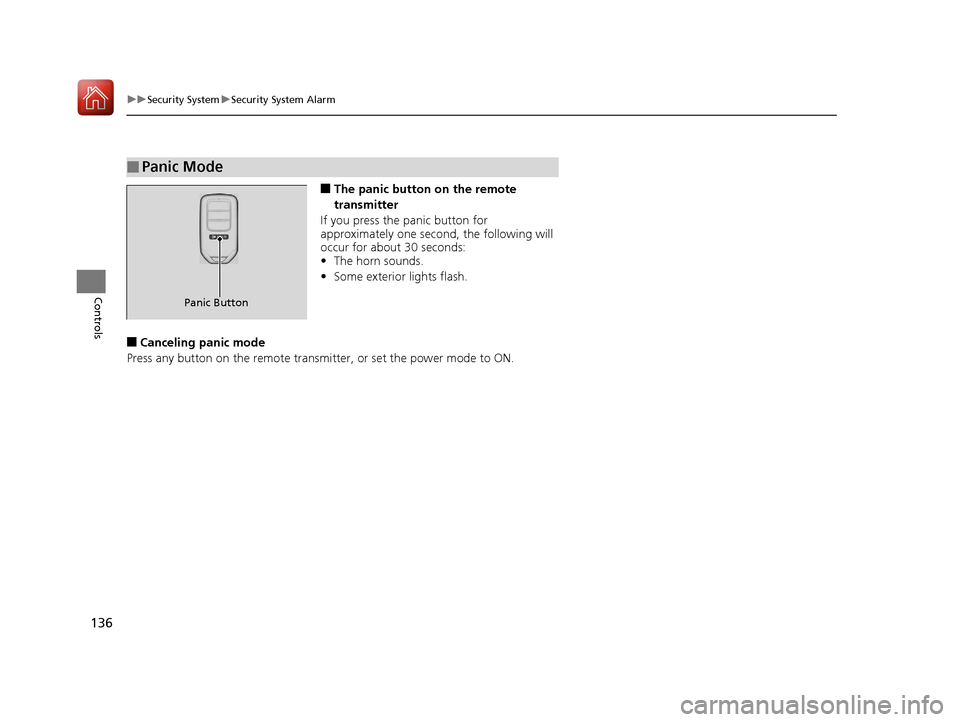
■The panic button on the remote
transmitter
If you press the panic button for
approximately one seco nd, the following will
occur for about 30 seconds:
• The horn sounds.
• Some exterior lights flash.
■Canceling panic mode
Press any button on the remote transmitter, or set the power mode to ON.
■Panic Mode
Panic Button
17 ACCORD FHEV-31T3W6200.book 136 ページ 2016年4月11日 月曜日 午後2時40分
Page 139 of 584
138
uuOpening and Closing the Windows uOpening/Closing th e Power Windows
Controls
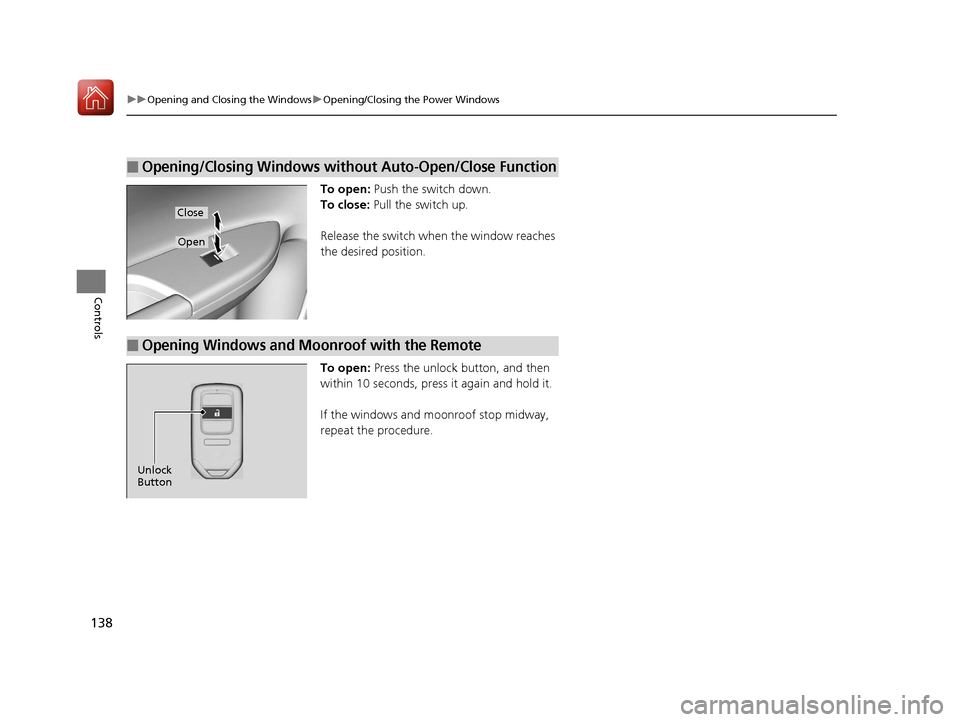
To open: Push the switch down.
To close: Pull the switch up.
Release the switch when the window reaches
the desired position.
To open: Press the unlock button, and then
within 10 seconds, press it again and hold it.
If the windows and moonroof stop midway,
repeat the procedure.
■Opening/Closing Windows without Auto-Open/Close Function
Close
Open
■Opening Windows and Moonroof with the Remote
Unlock
Button
17 ACCORD FHEV-31T3W6200.book 138 ページ 2016年4月11日 月曜日 午後2時40分
Page 142 of 584
141Continued
Controls
Operating the Switches Around the Steering Wheel
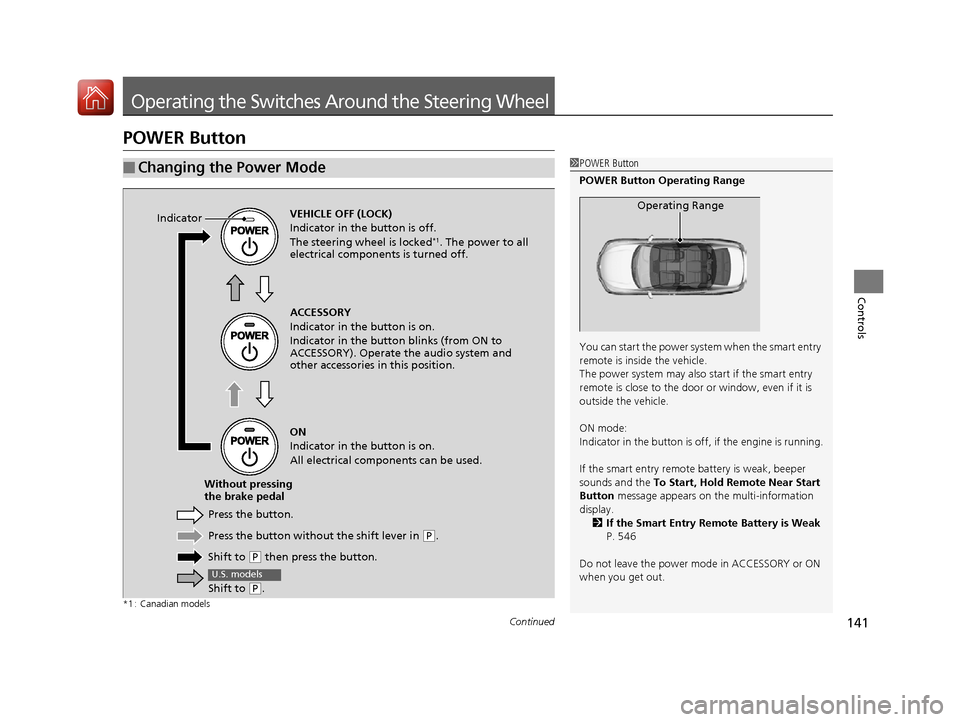
POWER Button
*1 : Canadian models
■Changing the Power Mode1POWER Button
POWER Button Operating Range
You can start the power system when the smart entry
remote is inside the vehicle.
The power system may also start if the smart entry
remote is close to the door or window, even if it is
outside the vehicle.
ON mode:
Indicator in the button is of f, if the engine is running.
If the smart entry remote battery is weak, beeper
sounds and the To Start, Hold Remote Near Start
Button message appears on the multi-information
display. 2 If the Smart Entry Remote Battery is Weak
P. 546
Do not leave the power mode in ACCESSORY or ON
when you get out.
Operating RangeVEHICLE OFF (LOCK)
Indicator in th e button is off.
The steering wheel is locked
*1. The power to all
electrical components is turned off.
Press the button without the shift lever in
( P.
Shift to
( P then press the button.
Press the button.
Without pressing
the brake pedal ACCESSORY
Indicator in the button is on.
Indicator in the button
blinks (from ON to
ACCESSORY). Operate the audio system and
other accessories in this position.
ON
Indicator in the button is on.
All electrical components can be used.
Indicator
Shift to (
P.
U.S. models
17 ACCORD FHEV-31T3W6200.book 141 ページ 2016年4月11日 月曜日 午後2時40分
Page 143 of 584
uuOperating the Switches Around the Steering Wheel uPOWER Button
142
Controls
If you leave the vehicle for 30 to 60 minutes with the shift lever in (P and the power
mode in ACCESSORY, the vehicle automati cally goes into the mode similar to
VEHICLE OFF (LOCK) to avoid the 12-volt battery drain.
When in this mode:
The steering wheel does not lock.
You cannot lock or unlock doors with th e remote transmitter or the smart entry
system.
Press the POWER button to switch the mode to VEHICLE OFF (LOCK).
If you open the driver’s doo r when the power mode is set to ACCESSORY, a warning
buzzer sounds.
■Automatic Power Off
■Power Mode Reminder
1 Changing the Power Mode
If the power mode does not change from VEHICLE
OFF to ACCESSORY, press the POWER button while
moving the steering wheel le ft and right. The steering
wheel will unlock, allowing the mode to change.
Canadian models
Canadian models
All models
17 ACCORD FHEV-31T3W6200.book 142 ページ 2016年4月11日 月曜日 午後2時40分
Page 144 of 584
143
uuOperating the Switches Around the Steering Wheel uPOWER Button
Controls
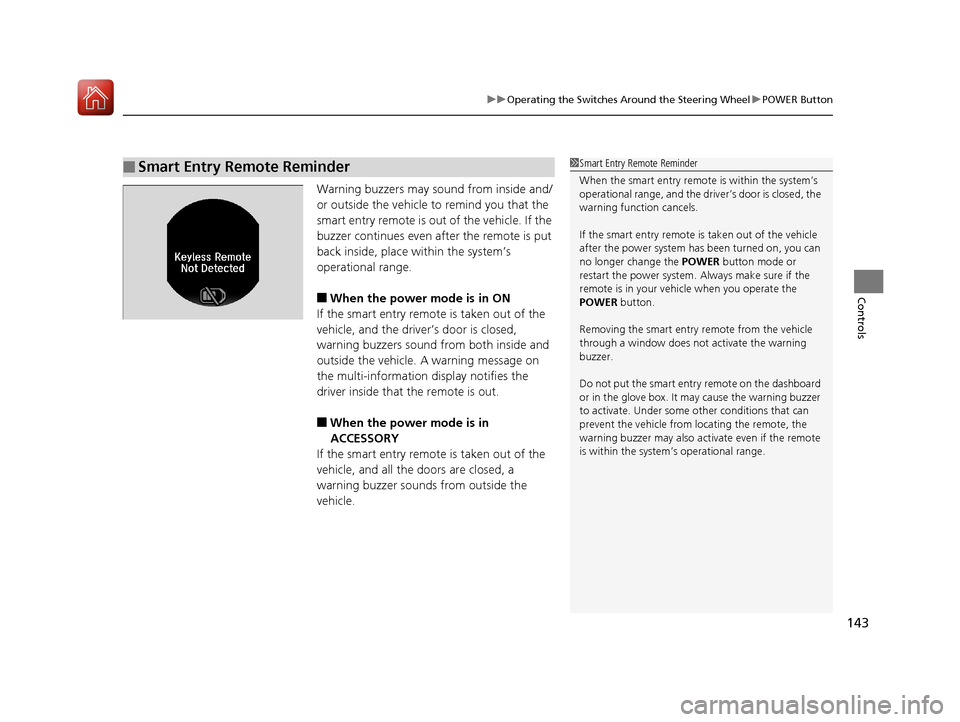
Warning buzzers may sound from inside and/
or outside the vehicle to remind you that the
smart entry remote is out of the vehicle. If the
buzzer continues even after the remote is put
back inside, place within the system’s
operational range.
■When the power mode is in ON
If the smart entry remote is taken out of the
vehicle, and the driver’s door is closed,
warning buzzers sound from both inside and
outside the vehicle. A warning message on
the multi-information display notifies the
driver inside that the remote is out.
■When the power mode is in
ACCESSORY
If the smart entry remote is taken out of the
vehicle, and all the doors are closed, a
warning buzzer sounds from outside the
vehicle.
■Smart Entry Remote Reminder1 Smart Entry Remote Reminder
When the smart entry remote is within the system’s
operational range, and the driv er’s door is closed, the
warning function cancels.
If the smart entry remote is taken out of the vehicle
after the power system has been turned on, you can
no longer change the POWER button mode or
restart the power system. Always make sure if the
remote is in your vehi cle when you operate the
POWER button.
Removing the smart entry remote from the vehicle
through a window does not activate the warning
buzzer.
Do not put the smart entr y remote on the dashboard
or in the glove box. It may cause the warning buzzer
to activate. Under some other conditions that can
prevent the vehicle from locating the remote, the
warning buzzer may also activate even if the remote
is within the system’s operational range.
17 ACCORD FHEV-31T3W6200.book 143 ページ 2016年4月11日 月曜日 午後2時40分
Page 147 of 584
uuOperating the Switches Around the Steering Wheel uFog Lights
146
Controls
The headlights automatically co me on when the wipers are used several times within
a certain number of intervals wi th the headlight switch in AUTO.
The headlights automatically go off a few minutes later if the wipers are stopped.
The headlights, all other exterior lights, an d the instrument panel lights turn off 15
seconds after you set the power mode to VE HICLE OFF (LOCK), take the remote with
you, and close th e driver’s door.
u You can change the headlight auto off timer setting.
2 Customized Features P. 108, 295, 314
If you set the power mode to VEHICLE OFF (LOCK) with the headlight switch on, but
do not open the door, the li ghts turn off after 10 minutes (three minutes, if the
switch is in the AUTO position).
The lights turn on again when you unlock or open the driver's door. If you unlock
the door, but do not open it within 15 seconds, the lights go off. If you open the
driver's door, you will hear a lights on reminder chime.
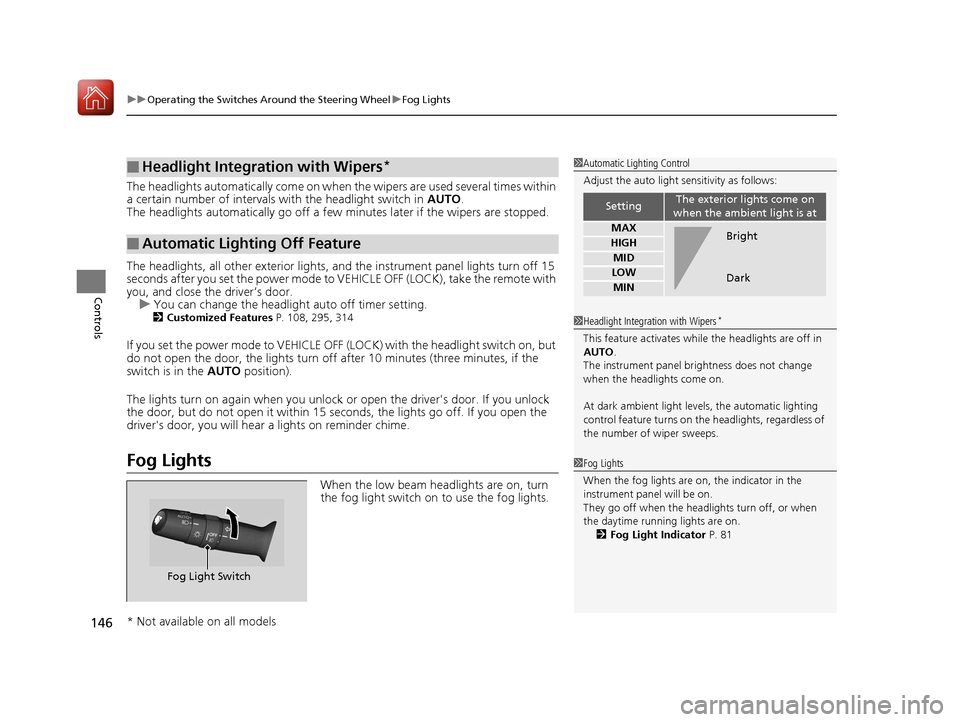
Fog Lights
When the low beam headlights are on, turn
the fog light switch on to use the fog lights.
■Headlight Integration with Wipers*
■Automatic Lighting Off Feature
1Automatic Lighting Control
Adjust the auto light sensitivity as follows:
SettingThe exterior lights come on
when the ambient light is at
MAX
HIGH
MID
LOW
MIN
Bright
Dark
1 Headlight Integration with Wipers*
This feature activates while the headlights are off in
AUTO .
The instrument panel br ightness does not change
when the headlights come on.
At dark ambient light levels, the automatic lighting
control feature turns on the headlights, regardless of
the number of wiper sweeps.
1 Fog Lights
When the fog lights are on, the indicator in the
instrument pane l will be on.
They go off when the headlights turn off, or when
the daytime running lights are on.
2 Fog Light Indicator P. 81
Fog Light Switch
* Not available on all models
17 ACCORD FHEV-31T3W6200.book 146 ページ 2016年4月11日 月曜日 午後2時40分
Page 156 of 584
155
uuOperating the Switches Around the Steering Wheel uDriving Position Memory System*
Continued
Controls
Driving Position Memory System*
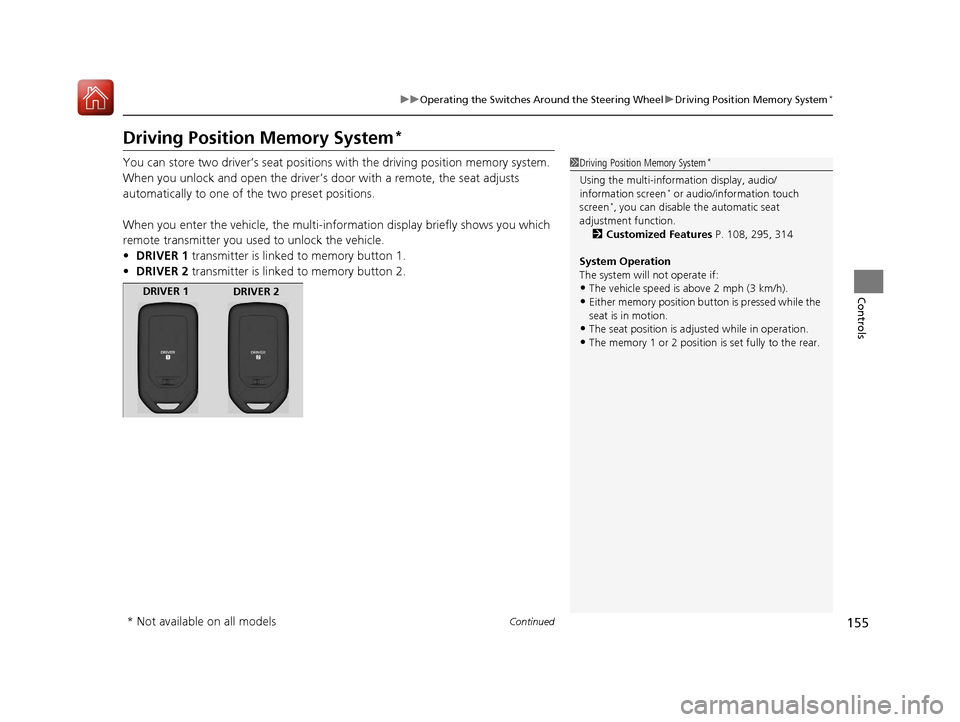
You can store two driver’s seat positions with the driving position memory system.
When you unlock and open the driver’s door with a remote, the seat adjusts
automatically to one of the two preset positions.
When you enter the vehicle, the multi-in formation display briefly shows you which
remote transmitter you used to unlock the vehicle.
• DRIVER 1 transmitter is linked to memory button 1.
• DRIVER 2 transmitter is linked to memory button 2.1Driving Position Memory System*
Using the multi-inform ation display, audio/
information screen* or audio/information touch
screen*, you can disable the automatic seat
adjustment function.
2 Customized Features P. 108, 295, 314
System Operation
The system will not operate if:
•The vehicle speed is above 2 mph (3 km/h).•Either memory position button is pressed while the
seat is in motion.
•The seat position is adju sted while in operation.•The memory 1 or 2 position is set fully to the rear.
DRIVER 1
DRIVER 2
* Not available on all models
17 ACCORD FHEV-31T3W6200.book 155 ページ 2016年4月11日 月曜日 午後2時40分
Page 184 of 584
183
Features
This chapter describes how to operate technology features.
Audio SystemAbout Your Audio System ................ 184
USB Port(s
*) ..................................... 185
Auxiliary Input Jack*........................ 186
Audio System Theft Protection*....... 187
Audio Remote Controls .................... 188
Audio System Basic Operation ........ 190
Audio/Information Screen ................ 191
Display Setup ................................... 196
Playing AM/FM Radio ....................... 197
Playing a CD .................................... 199
Playing an iPod ................................ 202
Playing Internet Radio ...................... 205
Playing a USB Flash Drive ................. 208
Playing Bluetooth ® Audio ................. 211
Models with one display
Audio System Basic Operation ........ 213
Audio/Information Screen ................ 214
Audio/Information Touch Screen ...... 216
Adjusting the Sound ........................ 230
Display Setup ................................... 231
Voice Control Operation .................. 233
Playing AM/FM Radio ....................... 237
Playing SiriusXM ® Radio
*................. 241
Playing a CD .................................... 249
Playing an iPod ................................ 252
Song By Voice
TM (SBV) ...................... 255
Playing Pandora ®*............................ 259
Playing AhaTM................................... 261
Playing a USB Flash Drive ................. 262
Playing Bluetooth ® Audio................. 265
Models with two displaysHondaLink ®..................................... 267
Wi-Fi Connection ............................. 272
Apple CarPlay ®................................ 274
Android Auto
TM............................... 278
Siri ® Eyes Free .................................. 282
Audio Error Messages ...................... 283
General Information on the Audio System ............................................. 288
Customized Features ................ 295, 314
HomeLink ® Universal Transceiver
*... 338
Bluetooth ® HandsFreeLink® ..... 340, 371
Compass
*.......................................... 406
* Not available on all models
17 ACCORD FHEV-31T3W6200.book 183 ページ 2016年4月11日 月曜日 午後2時40分