steering wheel HONDA ACCORD SEDAN 2001 (in English) Owner's Guide
[x] Cancel search | Manufacturer: HONDA, Model Year: 2001, Model line: ACCORD SEDAN, Model: HONDA ACCORD SEDAN 2001Pages: 372, PDF Size: 6.1 MB
Page 73 of 372
Steering Wheel Controls
Cancelling the Cruise Control
You can cancel the cruise control in any of these ways: Tap the brake or clutch pedal.
Push the CANCEL button on the
steering wheel.
Press the Cruise Control Master
Switch.
When you push the CANCEL button, or tap the brake or clutch pedal, the
CRUISE CONTROL light on the
instrument panel will go out and the car will begin to slow down. You can
use the accelerator pedal in the
normal way.
The system remembers the previously-set cruising speed. To
return to that speed, accelerate toabove 25 mph (40 km/h) and then
press and release the RESUME/ accel button. The CRUISE CONTROL light comes on. The car
will accelerate to the same cruising speed as before.
Pressing the Cruise Control MasterSwitch turns the system completelyoff and erases the previous cruising
speed from memory. To use the
system again, refer to Using the
Cruise Control.
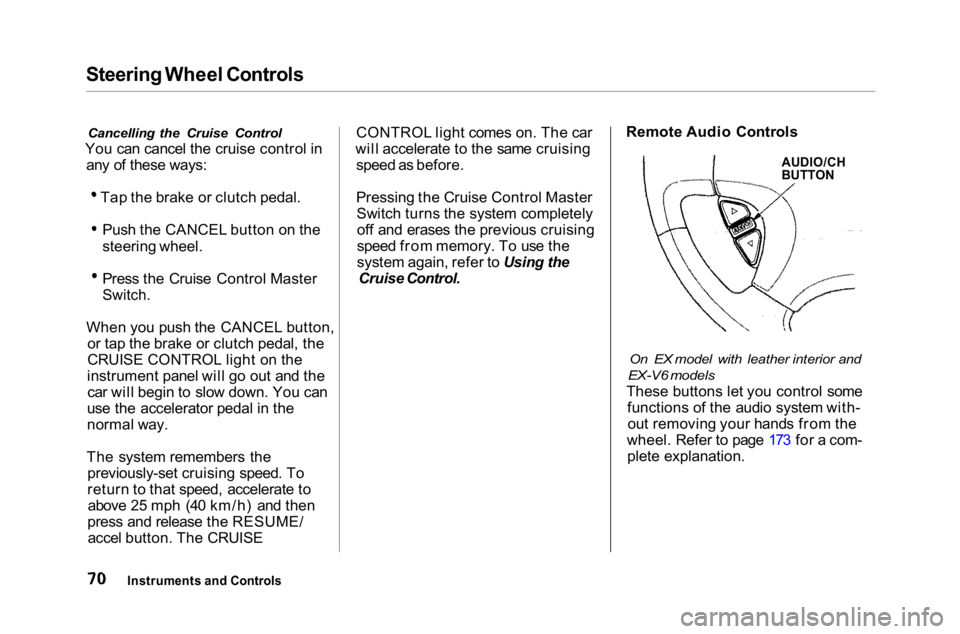
Remote Audio Controls
On EX model with leather interior and
EX-V6 models
These buttons let you control some functions of the audio system with-out removing your hands from the
wheel. Refer to page 173 for a com- plete explanation.
Instruments and Controls
AUDIO/CH
BUTTON
Page 76 of 372
Keys and Locks
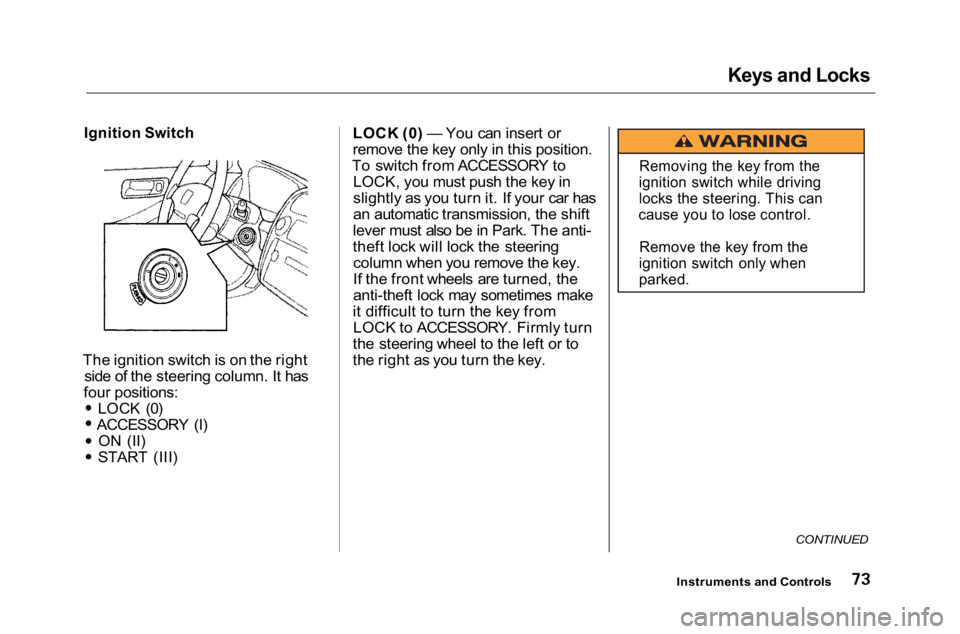
Ignition Switch
The ignition switch is on the right side of the steering column. It has
four positions: LOCK (0)
ACCESSORY (I)
ON (II)
START (III) LOCK (0) — You can insert or
remove the key only in this position.
To switch from ACCESSORY to LOCK, you must push the key in
slightly as you turn it. If your car has
an automatic transmission, the shift
lever must also be in Park. The anti-
theft lock will lock the steering column when you remove the key.
If the front wheels are turned, the
anti-theft lock may sometimes make
it difficult to turn the key from LOCK to ACCESSORY. Firmly turn
the steering wheel to the left or to
the right as you turn the key.
CONTINUED
Instruments and Controls
Removing the key from the
ignition switch while driving
locks the steering. This can
cause you to lose control.
Remove the key from the
ignition switch only when
parked.
Page 176 of 372
Audio System
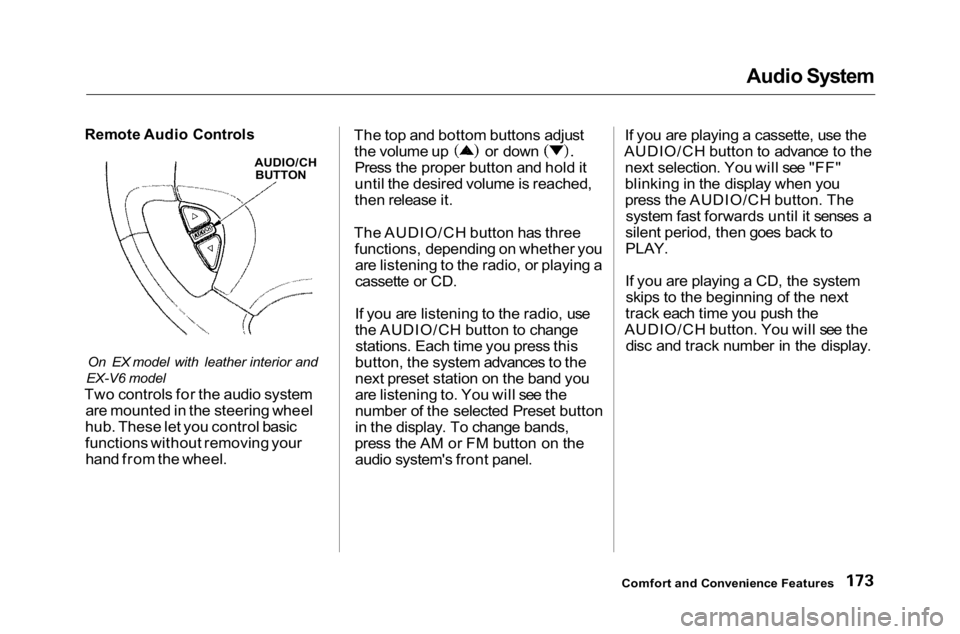
Remote Audio Controls
On EX model with leather interior and
EX-V6 model
Two controls for the audio system are mounted in the steering wheel
hub. These let you control basic
functions without removing your hand from the wheel. The top and bottom buttons adjust the volume up or down
Press the proper button and hold it
until the desired volume is reached,
then release it.
The AUDIO/CH button has three functions, depending on whether youare listening to the radio, or playing a
cassette or CD.
If you are listening to the radio, use
the AUDIO/CH button to changestations. Each time you press this
button, the system advances to the
next preset station on the band you
are listening to. You will see the
number of the selected Preset button
in the display. To change bands,
press the AM or FM button on the audio system's front panel. If you are playing a cassette, use the
AUDIO/CH button to advance to the next selection. You will see "FF"
blinking in the display when you
press the AUDIO/CH button. Thesystem fast forwards until it senses a
silent period, then goes back to
PLAY.
If you are playing a CD, the system skips to the beginning of the next
track each time you push the
AUDIO/CH button. You will see the disc and track number in the display.
Comfort and Convenience Features
AUDIO/CH
BUTTON
Page 190 of 372
Accessories and Modifications
Modifications
Do not remove any original equipment or modify your car in any
way that would alter its design or operation. This could make your car
unsafe and illegal to drive.
For example, do not make any
modifications that would change the
ride height of your car, or install
wheels and tires with a different overall diameter.
Such modifications can adversely
affect handling, and interfere with
the operation of the car's anti-lock brakes and other systems. In addition, any modifications that
decrease ground clearance increase
the chance of undercarriage parts striking a curb, speed bump, or other
raised object, which could cause
your airbags to deploy.
Do not modify your steering wheelor any other part of your
Supplemental Restraint System. Modifications could make the
system ineffective.
Additional Safety Precaution
Do not attach or place objects on
the front airbag covers. Any object
attached to or placed on the covers
marked "SRS AIRBAG," in the
center of the steering wheel and on top of the dashboard, could
interfere with the proper operation of the airbags. Or, if the airbags
inflate, the objects could be
propelled inside the car and hurt
someone.
On models equipped with side airbags
Do not attach hard objects on or
near a front door. If a side airbag
inflates, a cup holder or other hard
object attached on or near the door could be propelled inside the
car and hurt someone.
Do not place any objects over the
outside edge of a front seat-back.
Covering the outside edge of a
front seat-back, with a non-Honda seat cover for example, could
prevent the airbag from inflating
properly.
Before Driving
Page 195 of 372
Preparing to Drive
You should do the following checks and adjustments every day before
you drive your car.
1. Make sure all windows, mirrors, and outside lights are clean and
unobstructed. Remove frost, snow,
or ice.
2. Check that the hood and trunk are fully closed.
3. Visually check the tires. If a tire looks low, use a gauge to check its
pressure.
4. Check that any items you may be carrying with you inside are stored
properly or fastened down
securely. 5. Check the adjustment of the seat
(see page 88).
6. Check the adjustment of the inside and outside mirrors (see
page 99).
7. Check the adjustment of the steering wheel (see page 67).
8. Make sure the doors are securely
closed and locked.
9. Fasten your seat belt. Check that your passengers have fastened
their seat belts (see page 14 ). 10.Turn the ignition switch ON (II).
Check the indicator lights in the
instrument panel.
11.Start the engine (see page 193).
12. Check the gauges and indicator lights in the instrument panel (see
page 53).
Driving
Page 207 of 372
The Braking System
Brake System Design
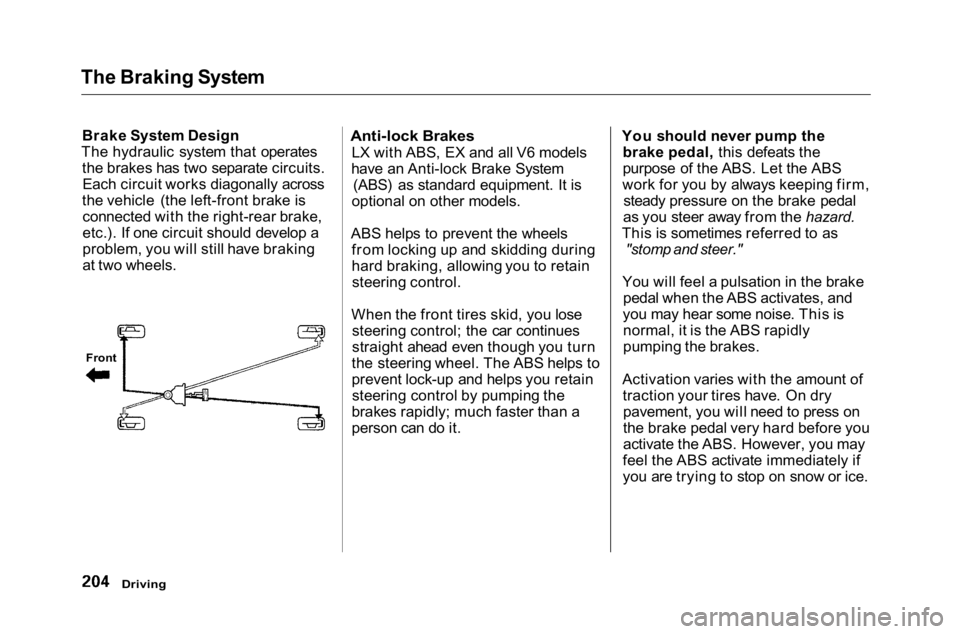
The hydraulic system that operates the brakes has two separate circuits.Each circuit works diagonally across
the vehicle (the left-front brake is connected with the right-rear brake,
etc.). If one circuit should develop a
problem, you will still have braking
at two wheels.
Anti-lock Brakes
LX with ABS, EX and all V6 models
have an Anti-lock Brake System (ABS) as standard equipment. It is
optional on other models.
ABS helps to prevent the wheels from locking up and skidding during
hard braking, allowing you to retainsteering control.
When the front tires skid, you lose steering control; the car continues
straight ahead even though you turn
the steering wheel. The ABS helps to
prevent lock-up and helps you retain steering control by pumping the
brakes rapidly; much faster than a
person can do it. You should never pump the
brake pedal, this defeats the
purpose of the ABS. Let the ABS
work for you by always keeping firm, steady pressure on the brake pedal
as you steer away from the hazard.
This is sometimes referred to as
"stomp and steer."
You will feel a pulsation in the brake pedal when the ABS activates, and
you may hear some noise. This is normal, it is the ABS rapidly
pumping the brakes.
Activation varies with the amount of traction your tires have. On drypavement, you will need to press on
the brake pedal very hard before you
activate the ABS. However, you may
feel the ABS activate immediately if
you are trying to stop on snow or ice.
Driving
Front
Page 208 of 372
The Braking System
Important Safety Reminders
ABS does not reduce the time or distance it takes to stop the car, it
only helps with steering control
during braking. You should always
maintain a safe following distance
from other vehicles.
ABS will not prevent a skid that results from changing direction
abruptly, such as trying to take acorner too fast or making a sudden
lane change. Always drive at a safe,
prudent speed for the road and
weather conditions.
ABS cannot prevent a loss of stability. Always steer moderately
when you are braking hard. Severe or sharp steering wheel movement
can still cause your car to veer into oncoming traffic or off the road. A vehicle with ABS may require a
longer distance to stop on loose oruneven surfaces, such as gravel orsnow, than a vehicle without anti-
lock. Slow down and allow a greater distance between vehicles under
those conditions.
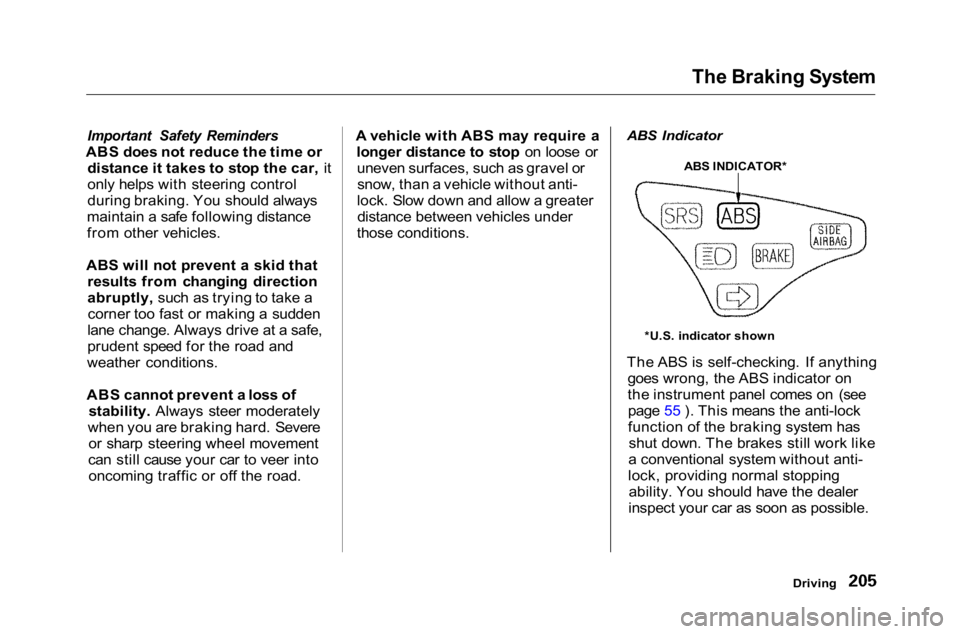
ABS Indicator
The ABS is self-checking. If anything
goes wrong, the ABS indicator on
the instrument panel comes on (seepage 55 ). This means the anti-lock
function of the braking system has shut down. The brakes still work like
a conventional system without anti-
lock, providing normal stopping ability. You should have the dealer
inspect your car as soon as possible.
Driving
*U.S. indicator shown
ABS INDICATOR*
Page 212 of 372
Driving in Bad Weather
Rain, fog, and snow conditions
require a different driving technique
because of reduced traction and
visibility. Keep your car well- maintained and exercise greater
caution when you need to drive in
bad weather. The cruise control should not be used in these
conditions. Driving Technique — Always drive
slower than you would in dry
weather. It takes your car longer to react, even in conditions that mayseem just barely damp. Apply
smooth, even pressure to all the
controls. Abrupt steering wheel
movements or sudden, hard appli-
cation of the brakes can cause loss of
control in wet weather. Be extra cautious for the first few miles (kilometers) of driving while you
adjust to the change in driving
conditions. This is especially true in
snow. A person can forget some
snow-driving techniques during the
summer months. Practice is needed
to relearn those skills.
Exercise extra caution when driving
in rain after a long city spell. After
months of dry weather, the first
rains bring oil to the surface of the
roadway, making it slippery.
Driving
CONTINUED
Page 220 of 372

Towing a Trailer
Handling Crosswinds and Buffeting
Crosswinds and air turbulence
caused by passing trucks can disrupt
your steering and cause trailer swaying. When being passed by a
large vehicle, keep a constant speed and steer straight ahead. Do not try
to make quick steering or braking
corrections.
Backing Up
Always drive slowly and have someone guide you when backing up.Grip the bottom of the steering
wheel; then turn the wheel to the left
to get the trailer to move to the left, and turn the wheel right to move the
trailer to the right.
Parking
Follow all normal precautions when
parking, including firmly setting the
parking brake and putting the
transmission in Park (automatic) or in 1st or Reverse (manual). Also,
place wheel chocks at each of the
trailer's tires.
Driving
Page 222 of 372
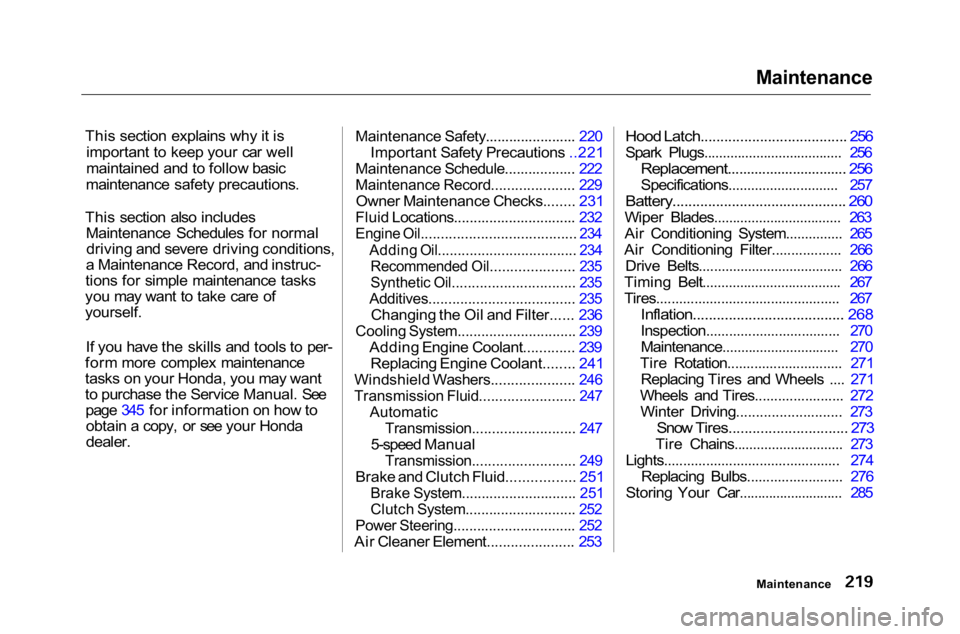
Maintenance
This section explains why it is important to keep your car well
maintained and to follow basic
maintenance safety precautions.
This section also includes Maintenance Schedules for normaldriving and severe driving conditions,
a Maintenance Record, and instruc-
tions for simple maintenance tasks
you may want to take care of
yourself.
If you have the skills and tools to per-
form more complex maintenance
tasks on your Honda, you may want
to purchase the Service Manual. See page 345 for information on how toobtain a copy, or see your Honda
dealer.
Maintenance Safety....................... 220
Important Safety Precautions ..221
Maintenance Schedule.................. 222
Maintenance Record..................... 229
Owner Maintenance Checks........ 231
Fluid Locations............................... 232
Engine Oil....................................... 234
Adding Oil................................... 234Recommended Oil..................... 235
Synthetic Oil............................... 235
Additives..................................... 235
Changing the Oil and Filter...... 236
Cooling System.............................. 239
Adding Engine Coolant............. 239Replacing Engine Coolant........ 241
Windshield Washers..................... 246
Transmission Fluid........................ 247
Automatic
Transmission.......................... 247
5-speed Manual
Transmission.......................... 249
Brake and Clutch Fluid................. 251
Brake System............................. 251
Clutch System............................ 252
Power Steering............................... 252
Air Cleaner Element...................... 253
Hood Latch..................................... 256
Spark Plugs..................................... 256
Replacement............................... 256
Specifications............................. 257
Battery............................................ 260
Wiper Blades.................................. 263
Air Conditioning System............... 265
Air Conditioning Filter.................. 266 Drive Belts...................................... 266
Timing Belt..................................... 267
Tires................................................ 267
Inflation...................................... 268
Inspection................................... 270
Maintenance............................... 270
Tire Rotation.............................. 271 Replacing Tires and Wheels .... 271
Wheels and Tires....................... 272 Winter Driving........................... 273
Snow Tires.............................. 273
Tire Chains............................. 273
Lights.............................................. 274 Replacing Bulbs......................... 276
Storing Your Car............................ 285
Maintenance