cruise control HONDA ACCORD SEDAN 2019 (in English) User Guide
[x] Cancel search | Manufacturer: HONDA, Model Year: 2019, Model line: ACCORD SEDAN, Model: HONDA ACCORD SEDAN 2019Pages: 727, PDF Size: 34.1 MB
Page 130 of 727
128
uuIndicators uDriver Information Interface Wa rning and Information Messages
Instrument Panel
MessageConditionExplanation
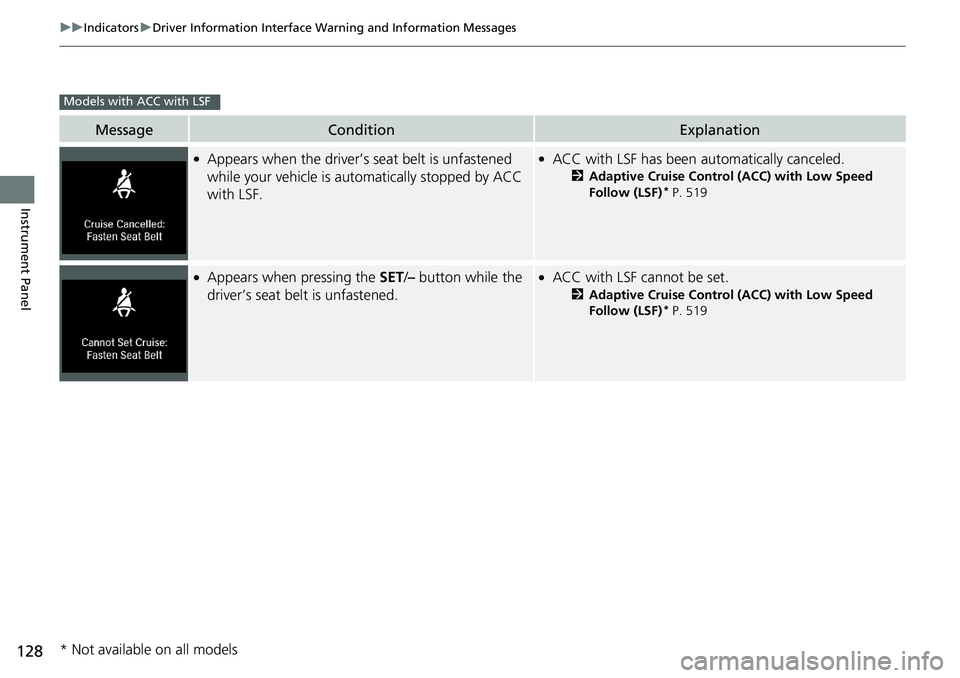
●Appears when the driver’s seat belt is unfastened
while your vehicle is automatically stopped by ACC
with LSF.●ACC with LSF has been automatically canceled.
2 Adaptive Cruise Control (ACC) with Low Speed
Follow (LSF)* P. 519
●Appears when pressing the SET/– button while the
driver’s seat belt is unfastened.●ACC with LSF cannot be set.
2 Adaptive Cruise Control (ACC) with Low Speed
Follow (LSF)* P. 519
Models with ACC with LSF
* Not available on all models
Page 131 of 727
129
uuIndicators uDriver Information Interface Wa rning and Information Messages
Continued
Instrument Panel
MessageConditionExplanation
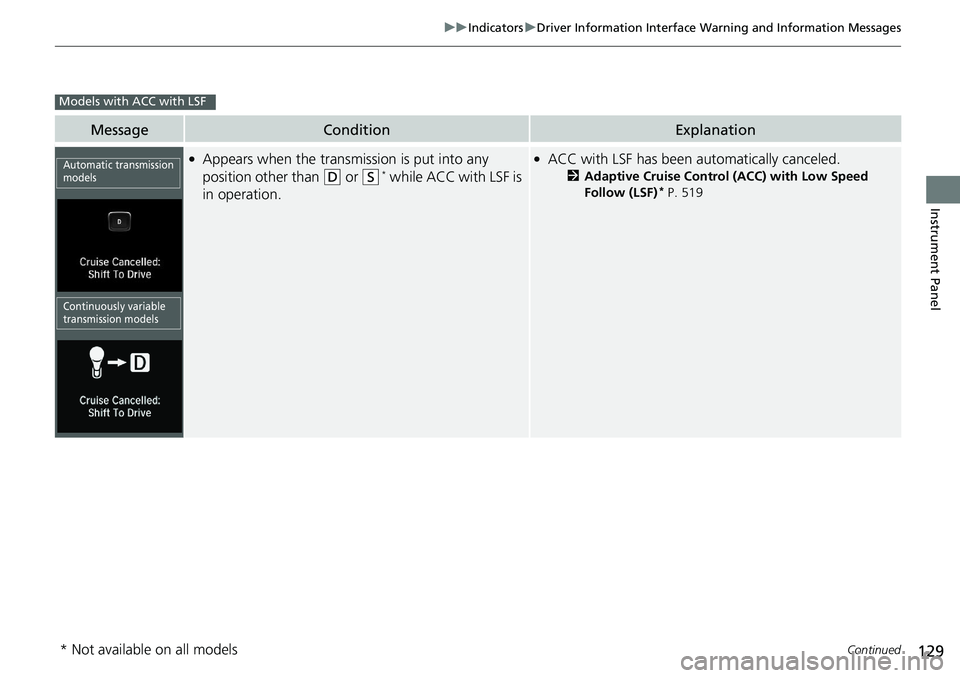
●Appears when the transmission is put into any
position other than
(D or (S* while ACC with LSF is
in operation.
●ACC with LSF has been au tomatically canceled.
2Adaptive Cruise Control (ACC) with Low Speed
Follow (LSF)* P. 519
Models with ACC with LSF
Automatic transmission
models
Continuously variable
transmission models
* Not available on all models
Page 132 of 727
130
uuIndicators uDriver Information Interface Wa rning and Information Messages
Instrument Panel
MessageConditionExplanation
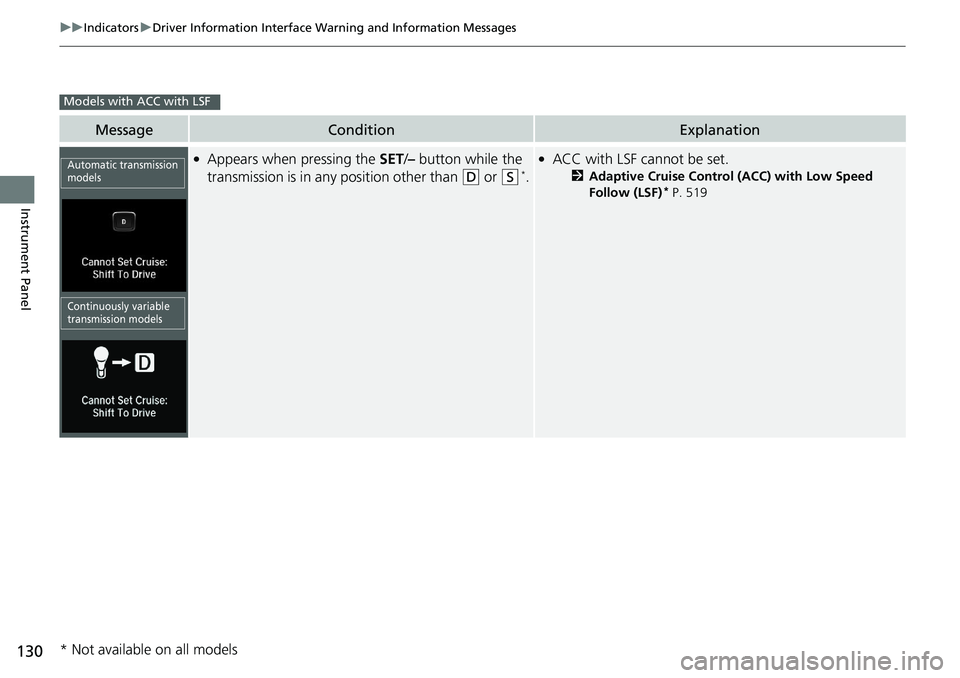
●Appears when pressing the SET/– button while the
transmission is in any position other than
(D or (S*.
●ACC with LSF cannot be set.
2 Adaptive Cruise Control (ACC) with Low Speed
Follow (LSF)* P. 519
Models with ACC with LSF
Automatic transmission
models
Continuously variable
transmission models
* Not available on all models
Page 133 of 727
131
uuIndicators uDriver Information Interface Wa rning and Information Messages
Continued
Instrument Panel
MessageConditionExplanation
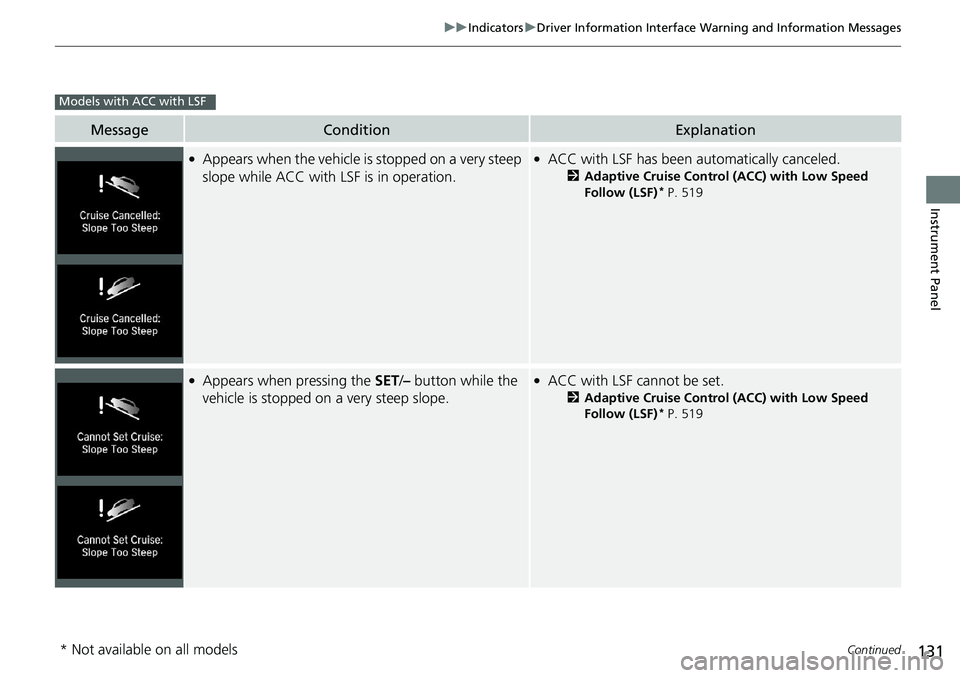
●Appears when the vehicle is stopped on a very steep
slope while ACC with LSF is in operation.●ACC with LSF has been au tomatically canceled.
2Adaptive Cruise Control (ACC) with Low Speed
Follow (LSF)* P. 519
●Appears when pressing the SET/– button while the
vehicle is stopped on a very steep slope.●ACC with LSF cannot be set.
2 Adaptive Cruise Control (ACC) with Low Speed
Follow (LSF)* P. 519
Models with ACC with LSF
* Not available on all models
Page 134 of 727
132
uuIndicators uDriver Information Interface Wa rning and Information Messages
Instrument Panel
MessageConditionExplanation
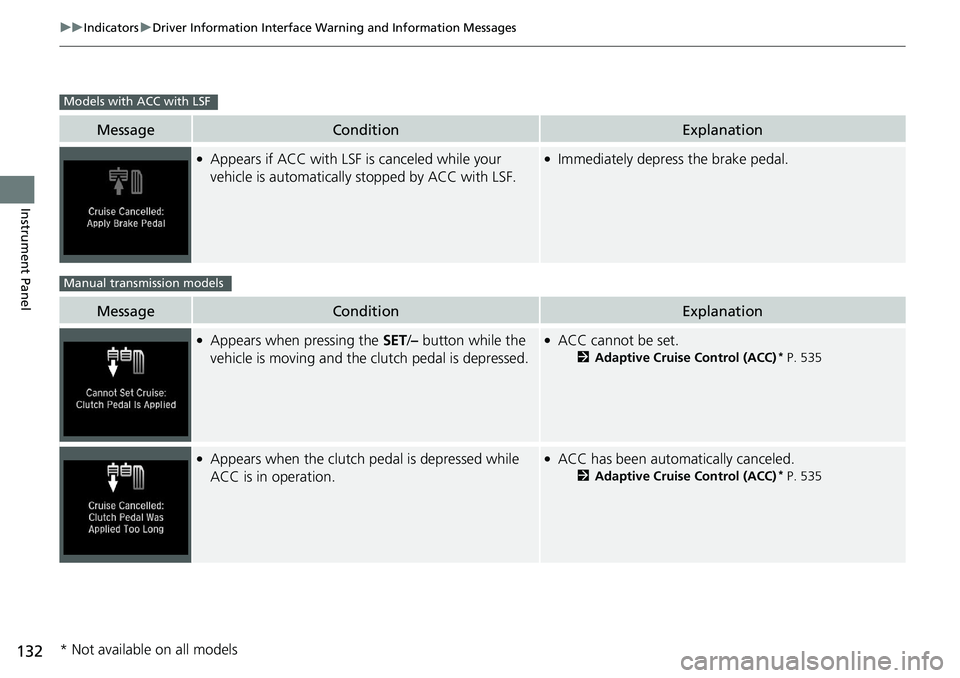
●Appears if ACC with LSF is canceled while your
vehicle is automatically stopped by ACC with LSF.●Immediately depress the brake pedal.
MessageConditionExplanation
●Appears when pressing the SET/– button while the
vehicle is moving and the clutch pedal is depressed.●ACC cannot be set.
2 Adaptive Cruise Control (ACC)* P. 535
●Appears when the clutch pedal is depressed while
ACC is in operation.●ACC has been automatically canceled.
2 Adaptive Cruise Control (ACC)* P. 535
Models with ACC with LSF
Manual transmission models
* Not available on all models
Page 157 of 727
Continued155
uuGauges and Displays uDriver Information Interface
Instrument Panel
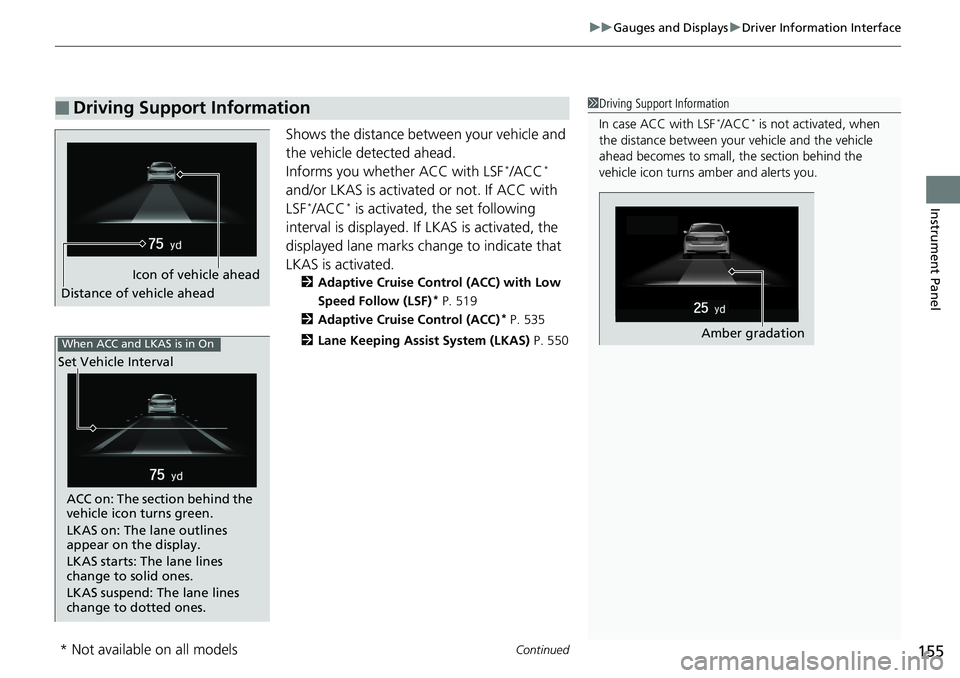
Shows the distance between your vehicle and
the vehicle detected ahead.
Informs you whether ACC with LSF
*/ACC*
and/or LKAS is activa ted or not. If ACC with
LSF
*/ACC* is activated, the set following
interval is displayed. If LKAS is activated, the
displayed lane marks chan ge to indicate that
LKAS is activated.
2 Adaptive Cruise Control (ACC) with Low
Speed Follow (LSF)* P. 519
2 Adaptive Cruise Control (ACC)
* P. 535
2 Lane Keeping Assist System (LKAS) P. 550
■Driving Support Information1Driving Support Information
In case ACC with LSF
*/ACC* is not activated, when
the distance between your vehicle and the vehicle
ahead becomes to small, the section behind the
vehicle icon turns amber and alerts you.
Amber gradation
Icon of vehicle ahead
Distance of vehicle ahead
When ACC and LKAS is in On
Set Vehicle Interval
ACC on: The section behind the
vehicle icon turns green.
LKAS on: The lane outlines
appear on the display.
LKAS starts: The lane lines
change to solid ones.
LKAS suspend: The lane lines
change to dotted ones.
* Not available on all models
Page 160 of 727
158
uuGauges and Displays uHead-Up Display*
Instrument Panel
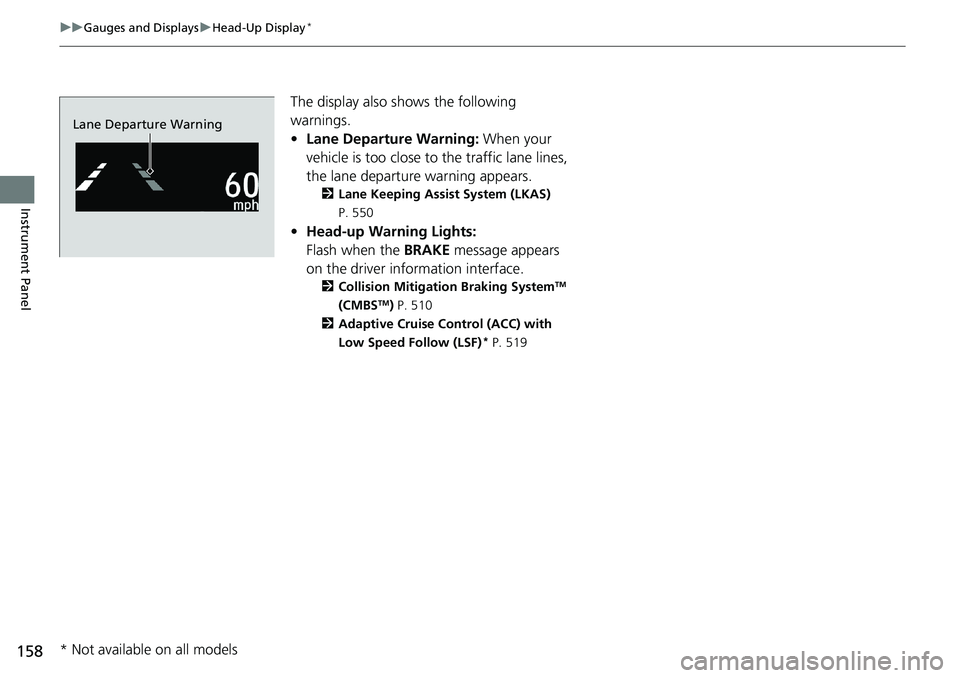
The display also s hows the following
warnings.
• Lane Departure Warning: When your
vehicle is too close to the traffic lane lines,
the lane departure warning appears.
2 Lane Keeping Assist System (LKAS)
P. 550
• Head-up Warning Lights:
Flash when the BRAKE message appears
on the driver information interface.
2 Collision Mitigation Braking SystemTM
(CMBSTM) P. 510
2 Adaptive Cruise Control (ACC) with
Low Speed Follow (LSF)
* P. 519
Lane Departure Warning
* Not available on all models
Page 162 of 727
uuGauges and Displays uHead-Up Display*
160
Instrument Panel
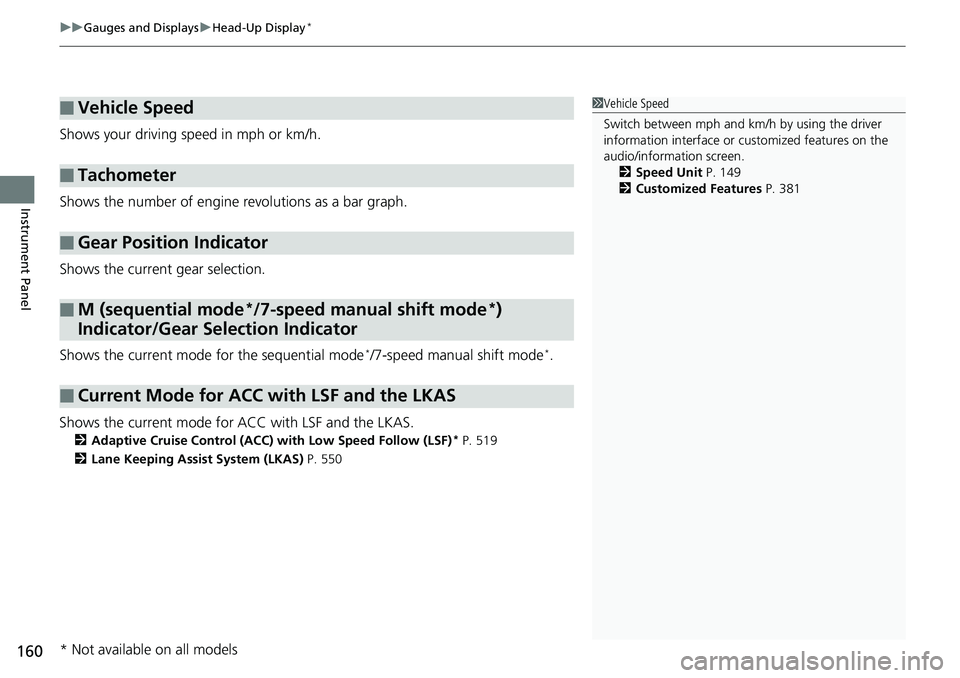
Shows your driving speed in mph or km/h.
Shows the number of engine revolutions as a bar graph.
Shows the current gear selection.
Shows the current mode for the sequential mode
*/7-speed manual shift mode*.
Shows the current mode for ACC with LSF and the LKAS.
2 Adaptive Cruise Control (ACC) with Low Speed Follow (LSF)* P. 519
2 Lane Keeping Assist System (LKAS) P. 550
■Vehicle Speed
■Tachometer
■Gear Position Indicator
■M (sequential mode*/7-speed manual shift mode*)
Indicator/Gear Selection Indicator
■Current Mode for ACC with LSF and the LKAS
1 Vehicle Speed
Switch between mph and km/h by using the driver
information interface or cu stomized features on the
audio/information screen. 2 Speed Unit P. 149
2 Customized Features P. 381
* Not available on all models
Page 455 of 727
453
Driving
This chapter discusses driving and refueling.
Before Driving................................... 454
Towing a Trailer ................................ 459
When Driving Starting the Engine .......................... 465
Precautions While Driving................. 473
Automatic Transmission
*/Continuously
Variable Transmission*................... 474
Shifting .................... 475, 482, 484, 488
SPORT Mode
*.................................. 491
ECON Button ................................... 492
Adaptive Damper System
*............... 493Vehicle Stability Assist ® (VSA ®), aka
Electronic Stability Control (ESC),
System.......................................... 494
Agile Handling Assist ............................. 496Tire Pressure Monitoring System (TPMS)..... 497Tire Pressure Monitoring System (TPMS) -
Required Federal Explanation ......... 500
Blind spot information System
*........... 502
LaneWatchTM*.................................. 505
Honda Sensing ®................................ 507
Collision Mitigati on Braking System
TM
(CMBSTM) ....................................... 510
Adaptive Cruise Control (ACC) with Low Speed Follow (LSF)
*....................... 519
Adaptive Cruise Control (ACC)*....... 535
Lane Keeping Assist System (LKAS).... 550
Road Departure Mi tigation (RDM)
System ........................................ 558
Traffic Sign Recognition System ....... 562
Front Sensor Camera ....................... 568
Radar Sensor ................................... 570
Braking Brake System ................................... 571
Anti-lock Brake System (ABS) ........... 581
Brake Assist System ......................... 582
Parking Your Vehicle ........................ 583
Multi-View Rear Camera .................. 594
Refueling ........................................... 597
Fuel Economy and CO
2 Emissions .... 600
Turbo Engine Vehicle ....................... 601
* Not available on all models
Page 496 of 727
494
uuWhen Driving uVehicle Stability Assist ® (VSA ®), aka Electronic Stability Control (ESC), System
Driving
Vehicle Stability Assist ® (VSA ®), aka Electronic
Stability Control (ESC), System
VSA ® helps to stabilize the vehicle during cornering if the vehicle turns more or less
than what was intended. It also assists in maintaining traction on slippery surfaces.
It does so by regulating engine output and select ively applying the brakes.
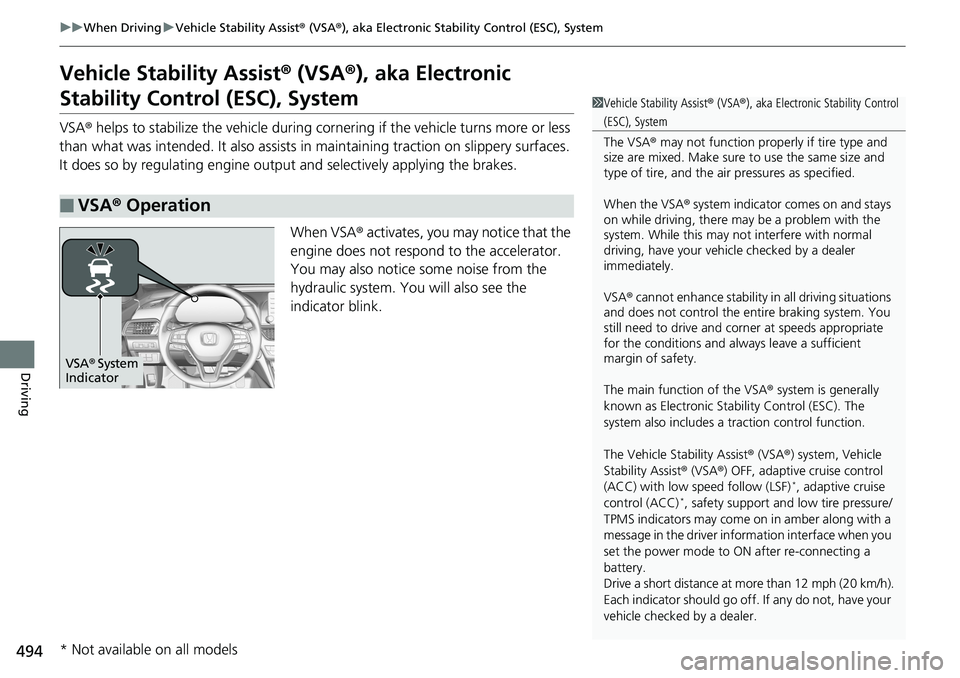
When VSA ® activates, you may notice that the
engine does not respond to the accelerator.
You may also notice some noise from the
hydraulic system. You will also see the
indicator blink.
■VSA ® Operation
1 Vehicle Stability Assist ® (VSA ®), aka Electronic Stability Control
(ESC), System
The VSA ® may not function properl y if tire type and
size are mixed. Make sure to use the same size and
type of tire, and the air pressures as specified.
When the VSA ® system indicator comes on and stays
on while driving, there ma y be a problem with the
system. While this may not interfere with normal
driving, have your vehi cle checked by a dealer
immediately.
VSA ® cannot enhance stability in all driving situations
and does not control the entire braking system. You
still need to drive and corner at speeds appropriate
for the conditions and always leave a sufficient
margin of safety.
The main function of the VSA ® system is generally
known as Electronic Stability Control (ESC). The
system also includes a traction control function.
The Vehicle Stability Assist ® (VSA ®) system, Vehicle
Stability Assist ® (VSA ®) OFF, adaptive cruise control
(ACC) with low speed follow (LSF)
*, adaptive cruise
control (ACC)*, safety support and low tire pressure/
TPMS indicators may come on in amber along with a
message in the driver information interface when you
set the power mode to ON after re-connecting a
battery.
Drive a short distance at more than 12 mph (20 km/h).
Each indicator should go off. If any do not, have your
vehicle checked by a dealer.
VSA ® System
Indicator
* Not available on all models