instrument panel HONDA CIVIC 2022 Owner's Guide
[x] Cancel search | Manufacturer: HONDA, Model Year: 2022, Model line: CIVIC, Model: HONDA CIVIC 2022Pages: 700, PDF Size: 13.98 MB
Page 113 of 700
uuGauges and Driver Information Interface uGauges
112
Instrument Panel
Shows the current mode for ACC with Low Sp eed Follow, LKAS, and traffic jam assist.
2Adaptive Cruise Control (ACC) with Low Speed Follow P. 494
2 Lane Keeping Assist System (LKAS) P. 516
2 Traffic Jam Assist P. 528
Shows the clock.
You can adjust the time manually or change the clock display to show the 12 hour
clock or 24 hour clock by using the audio/information screen.
2Clock P. 154
■Current Mode for ACC with Low Speed Follow, the LKAS, and
Traffic Jam Assist
■Clock
1Current Mode for ACC with Lo w Speed Follow, the LKAS, and
Traffic Jam Assist
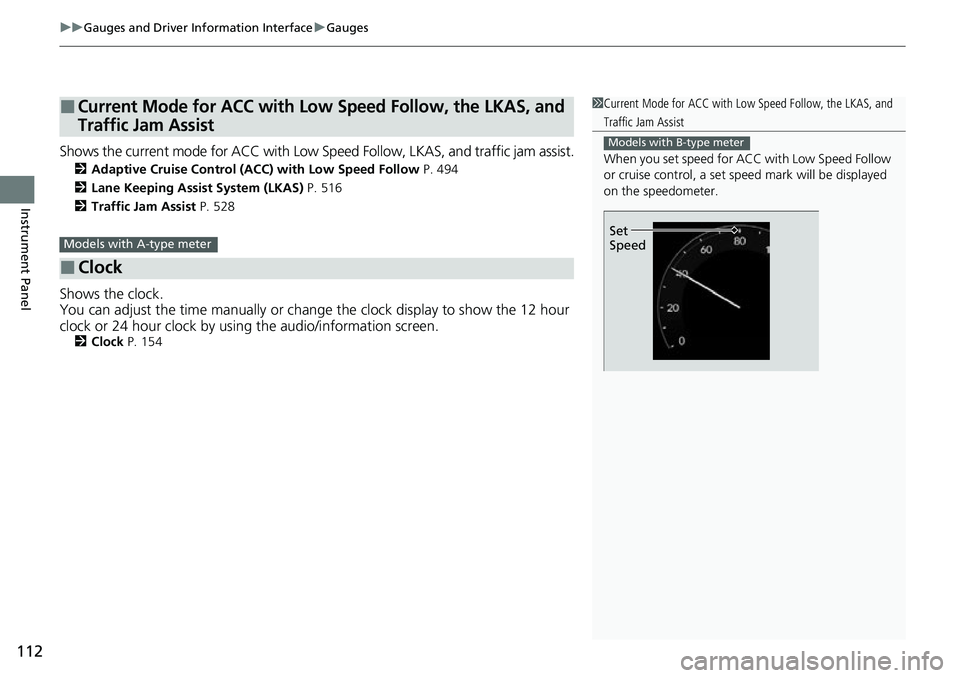
When you set speed for ACC with Low Speed Follow
or cruise control, a set speed mark will be displayed
on the speedometer.
Models with B-type meter
Set
SpeedModels with A-type meter
Page 114 of 700
113
uuGauges and Driver Information Interface uDriver Information Interface
Continued
Instrument Panel
Driver Information Interface
The driver information interface shows information such as the estimated travelable
distance and fuel economy of the vehicle. It also displays messages such as warnings
and other helpful information.
When a warning message displays, please check the message and contact a dealer
and have the vehicle inspected if necessary . Please refer to the pages below if the
Engine oil pressure low. or Engine temperature too hot. message is displayed.
2If the Low Oil Pressure Warning Appears P. 658
2 Overheating P. 656
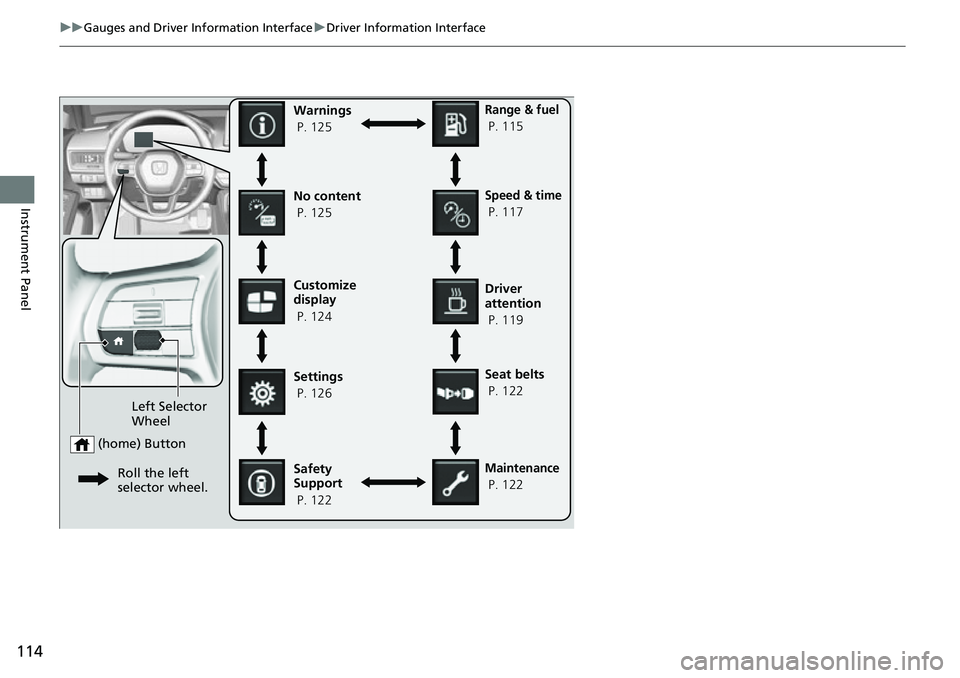
■Accessing contents in the display
Press the (home) button, then roll the le ft selector wheel to scroll to the content
you want to see. Press the left sele ctor wheel to see detailed information.
■Switching the Display
Models with A-type meter
1Switching the Display
You can add or delete the meter contents.
2 Customize Display P. 124
Page 115 of 700
114
uuGauges and Driver Information Interface uDriver Information Interface
Instrument Panel
Customize
display
P. 124
Left Selector
Wheel
(home) Button
Roll the left
selector wheel.
No content
P. 125Speed & time
P. 117
Warnings
P. 125
Range & fuel
P. 115
Settings
P. 126 Driver
attention
P. 119
Seat belts
P. 122
Safety
Support
P. 122
Maintenance
P. 122
Page 116 of 700
115
uuGauges and Driver Information Interface uDriver Information Interface
Continued
Instrument Panel
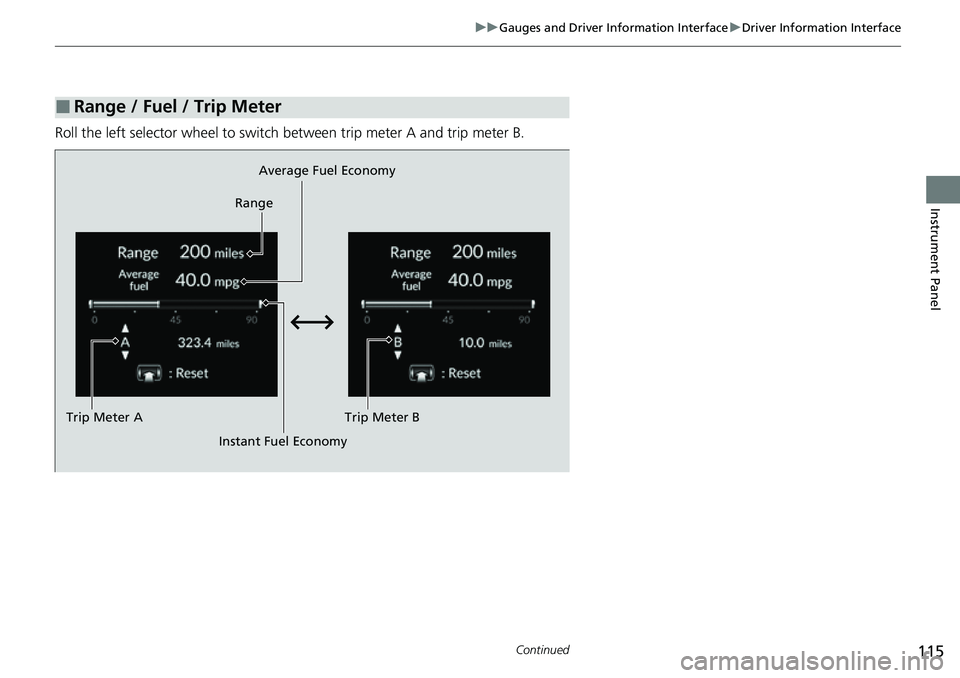
Roll the left selector wheel to switch between trip meter A and trip meter B.
■Range / Fuel / Trip Meter
Average Fuel Economy
Range
Trip Meter B
Instant Fuel Economy
Trip Meter A
Page 117 of 700
uuGauges and Driver Information Interface uDriver Information Interface
116
Instrument Panel
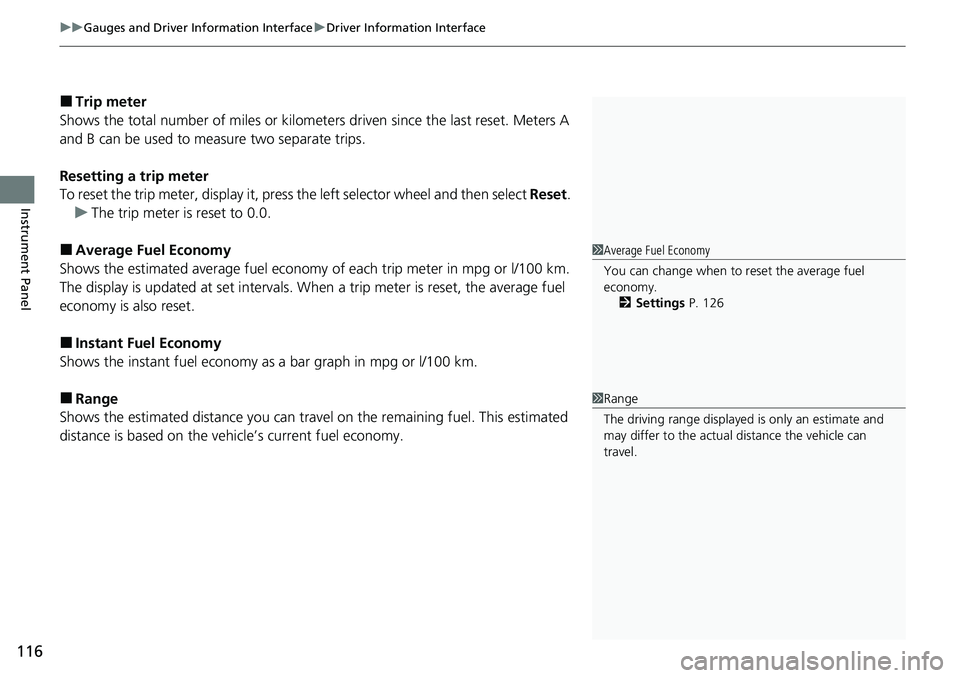
■Trip meter
Shows the total number of miles or kilomete rs driven since the last reset. Meters A
and B can be used to measure two separate trips.
Resetting a trip meter
To reset the trip meter, display it, press the left selector wheel and then select Reset.
u The trip meter is reset to 0.0.
■Average Fuel Economy
Shows the estimated average fuel economy of each trip meter in mpg or l/100 km.
The display is updated at set intervals. When a trip meter is reset, the average fuel
economy is also reset.
■Instant Fuel Economy
Shows the instant fuel economy as a bar graph in mpg or l/100 km.
■Range
Shows the estimated distance you can trave l on the remaining fuel. This estimated
distance is based on the vehicle’s current fuel economy.
1 Average Fuel Economy
You can change when to reset the average fuel
economy.
2 Settings P. 126
1Range
The driving range displayed is only an estimate and
may differ to the actual distance the vehicle can
travel.
Page 118 of 700

117
uuGauges and Driver Information Interface uDriver Information Interface
Continued
Instrument Panel
Roll the left selector wheel to switch between trip meter A and trip meter B.
■Speed & Time
Trip Meter B
Average Speed
Trip Meter A Elapsed Time
Page 119 of 700
uuGauges and Driver Information Interface uDriver Information Interface
118
Instrument Panel
■Trip meter
2 Trip meter P. 116
■Elapsed time
Shows the time elapsed since Trip A or Trip B was reset.
■Average speed
Shows the average speed in mph or km/h since Trip A or Trip B was reset.
1 Elapsed time
You can change when to reset the elapsed time.
2 Settings P. 126
1Average speed
You can change when to reset the average speed.
2 Settings P. 126
Page 120 of 700
Continued119
uuGauges and Driver Information Interface uDriver Information Interface
Instrument Panel
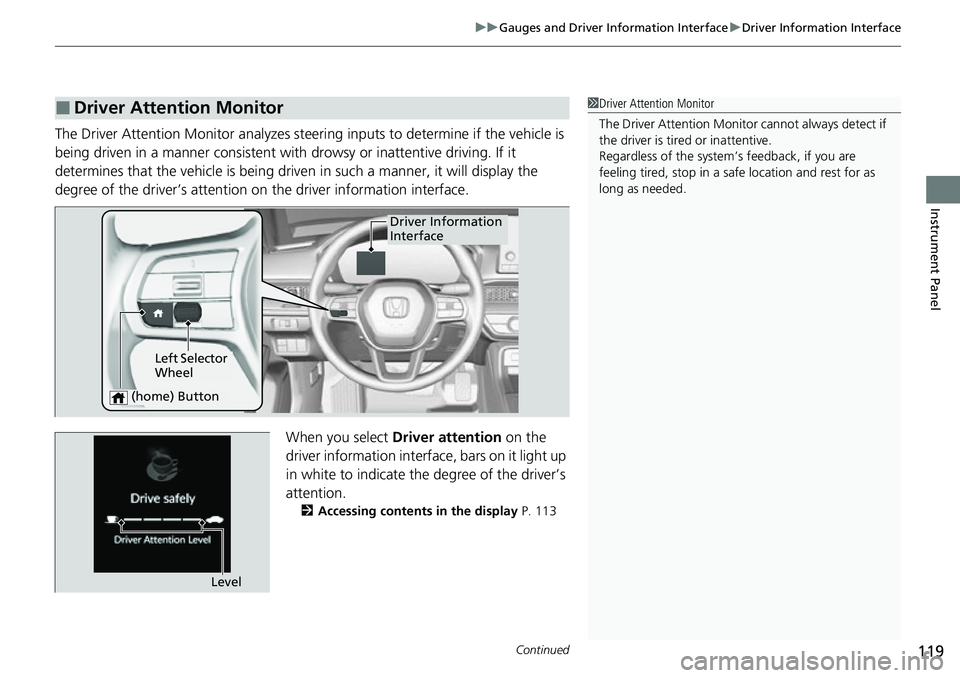
The Driver Attention Monitor analyzes steering inputs to determine if the vehicle is
being driven in a manner consistent with drowsy or inattentive driving. If it
determines that the vehicle is being driven in such a manner, it will display the
degree of the driver’s attention on the driver information interface.
When you select Driver attention on the
driver information interface , bars on it light up
in white to indicate the degree of the driver’s
attention.
2 Accessing contents in the display P. 113
■Driver Attention Monitor1Driver Attention Monitor
The Driver Attenti on Monitor cannot always detect if
the driver is tired or inattentive.
Regardless of the system’s feedback, if you are
feeling tired, stop in a safe location and rest for as
long as needed.
Driver Information
Interface
Left Selector
Wheel
(home) Button
Level
Page 121 of 700
120
uuGauges and Driver Information Interface uDriver Information Interface
Instrument Panel
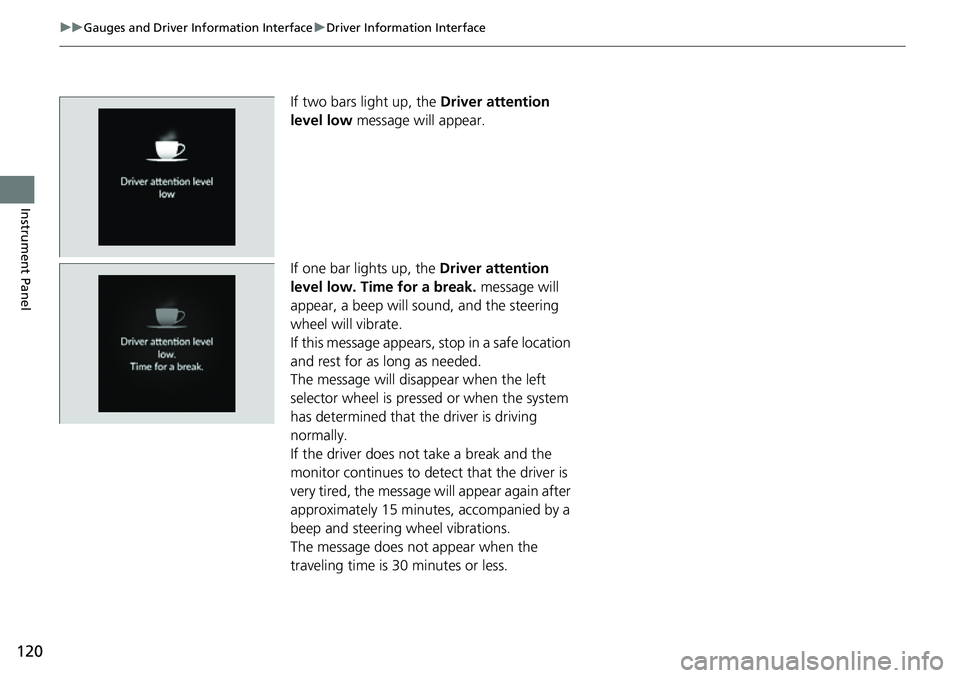
If two bars light up, the Driver attention
level low message will appear.
If one bar lights up, the Driver attention
level low. Time for a break. message will
appear, a beep will sound, and the steering
wheel will vibrate.
If this message appears, stop in a safe location
and rest for as long as needed.
The message will disappear when the left
selector wheel is pressed or when the system
has determined that the driver is driving
normally.
If the driver does not take a break and the
monitor continues to detect that the driver is
very tired, the message will appear again after
approximately 15 minutes, accompanied by a
beep and steering wheel vibrations.
The message does not appear when the
traveling time is 30 minutes or less.
Page 122 of 700
Continued121
uuGauges and Driver Information Interface uDriver Information Interface
Instrument Panel
■The Driver Attention Monitor resets when:
• The engine is turned off.
• The driver unfastens the seat belt and ope ns the door while the vehicle is stopped.
■For the Driver Attention Monitor to function:
• The vehicle must be traveling above 25 mph (40 km/h).
• The electric power steering (EPS) system indicator must be off.
■Depending on driving conditions or other factors, the Driver Attention
Monitor may not function in the following circumstances:
• The steering assist function of the Lane K eeping Assist System (LKAS) is active.
2Lane Keeping Assist System (LKAS) P. 516
•The condition of the road is poor, e.g. the surface is unpaved or bumpy.
• It is windy.
• The driver is frequently op erating the vehicle in an assertive manner such as
changing lanes or accelerating.
■Customizing
You can change the Driver Atte ntion Monitor settings. Select Tactile and audible
alert , Tactile alert or OFF.
2Settings P. 126
1For the Driver Attention Monitor to function:
The bars on the driver information interface remain
grayed out unless the Driv er Attention Monitor is
functioning.