Driving HONDA CIVIC 2023 Owners Manual
[x] Cancel search | Manufacturer: HONDA, Model Year: 2023, Model line: CIVIC, Model: HONDA CIVIC 2023Pages: 840, PDF Size: 26.53 MB
Page 418 of 840
416
uuHonda LogR*uPerformance Monitor
Features
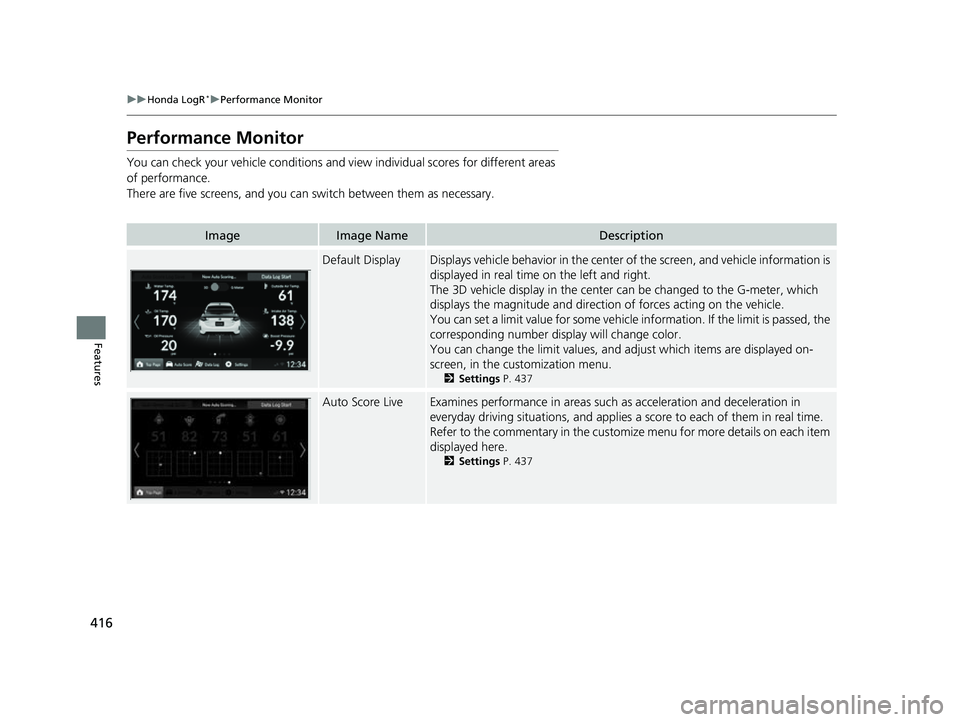
Performance Monitor
You can check your vehicle conditions and vi ew individual scores for different areas
of performance.
There are five screens, and you can switch between them as necessary.
ImageImage NameDescription
Default DisplayDisplays vehicle behavior in the center of the screen, and vehicle information is
displayed in real time on the left and right.
The 3D vehicle display in the center can be changed to the G-meter, which
displays the magnitude and directio n of forces acting on the vehicle.
You can set a limit value for some vehicle information. If the limit is passed, the
corresponding number display will change color.
You can change the limit values, and adjust which items are displayed on-
screen, in the cu stomization menu.
2Settings P. 437
Auto Score LiveExamines performance in areas such as acceleration and deceleration in
everyday driving situations, and applies a score to each of them in real time.
Refer to the commentary in the customize menu for more details on each item
displayed here.
2 Settings P. 437
23 CIVIC HATCHBACK TYPE R-31T406100_03.book 416 ページ 2022年6月23日 木曜日 午後9時28分
Page 419 of 840
417
uuHonda LogR*uPerformance Monitor
Features
ImageImage NameDescription
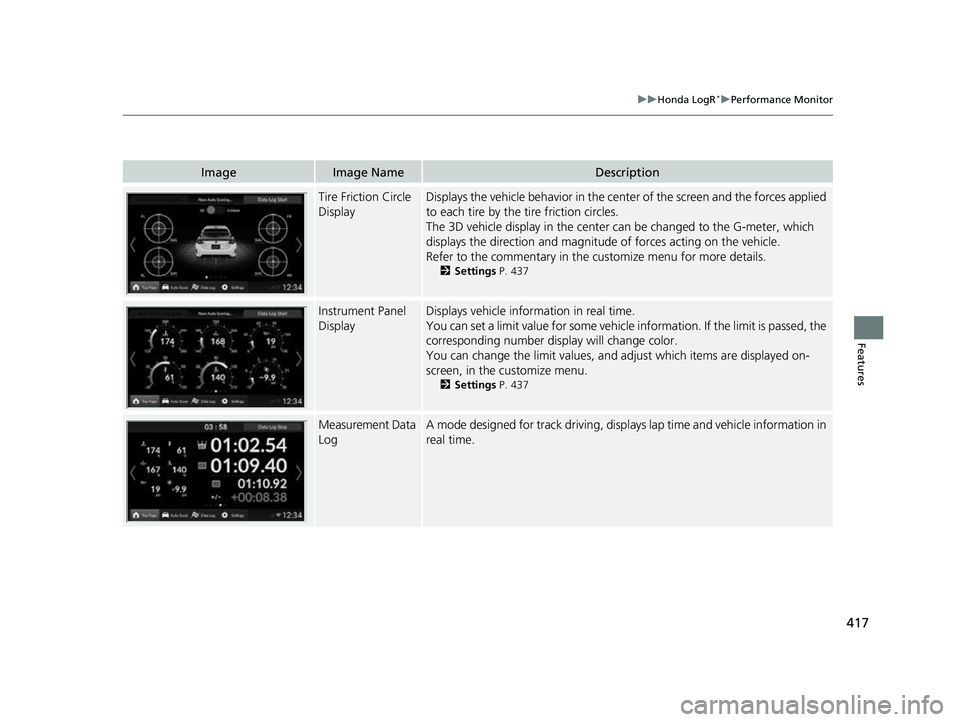
Tire Friction Circle
DisplayDisplays the vehicle behavior in the cent er of the screen and the forces applied
to each tire by the tire friction circles.
The 3D vehicle display in the center can be changed to the G-meter, which
displays the direction and magnitude of forces acting on the vehicle.
Refer to the commentary in the cu stomize menu for more details.
2Settings P. 437
Instrument Panel
DisplayDisplays vehicle inform ation in real time.
You can set a limit value for some vehicle information. If the limit is passed, the
corresponding number display will change color.
You can change the limit values, and adjust which items are displayed on-
screen, in the customize menu.
2 Settings P. 437
Measurement Data
LogA mode designed for track driving, displa ys lap time and vehicle information in
real time.
23 CIVIC HATCHBACK TYPE R-31T406100_03.book 417 ページ 2022年6月23日 木曜日 午後9時28分
Page 420 of 840
418
uuHonda LogR*uAuto Score Mode
Features
Auto Score Mode
This mode is designed for everyday driving situations.
When you turn on Honda LogR, Auto Sc ore mode is selected automatically.
Refer to the commentary in the customize menu for more details.
2Settings P. 437
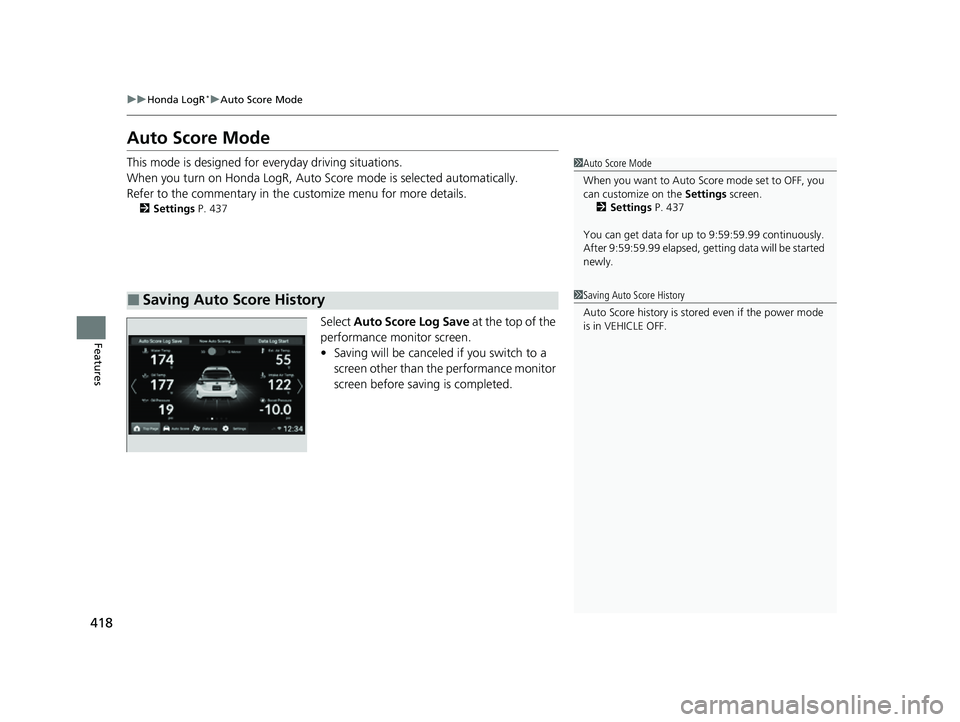
Select Auto Score Log Save at the top of the
performance monitor screen.
• Saving will be canceled if you switch to a
screen other than the performance monitor
screen before saving is completed.
■Saving Auto Score History
1Auto Score Mode
When you want to Auto Score mode set to OFF, you
can customize on the Settings screen.
2 Settings P. 437
You can get data for up to 9:59:59.99 continuously.
After 9:59:59.99 elapsed, gett ing data will be started
newly.
1 Saving Auto Score History
Auto Score history is stored even if the power mode
is in VEHICLE OFF.
23 CIVIC HATCHBACK TYPE R-31T406100_03.book 418 ページ 2022年6月23日 木曜日 午後9時28分
Page 421 of 840
Continued419
uuHonda LogR*uAuto Score Mode
Features
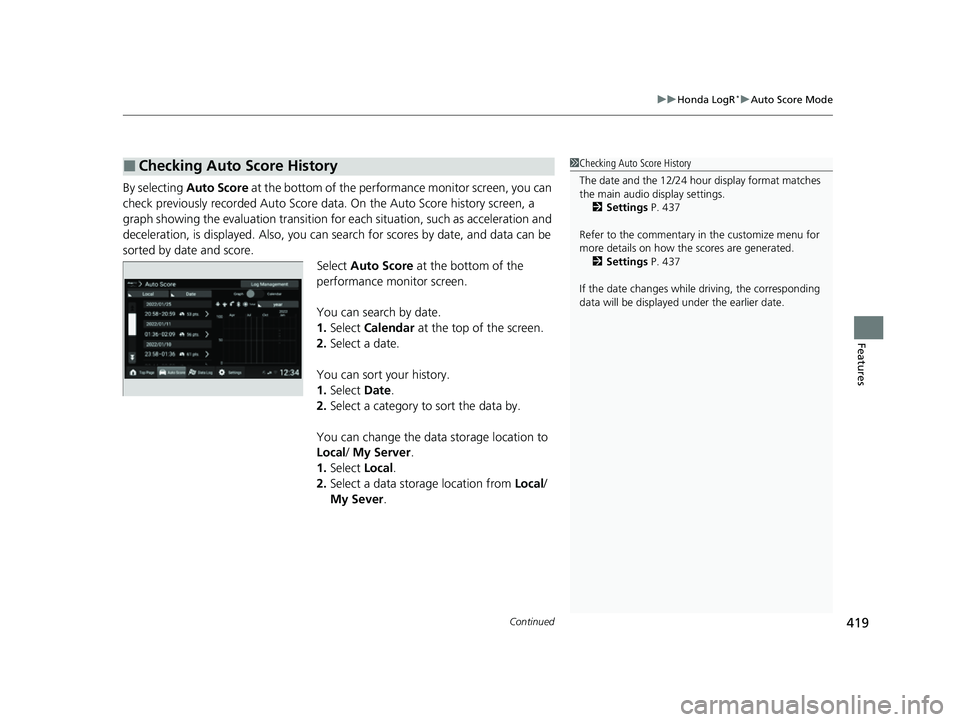
By selecting Auto Score at the bottom of the performance monitor screen, you can
check previously recorded Auto Score data. On the Au to Score history screen, a
graph showing the evaluation transition for each situation, such as acceleration and
deceleration, is displayed. Also, you can search for scores by date, and data can be
sorted by date and score. Select Auto Score at the bottom of the
performance monitor screen.
You can search by date.
1. Select Calendar at the top of the screen.
2. Select a date.
You can sort your history.
1. Select Date.
2. Select a category to sort the data by.
You can change the data storage location to
Local / My Server.
1. Select Local.
2. Select a data storage location from Local/
My Sever .
■Checking Auto Score History1Checking Auto Score History
The date and the 12/24 hour display format matches
the main audio display settings.
2 Settings P. 437
Refer to the commentary in the customize menu for
more details on how the scores are generated.
2 Settings P. 437
If the date changes whil e driving, the corresponding
data will be displaye d under the earlier date.
23 CIVIC HATCHBACK TYPE R-31T406100_03.book 419 ページ 2022年6月23日 木曜日 午後9時28分
Page 422 of 840
uuHonda LogR*uAuto Score Mode
420
Features
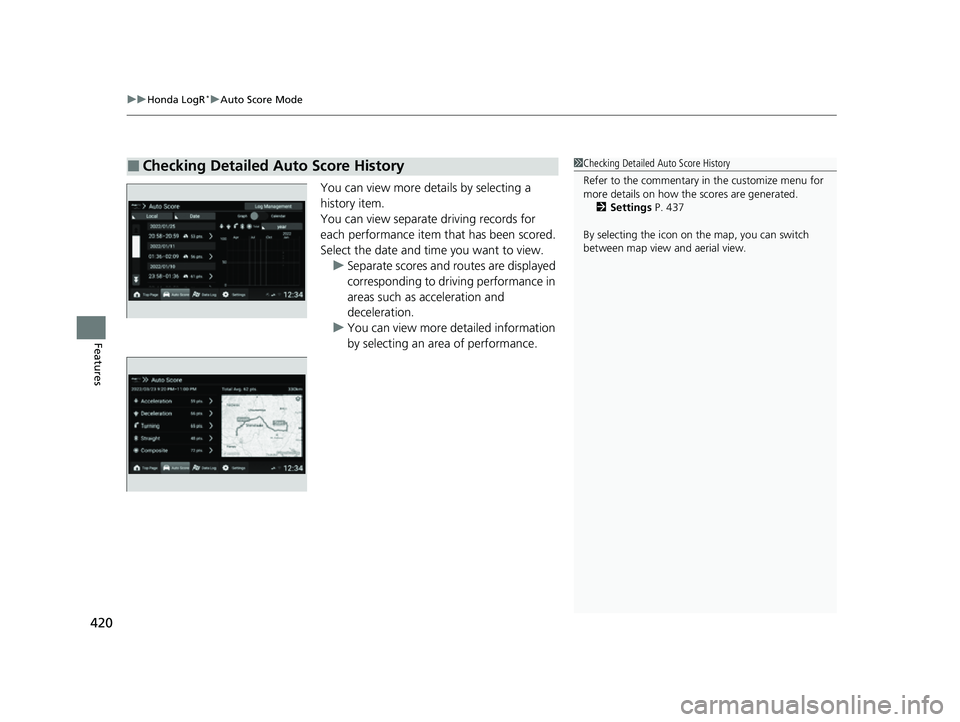
You can view more details by selecting a
history item.
You can view separate driving records for
each performance item that has been scored.
Select the date and time you want to view. u Separate scores and routes are displayed
corresponding to driving performance in
areas such as acceleration and
deceleration.
u You can view more detailed information
by selecting an area of performance.
■Checking Detailed Auto Score History1Checking Detailed Auto Score History
Refer to the commentary in the customize menu for
more details on how the scores are generated.
2 Settings P. 437
By selecting the icon on the map, you can switch
between map view and aerial view.
23 CIVIC HATCHBACK TYPE R-31T406100_03.book 420 ページ 2022年6月23日 木曜日 午後9時28分
Page 427 of 840
425
uuHonda LogR*uData Log Mode
Continued
Features
Data Log Mode
This mode is designed for track driving. In addition to the features from Auto Score
mode, you can also record lap time data et c. By uploading data to the server, you
can compare it with other user’s data.
Refer to the commentary in the customize menu for more details.
2Settings P. 437
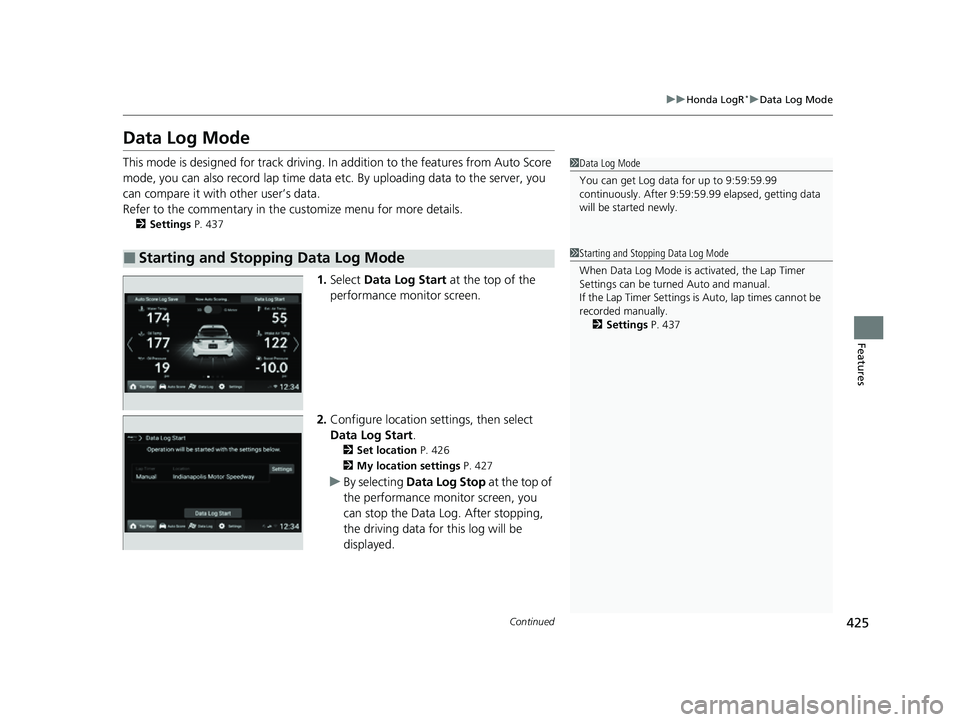
1.Select Data Log Start at the top of the
performance monitor screen.
2. Configure location settings, then select
Data Log Start.
2 Set location P. 426
2 My location settings P. 427
uBy selecting Data Log Stop at the top of
the performance mo nitor screen, you
can stop the Data Log. After stopping,
the driving data for this log will be
displayed.
■Starting and Stopping Data Log Mode
1 Data Log Mode
You can get Log data for up to 9:59:59.99
continuously. After 9:59:59.99 elapsed, getting data
will be st arted newly.
1Starting and Stopping Data Log Mode
When Data Log Mode is activated, the Lap Timer
Settings can be turned Auto and manual.
If the Lap Timer Settings is Auto, lap times cannot be
recorded manually. 2 Settings P. 437
23 CIVIC HATCHBACK TYPE R-31T406100_03.book 425 ページ 2022年6月23日 木曜日 午後9時28分
Page 431 of 840
Continued429
uuHonda LogR*uData Log Mode
Features
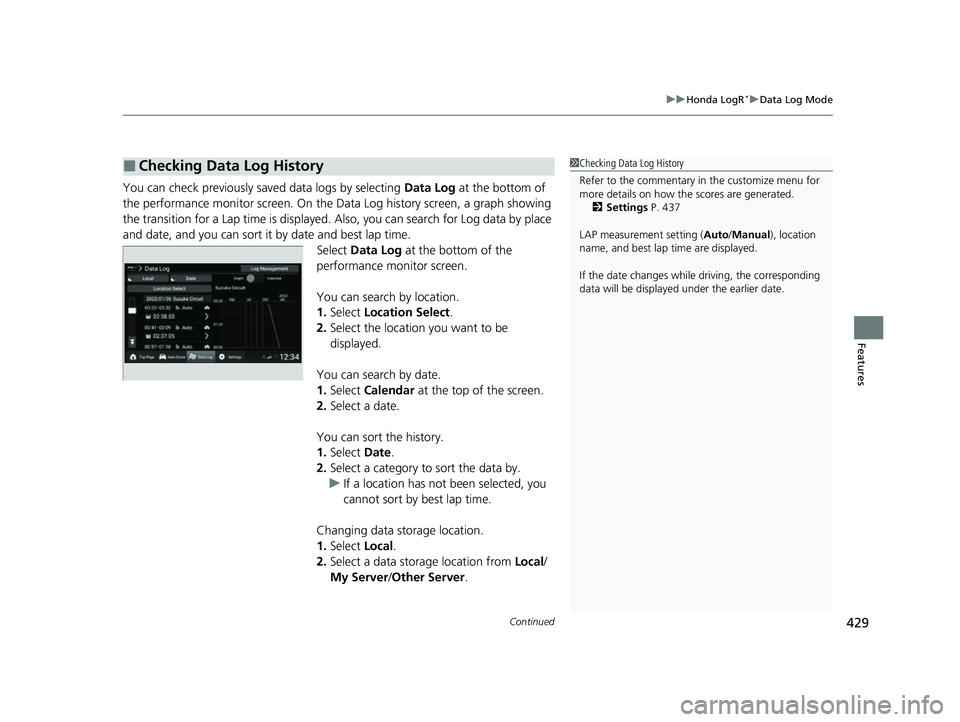
You can check previously saved data logs by selecting Data Log at the bottom of
the performance monitor screen. On the Da ta Log history screen, a graph showing
the transition for a Lap time is displayed. Also, you can search for Log data by place
and date, and you can sort it by date and best lap time. Select Data Log at the bottom of the
performance monitor screen.
You can search by location.
1. Select Location Select .
2. Select the location you want to be
displayed.
You can search by date.
1. Select Calendar at the top of the screen.
2. Select a date.
You can sort the history.
1. Select Date.
2. Select a category to sort the data by.
u If a location has not been selected, you
cannot sort by best lap time.
Changing data storage location.
1. Select Local.
2. Select a data storage location from Local/
My Server /Other Server.
■Checking Data Log History1 Checking Data Log History
Refer to the commentary in the customize menu for
more details on how the scores are generated.
2 Settings P. 437
LAP measurement setting ( Auto/Manual), location
name, and best lap time are displayed.
If the date changes whil e driving, the corresponding
data will be displaye d under the earlier date.
23 CIVIC HATCHBACK TYPE R-31T406100_03.book 429 ページ 2022年6月23日 木曜日 午後9時28分
Page 433 of 840
Continued431
uuHonda LogR*uData Log Mode
Features
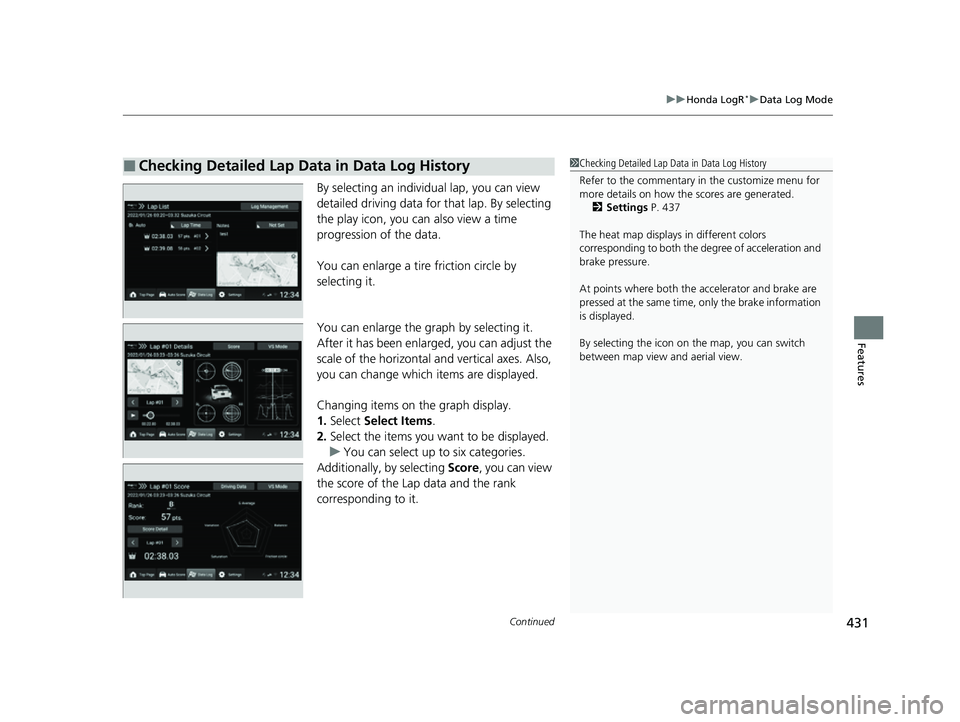
By selecting an individual lap, you can view
detailed driving data for that lap. By selecting
the play icon, you ca n also view a time
progression of the data.
You can enlarge a tire friction circle by
selecting it.
You can enlarge the graph by selecting it.
After it has been enlarged, you can adjust the
scale of the horizontal and vertical axes. Also,
you can change which items are displayed.
Changing items on the graph display.
1. Select Select Items .
2. Select the items you want to be displayed.
u You can select up to six categories.
Additionally, by selecting Score, you can view
the score of the Lap data and the rank
corresponding to it.
■Checking Detailed Lap Data in Data Log History1 Checking Detailed Lap Data in Data Log History
Refer to the commentary in the customize menu for
more details on how the scores are generated.
2 Settings P. 437
The heat map displays in different colors
corresponding to both the degree of acceleration and
brake pressure.
At points where both the ac celerator and brake are
pressed at the same time, only the brake information
is displayed.
By selecting the icon on the map, you can switch
between map view and aerial view.
23 CIVIC HATCHBACK TYPE R-31T406100_03.book 431 ページ 2022年6月23日 木曜日 午後9時28分
Page 434 of 840
uuHonda LogR*uData Log Mode
432
Features
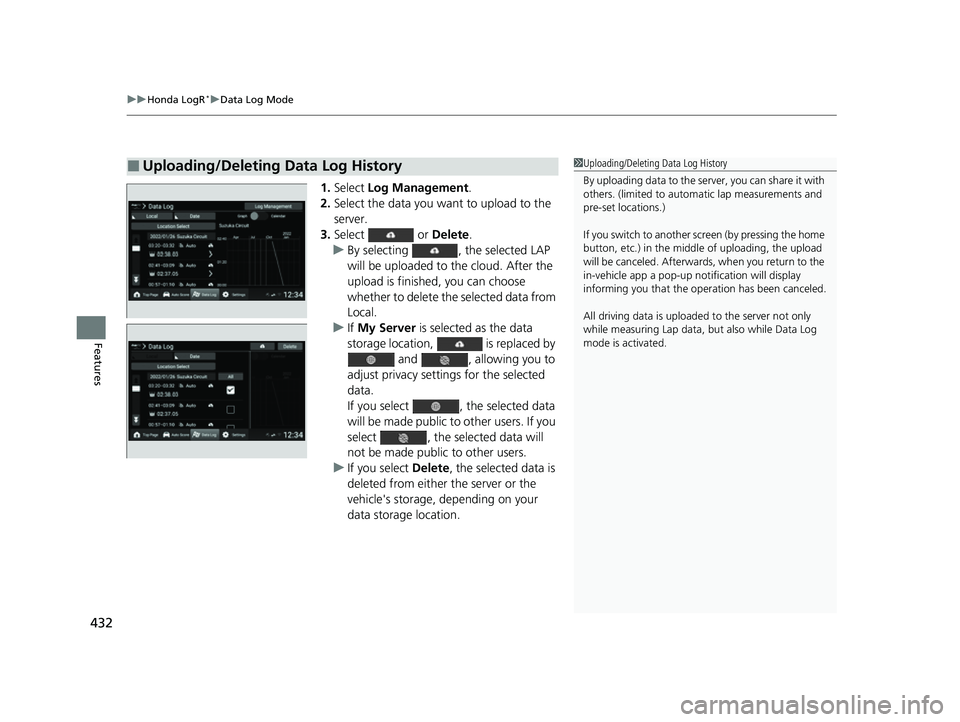
1. Select Log Management .
2. Select the data you want to upload to the
server.
3. Select or Delete.
u By selecting , the selected LAP
will be uploaded to the cloud. After the
upload is finished, you can choose
whether to delete the selected data from
Local.
u If My Server is selected as the data
storage location, is replaced by and , allowing you to
adjust privacy settings for the selected
data.
If you select , the selected data
will be made public to other users. If you
select , the selected data will
not be made public to other users.
u If you select Delete, the selected data is
deleted from either the server or the
vehicle's storage, depending on your
data storage location.
■Uploading/Deleting Data Log History1 Uploading/Deleting Data Log History
By uploading data to the serv er, you can share it with
others. (limited to automa tic lap measurements and
pre-set locations.)
If you switch to another screen (by pressing the home
button, etc.) in the middl e of uploading, the upload
will be canceled. Afterwards, when you return to the
in-vehicle app a pop-up not ification will display
informing you that the oper ation has been canceled.
All driving data is uploade d to the server not only
while measuring Lap data, but also while Data Log
mode is activated.
23 CIVIC HATCHBACK TYPE R-31T406100_03.book 432 ページ 2022年6月23日 木曜日 午後9時28分
Page 436 of 840
uuHonda LogR*uData Log Mode
434
Features
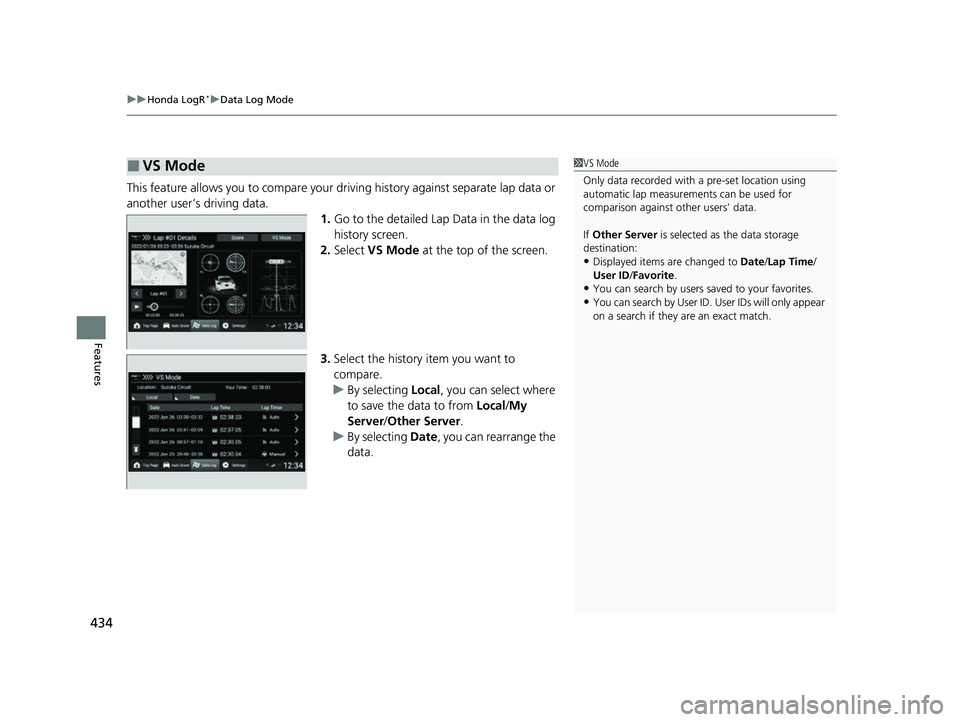
This feature allows you to compare your dr iving history against separate lap data or
another user’s driving data.
1.Go to the detailed Lap Data in the data log
history screen.
2. Select VS Mode at the top of the screen.
3. Select the history item you want to
compare.
u By selecting Local, you can select where
to save the data to from Local/My
Server/ Other Server.
u By selecting Date, you can rearrange the
data.
■VS Mode1 VS Mode
Only data recorded with a pre-set location using
automatic lap measurements can be used for
comparison against other users’ data.
If Other Server is selected as the data storage
destination:
•Displayed items are changed to Date/Lap Time /
User ID /Favorite .
•You can search by users saved to your favorites.
•You can search by User ID. User IDs will only appear
on a search if they are an exact match.
23 CIVIC HATCHBACK TYPE R-31T406100_03.book 434 ページ 2022年6月23日 木曜日 午後9時28分