Driving HONDA CIVIC 2023 Manual Online
[x] Cancel search | Manufacturer: HONDA, Model Year: 2023, Model line: CIVIC, Model: HONDA CIVIC 2023Pages: 840, PDF Size: 26.53 MB
Page 164 of 840
162
uuGauges and Driver Information Interface uDriver Information Interface Right Side Area (B-type-Meter)
Instrument Panel
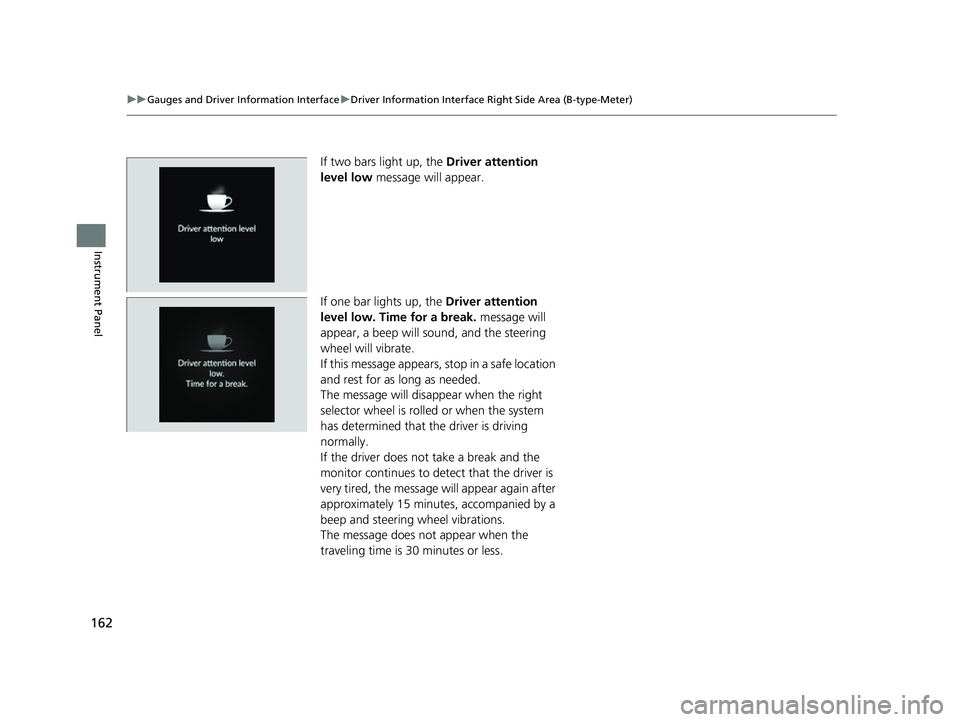
If two bars light up, the Driver attention
level low message will appear.
If one bar lights up, the Driver attention
level low. Time for a break. message will
appear, a beep will sound, and the steering
wheel will vibrate.
If this message appears, stop in a safe location
and rest for as long as needed.
The message will disa ppear when the right
selector wheel is rolled or when the system
has determined that the driver is driving
normally.
If the driver does not take a break and the
monitor continues to dete ct that the driver is
very tired, the message will appear again after
approximately 15 minutes, accompanied by a
beep and steering wheel vibrations.
The message does not appear when the
traveling time is 30 minutes or less.
23 CIVIC HATCHBACK TYPE R-31T406100_03.book 162 ページ 2022年6月23日 木曜日 午後9時28分
Page 165 of 840
Continued163
uuGauges and Driver Information Interface uDriver Information Interface Right Side Area (B-type-Meter)
Instrument Panel
■The Driver Attention Monitor resets when:
• The engine is turned off.
• The driver unfastens the seat belt and ope ns the door while the vehicle is stopped.
■For the Driver Attention Monitor to function:
• The vehicle must be traveling above 25 mph (40 km/h).
• The electric power steering (EPS) system indicator must be off.
■Depending on driving conditions or other factors, the Driver Attention
Monitor may not function in the following circumstances:
• The steering assist function of the Lane Keeping Assist System (LKAS) is active.
2Lane Keeping Assist System (LKAS) P. 618
•The condition of the road is poor, e. g., the surface is unpaved or bumpy.
• It is windy.
• The driver is frequently op erating the vehicle in an assertive manner such as
changing lanes or accelerating.
■Customizing
You can change the Driver Attention Monitor settings. Select Tactile And Audible
Alert , Tactile Alert , or OFF .
2Customized Features P. 390
1For the Driver Attention Monitor to function:
The bars on the driver information interface remain
grayed out unless the Driv er Attention Monitor is
functioning.
23 CIVIC HATCHBACK TYPE R-31T406100_03.book 163 ページ 2022年6月23日 木曜日 午後9時28分
Page 167 of 840
Continued165
uuGauges and Driver Information Interface uDriver Information Interface Right Side Area (B-type-Meter)
Instrument Panel
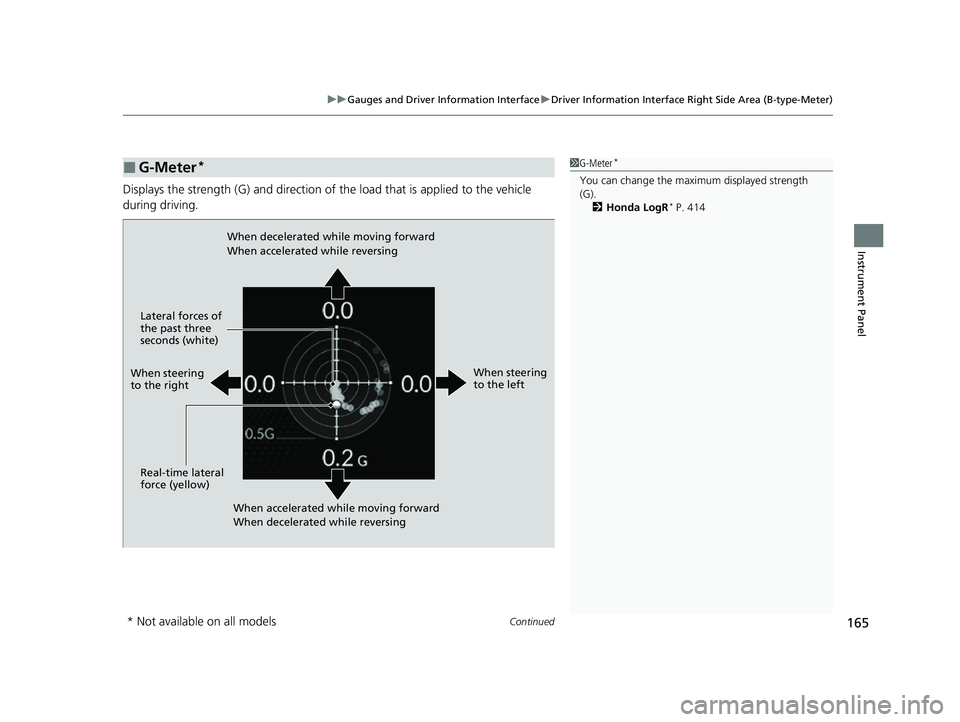
Displays the strength (G) and direction of the load that is applied to the vehicle
during driving.
■G-Meter*1 G-Meter*
You can change the maxi mum displayed strength
(G).
2 Honda LogR
* P. 414
When steering
to the right
When accelerated while moving forward
When decelerated while reversing
When decelerated while moving forward
When accelerated while reversing
When steering
to the left
Real-time lateral
force (yellow) Lateral forces of
the past three
seconds (white)
* Not available on all models
23 CIVIC HATCHBACK TYPE R-31T406100_03.book 165 ページ 2022年6月23日 木曜日 午後9時28分
Page 175 of 840
173
Controls
This chapter explains how to operate the various controls necessary for driving.
Clock.................................................. 174
Locking and Unlocking the Doors Key .................................................. 176
Low Keyless Remote Signal Strength .... 178
Locking/Unlocking the Doors from the Outside .......................................... 179
Locking/Unlocking the Doors from the Inside ............................................. 188
Childproof Door Locks ..................... 190
Auto Door Locking/Unlocking .......... 191
Hatch ................................................. 192
Security System ................................ 195 Windows
........................................... 198
Moonroof
*........................................ 201
Operating the Switches Around the Steering Wheel ENGINE START/STOP Button............. 202
Turn Signals ..................................... 205
Light Switches.................................. 206
Fog Lights
*...................................... 209
Daytime Running Lights ................... 209
Auto High-Beam .............................. 210
Wipers and Washers ........................ 213 Rear Defogger/Heated Door Mirror
*
Button ........................................... 216
Brightness Control ........................... 217
Adjusting the Steering Wheel .......... 219
Mirrors Interior Rearview Mirror ................... 220
Power Door Mirrors ......................... 221
Seats .................................................. 222
Interior Convenience Items .............. 231
Climate Control System ................... 249
* Not available on all models
23 CIVIC HATCHBACK TYPE R-31T406100_03.book 173 ページ 2022年6月23日 木曜日 午後9時28分
Page 194 of 840
192
Controls
Hatch
Precautions for Opening/Closing the Hatch
Always make sure individuals and objects are clear of the hatch before opening or
closing it.
• Open the hatch all the way.
u If it is not fully opened, the hatch may begin to close under its own weight.
• Be careful when it is windy. The wind may cause the hatch to close.
Keep the hatch closed while driving to:
u Avoid possible damage.
u Prevent exhaust gas from leaking into the vehicle.
2 Carbon Monoxide Gas P. 92
1Precautions for Opening/Closing the Hatch
Be careful not to hit your head on the hatch or to put
your hands between the ha tch and the cargo area
when closing the hatch.
When you are storing or picking up luggage from the
cargo area while the engine is idling, do not stand in
front of the exhaust pipe. You may get burned.
Do not allow any passenger in the cargo space. They
may get hurt during hard braking, a sudden
acceleration, or a crash.
3WARNING
Anyone caught in the path of a hatch that
is being opened or closed can be seriously
injured.
Make sure that all people are clear of the
hatch before opening or closing it.
23 CIVIC HATCHBACK TYPE R-31T406100_03.book 192 ページ 2022年6月23日 木曜日 午後9時28分
Page 201 of 840
Continued199
uuWindows uOpening/Closing the Power Windows
Controls
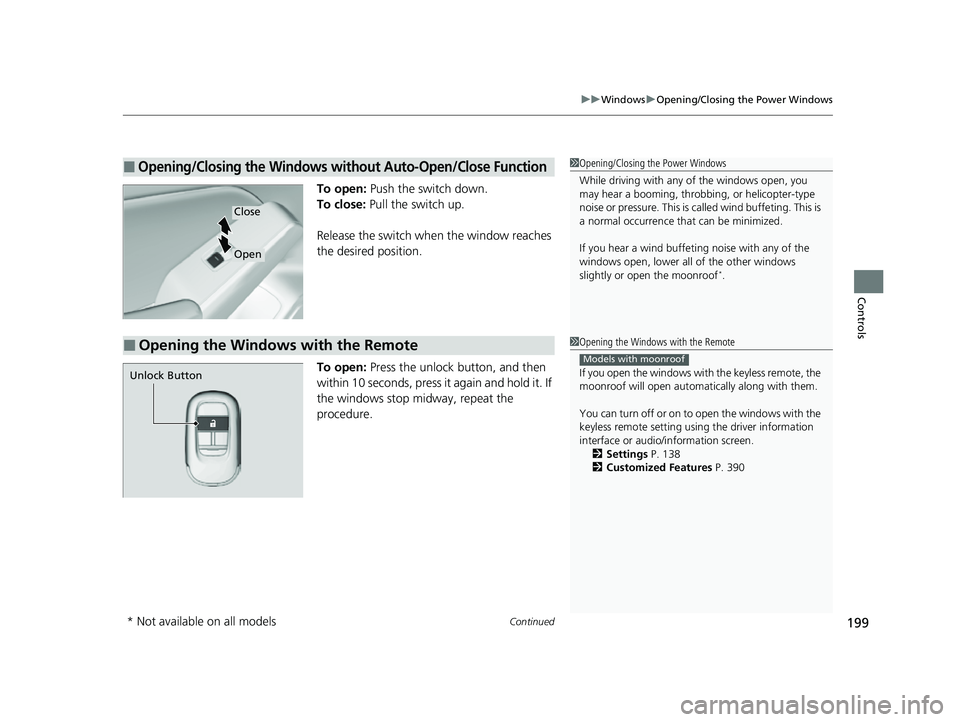
To open: Push the switch down.
To close: Pull the switch up.
Release the switch when the window reaches
the desired position.
To open: Press the unlock button, and then
within 10 seconds, press it again and hold it. If
the windows stop midway, repeat the
procedure.
■Opening/Closing the Windows without Auto-Open/Close Function1 Opening/Closing the Power Windows
While driving with any of the windows open, you
may hear a booming, throbbi ng, or helicopter-type
noise or pressure. This is ca lled wind buffeting. This is
a normal occurrence th at can be minimized.
If you hear a wind buffeti ng noise with any of the
windows open, lower all of the other windows
slightly or open the moonroof
*.
Close
Open
■Opening the Windows with the Remote1 Opening the Windows with the Remote
If you open the windows with the keyless remote, the
moonroof will open automati cally along with them.
You can turn off or on to open the windows with the
keyless remote setting usi ng the driver information
interface or audio/ information screen.
2 Settings P. 138
2 Customized Features P. 390
Models with moonroof
Unlock Button
* Not available on all models
23 CIVIC HATCHBACK TYPE R-31T406100_03.book 199 ページ 2022年6月23日 木曜日 午後9時28分
Page 209 of 840
Continued207
uuOperating the Switches Around the Steering Wheel uLight Switches
Controls
Automatic lighting control can be used when
the power mode is in ON.
When the light switch is in AUTO, the
headlights and other exterior lights will switch
on and off automatically depending on the
ambient brightness.
The headlights come on when you unlock a
door in dark areas with the headlight switch in
AUTO .
u Once you lock the door, the headlights
will go off.
■Automatic Operation (automatic lighting control)1 Automatic Operation (aut omatic lighting control)
We recommend that you tu rn on the lights manually
when driving at night, in a de nse fog, or in dark areas
such as long tunnels or parking facilities.
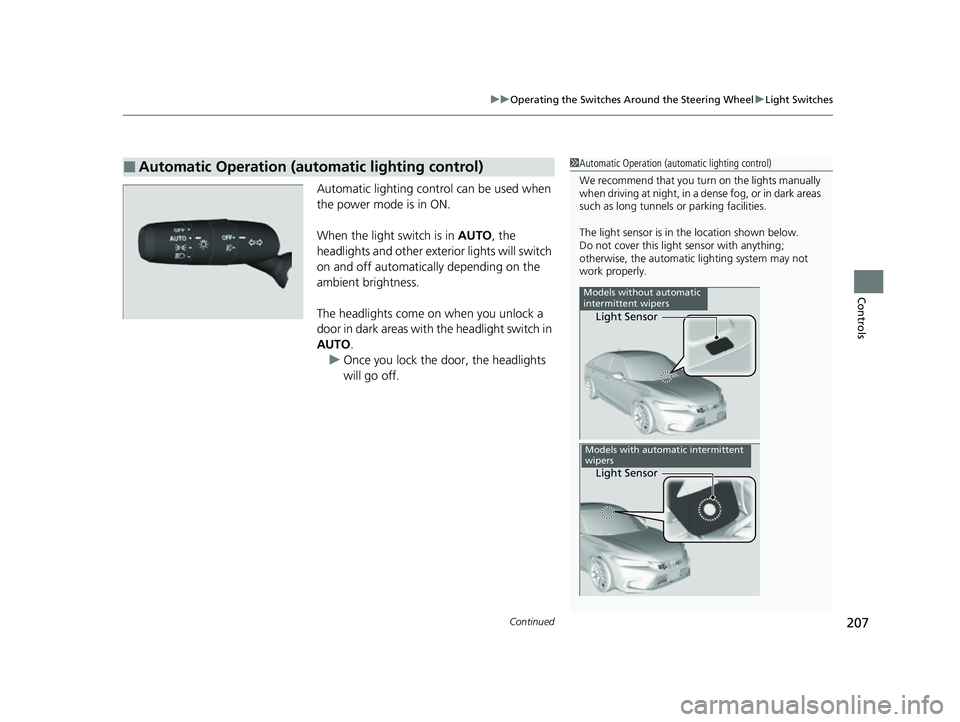
The light sensor is in the location shown below.
Do not cover this light sensor with anything;
otherwise, the automatic lighting system may not
work properly.
Light Sensor
Models without automatic
intermittent wipers
Light Sensor
Models with automatic intermittent
wipers
23 CIVIC HATCHBACK TYPE R-31T406100_03.book 207 ページ 2022年6月23日 木曜日 午後9時28分
Page 212 of 840
210
uuOperating the Switches Around the Steering Wheel uAuto High-Beam
Controls
Auto High-Beam
The front wide view camera detects the lig ht sources ahead of the vehicle such as
the lights of a preceding or on coming vehicle, or street lights. When you are driving
at night, the system automatically switch es the headlights between low beam and
high beam depending on the situation.
■Activating the system
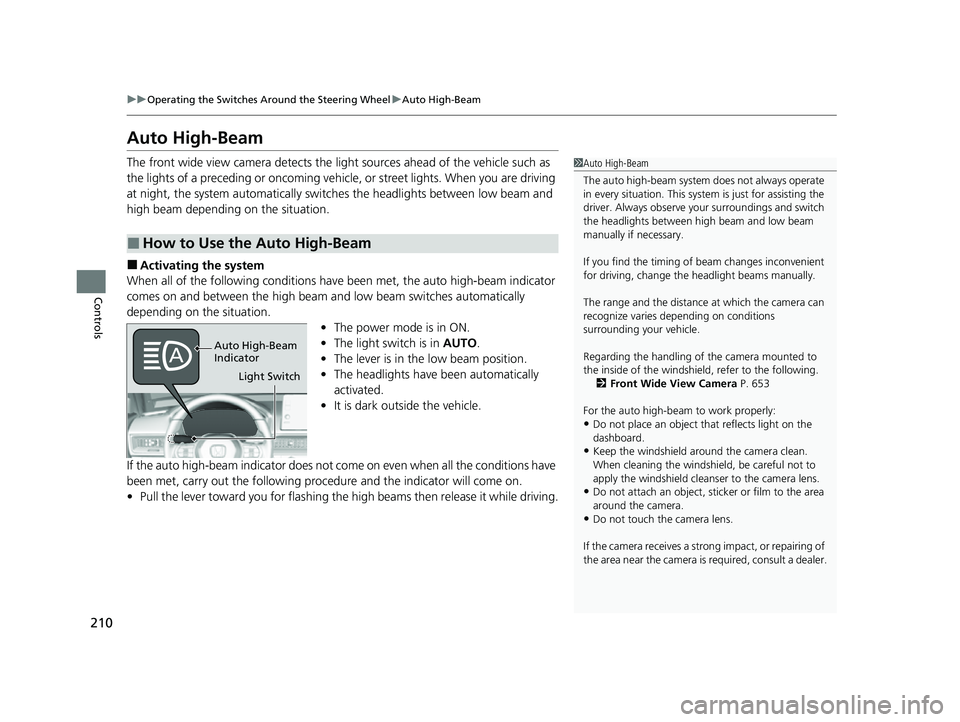
When all of the following conditions have been met, the auto high-beam indicator
comes on and between the high beam and low beam switches automatically
depending on the situation. •The power mode is in ON.
• The light switch is in AUTO.
• The lever is in the low beam position.
• The headlights have been automatically
activated.
• It is dark outside the vehicle.
If the auto high-beam indicator does not co me on even when all the conditions have
been met, carry out the following procedure and the indicator will come on.
• Pull the lever toward you for flashing the high beams then release it while driving.
■How to Use the Auto High-Beam
1Auto High-Beam
The auto high-beam system does not always operate
in every situation. This syst em is just for assisting the
driver. Always observe your surroundings and switch
the headlights between high beam and low beam
manually if necessary.
If you find the timing of beam changes inconvenient
for driving, change the headlight beams manually.
The range and the distance at which the camera can
recognize varies de pending on conditions
surrounding your vehicle.
Regarding the handling of the camera mounted to
the inside of the windshiel d, refer to the following.
2 Front Wide View Camera P. 653
For the auto high-beam to work properly:
•Do not place an object that reflects light on the
dashboard.
•Keep the windshield around the camera clean.
When cleaning the windshield, be careful not to
apply the windshield cleans er to the camera lens.
•Do not attach an object, sticker or film to the area
around the camera.
•Do not touch the camera lens.
If the camera receives a st rong impact, or repairing of
the area near the camera is required, consult a dealer.
Light Switch
Auto High-Beam
Indicator
23 CIVIC HATCHBACK TYPE R-31T406100_03.book 210 ページ 2022年6月23日 木曜日 午後9時28分
Page 213 of 840
Continued211
uuOperating the Switches Around the Steering Wheel uAuto High-Beam
Controls
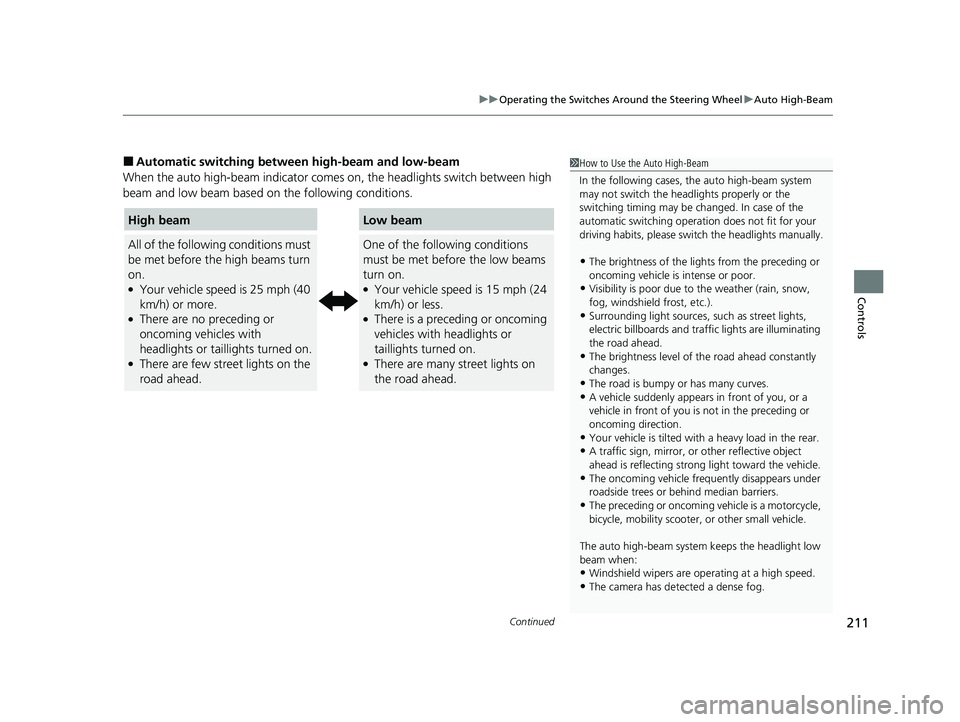
■Automatic switching between high-beam and low-beam
When the auto high-beam indicator comes on, the headlights switch between high
beam and low beam based on the following conditions.1 How to Use the Auto High-Beam
In the following cases, th e auto high-beam system
may not switch the head lights properly or the
switching timing may be ch anged. In case of the
automatic switching operation does not fit for your
driving habits, please swit ch the headlights manually.
•The brightness of the lights from the preceding or
oncoming vehicle is intense or poor.
•Visibility is poor due to the weather (rain, snow,
fog, windshield frost, etc.).
•Surrounding light sources, such as street lights,
electric billboards and traf fic lights are illuminating
the road ahead.
•The brightness level of th e road ahead constantly
changes.
•The road is bumpy or has many curves.•A vehicle suddenly appears in front of you, or a
vehicle in front of you is not in the preceding or
oncoming direction.
•Your vehicle is tilted with a heavy load in the rear.•A traffic sign, mirror, or other reflective object
ahead is reflecting strong light toward the vehicle.
•The oncoming vehicle freq uently disappears under
roadside trees or be hind median barriers.
•The preceding or oncoming vehicle is a motorcycle,
bicycle, mobility scooter, or other small vehicle.
The auto high-beam system keeps the headlight low
beam when:
•Windshield wipers are op erating at a high speed.
•The camera has detected a dense fog.
High beam
All of the following conditions must
be met before the high beams turn
on.
●Your vehicle speed is 25 mph (40
km/h) or more.
●There are no preceding or
oncoming vehicles with
headlights or taillights turned on.
●There are few street lights on the
road ahead.
Low beam
One of the following conditions
must be met before the low beams
turn on.
●Your vehicle speed is 15 mph (24
km/h) or less.
●There is a preceding or oncoming
vehicles with headlights or
taillights turned on.
●There are many street lights on
the road ahead.
23 CIVIC HATCHBACK TYPE R-31T406100_03.book 211 ページ 2022年6月23日 木曜日 午後9時28分
Page 214 of 840
uuOperating the Switches Around the Steering Wheel uAuto High-Beam
212
Controls
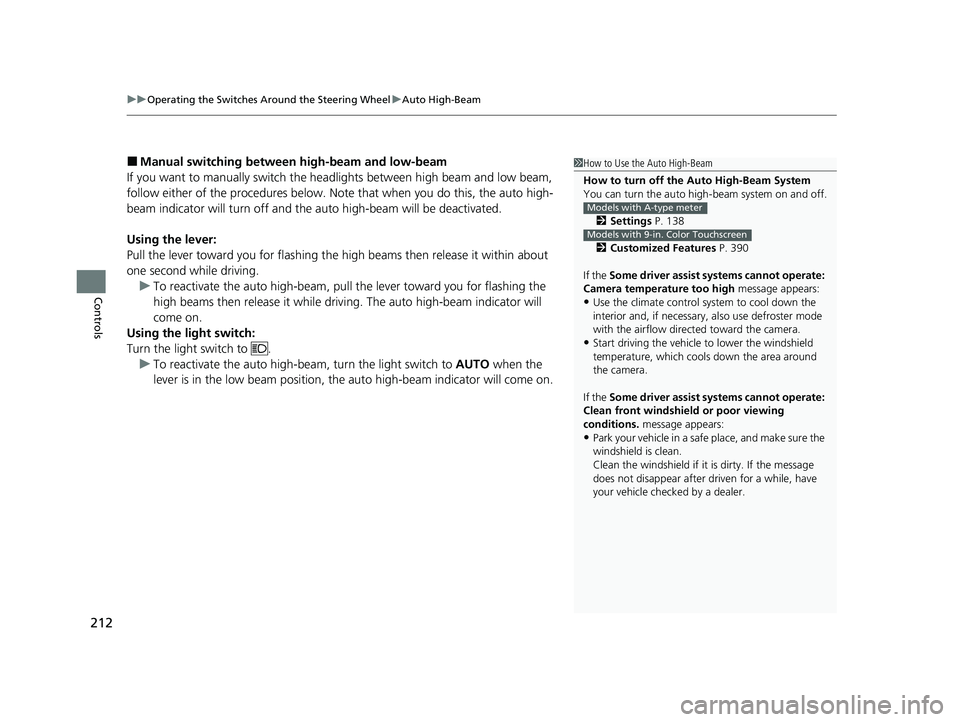
■Manual switching between high-beam and low-beam
If you want to manually switch the headlights between high beam and low beam,
follow either of the proced ures below. Note that when you do this, the auto high-
beam indicator will turn off and the auto high-beam will be deactivated.
Using the lever:
Pull the lever toward you fo r flashing the high beams th en release it within about
one second while driving. u To reactivate the auto high-beam, pull the lever toward you for flashing the
high beams then release it while driving. The auto high-beam indicator will
come on.
Using the light switch:
Turn the light switch to .
u To reactivate the auto high-be am, turn the light switch to AUTO when the
lever is in the low beam position, the auto high-beam indicator will come on.1How to Use the Auto High-Beam
How to turn off the Auto High-Beam System
You can turn the auto high- beam system on and off.
2 Settings P. 138
2 Customized Features P. 390
If the Some driver assist systems cannot operate:
Camera temperature too high message appears:
•Use the climate control system to cool down the
interior and, if necessary, also use defroster mode
with the airflow directed toward the camera.
•Start driving the vehicle to lower the windshield
temperature, which cool s down the area around
the camera.
If the Some driver assist systems cannot operate:
Clean front windshield or poor viewing
conditions. message appears:
•Park your vehicle in a safe place, and make sure the
windshield is clean.
Clean the windshield if it is dirty. If the message
does not disappear after dr iven for a while, have
your vehicle checked by a dealer.
Models with A-type meter
Models with 9-in. Color Touchscreen
23 CIVIC HATCHBACK TYPE R-31T406100_03.book 212 ページ 2022年6月23日 木曜日 午後9時28分