change wheel HONDA CIVIC 2023 Owner's Guide
[x] Cancel search | Manufacturer: HONDA, Model Year: 2023, Model line: CIVIC, Model: HONDA CIVIC 2023Pages: 840, PDF Size: 26.53 MB
Page 542 of 840
540
uuWhen Driving uTire Pressure Monitoring System (TPMS)*
Driving
Tire Pressure Monitoring System (TPMS)*
Instead of directly measuring the pressu re in each tire, the TPMS on this vehicle
monitors and compares the rolling radius and rotational characteristics of each
wheel and tire while you are driving to determine if one or more tires are
significantly under-inflated.
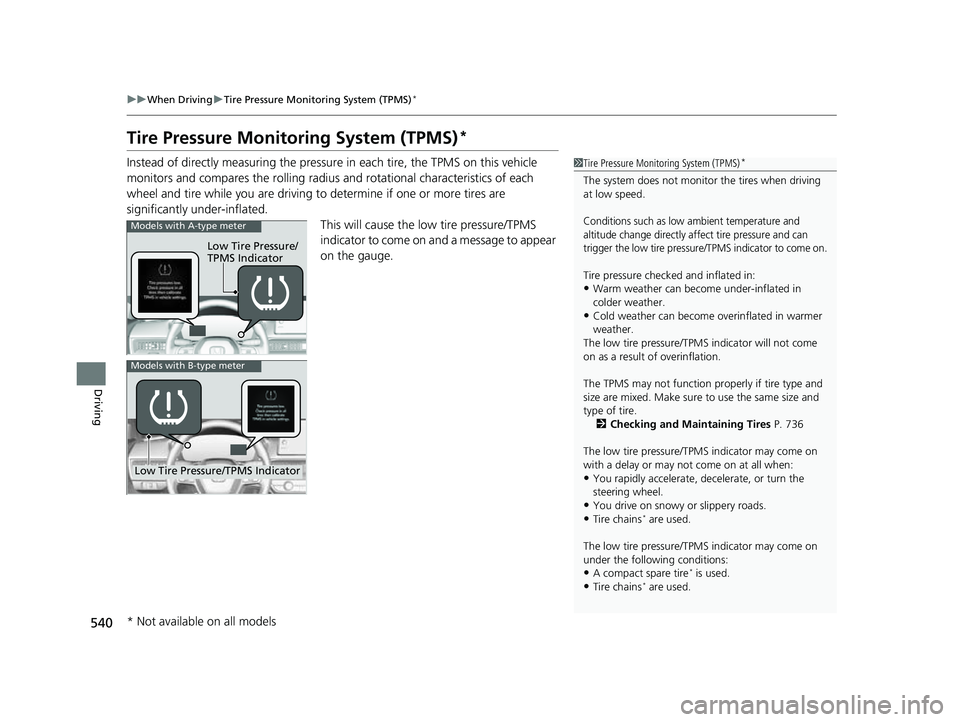
This will cause the low tire pressure/TPMS
indicator to come on and a message to appear
on the gauge.1 Tire Pressure Monitoring System (TPMS)*
The system does not monitor the tires when driving
at low speed.
Conditions such as low ambient temperature and
altitude change directly a ffect tire pressure and can
trigger the low tire pressure /TPMS indicator to come on.
Tire pressure checked and inflated in:
•Warm weather can become under-inflated in
colder weather.
•Cold weather can become overinflated in warmer
weather.
The low tire pressure/TPMS indicator will not come
on as a result of overinflation.
The TPMS may not function pr operly if tire type and
size are mixed. Make sure to use the same size and
type of tire.
2 Checking and Maintaining Tires P. 736
The low tire pressure/TPMS indicator may come on
with a delay or may not come on at all when:
•You rapidly accelerate, decelerate, or turn the
steering wheel.
•You drive on snowy or slippery roads.
•Tire chains* are used.
The low tire pressure/TPMS indicator may come on
under the following conditions:
•A compact spare tire* is used.
•Tire chains* are used.
Low Tire Pressure/
TPMS Indicator
Models with A-type meter
Low Tire Pressure/TPMS Indicator
Models with B-type meter
* Not available on all models
23 CIVIC HATCHBACK TYPE R-31T406100_03.book 540 ページ 2022年6月23日 木曜日 午後9時28分
Page 551 of 840
Continued549
uuWhen Driving uBlind Spot Information System*
Driving
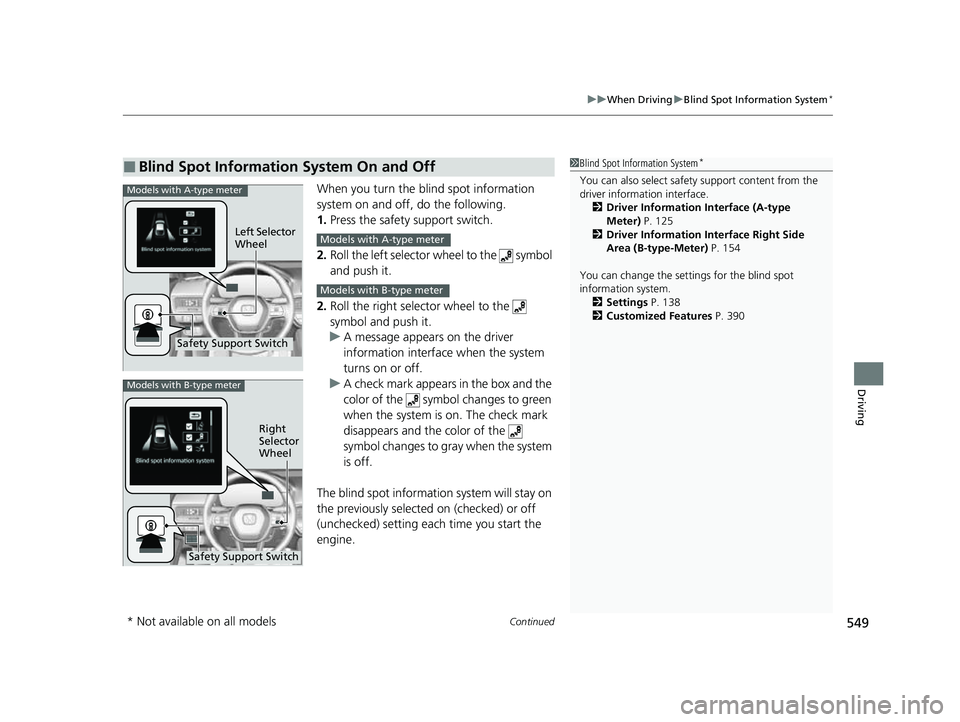
When you turn the b lind spot information
system on and off, do the following.
1. Press the safety support switch.
2. Roll the left selector wheel to the symbol
and push it.
2. Roll the right selector wheel to the
symbol and push it.
u A message appears on the driver
information interface when the system
turns on or off.
u A check mark appears in the box and the
color of the symbol changes to green
when the system is on. The check mark
disappears and the color of the
symbol changes to gray when the system
is off.
The blind spot informatio n system will stay on
the previously selected on (checked) or off
(unchecked) setting eac h time you start the
engine.
■Blind Spot Information System On and Off1 Blind Spot Information System*
You can also sele ct safety support content from the
driver information interface.
2 Driver Information Interface (A-type
Meter) P. 125
2 Driver Information Interface Right Side
Area (B-type-Meter) P. 154
You can change the settings for the blind spot
information system. 2 Settings P. 138
2 Customized Features P. 390Models with A-type meter
Left Selector
Wheel
Safety Support Switch
Models with A-type meter
Models with B-type meter
Models with B-type meter
Right
Selector
Wheel
Safety Support Switch
* Not available on all models
23 CIVIC HATCHBACK TYPE R-31T406100_03.book 549 ページ 2022年6月23日 木曜日 午後9時28分
Page 561 of 840
Continued559
uuHonda Sensing ®u Collision Mitigation Braking SystemTM (CMBSTM)
Driving
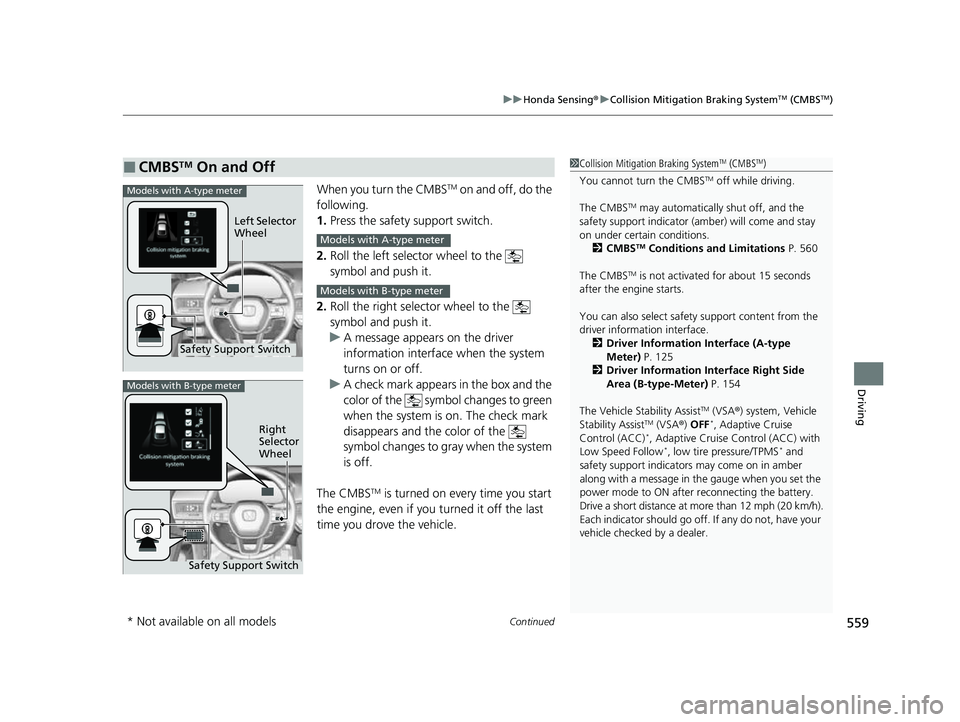
When you turn the CMBSTM on and off, do the
following.
1. Press the safety support switch.
2. Roll the left selector wheel to the
symbol and push it.
2. Roll the right selector wheel to the
symbol and push it.
u A message appears on the driver
information interface when the system
turns on or off.
u A check mark appears in the box and the
color of the symbol changes to green
when the system is on. The check mark
disappears and the color of the
symbol changes to gray when the system
is off.
The CMBS
TM is turned on every time you start
the engine, even if you turned it off the last
time you drove the vehicle.
■CMBSTM On and Off1 Collision Mitigation Braking SystemTM (CMBSTM)
You cannot turn the CMBS
TM off while driving.
The CMBS
TM may automatically shut off, and the
safety support indicator (amb er) will come and stay
on under certain conditions. 2 CMBS
TM Conditions and Limitations P. 560
The CMBS
TM is not activated for about 15 seconds
after the engine starts.
You can also sele ct safety support content from the
driver information interface.
2 Driver Information Interface (A-type
Meter) P. 125
2 Driver Information Interface Right Side
Area (B-type-Meter) P. 154
The Vehicle Stability Assist
TM (VSA ®) system, Vehicle
Stability AssistTM (VSA ®) OFF*, Adaptive Cruise
Control (ACC)*, Adaptive Cruise Control (ACC) with
Low Speed Follow*, low tire pressure/TPMS* and
safety support indicators may come on in amber
along with a message in the gauge when you set the
power mode to ON after reconnecting the battery.
Drive a short distance at more than 12 mph (20 km/h).
Each indicator should go off. If any do not, have your
vehicle checked by a dealer.
Safety Support Switch Left Selector
Wheel
Models with A-type meter
Models with A-type meter
Models with B-type meter
Models with B-type meter
Right
Selector
Wheel
Safety Support Switch
* Not available on all models
23 CIVIC HATCHBACK TYPE R-31T406100_03.book 559 ページ 2022年6月23日 木曜日 午後9時28分
Page 572 of 840
uuHonda Sensing ®u Low Speed Braking Control*
570
Driving
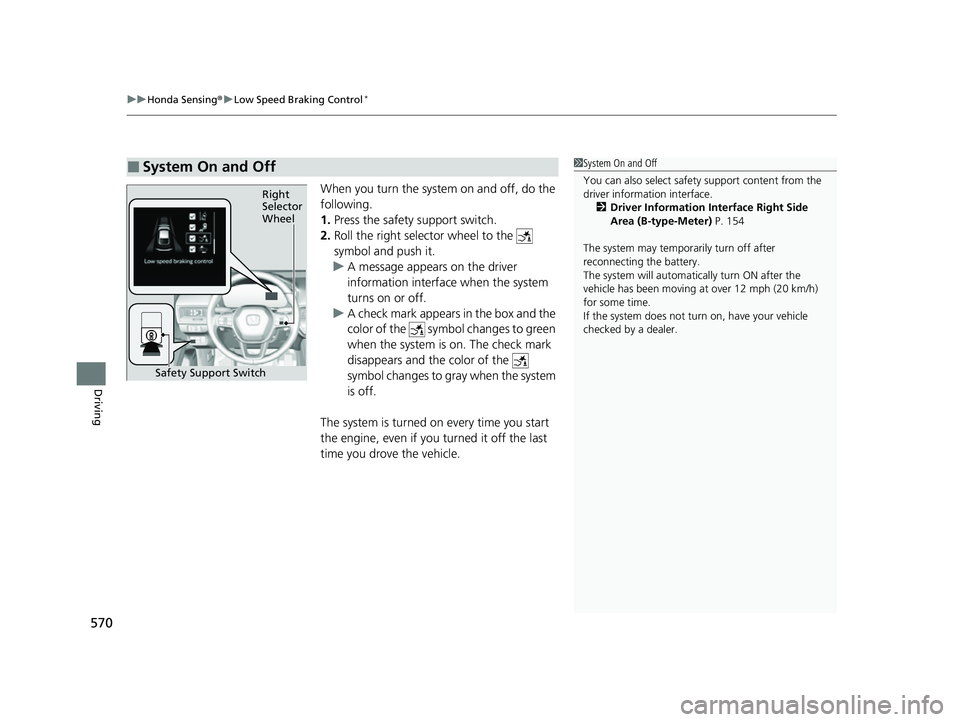
When you turn the system on and off, do the
following.
1. Press the safety support switch.
2. Roll the right selector wheel to the
symbol and push it.
u A message appears on the driver
information interface when the system
turns on or off.
u A check mark appears in the box and the
color of the symbol changes to green
when the system is on. The check mark
disappears and the color of the
symbol changes to gray when the system
is off.
The system is turned on every time you start
the engine, even if you turned it off the last
time you drove the vehicle.
■System On and Off 1 System On and Off
You can also sele ct safety support content from the
driver information interface.
2 Driver Information Interface Right Side
Area (B-type-Meter) P. 154
The system may temporarily turn off after
reconnecting the battery.
The system will automatically turn ON after the
vehicle has been moving at over 12 mph (20 km/h)
for some time.
If the system does not turn on, have your vehicle
checked by a dealer.
Right
Selector
Wheel
Safety Support Switch
23 CIVIC HATCHBACK TYPE R-31T406100_03.book 570 ページ 2022年6月23日 木曜日 午後9時28分
Page 577 of 840
Continued575
uuHonda Sensing ®u Low Speed Braking Control*
Driving
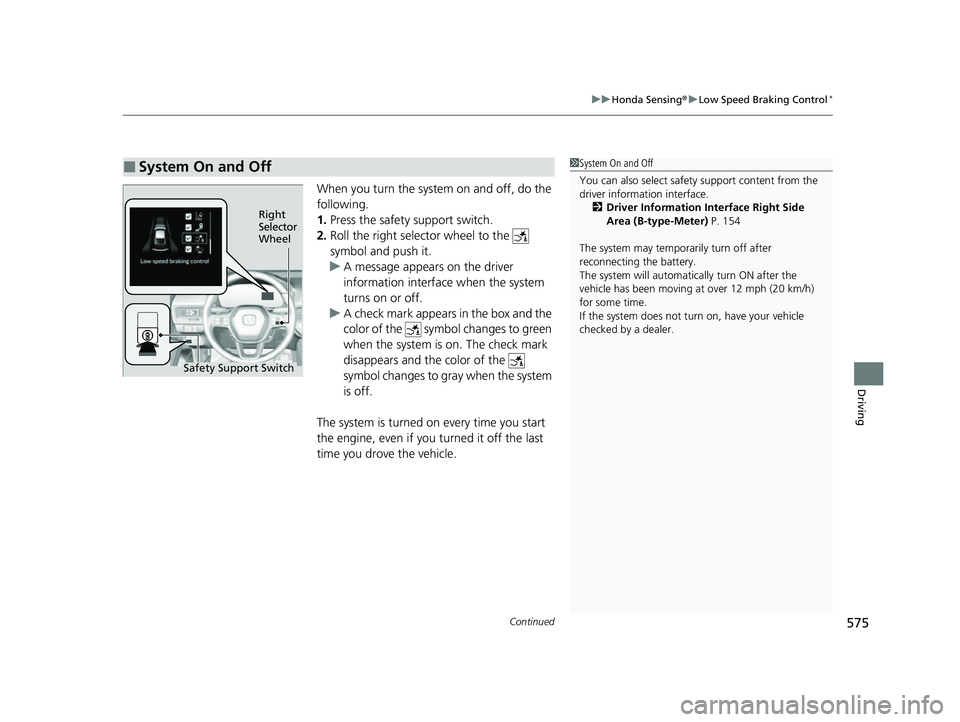
When you turn the system on and off, do the
following.
1. Press the safety support switch.
2. Roll the right selector wheel to the
symbol and push it.
u A message appears on the driver
information interface when the system
turns on or off.
u A check mark appears in the box and the
color of the symbol changes to green
when the system is on. The check mark
disappears and the color of the
symbol changes to gray when the system
is off.
The system is turned on every time you start
the engine, even if you turned it off the last
time you drove the vehicle.
■System On and Off 1 System On and Off
You can also sele ct safety support content from the
driver information interface.
2 Driver Information Interface Right Side
Area (B-type-Meter) P. 154
The system may temporarily turn off after
reconnecting the battery.
The system will automatically turn ON after the
vehicle has been moving at over 12 mph (20 km/h)
for some time.
If the system does not turn on, have your vehicle
checked by a dealer.
Right
Selector
Wheel
Safety Support Switch
23 CIVIC HATCHBACK TYPE R-31T406100_03.book 575 ページ 2022年6月23日 木曜日 午後9時28分
Page 581 of 840
Continued579
uuHonda Sensing ®u Adaptive Cruise Control (ACC) with Low Speed Follow*
Driving
■How to activate the system1Adaptive Cruise Control (ACC) with Low Speed Follow*
You can read about handling information for the
camera equipped with this system.
2 Front Wide View Camera P. 653
ACC with Low Speed Follow may not work properly
under certain conditions.
2 ACC with Low Speed Follow Conditions
and Limitations P. 587
When not using ACC with Low Speed Follow: Turn
off adaptive cruise by pressing the button.
Do not use ACC with Low Speed Follow under the
following conditions:
•On roads with frequent la ne change or continuous
stop and go traffic, ACC with Low Speed Follow
cannot keep an appropriate distance between your
vehicle and the vehicle ahead of you.
•On roads with sharp turns.
•On roads with toll collection facilities or other
objects between lanes of traffic, or in parking
areas, or faci lities with driv e through access.
•On roads with bad weather (rain, fog, snow, etc.),
ACC with Low Speed Follow may not detect the
distance between your vehicle and the vehicle
ahead of you properly.
•On roads with slippery or icy surfaces. The wheels
may spin out and your vehi cle may lose the control
on the condition.
•On roads with steep uphill or steep downhill slopes.
•On roads with undulating slopes.
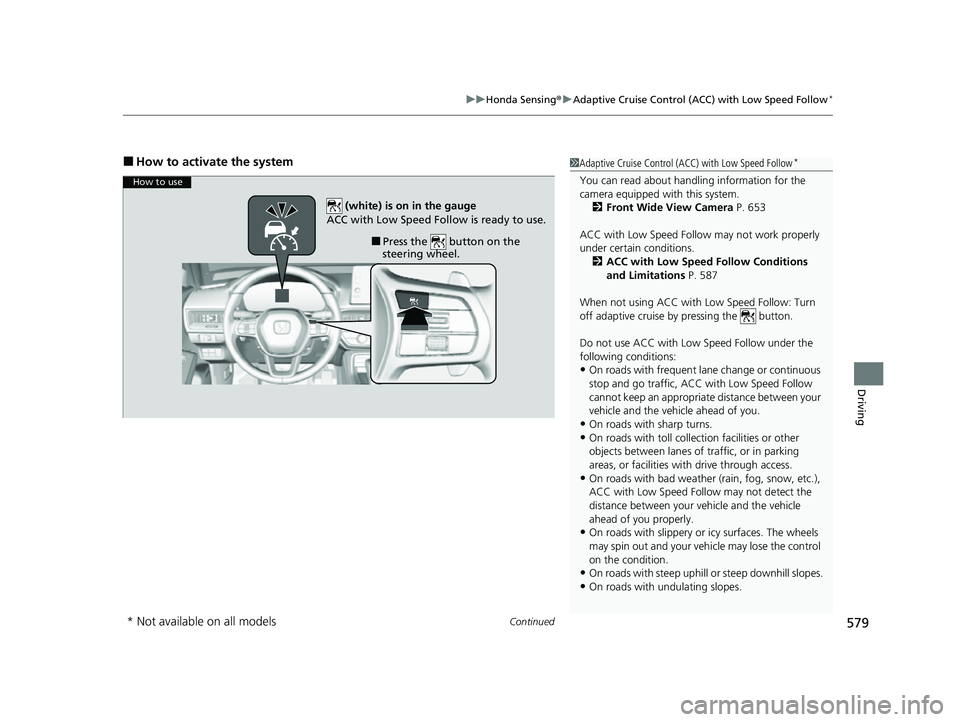
How to use
■Press the button on the
steering wheel.
(white) is on in the gauge
ACC with Low Speed Follow is ready to use.
* Not available on all models
23 CIVIC HATCHBACK TYPE R-31T406100_03.book 579 ページ 2022年6月23日 木曜日 午後9時28分
Page 586 of 840
uuHonda Sensing ®u Adaptive Cruise Control (ACC) with Low Speed Follow*
584
Driving
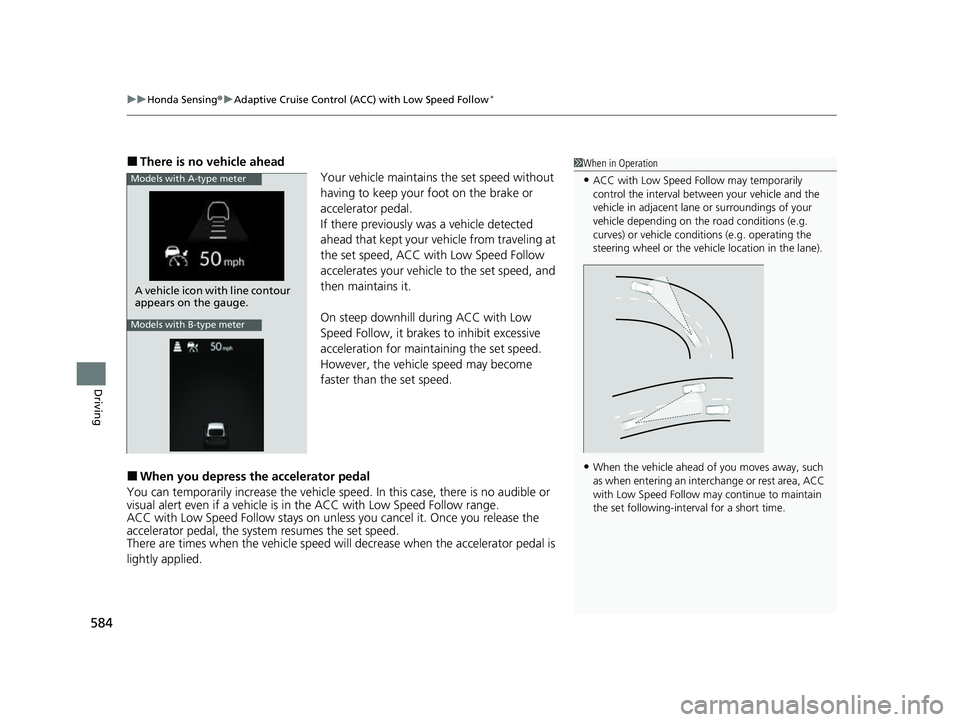
■There is no vehicle ahead
Your vehicle maintains the set speed without
having to keep your foot on the brake or
accelerator pedal.
If there previously was a vehicle detected
ahead that kept your vehicle from traveling at
the set speed, ACC with Low Speed Follow
accelerates your vehicle to the set speed, and
then maintains it.
On steep downhill during ACC with Low
Speed Follow, it brakes to inhibit excessive
acceleration for maintaining the set speed.
However, the vehicle speed may become
faster than the set speed.
■When you depress the accelerator pedal
You can temporarily increase the vehicle speed. In this ca se, there is no audible or
visual alert even if a vehicle is in the ACC with Low Speed Follow range.
ACC with Low Speed Follow stays on unless you cancel it. Once you release the
accelerator pedal, the system resumes the set speed.
There are times when the vehicle speed will decrease when the accelerator pedal is
lightly applied.
1 When in Operation
•ACC with Low Speed Follow may temporarily
control the interval between your vehicle and the
vehicle in adjacent lane or surroundings of your
vehicle depending on the road conditions (e.g.
curves) or vehicle condi tions (e.g. operating the
steering wheel or the vehicle location in the lane).
•When the vehicle ahead of you moves away, such
as when entering an interchange or rest area, ACC
with Low Speed Follow may continue to maintain
the set following-interval for a short time.
Models with A-type meter
A vehicle icon with line contour
appears on the gauge.
Models with B-type meter
23 CIVIC HATCHBACK TYPE R-31T406100_03.book 584 ページ 2022年6月23日 木曜日 午後9時28分
Page 601 of 840
Continued599
uuHonda Sensing ®u Adaptive Cruise Control (ACC)*
Driving
■How to activate the system1Adaptive Cruise Control (ACC)*
You can read about handling information for the
camera equipped with this system.
2 Front Wide View Camera P. 653
ACC may not work properly under certain conditions.
2 ACC Conditions and Limitations P. 606
When the engine speed slows down, try to downshift.
When the engine speed goes up, try to upshift.
You can maintain the set speed if you change gear
within five seconds.
When not using ACC: Turn off adaptive cruise by
pressing the button.
Do not use ACC under the following conditions:
•On roads with frequent lane change or continuous stop
and go traffic, ACC cannot keep an appropriate distance
between your vehicle and the vehicle ahead of you.
•On roads with sharp turns.•On roads with toll collection facilities or other
objects between lanes of traffic, or in parking
areas, or faci lities with driv e through access.
•On roads with bad weather (rain, fog, snow, etc.),
ACC may not detect the distance between your
vehicle and the vehicle ahead of you properly.
•On roads with slippery or icy surfaces. The wheels
may spin out and your vehi cle may lose the control
on the condition.
•On roads with steep uphill or steep downhill slopes.
•On roads with undulating slopes.
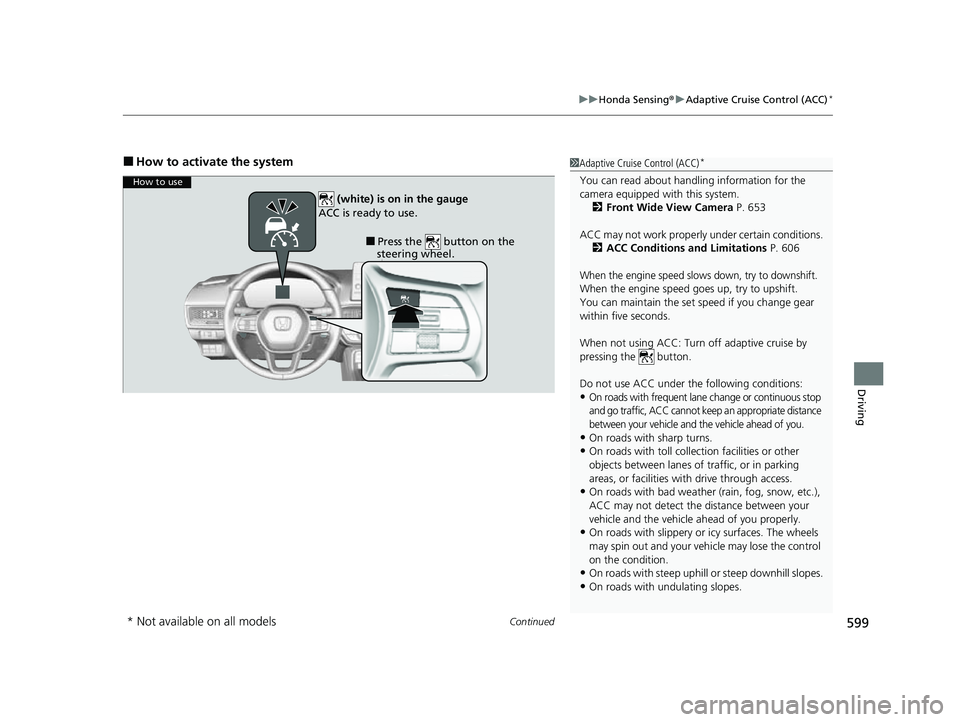
How to use
■Press the button on the
steering wheel.
(white) is on in the gauge
ACC is ready to use.
* Not available on all models
23 CIVIC HATCHBACK TYPE R-31T406100_03.book 599 ページ 2022年6月23日 木曜日 午後9時28分
Page 606 of 840
uuHonda Sensing ®u Adaptive Cruise Control (ACC)*
604
Driving
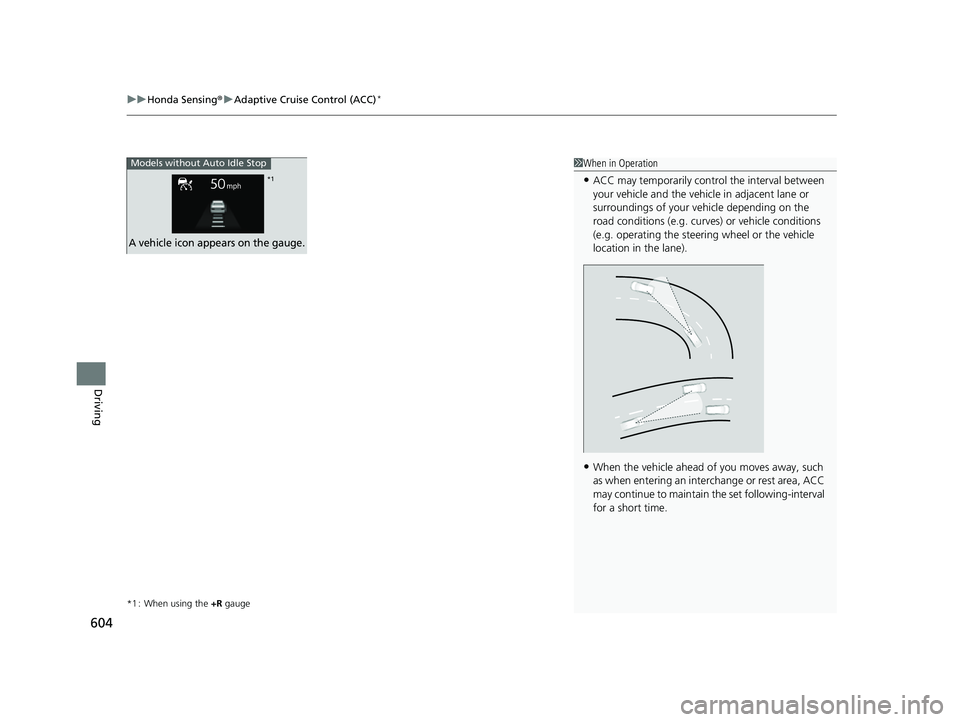
*1 : When using the +R gauge
1When in Operation
•ACC may temporarily contro l the interval between
your vehicle and the vehicl e in adjacent lane or
surroundings of your vehicle depending on the
road conditions (e.g. curv es) or vehicle conditions
(e.g. operating the steeri ng wheel or the vehicle
location in the lane).
•When the vehicle ahead of you moves away, such
as when entering an interchange or rest area, ACC
may continue to maintain the set following-interval
for a short time.
Models without Auto Idle Stop
A vehicle icon appears on the gauge.
*1
23 CIVIC HATCHBACK TYPE R-31T406100_03.book 604 ページ 2022年6月23日 木曜日 午後9時28分
Page 620 of 840
618
uuHonda Sensing ®u Lane Keeping Assist System (LKAS)
Driving
Lane Keeping Assist System (LKAS)
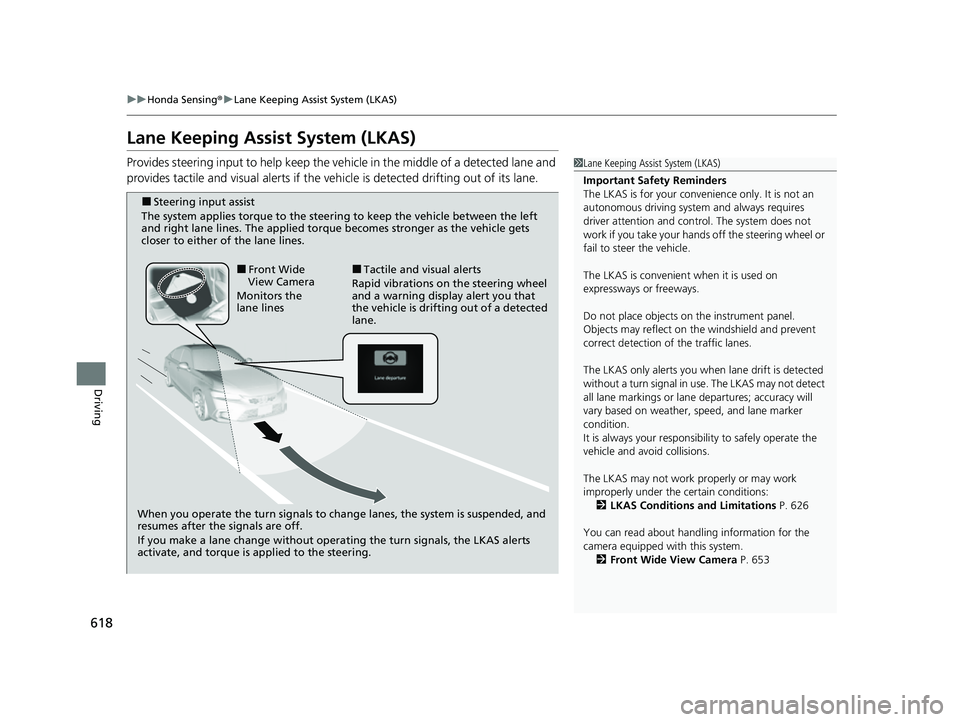
Provides steering input to help keep the vehicle in the middle of a detected lane and
provides tactile and visual alerts if the ve hicle is detected drifting out of its lane.1Lane Keeping Assist System (LKAS)
Important Safety Reminders
The LKAS is for your convenience only. It is not an
autonomous driving system and always requires
driver attention and control. The system does not
work if you take your hands off the steering wheel or
fail to steer the vehicle.
The LKAS is convenient when it is used on
expressways or freeways.
Do not place objects on the instrument panel.
Objects may reflect on th e windshield and prevent
correct detection of the traffic lanes.
The LKAS only alerts you when lane drift is detected
without a turn signal in use. The LKAS may not detect
all lane markings or lane departures; accuracy will
vary based on weather, speed, and lane marker
condition.
It is always your responsibility to safely operate the
vehicle and avoid collisions.
The LKAS may not work properly or may work
improperly under the certain conditions:
2 LKAS Conditions and Limitations P. 626
You can read about handling information for the
camera equipped with this system. 2 Front Wide View Camera P. 653
When you operate the turn signals to chan ge lanes, the system is suspended, and
resumes after the signals are off.
If you make a lane change without operating the turn signals, the LKAS alerts
activate, and torque is applied to the steering.
■Front Wide
View Camera
Monitors the
lane lines■Tactile and visual alerts
Rapid vibrations on the steering wheel
and a warning display alert you that
the vehicle is drifting out of a detected
lane.
■Steering input assist
The system applies torque to the steering to keep the vehicle between the left
and right lane lines. The applied torque becomes stronger as the vehicle gets
closer to either of the lane lines.
23 CIVIC HATCHBACK TYPE R-31T406100_03.book 618 ページ 2022年6月23日 木曜日 午後9時28分