change wheel HONDA CIVIC 2023 User Guide
[x] Cancel search | Manufacturer: HONDA, Model Year: 2023, Model line: CIVIC, Model: HONDA CIVIC 2023Pages: 840, PDF Size: 26.53 MB
Page 158 of 840
156
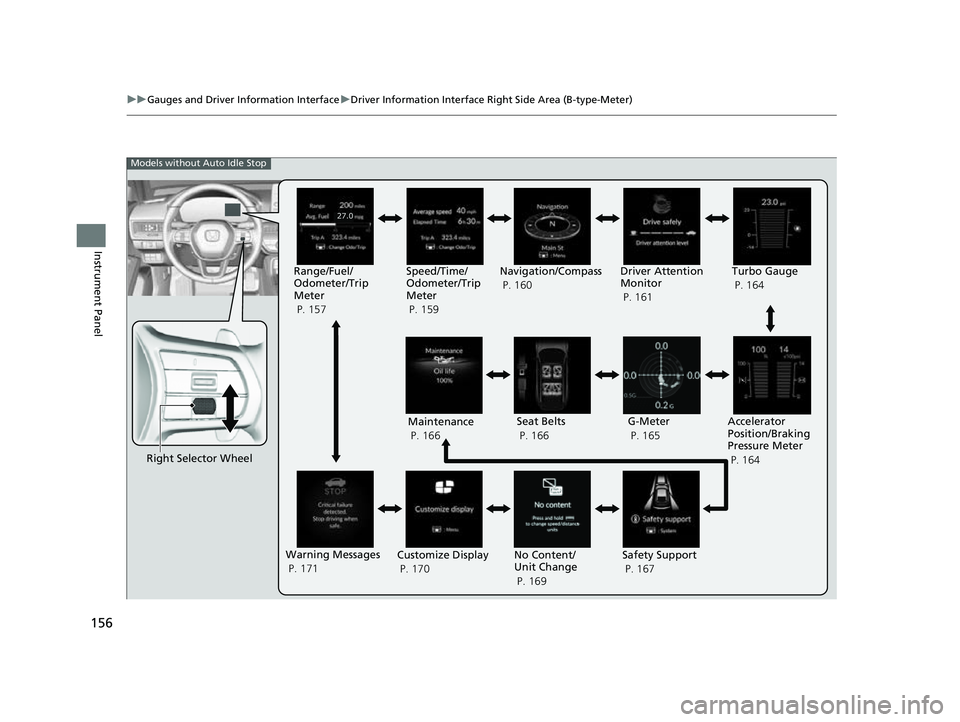
uuGauges and Driver Information Interface uDriver Information Interface Right Side Area (B-type-Meter)
Instrument Panel
Right Selector Wheel Driver Attention
Monitor
P. 161
G-Meter
P. 165
Accelerator
Position/Braking
Pressure Meter
P. 164
Models without Auto Idle Stop
Maintenance
P. 166 Seat Belts
P. 166
Warning Messages
P. 171 Customize Display
P. 170 No Content/
Unit Change
P. 169Safety Support
P. 167
Range/Fuel/
Odometer/Trip
Meter
P. 157
Speed/Time/
Odometer/Trip
Meter
P. 159Navigation/Compass
P. 160
Turbo Gauge
P. 164
23 CIVIC HATCHBACK TYPE R-31T406100_03.book 156 ページ 2022年6月23日 木曜日 午後9時28分
Page 160 of 840
uuGauges and Driver Information Interface uDriver Information Interface Right Side Area (B-type-Meter)
158
Instrument Panel
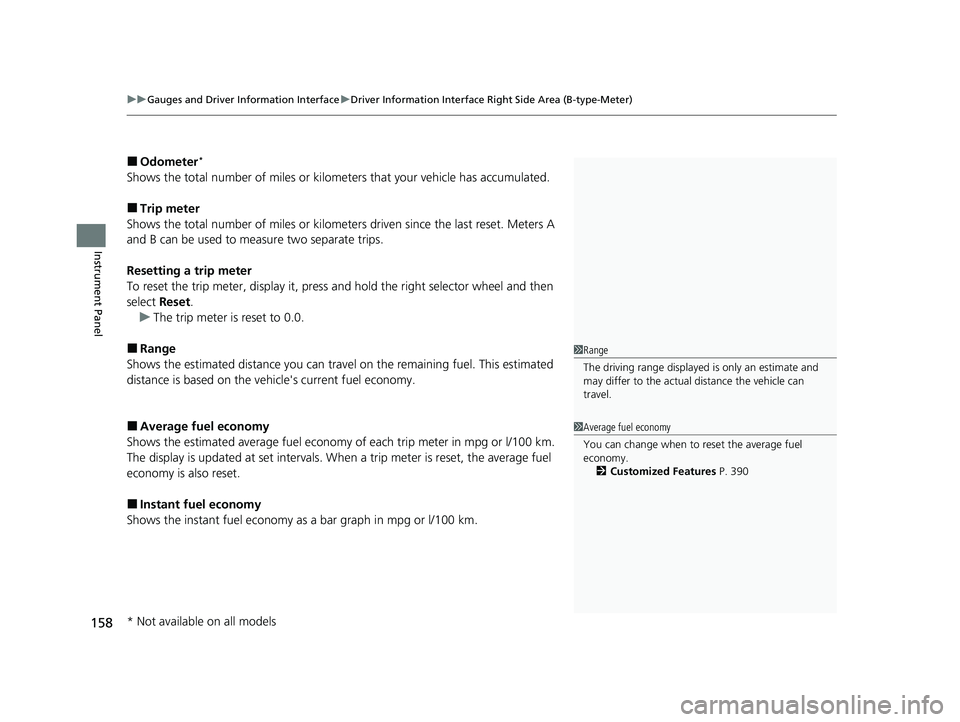
■Odometer*
Shows the total number of miles or kilome ters that your vehicle has accumulated.
■Trip meter
Shows the total number of miles or kilomete rs driven since the last reset. Meters A
and B can be used to measure two separate trips.
Resetting a trip meter
To reset the trip meter, display it, press and hold the right selector wheel and then
select Reset.
u The trip meter is reset to 0.0.
■Range
Shows the estimated distance you can trave l on the remaining fuel. This estimated
distance is based on the ve hicle's current fuel economy.
■Average fuel economy
Shows the estimated average fuel economy of each trip meter in mpg or l/100 km.
The display is updated at set intervals. Wh en a trip meter is reset, the average fuel
economy is also reset.
■Instant fuel economy
Shows the instant fuel economy as a bar graph in mpg or l/100 km.
1Range
The driving range displayed is only an estimate and
may differ to the actual distance the vehicle can
travel.
1 Average fuel economy
You can change when to reset the average fuel
economy.
2 Customized Features P. 390
* Not available on all models
23 CIVIC HATCHBACK TYPE R-31T406100_03.book 158 ページ 2022年6月23日 木曜日 午後9時28分
Page 162 of 840
uuGauges and Driver Information Interface uDriver Information Interface Right Side Area (B-type-Meter)
160
Instrument Panel
■Odometer*
2 Odometer* P. 158
■Trip meter
2Trip meter P. 158
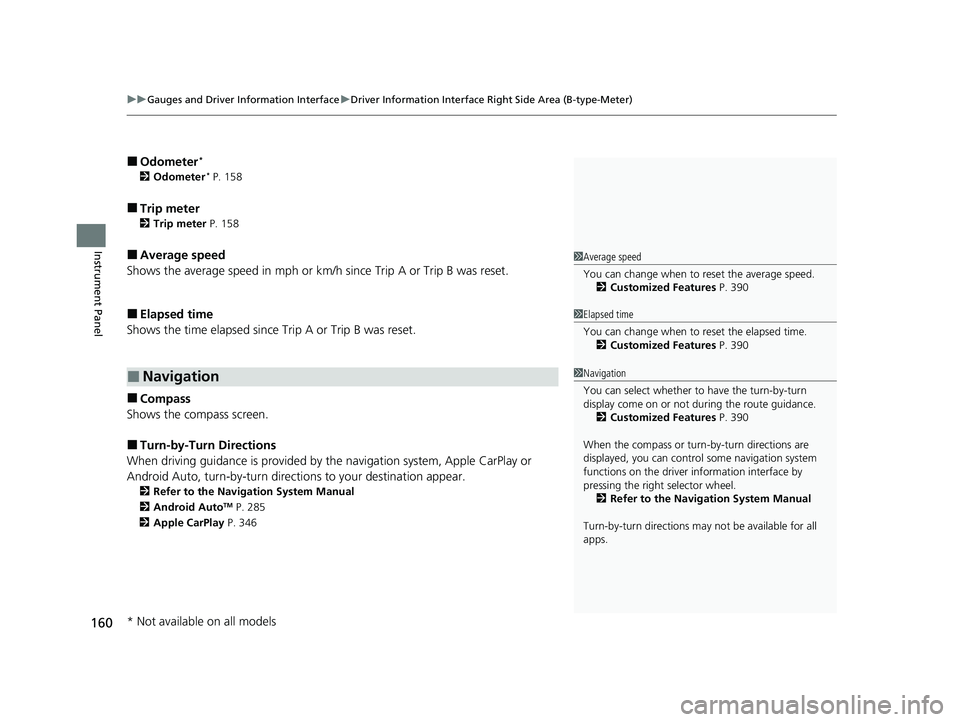
■Average speed
Shows the average speed in mph or km/h since Trip A or Trip B was reset.
■Elapsed time
Shows the time elapsed since Trip A or Trip B was reset.
■Compass
Shows the compass screen.
■Turn-by-Turn Directions
When driving guidance is provided by the navigation system, Apple CarPlay or
Android Auto, turn-by-turn directio ns to your destination appear.
2Refer to the Navigation System Manual
2 Android AutoTM P. 285
2 Apple CarPlay P. 346
■Navigation
1Average speed
You can change when to reset the average speed.
2 Customized Features P. 390
1Elapsed time
You can change when to reset the elapsed time.
2 Customized Features P. 390
1Navigation
You can select whether to have the turn-by-turn
display come on or not dur ing the route guidance.
2 Customized Features P. 390
When the compass or turn-by-turn directions are
displayed, you can contro l some navigation system
functions on the driver information interface by
pressing the right selector wheel. 2 Refer to the Navigation System Manual
Turn-by-turn directions may not be available for all
apps.
* Not available on all models
23 CIVIC HATCHBACK TYPE R-31T406100_03.book 160 ページ 2022年6月23日 木曜日 午後9時28分
Page 171 of 840
169
uuGauges and Driver Information Interface uDriver Information Interface Right Side Area (B-type-Meter)
Continued
Instrument Panel
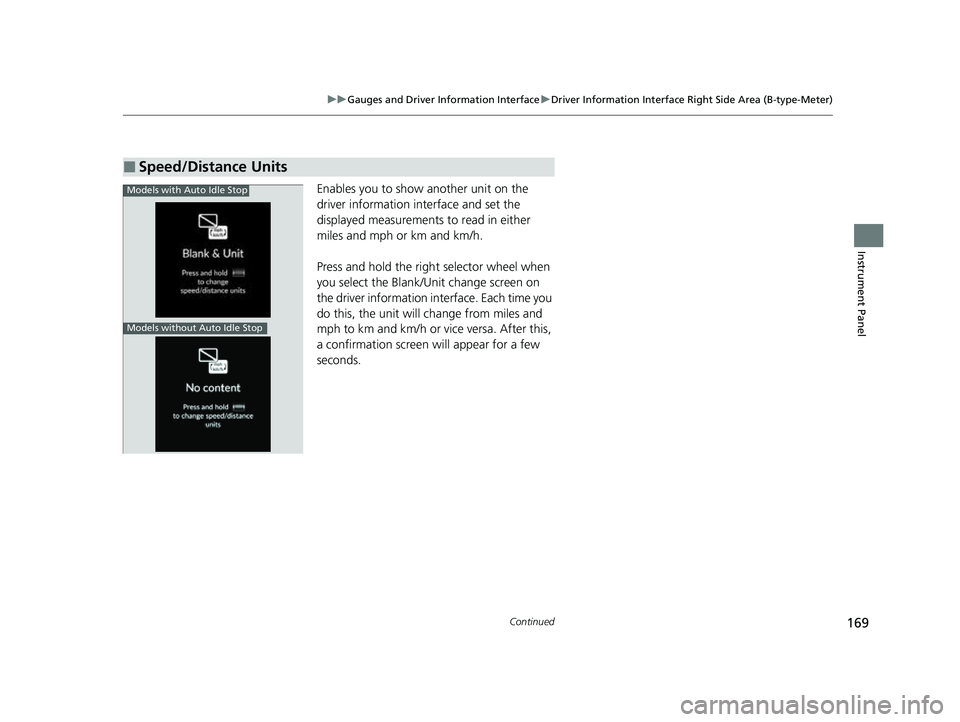
Enables you to show another unit on the
driver information interface and set the
displayed measurements to read in either
miles and mph or km and km/h.
Press and hold the righ t selector wheel when
you select the Blank/Un it change screen on
the driver information interface. Each time you
do this, the unit will change from miles and
mph to km and km/h or vice versa. After this,
a confirmation screen will appear for a few
seconds.
■Speed/Distance Units
Models with Auto Idle Stop
Models without Auto Idle Stop
23 CIVIC HATCHBACK TYPE R-31T406100_03.book 169 ページ 2022年6月23日 木曜日 午後9時28分
Page 173 of 840
171
uuGauges and Driver Information Interface uDriver Information Interface Right Side Area (B-type-Meter)
Instrument Panel
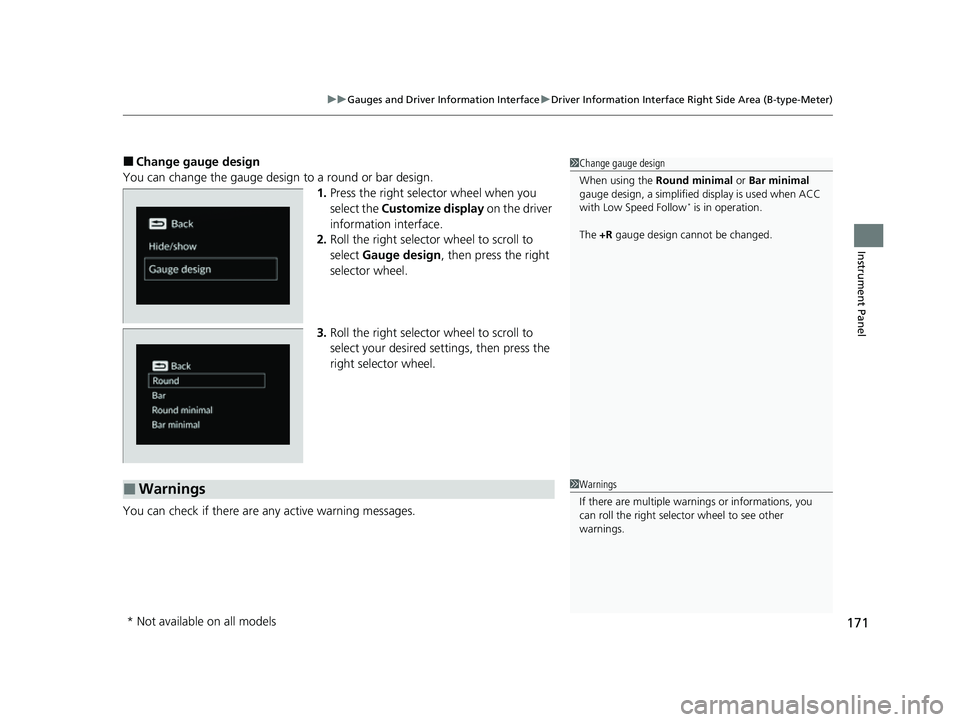
■Change gauge design
You can change the gauge design to a round or bar design. 1.Press the right selector wheel when you
select the Customize display on the driver
information interface.
2. Roll the right selector wheel to scroll to
select Gauge design , then press the right
selector wheel.
3. Roll the right selector wheel to scroll to
select your desired settings, then press the
right selector wheel.
You can check if there are any active warning messages.1 Change gauge design
When using the Round minimal or Bar minimal
gauge design, a simplified display is used when ACC
with Low Speed Follow
* is in operation.
The +R gauge design cannot be changed.
■Warnings1Warnings
If there are multiple warn ings or informations, you
can roll the right selector wheel to see other
warnings.
* Not available on all models
23 CIVIC HATCHBACK TYPE R-31T406100_03.book 171 ページ 2022年6月23日 木曜日 午後9時28分
Page 205 of 840
Continued203
uuOperating the Switches Around the Steering Wheel uENGINE START/STOP Button
Controls
If you leave the vehicle for 30 to 60 minutes with the transmission in (P
(continuously variable transmission) and the power mode in ACCESSORY, the
vehicle automatically goes into the mode similar to VEHICLE OFF (LOCK) to avoid
draining the battery.
When in this mode:
The steering wheel does not lock. You cannot lock or unlock doors with the remote
transmitter or the keyless access system. Press the ENGINE START/STOP button
twice to switch the mode to VEHICLE OFF (LOCK).
If you open the driver's door when the power mode is in ACCESSORY, a warning
beep sounds.
■Automatic Power Off
■Power Mode Reminder
1 ENGINE START/STOP Button
If the power mode does not change from VEHICLE
OFF to ACCESSORY, press the ENGINE START/STOP
button while moving the st eering wheel left and
right. The steering wheel will unlock, allowing the
mode to change.
Do not leave the power mode in ACCESSORY or ON
when you get out.
Manual transmission models
Manual transmission models
23 CIVIC HATCHBACK TYPE R-31T406100_03.book 203 ページ 2022年6月23日 木曜日 午後9時28分
Page 206 of 840
uuOperating the Switches Around the Steering Wheel uENGINE START/STOP Button
204
Controls
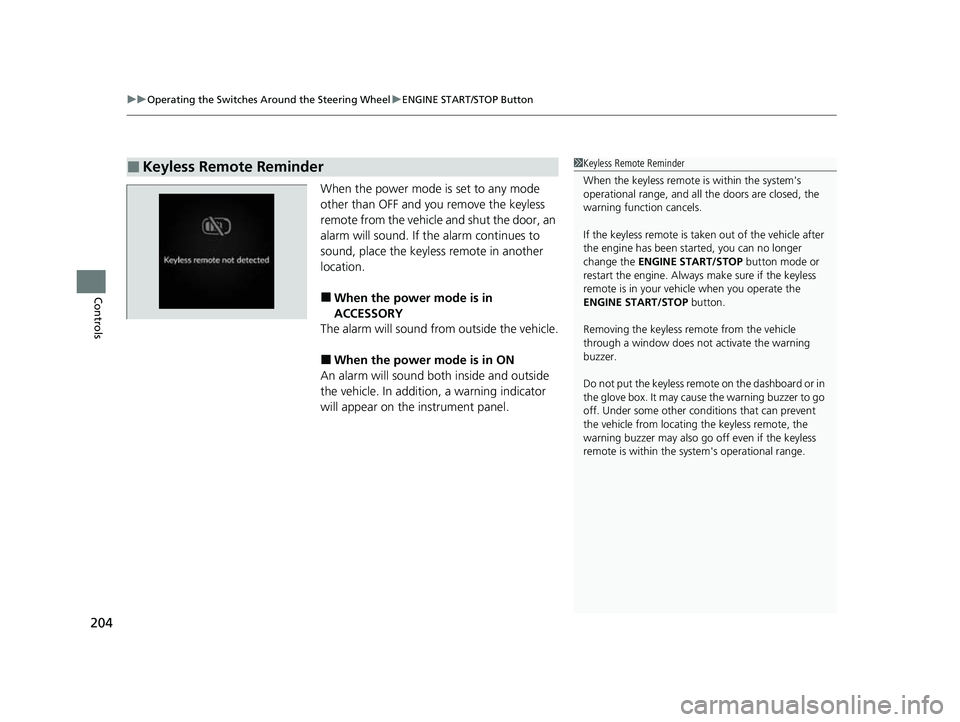
When the power mode is set to any mode
other than OFF and yo u remove the keyless
remote from the vehicle and shut the door, an
alarm will sound. If th e alarm continues to
sound, place the keyless remote in another
location.
■When the power mode is in
ACCESSORY
The alarm will sound from outside the vehicle.
■When the power mode is in ON
An alarm will sound both inside and outside
the vehicle. In addition, a warning indicator
will appear on the instrument panel.
■Keyless Remote Reminder1 Keyless Remote Reminder
When the keyless remote is within the system's
operational range, and all the doors are closed, the
warning function cancels.
If the keyless remote is taken out of the vehicle after
the engine has been st arted, you can no longer
change the ENGINE START/STOP button mode or
restart the engine. Always make sure if the keyless
remote is in your vehi cle when you operate the
ENGINE START/STOP button.
Removing the keyless remote from the vehicle
through a window does not activate the warning
buzzer.
Do not put the keyless remo te on the dashboard or in
the glove box. It may cause the warning buzzer to go
off. Under some other cond itions that can prevent
the vehicle from locating the keyless remote, the
warning buzzer may also go off even if the keyless
remote is within the system's operational range.
23 CIVIC HATCHBACK TYPE R-31T406100_03.book 204 ページ 2022年6月23日 木曜日 午後9時28分
Page 210 of 840
uuOperating the Switches Around the Steering Wheel uLight Switches
208
Controls
The headlights automatically come on when the wipers are used several times within
a certain number of intervals wi th the headlight switch in AUTO.
The headlights automatically go off a few minutes later if the wipers are stopped.
The headlights, all other exterior lights, an d the instrument panel lights turn off 15
seconds after you set the power mode to VE HICLE OFF, take the keyless remote with
you, and close th e driver's door.
If you set the power mode to VEHICLE OFF with the headlight switch on, but do not
open the door, the lights turn off after 10 minutes (3 minutes, if the switch is in the
AUTO position).
The lights turn on again when you unlock or open the driver's door. If you unlock
the door, but do not open it within 15 seconds, the lights go off. If you open the
driver's door, you will hear a reminder chime alerting you that the lights are on.
■Headlight Integration with Wipers
■Automatic Lighting Off Feature
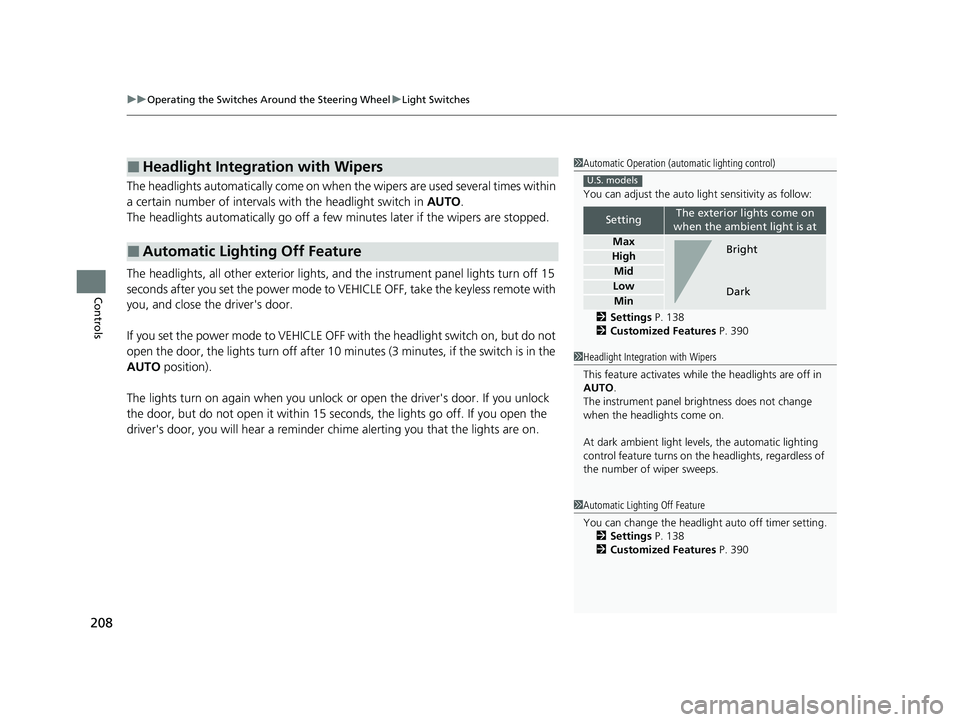
1Automatic Operation (aut omatic lighting control)
You can adjust the auto li ght sensitivity as follow:
2 Settings P. 138
2 Customized Features P. 390
SettingThe exterior lights come on
when the ambient light is at
Max
High
Mid
Low
Min
U.S. models
Bright
Dark
1 Headlight Integration with Wipers
This feature activates while the headlights are off in
AUTO .
The instrument panel br ightness does not change
when the headlights come on.
At dark ambient light levels, the automatic lighting
control feature turns on the headlights, regardless of
the number of wiper sweeps.
1 Automatic Lighting Off Feature
You can change the headlight auto off timer setting.
2 Settings P. 138
2 Customized Features P. 390
23 CIVIC HATCHBACK TYPE R-31T406100_03.book 208 ページ 2022年6月23日 木曜日 午後9時28分
Page 212 of 840
210
uuOperating the Switches Around the Steering Wheel uAuto High-Beam
Controls
Auto High-Beam
The front wide view camera detects the lig ht sources ahead of the vehicle such as
the lights of a preceding or on coming vehicle, or street lights. When you are driving
at night, the system automatically switch es the headlights between low beam and
high beam depending on the situation.
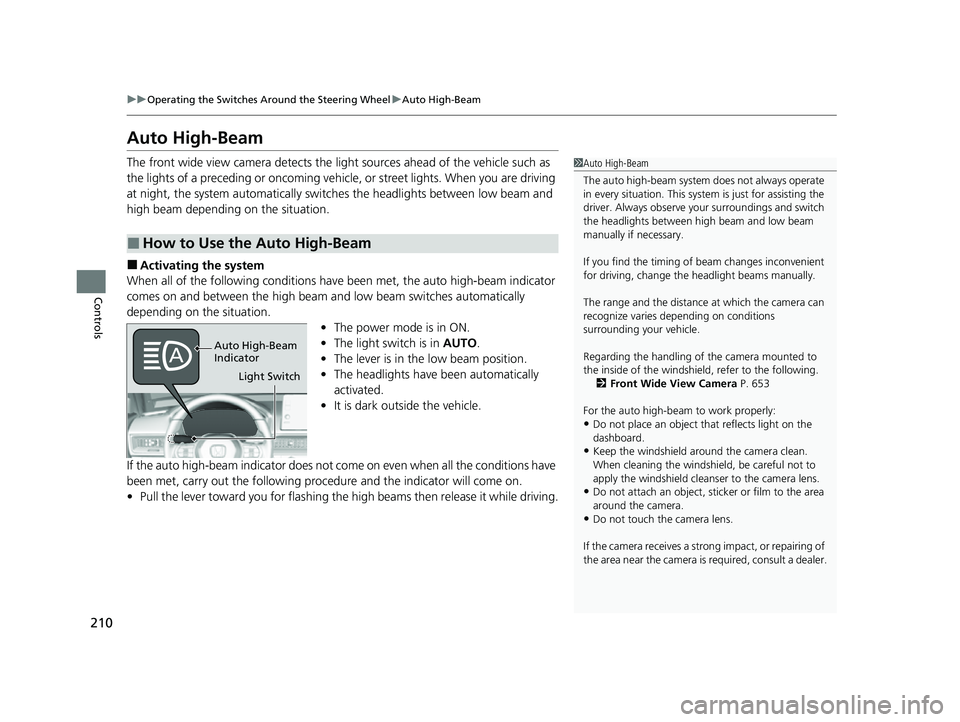
■Activating the system
When all of the following conditions have been met, the auto high-beam indicator
comes on and between the high beam and low beam switches automatically
depending on the situation. •The power mode is in ON.
• The light switch is in AUTO.
• The lever is in the low beam position.
• The headlights have been automatically
activated.
• It is dark outside the vehicle.
If the auto high-beam indicator does not co me on even when all the conditions have
been met, carry out the following procedure and the indicator will come on.
• Pull the lever toward you for flashing the high beams then release it while driving.
■How to Use the Auto High-Beam
1Auto High-Beam
The auto high-beam system does not always operate
in every situation. This syst em is just for assisting the
driver. Always observe your surroundings and switch
the headlights between high beam and low beam
manually if necessary.
If you find the timing of beam changes inconvenient
for driving, change the headlight beams manually.
The range and the distance at which the camera can
recognize varies de pending on conditions
surrounding your vehicle.
Regarding the handling of the camera mounted to
the inside of the windshiel d, refer to the following.
2 Front Wide View Camera P. 653
For the auto high-beam to work properly:
•Do not place an object that reflects light on the
dashboard.
•Keep the windshield around the camera clean.
When cleaning the windshield, be careful not to
apply the windshield cleans er to the camera lens.
•Do not attach an object, sticker or film to the area
around the camera.
•Do not touch the camera lens.
If the camera receives a st rong impact, or repairing of
the area near the camera is required, consult a dealer.
Light Switch
Auto High-Beam
Indicator
23 CIVIC HATCHBACK TYPE R-31T406100_03.book 210 ページ 2022年6月23日 木曜日 午後9時28分
Page 213 of 840
Continued211
uuOperating the Switches Around the Steering Wheel uAuto High-Beam
Controls
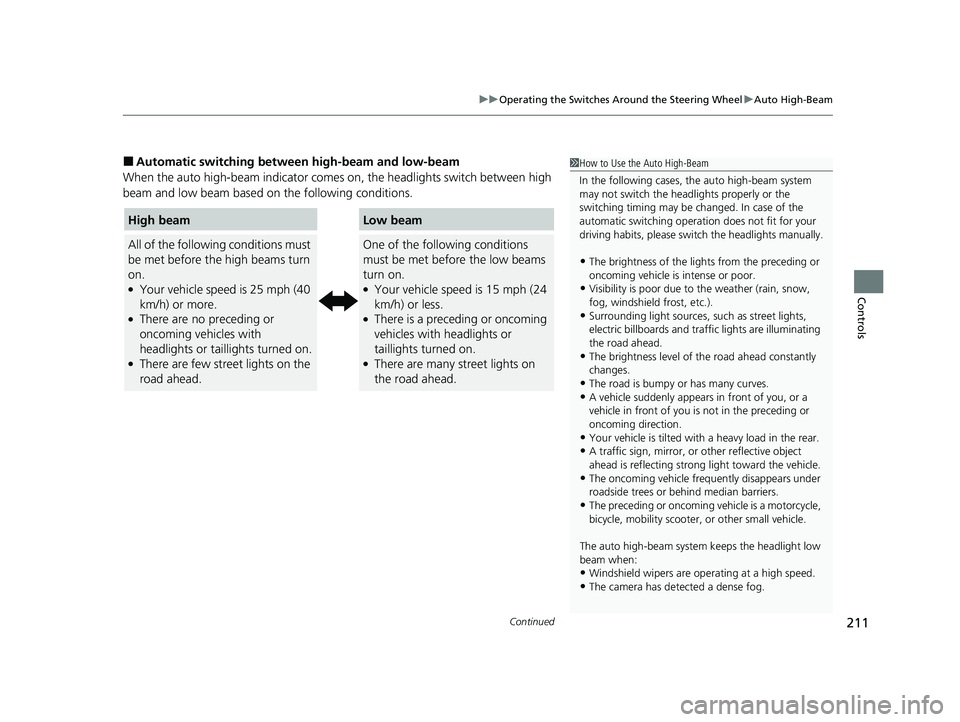
■Automatic switching between high-beam and low-beam
When the auto high-beam indicator comes on, the headlights switch between high
beam and low beam based on the following conditions.1 How to Use the Auto High-Beam
In the following cases, th e auto high-beam system
may not switch the head lights properly or the
switching timing may be ch anged. In case of the
automatic switching operation does not fit for your
driving habits, please swit ch the headlights manually.
•The brightness of the lights from the preceding or
oncoming vehicle is intense or poor.
•Visibility is poor due to the weather (rain, snow,
fog, windshield frost, etc.).
•Surrounding light sources, such as street lights,
electric billboards and traf fic lights are illuminating
the road ahead.
•The brightness level of th e road ahead constantly
changes.
•The road is bumpy or has many curves.•A vehicle suddenly appears in front of you, or a
vehicle in front of you is not in the preceding or
oncoming direction.
•Your vehicle is tilted with a heavy load in the rear.•A traffic sign, mirror, or other reflective object
ahead is reflecting strong light toward the vehicle.
•The oncoming vehicle freq uently disappears under
roadside trees or be hind median barriers.
•The preceding or oncoming vehicle is a motorcycle,
bicycle, mobility scooter, or other small vehicle.
The auto high-beam system keeps the headlight low
beam when:
•Windshield wipers are op erating at a high speed.
•The camera has detected a dense fog.
High beam
All of the following conditions must
be met before the high beams turn
on.
●Your vehicle speed is 25 mph (40
km/h) or more.
●There are no preceding or
oncoming vehicles with
headlights or taillights turned on.
●There are few street lights on the
road ahead.
Low beam
One of the following conditions
must be met before the low beams
turn on.
●Your vehicle speed is 15 mph (24
km/h) or less.
●There is a preceding or oncoming
vehicles with headlights or
taillights turned on.
●There are many street lights on
the road ahead.
23 CIVIC HATCHBACK TYPE R-31T406100_03.book 211 ページ 2022年6月23日 木曜日 午後9時28分