audio HONDA CIVIC 2023 Repair Manual
[x] Cancel search | Manufacturer: HONDA, Model Year: 2023, Model line: CIVIC, Model: HONDA CIVIC 2023Pages: 840, PDF Size: 26.53 MB
Page 294 of 840
292
uuAudio System Basic Operation uAudio/Information Screen
Features
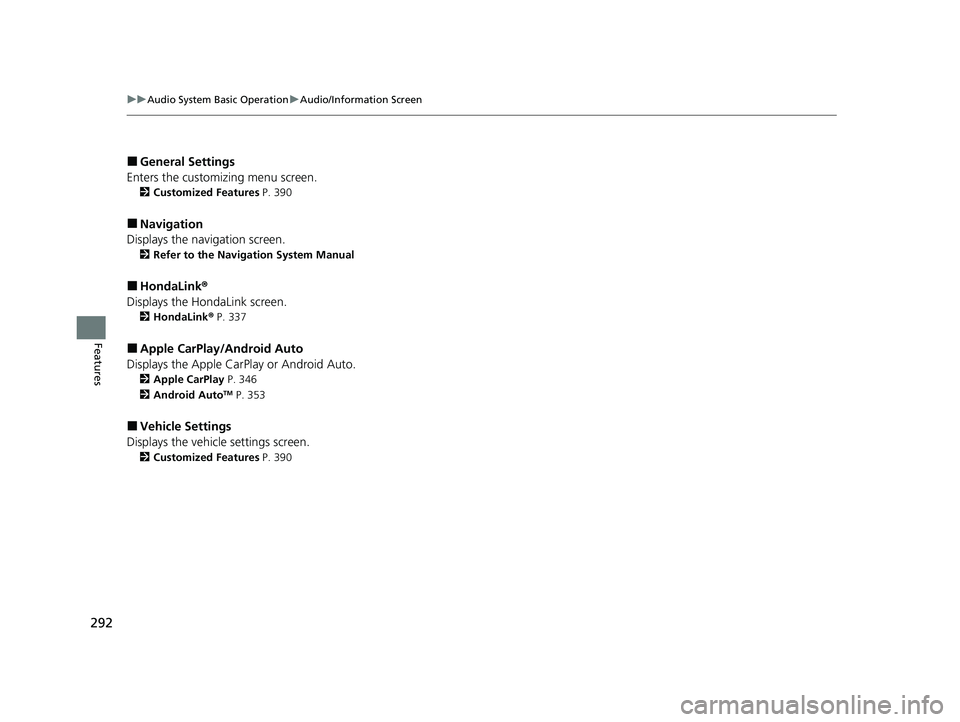
■General Settings
Enters the customiz ing menu screen.
2Customized Features P. 390
■Navigation
Displays the navigation screen.
2 Refer to the Navigation System Manual
■HondaLink ®
Displays the Ho ndaLink screen.
2HondaLink® P. 337
■Apple CarPlay/Android Auto
Displays the Apple CarPlay or Android Auto.
2 Apple CarPlay P. 346
2 Android AutoTM P. 353
■Vehicle Settings
Displays the vehicle settings screen.
2 Customized Features P. 390
23 CIVIC HATCHBACK TYPE R-31T406100_03.book 292 ページ 2022年6月23日 木曜日 午後9時28分
Page 295 of 840
293
uuAudio System Basic Operation uAudio/Information Screen
Continued
Features
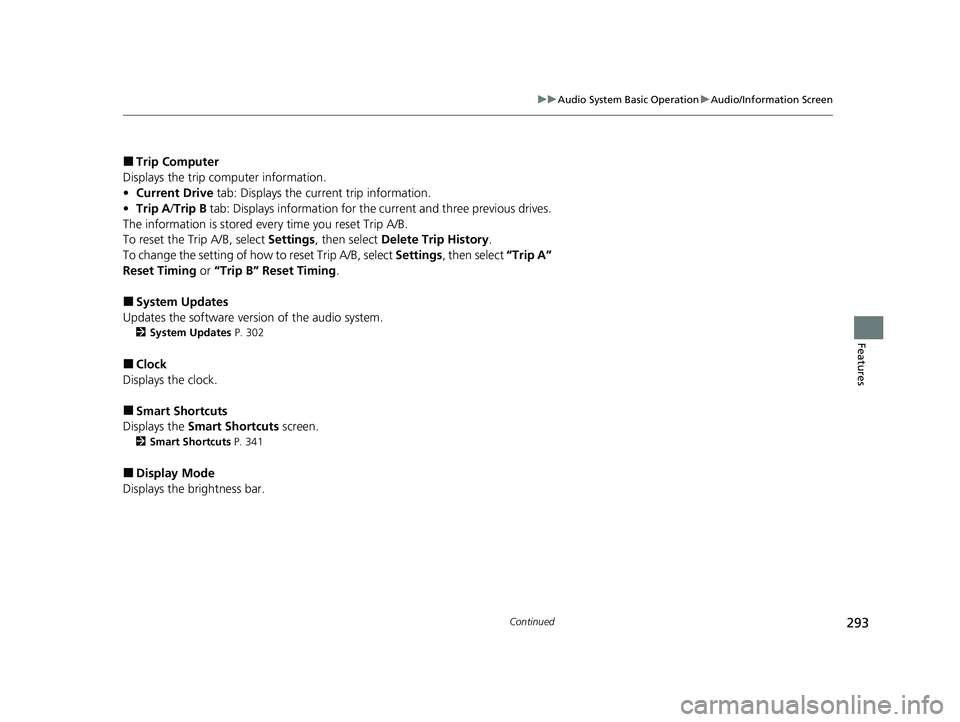
■Trip Computer
Displays the trip computer information.
• Current Drive tab: Displays the current trip information.
• Trip A /Trip B tab: Displays information for the current and three previous drives.
The information is stored ever y time you reset Trip A/B.
To reset the Trip A/B, select Settings, then select Delete Trip History .
To change the setting of how to reset Trip A/B, select Settings, then select “Trip A”
Reset Timing or “Trip B” Reset Timing .
■System Updates
Updates the software version of the audio system.
2 System Updates P. 302
■Clock
Displays the clock.
■Smart Shortcuts
Displays the Smart Shortcuts screen.
2Smart Shortcuts P. 341
■Display Mode
Displays the brightness bar.
23 CIVIC HATCHBACK TYPE R-31T406100_03.book 293 ページ 2022年6月23日 木曜日 午後9時28分
Page 296 of 840
uuAudio System Basic Operation uAudio/Information Screen
294
Features
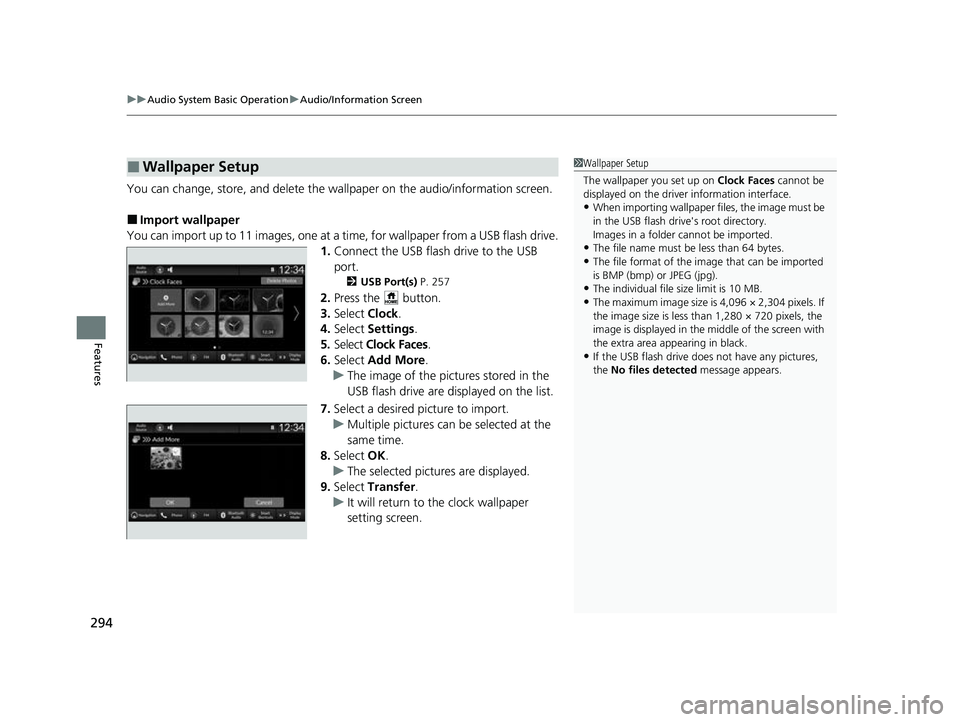
You can change, store, and delete the wa llpaper on the audio/information screen.
■Import wallpaper
You can import up to 11 images, one at a time, for wallpaper from a USB flash drive.
1.Connect the USB flash drive to the USB
port.
2 USB Port(s) P. 257
2.Press the button.
3. Select Clock.
4. Select Settings .
5. Select Clock Faces.
6. Select Add More .
u The image of the pictures stored in the
USB flash drive are displayed on the list.
7. Select a desired picture to import.
u Multiple pictures can be selected at the
same time.
8. Select OK.
u The selected pictures are displayed.
9. Select Transfer .
u It will return to the clock wallpaper
setting screen.
■Wallpaper Setup1Wallpaper Setup
The wallpaper you set up on Clock Faces cannot be
displayed on the driver information interface.
•When importing wallpaper files, the image must be
in the USB flash drive's root directory.
Images in a folder cannot be imported.
•The file name must be less than 64 bytes.
•The file format of the im age that can be imported
is BMP (bmp) or JPEG (jpg).
•The individual file size limit is 10 MB.
•The maximum image size is 4,096 × 2,304 pixels. If
the image size is less than 1,280 × 720 pixels, the
image is displayed in the middle of the screen with
the extra area appearing in black.
•If the USB flash drive doe s not have any pictures,
the No files detected message appears.
23 CIVIC HATCHBACK TYPE R-31T406100_03.book 294 ページ 2022年6月23日 木曜日 午後9時28分
Page 297 of 840
Continued295
uuAudio System Basic Operation uAudio/Information Screen
Features
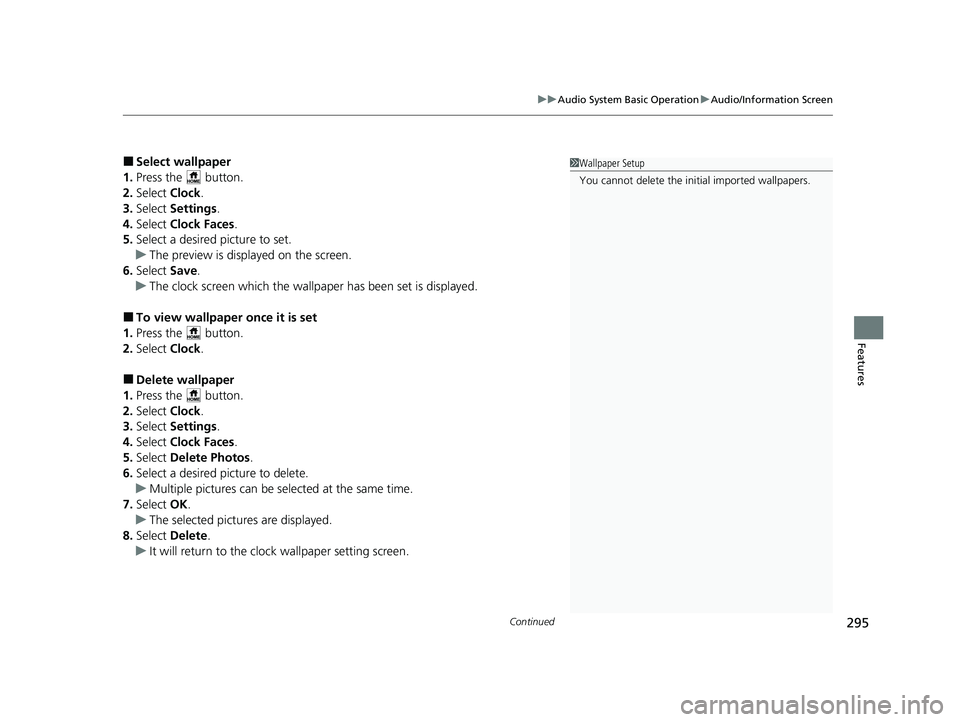
■Select wallpaper
1. Press the button.
2. Select Clock.
3. Select Settings .
4. Select Clock Faces.
5. Select a desired picture to set.
u The preview is displayed on the screen.
6. Select Save.
u The clock screen which the wallpa per has been set is displayed.
■To view wallpaper once it is set
1. Press the button.
2. Select Clock.
■Delete wallpaper
1. Press the button.
2. Select Clock.
3. Select Settings .
4. Select Clock Faces.
5. Select Delete Photos .
6. Select a desired picture to delete.
u Multiple pictures can be selected at the same time.
7. Select OK.
u The selected pictures are displayed.
8. Select Delete .
u It will return to the cloc k wallpaper setting screen.
1Wallpaper Setup
You cannot delete the initial imported wallpapers.
23 CIVIC HATCHBACK TYPE R-31T406100_03.book 295 ページ 2022年6月23日 木曜日 午後9時28分
Page 298 of 840
uuAudio System Basic Operation uAudio/Information Screen
296
Features
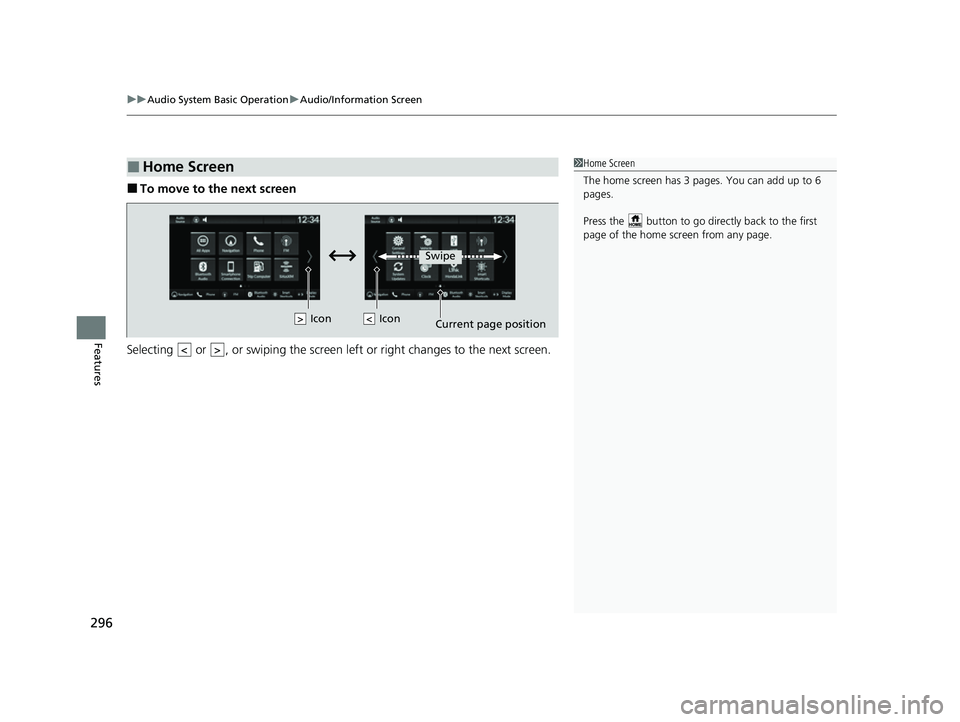
■To move to the next screen
Selecting or , or swiping the screen le ft or right changes to the next screen.
■Home Screen1Home Screen
The home screen has 3 pages. You can add up to 6
pages.
Press the button to go directly back to the first
page of the home screen from any page.
Swipe
Icon
> Icon
23 CIVIC HATCHBACK TYPE R-31T406100_03.book 296 ページ 2022年6月23日 木曜日 午後9時28分
Page 299 of 840
Continued297
uuAudio System Basic Operation uAudio/Information Screen
Features
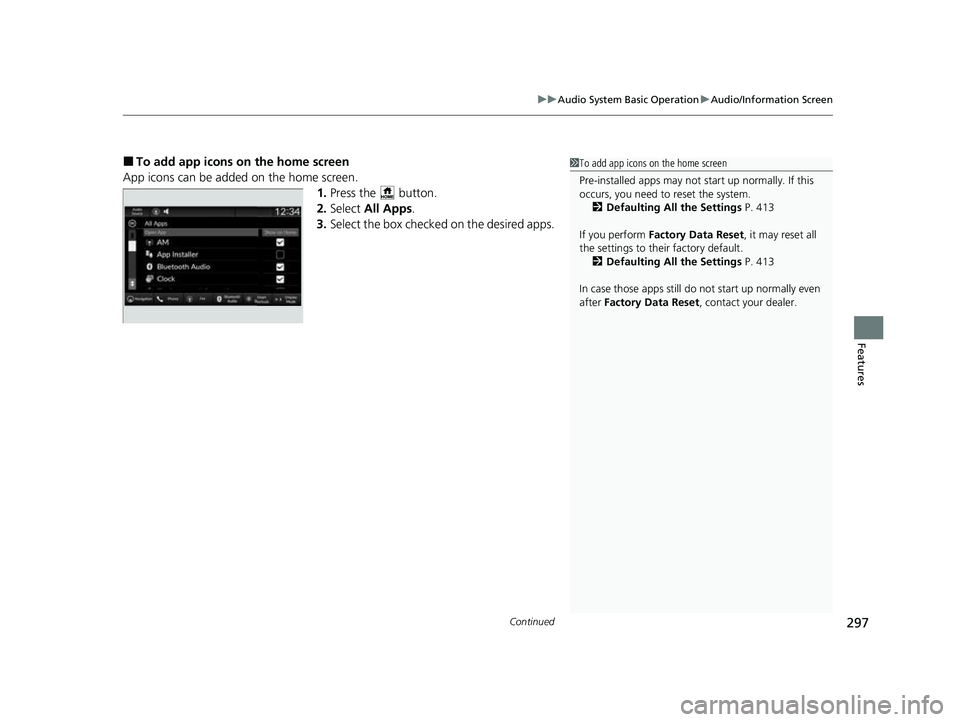
■To add app icons on the home screen
App icons can be added on the home screen. 1.Press the button.
2. Select All Apps .
3. Select the box checked on the desired apps.1To add app icons on the home screen
Pre-installed apps may not start up normally. If this
occurs, you need to reset the system.
2 Defaulting All the Settings P. 413
If you perform Factory Data Reset , it may reset all
the settings to their factory default. 2 Defaulting All the Settings P. 413
In case those apps still do not start up normally even
after Factory Data Reset , contact your dealer.
23 CIVIC HATCHBACK TYPE R-31T406100_03.book 297 ページ 2022年6月23日 木曜日 午後9時28分
Page 300 of 840
uuAudio System Basic Operation uAudio/Information Screen
298
Features
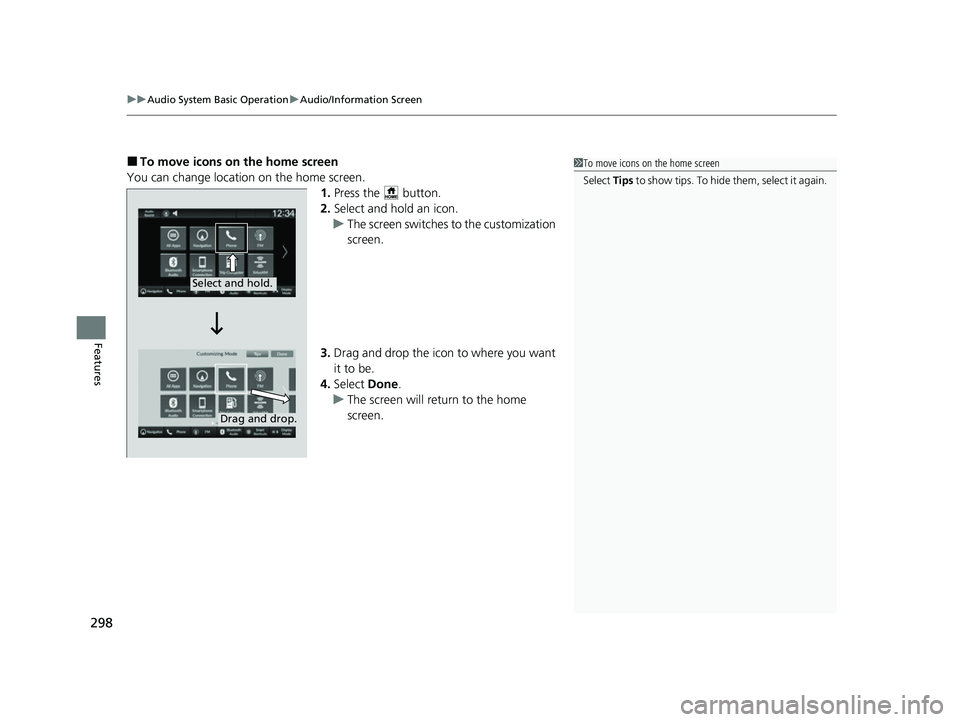
■To move icons on the home screen
You can change location on the home screen. 1.Press the button.
2. Select and hold an icon.
u The screen switches to the customization
screen.
3. Drag and drop the icon to where you want
it to be.
4. Select Done.
u The screen will return to the home
screen.1To move icons on the home screen
Select Tips to show tips. To hide t h em , s e le c t i t a g ai n .
Select and hold.
Drag and drop.
23 CIVIC HATCHBACK TYPE R-31T406100_03.book 298 ページ 2022年6月23日 木曜日 午後9時28分
Page 301 of 840
Continued299
uuAudio System Basic Operation uAudio/Information Screen
Features
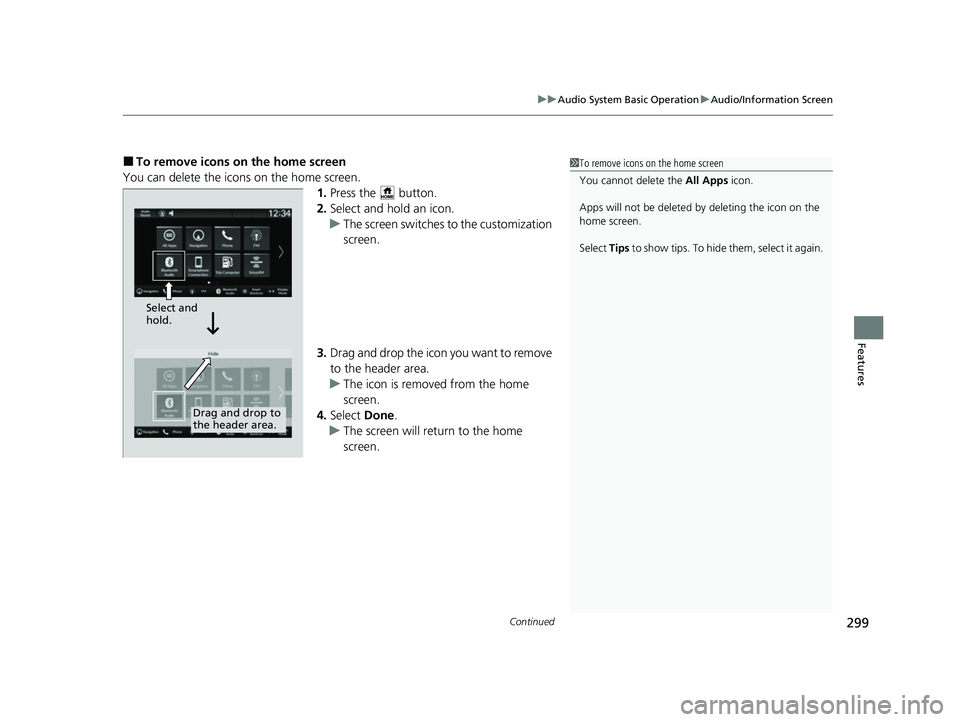
■To remove icons on the home screen
You can delete the icons on the home screen. 1.Press the button.
2. Select and hold an icon.
u The screen switches to the customization
screen.
3. Drag and drop the icon you want to remove
to the header area.
u The icon is removed from the home
screen.
4. Select Done.
u The screen will return to the home
screen.1To remove icons on the home screen
You cannot delete the All Apps icon.
Apps will not be deleted by deleting the icon on the
home screen.
Select Tips to show tips. To hide them, select it again.
Select and
hold.
Drag and drop to
the header area.
23 CIVIC HATCHBACK TYPE R-31T406100_03.book 299 ページ 2022年6月23日 木曜日 午後9時28分
Page 302 of 840
uuAudio System Basic Operation uAudio/Information Screen
300
Features
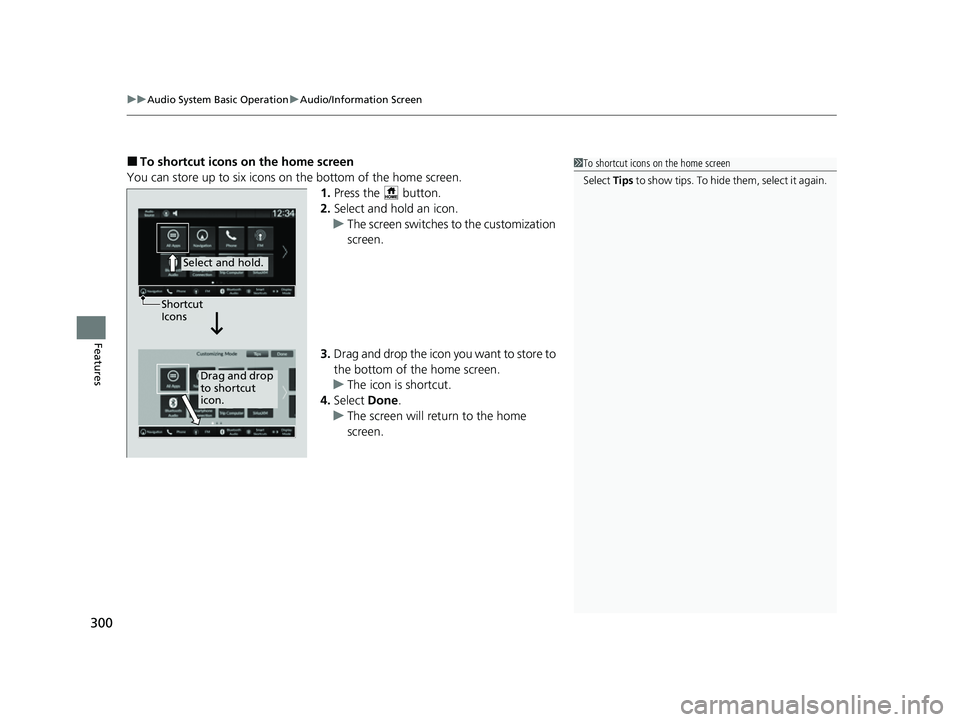
■To shortcut icons on the home screen
You can store up to six icons on the bottom of the home screen. 1.Press the button.
2. Select and hold an icon.
u The screen switches to the customization
screen.
3. Drag and drop the icon you want to store to
the bottom of the home screen.
u The icon is shortcut.
4. Select Done.
u The screen will return to the home
screen.1To shortcut icons on the home screen
Select Tips to show tips. To hide t h em , s e le c t i t a g ai n .
Select and hold.
Drag and drop
to shortcut
icon.
Shortcut
Icons
23 CIVIC HATCHBACK TYPE R-31T406100_03.book 300 ページ 2022年6月23日 木曜日 午後9時28分
Page 303 of 840
301
uuAudio System Basic Operation uAudio/Information Screen
Features
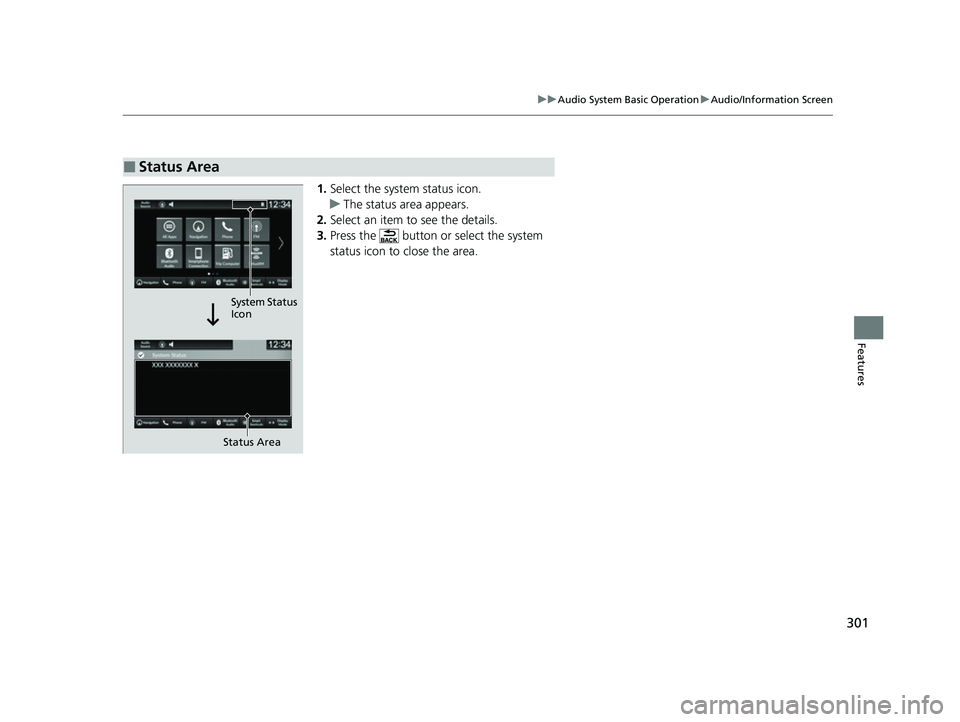
1. Select the system status icon.
u The status area appears.
2. Select an item to see the details.
3. Press the button or select the system
status icon to close the area.
■Status Area
Status Area
System Status
Icon
23 CIVIC HATCHBACK TYPE R-31T406100_03.book 301 ページ 2022年6月23日 木曜日 午後9時28分