light HONDA CIVIC COUPE 1999 Owner's Manual
[x] Cancel search | Manufacturer: HONDA, Model Year: 1999, Model line: CIVIC COUPE, Model: HONDA CIVIC COUPE 1999Pages: 269, PDF Size: 2.42 MB
Page 68 of 269
Steering Wheel Controls
cruise control. To resume the set
speed, press and hold the
RESUME/accel button until the
CRUISE CONTROL light on the
instrument panel comes on. When
climbing a steep hill, the automatic
transmission may downshift to
hold the set speed.
Changing the Set Speed
You can increase the set cruising speed in any of these ways: Press and hold the RESUME/
accel button. The car will acceler-
ate. When you reach the desired
cruising speed, release the button. Push on the accelerator pedal. Ac-
celerate to the desired cruising
speed and press the SET/decel
button.
To increase your speed in very
small amounts, tap the RESUME/
accel button repeatedly. Each time you do this, your vehicle will go
about 1 mph (1.6 km/h) faster.
You can decrease the set cruising speed in any of these ways: Press and hold the SET/decel
button. The car will decelerate. Release the button when you
reach the desired speed. To slow down in very small
amounts, tap the SET/decel
button repeatedly. Each time you do this, your vehicle will go about 1 mph (1.6 km/h) slower. Tap the brake or clutch pedal
lightly with your foot. TheCRUISE CONTROL light on the
instrument panel will go out.
When the car slows to the desired speed, press the SET/decel button.
The car will then maintain the desired speed.
CONTINUED
Instruments and Controls
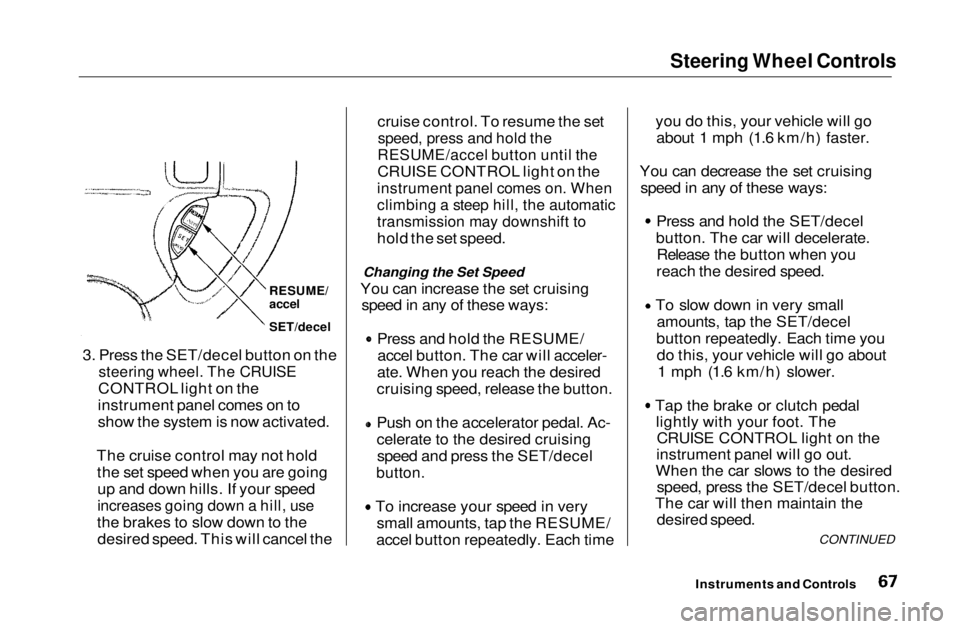
3. Press the SET/decel button on the
steering wheel. The CRUISE
CONTROL light on the
instrument panel comes on to
show the system is now activated.
The cruise control may not hold the set speed when you are goingup and down hills. If your speed
increases going down a hill, use
the brakes to slow down to the desired speed. This will cancel the
RESUME/
accel
SET/decelMain Menu Table of Contents s t
Page 69 of 269
Steering Wheel Controls
Even with the cruise control turned
on, you can still use the accelerator
pedal to speed up for passing. After
completing the pass, take your foot
off the accelerator pedal. The car
will return to the set cruising speed.
Resting your foot on the brake or
clutch pedal will cause the cruise
control to cancel. Cancelling the Cruise Control
You can cancel the cruise control in any of these ways: Tap the brake or clutch pedal.
Press the SET/decel and RE-
SUME/accel buttons at the same
time.
Press the Cruise Control Master
Switch.
When you tap the brake or clutch pedal, or press the SET and RE-SUME buttons at the same time, the
CRUISE CONTROL light on the
instrument panel will go out and thecar will begin to slow down. You can
use the accelerator pedal in the
normal way.
The system remembers the previously-set cruising speed. To
return to that speed, accelerate toabove 25 mph (40 km/h) and press
the RESUME/accel button until the
CRUISE CONTROL light comes on.
The car will accelerate to the same cruising speed as before.
Pressing the Cruise Control Master
Switch turns the system completely off and erases the previous cruising
speed from memory. To use the
system again, refer to Using the
Cruise Control.
Instruments and ControlsMain Menu Table of Contents s t
Page 71 of 269
Keys and Locks
LOCK (0) — You can insert or
remove the key only in this position.
To switch from ACCESSORY to LOCK, you must push the key inslightly as you turn it. If your car has
an automatic transmission, the shift
lever must also be in Park. The anti-
theft lock will lock the steering column when you remove the key.
If the front wheels are turned, theanti-theft lock may sometimes make
it difficult to turn the key fromLOCK to ACCESSORY. Firmly turn
the steering wheel to the left or to
the right as you turn the key. ACCESSORY (I) — In this position,
you can operate the audio systemand the accessory power socket.
ON (II) — This is the normal key
position when driving. All features
and accessories on the car are usable.
Several of the lights on the instru-
ment panel come on as a test when
you turn the ignition switch from
ACCESSORY to ON.
START (III) — Use this position
only to start the engine. The switch
returns to ON (II) when you let go of
the key.
You will hear a reminder beeper if you leave the key in the ignition switch in the LOCK (0) or
ACCESSORY (I) position and open the driver's door. Remove the key toturn off the beeper.
Door Locks
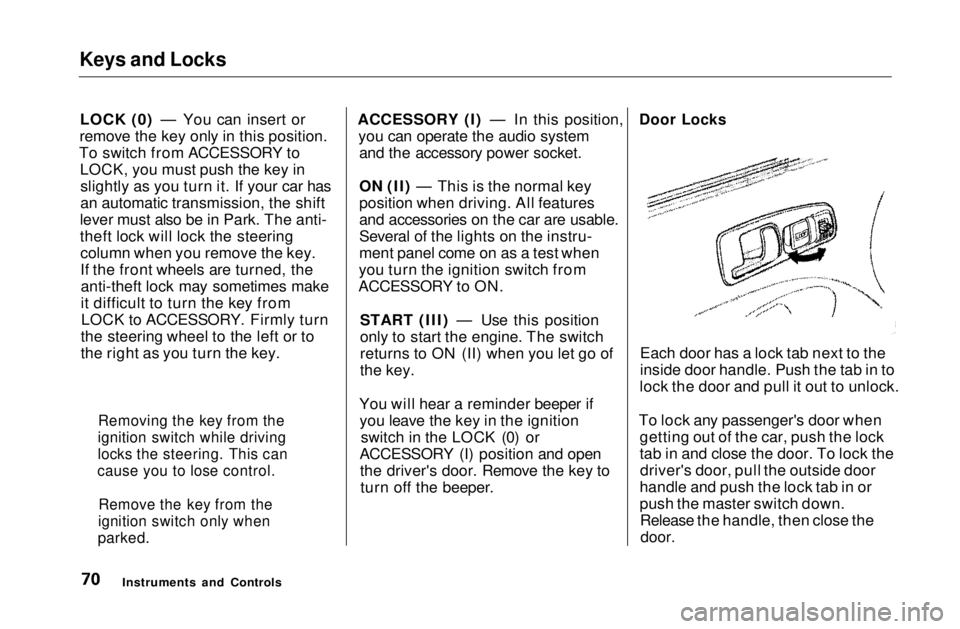
Each door has a lock tab next to the
inside door handle. Push the tab in to
lock the door and pull it out to unlock.
To lock any passenger's door when getting out of the car, push the lock
tab in and close the door. To lock thedriver's door, pull the outside door
handle and push the lock tab in or
push the master switch down. Release the handle, then close the
door.
Instruments and Controls
Removing the key from the
ignition switch while driving
locks the steering. This can
cause you to lose control.
Remove the key from the
ignition switch only when
parked.Main Menu Table of Contents s t
Page 73 of 269
Keys and Locks
On EX and Si models in the U. S.
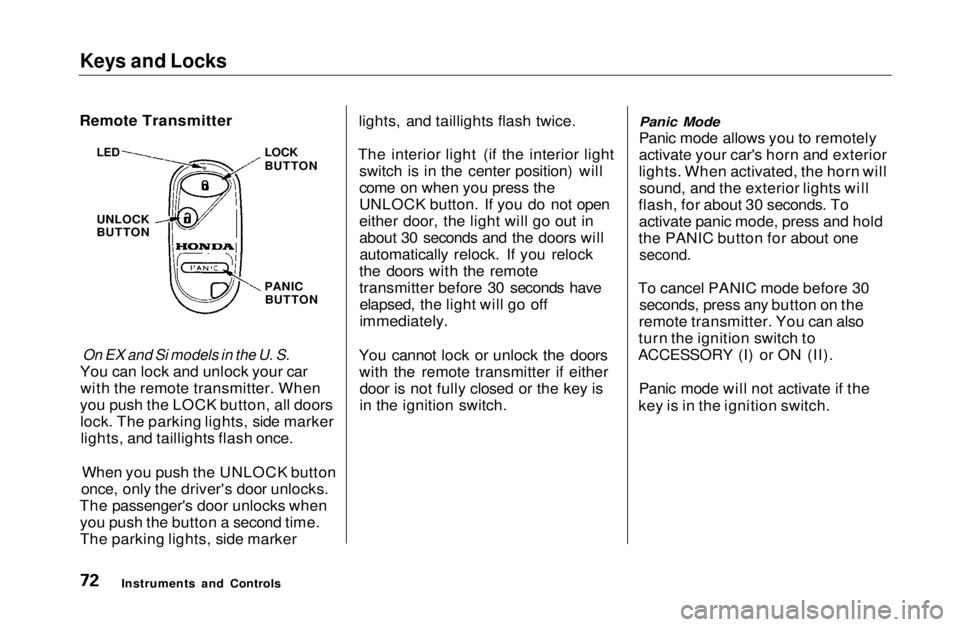
You can lock and unlock your car with the remote transmitter. When
you push the LOCK button, all doors lock. The parking lights, side markerlights, and taillights flash once.
When you push the UNLOCK button
once, only the driver's door unlocks.
The passenger's door unlocks when you push the button a second time.
The parking lights, side marker lights, and taillights flash twice.
The interior light (if the interior light switch is in the center position) will
come on when you press the
UNLOCK button. If you do not open
either door, the light will go out in
about 30 seconds and the doors willautomatically relock. If you relock
the doors with the remote
transmitter before 30 seconds have elapsed, the light will go off
immediately.
You cannot lock or unlock the doors with the remote transmitter if eitherdoor is not fully closed or the key is
in the ignition switch.
Panic Mode
Panic mode allows you to remotely
activate your car's horn and exterior
lights. When activated, the horn will sound, and the exterior lights will
flash, for about 30 seconds. To activate panic mode, press and hold
the PANIC button for about one
second.
To cancel PANIC mode before 30 seconds, press any button on the
remote transmitter. You can also
turn the ignition switch to
ACCESSORY (I) or ON (II).
Panic mode will not activate if the
key is in the ignition switch.
Instruments and Controls
Remote Transmitter
LOCK
BUTTON
LED
UNLOCK
BUTTON
PANICBUTTONMain Menu Table of Contents s t
Page 81 of 269
Power Windows
On HX, EX and Si models in the U.S., Si
and SiR models in Canada
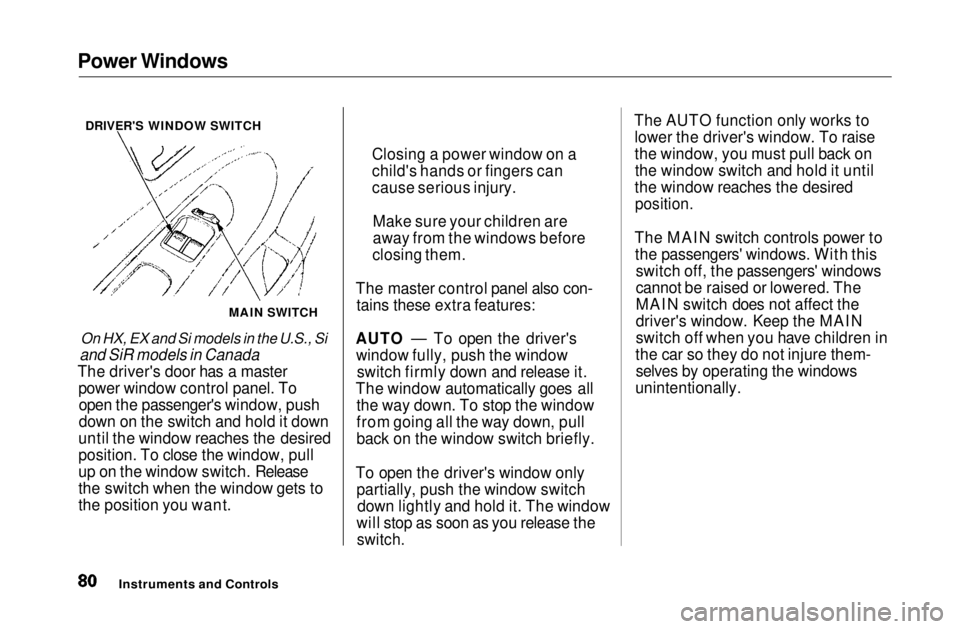
The driver's door has a master power window control panel. Toopen the passenger's window, push
down on the switch and hold it down
until the window reaches the desired
position. To close the window, pull
up on the window switch. Release
the switch when the window gets to
the position you want. The master control panel also con-
tains these extra features:
AUTO — To open the driver's window fully, push the window switch firmly down and release it.
The window automatically goes all the way down. To stop the window
from going all the way down, pull
back on the window switch briefly.
To open the driver's window only partially, push the window switchdown lightly and hold it. The window
will stop as soon as you release the
switch.
The AUTO function only works to
lower the driver's window. To raise
the window, you must pull back onthe window switch and hold it until
the window reaches the desired
position.
The MAIN switch controls power to the passengers' windows. With this switch off, the passengers' windows
cannot be raised or lowered. The
MAIN switch does not affect the
driver's window. Keep the MAIN
switch off when you have children in
the car so they do not injure them- selves by operating the windows
unintentionally.
Instruments and Controls
MAIN SWITCH
DRIVER'S WINDOW SWITCH
Closing a power window on a
child's hands or fingers can
cause serious injury.
Make sure your children are
away from the windows before
closing them.Main Menu Table of Contents s t
Page 82 of 269
Moonroof, Mirrors
On EX and Si models in the U.S., and Si
and SiR models in Canada
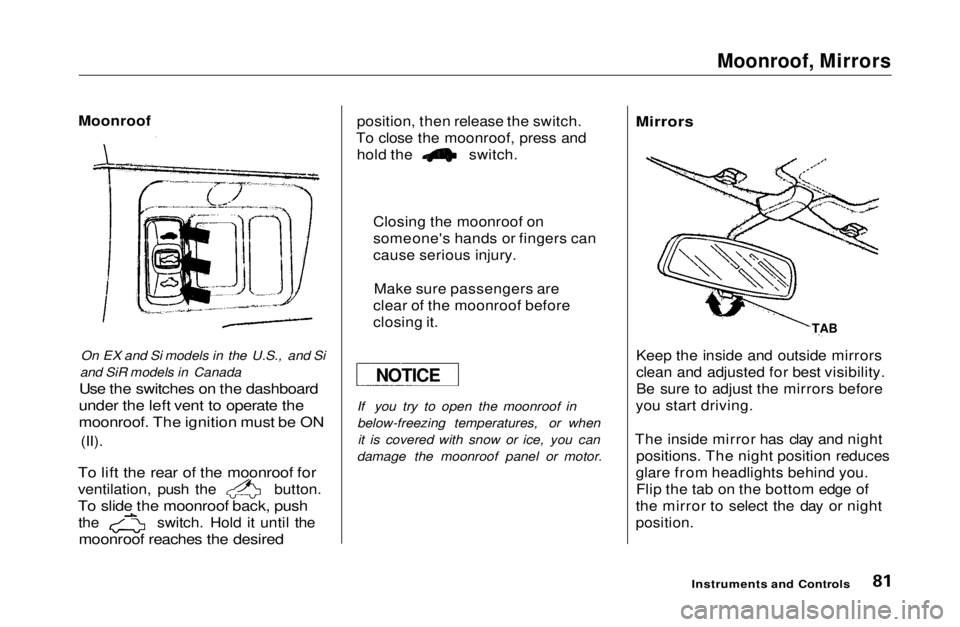
Use the switches on the dashboard
under the left vent to operate the
moonroof. The ignition must be ON
(II).
To lift the rear of the moonroof for
ventilation, push the button.
To slide the moonroof back, push
the switch. Hold it until the
moonroof reaches the desired
position, then release the switch.
To close the moonroof, press and hold the switch.
If you try to open the moonroof in
below-freezing temperatures, or whenit is covered with snow or ice, you can
damage the moonroof panel or motor.
Mirrors
Keep the inside and outside mirrors
clean and adjusted for best visibility.
Be sure to adjust the mirrors before
you start driving.
The inside mirror has clay and night positions. The night position reduces
glare from headlights behind you. Flip the tab on the bottom edge of
the mirror to select the day or night
position.
Instruments and Controls
Moonroof
Closing the moonroof on
someone's hands or fingers can
cause serious injury.Make sure passengers are
clear of the moonroof before
closing it.
NOTICE TABMain Menu Table of Contents s t
Page 83 of 269
Mirrors
On HX. KX and Si models in the U.S.. Si
and SiR models in Canada
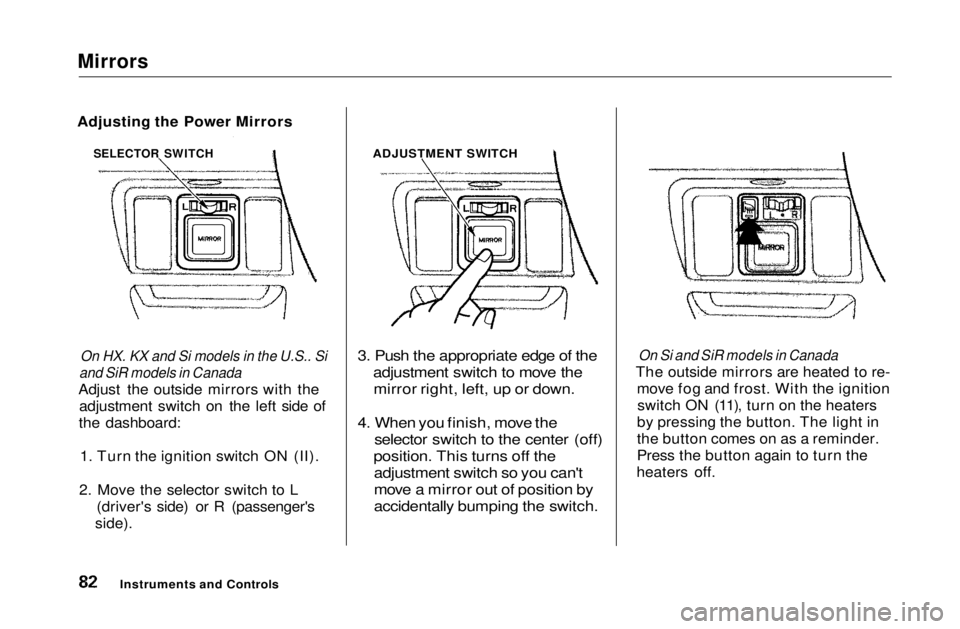
Adjust the outside mirrors with the adjustment switch on the left side of
the dashboard:
1. Turn the ignition switch ON (II).
2. Move the selector switch to L (driver's side) or R (passenger's
side).
3. Push the appropriate edge of the
adjustment switch to move the
mirror right, left, up or down.
4. When you finish, move the
selector switch to the center (off)
position. This turns off the
adjustment switch so you can't
move a mirror out of position by
accidentally bumping the switch.
On Si and SiR models in Canada
The outside mirrors are heated to re- move fog and frost. With the ignitionswitch ON (11), turn on the heaters
by pressing the button. The light in
the button comes on as a reminder.
Press the button again to turn the
heaters off.
Instruments and Controls ADJUSTMENT SWITCH
Adjusting the Power Mirrors
SELECTOR SWITCHMain Menu Table of Contents s t
Page 84 of 269
Parking Brake, Glove Box
PARKING BRAKE LEVER
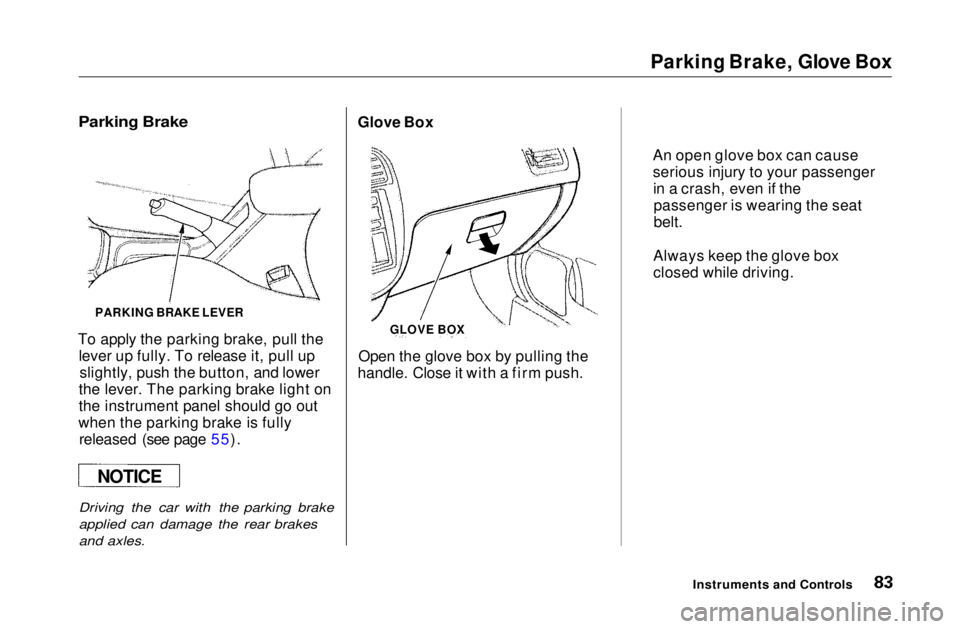
To apply the parking brake, pull the lever up fully. To release it, pull upslightly, push the button, and lower
the lever. The parking brake light on
the instrument panel should go out
when the parking brake is fully released (see page 55).
Driving the car with the parking brake
applied can damage the rear brakes
and axles.
Open the glove box by pulling the
handle. Close it with a firm push.
Instruments and Controls
GLOVE BOX
Glove Box
An open glove box can cause
serious injury to your passengerin a crash, even if thepassenger is wearing the seat
belt.
Always keep the glove box
closed while driving.
NOTICE
Parking BrakeMain Menu Table of Contents s t
Page 86 of 269
Accessory Power Socket, Ashtrays
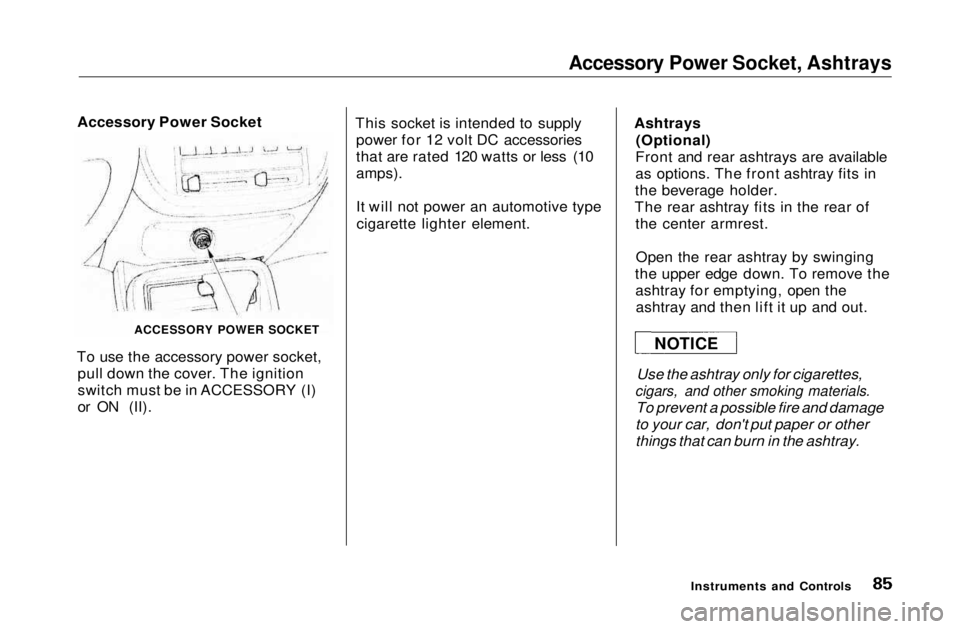
Accessory Power Socket
ACCESSORY POWER SOCKET
To use the accessory power socket, pull down the cover. The ignition
switch must be in ACCESSORY (I)
or ON (II). This socket is intended to supply
power for 12 volt DC accessories
that are rated 120 watts or less (10
amps).
It will not power an automotive type
cigarette lighter element. Ashtrays
(Optional)
Front and rear ashtrays are available
as options. The front ashtray fits in
the beverage holder.
The rear ashtray fits in the rear of the center armrest.
Open the rear ashtray by swinging
the upper edge down. To remove the ashtray for emptying, open theashtray and then lift it up and out.
Use the ashtray only for cigarettes,
cigars, and other smoking materials.
To prevent a possible fire and damage
to your car, don't put paper or other
things that can burn in the ashtray.
Instruments and Controls
NOTICEMain Menu Table of Contents s t
Page 87 of 269
Interior Light
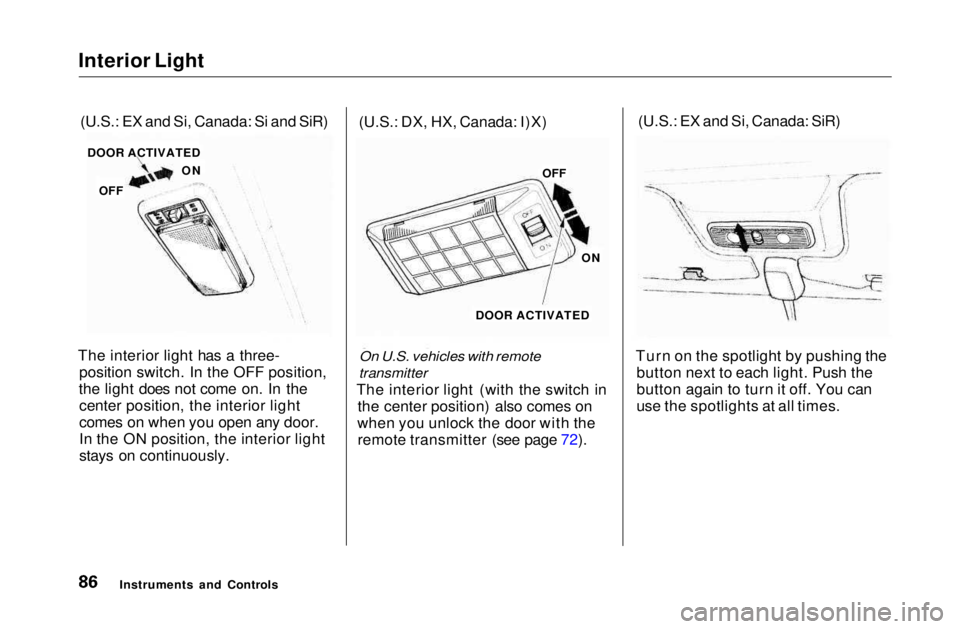
The interior light has a three- position switch. In the OFF position,
the light does not come on. In the center position, the interior light
comes on when you open any door.
In the ON position, the interior light
stays on continuously. (U.S.: DX, HX, Canada: I)X)
On U.S. vehicles with remote
transmitter
The interior light (with the switch in the center position) also comes on
when you unlock the door with the remote transmitter (see page 72). (U.S.: EX and Si, Canada: SiR)
Turn on the spotlight by pushing the button next to each light. Push the
button again to turn it off. You can
use the spotlights at all times.
Instruments and Controls
(U.S.: EX and Si, Canada: Si and SiR)
DOOR ACTIVATED
ON
OFF OFF
ON
DOOR ACTIVATEDMain Menu Table of Contents s t