navigation system HONDA CIVIC COUPE 2012 9.G Navigation Manual
[x] Cancel search | Manufacturer: HONDA, Model Year: 2012, Model line: CIVIC COUPE, Model: HONDA CIVIC COUPE 2012 9.GPages: 204, PDF Size: 7.9 MB
Page 27 of 204
26
Interface SettingsColor
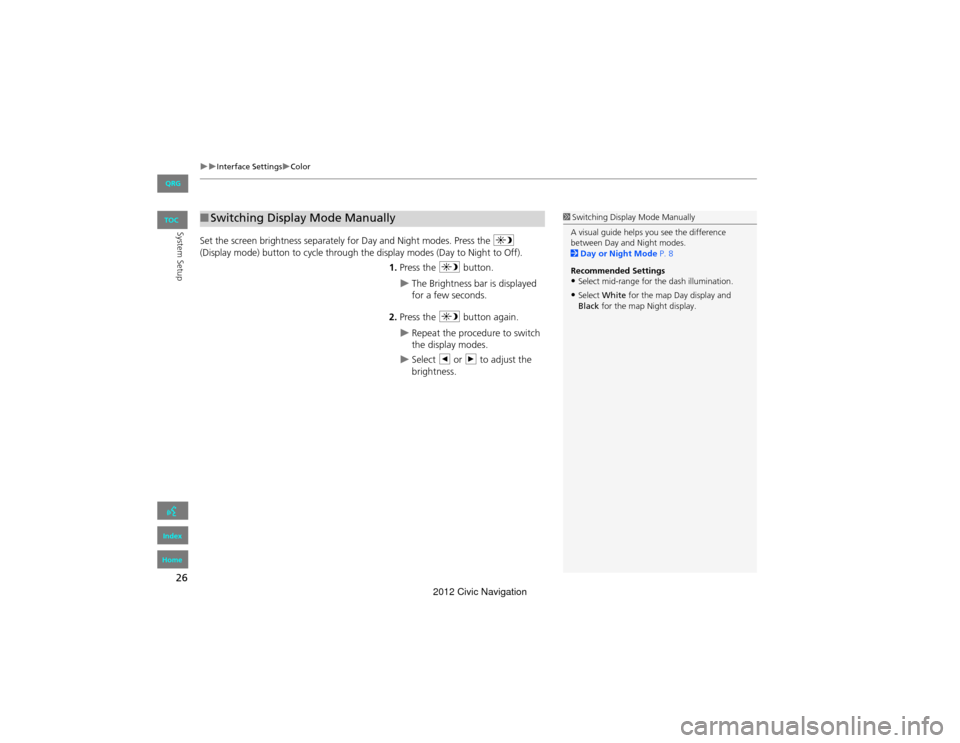
System SetupSet the screen brightness separately for Day and Night modes. Press the a
(Display mode) button to cycle through the display modes (Day to Night to Off).
1. Press the a button.
The Brightness bar is displayed
for a few seconds.
2. Press the a button again.
Repeat the procedure to switch
the display modes.
Select b or n to adjust the
brightness.
■ Switching Display Mode Manually1 Switching Display Mode Manually
A visual guide helps you see the difference
between Day and Night modes.
2 Day or Night Mode P. 8
Recommended Settings
•Select mid-range for the dash illumination.
•Select White for the map Day display and
Black for the map Night display.
QRG
Index
Home
TOC
2012 Civic Navigation
Page 28 of 204
27
Interface SettingsColor
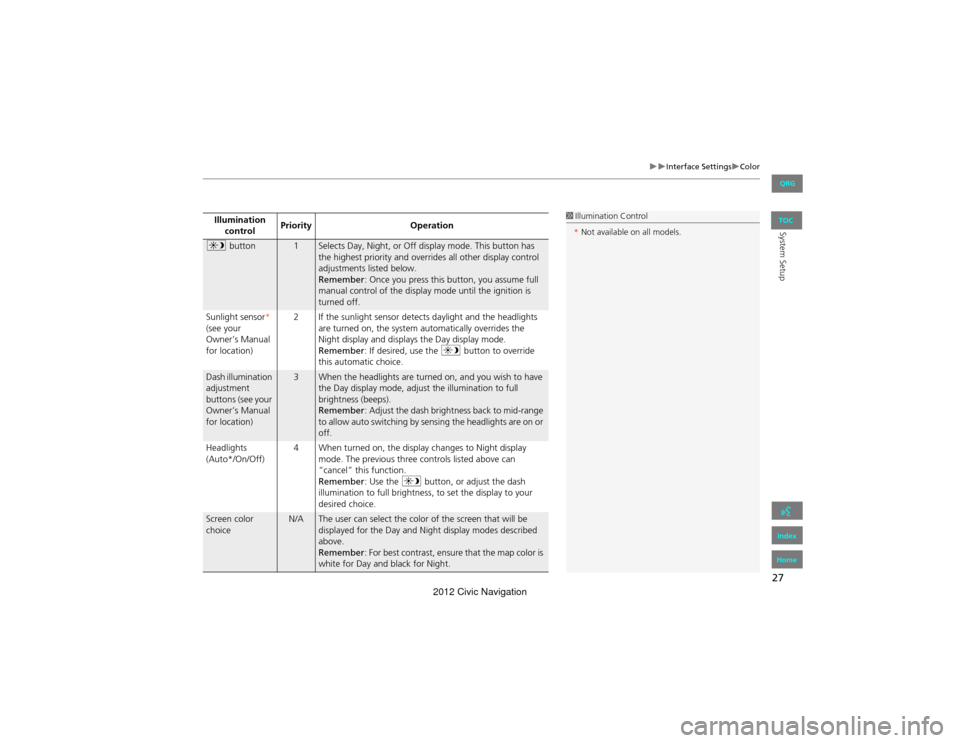
System SetupIllumination control Priority
Operation
a button1Selects Day, Night, or Off display mode. This button has
the highest priority and overrides all other display control
adjustments listed below.
Remember : Once you press this button, you assume full
manual control of the display mode until the ignition is
turned off.
Sunlight sensor *
(see your
Owner’s Manual
for location) 2 If the sunlight sensor detects daylight and the headlights
are turned on, the system automatically overrides the
Night display and displays the Day display mode.
Remember : If desired, use the a button to override
this automatic choice.
Dash illumination
adjustment
buttons (see your
Owner’s Manual
for location)3When the headlights are turned on, and you wish to have
the Day display mode, adjust the illumination to full
brightness (beeps).
Remember : Adjust the dash brightness back to mid-range
to allow auto switching by sensing the headlights are on or
off.
Headlights
(Auto*/On/Off) 4 When turned on, the display changes to Night display
mode. The previous three controls listed above can
“cancel” this function.
Remember : Use the a button, or adjust the dash
illumination to full brightness, to set the display to your
desired choice.
Screen color
choiceN/AThe user can select the color of the screen that will be
displayed for the Day and Night display modes described
above.
Remember : For best contrast, ensure that the map color is
white for Day and black for Night.
1 Illumination Control
* Not available on all models.
QRG
Index
Home
TOC
2012 Civic Navigation
Page 29 of 204
28
Interface SettingsLanguage
System Setup
Language
HINFO button Setup Other Language
Set the system language used on all screens. You can choose from three languages:
English , Français (French), Español (Spanish).
Select the system language.1Language
Voice confirmation of cities and streets only
occurs when English is the system language.
When Français or Español is selected, some
messages continue to be displayed in English.
QRG
Index
Home
TOC
2012 Civic Navigation
Page 30 of 204
29
System Setup
Personal Information
HINFO button Setup Personal Information
Use the personal information menu to select and set your address books, home
addresses, and PINs. You can also delete unwanted destinations from the list of
previously routed destinations. Select an item.
The following items are available:
• Address Book : Stores new addresses or edits your address book.
2Address Book P. 30
• Home Address 1 : Sets or edits your home address.
2Home Addresses P. 35
• Home Address 2 : Sets or edits another home address.
2Home Addresses P. 35
• PIN Number: Sets or changes your PIN.
2 PIN Numbers P. 36
• User Name : Sets or changes your user name.
2User Name P. 37
• Previous Destinations : Deletes the destination history.
2Previous Destinations P. 38
1Personal Information
Personal information canno t be backed up or
moved to another navigation system.
QRG
Index
Home
TOC
2012 Civic Navigation
Page 31 of 204
30
Personal InformationAddress Book
System Setup
Address Book
HINFO button Setup Personal Information Address Book
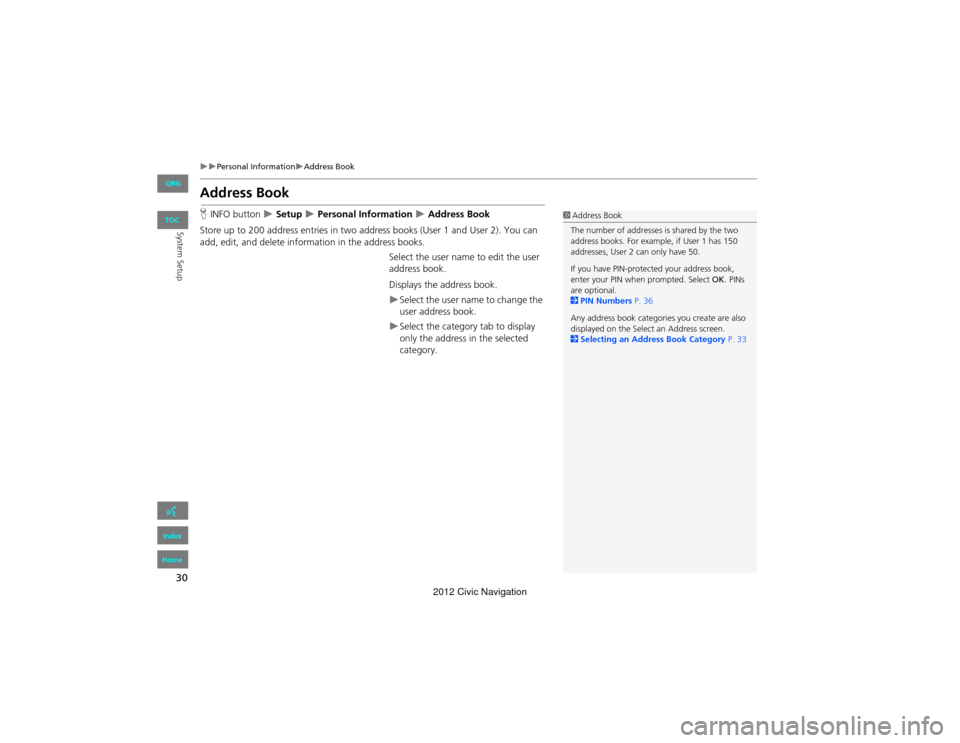
Store up to 200 address entries in two address books (User 1 and User 2). You can
add, edit, and delete information in the address books. Select the user name to edit the user
address book.
Displays the address book.
Select the user name to change the
user address book.
Select the category tab to display
only the address in the selected
category.
1Address Book
The number of addresses is shared by the two
address books. For example, if User 1 has 150
addresses, User 2 can only have 50.
If you have PIN-protected your address book,
enter your PIN when prompted. Select OK. PINs
are optional.
2 PIN Numbers P. 36
Any address book categories you create are also
displayed on the Selec t an Address screen.
2 Selecting an Address Book Category P. 33
QRG
Index
Home
TOC
2012 Civic Navigation
Page 32 of 204
31
Personal InformationAddress Book
System SetupHINFO button Setup Personal Information Address Book
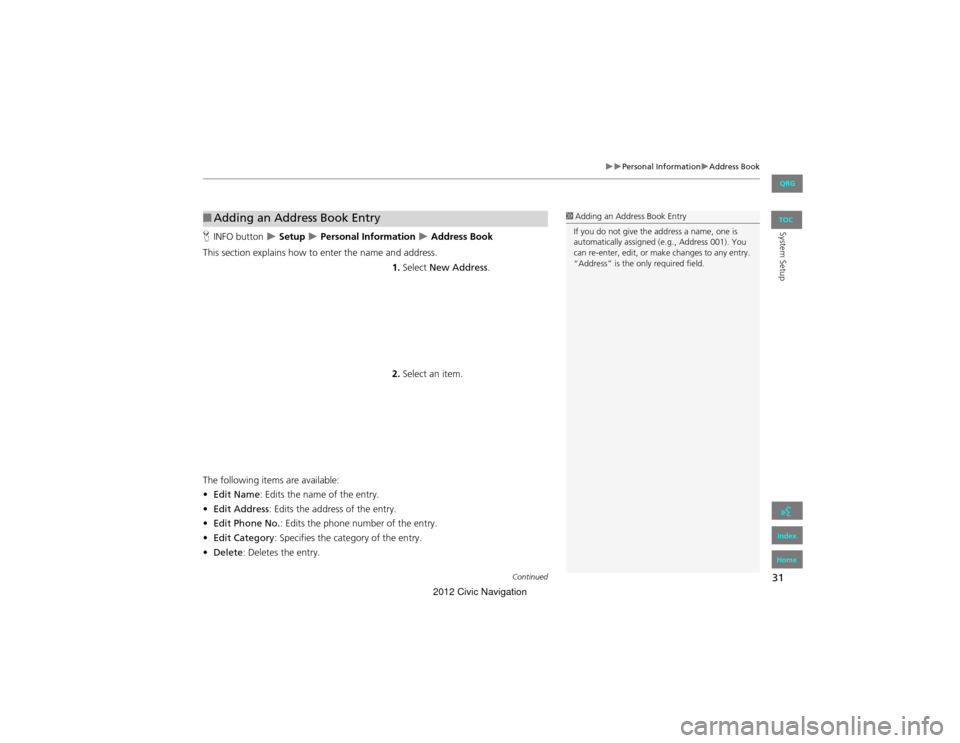
This section explains how to enter the name and address. 1.Select New Address .
2. Select an item.
The following items are available:
• Edit Name : Edits the name of the entry.
• Edit Address : Edits the address of the entry.
• Edit Phone No. : Edits the phone number of the entry.
• Edit Category : Specifies the category of the entry.
• Delete : Deletes the entry.
■Adding an Address Book Entry1 Adding an Address Book Entry
If you do not give the address a name, one is
automatically assigned (e.g., Address 001). You
can re-enter, edit, or make changes to any entry.
“Address” is the only required field.
Continued
QRG
Index
Home
TOC
2012 Civic Navigation
Page 33 of 204
32
Personal InformationAddress Book
System Setup
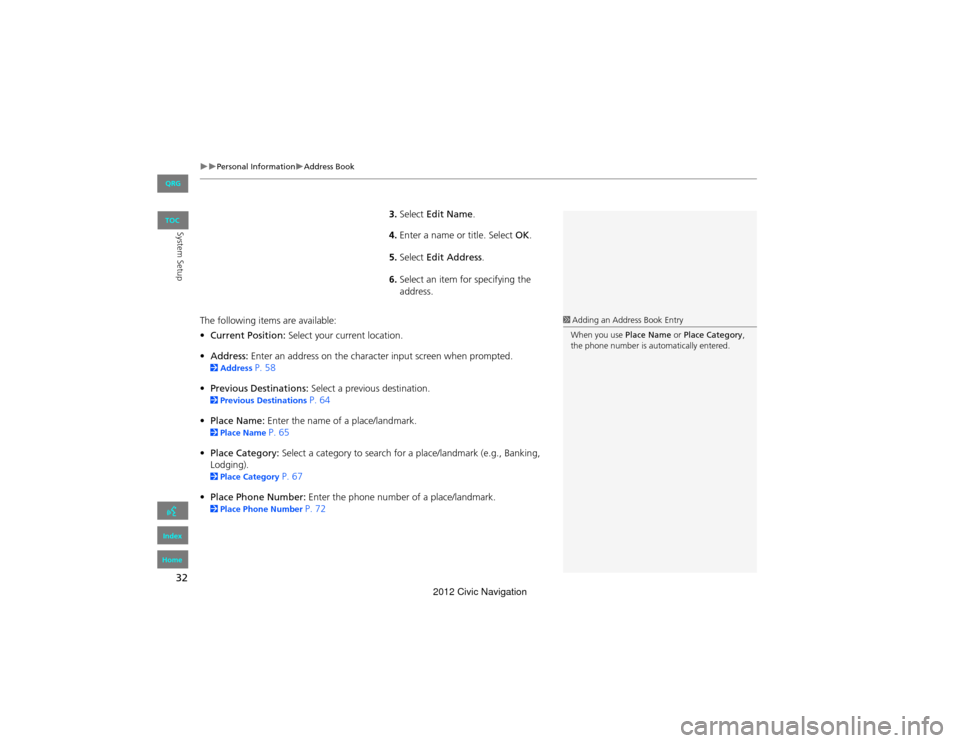
3.Select Edit Name .
4. Enter a name or title. Select OK.
5. Select Edit Address .
6. Select an item for specifying the
address.
The following items are available:
• Current Position: Select your current location.
• Address: Enter an address on the characte r input screen when prompted.
2Address P. 58
• Previous Destinations: Select a previous destination.
2Previous Destinations P. 64
• Place Name: Enter the name of a place/landmark.
2Place Name P. 65
• Place Category: Select a category to search for a place/landmark (e.g., Banking,
Lodging).
2 Place Category P. 67
• Place Phone Number: Enter the phone number of a place/landmark.
2Place Phone Number P. 72
1Adding an Address Book Entry
When you use Place Name or Place Category ,
the phone number is automatically entered.
QRG
Index
Home
TOC
2012 Civic Navigation
Page 34 of 204
33
Personal InformationAddress Book
System SetupHINFO button Setup Personal Information Address Book
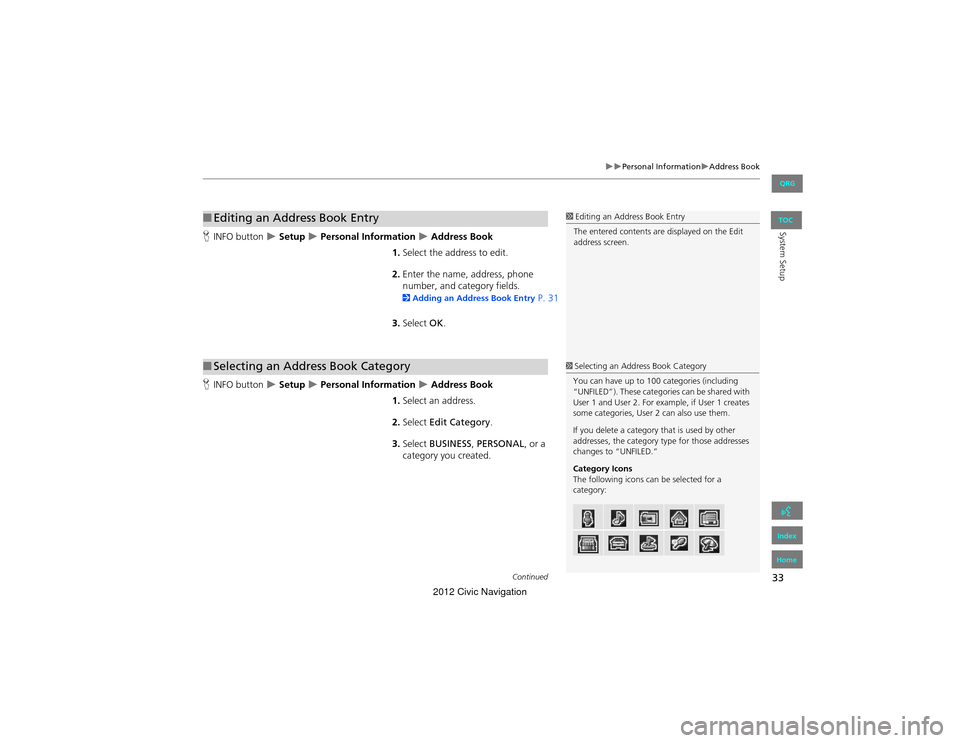
1. Select the address to edit.
2. Enter the name, address, phone
number, and cate gory fields.
2Adding an Address Book Entry P. 31
3. Select OK.
H INFO button
Setup Personal Information Address Book
1. Select an address.
2. Select Edit Category .
3. Select BUSINESS, PERSONAL , or a
category you created.
■ Editing an Address Book Entry1 Editing an Address Book Entry
The entered contents are displayed on the Edit
address screen.
■ Selecting an Address Book Category1 Selecting an Address Book Category
You can have up to 100 categories (including
“UNFILED”). These categories can be shared with
User 1 and User 2. For example, if User 1 creates
some categories, User 2 can also use them.
If you delete a category that is used by other
addresses, the category type for those addresses
changes to “UNFILED.”
Category Icons
The following icons can be selected for a
category:
Continued
QRG
Index
Home
TOC
2012 Civic Navigation
Page 35 of 204
34
Personal InformationAddress Book
System Setup
■Creating a New Category
1. Select New Category .
2. Enter a name and select an icon when prompted. Select OK.
The created category is displa yed in the list of categories.
■ Deleting or Editing a Category
1. Select Edit Category .
2. Select Edit Category or Delete.
3. Delete an existing category, or change the name and icon.
H INFO button
Setup Personal Information Address Book
1. Select the address to delete.
2. Select Delete .
3. Select Yes.
■Deleting an Address Book Entry1 Deleting an Address Book Entry
When you transfer the vehicle to a third party,
delete all address book entries.
QRG
Index
Home
TOC
2012 Civic Navigation
Page 36 of 204
35
Personal InformationHome Addresses
System Setup
Home Addresses
HINFO button Setup Personal Information Home Address 1 or Home
Address 2
Set two home addresses that you frequently use. 1.Edit the name, address, and phone
number the same way as an
address in the address book.
2 Adding an Address Book Entry P. 31
2. Select OK.
1Home Addresses
If you have PIN-protected your home addresses,
enter your PIN when prompted. Select OK . PINs
are optional.
2 PIN Numbers P. 36
If your home street is not in the system database,
park on the nearest verified street to your home.
When entering the “Address” field, select
Current Position to use your current location as
the home address.
You can delete a home address if necessary.
Select Delete . Select Yes.
When you transfer the vehicle to a third party,
delete all ho me addresses.
The home icon is shown on the map screen in
1/20 and 1/8 mile scales.
QRG
Index
Home
TOC
2012 Civic Navigation