headlights HONDA CIVIC HATCHBACK 2017 10.G Owners Manual
[x] Cancel search | Manufacturer: HONDA, Model Year: 2017, Model line: CIVIC HATCHBACK, Model: HONDA CIVIC HATCHBACK 2017 10.GPages: 641
Page 6 of 641
5
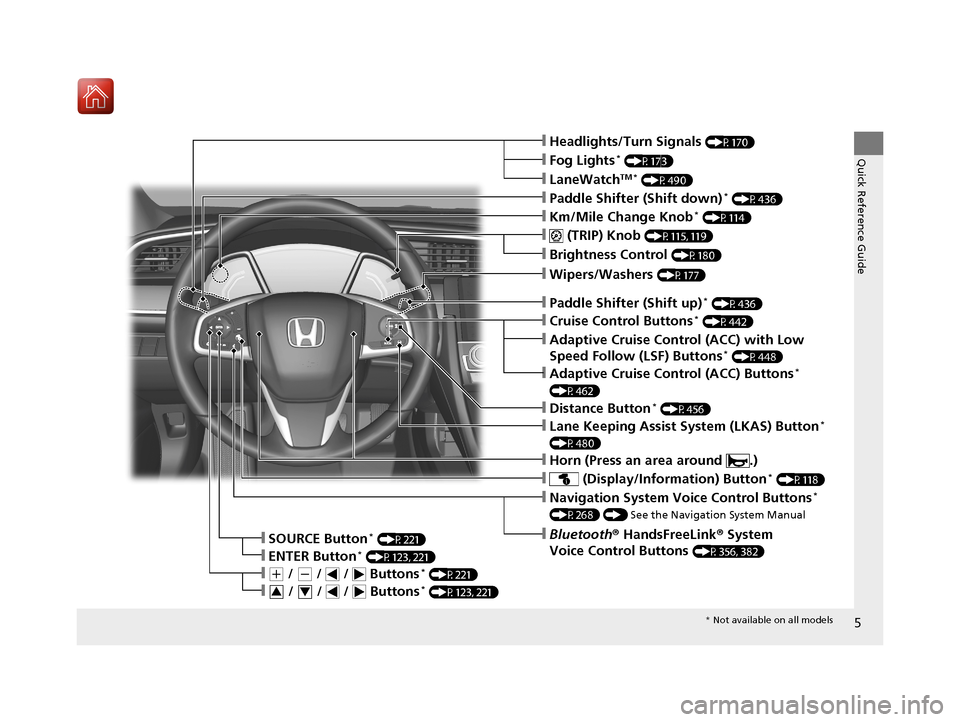
Quick Reference Guide❙Headlights/Turn Signals (P170)
❙Km/Mile Change Knob* (P114)
❙ (TRIP) Knob (P115, 119)
❙SOURCE Button* (P221)
❙Brightness Control (P180)
❙LaneWatchTM * (P490)
❙Fog Lights* (P173)
❙ (Display/Information) Button* (P118)
❙Navigation System Voice Control Buttons*
(P268) () See the Navigation System Manual
❙Bluetooth® HandsFreeLink ® System
Voice Control Buttons
(P356, 382)❙ENTER Button* (P123, 221)
❙(+ / (- / / Buttons* (P221)
❙ / / / Buttons* (P123, 221)34
❙Lane Keeping Assist System (LKAS) Button*
(P480)
❙Paddle Shifter (Shift down)* (P436)
❙Paddle Shifter (Shift up)* (P436)
❙Wipers/Washers (P177)
❙Adaptive Cruise Control (ACC) Buttons*
(P462)
❙Adaptive Cruise Control (ACC) with Low
Speed Follow (LSF) Buttons* (P448)
❙Distance Button* (P456)
❙Horn (Press an area around .)
❙Cruise Control Buttons* (P442)
* Not available on all models
17 CIVIC 5D (KA KC KL)-31TGG6000.book 5 ページ 2016年6月8日 水曜日 午後2時8分
Page 9 of 641
Visual Index
8
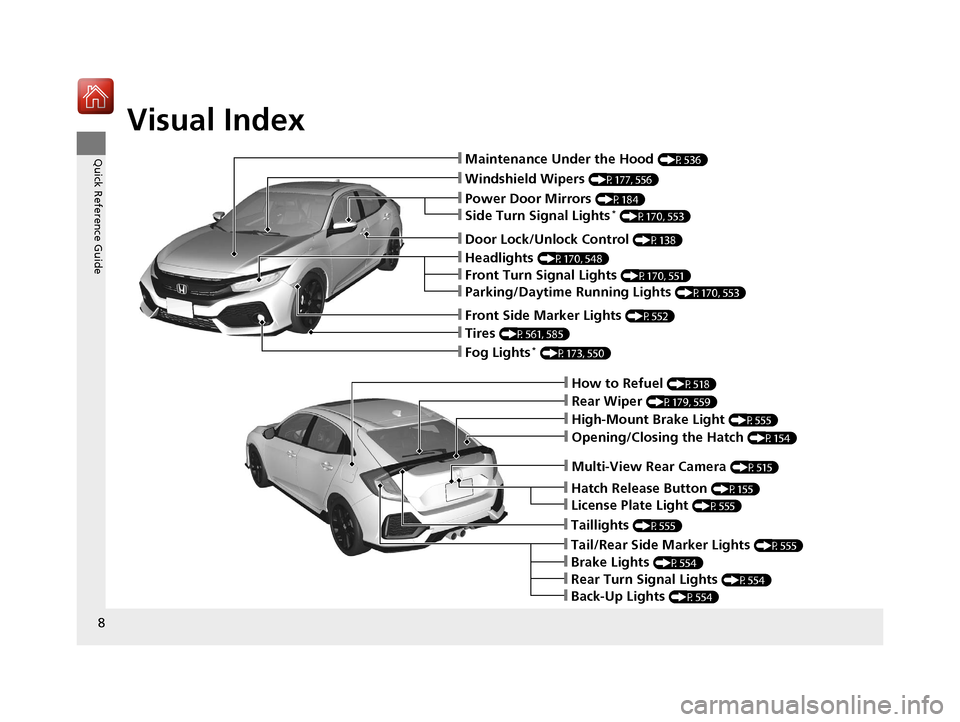
Quick Reference Guide❙Maintenance Under the Hood (P536)
❙Windshield Wipers (P177, 556)
❙Tires (P561, 585)
❙Fog Lights* (P173, 550)
❙Power Door Mirrors (P184)
❙How to Refuel (P518)
❙High-Mount Brake Light (P555)
❙Opening/Closing the Hatch (P154)
❙Multi-View Rear Camera (P515)
❙Door Lock/Unlock Control (P138)
❙Side Turn Signal Lights* (P170, 553)
❙Headlights (P170, 548)
❙Front Turn Signal Lights (P170, 551)
❙Parking/Daytime Running Lights (P170, 553)
❙Front Side Marker Lights (P552)
❙Taillights (P555)
❙Back-Up Lights (P554)
❙Brake Lights (P554)
❙Rear Turn Signal Lights (P554)
❙Tail/Rear Side Marker Lights (P555)
❙Rear Wiper (P179, 559)
❙Hatch Release Button (P155)
❙License Plate Light (P555)
17 CIVIC 5D (KA KC KL)-31TGG6000.book 8 ページ 2016年6月8日 水曜日 午後2時8分
Page 88 of 641
87
uuIndicators u
Continued
Instrument Panel
*1:Models with the smart entry system have an ENGINE START/STOP button instead of an ignition switch.
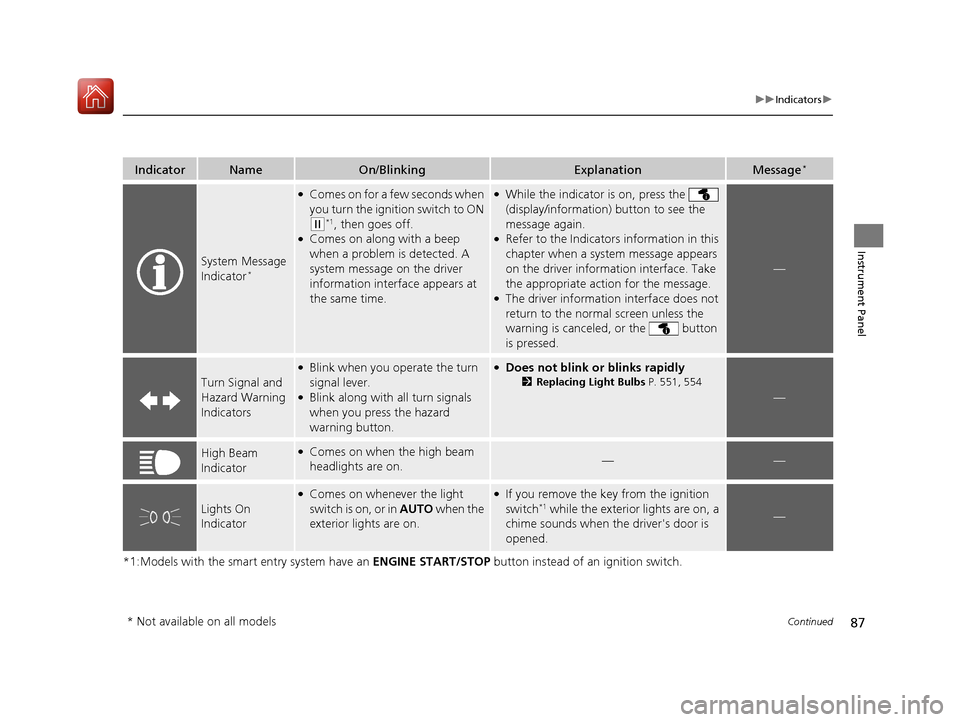
IndicatorNameOn/BlinkingExplanationMessage*
System Message
Indicator*
●Comes on for a few seconds when
you turn the ignition switch to ON
(w*1, then goes off.●Comes on along with a beep
when a problem is detected. A
system message on the driver
information interface appears at
the same time.
●While the indicator is on, press the
(display/information) button to see the
message again.
●Refer to the Indicators information in this
chapter when a system message appears
on the driver information interface. Take
the appropriate action for the message.
●The driver information interface does not
return to the normal screen unless the
warning is canceled, or the button
is pressed.
—
Turn Signal and
Hazard Warning
Indicators
●Blink when you operate the turn
signal lever.
●Blink along with all turn signals
when you press the hazard
warning button.
●Does not blink or blinks rapidly
2 Replacing Light Bulbs P. 551, 554
—
High Beam
Indicator●Comes on when the high beam
headlights are on.——
Lights On
Indicator
●Comes on whenever the light
switch is on, or in AUTO when the
exterior lights are on.●If you remove the key from the ignition
switch*1 while the exterior lights are on, a
chime sounds when the driver's door is
opened.—
* Not available on all models
17 CIVIC 5D (KA KC KL)-31TGG6000.book 87 ページ 2016年6月8日 水曜日 午後 2時8分
Page 107 of 641
106
uuIndicators uDriver Information Interface Wa rning and Information Messages*
Instrument Panel
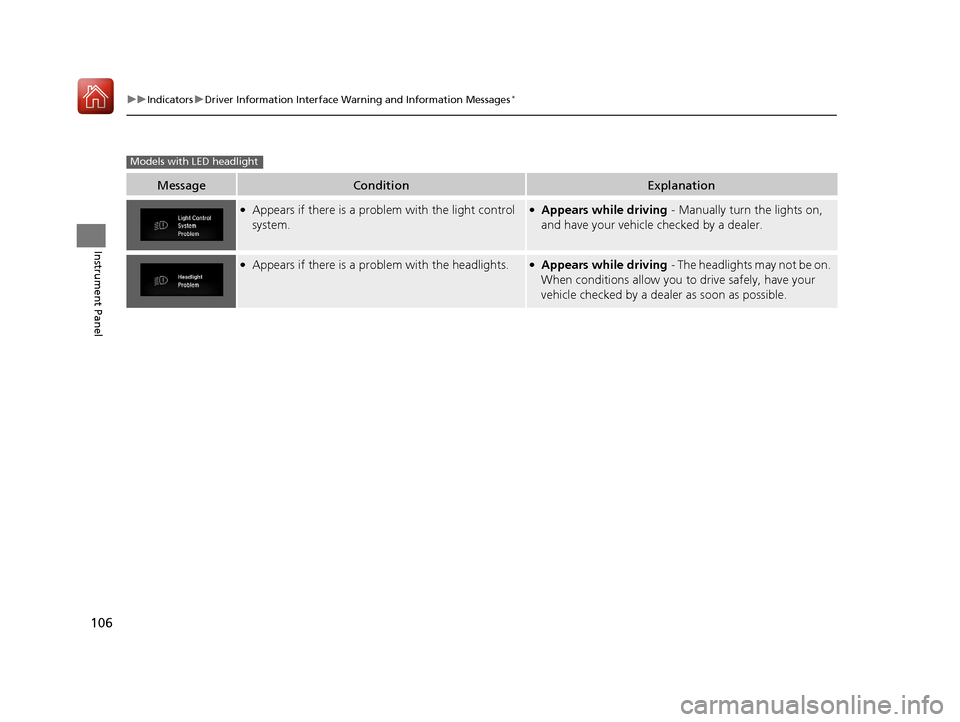
MessageConditionExplanation
●Appears if there is a problem with the light control
system.●Appears while driving - Manually turn the lights on,
and have your vehicle checked by a dealer.
●Appears if there is a pr oblem with the headlights.●Appears while driving - The headlights may not be on.
When conditions allow you to drive safely, have your
vehicle checked by a deal er as soon as possible.
Models with LED headlight
17 CIVIC 5D (KA KC KL)-31TGG6000.book 106 ページ 2016年6月8日 水曜日 午 後2時8分
Page 108 of 641
107
uuIndicators uDriver Information Interface Wa rning and Information Messages*
Continued
Instrument Panel
MessageConditionExplanation
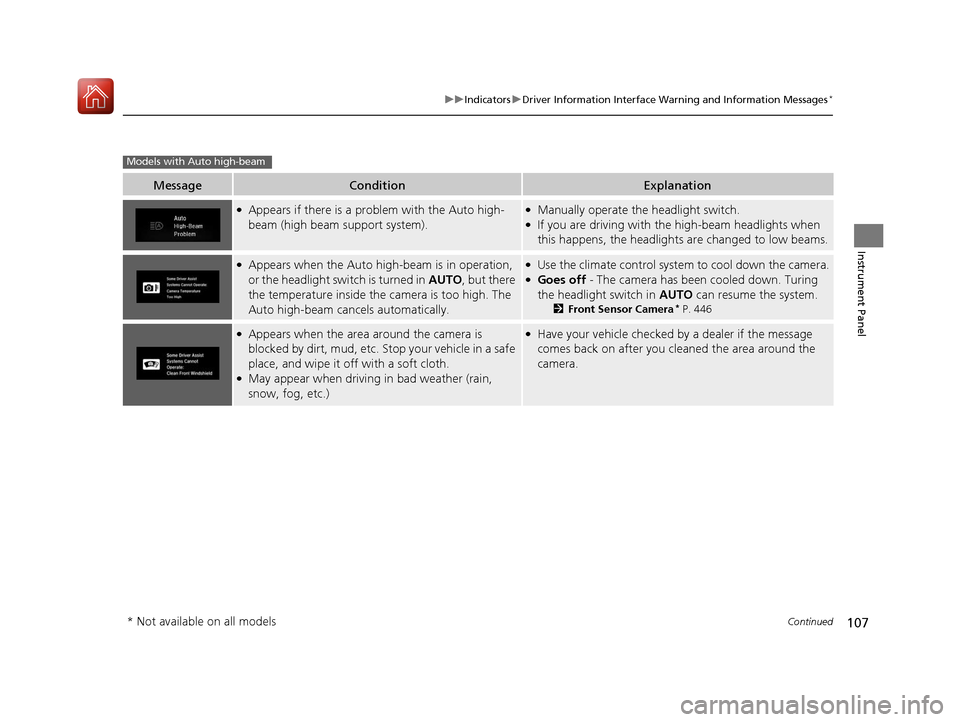
●Appears if there is a problem with the Auto high-
beam (high beam support system).●Manually operate the headlight switch.●If you are driving with th e high-beam headlights when
this happens, the headlights are changed to low beams.
●Appears when the Auto high-beam is in operation,
or the headlight swit ch is turned in AUTO, but there
the temperature inside the camera is too high. The
Auto high-beam cancels automatically.●Use the climate control system to cool down the camera.●Goes off - The camera has been cooled down. Turing
the headlight switch in AUTO can resume the system.
2Front Sensor Camera* P. 446
●Appears when the area around the camera is
blocked by dirt, mud, etc. Stop your vehicle in a safe
place, and wipe it off with a soft cloth.
●May appear when driving in bad weather (rain,
snow, fog, etc.)
●Have your vehicle checked by a dealer if the message
comes back on after you cleaned the area around the
camera.
Models with Auto high-beam
* Not available on all models
17 CIVIC 5D (KA KC KL)-31TGG6000.book 107 ページ 2016年6月8日 水曜日 午 後2時8分
Page 129 of 641
128
uuGauges and Displays uDriver Information Interface*
Instrument Panel
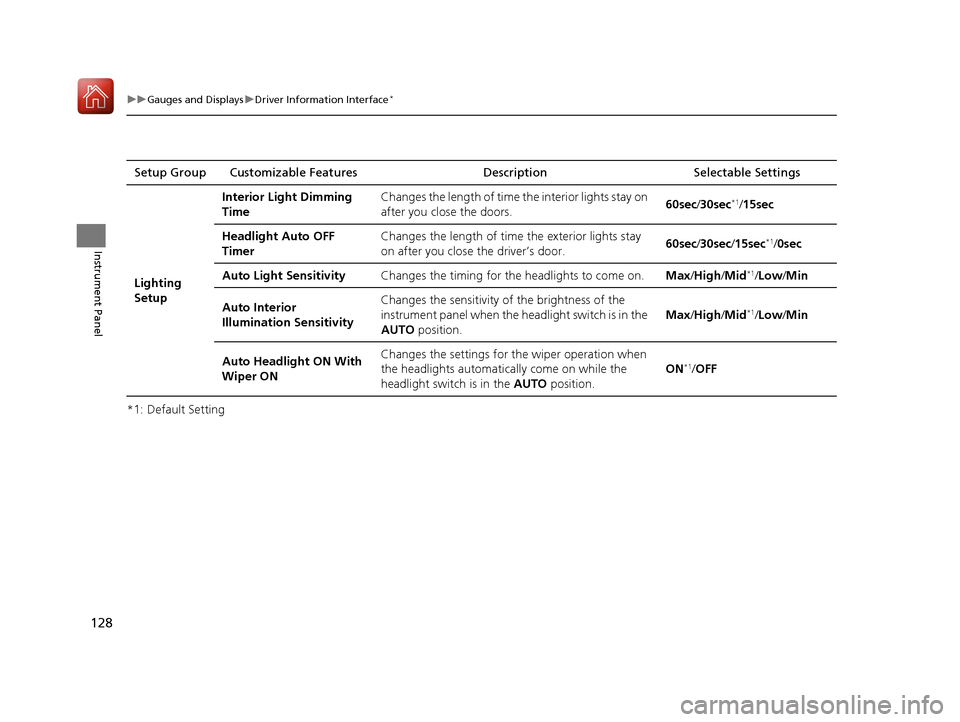
*1: Default SettingSetup Group Customizable Features Description Selectable Settings
Lighting
Setup Interior Light Dimming
Time
Changes the length of time
the interior lights stay on
after you close the doors. 60sec
/30sec
*1/15sec
Headlight Auto OFF
Timer Changes the length of time
the exterior lights stay
on after you close the driver’s door. 60sec
/30sec /15sec
*1/ 0sec
Auto Light Sensitivity Changes the timing for the headlights to come on.Max/High /Mid
*1/Low/ Min
Auto Interior
Illumination Sensitivity Changes the sensitivity of the brightness of the
instrument panel when the headlight switch is in the
AUTO
position. Max
/High /Mid
*1/Low/ Min
Auto Headlight ON With
Wiper ON Changes the settings for
the wiper operation when
the headlights automatically come on while the
headlight switch is in the AUTO position. ON
*1/
OFF
17 CIVIC 5D (KA KC KL)-31TGG6000.book 128 ページ 2016年6月8日 水曜日 午 後2時8分
Page 171 of 641
170
uuOperating the Switches Around the Steering Wheel uTurn Signals
Controls
Turn Signals
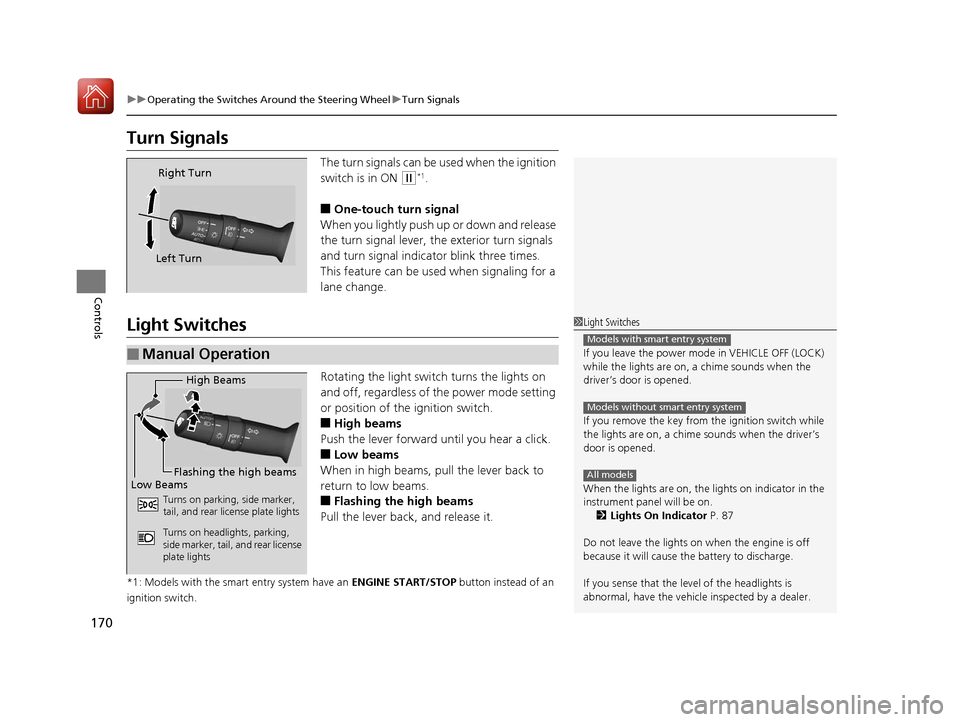
The turn signals can be used when the ignition
switch is in ON
(w*1.
■One-touch turn signal
When you lightly push up or down and release
the turn signal lever, th e exterior turn signals
and turn signal indicator blink three times.
This feature can be used when signaling for a
lane change.
Light Switches
Rotating the light switch turns the lights on
and off, regardless of the power mode setting
or position of the ignition switch.
■High beams
Push the lever forward until you hear a click.
■Low beams
When in high beams, pull the lever back to
return to low beams.
■Flashing the high beams
Pull the lever back, and release it.
*1: Models with the smart entry system have an ENGINE START/STOP button instead of an
ignition switch.
Right Turn
Left Turn
■Manual Operation
1 Light Switches
If you leave the power mode in VEHICLE OFF (LOCK)
while the lights are on, a chime sounds when the
driver’s door is opened.
If you remove the key from the ignition switch while
the lights are on, a chime sounds when the driver’s
door is opened.
When the lights are on, the lights on indicator in the
instrument pane l will be on.
2 Lights On Indicator P. 87
Do not leave the lights on when the engine is off
because it will cause the battery to discharge.
If you sense that the le vel of the headlights is
abnormal, have the vehicl e inspected by a dealer.
Models with smart entry system
Models without smart entry system
All models
High Beams
Flashing the high beams
Low Beams
Turns on parking, side marker,
tail, and rear license plate lights
Turns on headlights, parking,
side marker, tail, and rear license
plate lights
17 CIVIC 5D (KA KC KL)-31TGG6000.book 170 ページ 2016年6月8日 水曜日 午 後2時8分
Page 172 of 641
Continued171
uuOperating the Switches Around the Steering Wheel uLight Switches
Controls
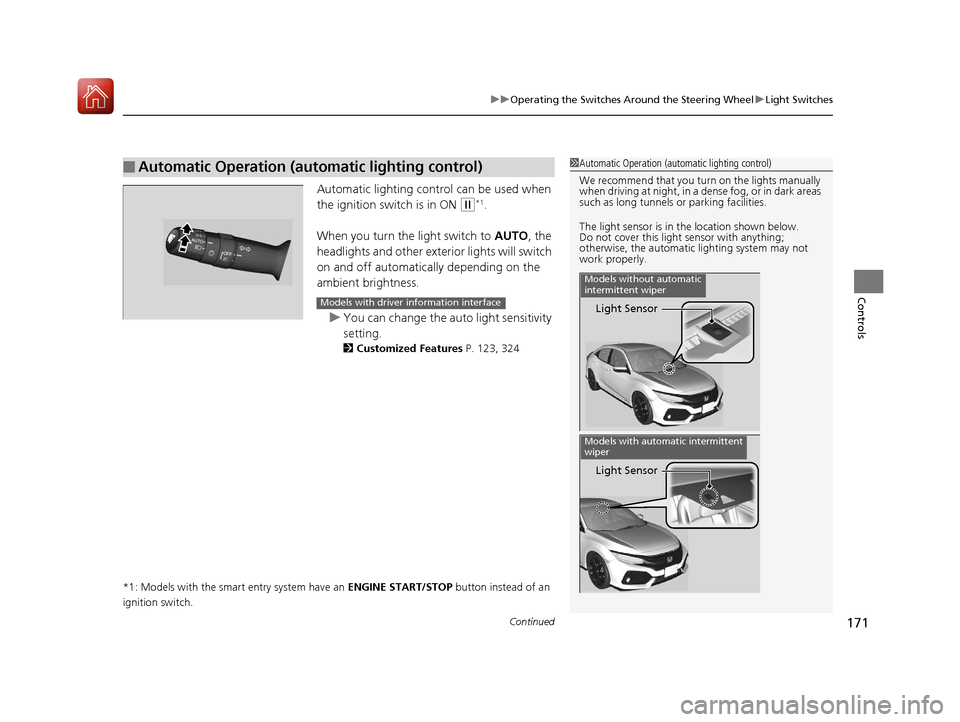
Automatic lighting control can be used when
the ignition switch is in ON
(w*1.
When you turn the light switch to AUTO, the
headlights and other exterior lights will switch
on and off automatically depending on the
ambient brightness.
u You can change the auto light sensitivity
setting.
2 Customized Features P. 123, 324
*1: Models with the smart entry system have an ENGINE START/STOP button instead of an
ignition switch.
■Automatic Operation (automatic lighting control)1 Automatic Operation (aut omatic lighting control)
We recommend that you tu rn on the lights manually
when driving at night, in a dense fog, or in dark areas
such as long tunnels or parking facilities.
The light sensor is in the location shown below.
Do not cover this light sensor with anything;
otherwise, the automatic lighting system may not
work properly.
Light Sensor
Models without automatic
intermittent wiper
Light Sensor
Models with automatic intermittent
wiper
Models with driver information interface
17 CIVIC 5D (KA KC KL)-31TGG6000.book 171 ページ 2016年6月8日 水曜日 午 後2時8分
Page 173 of 641
uuOperating the Switches Around the Steering Wheel uLight Switches
172
Controls
The headlights automatically co me on when the wipers are used several times within
a certain number of intervals wi th the headlight switch in AUTO.
The headlights automatically go off a few minutes later if the wipers are stopped.
The headlights, all other exterior lights, an d the instrument panel lights turn off 15
seconds after you remove the key or set the power mode to VEHICLE OFF (LOCK),
take the remote with you, and close the driver’s door.
If you turn the igniti on switch to LOCK
(0*1 with the headlight switch on, but do
not open the door, the lights turn off after 10 minutes (3 minutes, if the switch is in
the AUTO position).
The lights turn on again when you unlock or open the driver’s door. If you unlock
the door, but do not open it within 15 seconds, the lights go off. If you open the
driver’s door, you will hear a lights on reminder chime.
*1: Models with the smart entry system have an ENGINE START/STOP button instead of an
ignition switch.
■Headlight Integration with Wipers
■Automatic Lighting Off Feature
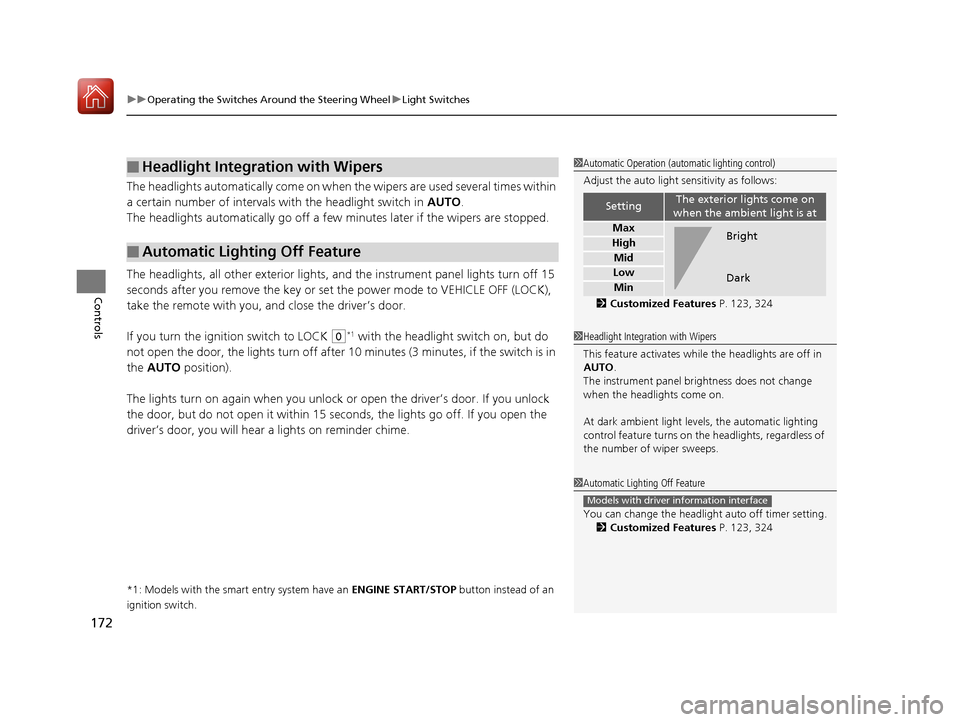
1 Automatic Operation (aut omatic lighting control)
Adjust the auto light sensitivity as follows:
2 Customized Features P. 123, 324
SettingThe exterior lights come on
when the ambient light is at
Max
High
Mid
Low
Min
Bright
Dark
1 Headlight Integration with Wipers
This feature activates while the headlights are off in
AUTO .
The instrument panel br ightness does not change
when the headlights come on.
At dark ambient light levels, the automatic lighting
control feature turns on the headlights, regardless of
the number of wiper sweeps.
1 Automatic Lighting Off Feature
You can change the headlight auto off timer setting.
2 Customized Features P. 123, 324
Models with driver information interface
17 CIVIC 5D (KA KC KL)-31TGG6000.book 172 ページ 2016年6月8日 水曜日 午 後2時8分
Page 174 of 641
173
uuOperating the Switches Around the Steering Wheel uFog Lights*
Controls
Fog Lights*
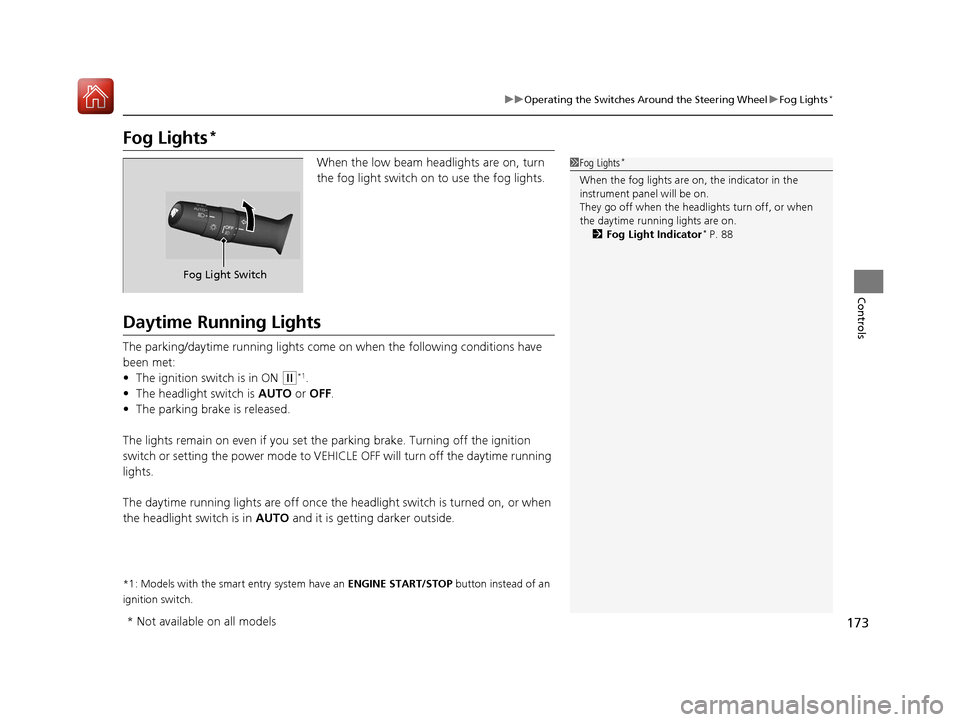
When the low beam headlights are on, turn
the fog light switch on to use the fog lights.
Daytime Running Lights
The parking/daytime running lights come on when the following conditions have
been met:
• The ignition switch is in ON
(w*1.
• The headlight switch is AUTO or OFF .
• The parking brake is released.
The lights remain on even if you set th e parking brake. Turning off the ignition
switch or setting the power mode to VEHI CLE OFF will turn off the daytime running
lights.
The daytime running lights are off once the h eadlight switch is turned on, or when
the headlight switch is in AUTO and it is getting darker outside.
*1: Models with the smart entry system have an ENGINE START/STOP button instead of an
ignition switch.
1 Fog Lights*
When the fog lights are on, the indicator in the
instrument pane l will be on.
They go off when the headlights turn off, or when
the daytime running lights are on. 2 Fog Light Indicator
* P. 88
Fog Light Switch
* Not available on all models
17 CIVIC 5D (KA KC KL)-31TGG6000.book 173 ページ 2016年6月8日 水曜日 午 後2時8分