brake sensor HONDA CIVIC HATCHBACK 2021 (in English) User Guide
[x] Cancel search | Manufacturer: HONDA, Model Year: 2021, Model line: CIVIC HATCHBACK, Model: HONDA CIVIC HATCHBACK 2021Pages: 711, PDF Size: 37.1 MB
Page 517 of 711
Continued515
uuHonda Sensing ®u Adaptive Cruise Control (ACC) with Low Speed Follow*
Driving
■Automatic cancellation
The beeper sounds and a message appears on the driver information interface when
ACC with Low Speed Follow is automatically canceled. Any of these conditions may
cause the ACC with Low Speed Fo llow to automatically cancel:
• Bad weather (rain, fog, snow, etc.)
• When the radar sensor in the lower bumper next to the fog light
* gets dirty.
• The vehicle ahead of yo u cannot be detected.
• An abnormal tire condition is de tected, or the tires are skidding.
• Driving on a mountainous road, or driving off road for extended periods.
• Abrupt steering wheel movement.
• When the ABS, VSA ® or CMBS
TM is activated.
• When the ABS or VSA ® system indicator comes on.
• When the vehicle is stopped on a very steep slope.
• When you manually apply the parking brake.
• When the detected vehicle within the AC C with Low Speed Follow range is too
close to your vehicle.
• The camera behind the rearview mirror, or the area around the camera, including
the windshield, gets dirty.
• When the Maximum Load Limit is exceeded.
• When passing through an enclosed space, such as tunnel.
The ACC with Low Speed Follow automatic cancellation can be also triggered by the
following causes. In these cases, the parking brake will be automatically applied.
• The driver’s seat belt is unfastened when the vehicle is stationary.
• The vehicle stops for more than 10 minutes.
• The engine is turned off.
1Automatic cancellation
Even though ACC with Low Speed Follow has been
automatically canceled, you can still resume the prior
set speed. Wait until the condition that caused ACC
with Low Speed Follow to cancel improves, then
press the –/SET button.
* Not available on all models
21 CIVIC 5D HUM-31TGG6400_01.book 515 ページ 2020年8月28日 金曜日 午後1時 48分
Page 520 of 711
518
uuHonda Sensing ®u Adaptive Cruise Control (ACC)*
Driving
Adaptive Cruise Control (ACC)*
Helps maintain a constant vehicle speed a nd a set following-interval behind a vehicle
detected ahead of yours, without you havi ng to keep your foot on the brake or the
accelerator.1 Adaptive Cruise Control (ACC)*
Important Reminder
As with any system, there are limits to ACC. Use the
brake pedal whenever necessary, and always keep a
safe interval betw een your vehicle and other vehicles.
For directions on the prop er handling of the radar
sensor, refer to the following page. 2 Radar Sensor P. 548
You can read about handling information for the
camera equipped with this system. 2 Front Sensor Camera P. 546
3WARNING
Improper use of ACC can lead to a crash.
Use ACC only when traveling on open
highways in good weather.
3WARNING
ACC has limited braking capability.
When your vehicle speed drops below 22
mph (35 km/h), ACC will automatically
cancel and no longer will apply your
vehicle’s brakes.
Always be prepared to apply the brake
pedal when conditions require.
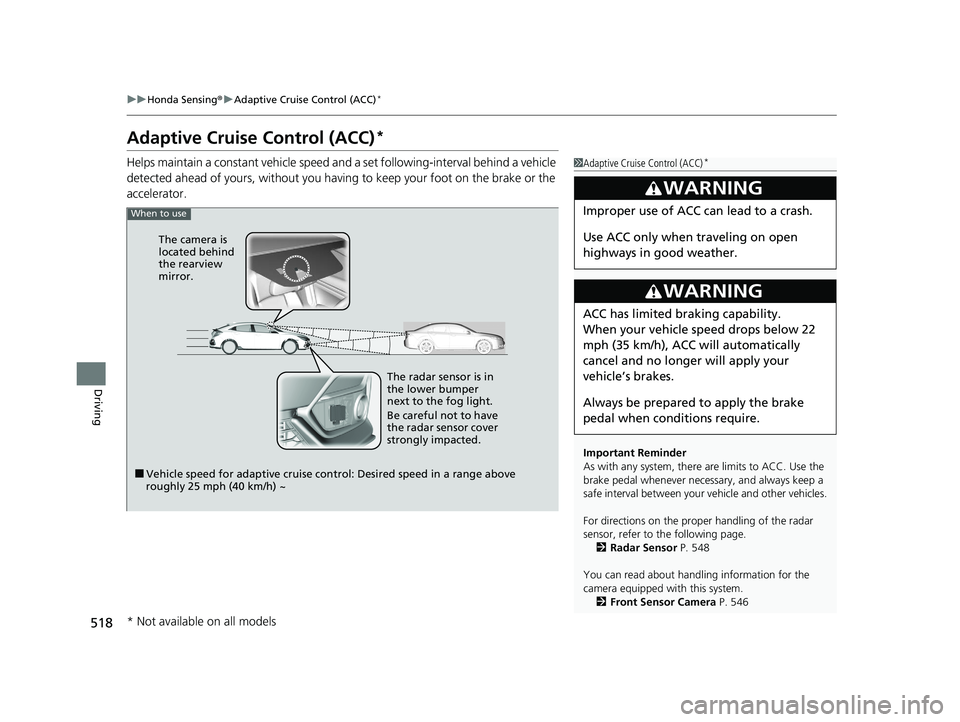
When to use
■Vehicle speed for adaptive cruise control: Desired speed in a range above
roughly 25 mph (40 km/h) ~ The radar sensor is in
the lower bumper
next to the fog light.
Be careful not to have
the radar sensor cover
strongly impacted.
The camera is
located behind
the rearview
mirror.
* Not available on all models
21 CIVIC 5D HUM-31TGG6400_01.book 518 ページ 2020年8月28日 金曜日 午後1時
48分
Page 521 of 711
Continued519
uuHonda Sensing ®u Adaptive Cruise Control (ACC)*
Driving
■How to activate the system1Adaptive Cruise Control (ACC)*
The radar sensor for ACC is shared with the collision
mitigation braking systemTM (CMBSTM).
2 Collision Mitigation Braking SystemTM
(CMBSTM) P. 491
ACC may not work properly under certain conditions.
2 ACC Conditions and Limitations P. 523
When the engine speed slows down, try to
downshift. You can maintain the set speed if you
change gear within five seconds.
When not using ACC: Turn off adaptive cruise by
pressing the MAIN button. This also will turn off the
Lane Keeping Assist System (LKAS).
When the MAIN button is pressed, both ACC and
the Lane Keeping Assist System (LKAS) are either
turned on or off.
Do not use ACC under the following conditions:
•On roads with heavy traf fic or while driving in
continuous stop and go traffic.
•On roads with sharp turns.
•On roads with steep downhill sections, as the set
vehicle speed can be exceeded by coasting. In such
cases, ACC will not apply the brakes to maintain
the set speed.
•On roads with toll collection facilities or other
objects between lanes of traffic, or in parking
areas, or faci lities with driv e through access.
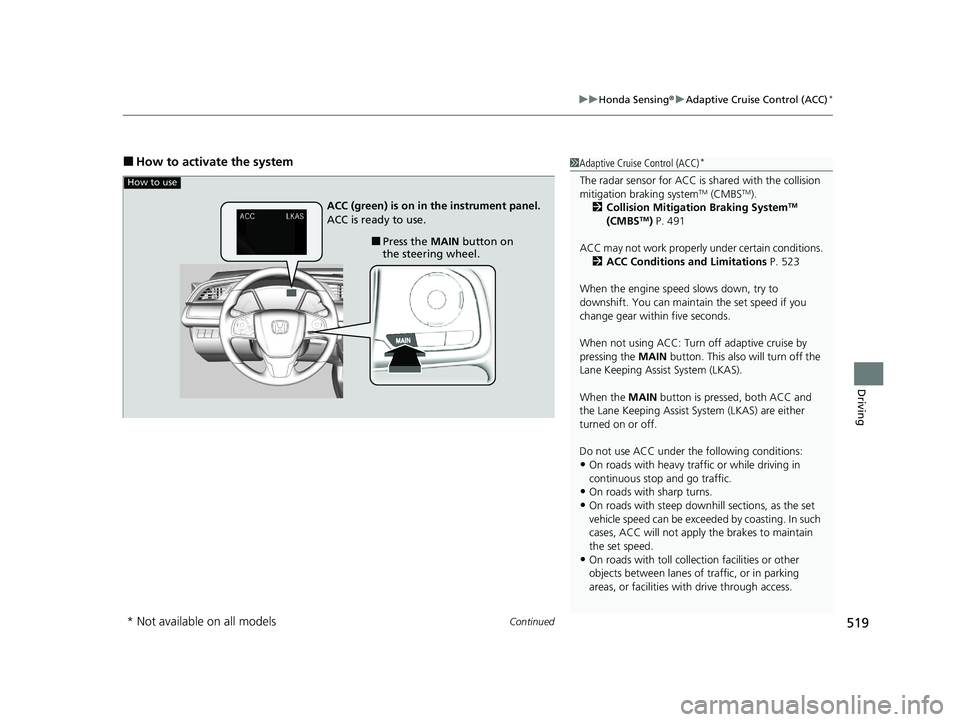
How to use
■Press the MAIN button on
the steering wheel.
ACC (green) is on in the instrument panel.
ACC is ready to use.
* Not available on all models
21 CIVIC 5D HUM-31TGG6400_01.book 519 ページ 2020年8月28日 金曜日 午後1時
48分
Page 525 of 711
Continued523
uuHonda Sensing ®u Adaptive Cruise Control (ACC)*
Driving
The system may automatically shut off and the ACC indicator will come on under
certain conditions. Some examples of thes e conditions are listed below. Other
conditions may reduce some of the ACC functions.
2 Front Sensor Camera P. 546
■Environmental conditions
Driving in bad weather (r ain, fog, snow, etc.).
■Roadway conditions
Driving on a snowy or wet roadway (obscure d lane marking, vehicle tracks, reflected
lights, road spra y, high contrast).
■Vehicle conditions
• The outside of the windshield is blocked by dirt, mud, leaves, wet snow, etc.
• An abnormal tire or wheel condition (Wro ng sized, varied size or construction,
improperly inflated, co mpact spare tire, etc.).
• The camera temperature gets too high.
• The parking brake is applied.
• When the lower bumper next to the fog light is dirty.
• The vehicle is tilted due to a heavy load or suspension modifications.
• When tire chains are installed.
■ACC Conditions and Limitations1ACC Conditions and Limitations
If you need the radar sensor to be repaired, or
removed, or the radar se nsor cover is strongly
impacted, turn off the system by pressing the MAIN
button and take your vehicle to a dealer.
Have your vehicle checked by a dealer if you find any
unusual behavior of the system (e.g., the warning
message appears too frequently).
21 CIVIC 5D HUM-31TGG6400_01.book 523 ページ 2020年8月28日 金曜日 午後1時 48分
Page 526 of 711
uuHonda Sensing ®u Adaptive Cruise Control (ACC)*
524
Driving
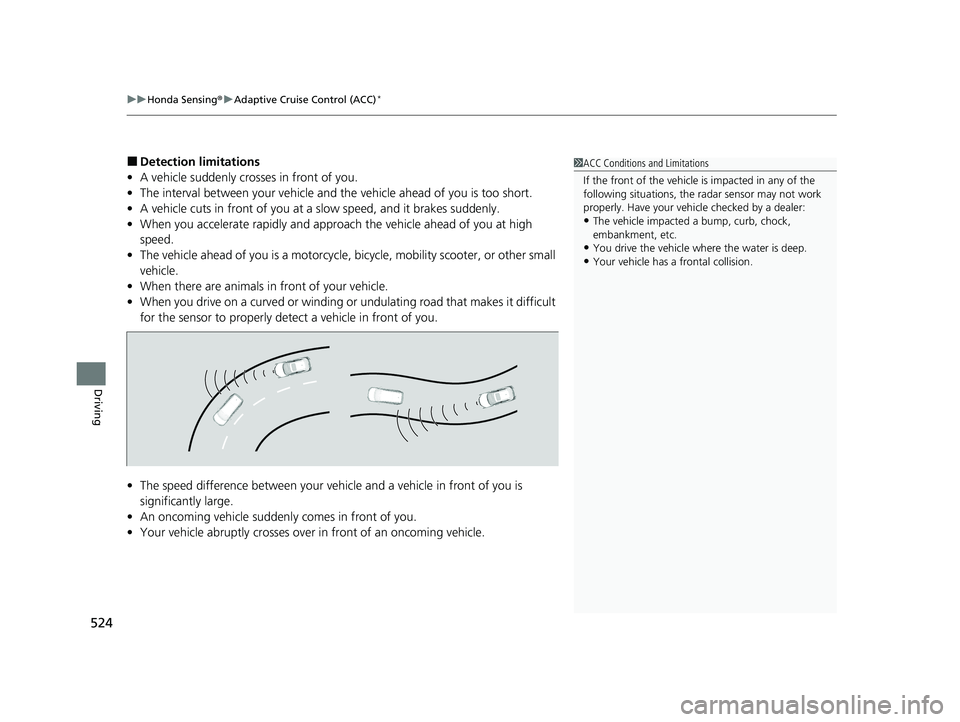
■Detection limitations
• A vehicle suddenly crosses in front of you.
• The interval between your vehicle and the vehicle ahead of you is too short.
• A vehicle cuts in front of you at a slow speed, and it brakes suddenly.
• When you accelerate rapidly and approach the vehicle ahead of you at high
speed.
• The vehicle ahead of you is a motorcycle, bicycle, mobility scooter, or other small
vehicle.
• When there are animals in front of your vehicle.
• When you drive on a curved or winding or undulating road that makes it difficult
for the sensor to properly dete ct a vehicle in front of you.
• The speed difference between your vehicl e and a vehicle in front of you is
significantly large.
• An oncoming vehicle suddenly comes in front of you.
• Your vehicle abruptly crosses over in front of an oncoming vehicle.1ACC Conditions and Limitations
If the front of the vehicle is impacted in any of the
following situations, the ra dar sensor may not work
properly. Have your vehi cle checked by a dealer:
•The vehicle impacted a bump, curb, chock,
embankment, etc.
•You drive the vehicle where the water is deep.
•Your vehicle has a frontal collision.
21 CIVIC 5D HUM-31TGG6400_01.book 524 ページ 2020年8月28日 金曜日 午後1時 48分
Page 532 of 711
uuHonda Sensing ®u Adaptive Cruise Control (ACC)*
530
Driving
■Automatic cancellation
The beeper sounds and a message appears on the driver information interface when
ACC is automatically canceled. Any of these conditions may cause the ACC to
automatically cancel:
• Bad weather (rain, fog, snow, etc.)
• When the radar sensor in the lower bump er next to the fog light gets dirty.
• The vehicle ahead of you cannot be detected.
• An abnormal tire condition is detected, or the tires are skidding.
• Driving on a mountainous road, or driving off road for extended periods.
• Abrupt steering wheel movement.
• When the ABS, VSA ® or CMBS
TM is activated.
• When the ABS or VSA ® system indicator comes on.
• When you manually apply the parking brake.
• When the detected vehicle within the ACC range is too close to your vehicle.
• The camera behind the rearview mirror, or the area around the camera, including
the windshield, gets dirty.
• When the Maximum Load Limit is exceeded.
• When passing through an enclos ed space, such as tunnel.
• Ignoring shift down indication shown in the tachometer display will cancel the
ACC after about 10 seconds.
• The engine speed goes into the tachometer’s red zone.
• The engine speed goes to below 1,000 rpm.
• You shift into neutral temporarily when shifting into a higher or lower gear.
1Automatic cancellation
Even though ACC has been automatically canceled,
you can still resume the prior set speed. Wait until the
condition that caused ACC to cancel improves, then
press the –/SET button.
When you completely disable VSA® while ACC is
activated, ACC will automatically be canceled.
2.0 L engine models
21 CIVIC 5D HUM-31TGG6400_01.book 530 ページ 2020年8月28日 金曜日 午後1時 48分
Page 637 of 711
635Continued
Handling the Unexpected
If a Tire Goes Flat
Temporarily Repairing a Flat Tire
If the tire has a large cut or is otherwise severely damaged, you will need to have the
vehicle towed. If the tire only has a small puncture, from a nail for instance, you can
use the temporary tire repair kit so that you can drive to the nearest service station
for a more permanent repair.
If a tire goes flat while driving, grasp the steering wheel firmly, and brake gradually
to reduce speed. Then stop in a safe place.
1. Park the vehicle on a firm, level, and n on-slippery surface, and apply the parking
brake.
2. Put the transmission into
(R.
3. Turn on the hazard warning lights an d set the power mode to VEHICLE OFF
(LOCK).
Models with temporary tire repair kit
1 Temporarily Repairing a Flat Tire
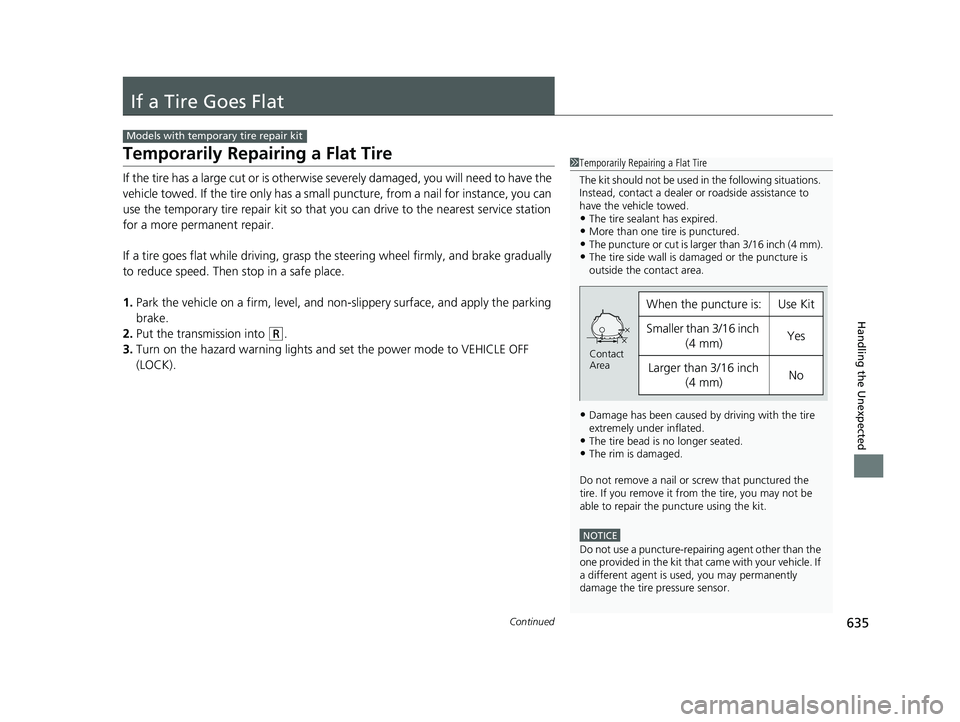
The kit should not be used in the following situations.
Instead, contact a dealer or roadside assistance to
have the vehicle towed.
•The tire sealant has expired.•More than one tire is punctured.•The puncture or cut is larger than 3/16 inch (4 mm).•The tire side wall is da maged or the puncture is
outside the contact area.
•Damage has been caused by driving with the tire
extremely under inflated.
•The tire bead is no longer seated.•The rim is damaged.
Do not remove a nail or screw that punctured the
tire. If you remove it from the tire, you may not be
able to repair the puncture using the kit.
NOTICE
Do not use a puncture-repairing agent other than the
one provided in the kit that came with your vehicle. If
a different agent is used, you may permanently
damage the tire pressure sensor.
When the puncture is:Use Kit
Smaller than 3/16 inch
(4 mm)Yes
Larger than 3/16 inch (4 mm)No
Contact
Area
21 CIVIC 5D HUM-31TGG6400_01.book 635 ページ 2020年8月28日 金曜日 午後1時 48分
Page 700 of 711
Index
698
Index
Index
Numbers
7-Speed Manual Shift Mode.................... 465
A
ABS (Anti-lock Brake System) ................... 556
Accelerator Position Meter ...................... 131
Accessories and Modifications ................. 631
Accessory Power Socket ........................... 208
Adaptive Cruise Control (ACC) ........... 99, 518
Adaptive Cruise Control (ACC) with Low Speed Follow ............................. 99, 501
Adding the Coolant .................................. 590
Additives Coolant ................................................... 589
Engine Oil ................................................ 582
Washer .................................................... 593
Additives, Engine Oil ................................ 582
Adjusting Armrest ................................................... 200
Clock ....................................................... 144
Front Head Restraints............................... 196
Front Seats .............................................. 193
Mirrors .................................................... 190
Rear Seats................................................ 199
Steering Wheel ........................................ 189
Temperature ............................................ 129
Adjusting the Clock .................................. 144
Adjusting the Sound ................................. 238
Agile Handling Assist ................................ 478 Air Conditioning System (Climate Control
System) .................................................... 217
Changing the Mode ................................ 220
Defrosting the Windshield and Windows ............................................... 221
Dust and Pollen Filter............................... 624
Recirculation/Fresh Air Mode ................... 220
Sensor ..................................................... 224
Using Automatic Climate Control ............ 217
Air Pressure ....................................... 610, 685
Airbags ........................................................ 48
Advanced Airbags ..................................... 54
After a Collision ........................................ 51
Airbag Care............................................... 63
Event Data Recorder .................................... 0
Front Airbags (SRS) .................................... 51
Indicator.............................................. 60, 89
Passenger Front Airbag Off Indicator ......... 61
Sensors ..................................................... 48
Side Airbags .............................................. 56
Side Curtain Airbags.................................. 58
AM/FM Radio ............................................ 280
Android Auto ........................................... 316
Anti-lock Brake System (ABS) .................. 556
Indicator.................................................... 89
Apple CarPlay ........................................... 313
Armrest ..................................................... 200
Audio Remote Controls ........................... 230
Audio System .................................... 226, 251
Adjusting the Sound........................ 238, 273
Android Auto .......................................... 316 Apple CarPlay ......................................... 313
Audio/Information Screen ....................... 252
Bluetooth
® Audio ........................... 248, 303
Changing the Home Screen Icon Layout.. 256
Changing the Screen Interface ................ 270
Closing Apps .......................................... 272
Customizing the Meter ........................... 256
Display Setup .......................................... 274
Error Messages ....................................... 320
General Information................................ 324
Home Screen .......................................... 262
HondaLink ®........................................... 305
iPod ................................................ 242, 291
Limitations for Manual Operation ............ 275
Menu Customize .................................... 271
MP3/WMA/AAC ............................. 245, 300
Pandora ®.............................................. 298
Reactivating ............................................ 229
Recommended Devices ........................... 326
Remote Controls ..................................... 230
Security Code ......................................... 229
Selecting an Audio Source ...................... 275
Siri Eyes Free ........................................... 312
SiriusXM ® Radio ...................................... 283
Song By Voice
TM (SBV) ............................. 294
Status Area ............................................. 269
Theft Protection ...................................... 229
USB Flash Drives...................... 245, 300, 326
USB Port(s) .............................................. 227
Voice Control Operation ......................... 276
Wallpaper Setup ..................................... 260
21 CIVIC 5D HUM-31TGG6400_01.book 698 ページ 2020年8月28日 金曜日 午後1時 48分
Page 701 of 711
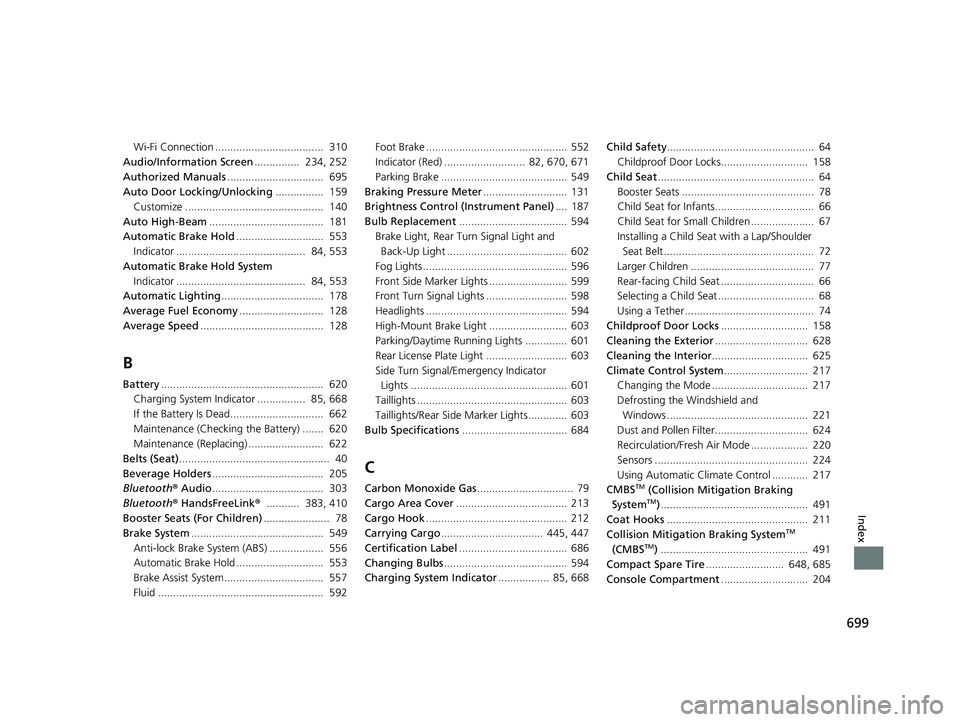
699
Index
Wi-Fi Connection .................................... 310
Audio/Information Screen ............... 234, 252
Authorized Manuals ................................ 695
Auto Door Locking/Unlocking ................ 159
Customize .............................................. 140
Auto High-Beam ...................................... 181
Automatic Brake Hold ............................. 553
Indicator ........................................... 84, 553
Automatic Brake Hold System Indicator ........................................... 84, 553
Automatic Lighting .................................. 178
Average Fuel Economy ............................ 128
Average Speed ......................................... 128
B
Battery...................................................... 620
Charging System Indicator ................ 85, 668
If the Battery Is Dead............................... 662
Maintenance (Checking the Battery) ....... 620
Maintenance (Replacing) ......................... 622
Belts (Seat) .................................................. 40
Beverage Holders ..................................... 205
Bluetooth ® Audio ..................................... 303
Bluetooth ® HandsFreeLink ®........... 383, 410
Booster Seats (For Children) ...................... 78
Brake System ............................................ 549
Anti-lock Brake System (ABS) .................. 556
Automatic Brake Hold ............................. 553
Brake Assist System................................. 557
Fluid ....................................................... 592 Foot Brake ............................................... 552
Indicator (Red) ........................... 82, 670, 671
Parking Brake .......................................... 549
Braking Pressure Meter ............................ 131
Brightness Control (Instrument Panel) .... 187
Bulb Replacement .................................... 594
Brake Light, Rear Tu rn Signal Light and
Back-Up Light ........................................ 602
Fog Lights ................................................ 596
Front Side Marker Lights .......................... 599
Front Turn Signal Lights ........................... 598
Headlights ............................................... 594
High-Mount Brake Light .......................... 603
Parking/Daytime Running Lights .............. 601
Rear License Plate Light ........................... 603
Side Turn Signal/Em ergency Indicator
Lights .................................................... 601
Taillights .................................................. 603
Taillights/Rear Side Marker Lights ............. 603
Bulb Specifications ................................... 684
C
Carbon Monoxide Gas ................................ 79
Cargo Area Cover ..................................... 213
Cargo Hook ............................................... 212
Carrying Cargo .................................. 445, 447
Certification Label .................................... 686
Changing Bulbs ......................................... 594
Charging System Indicator ................. 85, 668Child Safety
................................................. 64
Childproof Door Locks............................. 158
Child Seat .................................................... 64
Booster Seats ............................................ 78
Child Seat for Infants................................. 66
Child Seat for Small Children ..................... 67
Installing a Child Seat with a Lap/Shoulder
Seat Belt .................................................. 72
Larger Children ......................................... 77
Rear-facing Child Seat ............................... 66
Selecting a Child Seat ................................ 68
Using a Tether ........................................... 74
Childproof Door Locks ............................. 158
Cleaning the Exterior ............................... 628
Cleaning the Interior ................................ 625
Climate Control System ............................ 217
Changing the Mode ................................ 217
Defrosting the Windshield and Windows ............................................... 221
Dust and Pollen Filter............................... 624
Recirculation/Fresh Air Mode ................... 220
Sensors ................................................... 224
Using Automatic Climate Control ............ 217
CMBSTM (Collision Mitigation Braking
SystemTM) ................................................. 491
Coat Hooks ............................................... 211
Collision Mitigation Braking System
TM
(CMBSTM) ................................................. 491
Compact Spare Tire .......................... 648, 685
Console Compartment ............................. 204
21 CIVIC 5D HUM-31TGG6400_01.book 699 ページ 2020年8月28日 金曜日 午後1時 48分
Page 703 of 711
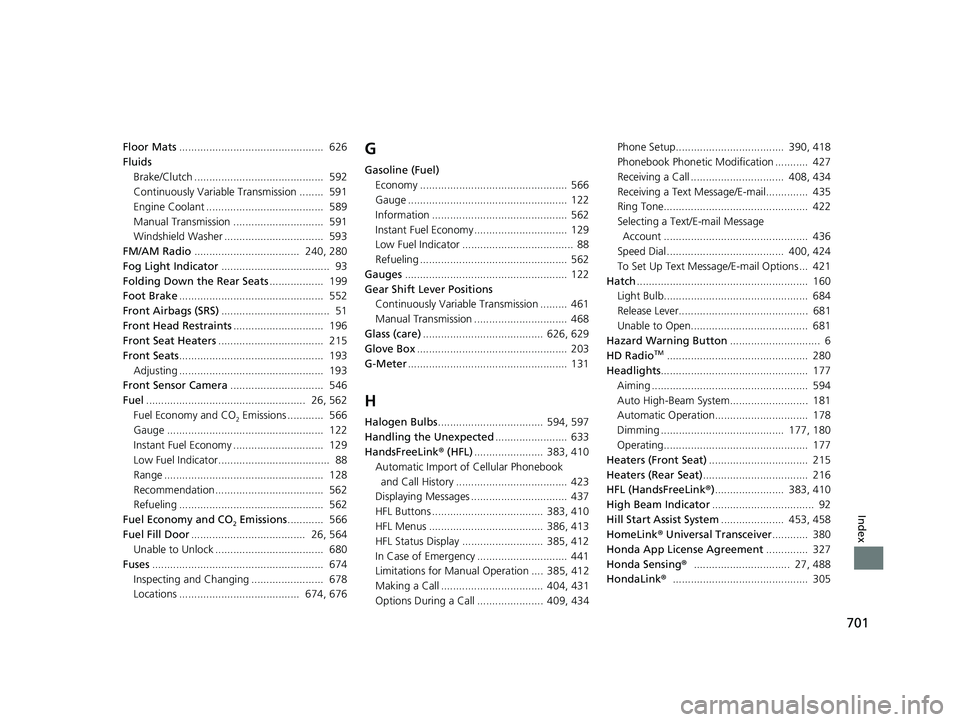
701
Index
Floor Mats................................................ 626
Fluids
Brake/Clutch ........................................... 592
Continuously Variable Transmission ........ 591
Engine Coolant ....................................... 589
Manual Transmission .............................. 591
Windshield Washer ................................. 593
FM/AM Radio ................................... 240, 280
Fog Light Indicator .................................... 93
Folding Down the Rear Seats .................. 199
Foot Brake ................................................ 552
Front Airbags (SRS) .................................... 51
Front Head Restraints .............................. 196
Front Seat Heaters ................................... 215
Front Seats ................................................ 193
Adjusting ................................................ 193
Front Sensor Camera ............................... 546
Fuel ..................................................... 26, 562
Fuel Economy and CO
2 Emissions ............ 566
Gauge .................................................... 122
Instant Fuel Economy .............................. 129
Low Fuel Indicator..................................... 88
Range ..................................................... 128
Recommendation.................................... 562
Refueling ................................................ 562
Fuel Economy and CO
2 Emissions ............ 566
Fuel Fill Door ...................................... 26, 564
Unable to Unlock .................................... 680
Fuses ......................................................... 674
Inspecting and Changing ........................ 678
Locations ........................................ 674, 676
G
Gasoline (Fuel)
Economy ................................................. 566
Gauge ..................................................... 122
Information ............................................. 562
Instant Fuel Economy ............................... 129
Low Fuel Indicator ..................................... 88
Refueling ................................................. 562
Gauges ...................................................... 122
Gear Shift Lever Positions Continuously Variable Transmission ......... 461
Manual Transmission ............................... 468
Glass (care) ........................................ 626, 629
Glove Box .................................................. 203
G-Meter ..................................................... 131
H
Halogen Bulbs ................................... 594, 597
Handling the Unexpected ........................ 633
HandsFreeLink ® (HFL) ....................... 383, 410
Automatic Import of Cellular Phonebook
and Call History ..................................... 423
Displaying Messages ................................ 437
HFL Buttons ..................................... 383, 410
HFL Menus ...................................... 386, 413
HFL Status Display ........................... 385, 412
In Case of Emergency .............................. 441
Limitations for Manual Operation .... 385, 412
Making a Call .................................. 404, 431
Options During a Call ...................... 409, 434 Phone Setup.................................... 390, 418
Phonebook Phonetic Modification ........... 427
Receiving a Call ............................... 408, 434
Receiving a Text Message/E-mail.............. 435
Ring Tone................................................ 422
Selecting a Text/E-mail Message
Account ................................................ 436
Speed Dial ....................................... 400, 424
To Set Up Text Messa ge/E-mail Options ... 421
Hatch ......................................................... 160
Light Bulb................................................ 684
Release Lever........................................... 681
Unable to Open....................................... 681
Hazard Warning Button .............................. 6
HD Radio
TM............................................... 280
Headlights ................................................. 177
Aiming .................................................... 594
Auto High-Beam System.......................... 181
Automatic Operation............................... 178
Dimming ......................................... 177, 180
Operating................................................ 177
Heaters (Front Seat) ................................. 215
Heaters (Rear Seat) ................................... 216
HFL (HandsFreeLink ®)....................... 383, 410
High Beam Indicator .................................. 92
Hill Start Assist System ..................... 453, 458
HomeLink ® Universal Transceiver ............ 380
Honda App License Agreement .............. 327
Honda Sensing ®................................ 27, 488
HondaLink ®............................................. 305
21 CIVIC 5D HUM-31TGG6400_01.book 701 ページ 2020年8月28日 金曜日 午後1時 48分