power steering HONDA CIVIC HATCHBACK 2021 (in English) User Guide
[x] Cancel search | Manufacturer: HONDA, Model Year: 2021, Model line: CIVIC HATCHBACK, Model: HONDA CIVIC HATCHBACK 2021Pages: 711, PDF Size: 37.1 MB
Page 181 of 711
179
uuOperating the Switches Around the Steering Wheel uLight Switches
Controls
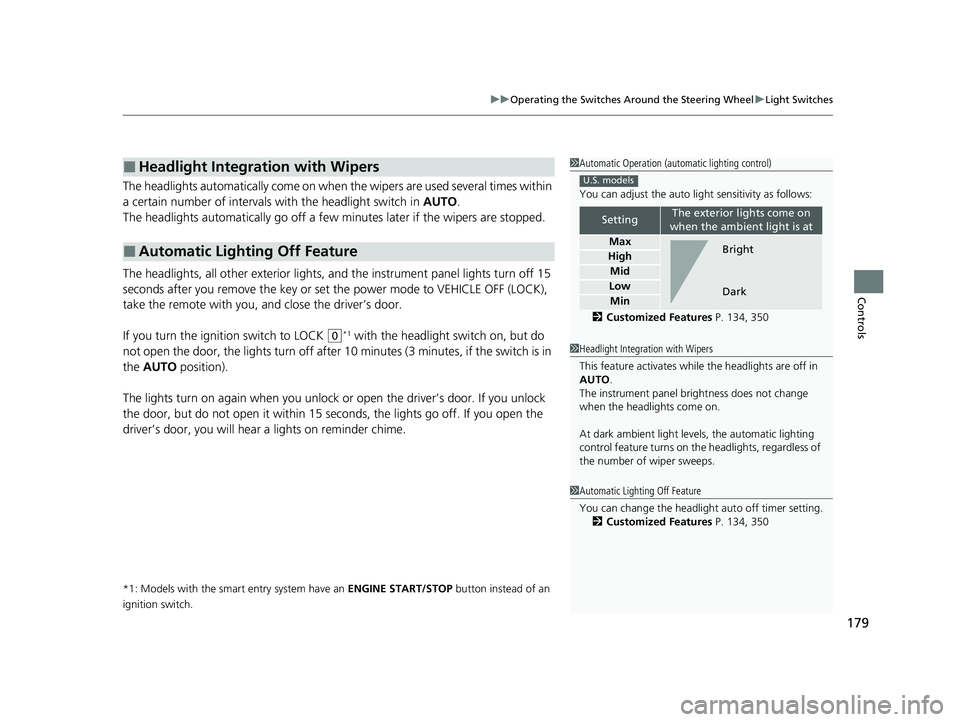
The headlights automatically come on when the wipers are used several times within
a certain number of intervals with the headlight switch in AUTO.
The headlights automatically go off a few minutes later if the wipers are stopped.
The headlights, all other exterior lights, a nd the instrument panel lights turn off 15
seconds after you remove the key or set the power mode to VEHICLE OFF (LOCK),
take the remote with you, and close the driver’s door.
If you turn the igniti on switch to LOCK
(0*1 with the headlight switch on, but do
not open the door, the lights tu rn off after 10 minutes (3 minutes, if the switch is in
the AUTO position).
The lights turn on again when you unlock or open the driver’s door. If you unlock
the door, but do not open it within 15 seconds, the lights go off. If you open the
driver’s door, you will hear a lights on reminder chime.
*1: Models with the smart entry system have an ENGINE START/STOP button instead of an
ignition switch.
■Headlight Integration with Wipers
■Automatic Lighting Off Feature
1 Automatic Operation (aut omatic lighting control)
You can adjust the auto li ght sensitivity as follows:
2 Customized Features P. 134, 350
SettingThe exterior lights come on
when the ambient light is at
Max
High
Mid
Low
Min
U.S. models
Bright
Dark
1 Headlight Integration with Wipers
This feature activates while the headlights are off in
AUTO .
The instrument panel br ightness does not change
when the headlights come on.
At dark ambient light leve ls, the automatic lighting
control feature turns on the headlights, regardless of
the number of wiper sweeps.
1 Automatic Lighting Off Feature
You can change the headlight auto off timer setting.
2 Customized Features P. 134, 350
21 CIVIC 5D HUM-31TGG6400_01.book 179 ページ 2020年8月28日 金曜日 午後1時 48分
Page 182 of 711
180
uuOperating the Switches Around the Steering Wheel uFog Lights*
Controls
Fog Lights*
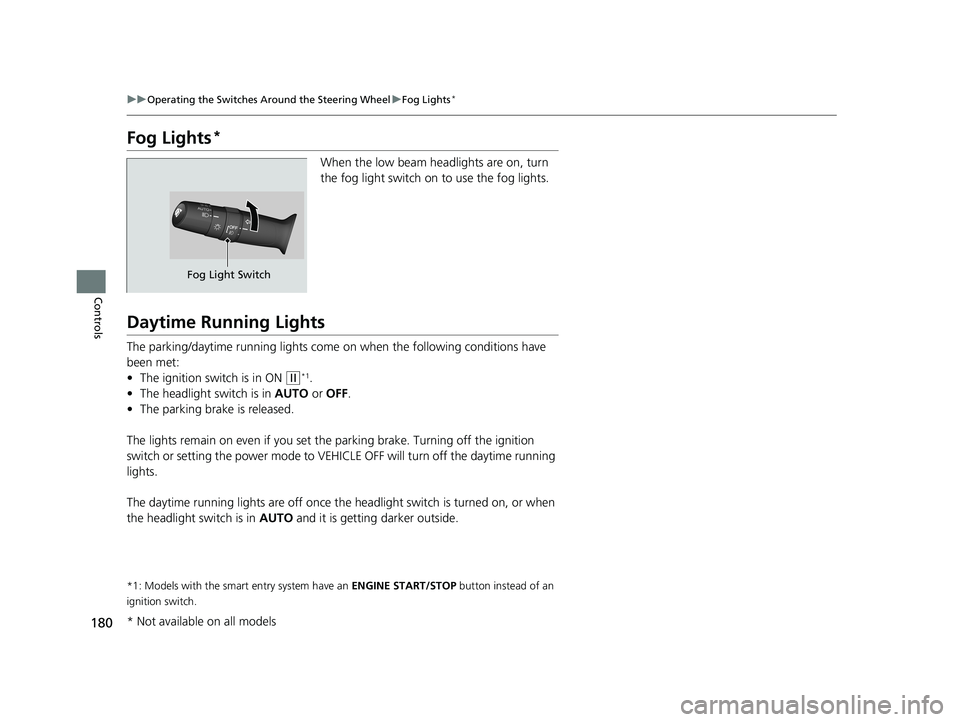
When the low beam headlights are on, turn
the fog light switch on to use the fog lights.
Daytime Running Lights
The parking/daytime running lights come on when the following conditions have
been met:
• The ignition switch is in ON
(w*1.
• The headlight switch is in AUTO or OFF .
• The parking brake is released.
The lights remain on even if you set th e parking brake. Turning off the ignition
switch or setting the power mode to VEHI CLE OFF will turn off the daytime running
lights.
The daytime running lights are off once the headlight switch is turned on, or when
the headlight switch is in AUTO and it is getting darker outside.
*1: Models with the smart entry system have an ENGINE START/STOP button instead of an
ignition switch.
Fog Light Switch
* Not available on all models
21 CIVIC 5D HUM-31TGG6400_01.book 180 ページ 2020年8月28日 金曜日 午後1時 48分
Page 190 of 711
188
uuOperating the Switches Around the Steering Wheel uRear Defogger/Heated Door Mirror* Button
Controls
Rear Defogger/Heated Door Mirror* Button
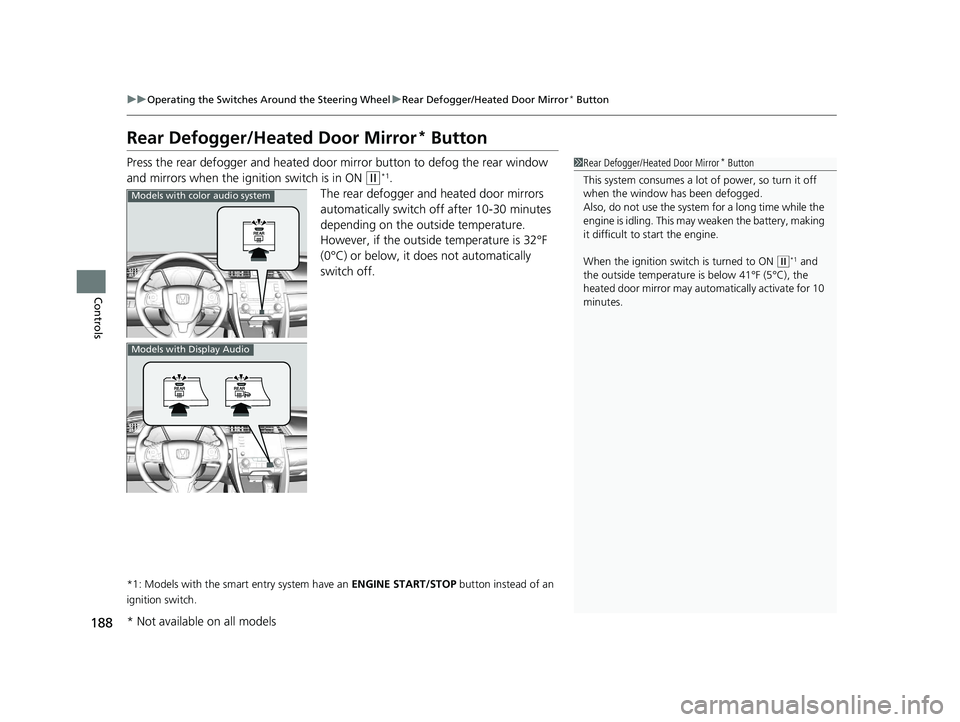
Press the rear defogger and heated door mirror button to defog the rear window
and mirrors when the ignition switch is in ON
(w*1.
The rear defogger and heated door mirrors
automatically switch off after 10-30 minutes
depending on the outside temperature.
However, if the outside temperature is 32°F
(0°C) or below, it does not automatically
switch off.
*1: Models with the smart entry system have an ENGINE START/STOP button instead of an
ignition switch.
1 Rear Defogger/Heated Door Mirror* Button
This system consumes a lot of power, so turn it off
when the window has been defogged.
Also, do not use the system for a long time while the
engine is idling. This may weaken the battery, making
it difficult to start the engine.
When the ignition switch is turned to ON
( w*1 and
the outside temperature is below 41°F (5°C), the
heated door mirror may automatically activate for 10
minutes.
Models with color audio system
Models with Display Audio
* Not available on all models
21 CIVIC 5D HUM-31TGG6400_01.book 188 ページ 2020年8月28日 金曜日 午後1時 48分
Page 195 of 711
193Continued
Controls
Adjusting the Seats
Front Seats
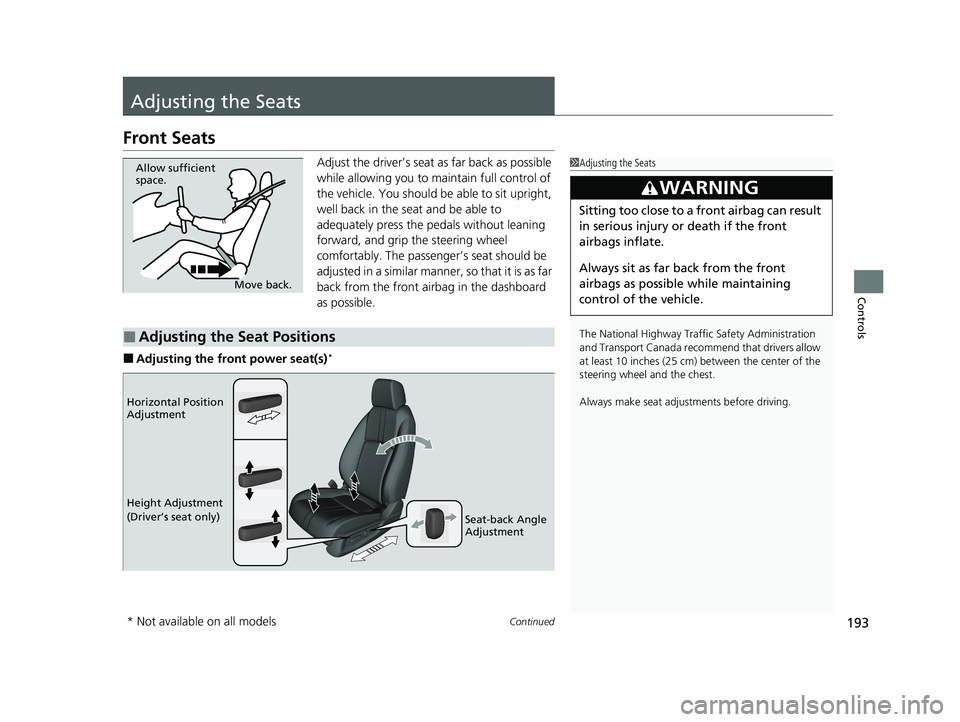
Adjust the driver’s seat as far back as possible
while allowing you to ma intain full control of
the vehicle. You should be able to sit upright,
well back in the seat and be able to
adequately press the pedals without leaning
forward, and grip the steering wheel
comfortably. The passenger’s seat should be
adjusted in a similar manner, so that it is as far
back from the front airbag in the dashboard
as possible.
■Adjusting the front power seat(s)*
1 Adjusting the Seats
The National Highway Traffic Safety Administration
and Transport Cana da recommend that drivers allow
at least 10 inches (25 cm) between the center of the
steering wheel and the chest.
Always make seat adjustments before driving.
3WARNING
Sitting too close to a front airbag can result
in serious injury or death if the front
airbags inflate.
Always sit as far back from the front
airbags as possible while maintaining
control of the vehicle.
Move back.
Allow sufficient
space.
■Adjusting the Seat Positions
Horizontal Position
Adjustment
Height Adjustment
(Driver’s seat only)
Seat-back Angle
Adjustment
* Not available on all models
21 CIVIC 5D HUM-31TGG6400_01.book 193 ページ 2020年8月28日 金曜日 午後1時 48分
Page 461 of 711
459
uuWhen Driving uPrecautions While Driving
Driving
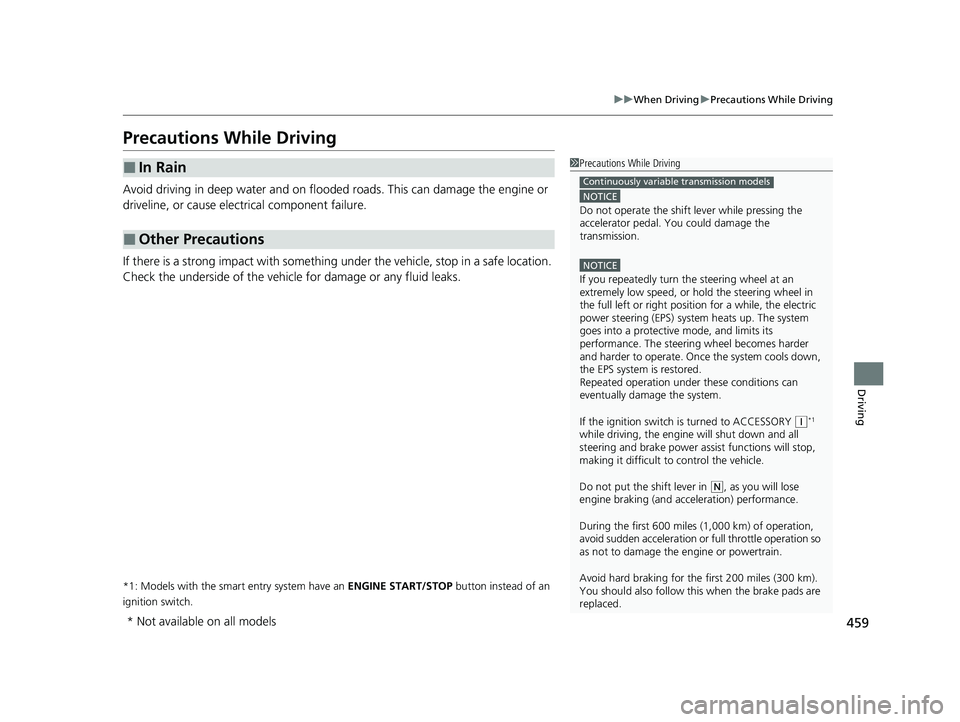
Precautions While Driving
Avoid driving in deep water and on flooded roads. This can damage the engine or
driveline, or cause electrical component failure.
If there is a strong impact with something under the vehicle, stop in a safe location.
Check the underside of the vehicle for damage or any fluid leaks.
*1: Models with the smart entry system have an ENGINE START/STOP button instead of an
ignition switch.
■In Rain
■Other Precautions
1 Precautions While Driving
NOTICE
Do not operate the shift lever while pressing the
accelerator pedal. You could damage the
transmission.
NOTICE
If you repeatedly turn the steering wheel at an
extremely low speed, or hold the steering wheel in
the full left or right position for a while, the electric
power steering (EPS) system heats up. The system
goes into a protective mode, and limits its
performance. The steering wheel becomes harder
and harder to operate. Once the system cools down,
the EPS system is restored.
Repeated operation under these conditions can
eventually damage the system.
If the ignition switch is turned to ACCESSORY
( q*1
while driving, the engine will shut down and all
steering and brake power a ssist functions will stop,
making it difficult to control the vehicle.
Do not put the shift lever in
( N, as you will lose
engine braking (and acce leration) performance.
During the first 600 miles (1,000 km) of operation,
avoid sudden acceleration or full throttle operation so
as not to damage the engine or powertrain.
Avoid hard braking for the first 200 miles (300 km).
You should also follow this when the brake pads are
replaced.
Continuously variable transmission models
* Not available on all models
21 CIVIC 5D HUM-31TGG6400_01.book 459 ページ 2020年8月28日 金曜日 午後1時 48分
Page 476 of 711
474
uuWhen Driving uDrive Mode Switch
Driving
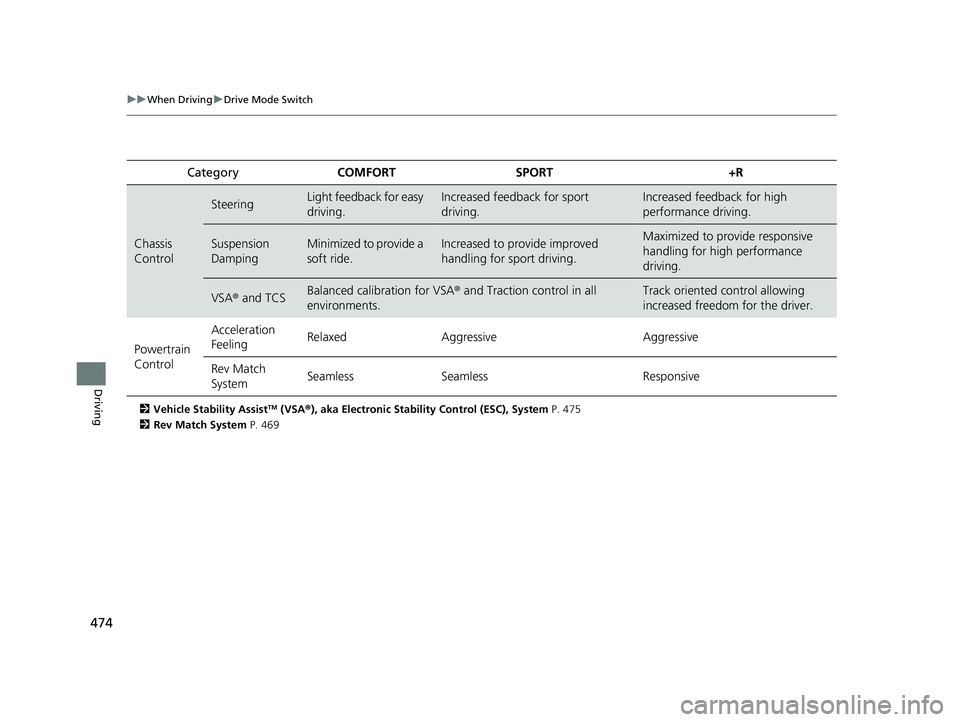
2 Vehicle Stability AssistTM (VSA ®), aka Electronic Stability Control (ESC), System P. 475
2 Rev Match System P. 469
Category COMFORT SPORT +R
Chassis
Control
SteeringLight feedback for easy
driving.Increased feedback for sport
driving.Increased feedback for high
performance driving.
Suspension
DampingMinimized to provide a
soft ride.Increased to provide improved
handling for sport driving.Maximized to provide responsive
handling for high performance
driving.
VSA® and TCSBalanced calibration for VSA® and Traction control in all
environments.Track oriented control allowing
increased freedom for the driver.
Powertrain
Control Acceleration
Feeling
Relaxed Aggressive Aggressive
Rev Match
System Seamless
Seamless Responsive
21 CIVIC 5D HUM-31TGG6400_01.book 474 ページ 2020年8月28日 金曜日 午後1時 48分
Page 506 of 711
504
uuHonda Sensing ®u Adaptive Cruise Control (ACC) with Low Speed Follow*
Driving
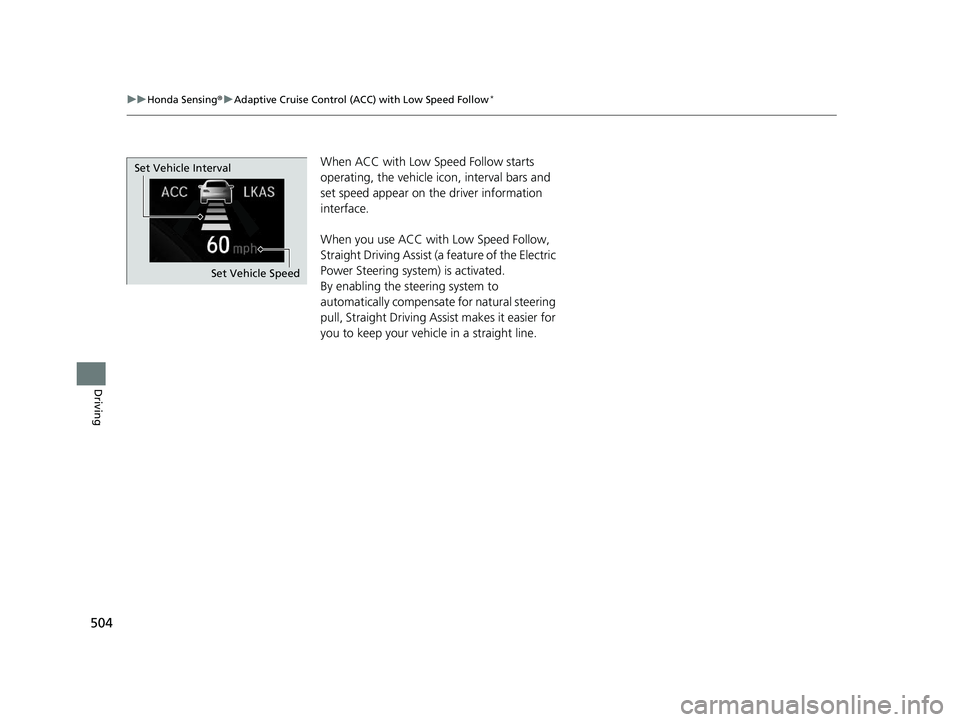
When ACC with Low Speed Follow starts
operating, the vehicle ic on, interval bars and
set speed appear on the driver information
interface.
When you use ACC with Low Speed Follow,
Straight Driving Assist (a feature of the Electric
Power Steering system) is activated.
By enabling the steering system to
automatically compensate for natural steering
pull, Straight Driving Assist makes it easier for
you to keep your vehicle in a straight line.
Set Vehicle Speed
Set Vehicle Interval
21 CIVIC 5D HUM-31TGG6400_01.book 504 ページ 2020年8月28日 金曜日 午後1時
48分
Page 518 of 711
uuHonda Sensing ®u Adaptive Cruise Control (ACC) with Low Speed Follow*
516
Driving
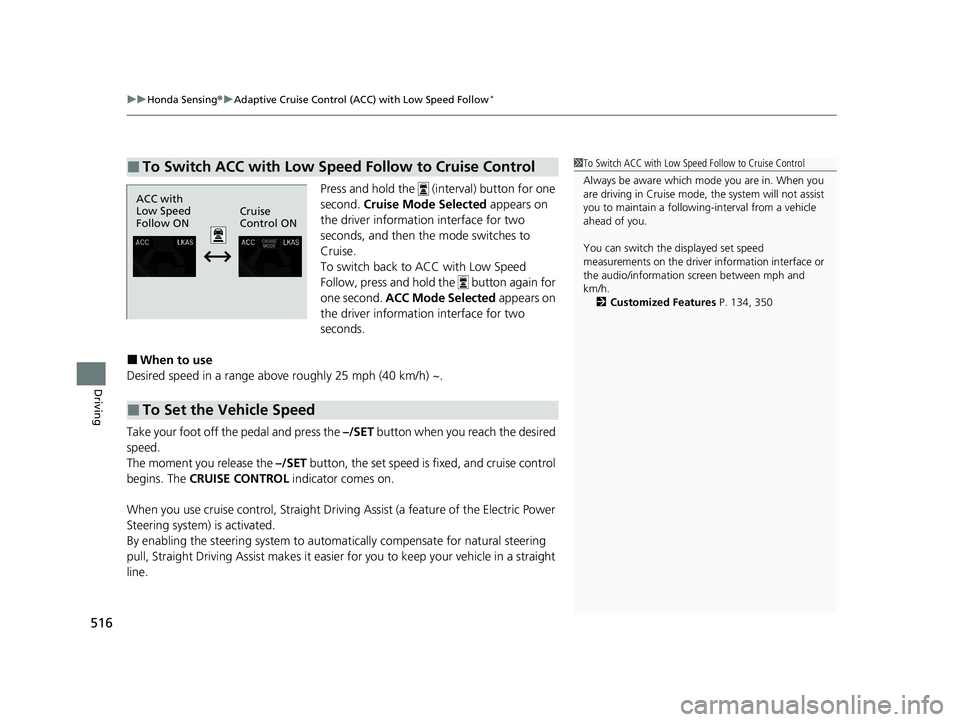
Press and hold the (interval) button for one
second. Cruise Mode Selected appears on
the driver information interface for two
seconds, and then the mode switches to
Cruise.
To switch back to ACC with Low Speed
Follow, press and hold the button again for
one second. ACC Mode Selected appears on
the driver information interface for two
seconds.
■When to use
Desired speed in a range above roughly 25 mph (40 km/h) ~.
Take your foot off the pedal and press the –/SET button when you reach the desired
speed.
The moment you release the –/SET button, the set speed is fixed, and cruise control
begins. The CRUISE CONTROL indicator comes on.
When you use cruise control, Straight Driv ing Assist (a feature of the Electric Power
Steering system) is activated.
By enabling the steering system to automa tically compensate for natural steering
pull, Straight Driving Assist makes it easier for you to keep your vehicle in a straight
line.
■To Switch ACC with Low Speed Follow to Cruise Control1 To Switch ACC with Low Speed Follow to Cruise Control
Always be aware which mode you are in. When you
are driving in Cruise mode, the system will not assist
you to maintain a following-interval from a vehicle
ahead of you.
You can switch the displayed set speed
measurements on the driver information interface or
the audio/information screen between mph and
km/h.
2 Customized Features P. 134, 350
ACC with
Low Speed
Follow ONCruise
Control ON
■To Set the Vehicle Speed
21 CIVIC 5D HUM-31TGG6400_01.book 516 ページ 2020年8月28日 金曜日 午後1時
48分
Page 522 of 711
uuHonda Sensing ®u Adaptive Cruise Control (ACC)*
520
Driving
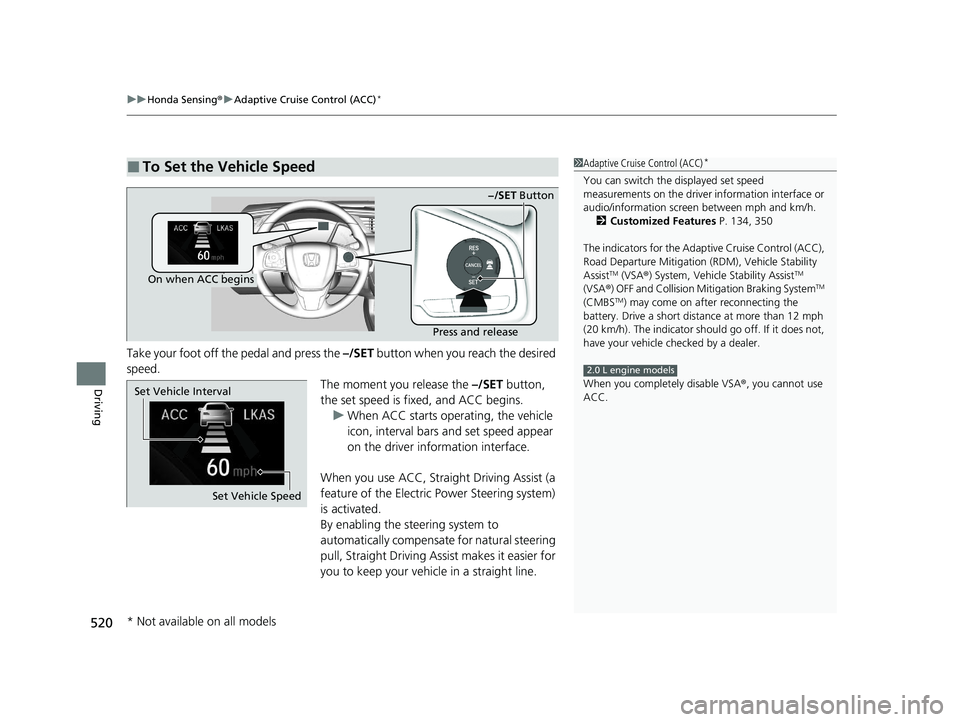
Take your foot off the pedal and press the –/SET button when you reach the desired
speed.
The moment you release the –/SET button,
the set speed is fixed, and ACC begins. u When ACC starts operating, the vehicle
icon, interval bars and set speed appear
on the driver information interface.
When you use ACC, Straight Driving Assist (a
feature of the Electric Power Steering system)
is activated.
By enabling the steering system to
automatically compensate for natural steering
pull, Straight Driving Assist makes it easier for
you to keep your vehicle in a straight line.
■To Set the Vehicle Speed1 Adaptive Cruise Control (ACC)*
You can switch the displayed set speed
measurements on the driver information interface or
audio/information screen between mph and km/h.
2 Customized Features P. 134, 350
The indicators for the Adaptive Cruise Control (ACC),
Road Departure Miti gation (RDM), Vehicle Stability
Assist
TM (VSA ®) System, Vehicle Stability AssistTM
(VSA ®) OFF and Collision Miti gation Braking SystemTM
(CMBSTM) may come on afte r reconnecting the
battery. Drive a short distance at more than 12 mph
(20 km/h). The indicator shoul d go off. If it does not,
have your vehicle ch ecked by a dealer.
When you completely disable VSA® , you cannot use
ACC.
2.0 L engine models
On when ACC begins
Press and release−/SET
Button
Set Vehicle Speed
Set Vehicle Interval
* Not available on all models
21 CIVIC 5D HUM-31TGG6400_01.book 520 ページ 2020年8月28日 金曜日 午後1時
48分
Page 533 of 711
Continued531
uuHonda Sensing ®u Adaptive Cruise Control (ACC)*
Driving
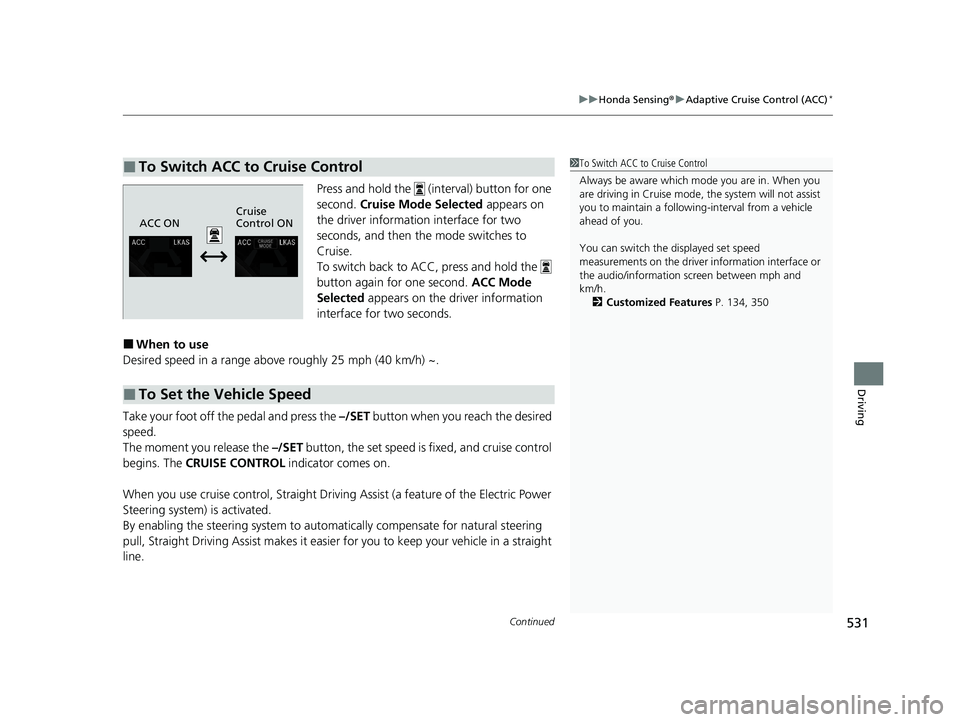
Press and hold the (interval) button for one
second. Cruise Mode Selected appears on
the driver informatio n interface for two
seconds, and then the mode switches to
Cruise.
To switch back to ACC, press and hold the
button again for one second. ACC Mode
Selected appears on the driver information
interface for two seconds.
■When to use
Desired speed in a range above roughly 25 mph (40 km/h) ~.
Take your foot off the pedal and press the –/SET button when you reach the desired
speed.
The moment you release the –/SET button, the set speed is fixed, and cruise control
begins. The CRUISE CONTROL indicator comes on.
When you use cruise control, Straight Drivin g Assist (a feature of the Electric Power
Steering system) is activated.
By enabling the steering system to automa tically compensate for natural steering
pull, Straight Driv ing Assist makes it easier for you to keep your vehicle in a straight
line.
■To Switch ACC to Cruise Control1 To Switch ACC to Cruise Control
Always be aware which mode you are in. When you
are driving in Cruise mode, the system will not assist
you to maintain a following-interval from a vehicle
ahead of you.
You can switch the displayed set speed
measurements on the driver information interface or
the audio/information screen between mph and
km/h.
2 Customized Features P. 134, 350
ACC ONCruise
Control ON
■To Set the Vehicle Speed
21 CIVIC 5D HUM-31TGG6400_01.book 531 ページ 2020年8月28日 金曜日 午後1時
48分