display HONDA CIVIC HYBRID 2012 9.G Owner's Guide
[x] Cancel search | Manufacturer: HONDA, Model Year: 2012, Model line: CIVIC HYBRID, Model: HONDA CIVIC HYBRID 2012 9.GPages: 313, PDF Size: 8.65 MB
Page 101 of 313
100
uuGauges and Multi- Information Display uMulti-Information Display
Instrument Panel
■
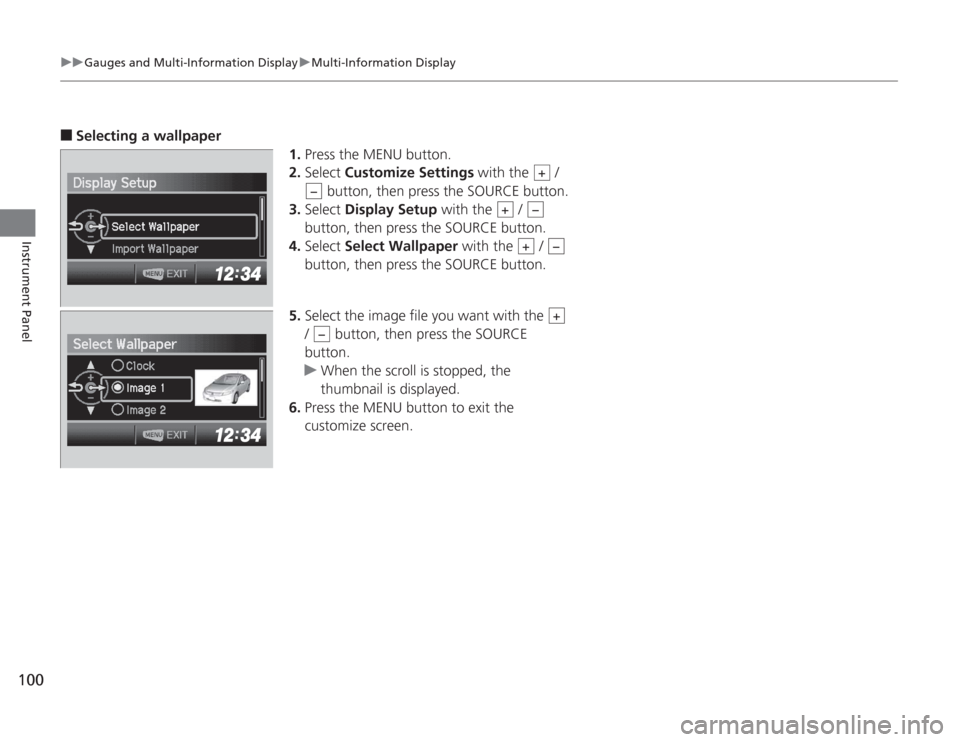
Selecting a wallpaper
1.Press the MENU button.
2. Select Customize Settings with the /
button, then press the SOURCE button.
3. Select Display Setup with the /
button, then press the SOURCE button.
4. Select Select Wallpaper with the /
button, then press the SOURCE button.
5. Select the image file you want with the
/ button, then press the SOURCE
button.
u When the scroll is stopped, the
thumbnail is displayed.
6. Press the MENU button to exit the
customize screen.
+
−
+
−+
−+
−
Page 103 of 313
102Controls
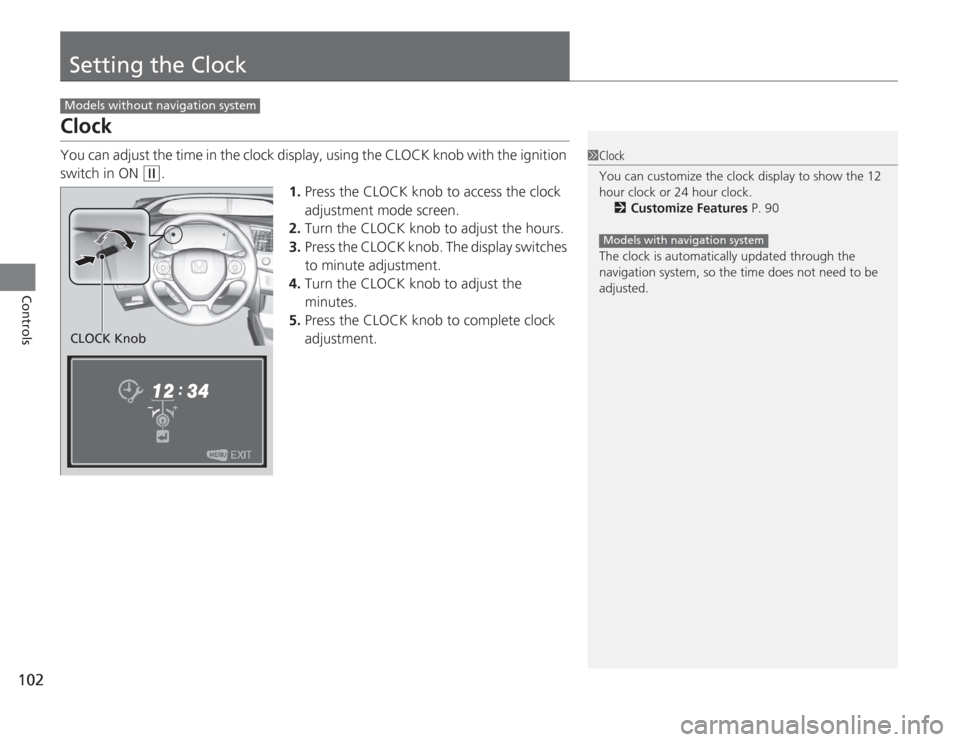
Setting the ClockClockYou can adjust the time in the clock display, using the CLOCK knob with the ignition
switch in ON
(w
.
1.Press the CLOCK knob to access the clock
adjustment mode screen.
2. Turn the CLOCK knob to adjust the hours.
3. Press the CLOCK knob. The display switches
to minute adjustment.
4. Turn the CLOCK knob to adjust the
minutes.
5. Press the CLOCK knob to complete clock
adjustment.
Models without navigation system
1Clock
You can customize the clock display to show the 12
hour clock or 24 hour clock.
2 Customize Features P. 90
The clock is automatically updated through the
navigation system, so the time does not need to be
adjusted.
Models with navigation system
CLOCK Knob
Page 110 of 313
109
uuLocking and Unlocking the Doors uAuto Door Locking/Unlocking
Controls
Auto Door Locking/UnlockingYour vehicle locks all doors and unlocks the driver’s door automatically when a
certain condition is met.■
Drive lock mode
All doors lock when the vehicle’s speed reaches about 10 mph (15 km/h).
■
Park unlock mode
The driver’s door unlocks when the shift lever is moved into
(P
with the brake pedal
depressed.
■
Auto Door Locking
■
Auto Door Unlocking
1 Auto Door Locking/Unlocking
You can turn off or change to another auto door
locking/unlocking setting using the multi-information
display.
2 Customized Features P. 90
Page 118 of 313
117
Controls
Operating the Switches Around the Steering WheelIgnition Switch
1Ignition Switch
You cannot take the key out unless the shift lever is
in
(P
.
If you open the driver's door when the key is in LOCK
( 0
or ACCESSORY
(q
, a warning buzzer will sound
to remind you to take the key out.
When this happens, the following messages appear
on the multi-information display:
•In LOCK
( 0
: "REMOVE KEY"
•In ACCESSORY
(q
: "RETURN IGNITION SWITCH
TO LOCK (0) POSITION" The buzzer will stop when
you take the key out.
If the key won't turn from LOCK
( 0
to ACCESSORY
(q
, turn the key while moving the steering wheel left
and right. The steering wheel will unlock, allowing
the key to turn.
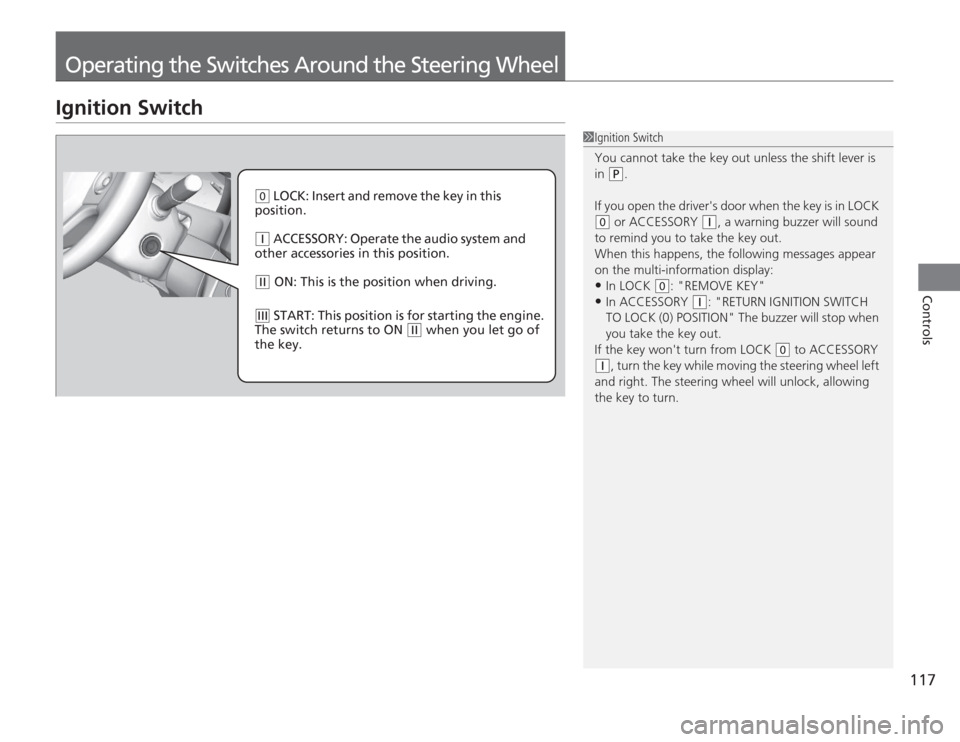
( 0
LOCK: Insert and remove the key in this
position.
( q
ACCESSORY: Operate the audio system and
other accessories in this position.
( w
ON: This is the position when driving.
(e
START: This position is for starting the engine.
The switch returns to ON
( w
when you let go of
the key.
Page 120 of 313
119
uuOperating the Switches Around the Steering Wheel uLight Switches
Controls
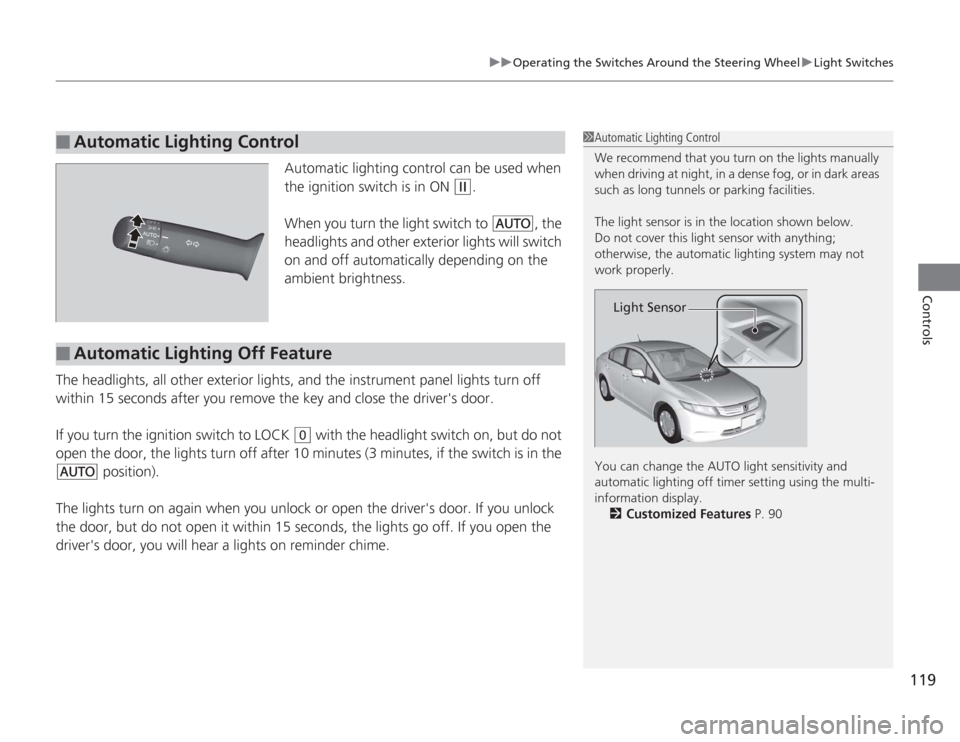
Automatic lighting control can be used when
the ignition switch is in ON
(w
.
When you turn the light switch to
#Y
, the
headlights and other exterior lights will switch
on and off automatically depending on the
ambient brightness.
The headlights, all other exterior lights, and the instrument panel lights turn off
within 15 seconds after you remove the key and close the driver's door.
If you turn the ignition switch to LOCK
(0
with the headlight switch on, but do not
open the door, the lights turn off after 10 minutes (3 minutes, if the switch is in the
#Y
position).
The lights turn on again when you unlock or open the driver's door. If you unlock
the door, but do not open it within 15 secon ds, the lights go off. If you open the
driver's door, you will hear a lights on reminder chime.
■
Automatic Lighting Control
1 Automatic Lighting Control
We recommend that you turn on the lights manually
when driving at night, in a dense fog, or in dark areas
such as long tunnels or parking facilities.
The light sensor is in the location shown below.
Do not cover this light sensor with anything;
otherwise, the automatic lighting system may not
work properly.
You can change the AUTO light sensitivity and
automatic lighting off timer setting using the multi-
information display.
2 Customized Features P. 90
Light Sensor
■
Automatic Lighting Off Feature
Page 123 of 313
122
uuOperating the Switches Around the Steering Wheel uBrightness Control
Controls
Brightness Control
When the ignition switch is in ON
(w
, you can
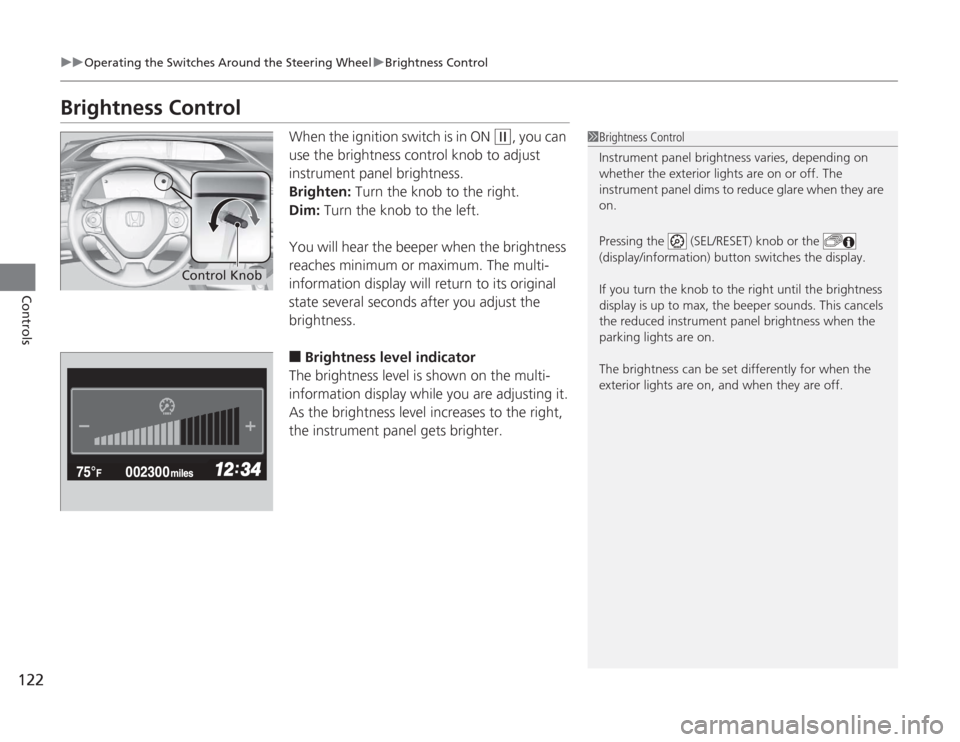
use the brightness control knob to adjust
instrument panel brightness.
Brighten: Turn the knob to the right.
Dim: Turn the knob to the left.
You will hear the beeper when the brightness
reaches minimum or maximum. The multi-
information display will return to its original
state several seconds after you adjust the
brightness.
■
Brightness level indicator
The brightness level is shown on the multi-
information display while you are adjusting it.
As the brightness level increases to the right,
the instrument panel gets brighter.
1 Brightness Control
Instrument panel brightness varies, depending on
whether the exterior lights are on or off. The
instrument panel dims to reduce glare when they are
on.
Pressing the (SEL/RESET) knob or the
(display/information) button switches the display.
If you turn the knob to the right until the brightness
display is up to max, the beeper sounds. This cancels
the reduced instrument panel brightness when the
parking lights are on.
The brightness can be set differently for when the
exterior lights are on, and when they are off.
Control Knob
Page 138 of 313
137
Continued
Controls
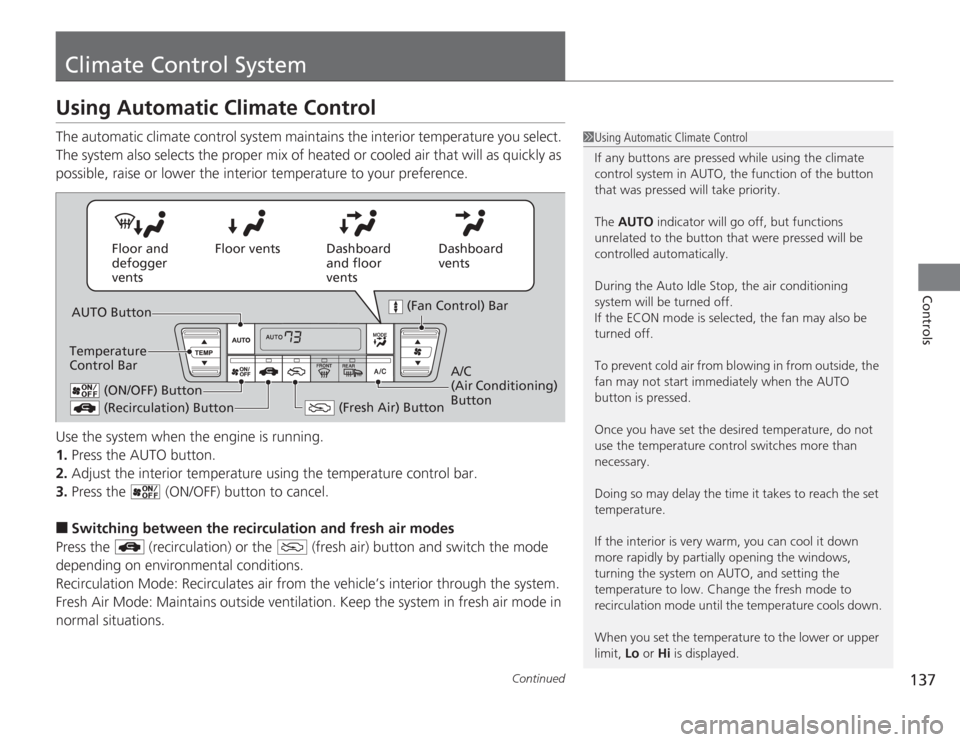
Climate Control SystemUsing Automatic Climate ControlThe automatic climate control system maintains the interior temperature you select.
The system also selects the proper mix of heated or cooled air that will as quickly as
possible, raise or lower the interior temperature to your preference.
Use the system when the engine is running.
1.Press the AUTO button.
2. Adjust the interior temperature using the temperature control bar.
3. Press the (ON/OFF) button to cancel.■
Switching between the recirculation and fresh air modes
Press the (recirculation) or the (fresh air) button and switch the mode
depending on environmental conditions.
Recirculation Mode: Recirculates air from the vehicle’s interior through the system.
Fresh Air Mode: Maintains outside ventilation. Keep the system in fresh air mode in
normal situations.
1 Using Automatic Climate Control
If any buttons are pressed while using the climate
control system in AUTO, the function of the button
that was pressed will take priority.
The AUTO indicator will go off, but functions
unrelated to the button that were pressed will be
controlled automatically.
During the Auto Idle Stop, the air conditioning
system will be turned off.
If the ECON mode is selected, the fan may also be
turned off.
To prevent cold air from blowing in from outside, the
fan may not start immediately when the AUTO
button is pressed.
Once you have set the desired temperature, do not
use the temperature control switches more than
necessary.
Doing so may delay the time it takes to reach the set
temperature.
If the interior is very warm, you can cool it down
more rapidly by partially opening the windows,
turning the system on AUTO, and setting the
temperature to low. Change the fresh mode to
recirculation mode until the temperature cools down.
When you set the temperature to the lower or upper
limit, Lo or Hi is displayed.
Dashboard
vents
Dashboard
and floor
vents
Floor vents
Floor and
defogger
vents
AUTO Button
Temperature
Control Bar
(Recirculation) Button
(Fresh Air) Button
A/C
(Air Conditioning)
Button
(Fan Control) Bar
(ON/OFF) Button
Page 144 of 313
143
uuAudio System uUSB Adapter Cable
Features
USB Adapter Cable
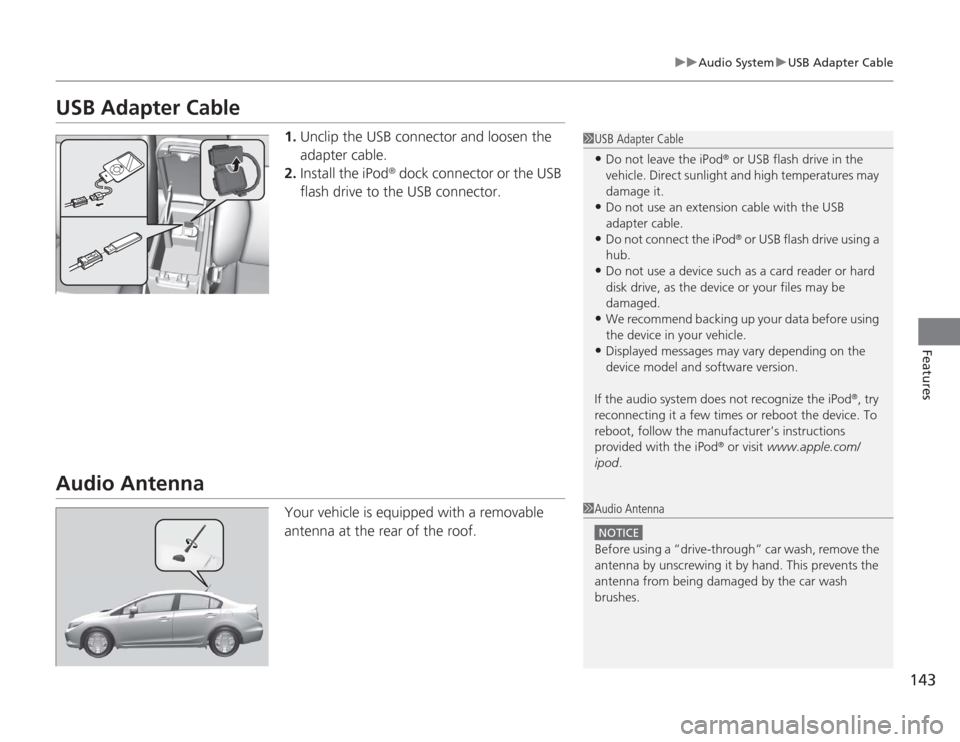
1. Unclip the USB connector and loosen the
adapter cable.
2. Install the iPod
® dock connector or the USB
flash drive to the USB connector.
Audio Antenna
Your vehicle is equipped with a removable
antenna at the rear of the roof.
1 USB Adapter Cable•Do not leave the iPod
® or USB flash drive in the
vehicle. Direct sunlight and high temperatures may
damage it.
•Do not use an extension cable with the USB
adapter cable.•Do not connect the iPod
® or USB flash drive using a
hub.
•Do not use a device such as a card reader or hard
disk drive, as the device or your files may be
damaged.•We recommend backing up your data before using
the device in your vehicle.•Displayed messages may vary depending on the
device model and software version.
If the audio system does not recognize the iPod
®, try
reconnecting it a few times or reboot the device. To
reboot, follow the manufacturer's instructions
provided with the iPod
® or visit www.apple.com/
ipod .
1Audio Antenna
NOTICEBefore using a “drive-through” car wash, remove the
antenna by unscrewing it by hand. This prevents the
antenna from being damaged by the car wash
brushes.
Page 145 of 313
144
uuAudio System uAuxiliary Input Jack
Features
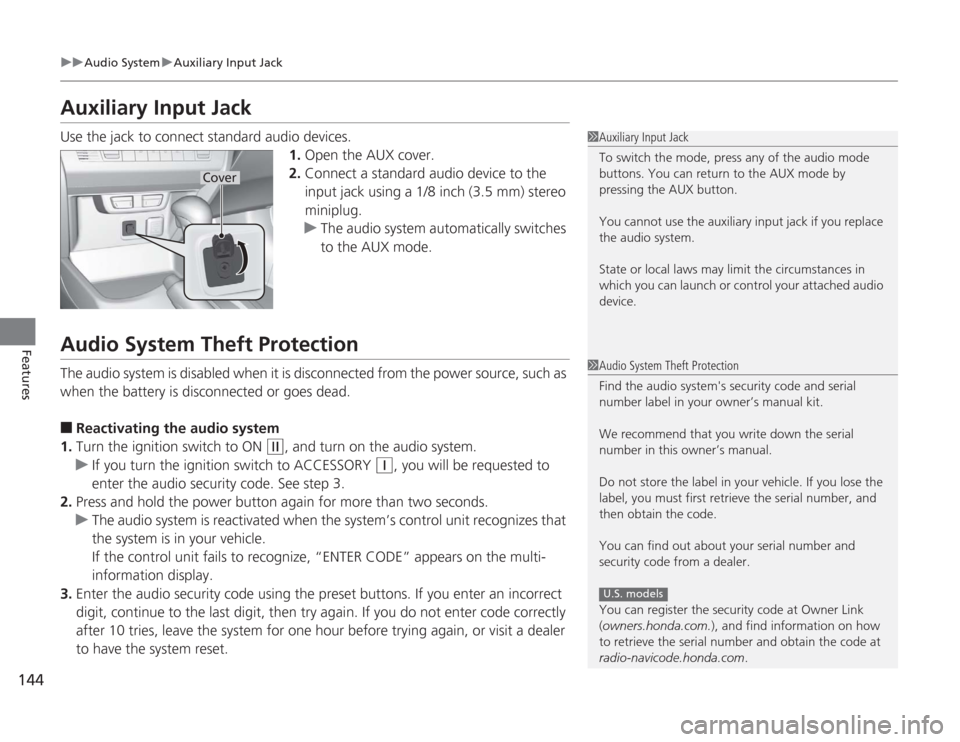
Auxiliary Input JackUse the jack to connect standard audio devices.
1.Open the AUX cover.
2. Connect a standard audio device to the
input jack using a 1/8 inch (3.5 mm) stereo
miniplug.
u The audio system automatically switches
to the AUX mode.Audio System Theft ProtectionThe audio system is disabled when it is disconnected from the power source, such as
when the battery is disconnected or goes dead.■
Reactivating the audio system
1. Turn the ignition switch to ON
(w
, and turn on the audio system.
u If you turn the ignition switch to ACCESSORY
(q
, you will be requested to
enter the audio security code. See step 3.
2. Press and hold the power button again for more than two seconds.
u The audio system is reactivated when the system’s control unit recognizes that
the system is in your vehicle.
If the control unit fails to recognize, “ENTER CODE” appears on the multi-
information display.
3. Enter the audio security code using the preset buttons. If you enter an incorrect
digit, continue to the last digit, then try again. If you do not enter code correctly
after 10 tries, leave the system for one hour before trying again, or visit a dealer
to have the system reset.
1Auxiliary Input Jack
To switch the mode, press any of the audio mode
buttons. You can return to the AUX mode by
pressing the AUX button.
You cannot use the auxiliary input jack if you replace
the audio system.
State or local laws may limit the circumstances in
which you can launch or control your attached audio
device.
Cover
1Audio System Theft Protection
Find the audio system's security code and serial
number label in your owner’s manual kit.
We recommend that you write down the serial
number in this owner’s manual.
Do not store the label in your vehicle. If you lose the
label, you must first retrieve the serial number, and
then obtain the code.
You can find out about your serial number and
security code from a dealer.
You can register the security code at Owner Link
(owners.honda.com. ), and find information on how
to retrieve the serial number and obtain the code at
radio-navicode.honda.com .
U.S. models
Page 146 of 313
145
Features
Audio System Basic Operation
*
To use the audio system function, the ignition switch must be in ACCESSORY
(q
or
ON
(w
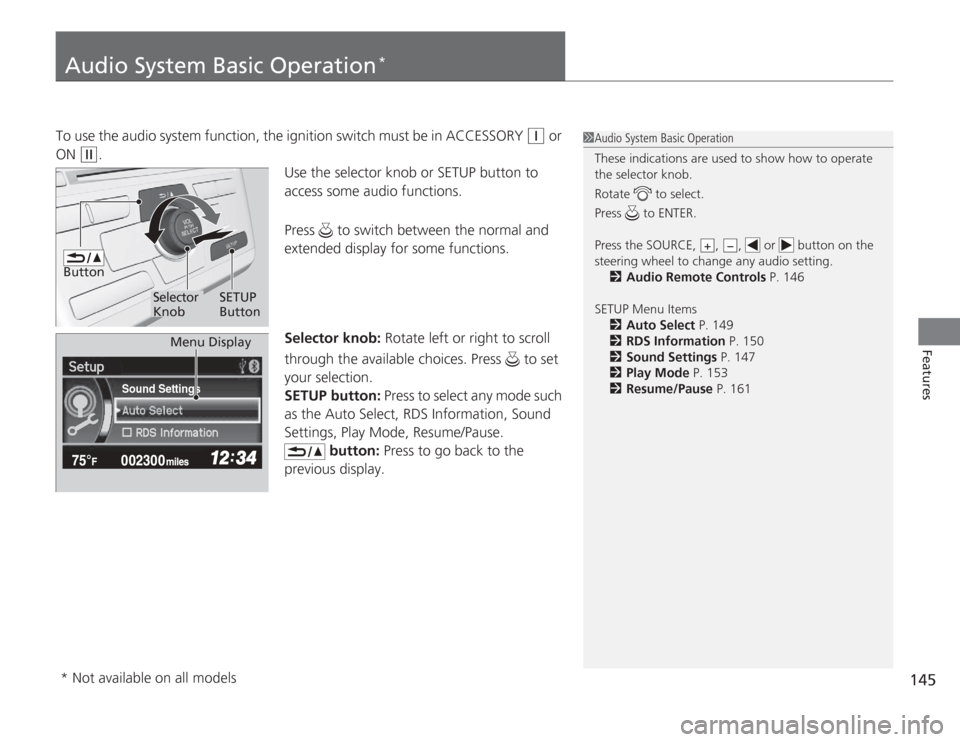
. Use the selector knob or SETUP button to
access some audio functions.
Press to switch between the normal and
extended display for some functions.
Selector knob: Rotate left or right to scroll
through the available choices. Press to set
your selection.
SETUP button: Press to select any mode such
as the Auto Select, RDS Information, Sound
Settings, Play Mode, Resume/Pause.
button: Press to go back to the
previous display.
1 Audio System Basic Operation
These indications are used to show how to operate
the selector knob.
Rotate to select.
Press to ENTER.
Press the SOURCE, , , or button on the
steering wheel to change any audio setting.
2 Audio Remote Controls P. 146
SETUP Menu Items 2 Auto Select P. 149
2 RDS Information P. 150
2 Sound Settings P. 147
2 Play Mode P. 153
2 Resume/Pause P. 161
+
−
Button
Selector
Knob SETUP
Button
Sound Settings
Menu Display
* Not available on all models