bulb HONDA CIVIC HYBRID 2012 9.G Owners Manual
[x] Cancel search | Manufacturer: HONDA, Model Year: 2012, Model line: CIVIC HYBRID, Model: HONDA CIVIC HYBRID 2012 9.GPages: 313, PDF Size: 8.65 MB
Page 2 of 313
Contents
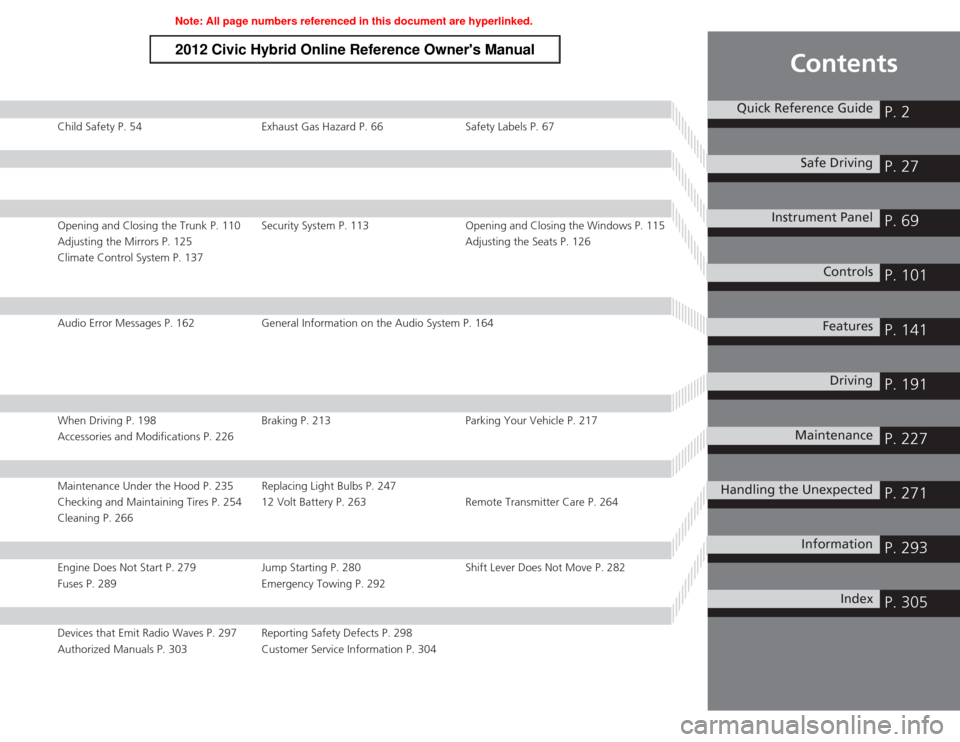
Child Safety P. 54Exhaust Gas Hazard P. 66Safety Labels P. 67Opening and Closing the Trunk P. 110 Security System P. 113 Opening and Closing the Windows P. 115
Adjusting the Mirrors P. 125 Adjusting the Seats P. 126
Climate Control System P. 137Audio Error Messages P. 162 General Information on the Audio System P. 164When Driving P. 198Braking P. 213Parking Your Vehicle P. 217
Accessories and Modifications P. 226Maintenance Under the Hood P. 235 Replacing Light Bulbs P. 247
Checking and Maintaining Tires P. 254 12 Volt Battery P. 263 Remote Transmitter Care P. 264
Cleaning P. 266Engine Does Not Start P. 279 Jump Starting P. 280Shift Lever Does Not Move P. 282
Fuses P. 289 Emergency Towing P. 292Devices that Emit Radio Waves P. 297 Reporting Safety Defects P. 298
Authorized Manuals P. 303 Customer Service Information P. 304
Quick Reference Guide
P. 2
Safe Driving
P. 27
Instrument Panel
P. 69
Controls
P. 101
Features
P. 141
Driving
P. 191
Maintenance
P. 227
Handling the Unexpected
P. 271
Information
P. 293
Index
P. 305
Page 77 of 313
76
uuIndicators u
Instrument Panel
Indicator
Name
On/Blinking
Explanation
Message
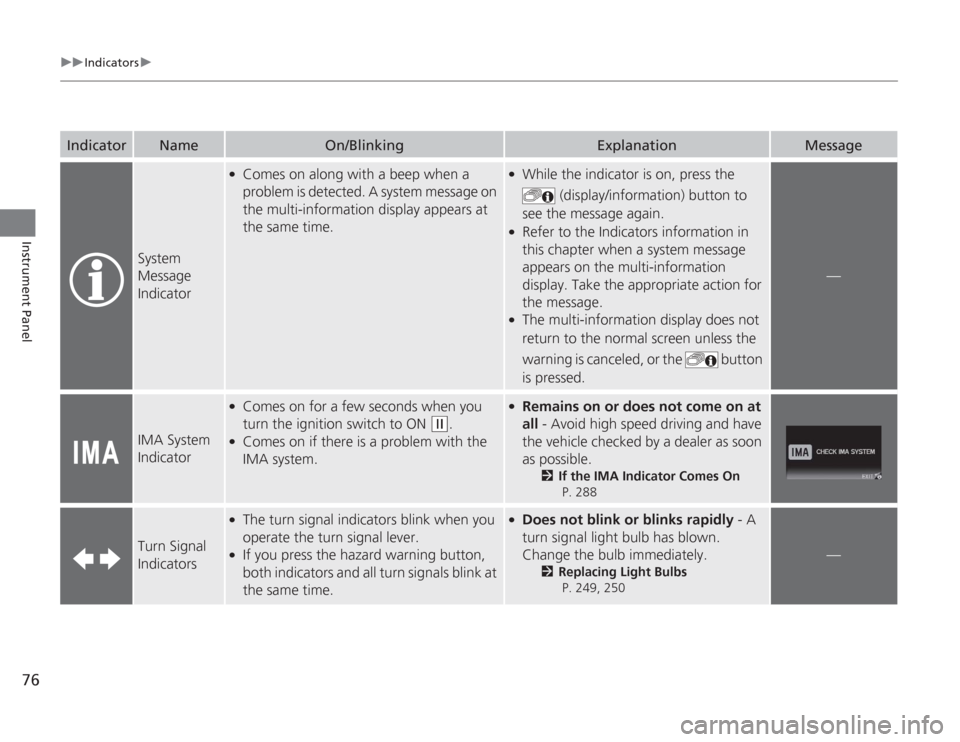
System
Message
Indicator
●
Comes on along with a beep when a
problem is detected. A system message on
the multi-information display appears at
the same time.
●
While the indicator is on, press the
(display/information) button to
see the message again.
●
Refer to the Indicators information in
this chapter when a system message
appears on the multi-information
display. Take the appropriate action for
the message.
●
The multi-information display does not
return to the normal screen unless the
warning is canceled, or the button
is pressed.
—
IMA System
Indicator
●
Comes on for a few seconds when you
turn the ignition switch to ON
(w
.
●
Comes on if there is a problem with the
IMA system.
●
Remains on or does not come on at
all - Avoid high speed driving and have
the vehicle checked by a dealer as soon
as possible.
2 If the IMA Indicator Comes On
P. 288
Turn Signal
Indicators
●
The turn signal indicators blink when you
operate the turn signal lever.
●
If you press the hazard warning button,
both indicators and all turn signals blink at
the same time.
●
Does not blink or blinks rapidly - A
turn signal light bulb has blown.
Change the bulb immediately.
2 Replacing Light Bulbs
P. 249, 250
—
Page 228 of 313
227
Maintenance
This chapter discusses basic maintenance.
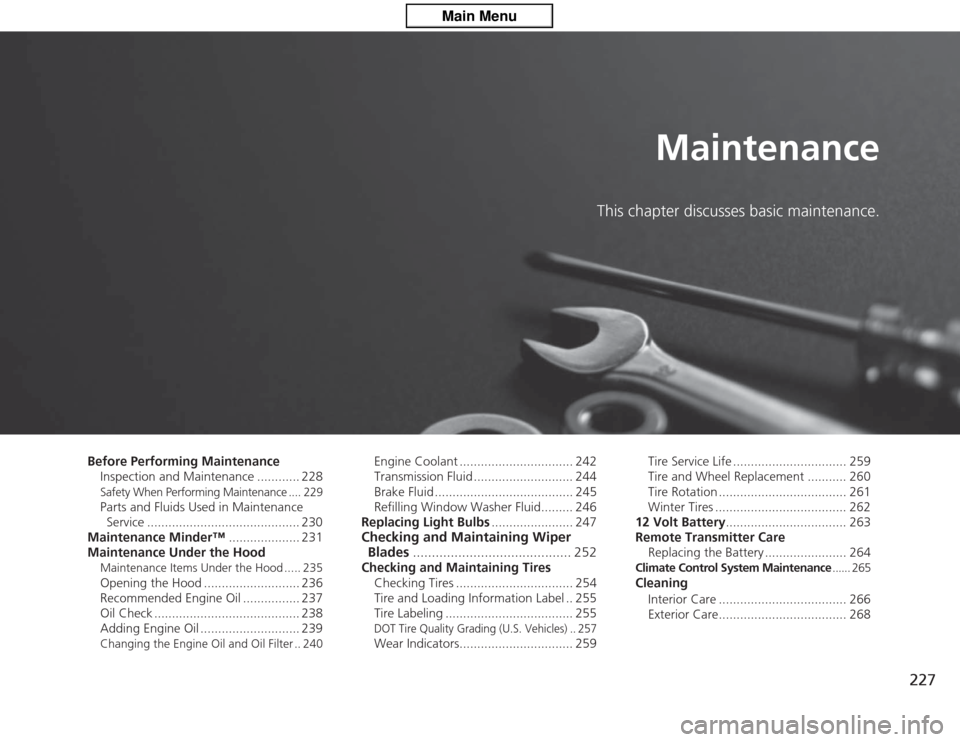
Before Performing MaintenanceInspection and Maintenance ............ 228
Safety When Performing Maintenance .... 229Parts and Fluids Used in Maintenance Service ........................................... 230
Maintenance Minder™ .................... 231
Maintenance Under the HoodMaintenance Items Under the Hood ..... 235Opening the Hood ........................... 236
Recommended Engine Oil ................ 237
Oil Check ......................................... 238
Adding Engine Oil ............................ 239Changing the Engine Oil and Oil Filter .. 240
Engine Coolant ................................ 242
Transmission Fluid ............................ 244
Brake Fluid ....................................... 245
Refilling Window Washer Fluid......... 246
Replacing Light Bulbs ....................... 247
Checking and Maintaining Wiper
Blades .......................................... 252Checking and Maintaining Tires
Checking Tires ................................. 254
Tire and Loading Information Label .. 255
Tire Labeling .................................... 255
DOT Tire Quality Grading (U.S. Vehicles) .. 257Wear Indicators................................ 259 Tire Service Life ................................ 259
Tire and Wheel Replacement ........... 260
Tire Rotation .................................... 261
Winter Tires ..................................... 262
12 Volt Battery .................................. 263
Remote Transmitter Care
Replacing the Battery ....................... 264
Climate Control System Maintenance ...... 265Cleaning
Interior Care .................................... 266
Exterior Care.................................... 268
Page 229 of 313
228Maintenance
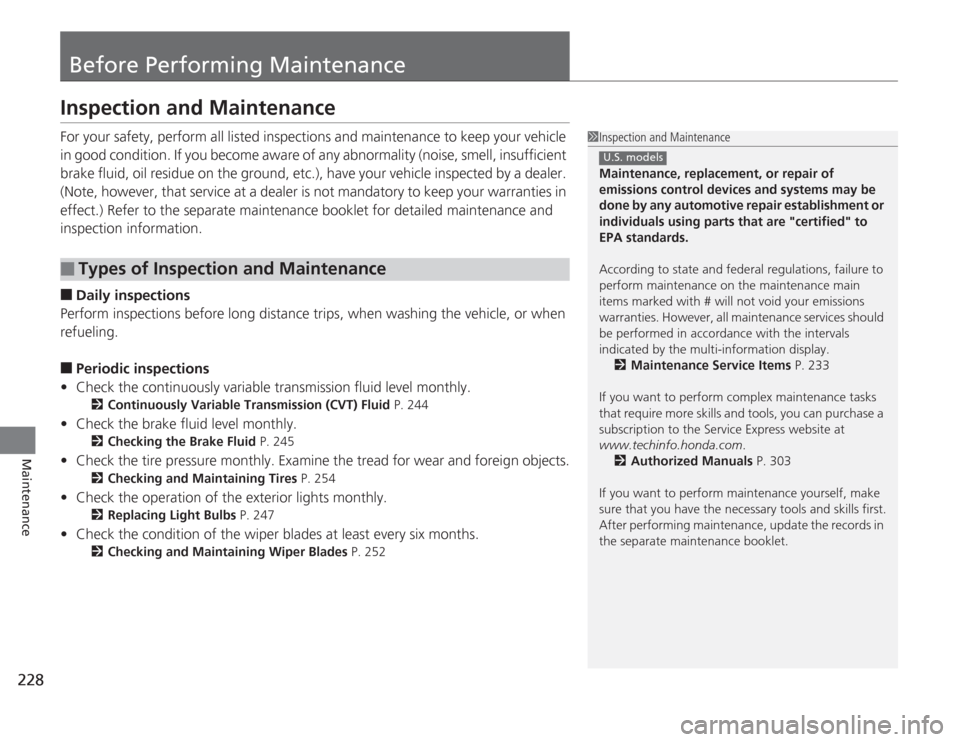
Before Performing MaintenanceInspection and MaintenanceFor your safety, perform all listed inspections and maintenance to keep your vehicle
in good condition. If you become aware of any abnormality (noise, smell, insufficient
brake fluid, oil residue on the ground, etc.), have your vehicle inspected by a dealer.
(Note, however, that service at a dealer is not mandatory to keep your \
warranties in
effect.) Refer to the separate maintenance booklet for detailed maintenance and
inspection information.■
Daily inspections
Perform inspections before long distance trips, when washing the vehicle, or when
refueling.
■
Periodic inspections
• Check the continuously variable transmission fluid level monthly.
2 Continuously Variable Transmission (CVT) Fluid P. 244
•Check the brake fluid level monthly.
2 Checking the Brake Fluid P. 245
•Check the tire pressure monthly. Examine the tread for wear and foreign objects.
2 Checking and Maintaining Tires P. 254
•Check the operation of the exterior lights monthly.
2 Replacing Light Bulbs P. 247
•Check the condition of the wiper blades at least every six months.
2Checking and Mainta ining Wiper Blades P. 252
■
Types of Inspection and Maintenance
1Inspection and Maintenance
Maintenance, replacement, or repair of
emissions control devices and systems may be
done by any automotive repair establishment or
individuals using parts that are "certified" to
EPA standards.
According to state and federal regulations, failure to
perform maintenance on the maintenance main
items marked with # will not void your emissions
warranties. However, all maintenance services should
be performed in accordance with the intervals
indicated by the multi-information display. 2 Maintenance Service Items P. 233
If you want to perform complex maintenance tasks
that require more skills and tools, you can purchase a
subscription to the Service Express website at
www.techinfo.honda.com .
2 Authorized Manuals P. 303
If you want to perform maintenance yourself, make
sure that you have the necessary tools and skills first.
After performing maintenance, update the records in
the separate maintenance booklet.
U.S. models
Page 248 of 313
247
Continued
Maintenance
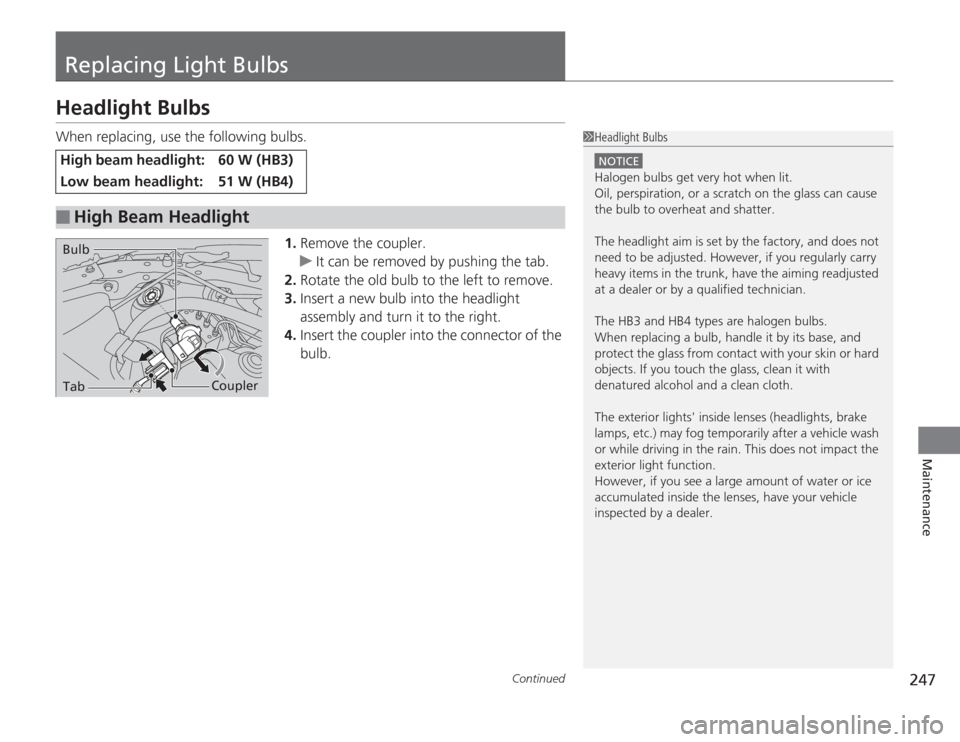
Replacing Light BulbsHeadlight BulbsWhen replacing, use the following bulbs.1.Remove the coupler.
u It can be removed by pushing the tab.
2. Rotate the old bulb to the left to remove.
3. Insert a new bulb into the headlight
assembly and turn it to the right.
4. Insert the coupler into the connector of the
bulb.High beam headlight:
60 W (HB3)
Low beam headlight:
51 W (HB4)
■
High Beam Headlight
1Headlight Bulbs
NOTICEHalogen bulbs get very hot when lit.
Oil, perspiration, or a scratch on the glass can cause
the bulb to overheat and shatter.
The headlight aim is set by the factory, and does not
need to be adjusted. However, if you regularly carry
heavy items in the trunk, have the aiming readjusted
at a dealer or by a qualified technician.
The HB3 and HB4 types are halogen bulbs.
When replacing a bulb, handle it by its base, and
protect the glass from contact with your skin or hard
objects. If you touch the glass, clean it with
denatured alcohol and a clean cloth.
The exterior lights' inside lenses (headlights, brake
lamps, etc.) may fog temporarily after a vehicle wash
or while driving in the rain. This does not impact the
exterior light function.
However, if you see a large amount of water or ice
accumulated inside the lenses, have your vehicle
inspected by a dealer.
Tab
Coupler
Bulb
Page 249 of 313
uuReplacing Light Bulbs uHeadlight Bulbs
248Maintenance
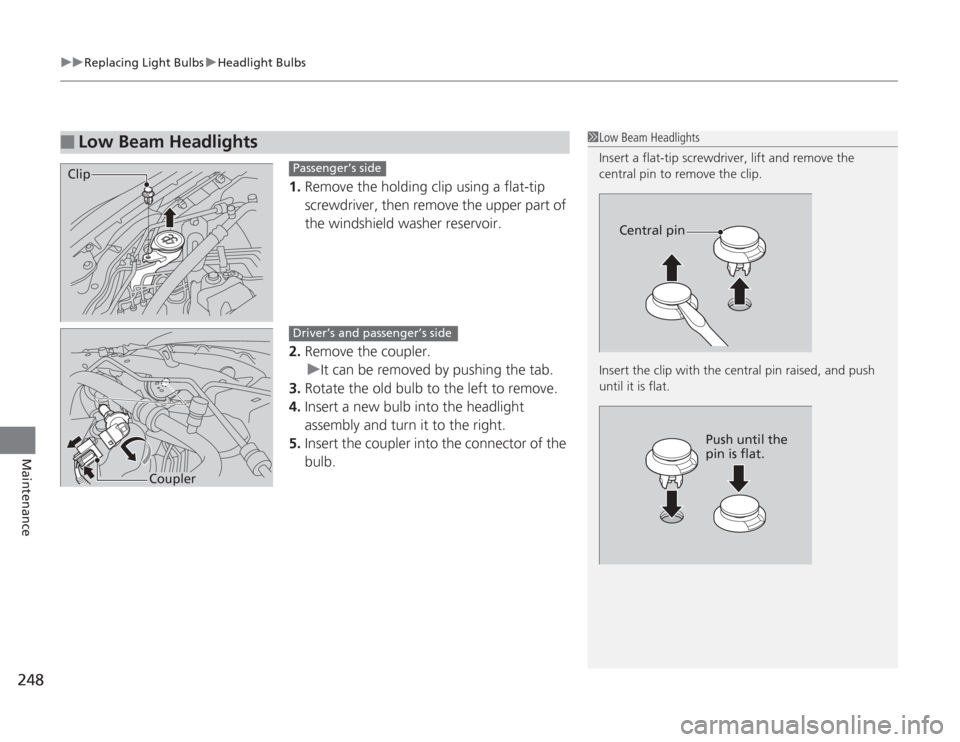
1. Remove the holding clip using a flat-tip
screwdriver, then remove the upper part of
the windshield washer reservoir.
2. Remove the coupler.
u It can be removed by pushing the tab.
3. Rotate the old bulb to the left to remove.
4. Insert a new bulb into the headlight
assembly and turn it to the right.
5. Insert the coupler into the connector of the
bulb.
■
Low Beam Headlights
1Low Beam Headlights
Insert a flat-tip screwdri ver, lift and remove the
central pin to remove the clip.
Insert the clip wi th the central pin raised, and push
until it is flat.
Central pin
Push until the
pin is flat.
Clip
Passenger’s side
Coupler
Driver’s and passenger’s side
Page 250 of 313
249
uuReplacing Light Bulbs uFront Turn Signal/Parking/Side Marker Light Bulbs
Maintenance
Front Turn Signal/Parking/Side Marker Light BulbsWhen replacing, use the following bulbs.
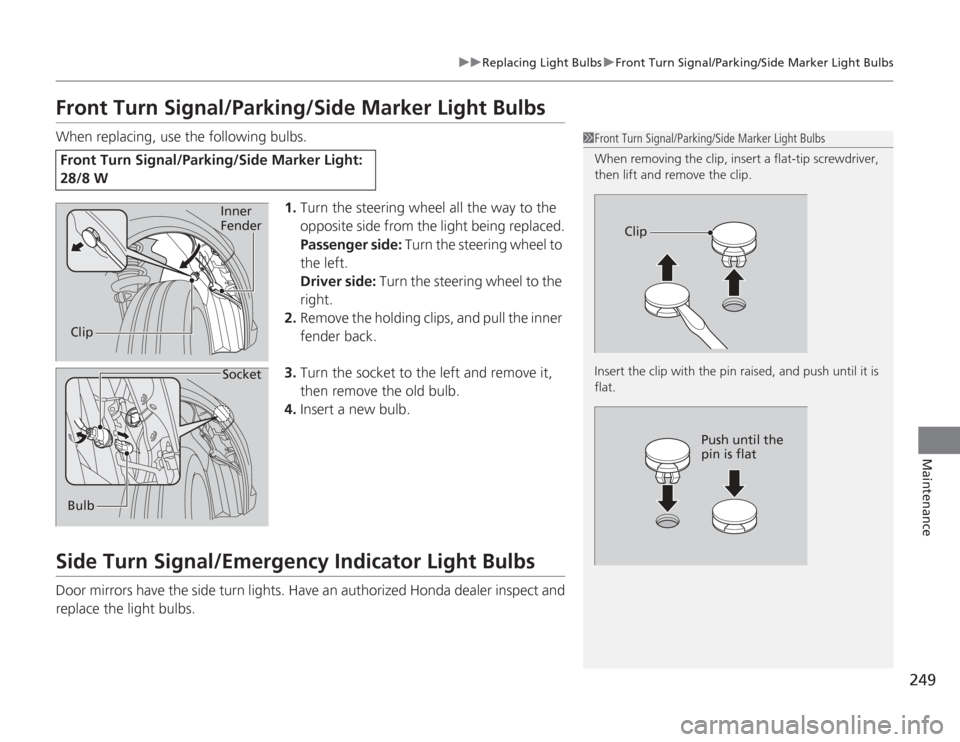
1.Turn the steering wheel all the way to the
opposite side from the light being replaced.
Passenger side: Turn the steering wheel to
the left.
Driver side: Turn the steering wheel to the
right.
2. Remove the holding clips, and pull the inner
fender back.
3. Turn the socket to the left and remove it,
then remove the old bulb.
4. Insert a new bulb.Side Turn Signal/Emergency Indicator Light BulbsDoor mirrors have the side turn lights. Have an authorized Honda dealer inspect and
replace the light bulbs.Front Turn Signal/Parking/Side Marker Light:
28/8 W
1Front Turn Signal/Parking/Side Marker Light Bulbs
When removing the clip, inser t a flat-tip screwdriver,
then lift and remove the clip.
Insert the clip with the pin raised, and push until it is
flat.
Clip
Push until the
pin is flat
Clip Inner
FenderBulb Socket
Page 251 of 313
250
uuReplacing Light Bulbs uBack-Up Light and Rear Turn Signal Light Bulbs
Maintenance
Back-Up Light and Rear Turn Signal Light BulbsWhen replacing, use the following bulbs.
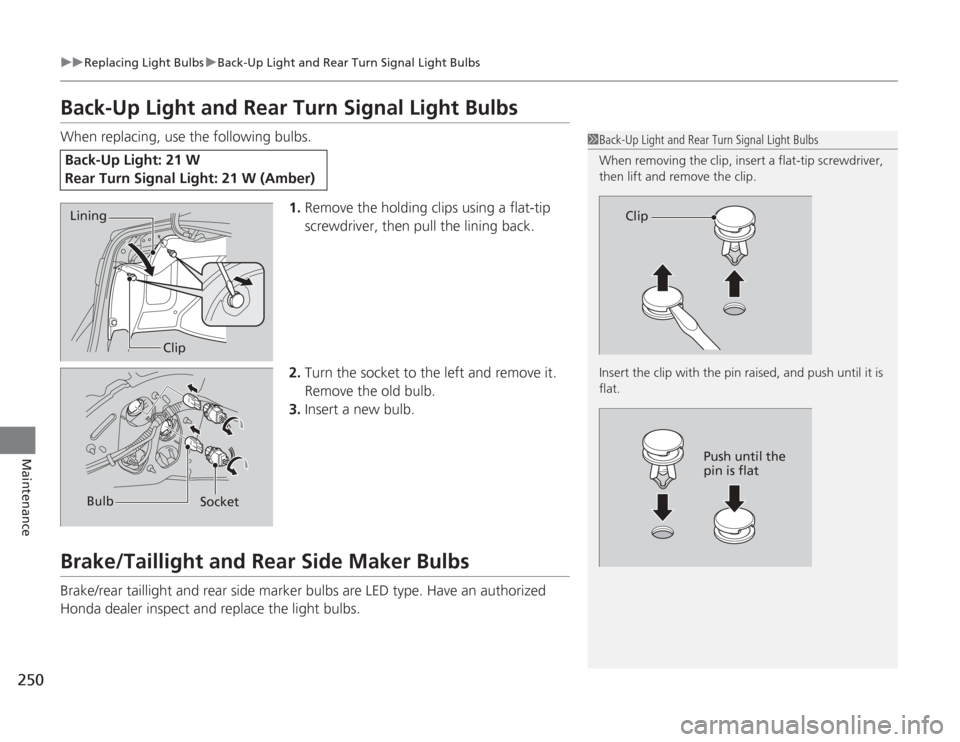
1.Remove the holding clips using a flat-tip
screwdriver, then pull the lining back.
2. Turn the socket to the left and remove it.
Remove the old bulb.
3. Insert a new bulb.Brake/Taillight and Rear Side Maker BulbsBrake/rear taillight and rear side marker bulbs are LED type. Have an authorized
Honda dealer inspect and replace the light bulbs.Back-Up Light: 21 W
Rear Turn Signal Light: 21 W (Amber)
1Back-Up Light and Rear Turn Signal Light Bulbs
When removing the clip, inser t a flat-tip screwdriver,
then lift and remove the clip.
Insert the clip with the pin raised, and push until it is
flat.
Clip
Push until the
pin is flat
Lining
Clip
Bulb Socket
Page 252 of 313
251
uuReplacing Light Bulbs uRear License Plate Light Bulb
Maintenance
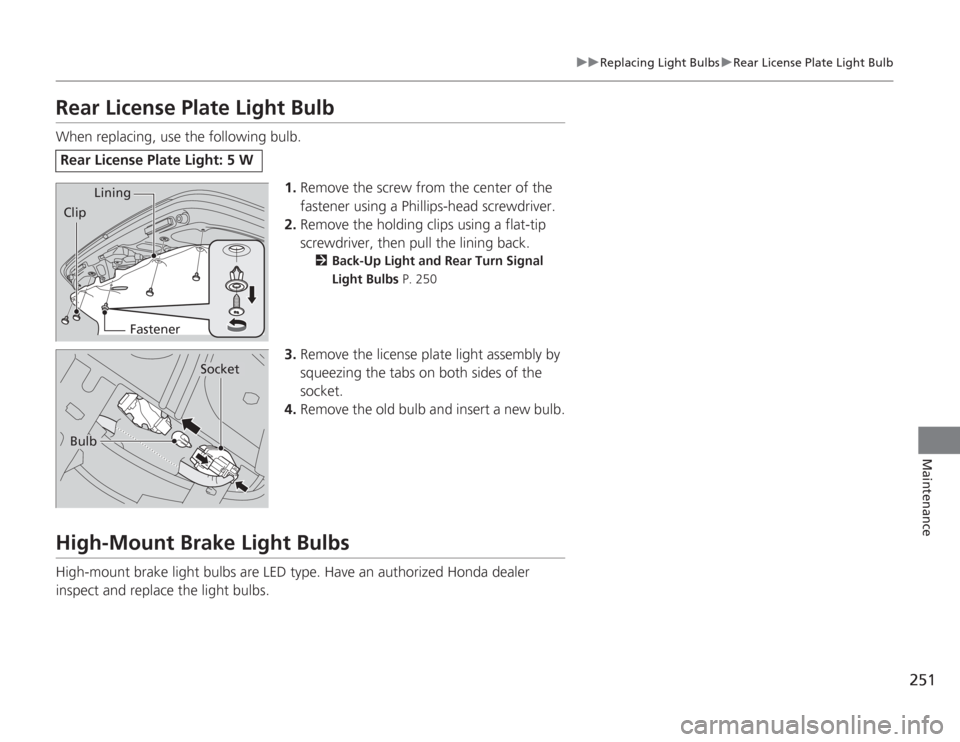
Rear License Plate Light BulbWhen replacing, use the following bulb.
1.Remove the screw from the center of the
fastener using a Phillips-head screwdriver.
2. Remove the holding clips using a flat-tip
screwdriver, then pull the lining back.
2 Back-Up Light and Rear Turn Signal
Light Bulbs P. 250
3.Remove the license plate light assembly by
squeezing the tabs on both sides of the
socket.
4. Remove the old bulb and insert a new bulb.
High-Mount Brake Light BulbsHigh-mount brake light bulbs are LED type. Have an authorized Honda dealer
inspect and replace the light bulbs.Rear License Plate Light: 5 W
Lining
Clip
Fastener
Bulb
Socket
Page 295 of 313
294Information
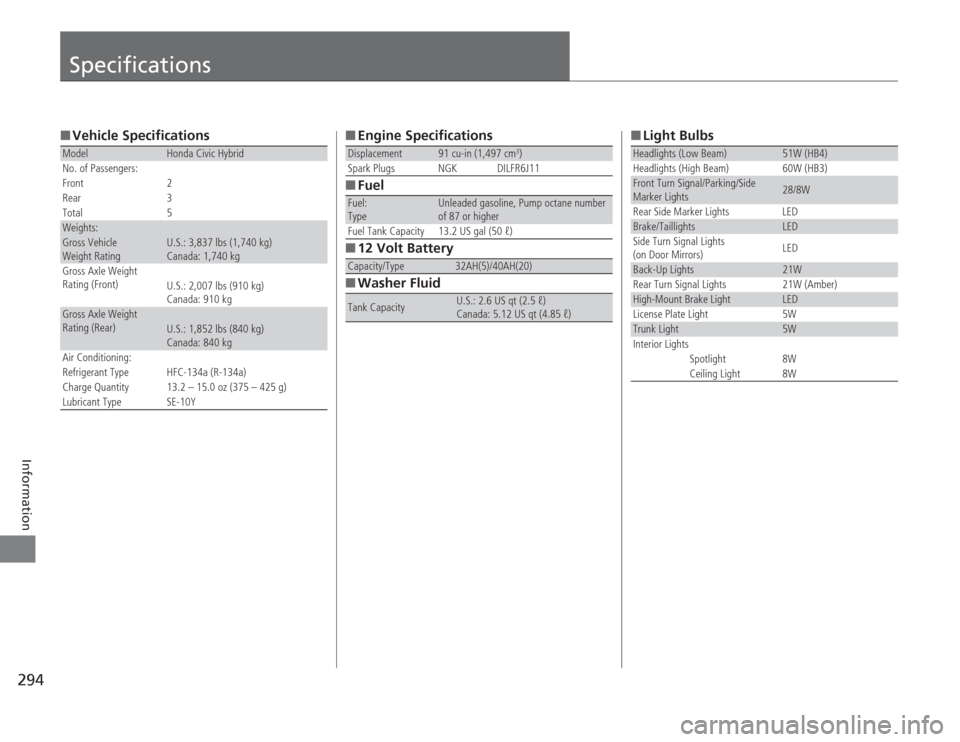
Specifications■Vehicle SpecificationsModel
Honda Civic Hybrid
No. of Passengers:
Front 2
Rear 3
Total 5
Weights:Gross Vehicle
Weight Rating
U.S.: 3,837 lbs (1,740 kg)
Canada: 1,740 kg
Gross Axle Weight
Rating (Front)
U.S.: 2,007 lbs (910 kg)
Canada: 910 kg
Gross Axle Weight
Rating (Rear)
U.S.: 1,852 lbs (840 kg)
Canada: 840 kg
Air Conditioning:
Refrigerant Type HFC-134a (R-134a)
Charge Quantity 13.2 – 15.0 oz (375 – 425 g)
Lubricant Type SE-10Y
■ Engine Specifications
■ Fuel
■ 12 Volt Battery
■ Washer FluidDisplacement
91 cu-in (1,497 cm
3)
Spark Plugs NGK DILFR6J11
Fuel:
Type
Unleaded gasoline, Pump octane number
of 87 or higher
Fuel Tank Capacity 13.2 US gal (50 ℓ)
Capacity/Type
32AH(5)/40AH(20)
Tank Capacity
U.S.: 2.6 US qt (2.5 ℓ)
Canada: 5.12 US qt (4.85 ℓ)
■ Light BulbsHeadlights (Low Beam)
51W (HB4)
Headlights (High Beam) 60W (HB3)
Front Turn Signal/Parking/Side
Marker Lights
28/8W
Rear Side Marker Lights LED
Brake/Taillights
LED
Side Turn Signal Lights
(on Door Mirrors) LED
Back-Up Lights
21W
Rear Turn Signal Lights 21W (Amber)
High-Mount Brake Light
LED
License Plate Light 5W
Trunk Light
5W
Interior Lights
Spotlight 8W
Ceiling Light 8W