key HONDA CLARITY FUEL CELL 2017 Owner's Manual (in English)
[x] Cancel search | Manufacturer: HONDA, Model Year: 2017, Model line: CLARITY FUEL CELL, Model: HONDA CLARITY FUEL CELL 2017Pages: 527, PDF Size: 17.62 MB
Page 74 of 527
uuChild Safety uSafety of Infants and Small Children
72
Safe DrivingMost child seats are LATCH-compatible (L ower Anchors and Tethers for CHildren).
Some have a rigid-type conn ector while others have a flexible-type connector. Both
are equally easy to use. Some existing and previously owned child seats can only be
installed using the seat belt. Whichever type you choose, follow the child seat
manufacturer’s use and care instructions including recommended expiration dates
as well as the instructions in this manual. Proper installation is key to maximizing
your child’s safety.
In seating positions and vehicles not equipped with LATCH, a LATCH-compatible
child seat can be installed using the seat belt and a top tether for added security.
This is because all child seats are required to be designed so that they can be secured
with a lap belt or the lap part of a lap/sh oulder belt. In addition, the child seat
manufacturer may advise that a seat belt be used to attach a LATCH-compatible seat
once a child reaches a specified weight. Please read the child seat owner’s manual
for proper installation instructions.
■Important consideration when selecting a child seat
Make sure the child seat meets th e following three requirements:
• The child seat is the correct type and size for the child.
• The child seat is the correct type for the seating position.
• The child seat is compliant with Federal Motor Vehicle Safety Standard 213 or
Canadian Motor Vehicle Safety Standard 213.
■Selecting a Child Seat1Selecting a Child Seat
Installation of a LATCH-co mpatible child seat is
simple.
LATCH-compatible child s eats have been developed
to simplify the installati on process and reduce the
likelihood of injuries caused by incorrect installation.
17 CLARITY FCV PPO-31TRT6000.book 72 ページ 2016年10月27日 木曜日 午後3時 11分
Page 96 of 527
94
uuIndicators u
Instrument Panel
IndicatorNameOn/BlinkingExplanationMessage
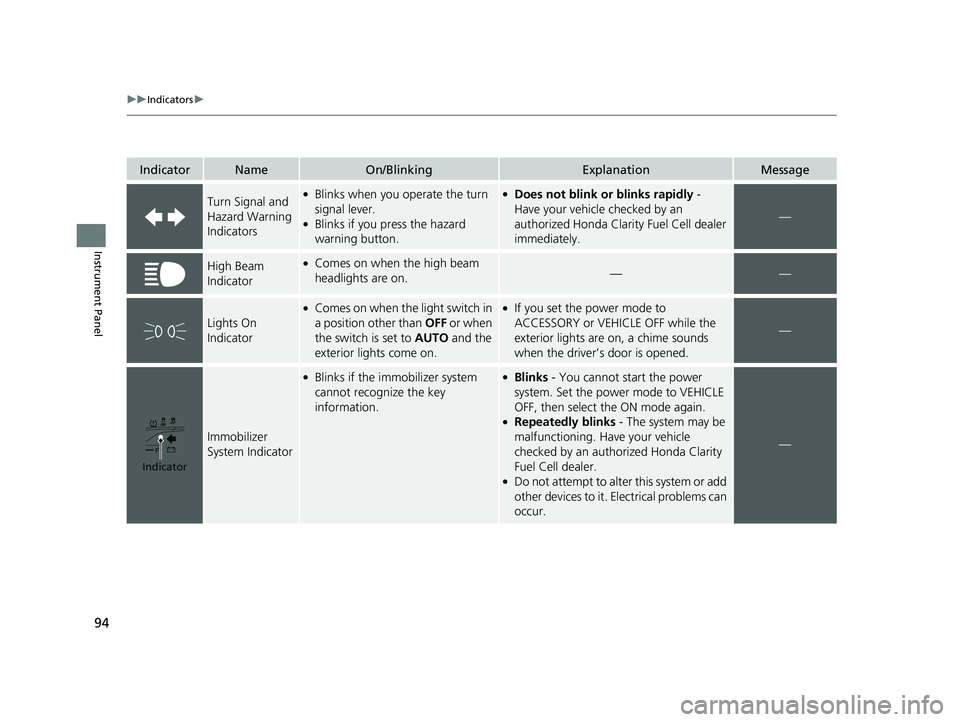
Turn Signal and
Hazard Warning
Indicators●Blinks when you operate the turn
signal lever.
●Blinks if you press the hazard
warning button.
●Does not blink or blinks rapidly -
Have your vehicle checked by an
authorized Honda Clarity Fuel Cell dealer
immediately.
—
High Beam
Indicator●Comes on when the high beam
headlights are on.——
Lights On
Indicator
●Comes on when the light switch in
a position other than OFF or when
the switch is set to AUTO and the
exterior lights come on.●If you set the power mode to
ACCESSORY or VEHICLE OFF while the
exterior lights are on, a chime sounds
when the driver’s door is opened.
—
Immobilizer
System Indicator
●Blinks if the immobilizer system
cannot recognize the key
information.●Blinks - You cannot start the power
system. Set the power mode to VEHICLE
OFF, then select the ON mode again.
●Repeatedly blinks - The system may be
malfunctioning. Have your vehicle
checked by an authorized Honda Clarity
Fuel Cell dealer.
●Do not attempt to alter this system or add
other devices to it. Electrical problems can
occur.
—
Indicator
17 CLARITY FCV PPO-31TRT6000.book 94 ページ 2016年10月27日 木曜日 午後3時 11分
Page 103 of 527
101
uuIndicators uDriver Information Interface Wa rning and Information Messages
Continued
Instrument Panel
MessageConditionExplanation
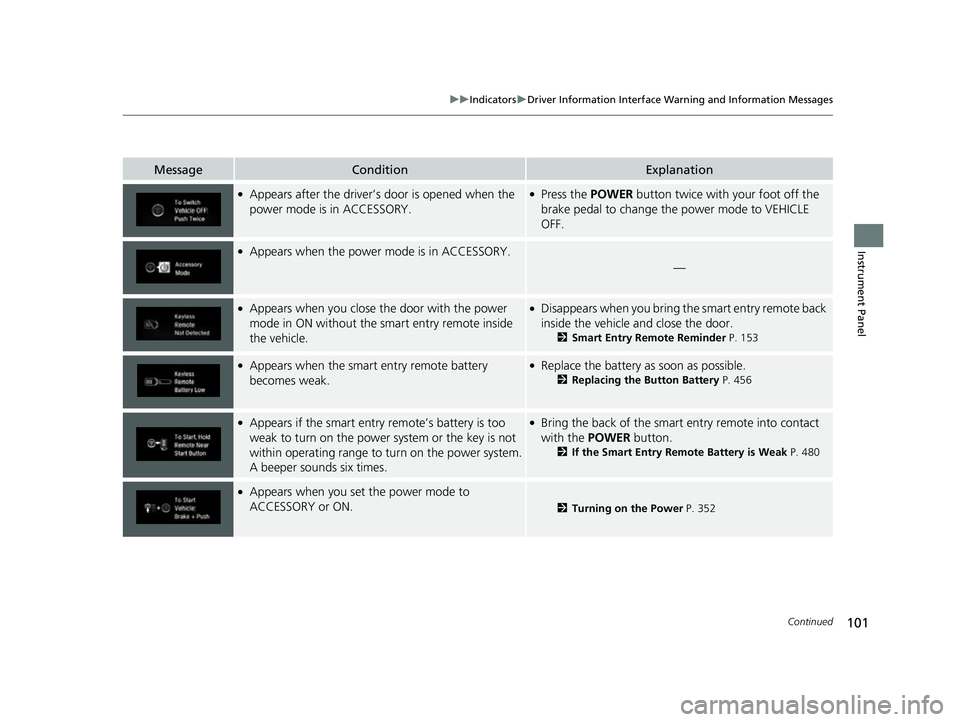
●Appears after the driver’s door is opened when the
power mode is in ACCESSORY.●Press the POWER button twice with your foot off the
brake pedal to change the power mode to VEHICLE
OFF.
●Appears when the power mode is in ACCESSORY.
—
●Appears when you close the door with the power
mode in ON without the smart entry remote inside
the vehicle.●Disappears when you bring the smart entry remote back
inside the vehicle and close the door.
2 Smart Entry Remote Reminder P. 153
●Appears when the smart entry remote battery
becomes weak.●Replace the battery as soon as possible.
2Replacing the Button Battery P. 456
●Appears if the smart entry remote’s battery is too
weak to turn on the power system or the key is not
within operating range to turn on the power system.
A beeper sounds six times.●Bring the back of the smart entry remote into contact
with the POWER button.
2If the Smart Entry Remote Battery is Weak P. 480
●Appears when you set the power mode to
ACCESSORY or ON.
2Turning on the Power P. 352
17 CLARITY FCV PPO-31TRT6000.book 101 ページ 2016年10月27日 木曜日 午後3 時11分
Page 127 of 527
125
uuGauges and Displays uHead-Up Display
Continued
Instrument Panel
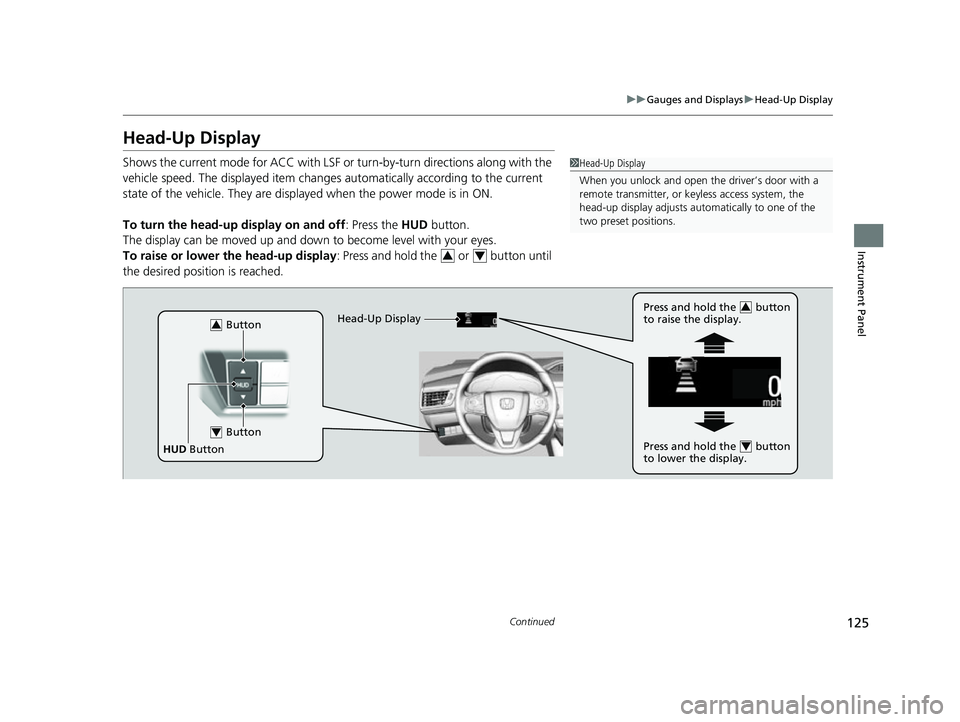
Head-Up Display
Shows the current mode for ACC with LSF or turn-by-turn directions along with the
vehicle speed. The displaye d item changes automaticall y according to the current
state of the vehicle. They are displa yed when the power mode is in ON.
To turn the head-up display on and off: Press the HUD button.
The display can be moved up and down to become level with your eyes.
To raise or lower the head-up display : Press and hold the or button until
the desired position is reached.1 Head-Up Display
When you unlock and open the driver’s door with a
remote transmitter, or keyless access system, the
head-up display adjusts auto matically to one of the
two preset positions.
34
Button3
Button4
HUD Button Head-Up Display
Press and hold the button
to raise the display.
3
Press and hold the button
to lower the display.4
17 CLARITY FCV PPO-31TRT6000.book 125 ページ 2016年10月27日 木曜日 午後3
時11分
Page 131 of 527
129
Controls
This chapter explains how to operate the various controls necessary for driving.
Clock.................................................. 130
Locking and Unlocking the Doors Key Types and Functions .................. 131
Low Smart Entry Remote Signal Strength .. 132Locking/Unlocking the Doors from the Outside .......................................... 133
Locking/Unlocking the Doors from the Inside ............................................. 139
Childproof Door Locks ..................... 141
Auto Door Locking/Unlocking .......... 142
Opening and Closing the Trunk ....... 143
Security System ................................ 146
Immobilizer System .......................... 146 Security System Alarm...................... 146
Opening and Closing the Windows ... 149
Operating the Switches Around the
Steering Wheel POWER Button................................. 151
Turn Signals ..................................... 154
Light Switches.................................. 155
Daytime Running Lights ................... 158
Wipers and Washers ........................ 159
Brightness Control ........................... 161
Rear Defogger Button ...................... 163
Driving Position Memory System ...... 164
Adjusting the Steering Wheel........... 166 Adjusting the Mirrors
....................... 167
Interior Rearview Mirror ................... 167
Power Door Mirrors ......................... 168
Adjusting the Seats .......................... 169
Front Seats ...................................... 169
Interior Lights/Interior Convenience
Items ................................................ 175
Interior Lights .................................. 175
Interior Convenience Items .............. 177
Climate Control System ................... 185
Using Automatic Climate Control .... 185
Automatic Climate Control Sensors ... 192
17 CLARITY FCV PPO-31TRT6000.book 129 ページ 2016年10月27日 木曜日 午後3 時11分
Page 133 of 527
131Continued
Controls
Locking and Unlocking the Doors
Key Types and Functions
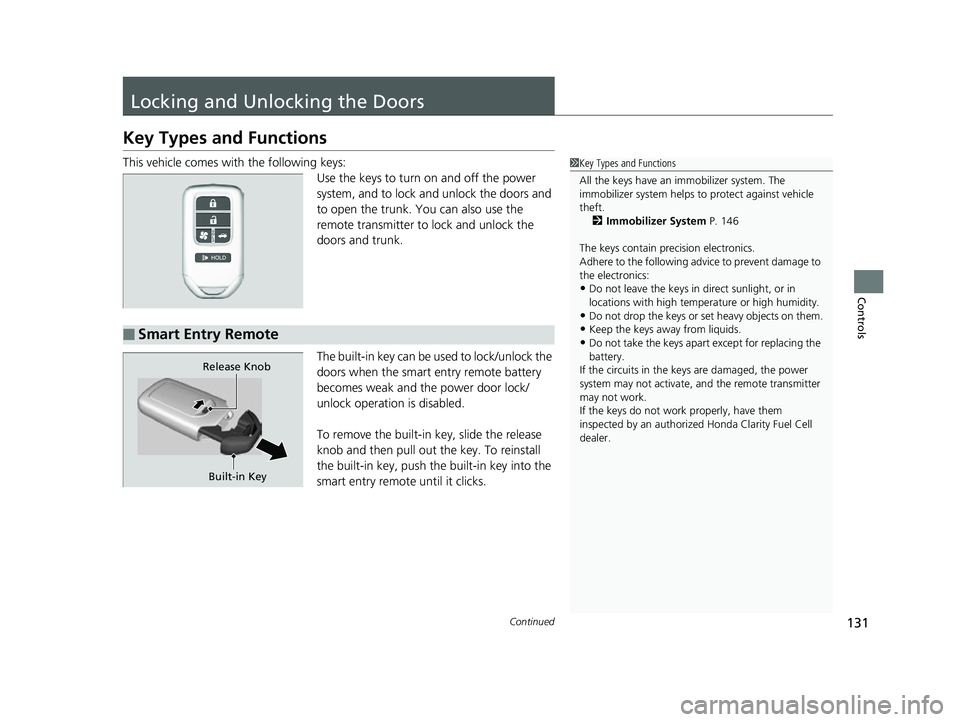
This vehicle comes with the following keys:
Use the keys to turn on and off the power
system, and to lock and unlock the doors and
to open the trunk. You can also use the
remote transmitter to lock and unlock the
doors and trunk.
The built-in key can be us ed to lock/unlock the
doors when the smart entry remote battery
becomes weak and the power door lock/
unlock operation is disabled.
To remove the built-in key, slide the release
knob and then pull out the key. To reinstall
the built-in key, push th e built-in key into the
smart entry remote until it clicks.1 Key Types and Functions
All the keys have an immobilizer system. The
immobilizer system helps to protect against vehicle
theft. 2 Immobilizer System P. 146
The keys contain precision electronics.
Adhere to the following advi ce to prevent damage to
the electronics:
•Do not leave the keys in direct sunlight, or in
locations with high temperature or high humidity.
•Do not drop the keys or set heavy objects on them.
•Keep the keys away from liquids.
•Do not take the keys apart except for replacing the
battery.
If the circuits in the keys are damaged, the power
system may not activate, and the remote transmitter
may not work.
If the keys do not work properly, have them
inspected by an authorized Honda Clarity Fuel Cell
dealer.■Smart Entry Remote
Built-in Key
Release Knob
17 CLARITY FCV PPO-31TRT6000.book 131 ページ 2016年10月27日 木曜日 午後3
時11分
Page 134 of 527
uuLocking and Unlocking the Doors uLow Smart Entry Remote Signal Strength
132
Controls
Contains a number that you will need if you
purchase a replacement key.
Low Smart Entry Remo te Signal Strength
The vehicle transmits radio waves to loca te the smart entry remote when locking/
unlocking the doors, opening the trunk, or to activate the power system.
In the following cases, locking/unlocking the doors, opening the trunk, or activating
the power system may be inhibited or operation may be unstable:
• Strong radio waves are being tra nsmitted by nearby equipment.
• You are carrying the smart entry remote together with telecommunications
equipment, laptop computers, ce ll phones, or wireless devices.
• A metallic object is touching or covering the smart entry remote.
■Key Number Tag1Key Number Tag
Keep the key number tag separate from the key in a
safe place outside of your vehicle.
If you wish to purchase an additional key, contact an
authorized Honda Clarit y Fuel Cell dealer.
If you lose your key an d you cannot activate the
power system, contact an authorized Honda Clarity
Fuel Cell dealer.
1 Low Smart Entry Remote Signal Strength
Communication between the smart entry remote and
the vehicle consumes the smart entry remote’s
battery.
Battery life is about two years, but this varies
depending on regularity of use.
The battery is consumed whenever the smart entry
remote is receivi ng strong radio wave s. Avoid placing
it near electrical appliances such as televisions and
personal computers.
17 CLARITY FCV PPO-31TRT6000.book 132 ページ 2016年10月27日 木曜日 午後3 時11分
Page 140 of 527
uuLocking and Unlocking the Doors uLocking/Unlocking the Doors from the Outside
138
Controls
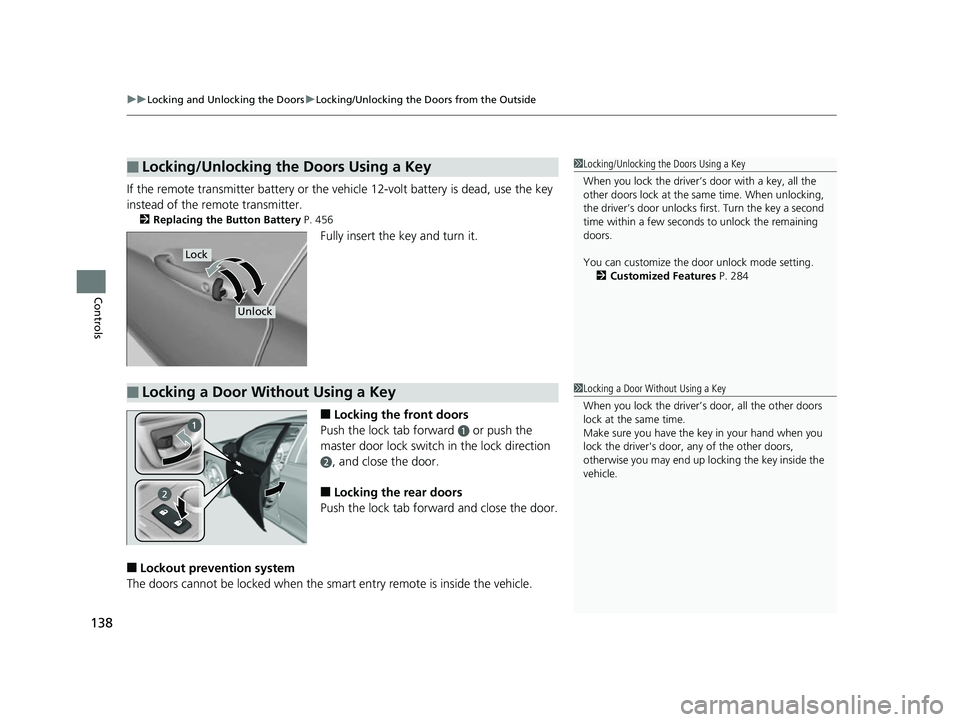
If the remote transmitter battery or the ve hicle 12-volt battery is dead, use the key
instead of the remote transmitter.
2 Replacing the Button Battery P. 456
Fully insert the key and turn it.
■Locking the front doors
Push the lock tab forward
a or push the
master door lock switch in the lock direction
b, and close the door.
■Locking the rear doors
Push the lock tab forward and close the door.
■Lockout prevention system
The doors cannot be locked when the sm art entry remote is inside the vehicle.
■Locking/Unlocking the Doors Using a Key1Locking/Unlocking the Doors Using a Key
When you lock the driver’s door with a key, all the
other doors lock at the sa me time. When unlocking,
the driver’s door unlocks first. Turn the key a second
time within a few seconds to unlock the remaining
doors.
You can customize the door unlock mode setting. 2 Customized Features P. 284
Lock
Unlock
■Locking a Door Without Using a Key1Locking a Door Without Using a Key
When you lock the driver’s door, all the other doors
lock at the same time.
Make sure you have the key in your hand when you
lock the driver's door, any of the other doors,
otherwise you may end up lo cking the key inside the
vehicle.
17 CLARITY FCV PPO-31TRT6000.book 138 ページ 2016年10月27日 木曜日 午後3 時11分
Page 148 of 527
146
Controls
Security System
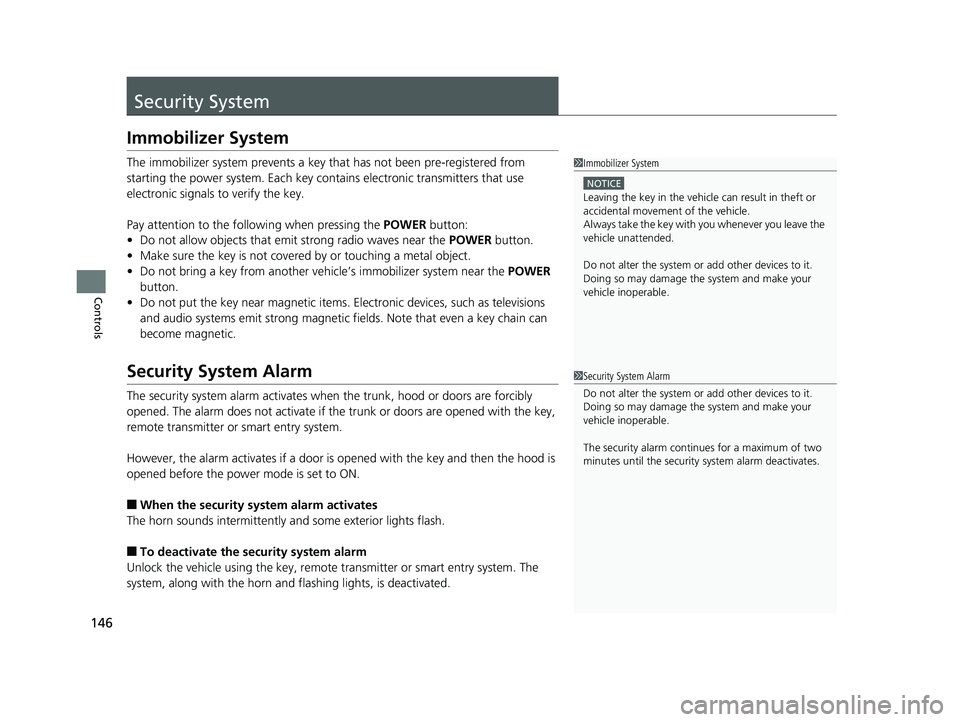
Immobilizer System
The immobilizer system prevents a key that has not been pre-registered from
starting the power system. Each key cont ains electronic transmitters that use
electronic signals to verify the key.
Pay attention to the follo wing when pressing the POWER button:
• Do not allow objects that emit strong radio waves near the POWER button.
• Make sure the key is not covered by or touching a metal object.
• Do not bring a key from another vehi cle’s immobilizer system near the POWER
button.
• Do not put the key near magnetic items. Electronic devices, such as televisions
and audio systems emit strong magnetic fields. Note that even a key chain can
become magnetic.
Security System Alarm
The security system alarm activates when the trunk, hood or doors are forcibly
opened. The alarm does not activate if th e trunk or doors are opened with the key,
remote transmitter or smart entry system.
However, the alarm activates if a door is opened with the key and then the hood is
opened before the power mode is set to ON.
■When the security sy stem alarm activates
The horn sounds intermittently and some exterior lights flash.
■To deactivate the security system alarm
Unlock the vehicle using the key, remote transmitter or smart entry system. The
system, along with the horn and flashing lights, is deactivated.
1 Immobilizer System
NOTICE
Leaving the key in the vehicl e can result in theft or
accidental movement of the vehicle.
Always take the key with you whenever you leave the
vehicle unattended.
Do not alter the system or add other devices to it.
Doing so may damage the system and make your
vehicle inoperable.
1 Security System Alarm
Do not alter the system or add other devices to it.
Doing so may damage the system and make your
vehicle inoperable.
The security alarm continues for a maximum of two
minutes until the security system alarm deactivates.
17 CLARITY FCV PPO-31TRT6000.book 146 ページ 2016年10月27日 木曜日 午後3 時11分
Page 149 of 527
Continued147
uuSecurity System uSecurity System Alarm
Controls
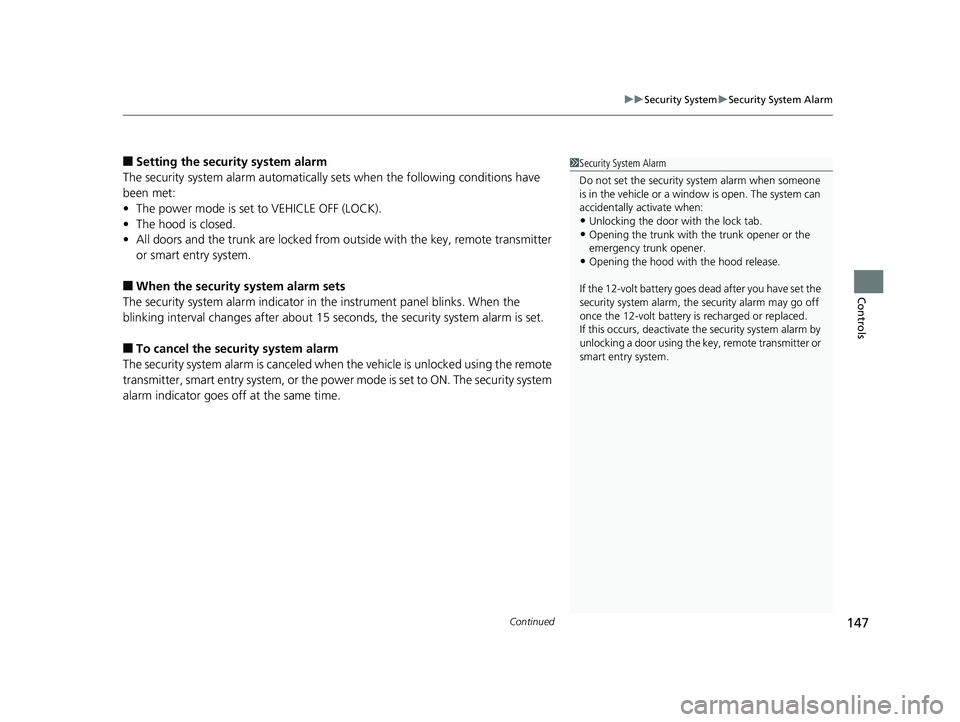
■Setting the security system alarm
The security system alarm automatically sets when the following conditions have
been met:
• The power mode is set to VEHICLE OFF (LOCK).
• The hood is closed.
• All doors and the trunk are locked from ou tside with the key, remote transmitter
or smart entry system.
■When the security system alarm sets
The security system alarm indicator in the instrument panel blinks. When the
blinking interval changes after about 15 se conds, the security system alarm is set.
■To cancel the security system alarm
The security system alarm is canceled when the vehicle is unlocked using the remote
transmitter, smart entry system, or the power mode is set to ON. The security system
alarm indicator goes off at the same time.
1 Security System Alarm
Do not set the security system alarm when someone
is in the vehicle or a window is open. The system can
accidentally activate when:
•Unlocking the door with the lock tab.•Opening the trunk with the trunk opener or the
emergency trunk opener.
•Opening the hood with the hood release.
If the 12-volt battery goes dead after you have set the
security system alarm, the security alarm may go off
once the 12-volt battery is recharged or replaced.
If this occurs, deactivate the security system alarm by
unlocking a door using the key, remote transmitter or
smart entry system.
17 CLARITY FCV PPO-31TRT6000.book 147 ページ 2016年10月27日 木曜日 午後3 時11分