instrument panel HONDA CLARITY PLUG-IN 2018 (in English) Workshop Manual
[x] Cancel search | Manufacturer: HONDA, Model Year: 2018, Model line: CLARITY PLUG-IN, Model: HONDA CLARITY PLUG-IN 2018Pages: 591, PDF Size: 29.97 MB
Page 130 of 591
128
uuGauges and Driver Information Interface uDriver Information Interface
Instrument Panel
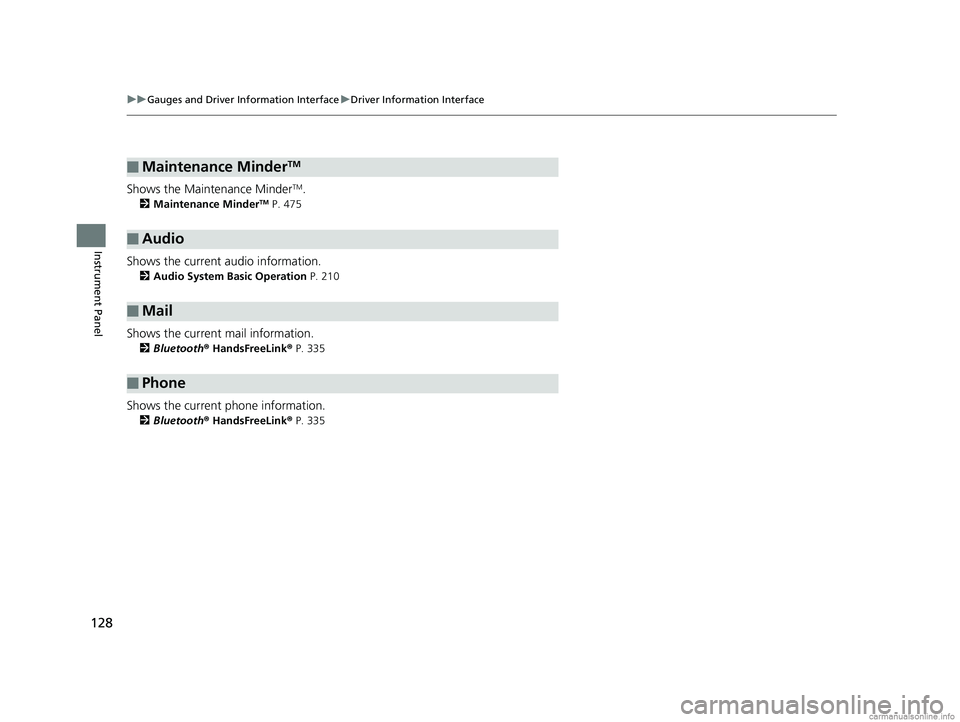
Shows the Maintenance MinderTM.
2 Maintenance MinderTM P. 475
Shows the current audio information.
2Audio System Basic Operation P. 210
Shows the current mail information.
2Bluetooth ® HandsFreeLink ® P. 335
Shows the current phone information.
2 Bluetooth ® HandsFreeLink ® P. 335
■Maintenance MinderTM
■Audio
■Mail
■Phone
18 CLARITY PHEV CSS-31TRW6000.book 128 ページ 2017年12月25日 月曜日 午後2時22分
Page 131 of 591
Continued129
uuGauges and Driver Information Interface uDriver Information Interface
Instrument Panel
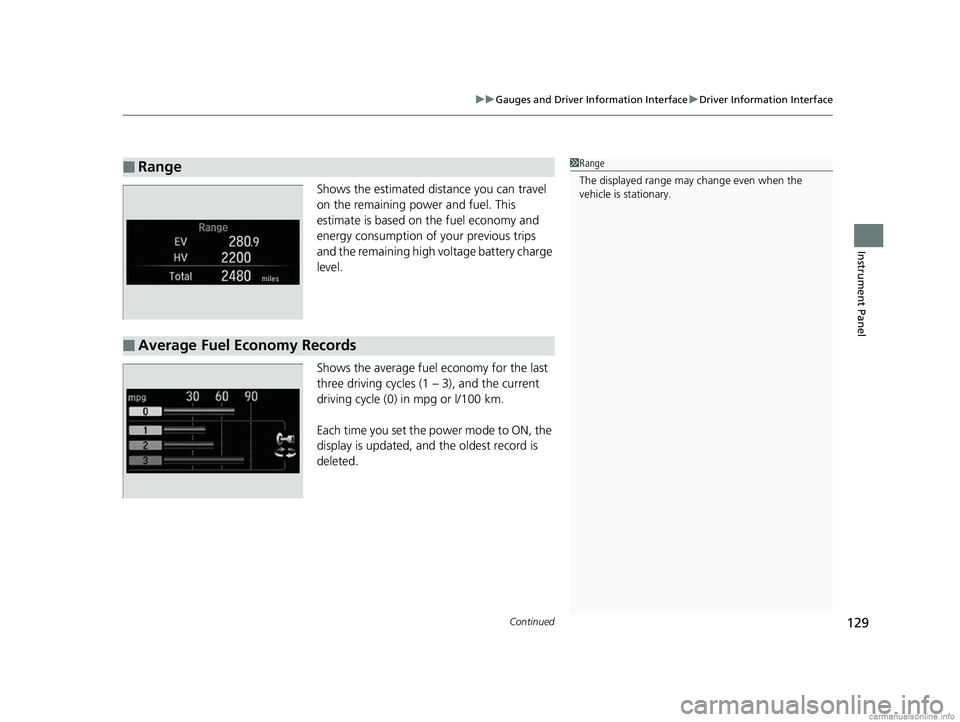
Shows the estimated distance you can travel
on the remaining power and fuel. This
estimate is based on the fuel economy and
energy consumption of your previous trips
and the remaining high voltage battery charge
level.
Shows the average fuel economy for the last
three driving cycles (1 – 3), and the current
driving cycle (0) in mpg or l/100 km.
Each time you set the power mode to ON, the
display is updated, and the oldest record is
deleted.
■Range1Range
The displayed ra nge may change even when the
vehicle is stationary.
■Average Fuel Economy Records
18 CLARITY PHEV CSS-31TRW6000.book 129 ページ 2017年12月25日 月曜日 午後2時22分
Page 132 of 591
130
uuGauges and Driver Information Interface uDriver Information Interface
Instrument Panel
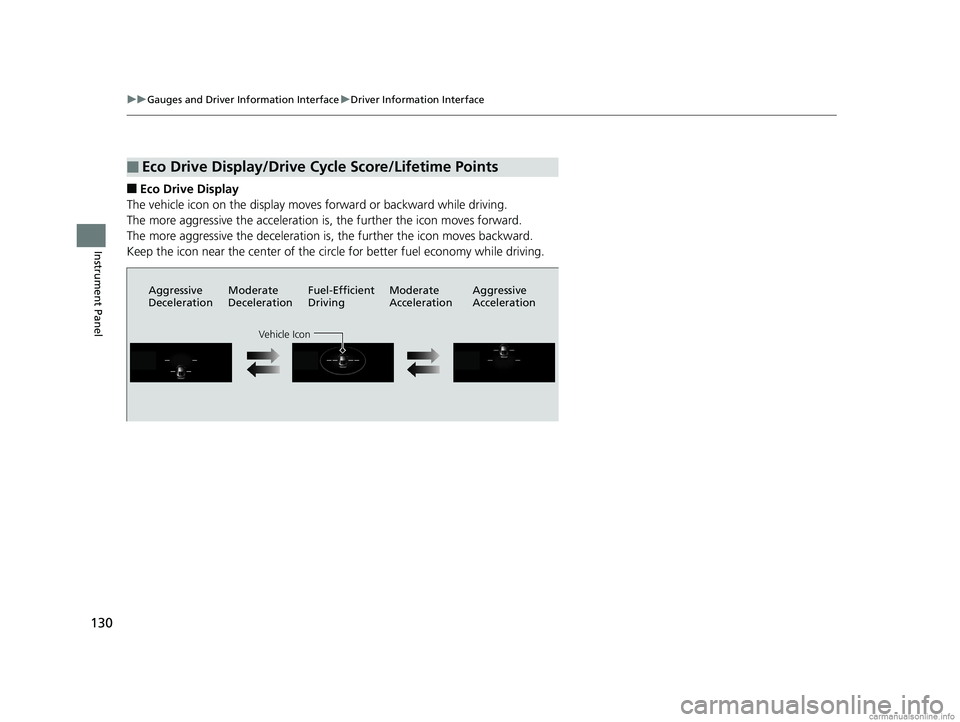
■Eco Drive Display
The vehicle icon on the display moves forward or backward while driving.
The more aggressive the acceleration is, the further the icon moves forward.
The more aggressive the deceleration is, the further the icon moves backward.
Keep the icon near the center of the circ le for better fuel economy while driving.
■Eco Drive Display/Drive Cycle Score/Lifetime Points
Aggressive
DecelerationModerate
DecelerationFuel-Efficient
Driving Moderate
Acceleration Aggressive
Acceleration
Vehicle Icon
18 CLARITY PHEV CSS-31TRW6000.book 130 ページ 2017年12月25日 月曜日 午後2時22分
Page 133 of 591
131
uuGauges and Driver Information Interface uDriver Information Interface
Continued
Instrument Panel
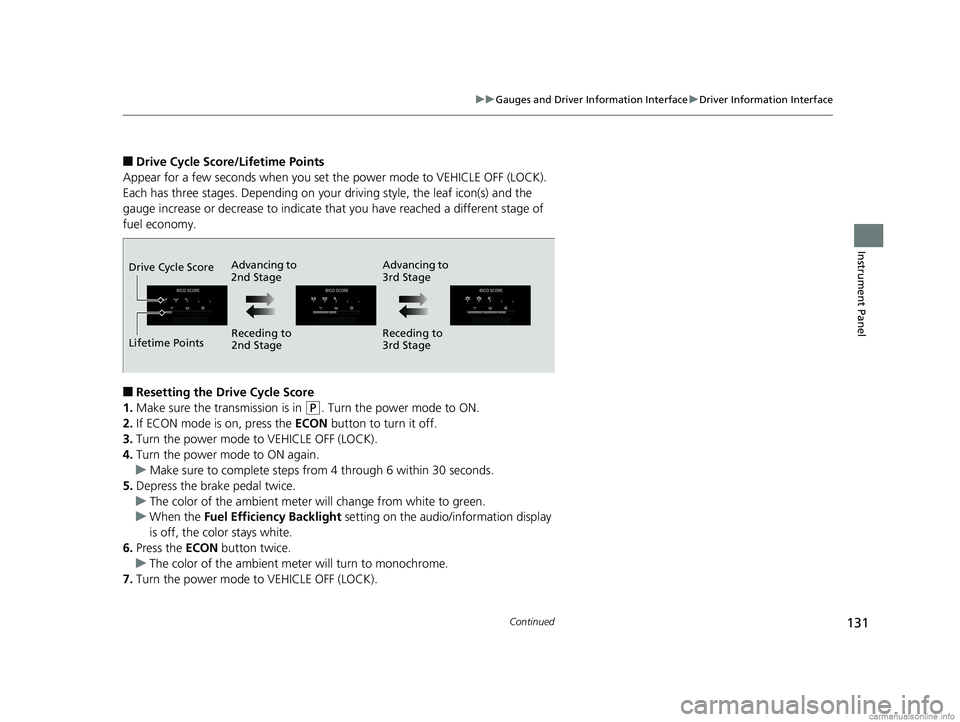
■Drive Cycle Score/Lifetime Points
Appear for a few seconds when you set the power mode to VEHICLE OFF (LOCK).
Each has three stages. Depending on your driving style, the leaf icon(s) and the
gauge increase or decrease to indicate that you have reached a different stage of
fuel economy.
■Resetting the Drive Cycle Score
1. Make sure the transmission is in
(P. Turn the power mode to ON.
2. If ECON mode is on, press the ECON button to turn it off.
3. Turn the power mode to VEHICLE OFF (LOCK).
4. Turn the power mode to ON again.
u Make sure to complete steps fro m 4 through 6 within 30 seconds.
5. Depress the brake pedal twice.
u The color of the ambient meter wi ll change from white to green.
u When the Fuel Efficiency Backlight setting on the audio/information display
is off, the color stays white.
6. Press the ECON button twice.
u The color of the ambient mete r will turn to monochrome.
7. Turn the power mode to VEHICLE OFF (LOCK).
Advancing to
2nd Stage Advancing to
3rd Stage
Receding to
2nd Stage Receding to
3rd Stage
Lifetime Points Drive Cycle Score
18 CLARITY PHEV CSS-31TRW6000.book 131 ページ 2017年12月25日 月曜日 午後2時22分
Page 134 of 591
uuGauges and Driver Information Interface uDriver Information Interface
132
Instrument Panel
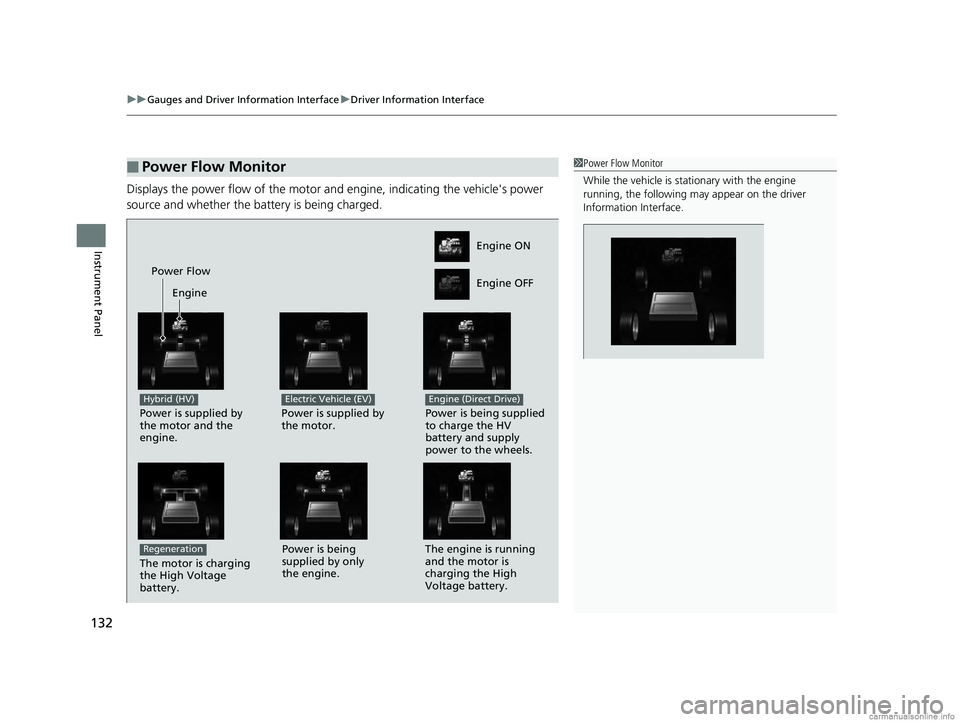
Displays the power flow of the motor an d engine, indicating the vehicle's power
source and whether the battery is being charged.
■Power Flow Monitor1 Power Flow Monitor
While the vehicle is stat ionary with the engine
running, the following ma y appear on the driver
Information Interface.
Engine ON
Engine OFF
Power Flow
Engine
Power is supplied by
the motor and the
engine.
Hybrid (HV)
Power is supplied by
the motor.
Electric Vehicle (EV)
Power is being supplied
to charge the HV
battery and supply
power to the wheels.
Engine (Direct Drive)
The motor is charging
the High Voltage
battery.
RegenerationPower is being
supplied by only
the engine. The engine is running
and the motor is
charging the High
Voltage battery.
18 CLARITY PHEV CSS-31TRW6000.book 132 ページ 2017年12月25日 月曜日 午後2時22分
Page 135 of 591
133
uuGauges and Driver Information Interface uDriver Information Interface
Instrument Panel
• Shows the customized feature (charge timer).
2 Using a Timer P. 467
•Use the audio/informati on screen to customize certain features.
2Customized Features P. 306
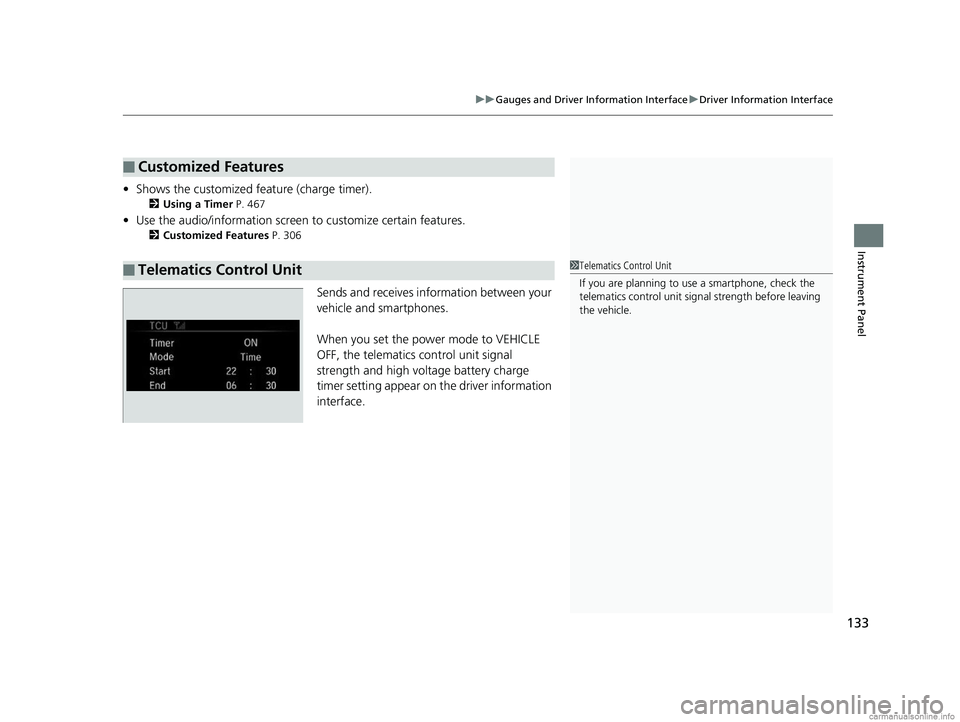
Sends and receives information between your
vehicle and smartphones.
When you set the power mode to VEHICLE
OFF, the telematics control unit signal
strength and high voltage battery charge
timer setting appear on the driver information
interface.
■Customized Features
■Telematics Control Unit1Telematics Control Unit
If you are planning to use a smartphone, check the
telematics control unit sign al strength before leaving
the vehicle.
18 CLARITY PHEV CSS-31TRW6000.book 133 ページ 2017年12月25日 月曜日 午後2時22分
Page 156 of 591
uuSecurity System uSecurity System Alarm
154
Controls
■Setting the security system alarm
The security system alarm automatically sets when the following conditions have
been met:
• The power mode is set to VEHICLE OFF (LOCK).
• The hood is closed.
• All doors and the trunk are locked from outside with the key, remote transmitter
or smart entry system.
■When the security system alarm sets
The security system alarm indicator in the instrument panel blinks. When the
blinking interval changes after about 15 seconds, the security system alarm is set.
■To cancel the security system alarm
The security system alarm is canceled when the vehicle is unlocked using the remote
transmitter, smart entry system, or the power mode is set to ON. The security system
alarm indicator goes off at the same time.
1 Security System Alarm
Do not set the security system alarm when someone
is in the vehicle or a window is open. The system can
accidentally activate when:
•Unlocking the door with the lock tab.•Opening the trunk with the trunk opener or the
emergency trunk opener.
•Opening the hood with the hood release.
If the 12-volt battery goes dead after you have set the
security system alarm, the security alarm may go off
once the 12-volt battery is recharged or replaced.
If this occurs, deactivate the security system alarm by
unlocking a door using the key, remote transmitter or
smart entry system.
18 CLARITY PHEV CSS-31TRW6000.book 154 ページ 2017年12月25日 月曜日 午後2時22分
Page 166 of 591
uuOperating the Switches Around the Steering Wheel uLight Switches
164
Controls
The headlights automatically co me on when the wipers are used several times within
a certain number of intervals wi th the headlight switch in AUTO.
The headlights automatically go off a few minutes later if the wipers are stopped.
The headlights, all other exterior lights, an d the instrument panel lights turn off 15
seconds after you set the power mode to VE HICLE OFF (LOCK), take the remote with
you, and close the driver's door.
If you set the power mode to VEHICLE OFF (LOCK) with the headlight switch on, but
do not open the door, the li ghts turn off after 10 minutes (3 minutes, if the switch
is in the AUTO position).
The lights turn on again when you unlock or open the driver’s door. If you unlock
the door, but do not open it within 15 seconds, the lights go off. If you open the
driver’s door, you will hear a lights on reminder chime.
■Headlight Integration with Wipers
■Automatic Lighting Off Feature
1Headlight Integration with Wipers
This feature activates while the headlights are off in
AUTO .
The instrument panel br ightness does not change
when the headlights come on.
At dark ambient light leve ls, the automatic lighting
control feature turns on the headlights, regardless of
the number of wiper sweeps.
You can turn the headlight integration with wipers
function on and off. 2 Customized Features P. 306
1Automatic Lighting Off Feature
You can change the headli ght auto off timer setting.
2 Customized Features P. 306
18 CLARITY PHEV CSS-31TRW6000.book 164 ページ 2017年12月25日 月曜日 午後2時22分
Page 170 of 591
168
uuOperating the Switches Around the Steering Wheel uBrightness Control
Controls
Brightness Control
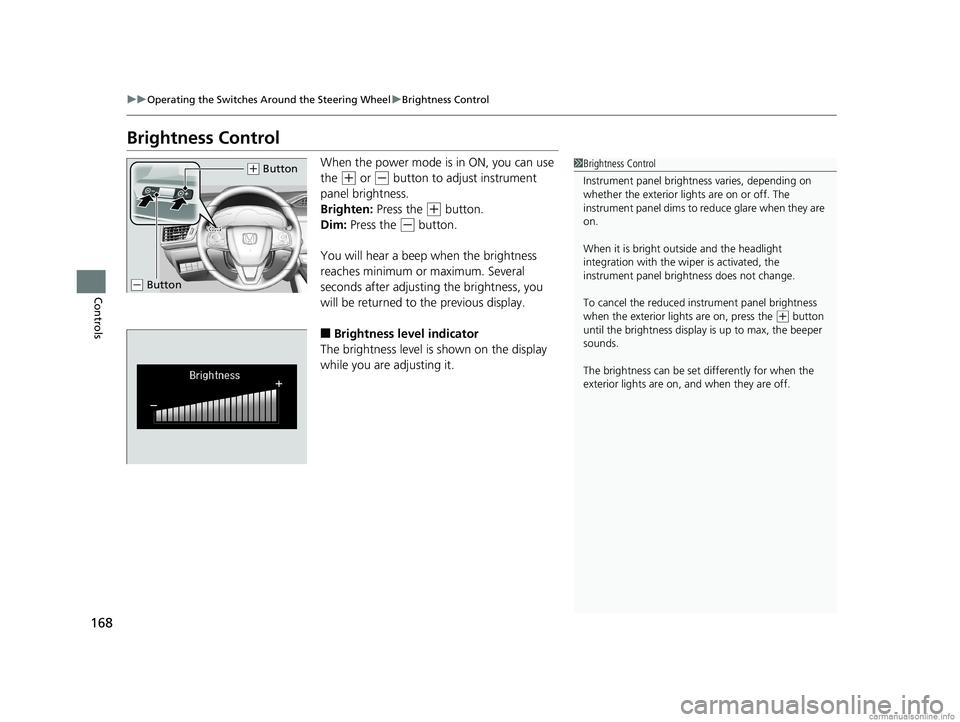
When the power mode is in ON, you can use
the
(+ or (- button to adjust instrument
panel brightness.
Brighten: Press the
(+ button.
Dim: Press the
(- button.
You will hear a beep when the brightness
reaches minimum or maximum. Several
seconds after adjusting the brightness, you
will be returned to the previous display.
■Brightness level indicator
The brightness level is shown on the display
while you are adjusting it.
1 Brightness Control
Instrument panel brightne ss varies, depending on
whether the exterior lights are on or off. The
instrument panel dims to reduce glare when they are
on.
When it is bright out side and the headlight
integration with the wi per is activated, the
instrument panel bri ghtness does not change.
To cancel the reduced in strument panel brightness
when the exterior lights are on, press the
( + button
until the brightness display is up to max, the beeper
sounds.
The brightness can be set differently for when the
exterior lights are on, and when they are off.
( + Button
(- Button
18 CLARITY PHEV CSS-31TRW6000.book 168 ページ 2017年12月25日 月曜日 午後2時22分
Page 174 of 591
172
uuOperating the Switches Around the Steering Wheel uAdjusting the Steering Wheel
Controls
Adjusting the Steering Wheel
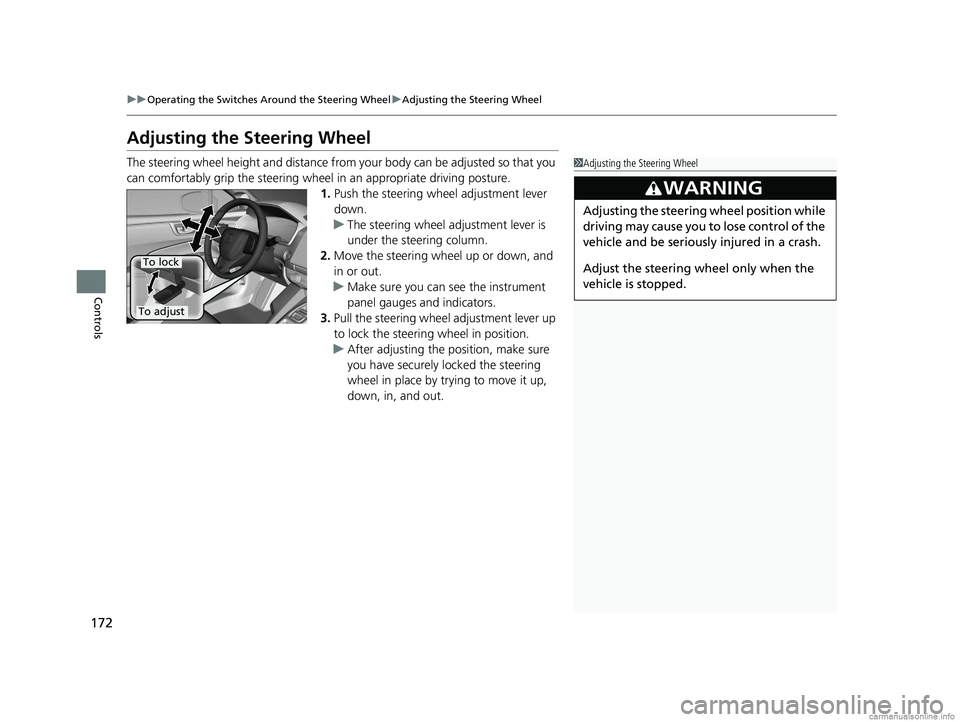
The steering wheel height and distance from your body can be adjusted so that you
can comfortably grip the steering wheel in an appropriate driving posture.
1.Push the steering wheel adjustment lever
down.
u The steering wheel adjustment lever is
under the steering column.
2. Move the steering wheel up or down, and
in or out.
u Make sure you can see the instrument
panel gauges and indicators.
3. Pull the steering wheel adjustment lever up
to lock the steerin g wheel in position.
u After adjusting the position, make sure
you have securely locked the steering
wheel in place by trying to move it up,
down, in, and out.1Adjusting the Steering Wheel
3WARNING
Adjusting the steering wheel position while
driving may cause you to lose control of the
vehicle and be seriously injured in a crash.
Adjust the steering wheel only when the
vehicle is stopped.
To adjust
To lock
18 CLARITY PHEV CSS-31TRW6000.book 172 ページ 2017年12月25日 月曜日 午後2時22分