instrument panel HONDA CR-V 2013 RM1, RM3, RM4 / 4.G User Guide
[x] Cancel search | Manufacturer: HONDA, Model Year: 2013, Model line: CR-V, Model: HONDA CR-V 2013 RM1, RM3, RM4 / 4.GPages: 361, PDF Size: 6.58 MB
Page 74 of 361
73
uuIndicatorsu
Continued
Instrument Panel
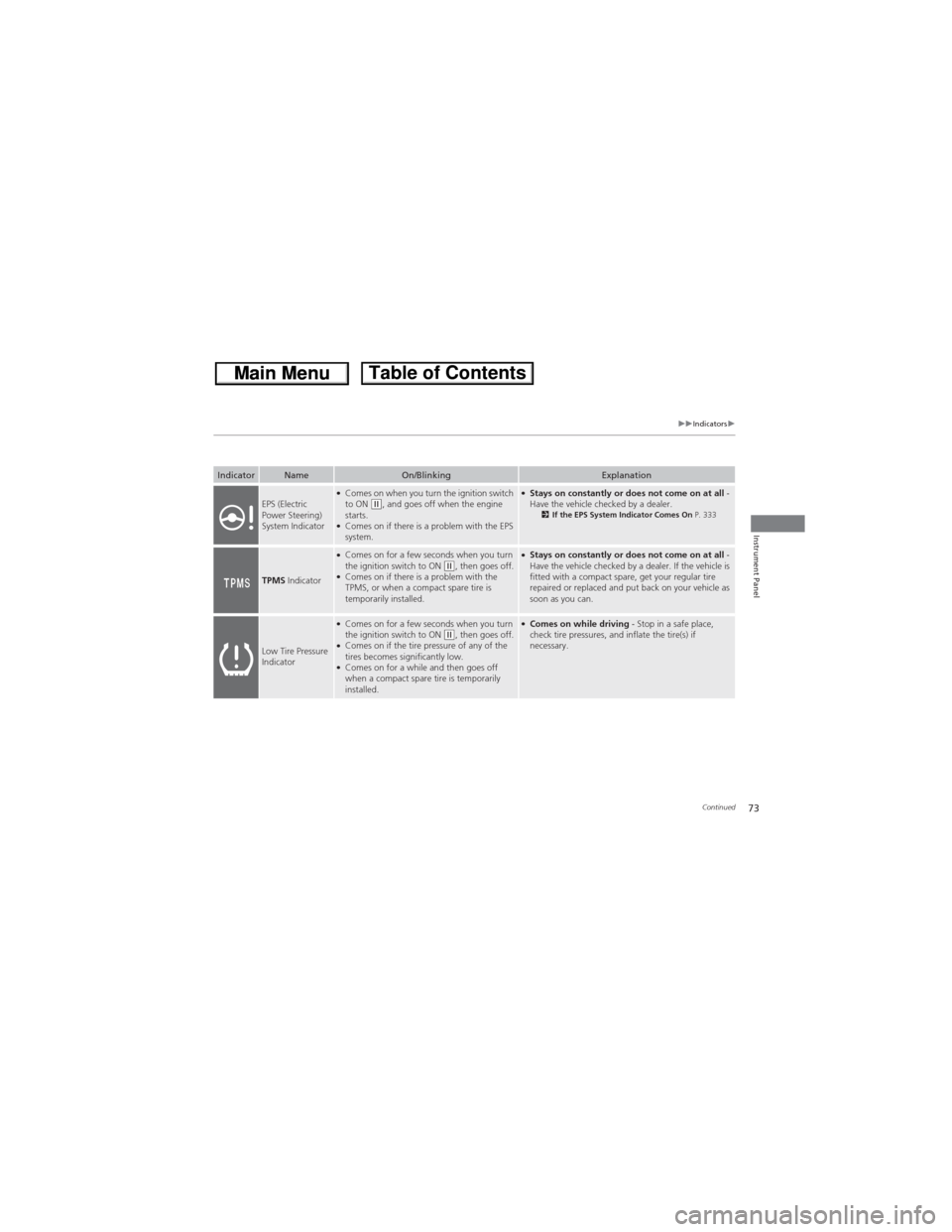
IndicatorNameOn/BlinkingExplanation
EPS (Electric
Power Steering)
System Indicator●Comes on when you turn the ignition switch
to ON (w, and goes off when the engine
starts.
●Comes on if there is a problem with the EPS
system.
●Stays on constantly or does not come on at all -
Have the vehicle checked by a dealer.
2If the EPS System Indicator Comes On P. 333
TPMS Indicator
●Comes on for a few seconds when you turn
the ignition switch to ON (w, then goes off.●Comes on if there is a problem with the
TPMS, or when a compact spare tire is
temporarily installed.
●Stays on constantly or does not come on at all -
Have the vehicle checked by a dealer. If the vehicle is
fitted with a compact spare, get your regular tire
repaired or replaced and put back on your vehicle as
soon as you can.
Low Tire Pressure
Indicator
●Comes on for a few seconds when you turn
the ignition switch to ON (w, then goes off.●Comes on if the tire pressure of any of the
tires becomes significantly low.
●Comes on for a while and then goes off
when a compact spare tire is temporarily
installed.
●Comes on while driving - Stop in a safe place,
check tire pressures, and inflate the tire(s) if
necessary.
Page 75 of 361
74
uuIndicatorsu
Instrument Panel
IndicatorNameOn/BlinkingExplanation
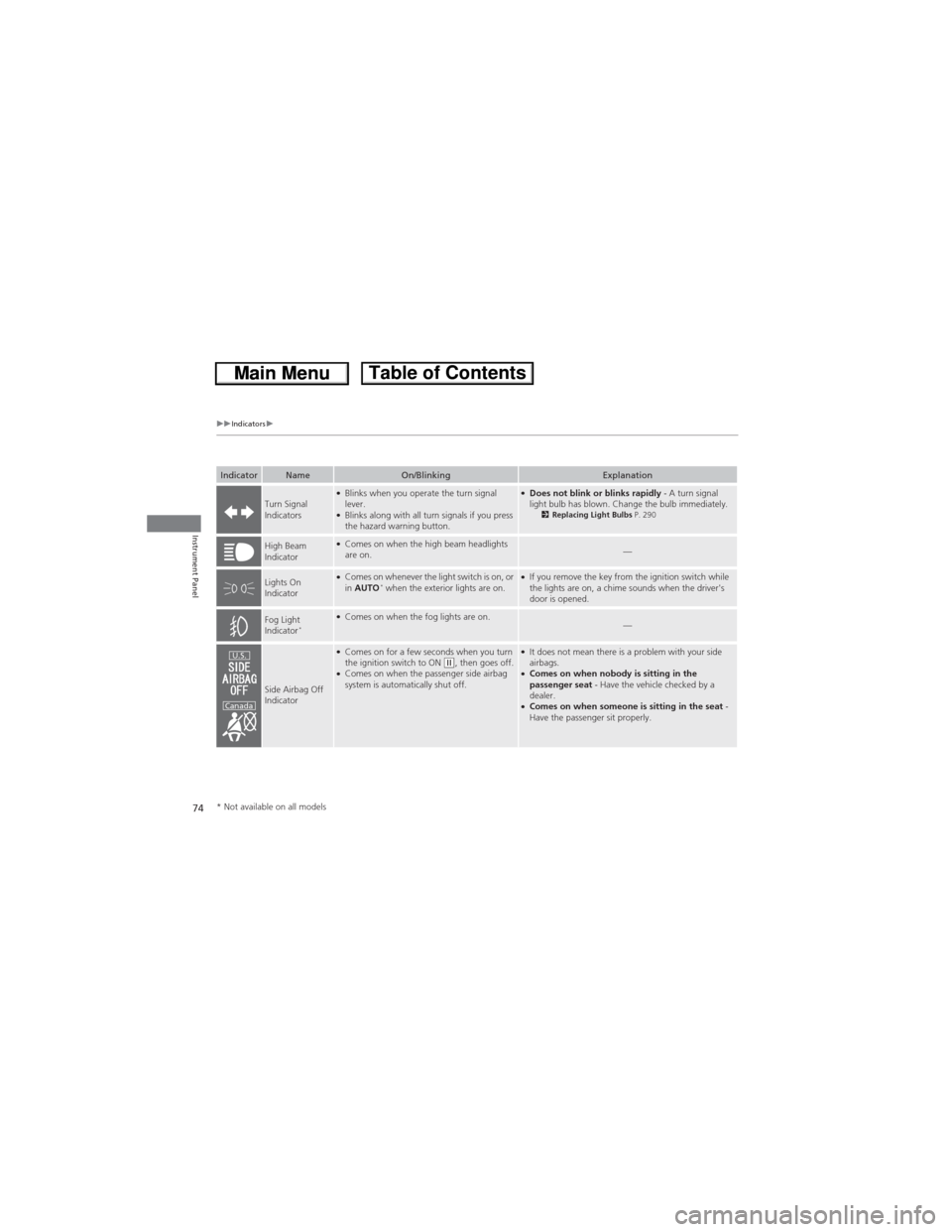
Turn Signal
Indicators●Blinks when you operate the turn signal
lever.
●Blinks along with all turn signals if you press
the hazard warning button.
●Does not blink or blinks rapidly - A turn signal
light bulb has blown. Change the bulb immediately.
2Replacing Light Bulbs P. 290
High Beam
Indicator●Comes on when the high beam headlights
are on.—
Lights On
Indicator●Comes on whenever the light switch is on, or
in AUTO* when the exterior lights are on.●If you remove the key from the ignition switch while
the lights are on, a chime sounds when the driver's
door is opened.
Fog Light
Indicator*●Comes on when the fog lights are on.—
Side Airbag Off
Indicator
●Comes on for a few seconds when you turn
the ignition switch to ON (w, then goes off.●Comes on when the passenger side airbag
system is automatically shut off.
●It does not mean there is a problem with your side
airbags.
●Comes on when nobody is sitting in the
passenger seat - Have the vehicle checked by a
dealer.
●Comes on when someone is sitting in the seat -
Have the passenger sit properly.
U.S.
Canada
* Not available on all models
Page 76 of 361
75
uuIndicatorsu
Continued
Instrument Panel
IndicatorNameOn/BlinkingExplanation
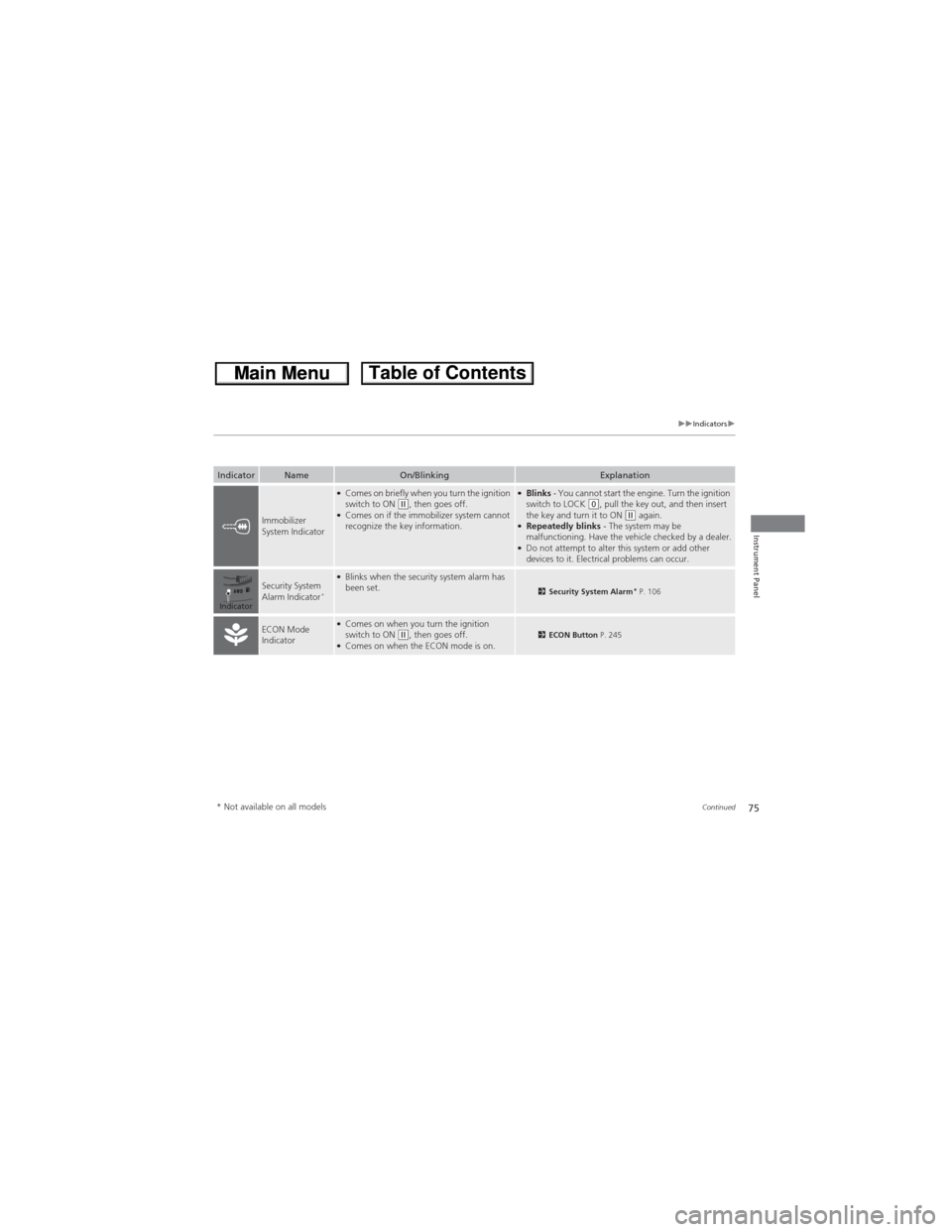
Immobilizer
System Indicator
●Comes on briefly when you turn the ignition
switch to ON (w, then goes off.●Comes on if the immobilizer system cannot
recognize the key information.
●Blinks - You cannot start the engine. Turn the ignition
switch to LOCK (0, pull the key out, and then insert
the key and turn it to ON (w again.●Repeatedly blinks - The system may be
malfunctioning. Have the vehicle checked by a dealer.
●Do not attempt to alter this system or add other
devices to it. Electrical problems can occur.
Security System
Alarm Indicator*
●Blinks when the security system alarm has
been set.2Security System Alarm* P. 106
ECON Mode
Indicator●Comes on when you turn the ignition
switch to ON (w, then goes off.●Comes on when the ECON mode is on.2ECON Button P. 245
Indicator
* Not available on all models
Page 77 of 361
76
uuIndicatorsu
Instrument Panel
IndicatorNameOn/BlinkingExplanation
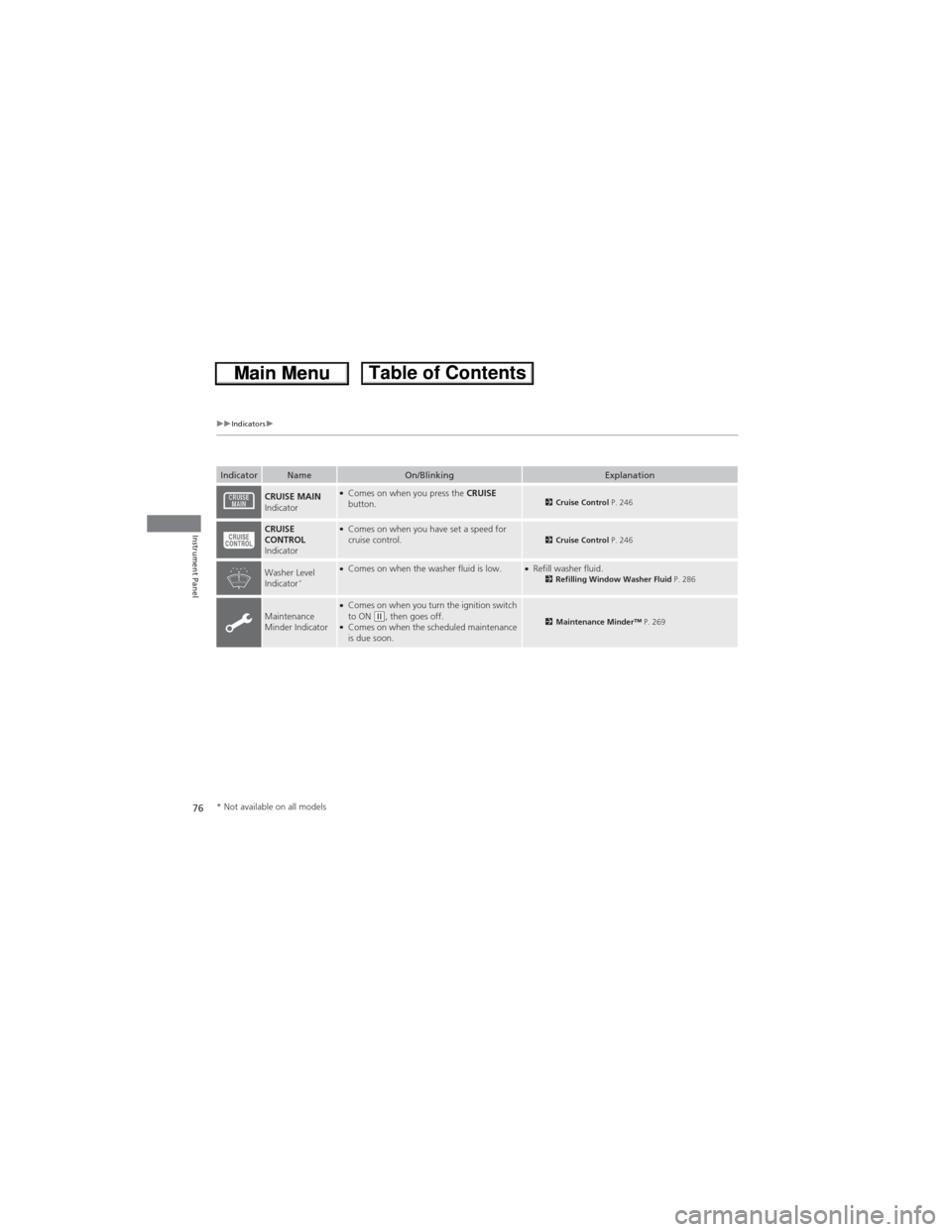
CRUISE MAIN
Indicator●Comes on when you press the CRUISE
button.2Cruise Control P. 246
CRUISE
CONTROL
Indicator●Comes on when you have set a speed for
cruise control.2Cruise Control P. 246
Washer Level
Indicator*●Comes on when the washer fluid is low.●Refill washer fluid.2Refilling Window Washer Fluid P. 286
Maintenance
Minder Indicator●Comes on when you turn the ignition switch
to ON (w, then goes off.●Comes on when the scheduled maintenance
is due soon.2Maintenance Minder™ P. 269
* Not available on all models
Page 78 of 361
77
Instrument Panel
Gauges and Displays
Gauges
Gauges include the speedometer, tachometer, fuel gauge, and related indicators.
They are displayed when the ignition switch is in ON (w.
Displays your driving speed in mph (U.S.) or km/h (Canada).
Shows the number of engine revolutions per minute.
Displays the amount of fuel left in the fuel tank.
Displays the temperature of the engine coolant.
■Speedometer
■Tachometer
■Fuel Gauge
■Temperature Gauge
1Fuel GaugeNOTICEYou should refuel when the reading approaches .
Running out of fuel can cause the engine to misfire,
damaging the catalytic converter.
The actual amount of remaining fuel may differ from
the fuel gauge reading.E
1Temperature GaugeNOTICEDriving with the temperature gauge pointer in the
upper zone can cause serious engine damage. Pull
safely to the side of the road and allow engine
temperature to return to normal.
2Overheating P. 329
Page 79 of 361
78
uuGauges and DisplaysuInformation Display
Instrument Panel
Information Display
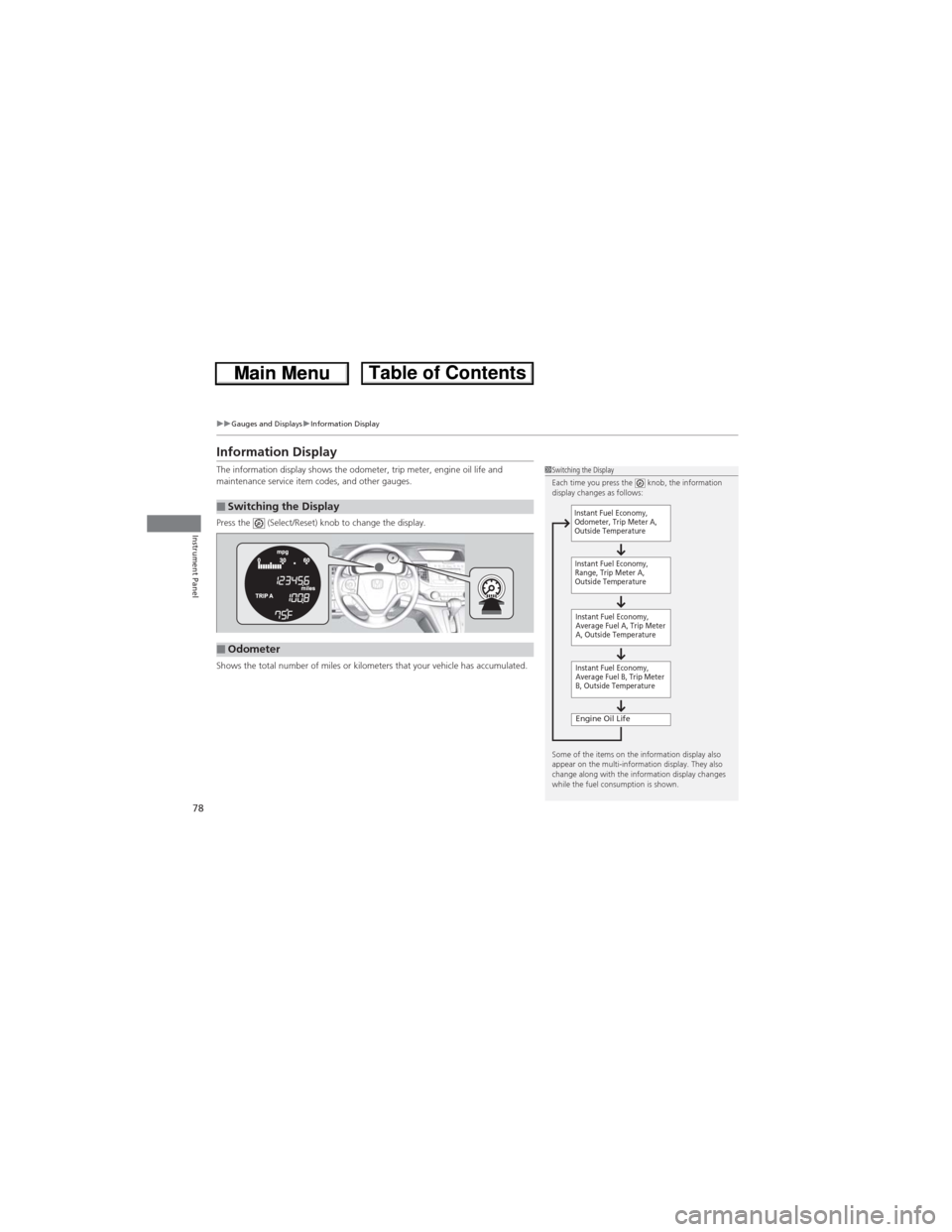
The information display shows the odometer, trip meter, engine oil life and
maintenance service item codes, and other gauges.
Press the (Select/Reset) knob to change the display.
Shows the total number of miles or kilometers that your vehicle has accumulated.
■Switching the Display
1Switching the Display
Each time you press the knob, the information
display changes as follows:
Some of the items on the information display also
appear on the multi-information display. They also
change along with the information display changes
while the fuel consumption is shown.
Instant Fuel Economy,
Average Fuel A, Trip Meter
A, Outside Temperature
Engine Oil Life
Instant Fuel Economy,
Average Fuel B, Trip Meter
B, Outside Temperature Instant Fuel Economy,
Odometer, Trip Meter A,
Outside Temperature
Instant Fuel Economy,
Range, Trip Meter A,
Outside Temperature
■Odometer
Page 80 of 361
Continued79
uuGauges and DisplaysuInformation Display
Instrument Panel
Shows the total number of miles or kilometers driven since the last reset. Meters A
and B can be used to measure two separate trips.
■Resetting a trip meter
To reset a trip meter, display it, then press and hold the knob. The trip meter is
reset to 0.0.
Shows the estimated average fuel economy of each trip meter in mpg (U.S.) or l/100
km (Canada). The display is updated at set intervals. When a trip meter is reset, the
average fuel economy is also reset.
Shows the remaining oil life and Maintenance Minder
TM.2Maintenance Minder™ P. 269
Shows the estimated distance you can travel on the remaining fuel. This distance is
estimated from the fuel economy of your trips in the past.
Appears when the fuel fill cap is loose or is not installed.
2Check/Tighten Fuel Cap Message P. 332
■Trip Meter
■Average Fuel Economy
■Engine Oil Life
■Range
■Check Fuel Cap
1Trip Meter
Switch between trip meter A and trip meter B by
pressing the knob.
Page 81 of 361
uuGauges and DisplaysuInformation Display
80
Instrument Panel
Shows the outside temperature in Fahrenheit (U.S.) or Celsius (Canada).
■Adjusting the outside temperature display
Adjust the temperature reading up to ±5°F or ±3°C if the temperature reading
seems incorrect.
■Outside Temperature1Outside Temperature
The temperature sensor is in the front bumper. Road
heat and exhaust from another vehicle can affect the
temperature reading when your vehicle speed is less
than 19 mph (30 km/h).
It may take several minutes for the display to be
updated after the temperature reading has stabilized.
Use the multi-information display's customized
features to correct the temperature.
2Customized Features P. 84
Page 82 of 361
81
uuGauges and DisplaysuMulti-Information Display
Continued
Instrument Panel
Multi-Information Display
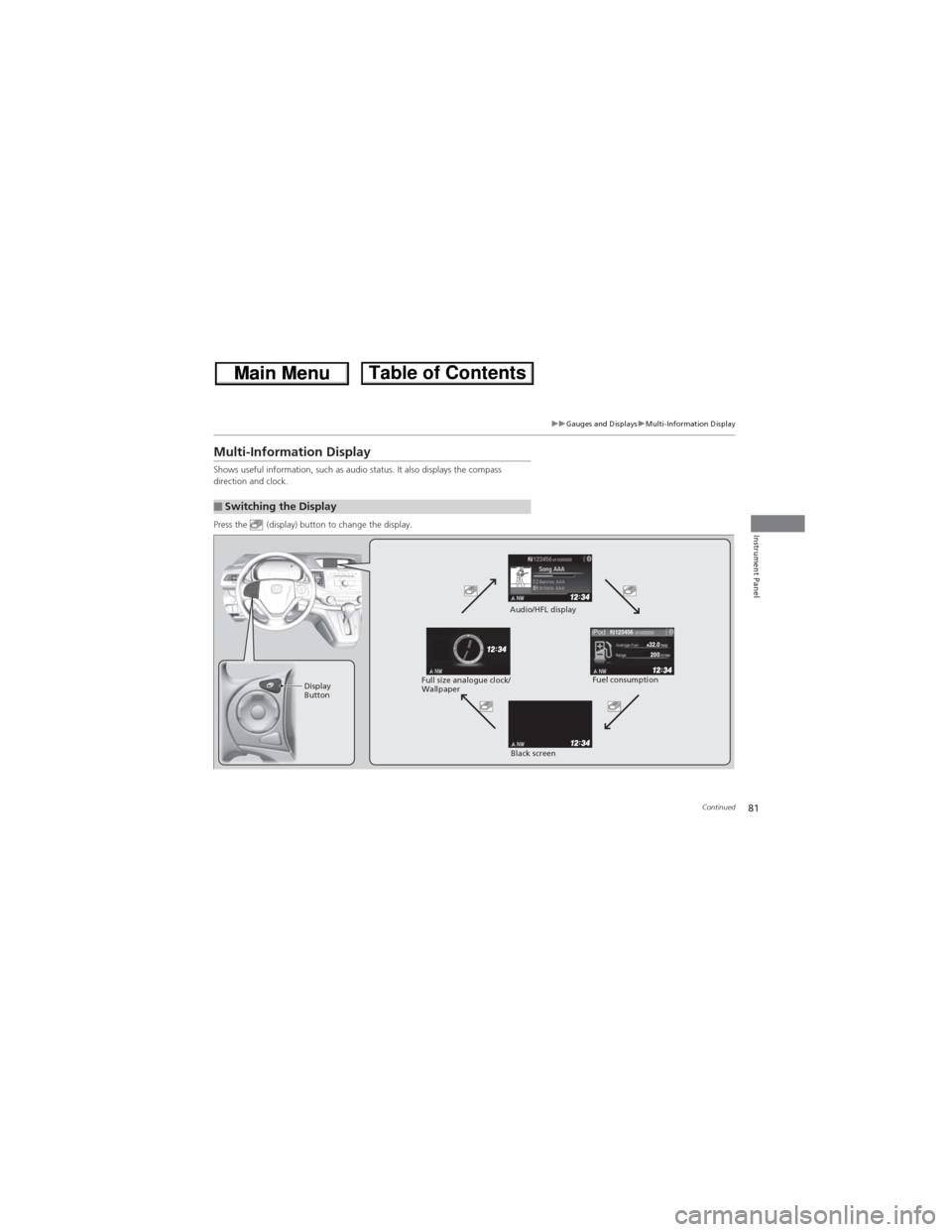
Shows useful information, such as audio status. It also displays the compass
direction and clock.
Press the (display) button to change the display.
■Switching the Display
123456
Display
ButtonFuel consumption Audio/HFL display
Black screen Full size analogue clock/
Wallpaper
Page 83 of 361
uuGauges and DisplaysuMulti-Information Display
82
Instrument Panel
Shows the estimated average fuel economy of each trip meter in mpg (U.S.) or l/100
km (Canada). The display is updated at set intervals. When a trip meter is reset, the
average fuel economy is also reset.
Shows the estimated distance you can travel on the remaining fuel. This distance is
estimated from the fuel economy of your trips in the past.
Shows the time elapsed since the last time Trip A or Trip B was reset.
Shows the average speed in mph or km/h since the last time Trip A or Trip B was
reset.■Average Fuel Economy
■Range
■Elapsed Time
■Average Speed
1Average Fuel Economy
You can choose an item to be displayed in the fuel
consumption screen. Range, elapsed time, or average
speed can be selected.
2Customized Features P. 84
You can change the average fuel economy reset
criteria
2Customized Features P. 84
1Elapsed Time
You can change the elapsed time reset criteria.
2Customized Features P. 84
1Average Speed
You can change the average speed reset criteria.
2Customized Features P. 84