ESP HONDA CR-Z 2012 1.G User Guide
[x] Cancel search | Manufacturer: HONDA, Model Year: 2012, Model line: CR-Z, Model: HONDA CR-Z 2012 1.GPages: 333, PDF Size: 10.43 MB
Page 206 of 333
Continued205
uuWhen DrivinguShifting
Driving
Use the paddle shifters to change between first and seventh speeds without
removing your hands from the steering wheel. The transmission switches to the 7-
speed manual shift mode when you pull a paddle shifter while driving. This mode is
useful when engine braking is needed.
You can cancel this mode by pressing any of the three driving mode buttons, or
pulling the
(+ paddle shifter for a few seconds.
■ When the driving mode is in ECON or NORMAL
The shift mode goes into the 7-speed manual shift mode temporarily, and the
number is displayed in the shift indicator.
The 7-speed manual shift mode is canceled automatically if you drive at constant
speed or accelerate, and the number in the shift indicator goes off.
The 7-speed manual shift mode is especially useful when reducing the vehicle speed
temporarily before making a turn. ■ When the driving mo de is in SPORT
The shift mode goes into the 7-speed manual shift mode. The
(M indicator and the
speed number are displayed in the shift indicat or. As the vehicle speed slows down,
the transmission automatically shifts down accordingly. When the vehicle comes to
a stop, it automatically shifts down into first.
If the vehicle speed increases and the engine speed reaches near the tachometer’s
red zone, the transmission automatically shifts up.
■7-Speed Manual Shift Mode17-Speed Manual Shift Mode
To improve fuel economy, the transmission may shift
up to a higher speed than the seventh under certain circumstances. In this case, the number in the shift
indicator remains as "7."
In the 7-speed manual shift mode, the transmission
shifts up or down by operating either paddle shifter
under the following conditions:
Shift Up: The engine speed reaches the lowest
threshold of the higher speed position.
Shift Down: The engine speed reaches the highest
threshold of the lower speed position.
When the engine speed reaches near the
tachometer’s red zone, the transmission shifts up
automatically.
When the engine speed reaches the lowest threshold
of the selected speed position, the transmission shifts down automatically.
Operating the paddle shifters on slippery surfaces
may cause the tires to lock up. In this case, the 7-
speed manual shift mode is canceled and goes back
to the normal D driving mode.
Page 212 of 333
211
uuWhen Drivingu3-Mode Drive System
Driving
3-Mode Drive System
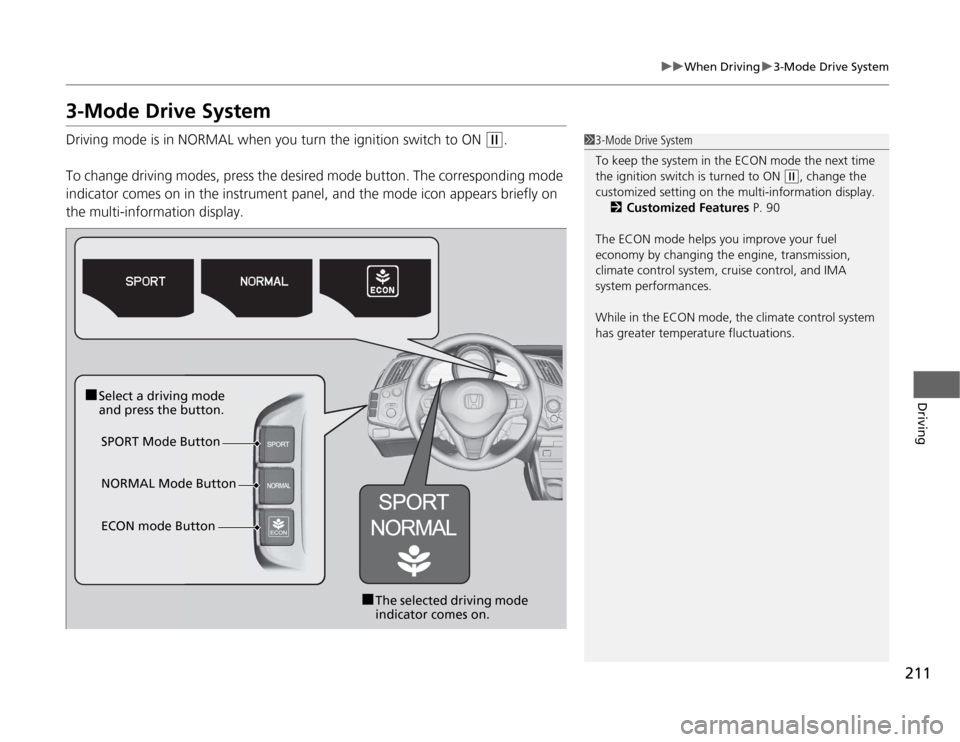
Driving mode is in NORMAL when you turn the ignition switch to ON
(w.
To change driving modes, press the de sired mode button. The corresponding mode
indicator comes on in the instrument panel, and the mode icon appears briefly on the multi-information display.13-Mode Drive System
To keep the system in the ECON mode the next time
the ignition switch is turned to ON
(w , change the
customized setting on the multi-information display.
2 Customized Features P. 90
The ECON mode helps you improve your fuel
economy by changing the engine, transmission,
climate control system, cruise control, and IMA
system performances.
While in the ECON mode, the climate control system
has greater temperature fluctuations.
■ Select a driving mode
and press the button.
SPORT Mode Button
■The selected driving mode
indicator comes on.
NORMAL Mode Button
ECON mode Button
Page 216 of 333
215
uuWhen DrivinguVSA® (Vehicle Stability Assist), aka ESC (Electronic Stability Control), System
Continued
Driving
VSA ® (Vehicle Stability Assist), aka ESC (Electronic
Stability Control), System VSA ® helps to stabilize the vehicle during cornering if the vehicle turns more or less
than what was intended. It also assists in maintaining traction on slippery surfaces. It does so by regulating engine output and selectively applying the brakes.
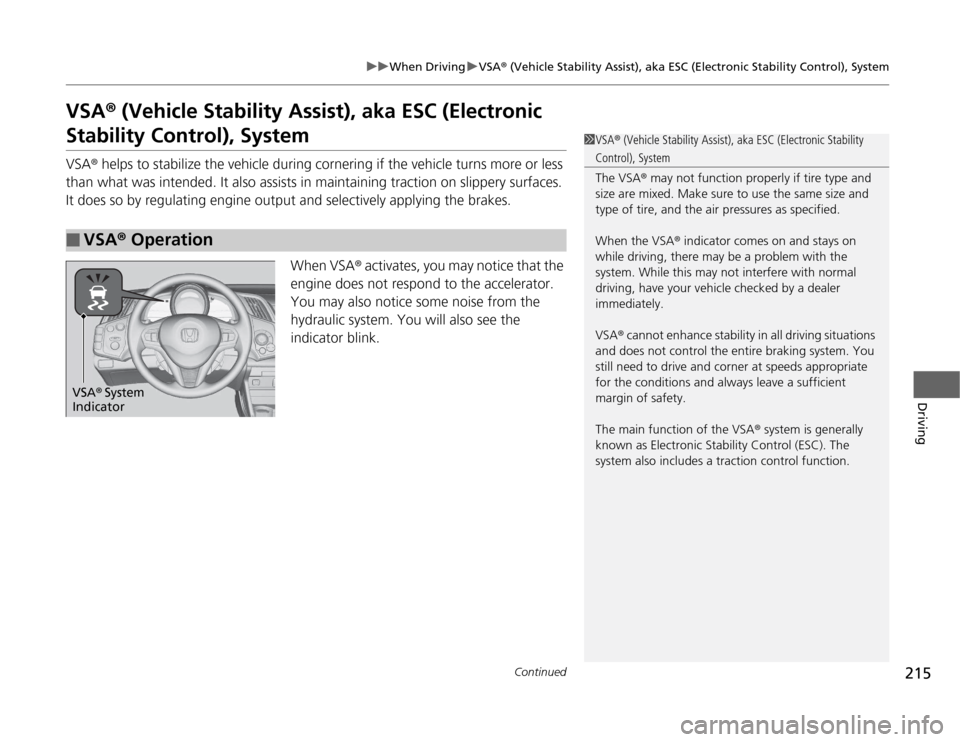
When VSA® activates, you may notice that the
engine does not respond to the accelerator.
You may also notice some noise from the
hydraulic system. You will also see the
indicator blink.
■VSA ® Operation
1VSA ® (Vehicle Stability Assist), aka ESC (Electronic Stability
Control), System
The VSA ® may not function properly if tire type and
size are mixed. Make sure to use the same size and
type of tire, and the ai r pressures as specified.
When the VSA ® indicator comes on and stays on
while driving, there may be a problem with the
system. While this may not interfere with normal
driving, have your vehicle checked by a dealer
immediately.
VSA ® cannot enhance stability in all driving situations
and does not control the entire braking system. You
still need to drive and cor ner at speeds appropriate
for the conditions and always leave a sufficient margin of safety.
The main function of the VSA ® system is generally
known as Electronic Stability Control (ESC). The
system also includes a traction control function.
VSA ® System
Indicator
Page 220 of 333

219
uuWhen DrivinguTire Pressure Monitoring System (TPMS) - Required Federal Explanation
Driving
Please note that the TPMS is not a substitute for proper tire maintenance, and it is the driver's responsibility to maintain
correct tire pressure, even if un der-inflation has not reached the
level to trigger il lumination of the TPMS low tire pressure telltale.
Your vehicle has also been equipped with a TPMS malfunction
indicator to indicate when the system is no t operating properly.
The TPMS malfunctio n indicator is combined with the low tire
pressure telltale. When the system detects a malfunction, the
telltale will flash for approximately one minute and then remain
continuously illuminated. This sequen ce will continue upon
subsequent vehicle st art-ups as long as the malfunction exists.
When the malfunction indicator is illuminated, the system may
not be able to detect or signal low tire pressure as intended.
TPMS malfunctions may occur for a variety of reasons, including
the installation of replacement or alte rnate tires or wheels on the
vehicle that prevent the TPMS from functioning properly. Always check the TPMS malfunction telltale after replacing one or
more tires or wheels on your vehicle to ensure that the
replacement or alternate tires and wheels allow the TPMS to continue to function properly.
Page 274 of 333
273
uuChecking and Maintaining TiresuDOT Tire Quality Grading (U.S. Vehicles)
Maintenance
The traction grades, from highest to lowest, are AA, A, B, and C.
Those grades represent the tire's ability to stop on wet pavement
as measured under controlle d conditions on specified
government test surfaces of asphalt and concrete. A tire marked C may have poor tr action performance.
The temperature grades are A (the highest), B, and C,
representing the tire's resistance to the generation of heat and its
ability to dissipate heat when tested under controlled conditions
on a specified indo or laboratory test wheel. Sustained high
temperature can ca use the material of the tire to degenerate and
reduce tire life, and excessive temperature can lead to sudden tire
failure. The grade C corresponds to a level of performance which
all passenger car tires must meet under the Federal Motor Vehicle
Safety Standard No. 109. Grades B and A represent higher levels
of performance on the laboratory test wheel than the minimum
required by law.
■Traction
■Temperature
1Traction
Warning: The traction grade assigned to this tire is based on straight-ahead braking traction tests,
and does not include acceleration, cornering, hydroplaning, or peak traction characteristics.
1TemperatureWarning: The temperature grade for
this tire is established for a tire that is properly inflated and not overloaded. Excessive speed, underinflation, or excessive loading, either separately or in combination, can cause heat buildup and possible tire failure.
Page 294 of 333
293
Handling the Unexpected
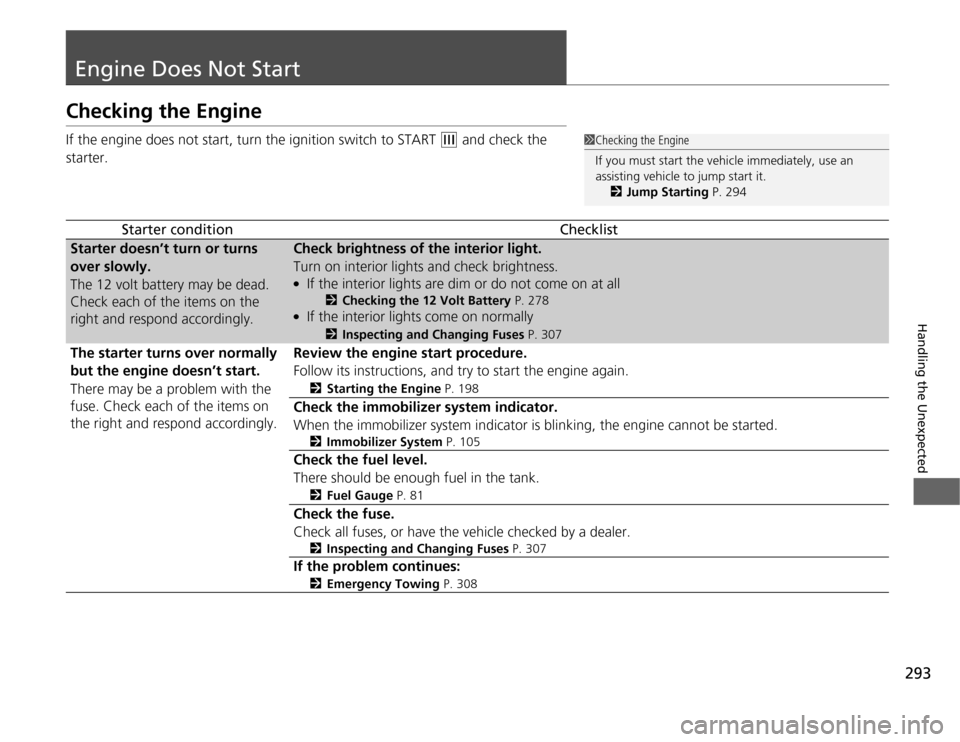
Engine Does Not Start
Checking the Engine
If the engine does not start, turn the ignition switch to START
(e and check the
starter.
Starter conditionChecklist
Starter doesn’t turn or turns
over slowly.
The 12 volt battery may be dead.
Check each of the items on the
right and respond accordingly.Check brightness of the interior light.
Turn on interior lights and check brightness. ● If the interior lights are dim or do not come on at all
2Checking the 12 Volt Battery P. 278
● If the interior lights come on normally 2
Inspecting and Changing Fuses P. 307
The starter turns over normally
but the engine doesn’t start.
There may be a problem with the
fuse. Check each of the items on the right and respond accordingly.Review the engine start procedure.
Follow its instructions, and try to start the engine again. 2Starting the Engine P. 198
Check the immobilizer system indicator.
When the immobilizer system indicator is blinking, the engine cannot be started.
2Immobilizer System P. 105
Check the fuel level.
There should be enough fuel in the tank. 2Fuel Gauge P. 81
Check the fuse.
Check all fuses, or have the vehicle checked by a dealer.
2Inspecting and Changing Fuses P. 307
If the problem continues:
2Emergency Towing P. 308
1Checking the Engine
If you must start the vehicle immediately, use an assisting vehicle to jump start it.
2 Jump Starting P. 294
Page 316 of 333
315
Information
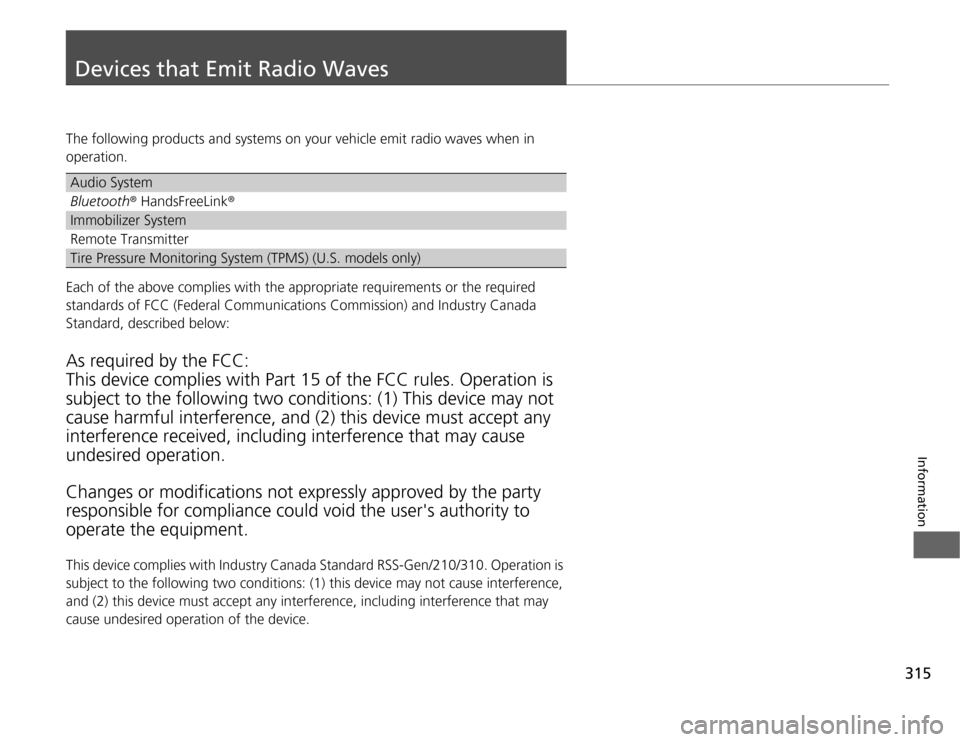
Devices that Emit Radio Waves
The following products and systems on your vehicle emit radio waves when in
operation.
Each of the above complies with the appropriate requirements or the required
standards of FCC (Federal Communications Commission) and Industry Canada
Standard, described below: As required by the FCC: This device complies with Part 15 of the FCC rules. Operation is subject to the following two conditions: (1) This device may not
cause harmful interference, and (2) this device must accept any interference received, i ncluding interference that may cause
undesired operation. Changes or mo difications not expressly approved by the party
responsible for compliance could void the user's authority to operate the equipment.
This device complies with Industry Canada Standard RSS-Gen/210/310. Operation is
subject to the following two conditions: (1) this de vice may not cause interference,
and (2) this device must accept any interference, including interference that may
cause undesired operation of the device.
Audio System
Bluetooth ® HandsFreeLink ®
Immobilizer System
Remote Transmitter
Tire Pressure Monitoring System (TPMS) (U.S. models only)