remote control HONDA CR-Z 2012 1.G User Guide
[x] Cancel search | Manufacturer: HONDA, Model Year: 2012, Model line: CR-Z, Model: HONDA CR-Z 2012 1.GPages: 333, PDF Size: 10.43 MB
Page 142 of 333
141
Continued
Features
Audio without Navigation System
Audio System Basic Operation
To use the audio system function, the ignition switch must be in ACCESSORY
(q
or
ON
(w .
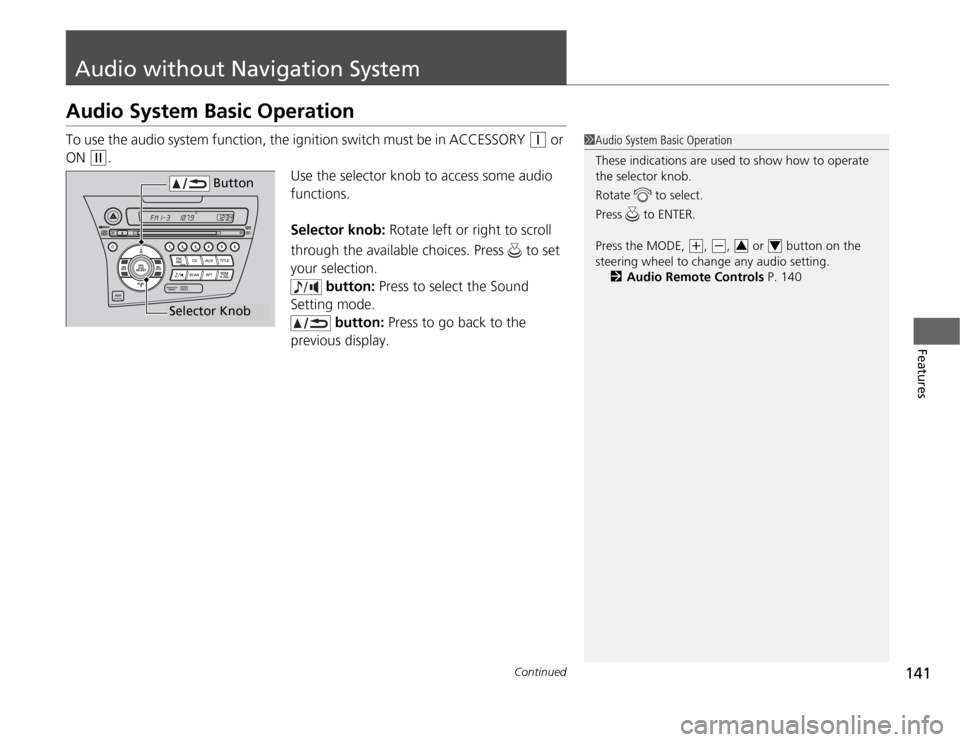
Use the selector knob to access some audio
functions.
Selector knob: Rotate left or right to scroll
through the available choices. Press to set
your selection. button: Press to select the Sound
Setting mode.
button: Press to go back to the
previous display.
1Audio System Basic Operation
These indications are used to show how to operate
the selector knob.
Rotate to select.
Press to ENTER.
Press the MODE,
(+ , (-, or button on the
steering wheel to change any audio setting. 2 Audio Remote Controls P. 14034
Button
Selector Knob
Page 145 of 333
uuAudio without Navigation SystemuPlaying the AM/FM Radio
144
Features
Use the auto select feature to scan both band s and store the strongest station in
each preset.
Press the A.SEL button to activate the feature.
To turn off auto select, press the A.SEL button again. This restores the presets you
originally set.
Provides text data information related to your selected RDS capable FM station. ■ RDS INFO ON
Press the TITLE button while listening to an RDS capable station. “RDS INFO ON”
appears, and the station name is displayed.
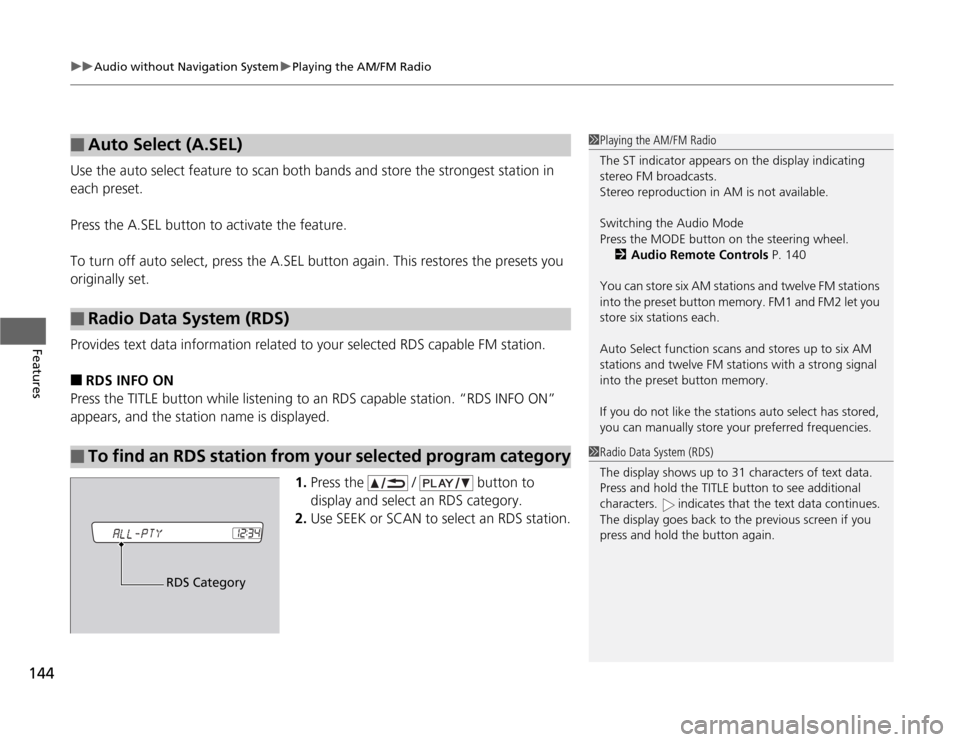
1.Press the / button to
display and select an RDS category.
2. Use SEEK or SCAN to select an RDS station.
■Auto Select (A.SEL)
■Radio Data System (RDS)
■To find an RDS station from your selected program category
1Playing the AM/FM Radio
The ST indicator appears on the display indicating
stereo FM broadcasts.
Stereo reproduction in AM is not available. Switching the Audio Mode
Press the MODE button on the steering wheel.
2 Audio Remote Controls P. 140
You can store six AM stations and twelve FM stations
into the preset button memory. FM1 and FM2 let you store six stations each.
Auto Select function scans and stores up to six AM
stations and twelve FM stations with a strong signal
into the preset button memory.
If you do not like the stations auto select has stored,
you can manually store your preferred frequencies.
1Radio Data System (RDS)
The display shows up to 31 characters of text data.
Press and hold the TITLE button to see additional
characters. indicates that the text data continues.
The display goes back to the previous screen if you
press and hold the button again.
RDS Category
Page 156 of 333
155
uuAudio with Navigation System*uPlaying the AM/FM Radio
Features
Use the auto select feature to scan both bands and store the strongest station in
each preset.
Touch AUTO SEL to activate the feature.
To turn off auto select, touch AUTO SEL again.
■Auto Select1Playing the AM/FM Radio
The STEREO indicator appears on the display
indicating stereo FM broadcasts.
Stereo reproduction in AM is not available. Switching the Audio Mode
Press the MODE button on the steering wheel.
2 Audio Remote Controls P. 140
You can store six AM stations and twelve FM stations
into the preset button memory. FM1 and FM2 let you store six stations each.
Auto Select function scans and stores up to six AM
stations and twelve FM stations with a strong signal
into the preset button memory.
If you do not like the stations auto select has stored,
you can manually store your preferred frequencies.
Page 174 of 333
173
Continued
Features
Bluetooth
® HandsFreeLink ®*
Bluetooth
® HandsFreeLink ® (HFL) allows you to place and receive phone calls using
your vehicle's audio system, without handling your cell phone.
Using HFL
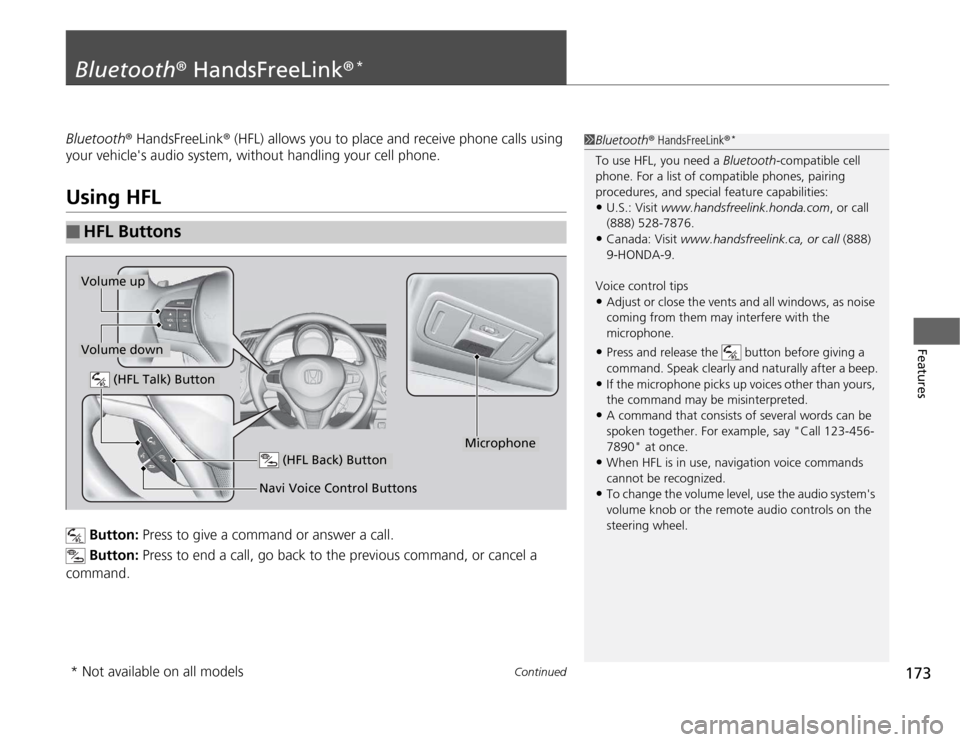
Button: Press to give a command or answer a call.
Button: Press to end a call, go back to the previous command, or cancel a
command.
■HFL Buttons
1Bluetooth ® HandsFreeLink ®*
To use HFL, you need a Bluetooth-compatible cell
phone. For a list of compatible phones, pairing
procedures, and special feature capabilities: • U.S.: Visit www.handsfreelink.honda.com , or call
(888) 528-7876.
• Canada: Visit www.handsfreelink.ca, or call (888)
9-HONDA-9.
Voice control tips • Adjust or close the vents and all windows, as noise
coming from them may in terfere with the
microphone.
• Press and release the button before giving a
command. Speak clearly and naturally after a beep.
• If the microphone picks up voices other than yours,
the command may be misinterpreted.
• A command that consists of several words can be
spoken together. For example, say "Call 123-456-
7890" at once.
• When HFL is in use, navigation voice commands
cannot be recognized.
• To change the volume level, use the audio system's
volume knob or the remote audio controls on the
steering wheel.
(HFL Talk) Button
Volume up
Microphone
(HFL Back) Button
Volume down
Navi Voice Control Buttons
* Not available on all models
Page 324 of 333
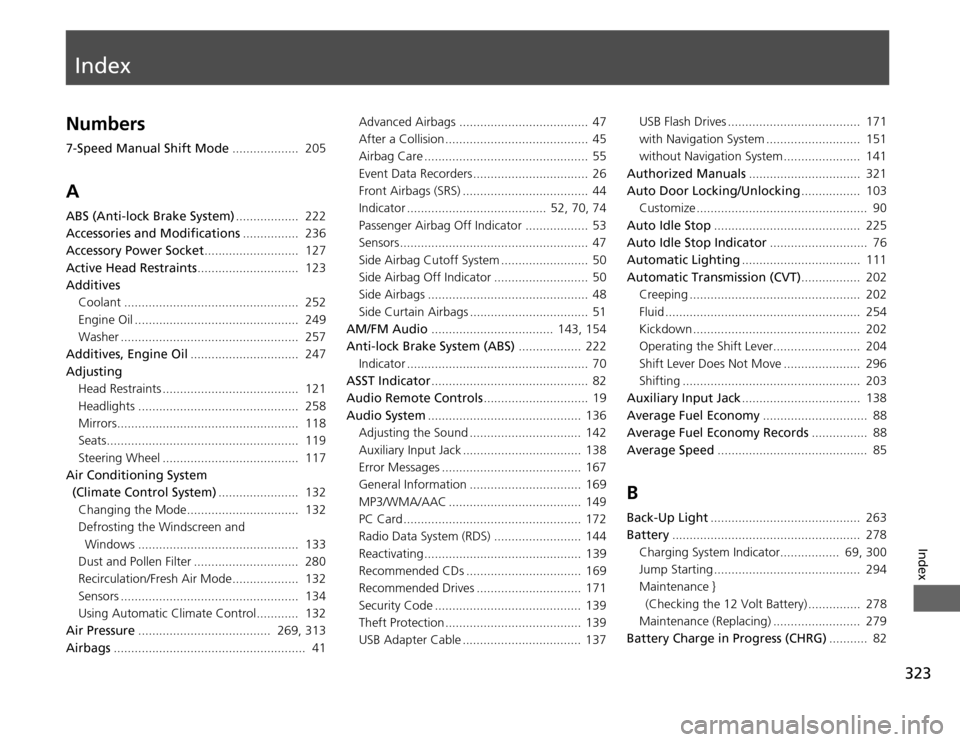
Index
323
Index
Index
Numbers
7-Speed Manual Shift Mode................... 205
A
ABS (Anti-lock Brake System) .................. 222
Accessories and Modifications ................ 236
Accessory Power Socket ........................... 127
Active Head Restraints ............................. 123
Additives
Coolant .................................................. 252
Engine Oil ............................................... 249
Washer ................................................... 257
Additives, Engine Oil ............................... 247
Adjusting
Head Restraints ....................................... 121
Headlights .............................................. 258
Mirrors.................................................... 118
Seats....................................................... 119
Steering Wheel ....................................... 117
Air Conditioning System
(Climate Control System) ....................... 132
Changing the Mode................................ 132 Defrosting the Windscreen and
Windows .............................................. 133
Dust and Pollen Filter .............................. 280
Recirculation/Fresh Air Mode................... 132
Sensors ................................................... 134
Using Automatic Climate Control............ 132
Air Pressure ...................................... 269, 313
Airbags ....................................................... 41 Advanced Airbags ..................................... 47
After a Collision ......................................... 45
Airbag Care ............................................... 55
Event Data Recorders ................................. 26
Front Airbags (SRS) .................................... 44
Indicator ........................................ 52, 70, 74
Passenger Airbag Off Indicator .................. 53
Sensors ...................................................... 47
Side Airbag Cutoff System ......................... 50
Side Airbag Off Indicator ........................... 50
Side Airbags .............................................. 48
Side Curtain Airbags .................................. 51
AM/FM Audio ................................... 143, 154
Anti-lock Brake System (ABS) .................. 222
Indicator .................................................... 70
ASST Indicator ............................................. 82
Audio Remote Controls .............................. 19
Audio System ............................................ 136
Adjusting the Sound ................................ 142
Auxiliary Input Jack .................................. 138
Error Messages ........................................ 167
General Information ................................ 169
MP3/WMA/AAC ...................................... 149
PC Card ................................................... 172
Radio Data System (RDS) ......................... 144
Reactivating ............................................. 139
Recommended CDs ................................. 169
Recommended Drives .............................. 171
Security Code .......................................... 139
Theft Protection ....................................... 139
USB Adapter Cable .................................. 137 USB Flash Drives ...................................... 171
with Navigation System ........................... 151
without Navigation System ...................... 141
Authorized Manuals ................................ 321
Auto Door Locking/Unlocking ................. 103
Customize ................................................. 90
Auto Idle Stop .......................................... 225
Auto Idle Stop Indicator ............................ 76
Automatic Lighting .................................. 111
Automatic Transmission (CVT) ................. 202
Creeping ................................................. 202
Fluid ........................................................ 254
Kickdown ................................................ 202
Operating the Shift Lever......................... 204
Shift Lever Does Not Move ...................... 296
Shifting ................................................... 203
Auxiliary Input Jack .................................. 138
Average Fuel Economy .............................. 88
Average Fuel Economy Records ................ 88
Average Speed ........................................... 85
B
Back-Up Light ........................................... 263
Battery ...................................................... 278
Charging System Indicator................. 69, 300
Jump Starting .......................................... 294 Maintenance }
(Checking the 12 Volt Battery) ............... 278
Maintenance (Replacing) ......................... 279
Battery Charge in Progress (CHRG) ........... 82
Page 328 of 333

327
Index
J
Jack (Wheel Nut Wrench)........................ 290
Jump Starting ........................................... 294
K
Key Number Tag ........................................ 99
Keyless Lockout Prevention ..................... 101
Keys ............................................................. 99
Lockout Prevention ................................. 101
Master Keys .............................................. 99
Number Tag.............................................. 99
Remote Transmitter ................................ 100
Types and Functions.................................. 99
Won’t Turn ............................................... 24
Kickdown .................................................. 202
L
L Mode ...................................................... 207
Language (HFL) ........................................ 174
Lights ................................................ 110, 258
Automatic............................................... 111
Bulb Replacement ................................... 258
Daytime Running Lights .......................... 112
Fog Light Indicator .................................... 75
High-Beam Indicator ................................. 74
Interior.................................................... 124
Light Switches......................................... 110
Lights On Indicator.................................... 75
Turn Signals ............................................ 110 Load Limits
................................................ 195
Locking and Unlocking .............................. 99
Auto Door Locking/Unlocking .................. 103
From Inside .............................................. 102
From Outside ........................................... 100
Keys .......................................................... 99
Using a Key ............................................. 101
Lockout Prevention System ...................... 101
Low Battery Charge (12 volt) ................... 300
Low Fuel Indicator ...................................... 70
Low Oil Pressure Indicator ................. 68, 299
Low Temperature Indicator ....................... 74
Lubricant Specifications Chart ................. 312
Luggage (Maximum Load Limit) ............. 195
M
Maintenance ............................................. 237
Battery .................................................... 278
Brake Fluid .............................................. 256
Cleaning .................................................. 281
Climate Control ....................................... 280
Clutch Fluid ............................................. 256
Coolant ................................................... 252 Maintenance Minder TM
............................ 241
Oil ........................................................... 247
Precautions .............................................. 238
Radiator .................................................. 253
Remote Transmitter ................................. 279
Replacing Light Bulbs ............................... 258
Safety ...................................................... 239 Service Items ........................................... 243
Tires ........................................................ 269
Transmission Fluid ................................... 254
Under the Hood ...................................... 245
Maintenance Minder TM
............................ 241
Malfunction Indicator Lamp .............. 69, 301
Maximum Load Limit ............................... 195
Meters, Gauges ........................................... 81
Mirrors ...................................................... 118
Adjusting ................................................ 118
Door ....................................................... 118
Exterior ................................................... 118
Interior Rearview ..................................... 118
Modifications and Accessories ................. 236
MP3 ................... 145, 149, 156, 158, 162, 165
Multi-Information Display ......................... 83
N Numbers (Identification) .......................... 314