dead battery HONDA CR-Z 2013 1.G Owners Manual
[x] Cancel search | Manufacturer: HONDA, Model Year: 2013, Model line: CR-Z, Model: HONDA CR-Z 2013 1.GPages: 325, PDF Size: 11.73 MB
Page 23 of 325
22
Quick Reference Guide
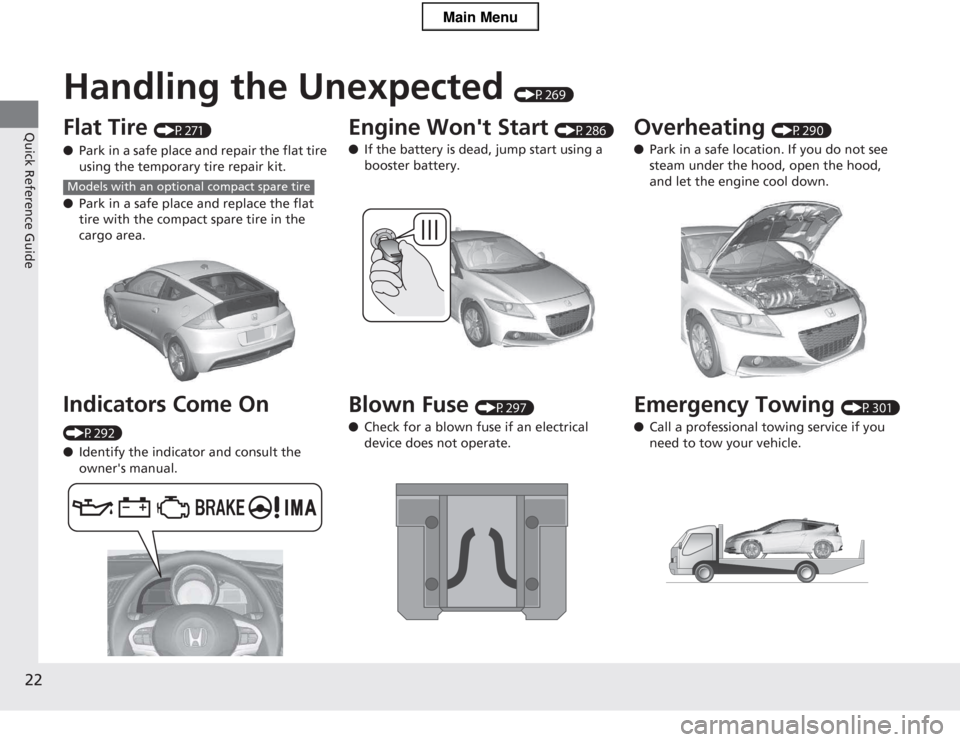
Handling the Unexpected (P269)
Flat Tire (P271)
● Park in a safe place and repair the flat tire
using the temporary tire repair kit.
● Park in a safe place and replace the flat
tire with the compact spare tire in the
cargo area.
Indicators Come On
(P292) ● Identify the indicator and consult the
owner's manual.
Models with an optional compact spare tire
Engine Won't Start (P286)
● If the battery is dead, jump start using a booster battery.
Blown Fuse (P297)
● Check for a blown fuse if an electrical device does not operate.Overheating (P290)
● Park in a safe location. If you do not see
steam under the hood, open the hood, and let the engine cool down.
Emergency Towing (P301)
● Call a professional towing service if you need to tow your vehicle.
Main Menu
Page 101 of 325
100
uuLocking and Unlocking the DoorsuLocking/Unlocking the Doors from the Outside
Controls
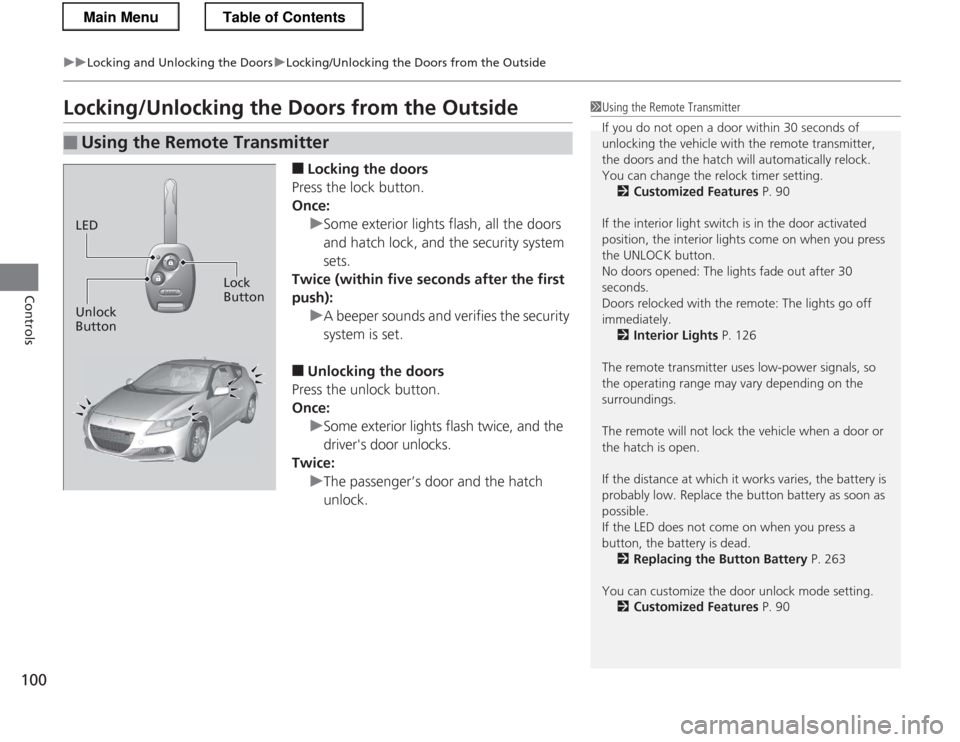
Locking/Unlocking the Doors from the Outside■Locking the doors
Press the lock button.
Once:
uSome exterior lights flash, all the doors
and hatch lock, and the security system sets.
Twice (within five seconds after the first push):
uA beeper sounds and verifies the security system is set.
■ Unlocking the doors
Press the unlock button.
Once:
uSome exterior lights flash twice, and the
driver's door unlocks.
Twice:
uThe passenger’s door and the hatch unlock.
■Using the Remote Transmitter
1Using the Remote Transmitter
If you do not open a door within 30 seconds of
unlocking the vehicle with the remote transmitter,
the doors and the hatch will automatically relock.
You can change the relock timer setting. 2 Customized Features P. 90
If the interior light switch is in the door activated
position, the interior lights come on when you press
the UNLOCK button.
No doors opened: The lights fade out after 30
seconds.
Doors relocked with the remote: The lights go off
immediately. 2 Interior Lights P. 126
The remote transmitter uses low-power signals, so
the operating range may vary depending on the surroundings.
The remote will not lock the vehicle when a door or the hatch is open.
If the distance at which it works varies, the battery is
probably low. Replace the button battery as soon as possible.
If the LED does not come on when you press a
button, the battery is dead. 2 Replacing the Button Battery P. 263
You can customize the door unlock mode setting. 2 Customized Features P. 90
LED
Unlock Button Lock
Button
Main MenuTable of Contents
Page 142 of 325
141
uuAudio SystemuAudio System Theft Protection
Features
Audio System Theft Protection
The audio system is disabled when it is disconnected from the power source, such as
when the 12 volt battery is disconnected or goes dead. ■Reactivating the audio system
1. Turn the ignition switch to ON
(w , and turn on the audio system.
uIf you turn the ignition switch to ACCESSORY (q, you will be requested to
enter the audio security code.
2. Enter the audio security code using the preset buttons.
If you enter an incorrect digit, continue to the last digit, then try again. If you do
not enter the code correctly after 10 tries, leave the system for one hour before
trying again, or visit a dealer to have the system reset.
1Audio System Theft Protection
Find the audio system's security code and serial
number label in your owner’s manual kit.
We recommend that you write down the serial
number in this owner’s manual.
Do not store the label in your vehicle. If you lose the
label, you must first retrieve the serial number, and
then obtain the code.
You can find out about your serial number and
security code from a dealer.
You can register the security code at Owner Link (owners.honda.com. ), and find information on how
to retrieve the serial number and obtain the code at
radio-navicode.honda.com .
U.S. models
Main MenuTable of Contents
Page 263 of 325

262
Maintenance
12 Volt Battery
Checking the 12 Volt BatteryCheck the battery condition monthly. Look at
the test indicator window and check the
terminals for corrosion.
If your vehicle's battery is disconnected or goes dead: • The audio system is disabled.
2 Reactivating the audio system P. 141
• The clock resets.
2 Setting the Clock P. 98
• The navigation system *
is disabled. A PIN code will be required.
2 Refer to the navigation system manual
Charging the 12 Volt Battery
Disconnect both battery cables to prevent damaging your vehicle's electrical system.
Always disconnect the negative (-) cable first, and reconnect it last.
112 Volt Battery
WARNING: Battery post, terminals,
and related accessori es contain lead
and lead compounds. Wash your hands after handling.
The test indicator's color information is on the
battery.
When you find corrosion, clean the battery terminals
by applying a baking powder and water solution. Clean terminals with a damp towel. Cloth/towel dry
the battery. Coat the termina ls with grease to help
prevent future corrosion.
3WARNING
The battery gives off explosive hydrogen
gas during normal operation.
A spark or flame can cause the battery to
explode with enough force to kill or seriously hurt you.
When conducting any battery
maintenance, wear protective clothing and
a face shield, or have a skilled technician do
it.
Test Indicator Window
* Not available on all models
Main MenuTable of Contents
Page 287 of 325
286
Handling the Unexpected
Engine Does Not Start
Checking the Engine
If the engine does not start, turn the ignition switch to START
(e and check the
starter.
Starter conditionChecklist
Starter doesn’t turn or turns over slowly.
The 12 volt battery may be dead.
Check each of the items on the
right and respond accordingly.Check brightness of the interior light.
Turn on interior lights and check brightness. ● If the interior lights are dim or do not come on at all
2Checking the 12 Volt Battery P. 262
● If the interior lights come on normally 2
Inspecting and Changing Fuses P. 300
The starter turns over normally
but the engine doesn’t start.
There may be a problem with the
fuse. Check each of the items on
the right and respond accordingly.Review the engine start procedure.
Follow its instructions, and try to start the engine again. 2Starting the Engine P. 178
Check the immobilizer system indicator.
When the immobilizer system indicator is blinking, the engine cannot be started.
2Immobilizer System P. 106
Check the fuel level. There should be enough fuel in the tank. 2Fuel Gauge P. 81
Check the fuse.
Check all fuses, or have the vehicle checked by a dealer.
2Inspecting and Changing Fuses P. 300
If the problem continues:
2 Emergency Towing P. 301
1Checking the Engine
If you must start the vehicle immediately, use an assisting vehicle to jump start it.
2 Jump Starting P. 287
Main MenuTable of Contents
Page 312 of 325
311
Continued
Information
Emissions Testing
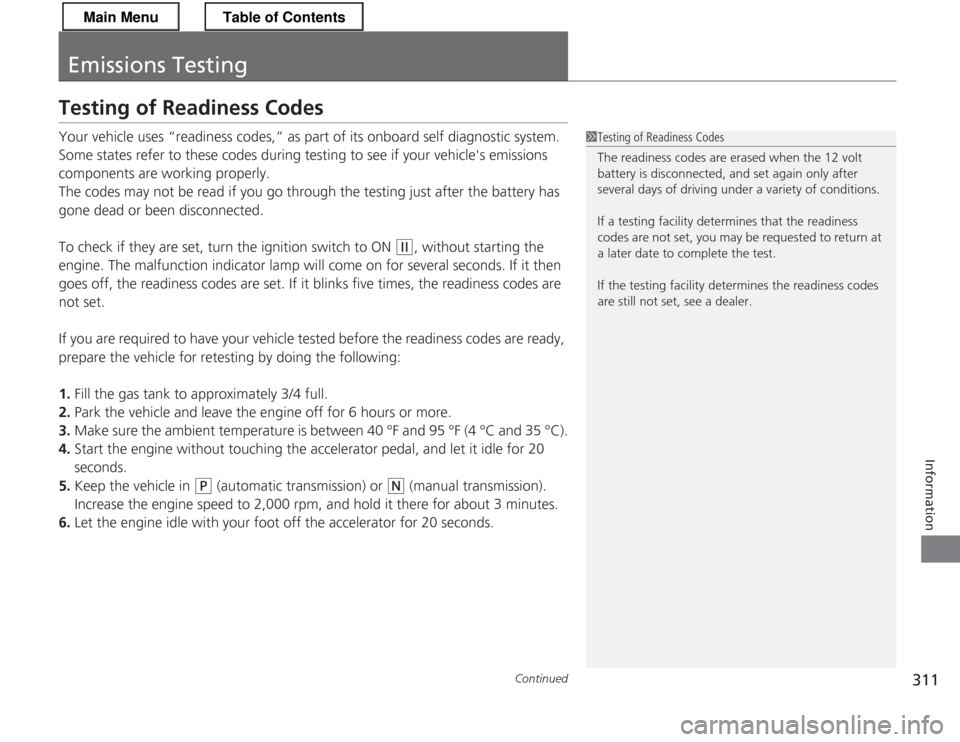
Testing of Readiness Codes
Your vehicle uses “readiness codes,” as part of its onboard self diagnostic system.
Some states refer to these codes during testing to see if your vehicle's emissions
components are working properly.
The codes may not be read if you go through the testing just after the battery has
gone dead or been disconnected.
To check if they are set, turn the ignition switch to ON
(w
, without starting the
engine. The malfunction indicator lamp will come on for several seconds. If it then
goes off, the readiness codes are set. If it blinks five times, the readiness codes are not set.
If you are required to have your vehicle tested before the readiness codes are ready,
prepare the vehicle for retesting by doing the following:
1. Fill the gas tank to approximately 3/4 full.
2. Park the vehicle and leave the engine off for 6 hours or more.
3. Make sure the ambient temperature is between 40 °F and 95 °F (4 °C and 35 °C).
4. Start the engine without touching the accelerator pedal, and let it idle for 20 seconds.
5. Keep the vehicle in
(P (automatic transmission) or (N (manual transmission).
Increase the engine speed to 2,000 rpm, and hold it there for about 3 minutes.
6. Let the engine idle with your foot off the accelerator for 20 seconds.
1Testing of Readiness Codes
The readiness codes are erased when the 12 volt
battery is disconnected, and set again only after
several days of driving under a variety of conditions.
If a testing facility dete rmines that the readiness
codes are not set, you may be requested to return at
a later date to complete the test.
If the testing faci lity determines the readiness codes
are still not set, see a dealer.
Main MenuTable of Contents
Page 319 of 325
318
Index
B
Back-Up Light............................................ 247
Battery ....................................................... 262
Charging System Indicator ................. 67, 293
Jump Starting .......................................... 287
Maintenance
(Checking the 12 Volt Battery) ............... 262
Maintenance
(Replacing the Button Battery)................ 263
Battery Charge in Progress (CHRG)............ 82
Belts (Seat) .................................................. 32
Beverage Holders ...................................... 128
Bluetooth ® HandsFreeLink ®............... 88, 158
Booster Seats (For Children) ....................... 61
Brake System ............................................. 208
Anti-lock Brake System (ABS) ................... 210
Brake Assist System ................................. 211
Brake System Indicator............................. 295
Fluid ........................................................ 240
Foot Brake ............................................... 209
Indicator .................................................. 295
Parking Brake .......................................... 208
Brightness Control (In strument Panel).... 116
Bulb Replacement ..................................... 242
Back-Up Lights......................................... 247
Brake/Taillight .......................................... 248
Bulb Specifications ................................... 306
Fog Lights ................................................ 244 Front Turn Signal/Parking/Side Marker
Light ...................................................... 246
Headlights ............................................... 242 High-Mount Brake Light .......................... 249
Parking/Daytime Running Light................ 246
Rear License Plate Light ........................... 249
Side Turn Signal/Emergency Indicator
Light...................................................... 246
C
Carbon Monoxide Gas ............................... 62
Cargo Cover .............................................. 131
Carrying Cargo ................................. 173, 175
CD Player ................................................... 147
Certification Label .................................... 308
Changing Bulbs ........................................ 242
Charging System Indicator ................. 67, 293
Child Safety ................................................. 54
Child Seat .................................................... 54
Booster Seats ............................................ 61
Child Seat for Infants................................. 56
Child Seat for Small Children ..................... 57
Installing a Child Seat ................................ 58
Larger Children ......................................... 60
Selecting a Child Seat ................................ 57
Using a Tether ........................................... 59
CHRG Indicator ........................................... 82
Cleaning the Exterior ............................... 267
Cleaning the Interior ................................ 265
Climate Control System ............................ 134
Changing the Mode ................................ 134
Defrosting the Windshield and
Windows ............................................... 135 Dust and Pollen Filter .............................. 264
Recirculation/Fresh Air Mode................... 134
Sensors ................................................... 136
Using Automatic Climate Control............ 134
Compact Spare Tire .......................... 271, 307
Controls ...................................................... 97
Coolant (Engine) ...................................... 236
Adding to the Radiator ........................... 237
Adding to the Reserve Tank .................... 236
High Temperature Indicator ...................... 72
Low Temperature Indicator ....................... 73
Overheating ............................................ 290
Creep Aid System ..................................... 180
Creeping ................................................... 182
Cruise Control .......................................... 200
Indicator ................................................... 75
Cup Holders .............................................. 128
Customer Service Information ................ 316
Customized Features ................................. 90
D
Daytime Running Lights .......................... 113
Dead Battery ............................................ 287
Defrosting the Windshield and Windows ................................................. 135
Devices that Emit Radio Waves ............... 309
Dimming Headlights .............................................. 111
Rearview Mirror .............................. 119, 120
Dipstick (Engine Oil) ................................ 232
Main Menu