sensor HONDA CR-Z 2016 1.G User Guide
[x] Cancel search | Manufacturer: HONDA, Model Year: 2016, Model line: CR-Z, Model: HONDA CR-Z 2016 1.GPages: 409, PDF Size: 19.68 MB
Page 74 of 409
73
uuIndicators u
Continued
Instrument Panel
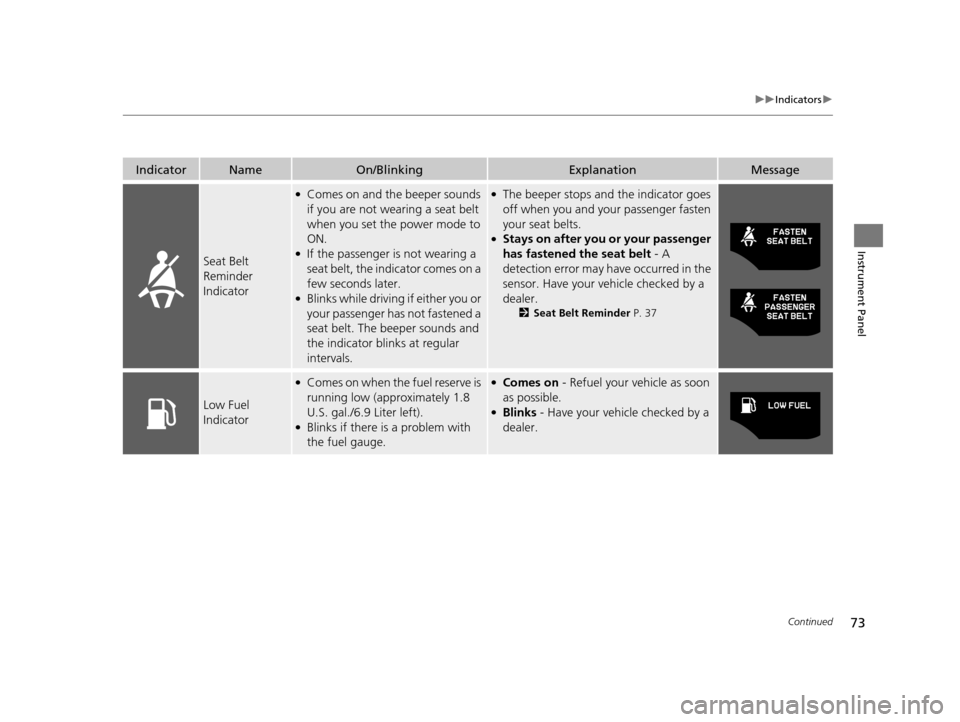
IndicatorNameOn/BlinkingExplanationMessage
Seat Belt
Reminder
Indicator
●Comes on and the beeper sounds
if you are not wearing a seat belt
when you set the power mode to
ON.
●If the passenger is not wearing a
seat belt, the indicator comes on a
few seconds later.
●Blinks while driving if either you or
your passenger has not fastened a
seat belt. The beeper sounds and
the indicator blinks at regular
intervals.
●The beeper stops and the indicator goes
off when you and your passenger fasten
your seat belts.
●Stays on after you or your passenger
has fastened the seat belt - A
detection error may have occurred in the
sensor. Have your vehicle checked by a
dealer.
2 Seat Belt Reminder P. 37
Low Fuel
Indicator
●Comes on when the fuel reserve is
running low (approximately 1.8
U.S. gal./6.9 Liter left).
●Blinks if there is a problem with
the fuel gauge.
●Comes on - Refuel your vehicle as soon
as possible.
●Blinks - Have your vehicle checked by a
dealer.
16 CR-Z-31SZT6500.book 73 ページ 2015年9月11日 金曜日 午前11時47分
Page 78 of 409
77
uuIndicators u
Continued
Instrument Panel
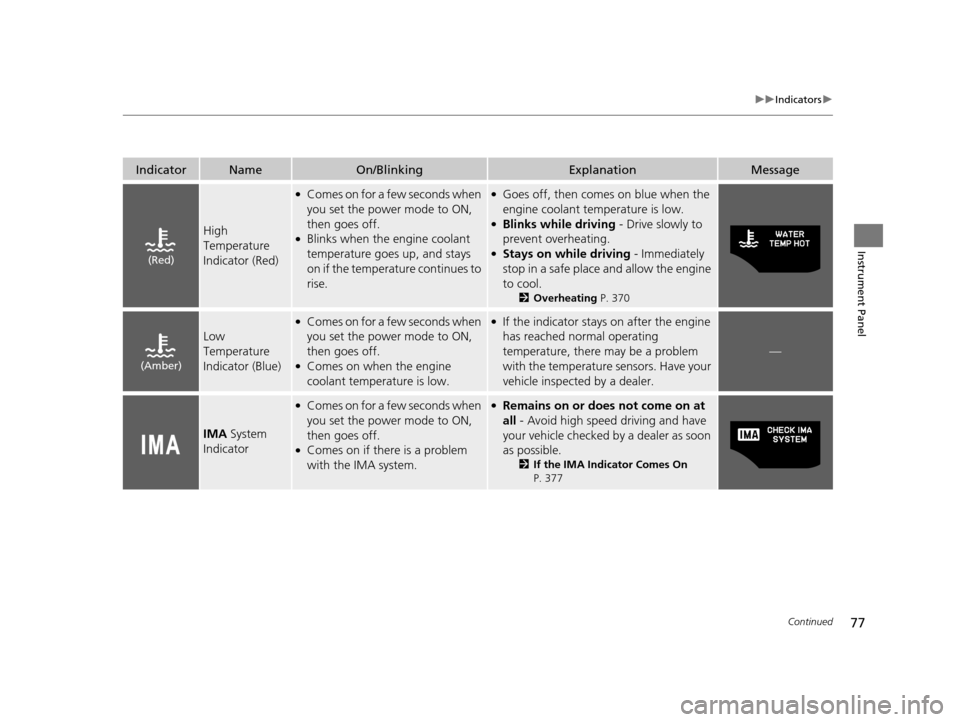
IndicatorNameOn/BlinkingExplanationMessage
High
Temperature
Indicator (Red)
●Comes on for a few seconds when
you set the power mode to ON,
then goes off.
●Blinks when the engine coolant
temperature goes up, and stays
on if the temperature continues to
rise.
●Goes off, then comes on blue when the
engine coolant temperature is low.
●Blinks while driving - Drive slowly to
prevent overheating.
●Stays on while driving - Immediately
stop in a safe place and allow the engine
to cool.
2 Overheating P. 370
Low
Temperature
Indicator (Blue)
●Comes on for a few seconds when
you set the power mode to ON,
then goes off.
●Comes on when the engine
coolant temperature is low.
●If the indicator stays on after the engine
has reached normal operating
temperature, there may be a problem
with the temperature sensors. Have your
vehicle inspected by a dealer.
—
IMA System
Indicator
●Comes on for a few seconds when
you set the power mode to ON,
then goes off.
●Comes on if there is a problem
with the IMA system.
●Remains on or does not come on at
all - Avoid high speed driving and have
your vehicle checked by a dealer as soon
as possible.
2 If the IMA Indicator Comes On
P. 377
(Red)
(Amber)
16 CR-Z-31SZT6500.book 77 ページ 2015年9月11日 金曜日 午前11時47分
Page 94 of 409
Continued93
uuGauges and Multi-Information Display uMulti-Information Display
Instrument Panel
Shows the outside temperature in Fahr enheit (U.S.) or Celsius (Canada).
■Adjusting the outside temperature display
Adjust the temperature reading up to ±5 °F or ±3°C if the temperature reading
seems incorrect.
Shows the estimated distance you can travel on the remaining fuel. This distance is
estimated from the fuel economy of your previous trips.
The elapsed time display shows the time during one drive cycle.
Shows the average speed in mph or km/h since Trip A was reset.
■Outside Temperature
■Range
■Elapsed Time
■Average Speed
1 Outside Temperature
The temperature sensor is in the front bumper. Road
heat and exhaust from anothe r vehicle can affect the
temperature reading when your vehicle speed is less
than 19 mph (30 km/h).
It may take several minutes for the display to be
updated after the temperature reading has stabilized.
Use the multi-information display’s customized
features to correct the temperature. 2 Customized Features P. 98
1Elapsed Time
You can change the elapsed time reset criteria.
2 Customized Features P. 98
16 CR-Z-31SZT6500.book 93 ページ 2015年9月11日 金曜日 午前11時47分
Page 108 of 409
107
Controls
This chapter explains how to operate the various controls necessary for driving.
Clock.................................................. 108
Locking and Unlocking the Doors
Key Types and Functions .................. 109
Locking/Unlocking the Doors from the Outside .......................................... 112
Locking/Unlocking the Doors from the Inside ............................................. 116
Auto Door Locking/Unlocking .......... 118
Opening and Closing the Hatch....... 119
Security System Immobilizer System .......................... 122
Security System Alarm ...................... 122
Opening and Closing the Windows ..... 124
Operating the Switches Around the
Steering Wheel
ENGINE START/STOP Button............. 126
Turn Signals ..................................... 129
Light Switches.................................. 129
Fog Lights
*...................................... 133
Daytime Running Lights ................... 133
Wipers and Washers ........................ 134
Brightness Control ........................... 136
Rear Defogger/Heat ed Door Mirror
*
Button ........................................... 137
Adjusting the Steering Wheel........... 138 Adjusting the Mirrors
Interior Rearview Mirror ................... 139
Power Door Mirrors ......................... 140
Adjusting the Seats Adjusting the Seat Positions ............. 141
Interior Lights/Interior Convenience ItemsInterior Lights .................................. 146
Interior Convenience Items .............. 147
Climate Control System Using Automatic Climate Control .... 155
Automatic Climate Control Sensors ...... 157
* Not available on all models
16 CR-Z-31SZT6500.book 107 ページ 2015年9月11日 金曜日 午前11時47分
Page 132 of 409
Continued131
uuOperating the Switches Around the Steering Wheel uLight Switches
Controls
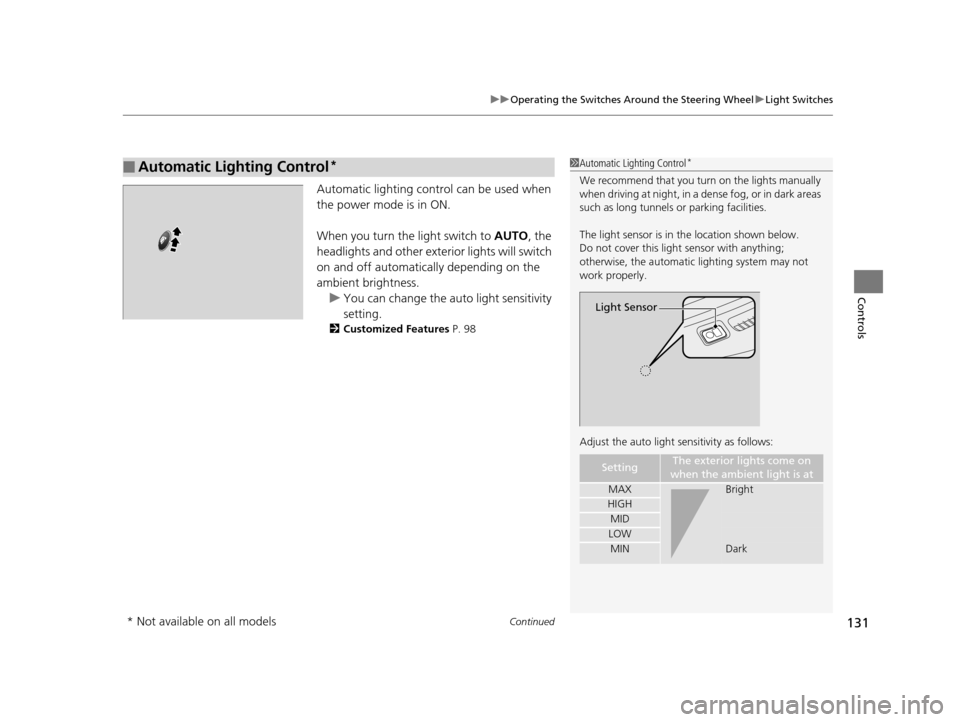
Automatic lighting control can be used when
the power mode is in ON.
When you turn the light switch to AUTO, the
headlights and other exterior lights will switch
on and off automatically depending on the
ambient brightness. u You can change the auto light sensitivity
setting.
2 Customized Features P. 98
■Automatic Lighting Control*1Automatic Lighting Control*
We recommend that you tu rn on the lights manually
when driving at night, in a dense fog, or in dark areas
such as long tunnels or parking facilities.
The light sensor is in the location shown below.
Do not cover this light sensor with anything;
otherwise, the automatic lighting system may not
work properly.
Adjust the auto light sensitivity as follows:
SettingThe exterior lights come on
when the ambient light is at
MAXBright
HIGH
MID
LOW
MINDark
Light Sensor
* Not available on all models
16 CR-Z-31SZT6500.book 131 ページ 2015年9月11日 金曜日 午前11時47分
Page 134 of 409
133
uuOperating the Switches Around the Steering Wheel uFog Lights*
Controls
Fog Lights*
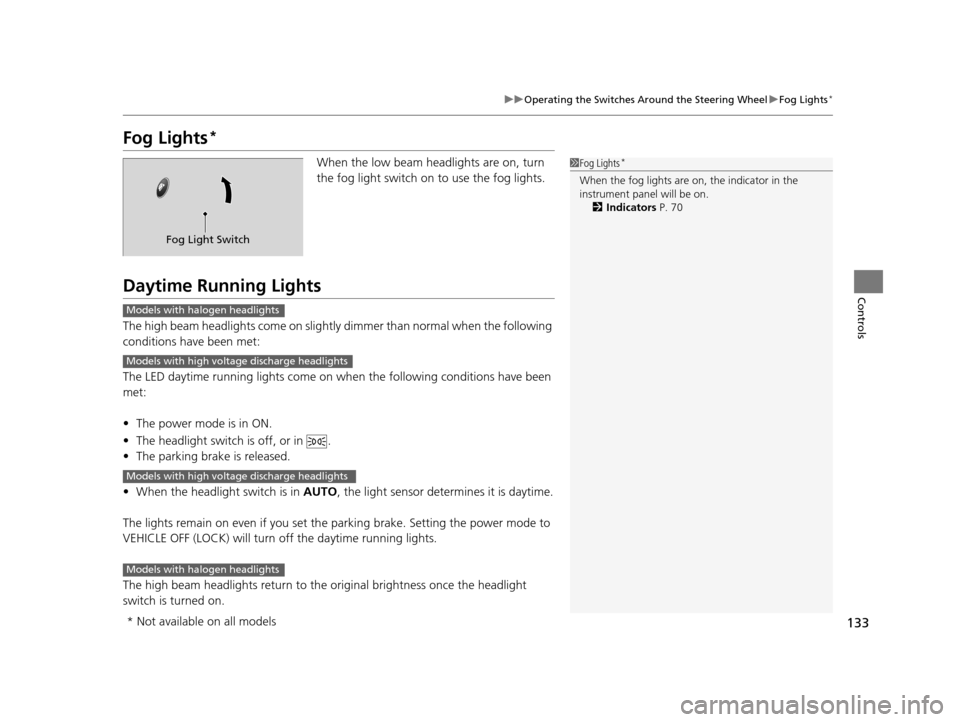
When the low beam headlights are on, turn
the fog light switch on to use the fog lights.
Daytime Running Lights
The high beam headlights come on slight ly dimmer than normal when the following
conditions have been met:
The LED daytime running lights come on wh en the following conditions have been
met:
• The power mode is in ON.
• The headlight switch is off, or in .
• The parking brake is released.
• When the headlight switch is in AUTO, the light sensor determines it is daytime.
The lights remain on even if you set th e parking brake. Setting the power mode to
VEHICLE OFF (LOCK) will turn off the daytime running lights.
The high beam headlights return to the original brightness once the headlight
switch is turned on.
1 Fog Lights*
When the fog lights are on, the indicator in the
instrument pane l will be on.
2 Indicators P. 70
Fog Light Switch
Models with halogen headlights
Models with high voltage discharge headlights
Models with high voltage discharge headlights
Models with halogen headlights
* Not available on all models
16 CR-Z-31SZT6500.book 133 ページ 2015年9月11日 金曜日 午前11時47分
Page 152 of 409
Continued151
uuInterior Lights/Interior Convenience Items uInterior Convenience Items
Controls
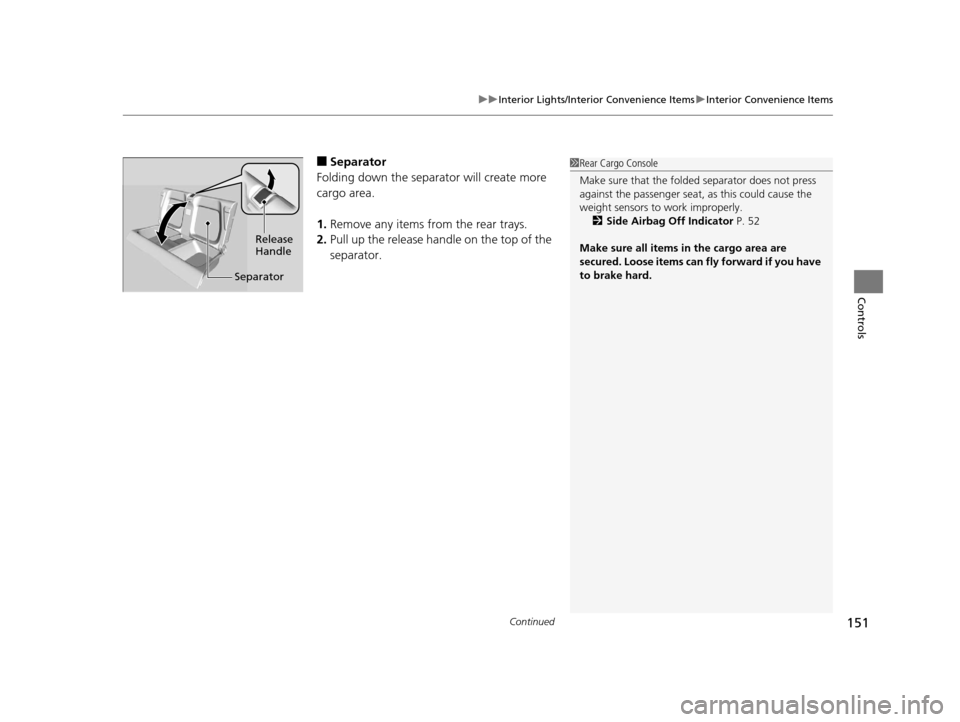
■Separator
Folding down the separator will create more
cargo area.
1. Remove any items from the rear trays.
2. Pull up the release handle on the top of the
separator.1Rear Cargo Console
Make sure that the folded separator does not press
against the passenger seat, as this could cause the
weight sensors to work improperly.
2 Side Airbag Off Indicator P. 52
Make sure all items in the cargo area are
secured. Loose items can fly forward if you have
to brake hard.
Release
Handle
Separator
16 CR-Z-31SZT6500.book 151 ページ 2015年9月11日 金曜日 午前11時47分
Page 158 of 409
157
uuClimate Control System uAutomatic Climate Control Sensors
Controls
Automatic Climate Control Sensors
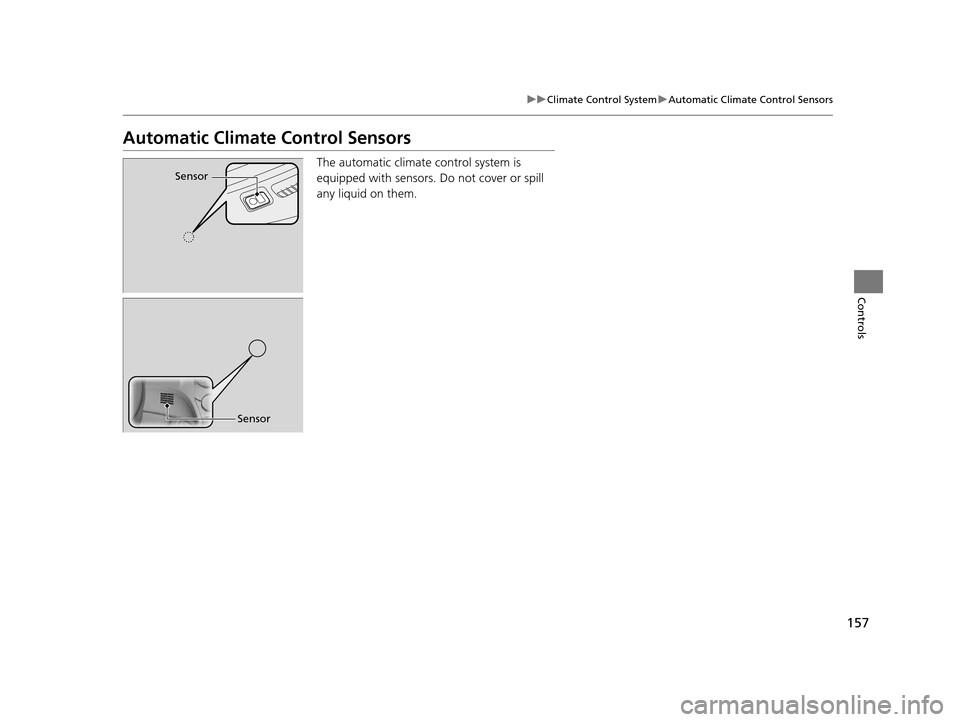
The automatic climate control system is
equipped with sensors. Do not cover or spill
any liquid on them.Sensor
Sensor
16 CR-Z-31SZT6500.book 157 ページ 2015年9月11日 金曜日 午前11時47分
Page 247 of 409
246
uuBefore Driving uDriving Preparation
Driving
• Be sure items placed on the floor behind th e driver’s and passenger’s seats cannot
roll under the seats.
u They can interfere with the driver's ability to operate the pedals, the operation
of the seats, or the operation of the sensors under the seats.
• Everyone in the vehicle must fasten their seat belt.
2Fastening a Seat Belt P. 39
•Make sure that the indicators in the ins trument panel come on when you start the
vehicle, and go off soon after.
u Always have a dealer check the vehicle if a problem is indicated.
2 Indicators P. 70
16 CR-Z-31SZT6500.book 246 ページ 2015年9月11日 金曜日 午前11時47分
Page 320 of 409
319
uuMaintenance Under the Hood uRefilling Window Washer Fluid
Maintenance
Refilling Window Washer Fluid
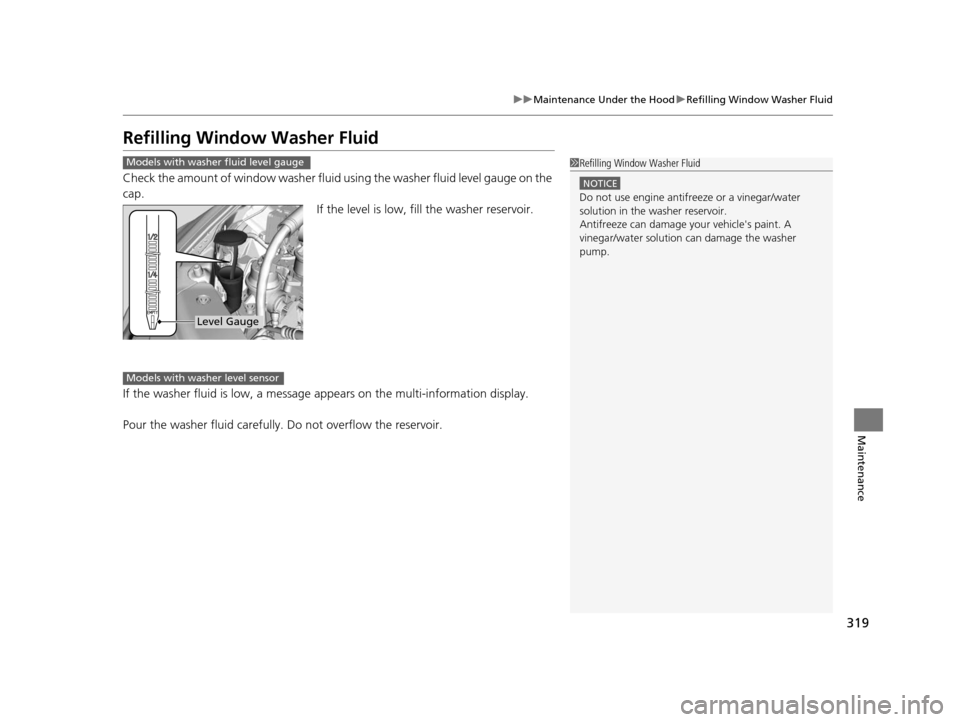
Check the amount of window washer fluid using the washer fluid level gauge on the
cap.
If the level is low, fill the washer reservoir.
If the washer fluid is low, a message appears on the multi-information display.
Pour the washer fluid carefully. Do not overflow the reservoir.
Models with washer fluid level gauge1 Refilling Window Washer Fluid
NOTICE
Do not use engine antifreeze or a vinegar/water
solution in the washer reservoir.
Antifreeze can damage y our vehicle's paint. A
vinegar/water solution ca n damage the washer
pump.
Level Gauge
Models with washer level sensor
16 CR-Z-31SZT6500.book 319 ページ 2015年9月11日 金曜日 午前11時47分