navigation HONDA CROSSTOUR 2012 1.G Manual Online
[x] Cancel search | Manufacturer: HONDA, Model Year: 2012, Model line: CROSSTOUR, Model: HONDA CROSSTOUR 2012 1.GPages: 435, PDF Size: 10.13 MB
Page 202 of 435
Your vehicle’s audio system has an
in-dash disc changer with the same
controls used f or the radio. To
operate the disc changer, the ignition
switch must be in the ACCESSORY
(I) or the ON (II) position.
The disc changer can play these disc
formats:CD (CD-DA)
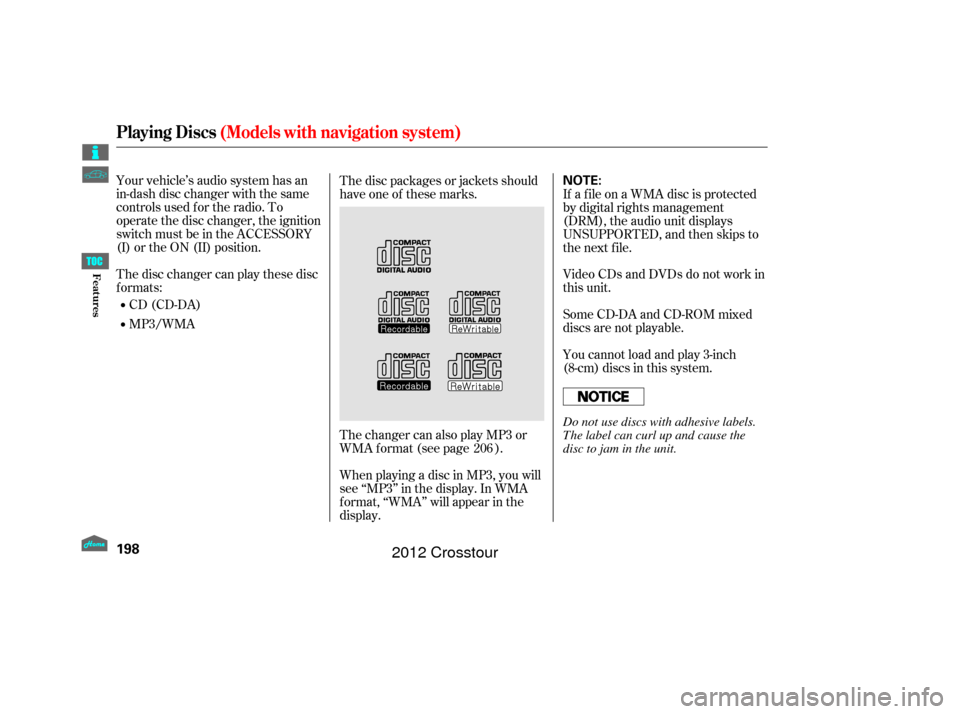
MP3/WMA The disc packages or jackets should
have one of these marks.
When playing a disc in MP3, you will
see ‘‘MP3’’ in the display. In WMA
f ormat, ‘‘WMA’’ will appear in the
display. The changer can also play MP3 or
WMA format (see page ). If a f ile on a WMA disc is protected
by digital rights management
(DRM), the audio unit displays
UNSUPPORTED, and then skips to
the next f ile.
Video CDs and DVDs do not work in
this unit.
Some CD-DA and CD-ROM mixed
discs are not playable.
You cannot load and play 3-inch
(8-cm)discsinthissystem.
206
Playing Discs (Models with navigation system)
198
NOTE:
Do not use discs with adhesive labels.
The label can curl up and cause the
disc to jam in the unit.
Features
2012 Crosstour
Page 203 of 435
To load multiple discs in one
operation:With the ignition in the
ACCESSORY (I) or the ON (II)
position, press and hold the LOAD
button until you hear a beep and
see ‘‘LOAD’’ in the center display,
then release the button.
‘‘NO DISC’’ is shown on the screen
foranemptypositioninthe
changer. When the green load
indicator comes on and you see
‘‘LOAD’’ in the center display,
insert the disc into the slot. Insert
it only about half way; the drive will
pull it in the rest of the way. Press and release the LOAD
button.
To load a single disc: Repeat this until all six positions
are loaded. If you are not loading
all six positions, the system will
then begin playing the last disc
loaded.
If you stop loading discs bef ore all
six positions are f illed, the system
will wait f or 10 seconds, stop the load
operation, and begin playing the last
disc loaded.
Insert a disc into the slot. Insert it
only about half way; the drive will
pull it in the rest of the way. You
will see ‘‘BUSY’’ in the center
display. When you insert the f irst
disc, the changer will start to play
the disc.
Do not try to insert a disc until
‘‘LOAD’’ appears. You could
damage the audio unit. If you press the LOAD button while
a disc is playing, the system will stop
playing that disc and start the
loading sequence. It will then play
the disc just loaded. You can select the position to load a
disc. Turn the interf ace knob or
press a preset button to select the
position, then press ENTER on the
selector. This starts the loading
sequence. If you do not select the
position, the system loads the disc to
the f irst empty position in numerical
order. Do not try to insert a disc until
‘‘LOAD’’ appears. You could damage
the audio unit.
When ‘‘LOAD’’ appears in the
center display again, insert the
next disc into the slot.
1.
1.
2.
3. 4.
2.
L oading Discs in the Changer
Playing Discs
(Models with navigation system)
199
Features
2012 Crosstour
Page 204 of 435
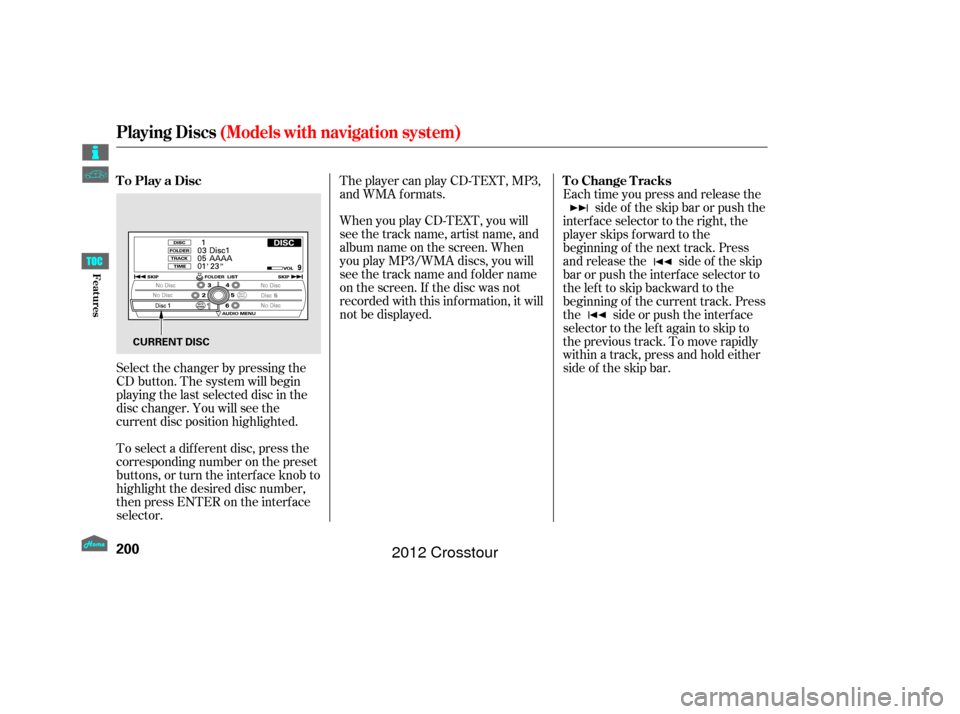
When you play CD-TEXT, you will
see the track name, artist name, and
album name on the screen. When
you play MP3/WMA discs, you will
see the track name and folder name
on the screen. If the disc was not
recorded with this inf ormation, it will
not be displayed. The player can play CD-TEXT, MP3,
and WMA formats.
Select the changer by pressing the
CD button. The system will begin
playing the last selected disc in the
disc changer. You will see the
current disc position highlighted.
To select a dif f erent disc, press the
corresponding number on the preset
buttons, or turn the interf ace knob to
highlight the desired disc number,
then press ENTER on the interf ace
selector. Each time you press and release the
side of the skip bar or push the
interface selector to the right, the
player skips f orward to the
beginning of the next track. Press
and release the side of the skip
barorpushtheinterfaceselectorto
thelefttoskipbackwardtothe
beginning of the current track. Press
the side or push the interf ace
selector to the left again to skip to
the previous track. To move rapidly
within a track, press and hold either
side of the skip bar.
To Play a Disc
To Change Tracks
Playing Discs(Models with navigation system)
200
CURRENT DISC
Features
2012 Crosstour
Page 205 of 435
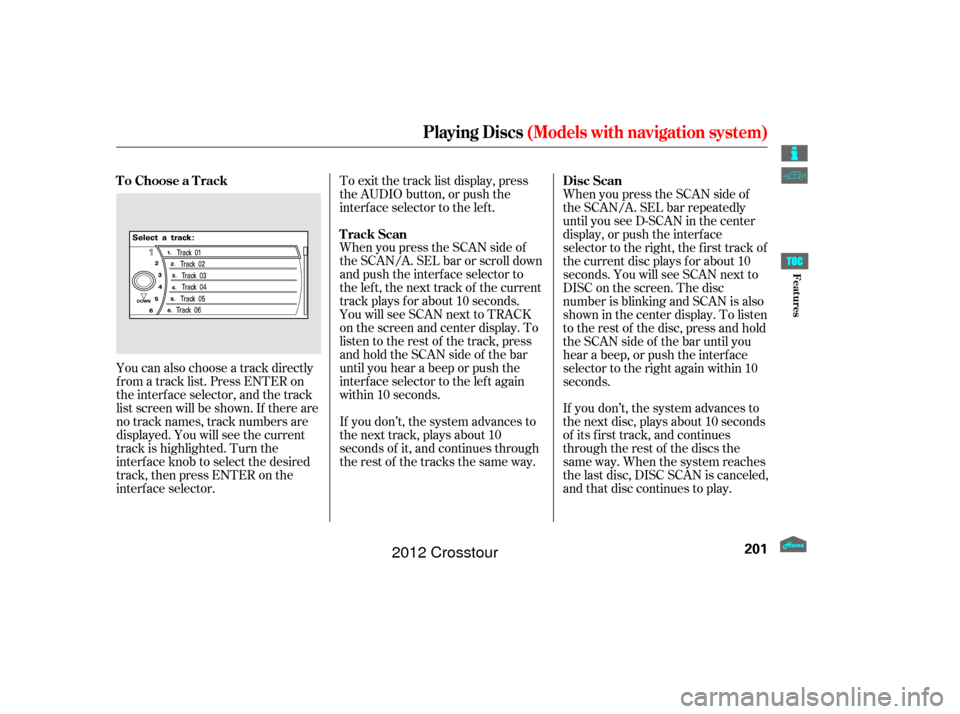
You can also choose a track directly
f rom a track list. Press ENTER on
the interf ace selector, and the track
list screen will be shown. If there are
no track names, track numbers are
displayed. You will see the current
track is highlighted. Turn the
interf ace knob to select the desired
track, then press ENTER on the
interf ace selector.To exit the track list display, press
the AUDIO button, or push the
interf ace selector to the lef t.
When you press the SCAN side of
the SCAN/A. SEL bar or scroll down
and push the interf ace selector to
the left, the next track of the current
track plays f or about 10 seconds.
You will see SCAN next to TRACK
on the screen and center display. To
listen to the rest of the track, press
andholdtheSCANsideof thebar
until you hear a beep or push the
interface selector to the left again
within 10 seconds.
If you don’t, the system advances to
the next track, plays about 10
seconds of it, and continues through
the rest of the tracks the same way.
When you press the SCAN side of
the SCAN/A. SEL bar repeatedly
until you see D-SCAN in the center
display, or push the interf ace
selector to the right, the first track of
the current disc plays f or about 10
seconds. You will see SCAN next to
DISC on the screen. The disc
number is blinking and SCAN is also
shown in the center display. To listen
to the rest of the disc, press and hold
the SCAN side of the bar until you
hear a beep, or push the interf ace
selector to the right again within 10
seconds.
If you don’t, the system advances to
the next disc, plays about 10 seconds
of its f irst track, and continues
through the rest of the discs the
same way. When the system reaches
the last disc, DISC SCAN is canceled,
and that disc continues to play.
To Choose a Track
Track ScanDisc Scan
Playing Discs
(Models with navigation system)
201
Features
2012 Crosstour
Page 206 of 435
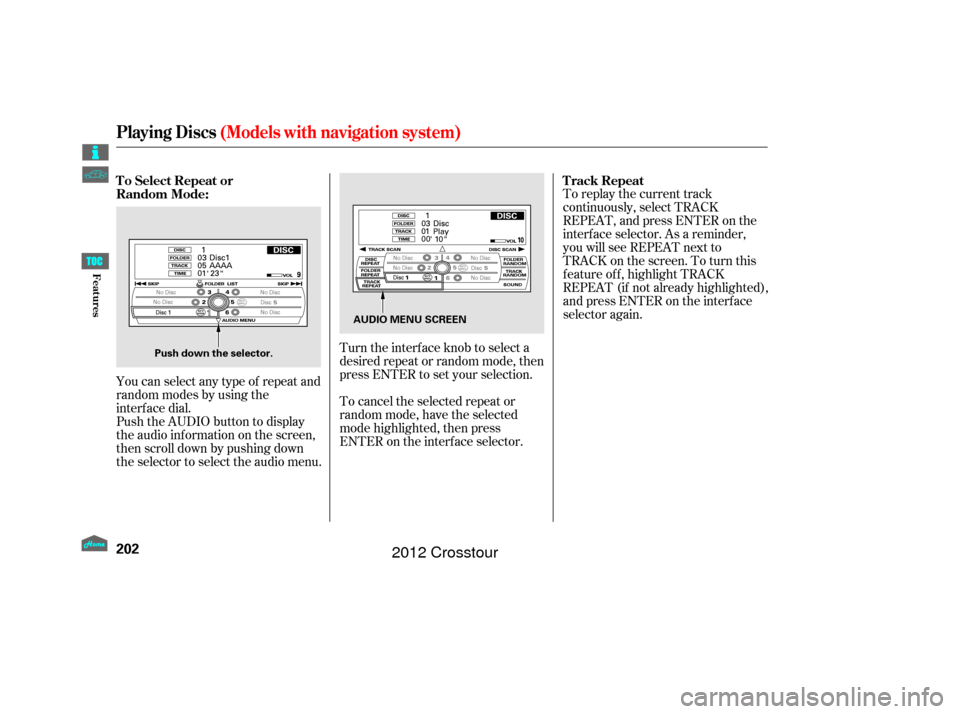
To replay the current track
continuously, select TRACK
REPEAT, and press ENTER on the
interf ace selector. As a reminder,
you will see REPEAT next to
TRACKonthescreen.Toturnthis
f eature of f , highlight TRACK
REPEAT (if not already highlighted),
andpressENTERontheinterface
selector again.
You can select any type of repeat and
random modes by using the
interf ace dial.
Push the AUDIO button to display
the audio inf ormation on the screen,
then scroll down by pushing down
the selector to select the audio menu. To cancel the selected repeat or
random mode, have the selected
mode highlighted, then press
ENTER on the interf ace selector. Turn the interface knob to select a
desired repeat or random mode, then
press ENTER to set your selection.
To Select Repeat or
Random Mode:
T rack Repeat
Playing Discs
(Models with navigation system)
202
Push down the selector. AUDIO MENU SCREEN
Features
2012 Crosstour
Page 207 of 435
To replay the current disc
continuously, select DISC REPEAT,
andpressENTERontheinterface
selector. As a reminder, you will see
REPEAT next to DISC on the screen.
To turn this feature off, highlight
DISC REPEAT (if not already
highlighted), and press ENTER on
the interf ace selector again.To play the tracks on the current
disc in random order, select TRACK
RANDOM, and press ENTER on the
interf ace selector. As a reminder,
you will see RANDOM next to
TRACKonthescreen.Toturnthis
feature off, highlight TRACK
RANDOM (if not already
highlighted), and press ENTER on
the interf ace selector again.To take the system out of disc mode,
press the FM/AM button, the
button, or the AUX button (if
an appropriate unit is connected). To
return to disc mode, press the CD
button.
If you turn the system of f while a
disc is playing, either with the
power/volume knob or the ignition
switch, play will continue at the same
point when you turn it back on. You can also press the MODE
buttononthesteeringwheelto
change modes.
Disc Repeat
Random Play To Stop Playing a Disc
Playing Discs(Models with navigation system)
203
Features
2012 Crosstour
Page 208 of 435
The changer plays MP3/WMA discs
in recorded order. Maximum
playable file layers are 8, and total
playable tracks are 255. If your disc
has a complex structure, the changer
takessometimetoreadthedisc
bef ore beginning play.While playing an MP3/WMA disc,
you can select a f older within the
disc by pressing either side of the
category bar. Each time you press
either side of the bar, the folder title
and its f irst f ile’s inf ormation appear
in the display in recorded order.
Depending on the sof tware the f iles
were made with, it may not be
possible to play some f iles, or display
some text data.
To play an MP3/WMA disc, use the
disc controls previously described,
along with the f ollowing inf ormation.
Playing an MP3/WMA Disc
Changing the Folders
Playing Discs(Models with navigation system)
204
Features
2012 Crosstour
Page 209 of 435
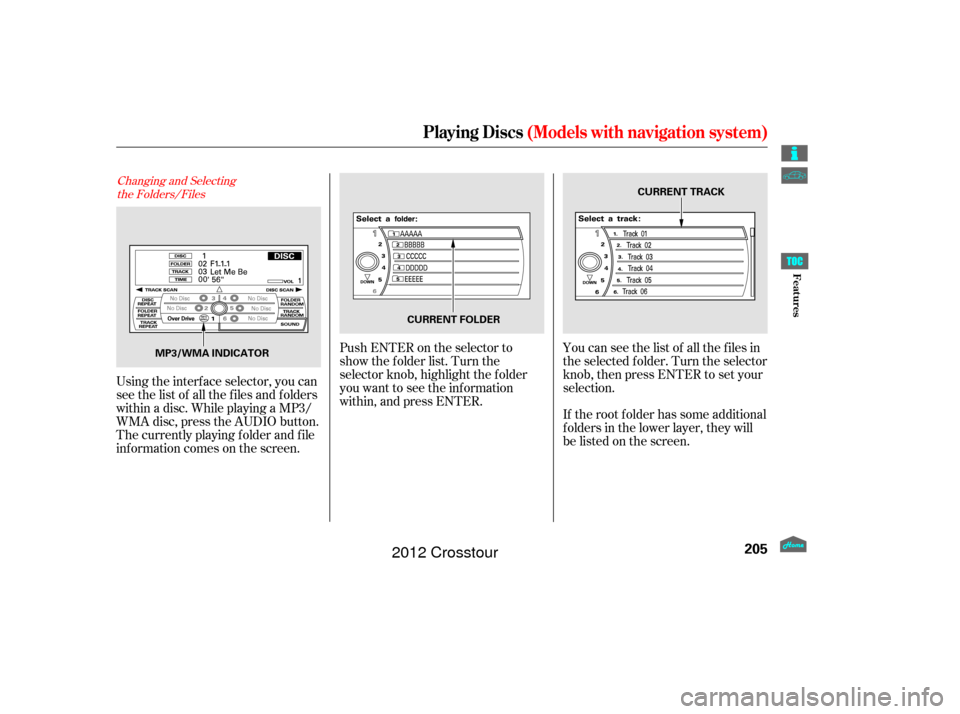
Changing and Selectingthe Folders/Files
Using the interf ace selector, you can
see the list of all the f iles and f olders
within a disc. While playing a MP3/
WMA disc, press the AUDIO button.
The currently playing f older and f ile
inf ormation comes on the screen. If the root f older has some additional
f olders in the lower layer, they will
belistedonthescreen. You can see the list of all the f iles in
the selected f older. Turn the selector
knob, then press ENTER to set your
selection.
Push ENTER on the selector to
show the folder list. Turn the
selector knob, highlight the f older
you want to see the inf ormation
within, and press ENTER.
Playing Discs
(Models with navigation system)
205
MP3/WMA INDICATOR CURRENT TRACK
CURRENT FOLDER
Features
2012 Crosstour
Page 210 of 435
This f eature, when activated, plays
all f iles in the current f older in
random order. To activate f older
random play, select FOLDER
RANDOM by using the interf ace
knob, and press ENTER on the
interf ace selector. You will see
RANDOM next to FOLDER on the
screen. To turn this f eature of f ,
highlight FOLDER RANDOM (if not
already highlighted), and press
ENTER on the interf ace selector
again.
This f eature, when activated, replays
all f iles in the selected f older. To
activate f older repeat mode, select
FOLDER REPEAT by using the
interf ace knob, and press ENTER on
the interf ace selector. You will see
REPEAT next to FOLDER on the
screen. To turn this f eature of f ,
highlight FOLDER REPEAT (if not
already highlighted), and press
ENTER on the interf ace selector
again.
This feature, when activated,
samples the f irst f ile in each f older
f or 10 seconds. To scan a f older,
press the SCAN side of the SCAN/
A. SEL bar repeatedly. You will see
SCAN next to FOLDER and the
f older number blinking.
Toselectanytypeof therepeat
modes, use the interf ace dial. For
more information, see page .
To listen to the rest of the folder,
press and hold the SCAN side of the
bar until you hear a beep. If you do
nothing, the system advances to the
next f older, plays 10 seconds of it,
and continues with the remaining
f olders in the same way. When the
system has f inished sampling the
f irst f ile in all f olders, f older scan is
canceled, and the last f ile played
continues to play.
Toselectanytypeof therandom
modes, use the interf ace dial. For
more information, see page .
204
204
Folder Random
Folder Repeat
Folder Scan
Playing Discs (Models with navigation system)
206
Features
2012 Crosstour
Page 211 of 435
You can also eject discs when the
ignition switch is of f :
To eject one disc, press and release
the eject button.
To remove a different disc from the
changer,firstselectitbypressing
the corresponding number on the
preset button or turning the
interf ace knob, and pressing ENTER
on the interf ace selector. When that
disc begins playing, press the eject
button.
When you press the eject button
while listening to the radio, or with
the audio system turned of f , the disc
that was last selected is ejected.
Af ter that disc is ejected, pressing
the eject button again will eject the
next disc in numerical order. By
doing this six times, you can remove
all the discs f rom the changer.
To remove the disc that is currently
playing, press the eject button. You
will see ‘‘EJECT’’ in the center
display. When you remove the disc
from the slot, the system
automatically enters the previous
modeAM,FM1,FM2,orXMRadio.
The system also begins the load
sequence so you can load another
disc. If you do not load another disc,
the load sequence is canceled, and
the system continues playing in the
previous mode.
If you do not remove the disc f rom
the slot, the system will reload the
disc af ter 10 seconds. To begin
playing the disc, press the CD button. To eject all discs, press and hold the
eject button until the f irst disc begins
to eject.
Removing Discs
f rom the Changer
Playing Discs
(Models with navigation system)
207
Features
2012 Crosstour