remote start HONDA CROSSTOUR 2013 1.G User Guide
[x] Cancel search | Manufacturer: HONDA, Model Year: 2013, Model line: CROSSTOUR, Model: HONDA CROSSTOUR 2013 1.GPages: 573, PDF Size: 25.21 MB
Page 116 of 573
115
uuOperating the Switches Around the Steering WheeluENGINE START/STOP Button*
Continued
Controls
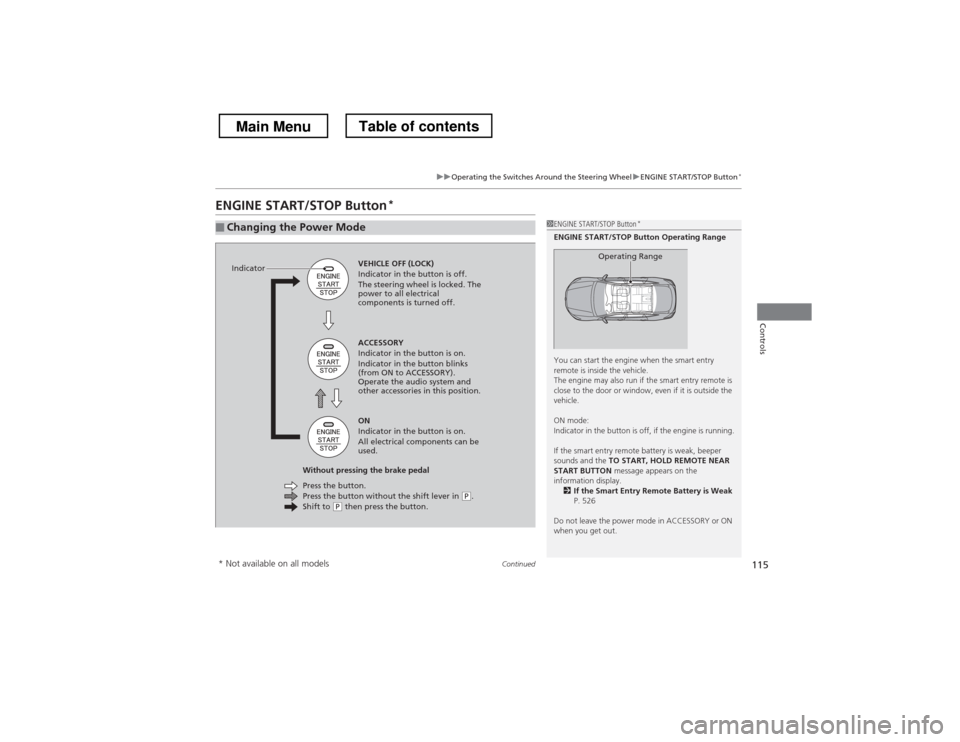
ENGINE START/STOP Button *
■Changing the Power Mode1ENGINE START/STOP Button
*
ENGINE START/STOP Button Operating Range
You can start the engine when the smart entry
remote is inside the vehicle.
The engine may also run if the smart entry remote is
close to the door or window, even if it is outside the
vehicle.
ON mode:
Indicator in the button is off, if the engine is running.
If the smart entry remote battery is weak, beeper
sounds and the TO START, HOLD REMOTE NEAR
START BUTTON message appears on the
information display. 2 If the Smart Entry Remote Battery is Weak
P. 526
Do not leave the power mode in ACCESSORY or ON
when you get out.
Operating RangeVEHICLE OFF (LOCK)
Indicator in the button is off.
The steering wheel is locked. The
power to all electrical
components is turned off.
Press the button without the shift lever in
(P .
Shift to (P then press the button.
Press the button.
Without pressing the brake pedal ACCESSORY
Indicator in the button is on.
Indicator in the button blinks
(from ON to ACCESSORY).
Operate the audio system and
other accessories in this position. ON
Indicator in the button is on.
All electrical components can be
used.
Indicator
* Not available on all models
Main MenuTable of contents
Page 117 of 573
uuOperating the Switches Around the Steering WheeluENGINE START/STOP Button*
116
Controls
If you leave the vehicle for 30 to 60 minutes with the shift lever in (P and the power
mode in ACCESSORY, the vehicle automatically goes into the mode similar to
VEHICLE OFF (LOCK) to avoid the battery drain.
When in this mode:
The steering wheel does not lock.
You cannot lock or unlock doors with the remote transmitter or the smart entry system. Press the ENGINE START/STOP button to switch the mode to VEHICLE OFF (LOCK).
■Automatic Power Off1ENGINE START/STOP Button*
If the power mode does not change from VEHICLE
OFF to ACCESSORY, press the ENGINE START/STOP
button while moving the steering wheel left and
right. The steering wheel will unlock, allowing the
mode to change.
* Not available on all models
Main MenuTable of contents
Page 118 of 573
117
uuOperating the Switches Around the Steering WheeluENGINE START/STOP Button*
Controls
If you open the driver’s door when the power mode is set to ACCESSORY, a warning
beep sounds.
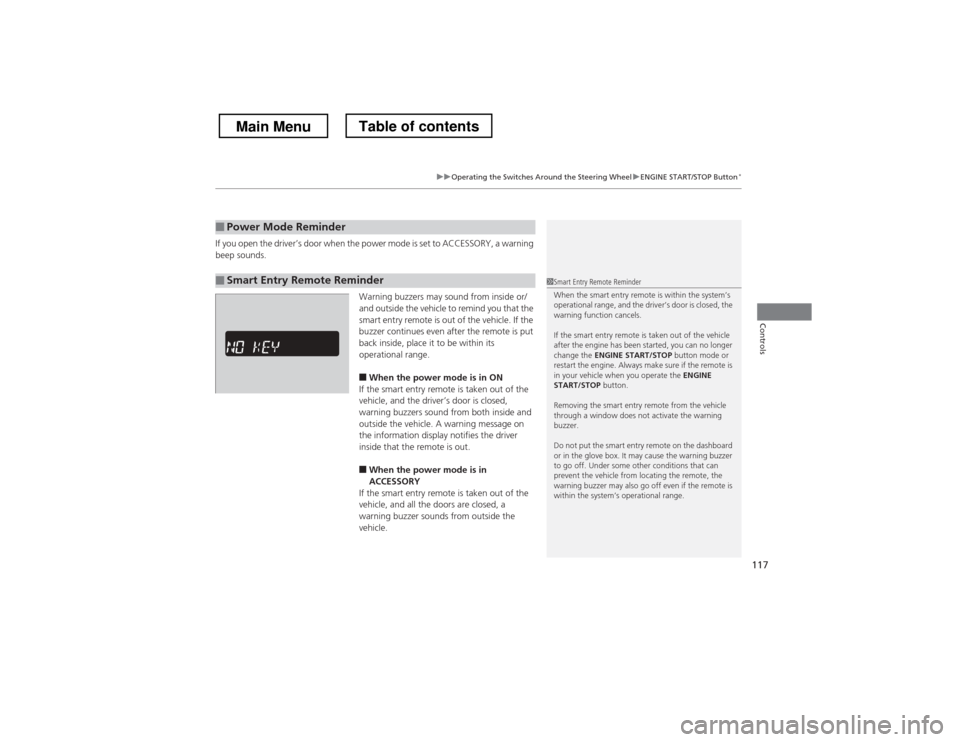
Warning buzzers may sound from inside or/
and outside the vehicle to remind you that the
smart entry remote is out of the vehicle. If the
buzzer continues even after the remote is put
back inside, place it to be within its
operational range.■ When the power mode is in ON
If the smart entry remote is taken out of the
vehicle, and the driver’s door is closed,
warning buzzers sound from both inside and
outside the vehicle. A warning message on
the information display notifies the driver
inside that the remote is out.
■ When the power mode is in
ACCESSORY
If the smart entry remote is taken out of the
vehicle, and all the doors are closed, a
warning buzzer sounds from outside the vehicle.
■Power Mode Reminder
■Smart Entry Remote Reminder1Smart Entry Remote Reminder
When the smart entry remote is within the system’s
operational range, and the driver’s door is closed, the
warning function cancels.
If the smart entry remote is taken out of the vehicle
after the engine has been started, you can no longer
change the ENGINE START/STOP button mode or
restart the engine. Always make sure if the remote is
in your vehicle when you operate the ENGINE
START/STOP button.
Removing the smart entry remote from the vehicle
through a window does not activate the warning buzzer.
Do not put the smart entry remote on the dashboard
or in the glove box. It may cause the warning buzzer
to go off. Under some other conditions that can
prevent the vehicle from locating the remote, the
warning buzzer may also go off even if the remote is
within the system’s operational range.
Main MenuTable of contents
Page 122 of 573
121
uuOperating the Switches Around the Steering WheeluLight Switches
Controls
The headlights, all other exterior lights, and the instrument panel lights turn off
within 15 seconds after you remove the key and close the driver’s door.
The headlights, all other exterior lights, and the instrument panel lights turn off
within 15 seconds after you set the power mode to VEHICLE OFF (LOCK), take the
remote with you, and close the driver’s door.
uYou can change the headlight auto off timer setting.
2 Customized Features *
P. 281
If you turn the ignition switch to LOCK
(0 *1
with the headlight switch on, but do
not open the door, the lights turn off after 10 minutes (three minutes, if the switch is in the AUTO position).
The lights turn on again when you unlock or open the driver’s door. If you unlock
the door, but do not open it within 15 seconds, the lights go off. If you open the
driver’s door, you will hear a lights on reminder chime.
*1: Models with the smart entry system have an ENGINE START/STOP button instead of an
ignition switch.
■Automatic Lighting Off Feature
Models without smart entry system
Models with smart entry system
All models
* Not available on all models
Main MenuTable of contents
Page 424 of 573
423
uuWhen DrivinguStarting the Engine
Driving
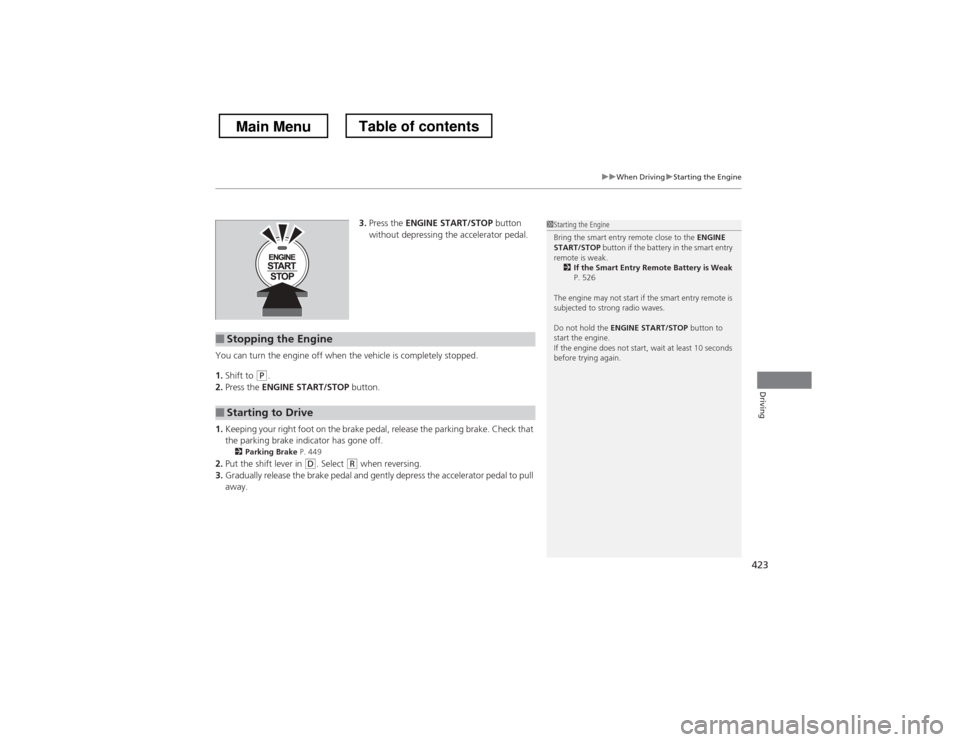
3.Press the ENGINE START/STOP button
without depressing the accelerator pedal.
You can turn the engine off when the vehicle is completely stopped. 1. Shift to
(P .
2. Press the ENGINE START/STOP button.
1. Keeping your right foot on the brake pedal, release the parking brake. Check that
the parking brake indicator has gone off.
2 Parking Brake P. 449
2. Put the shift lever in
(D . Select (R when reversing.
3. Gradually release the brake pedal and gently depress the accelerator pedal to pull away.
■Stopping the Engine
■Starting to Drive
1Starting the Engine
Bring the smart entry remote close to the ENGINE
START/STOP button if the battery in the smart entry
remote is weak. 2 If the Smart Entry Remote Battery is Weak
P. 526
The engine may not start if the smart entry remote is
subjected to strong radio waves. Do not hold the ENGINE START/STOP button to
start the engine.
If the engine does not start, wait at least 10 seconds
before trying again.
Main MenuTable of contents
Page 516 of 573

515
Handling the UnexpectedThis chapter explains how to h andle unexpected troubles.
Tools
Types of Tools .................................. 516
If a Tire Goes Flat Changing a Flat Tire ......................... 517
Engine Does Not Start Checking the Engine ........................ 525
If the Smart Entry Remote Battery is
Weak ..........................................526
Emergency Engine Stop ................... 527
Jump Starting .................................... 528
Shift Lever Does Not Move .............. 531Overheating
How to Handle Overheating............. 532
Indicator, Coming On/Blinking If the Low Oil Pressure Indicator Comes
On................................................ 534
If the Charging System Indicator Comes On ................................................. 534
If the Malfunction Indicator Lamp Comes On or Blinks ................................... 535
If the Brake System Indicator (Red) Comes
On ................................................... 536
If the EPS System Indicator Comes On... 536 If the Low Tire Pressure Indicator Comes
On ................................................. 537
If the TPMS Indicator Comes On ...... 537
Fuses
Fuse Locations ................................. 538
Inspecting and Changing Fuses ........ 541
Emergency Towing ........................... 542
When You Cannot Unlock the Fuel Fill Door ................................................. 543
When You Cannot Open the Tailgate .. 544
Main Menu
Page 527 of 573

526
uuEngine Does Not StartuIf the Smart Entry Remote Battery is Weak
Handling the Unexpected
If the Smart Entry Remote Battery is Weak
If the beeper sounds, the indicator on the ENGINE START/STOP button flashes,
and the engine won’t start.
Start the engine as follows.
1.Touch the center of the ENGINE START/
STOP button with the H logo on the smart
entry remote while the indicator on the
ENGINE START/STOP button is flashing.
The buttons on the smart entry remote
should be facing you.
uThe indicator flashes for about 30
seconds.
2. Depress the brake pedal and press the
ENGINE START/STOP button within 10
seconds after the beeper sounds and the
indicator stays on.
uIf you don’t depress the pedal, the mode
will change to ACCESSORY.
Models with smart entry system
Main MenuTable of contents
Page 567 of 573
566
Index
Information Display.................................... 84
Instrument Panel ........................................ 69
Brightness Control ................................... 125
Interface Dial ............................................ 215
Interior Lights ........................................... 142
Interior Rearview Mirror .......................... 130
J
Jack (Wheel Nut Wrench) ......................... 521
Jump Starting ............................................ 528
K
Key Number Tag ......................................... 92
Keyless Lockout Prevention ....................... 98
Keys ............................................................. 91
Lockout Prevention .................................... 98
Master Keys ............................................... 91
Number Tag .............................................. 92
Rear Door Won’t Open ............................ 100
Remote Transmitter ................................... 94
Types and Functions .................................. 91
Valet Key ................................................... 92
Won’t Turn ................................................ 22
Kickdown (Automatic Transmission) ....... 425
L
Lane Departure Warning (LDW) .............. 439
LaneWatch