audio HONDA CROSSTOUR 2013 1.G Owners Manual
[x] Cancel search | Manufacturer: HONDA, Model Year: 2013, Model line: CROSSTOUR, Model: HONDA CROSSTOUR 2013 1.GPages: 573, PDF Size: 25.21 MB
Page 1 of 573
Contents
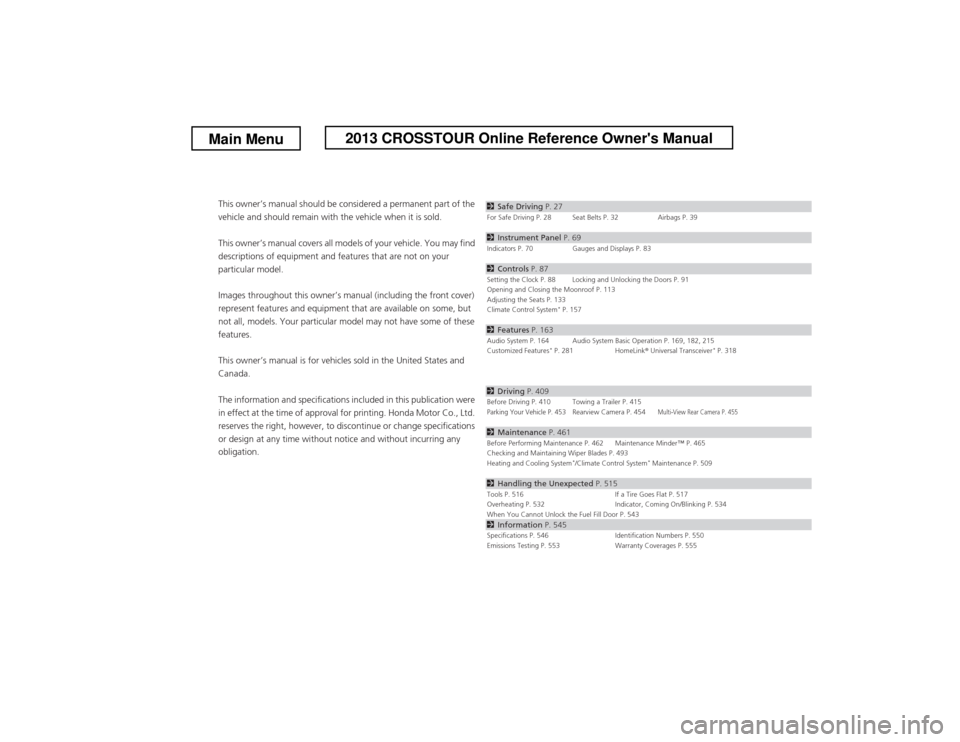
This owner’s manual should be considered a permanent part of the
vehicle and should remain with the vehicle when it is sold.
This owner’s manual covers all models of your vehicle. You may find
descriptions of equipment and features that are not on your
particular model.
Images throughout this owner’s manual (including the front cover)
represent features and equipment that are available on some, but
not all, models. Your particular model may not have some of these features.
This owner’s manual is for vehicles sold in the United States and Canada.
The information and specifications included in this publication were
in effect at the time of approval for printing. Honda Motor Co., Ltd.
reserves the right, however, to discontinue or change specifications
or design at any time without notice and without incurring any
obligation.2 Safe Driving P. 27For Safe Driving P. 28 Seat Belts P. 32 Airbags P. 39
2Instrument Panel P. 69Indicators P. 70 Gauges and Displays P. 83
2Controls P. 87Setting the Clock P. 88 Locking and Unlocking the Doors P. 91
Opening and Closing the Moonroof P. 113
Adjusting the Seats P. 133
Climate Control System *
P. 157
2 Features P. 163Audio System P. 164 Audio System Basic Operation P. 169, 182, 215
Customized Features *
P. 281 HomeLink ® Universal Transceiver *
P. 318
2 Driving P. 409Before Driving P. 410 Towing a Trailer P. 415Parking Your Vehicle P. 453Rearview Camera P. 454Multi-View Rear Camera P. 455
2Maintenance P. 461Before Performing Maintenance P. 462 Maintenance Minder
Page 2 of 573
Contents
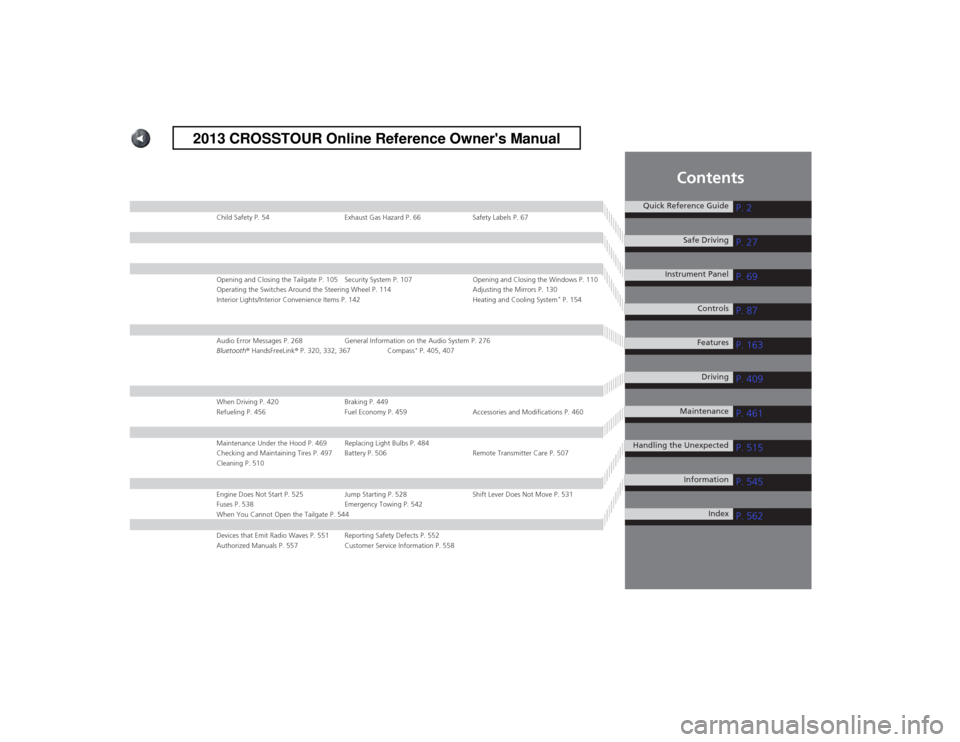
Child Safety P. 54 Exhaust Gas Hazard P. 66 Safety Labels P. 67
Opening and Closing the Tailgate P. 105 Security System P. 107 Opening and Closing the Windows P. 110
Operating the Switches Around the Steering Wheel P. 114 Adjusting the Mirrors P. 130
Interior Lights/Interior Convenience Items P. 142 Heating and Cooling System*
P. 154
Audio Error Messages P. 268 General Information on the Audio System P. 276
Bluetooth ® HandsFreeLink ® P. 320, 332, 367 Compass *
P. 405, 407
When Driving P. 420 Braking P. 449
Refueling P. 456 Fuel Economy P. 459 Accessories and Modifications P. 460
Maintenance Under the Hood P. 469 Replacing Light Bulbs P. 484
Checking and Maintaining Tires P. 497 Battery P. 506 Remote Transmitter Care P. 507
Cleaning P. 510
Engine Does Not Start P. 525 Jump Starting P. 528 Shift Lever Does Not Move P. 531
Fuses P. 538 Emergency Towing P. 542
When You Cannot Open the Tailgate P. 544
Devices that Emit Radio Waves P. 551 Reporting Safety Defects P. 552
Authorized Manuals P. 557 Customer Service Information P. 558
Quick Reference GuideP. 2
P. 27
P. 69
P. 87
P. 163
P. 409
P. 461
P. 515
P. 545
P. 562
Safe Driving
Instrument Panel Controls
Features Driving
Maintenance
Handling the Unexpected InformationIndex
2013 CROSSTOUR Online Reference Owner's Manual
Page 3 of 573
2
Quick Reference Guide
Quick Reference Guide
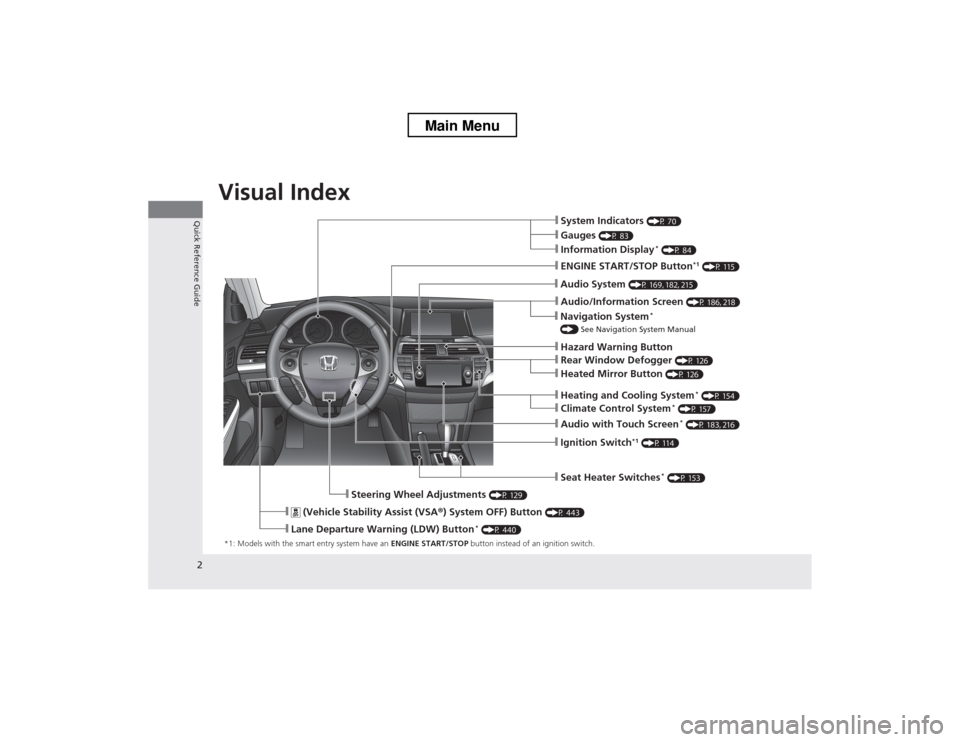
Visual Index
*1: Models with the smart entry system have an ENGINE START/STOP button instead of an ignition switch.
❙System Indicators (P 70)
❙Information Display *
(P 84)
❙Audio System (P 169, 182, 215)
❙ENGINE START/STOP Button *1
(P 115)
❙Ignition Switch *1
(P 114)
❙ (Vehicle Stability Assist (VSA ®) System OFF) Button (P 443)
❙Lane Departure Warning (LDW) Button *
(P 440)
❙Audio/Information Screen (P 186, 218)
❙Seat Heater Switches*
(P 153)
❙Steering Wheel Adjustments (P 129)
❙Heating and Cooling System*
(P 154)
❙Gauges (P 83)
❙Navigation System *
() See Navigation System Manual
❙Audio with Touch Screen *
(P 183, 216)
❙Hazard Warning Button
❙Climate Control System *
(P 157)
❙Rear Window Defogger (P 126)
❙Heated Mirror Button (P 126)
Main Menu
Page 10 of 573
9
Quick Reference Guide
Controls (P 87)
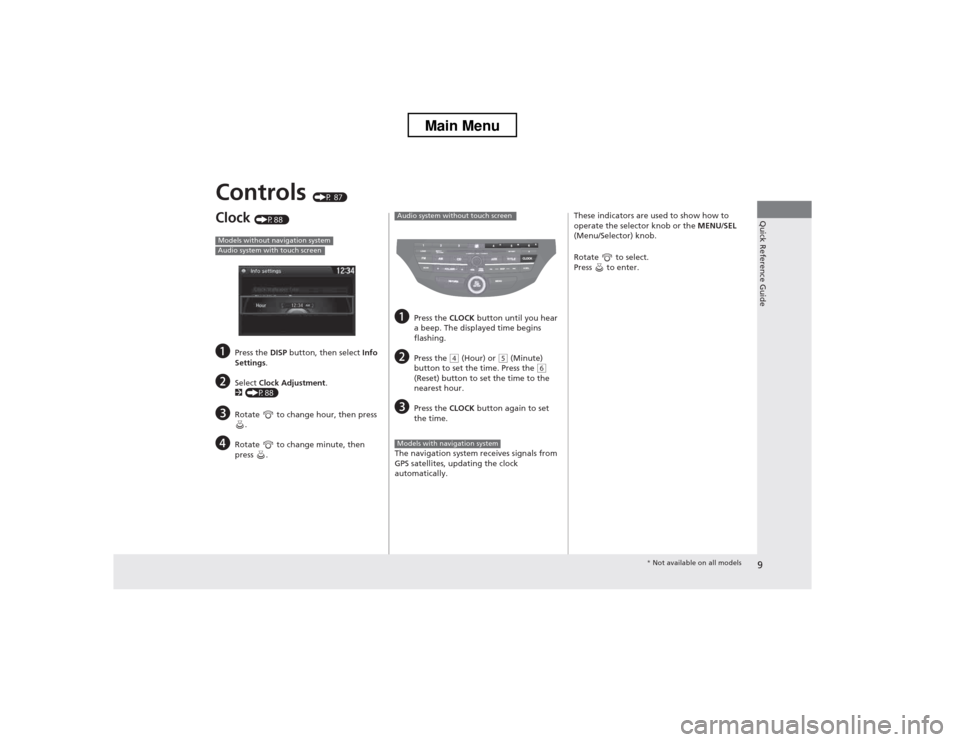
Clock (P88 )
a Press the DISP button, then select Info
Settings .
b Select Clock Adjustment .
2 (P88)
c Rotate to change hour, then press
.
d Rotate to change minute, then
press .
Models without navigation systemAudio system with touch screen
aPress the CLOCK button until you hear
a beep. The displayed time begins
flashing.
b Press the
(4 (Hour) or (5 (Minute)
button to set the time. Press the (6
(Reset) button to set the time to the nearest hour.
c Press the CLOCK button again to set
the time.
The navigation system receives signals from
GPS satellites, updating the clock
automatically.
Audio system without touch screen
Models with navigation system
These indicators are used to show how to
operate the selector knob or the MENU/SEL
(Menu/Selector) knob.
Rotate to select.
Press to enter.
* Not available on all models
Main Menu
Page 14 of 573
13
Quick Reference Guide
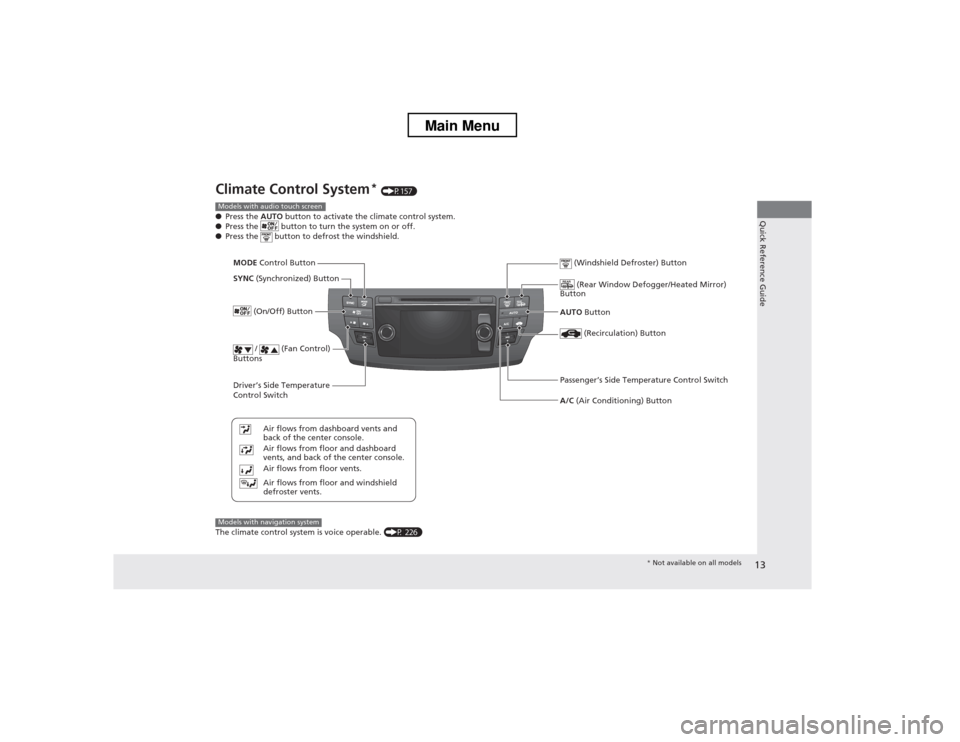
Climate Control System*
(P157)
● Press the AUTO button to activate the climate control system.
● Press the button to turn the system on or off.
● Press the button to defrost the windshield.
The climate control system is voice operable. (P 226)
Models with audio touch screen
Driver
Page 15 of 573
14
Quick Reference Guide
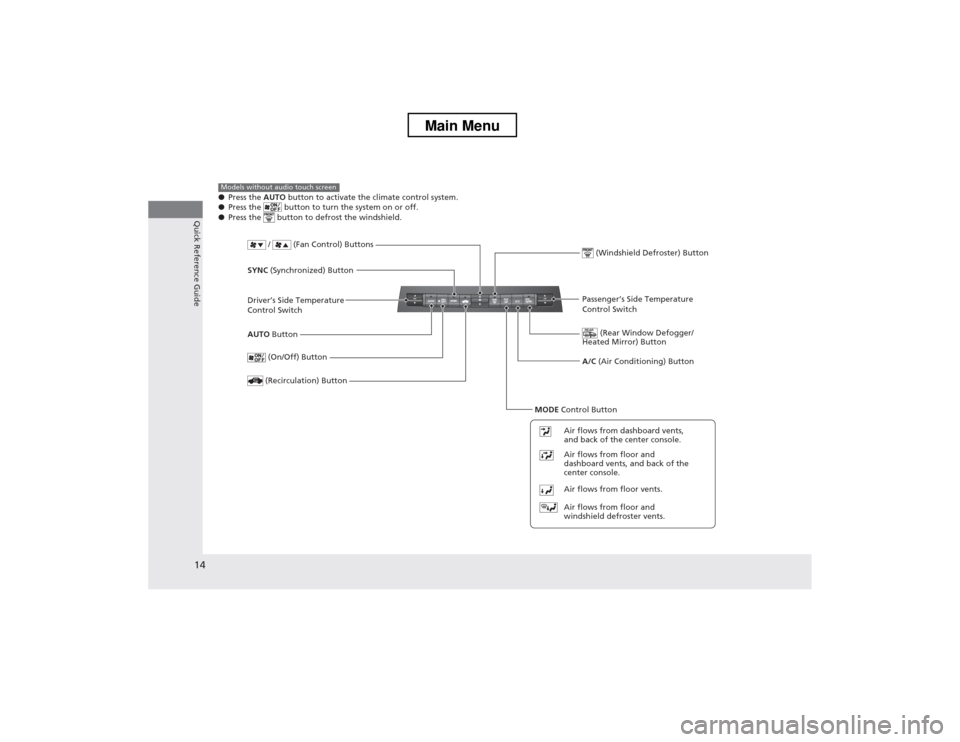
●Press the AUTO button to activate the climate control system.
● Press the button to turn the system on or off.
● Press the button to defrost the windshield.Models without audio touch screen
Driver
Page 16 of 573
15
Quick Reference Guide
Features (P 163)
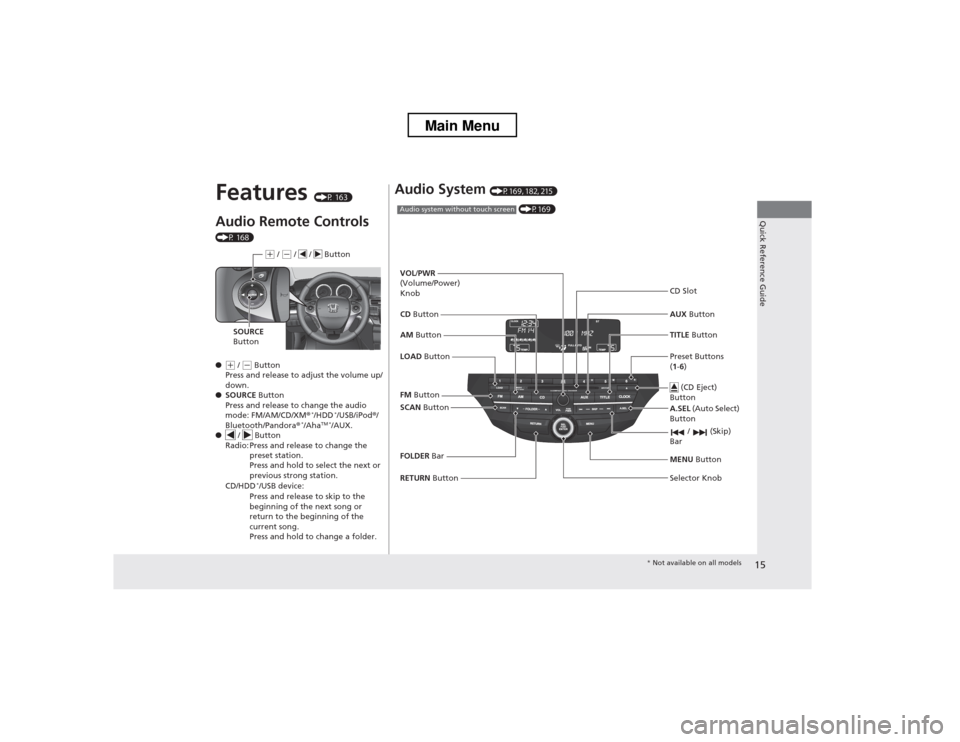
Audio Remote Controls
(P 168) ●
(+ / (- Button
Press and release to adjust the volume up/
down.
● SOURCE Button
Press and release to change the audio
mode: FM/AM/CD/XM ®*
/HDD *
/USB/iPod ®/
Bluetooth/Pandora ®*
/Aha TM *
/AUX.
● / Button
Radio: Press and release to change the
preset station.
Press and hold to select the next or
previous strong station.
CD/HDD *
/USB device:
Press and release to skip to the
beginning of the next song or
return to the beginning of the
current song.
Press and hold to change a folder.
(+ / (- / / Button
SOURCE
Button
Audio System (P169, 182, 215)
(P169)Audio system without touch screen
RETURN Button
FM
Button
SCAN Button
Selector Knob
AM
Button
VOL
/PWR
(Volume/Power) Knob CD Button AUX Button
CD Slot
(CD Eject)
Button
Preset Buttons ( 1 -6 )
TITLE
Button
/ (Skip)
Bar
MENU Button
LOAD Button
FOLDER Bar A.SEL
(Auto Select)
Button
* Not available on all models
Main Menu
Page 17 of 573
16
Quick Reference Guide
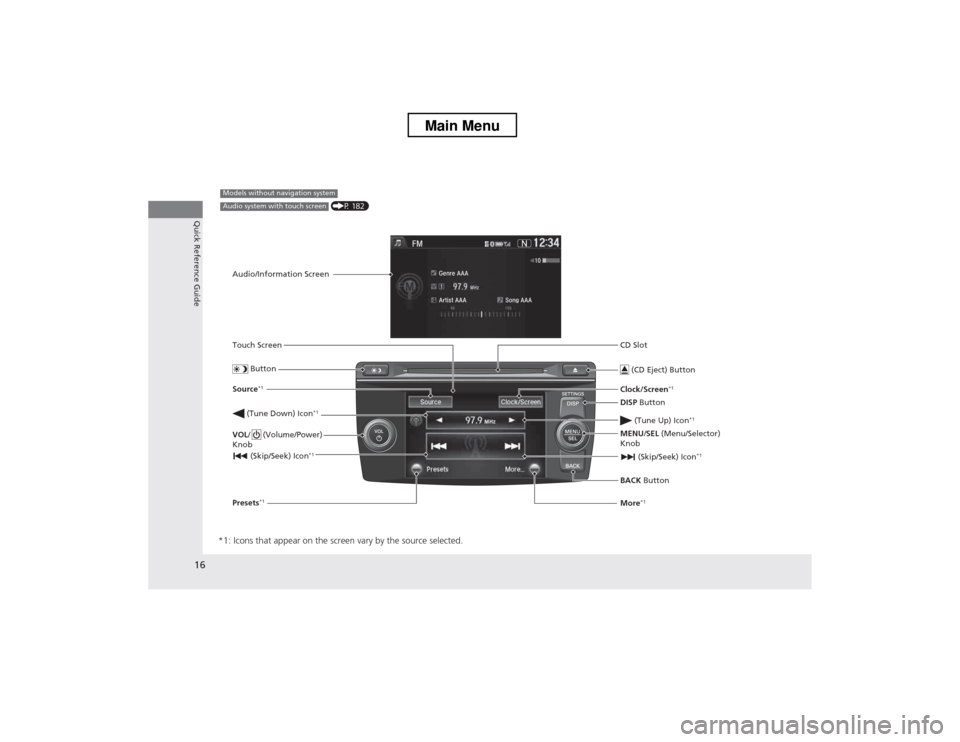
*1: Icons that appear on the screen vary by the source selected.
CD Slot (CD Eject) Button
BACK Button
MENU
/SEL (Menu/Selector)
Knob
(Tune Down) Icon
*1
(Skip/Seek) Icon*1
Models without navigation system
Audio/Information Screen
Touch Screen
Button
Source *1
VOL / (Volume/Power)
Knob
(Skip/Seek) Icon *1
Presets*1 Clock/Screen
*1
DISP Button
(Tune Up) Icon *1More*1
(P 182)Audio system with touch screen
Main Menu
Page 18 of 573
17
Quick Reference Guide
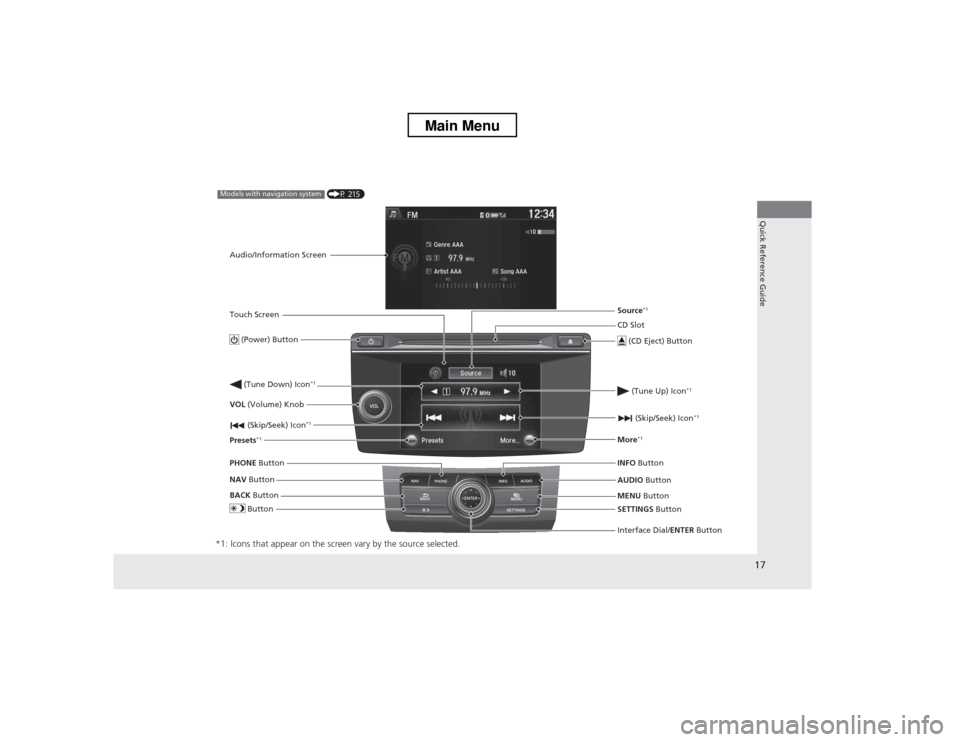
*1: Icons that appear on the screen vary by the source selected.
CD Slot (CD Eject) Button
MENU Button
Interface Dial/ ENTER Button
(Skip/Seek) Icon
*1
(P 215)Models with navigation system
Audio/Information Screen
Touch Screen
Button
Source *1
VOL (Volume) Knob
(Skip/Seek) Icon *1
Presets*1 (Tune Up) Icon
*1More*1
(Power) Button
(Tune Down) Icon *1
INFO
Button
AUDIO Button
SETTINGS Button
BACK
Button
NAV
Button
PHONE
Button
Main Menu
Page 52 of 573
Continued51
uuAirbagsuAirbag System Indicators
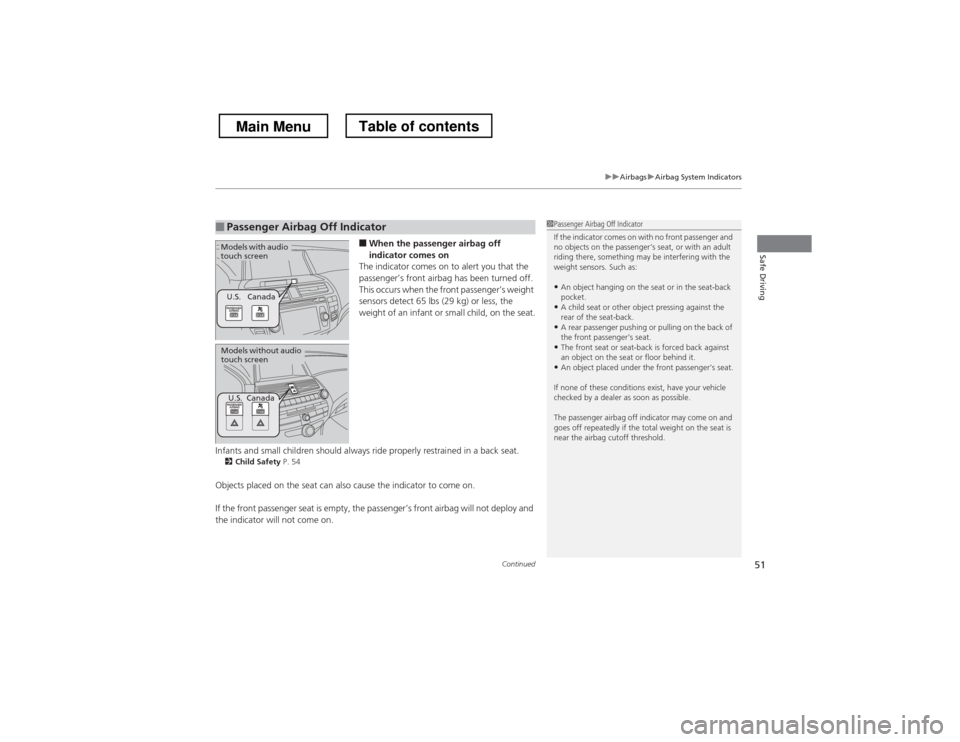
Safe Driving■When the passenger airbag off
indicator comes on
The indicator comes on to alert you that the
passenger’s front airbag has been turned off.
This occurs when the front passenger’s weight
sensors detect 65 lbs (29 kg) or less, the
weight of an infant or small child, on the seat.
Infants and small children should always ride properly restrained in a back seat. 2 Child Safety P. 54
Objects placed on the seat can also cause the indicator to come on.
If the front passenger seat is empty, the passenger’s front airbag will not deploy and
the indicator will not come on.
■Passenger Airbag Off Indicator1Passenger Airbag Off Indicator
If the indicator comes on with no front passenger and
no objects on the passenger’s seat, or with an adult
riding there, something may be interfering with the weight sensors. Such as: • An object hanging on the seat or in the seat-back pocket.
• A child seat or other object pressing against the
rear of the seat-back.
• A rear passenger pushing or pulling on the back of
the front passenger’s seat.
• The front seat or seat-back is forced back against
an object on the seat or floor behind it.
• An object placed under the front passenger’s seat.
If none of these conditions exist, have your vehicle
checked by a dealer as soon as possible.
The passenger airbag off indicator may come on and
goes off repeatedly if the total weight on the seat is
near the airbag cutoff threshold.
U.S. Canada
Models with audio
touch screen
Models without audio
touch screen
U.S. Canada
Main MenuTable of contents