lights HONDA CRV 2023 Service Manual
[x] Cancel search | Manufacturer: HONDA, Model Year: 2023, Model line: CRV, Model: HONDA CRV 2023Pages: 719, PDF Size: 13.43 MB
Page 294 of 719
293
uuAudio System Basic Operation uVoice Control Operation
Continued
Features
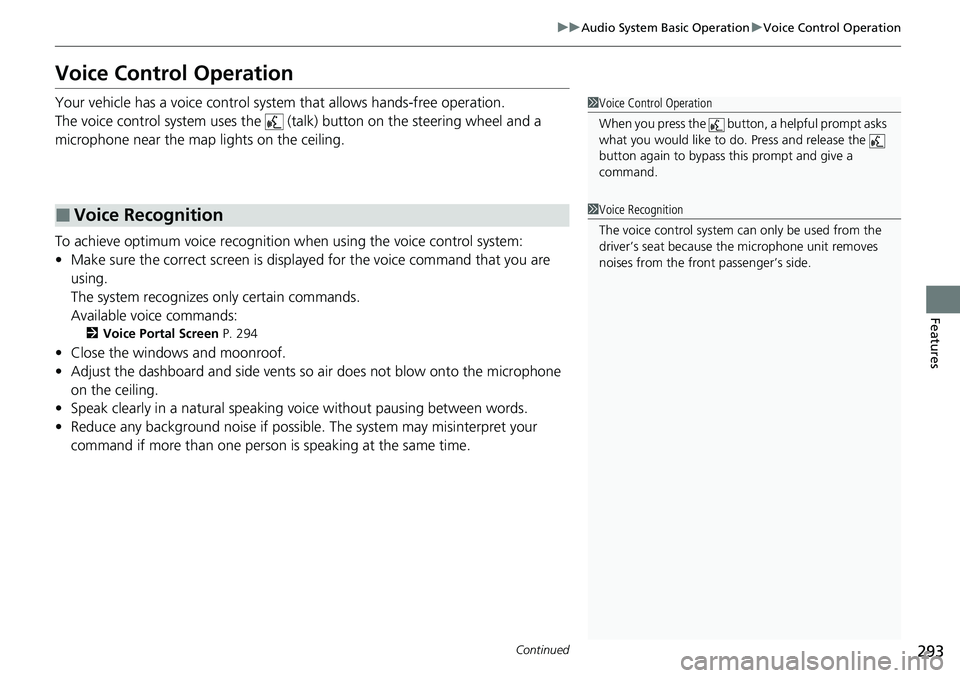
Voice Control Operation
Your vehicle has a voice control syst em that allows hands-free operation.
The voice control system uses the (t alk) button on the steering wheel and a
microphone near the map lights on the ceiling.
To achieve optimum voice recognition when using the voice control system:
• Make sure the correct screen is displa yed for the voice command that you are
using.
The system recognizes only certain commands.
Available voice commands:
2 Voice Portal Screen P. 294
•Close the windows and moonroof.
• Adjust the dashboard and side vents so air does not blow onto the microphone
on the ceiling.
• Speak clearly in a natural speaking vo ice without pausing between words.
• Reduce any background noise if possible. The system may misinterpret your
command if more than one person is speaking at the same time.
■Voice Recognition
1Voice Control Operation
When you press the button, a helpful prompt asks
what you would like to do. Press and release the
button again to bypass this prompt and give a
command.
1 Voice Recognition
The voice control system can only be used from the
driver’s seat because the microphone unit removes
noises from the front passenger’s side.
Page 396 of 719
395
uuCustomized Features u
Continued
Features
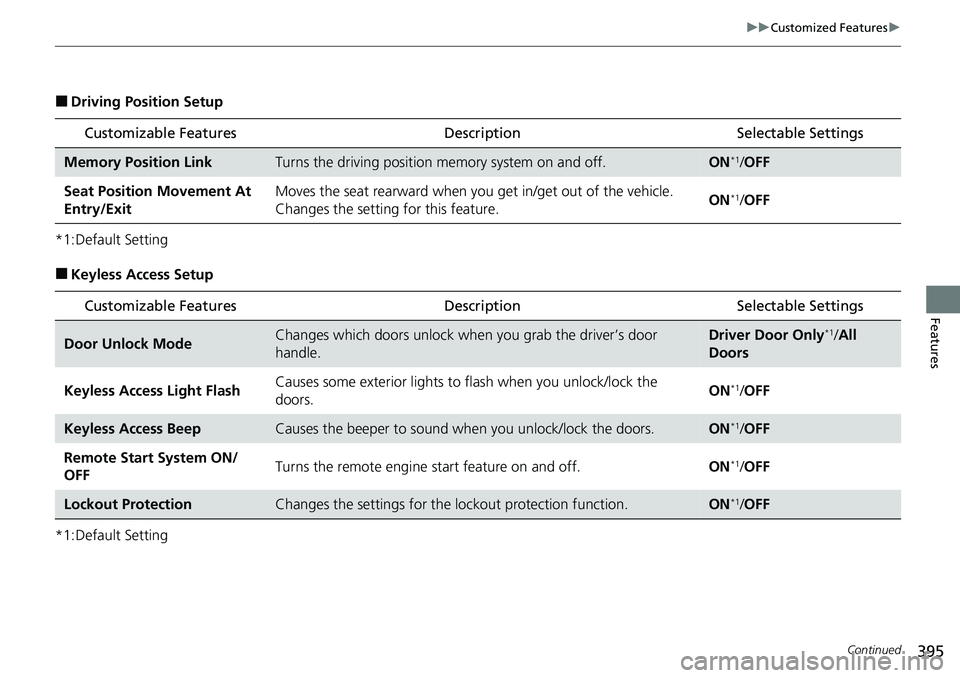
■Driving Position Setup
*1:Default Setting
■Keyless Access Setup
*1:Default Setting
Customizable Features Description Selectable Settings
Memory Position LinkTurns the driving position memory system on and off.ON*1/OFF
Seat Position Movement At
Entry/Exit Moves the seat rearward when you
get in/get out of the vehicle.
Changes the setting for this feature. ON
*1/
OFF
Customizable Features Description Selectable Settings
Door Unlock ModeChanges which doors unlock when you grab the driver’s door
handle.Driver Door Only*1/All
Doors
Keyless Access Light Flash Causes some exterior lights to
flash when you unlock/lock the
doors. ON
*1/
OFF
Keyless Access BeepCauses the beeper to sound when you unlock/lock the doors.ON*1/OFF
Remote Start System ON/
OFF Turns the remote engine start feature on and off.
ON
*1/OFF
Lockout ProtectionChanges the settings for the lo ckout protection function.ON*1/OFF
Page 397 of 719
396
uuCustomized Features u
Features
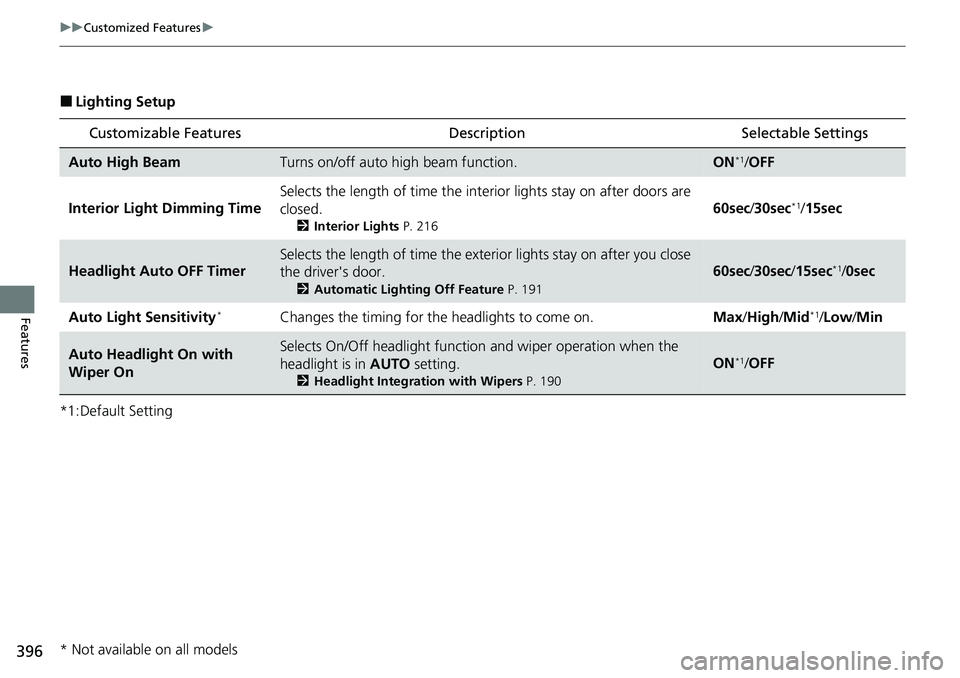
■Lighting Setup
*1:Default Setting
Customizable Features Description Selectable Settings
Auto High BeamTurns on/off auto high beam function.ON*1/OFF
Interior Light Dimming Time Selects the length of time the inte
rior lights stay on after doors are
closed.
2 Interior Lights P. 216
60sec/30sec*1/15sec
Headlight Auto OFF Timer
Selects the length of time the exterior lights stay on after you close
the driver's door.
2 Automatic Lighting Off Feature P. 191
60sec/30sec /15sec*1/0sec
Auto Light Sensitivity
*Changes the timing for the headlights to come on. Max/High/ Mid*1/Low /Min
Auto Headlight On with
Wiper OnSelects On/Off headlight function and wiper operation when the
headlight is in AUTO setting.
2Headlight Integration with Wipers P. 190
ON*1/OFF
* Not available on all models
Page 443 of 719
442
Driving
Before Driving
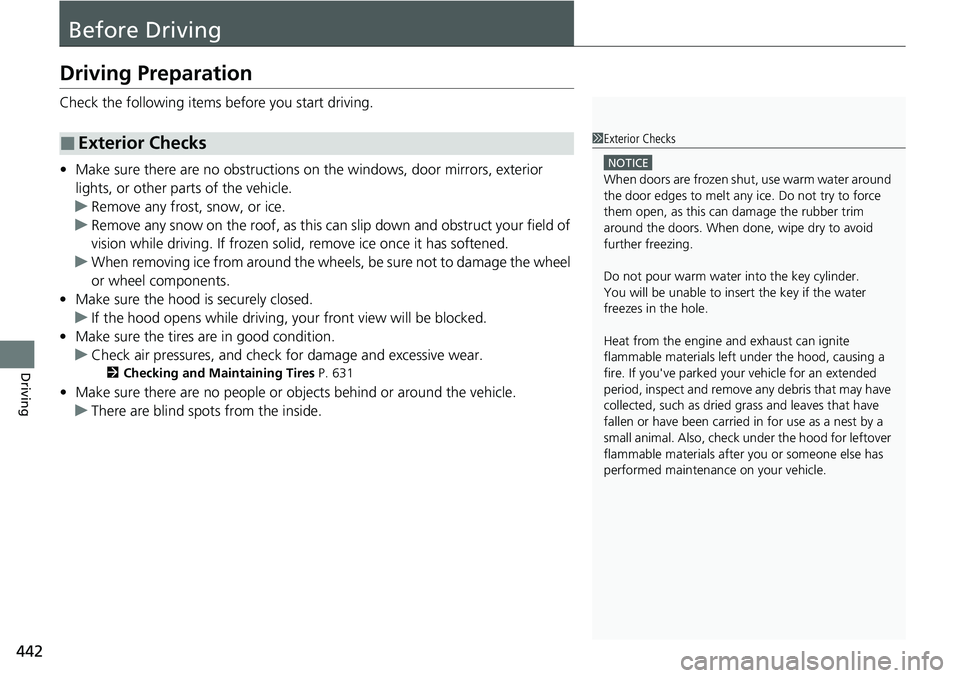
Driving Preparation
Check the following items before you start driving.
• Make sure there are no obstructions on the windows, door mirrors, exterior
lights, or other parts of the vehicle.
u Remove any frost, snow, or ice.
u Remove any snow on the roof, as this can slip down and obstruct your field of
vision while driving. If frozen solid , remove ice once it has softened.
u When removing ice from around the wheels, be sure not to damage the wheel
or wheel components.
• Make sure the hood is securely closed.
u If the hood opens while driving, your front view will be blocked.
• Make sure the tires are in good condition.
u Check air pressures, and check for damage and excessive wear.
2Checking and Maintaining Tires P. 631
•Make sure there are no people or ob jects behind or around the vehicle.
u There are blind spots from the inside.
■Exterior Checks1Exterior Checks
NOTICE
When doors are frozen s hut, use warm water around
the door edges to melt any ice. Do not try to force
them open, as this can damage the rubber trim
around the doors. When done, wipe dry to avoid
further freezing.
Do not pour warm water into the key cylinder.
You will be unable to insert the key if the water
freezes in the hole.
Heat from the engine and exhaust can ignite
flammable material s left under the hood, causing a
fire. If you've parked y our vehicle for an extended
period, inspect and remove any debris that may have
collected, such as dried grass and leaves that have
fallen or have been carried in for use as a nest by a
small animal. Also, check under the hood for leftover
flammable materials after you or someone else has
performed maintenance on your vehicle.
Page 450 of 719
449
uuTowing a Trailer uTowing Preparation
Driving
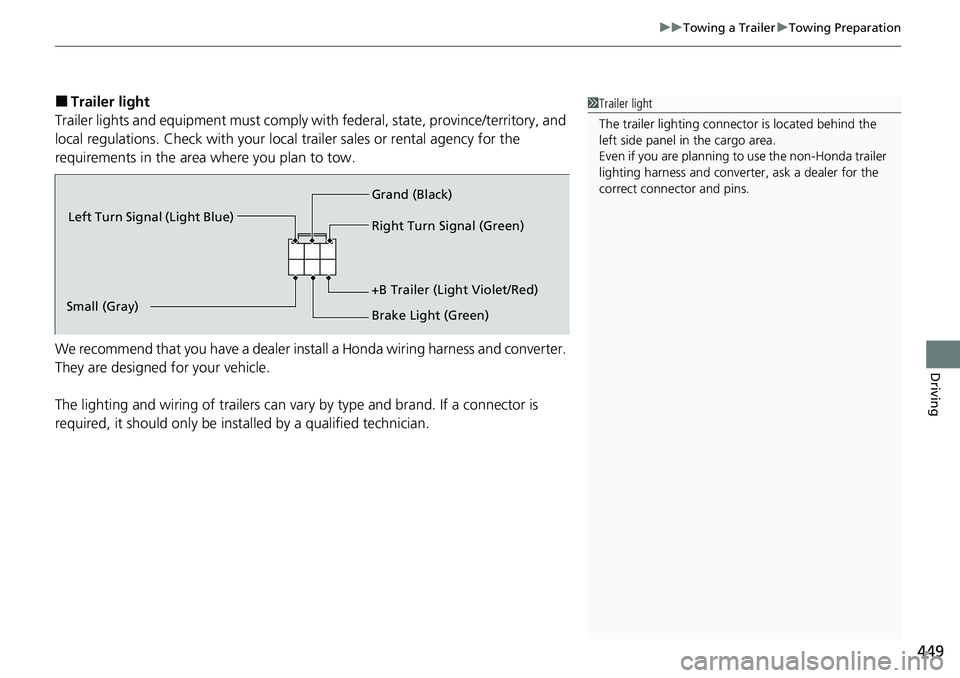
■Trailer light
Trailer lights and equipment must comply with federal, state, province/territory, and
local regulations. Check with your local trailer sales or rental agency for the
requirements in the area where you plan to tow.
We recommend that you have a dealer inst all a Honda wiring harness and converter.
They are designed for your vehicle.
The lighting and wiring of trailers can vary by type and brand. If a connector is
required, it should only be installed by a qualified technician.1 Trailer light
The trailer lighting connect or is located behind the
left side panel in the cargo area.
Even if you are planning to use the non-Honda trailer
lighting harness and converte r, ask a dealer for the
correct connector and pins.
Right Turn Signal (Green)
Left Turn Signal (Light Blue)
Small (Gray) Brake Light (Green)
+B Trailer (Light Violet/Red) Grand (Black)
Page 451 of 719
450
uuTowing a Trailer uDriving Safely with a Trailer
Driving
Driving Safely with a Trailer
• Have the trailer properly serviced and keep it in good condition.
• Make sure that all the weights and load in the vehicle and trailer are within limits.
2Towing Load Limits P. 447
•Securely attach the hitch, safety chains, and other necessary parts to the trailer.
• Securely store all the items in and on the tr ailer so that they do not shift while
driving.
• Check if the lights and brakes on the trailer are working properly.
• Check the pressure of the traile r tires, including the spare.
• Turn off the rear parking sensor system.
2 Parking sensor system on and off P. 585
•Turn off the Low Speed Braking Control syst em. It may activate if it detects the
towed object as an obstacle.
2 System On and Off P. 510
•Drive slower than normal.
• Obey posted speed limits for vehicles with trailers.
• Use the
(D position when towing a trailer on level roads.
■Things You Need To Know Before Towing a Trailer
■Towing Speeds and Shift Position
1Driving Safely with a Trailer
Operating speed when towing a trailer must not
exceed 62 mph (100 km/h).
Parking
In addition to the normal precautions, place wheel
chocks at each of the trailer's tires.
When towing a trailer, we recommend that you carry
a full-size spare wheel and tire for both your vehicle
and trailer.
Remember to unhitch the tra iler before changing a
flat tire. Ask the trailer sales or rental agency where
and how to store the trailer’s spare tire.
Models with parking sensor system
1 Towing Speeds and Shift Position
When towing a fixed-sided trailer (e.g., camper), do
not exceed 55 mph (88 km/h). At higher speeds, the
trailer may sway or af fect vehicle handling.
Page 456 of 719
455Continued
Driving
When Driving
Turning on the Power
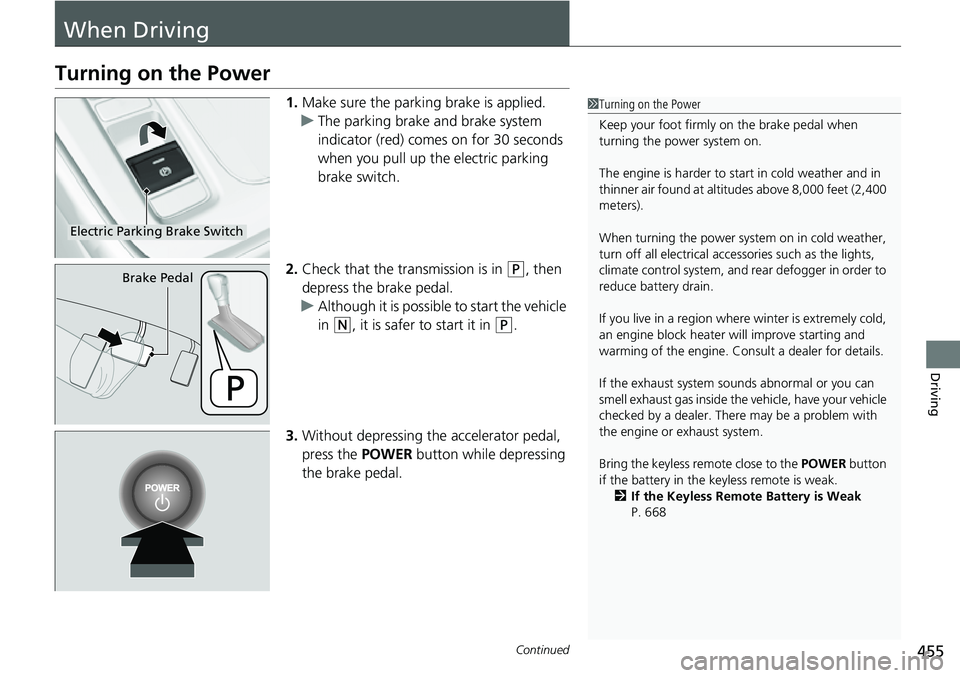
1.Make sure the parkin g brake is applied.
u The parking brake and brake system
indicator (red) comes on for 30 seconds
when you pull up the electric parking
brake switch.
2. Check that the transmission is in
(P, then
depress the brake pedal.
u Although it is possible to start the vehicle
in
(N, it is safer to start it in (P.
3. Without depressing the accelerator pedal,
press the POWER button while depressing
the brake pedal.
1 Turning on the Power
Keep your foot firmly on the brake pedal when
turning the power system on.
The engine is harder to st art in cold weather and in
thinner air found at altit udes above 8,000 feet (2,400
meters).
When turning the power system on in cold weather,
turn off all electrical accessories such as the lights,
climate control system, and rear defogger in order to
reduce battery drain.
If you live in a region where winter is extremely cold,
an engine block heater will improve starting and
warming of the engine. Consult a dealer for details.
If the exhaust system sounds abnormal or you can
smell exhaust gas inside the vehicle, have your vehicle
checked by a dealer. There may be a problem with
the engine or exhaust system.
Bring the keyless remote close to the POWER button
if the battery in the keyless remote is weak. 2 If the Keyless Remote Battery is Weak
P. 668
Electric Parking Brake Switch
Brake Pedal
Page 458 of 719
Continued457
uuWhen Driving uTurning on the Power
Driving
You can remotely turn the power system on using the keyless remote.
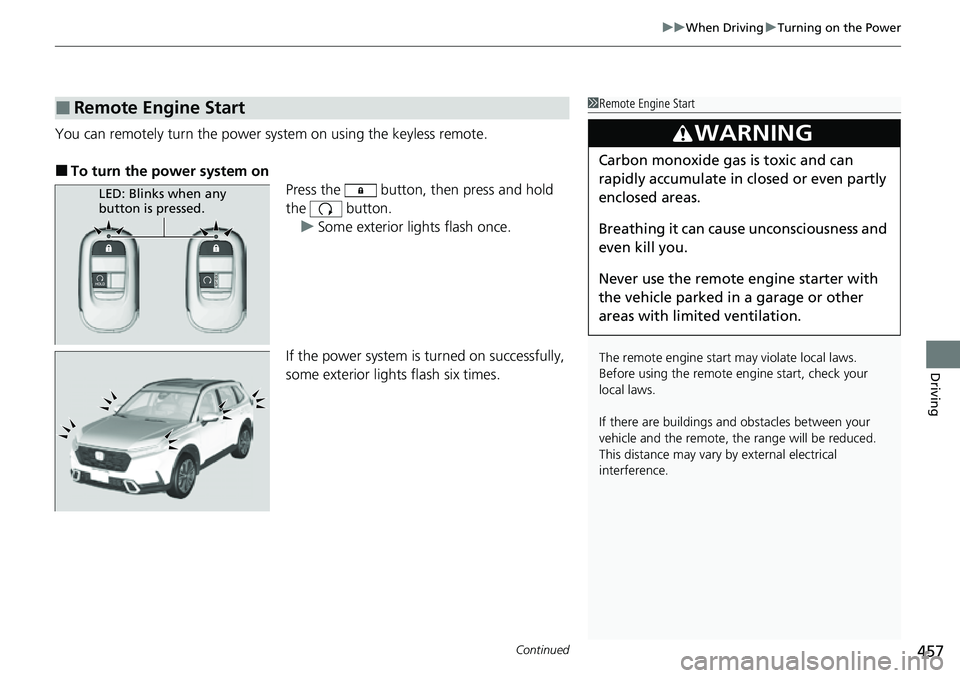
■To turn the power system on
Press the button, then press and hold
the button.
u Some exterior lights flash once.
If the power system is turned on successfully,
some exterior lights flash six times.
■Remote Engine Start1 Remote Engine Start
The remote engine start may violate local laws.
Before using the remote e ngine start, check your
local laws.
If there are buildings an d obstacles between your
vehicle and the remote, th e range will be reduced.
This distance may vary by external electrical
interference.
3WARNING
Carbon monoxide ga s is toxic and can
rapidly accumulate in closed or even partly
enclosed areas.
Breathing it can cause unconsciousness and
even kill you.
Never use the remote engine starter with
the vehicle parked in a garage or other
areas with limited ventilation.
LED: Blinks when any
button is pressed.
Page 459 of 719
uuWhen Driving uTurning on the Power
458
Driving
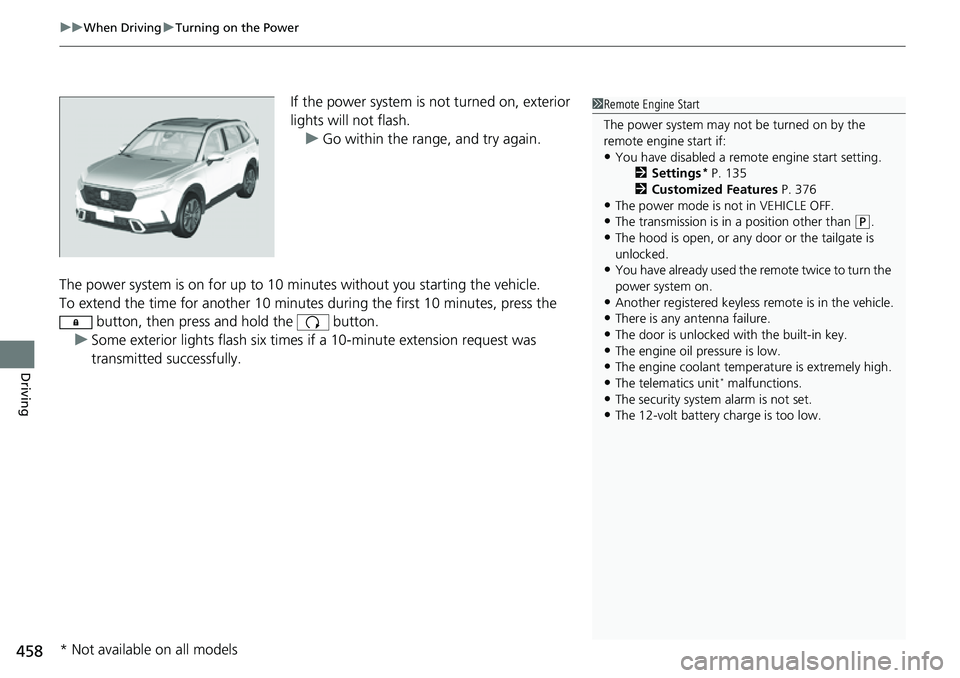
If the power system is not turned on, exterior
lights will not flash.
u Go within the rang e, and try again.
The power system is on for up to 10 minutes without you starting the vehicle.
To extend the time for another 10 minute s during the first 10 minutes, press the
button, then press and hold the button.
u Some exterior lights flash six times if a 10-minute extension request was
transmitted successfully.1Remote Engine Start
The power system may not be turned on by the
remote engine start if:
•You have disabled a remo te engine start setting.
2 Settings* P. 135
2 Customized Features P. 376
•The power mode is not in VEHICLE OFF.•The transmission is in a position other than (P.
•The hood is open, or any door or the tailgate is
unlocked.
•You have already used the remote twice to turn the
power system on.
•Another registered keyless remote is in the vehicle.•There is any antenna failure.
•The door is unlocked with the built-in key.
•The engine oil pressure is low.•The engine coolant temper ature is extremely high.
•The telematics unit* malfunctions.
•The security system alarm is not set.•The 12-volt battery charge is too low.
* Not available on all models
Page 460 of 719
Continued459
uuWhen Driving uTurning on the Power
Driving
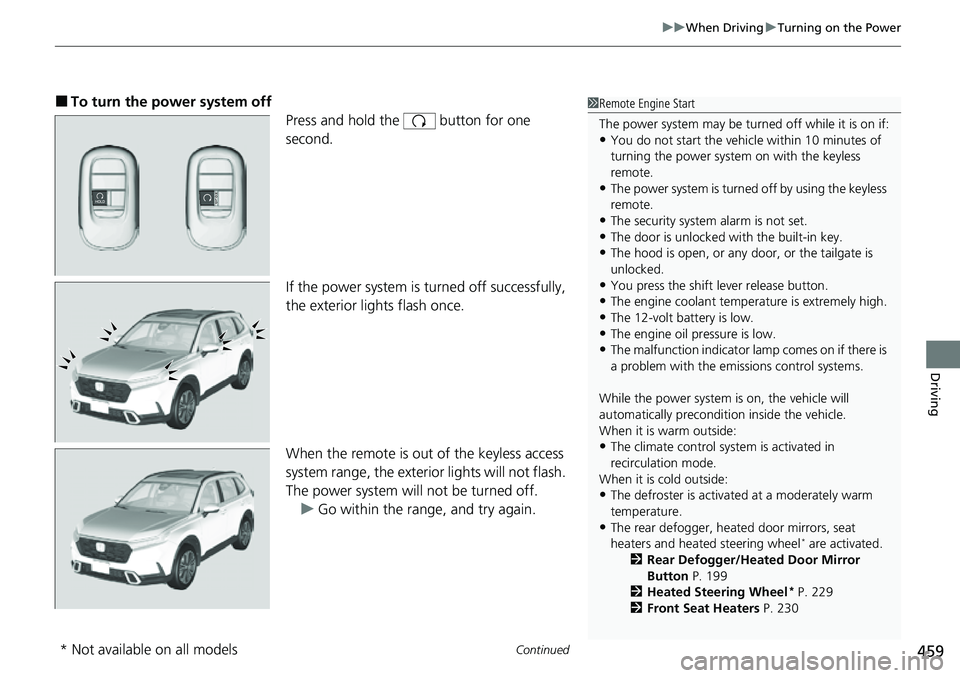
■To turn the power system off
Press and hold the button for one
second.
If the power system is turned off successfully,
the exterior lights flash once.
When the remote is out of the keyless access
system range, the exteri or lights will not flash.
The power system will not be turned off. u Go within the range, and try again.1Remote Engine Start
The power system may be turned off while it is on if:
•You do not start the vehicl e within 10 minutes of
turning the power system on with the keyless
remote.
•The power system is turned off by using the keyless
remote.
•The security system alarm is not set.•The door is unlocked with the built-in key.
•The hood is open, or any door, or the tailgate is
unlocked.
•You press the shift lever release button.
•The engine coolant temper ature is extremely high.
•The 12-volt battery is low.•The engine oil pressure is low.
•The malfunction indicator la mp comes on if there is
a problem with the emissions control systems.
While the power system is on, the vehicle will
automatically preconditi on inside the vehicle.
When it is warm outside:
•The climate control system is activated in
recirculation mode.
When it is cold outside:
•The defroster is activated at a moderately warm
temperature.
•The rear defogger, heated door mirrors, seat
heaters and heated steering wheel* are activated.
2 Rear Defogger/Heated Door Mirror
Button P. 199
2 Heated Steering Wheel
* P. 229
2 Front Seat Heaters P. 230
* Not available on all models