oil dipstick HONDA ELEMENT 2010 1.G Owners Manual
[x] Cancel search | Manufacturer: HONDA, Model Year: 2010, Model line: ELEMENT, Model: HONDA ELEMENT 2010 1.GPages: 342, PDF Size: 5.76 MB
Page 3 of 342

Cup Holders................................. 99
Customer Service .......................322
D
DANGER, Explanation of .............iii
Dashboard ............................... 3, 56
Daytime Running Lights ..............72
Daytime Running Lights
Indicator ................................... 60
Dead Battery .............................. 291
Defects, Reporting Safety (U.S. only) ....................................... 324
Defogger, Rear Window ...............74
Dimensions ................................ 308
Dimming the Headlights ..............71
Dipstick Automatic Transmission .........256
Engine Oil ............................... 201
Directional Signals .................60, 71
Disc Brake Wear Indicators .......225
Disc Care ................................... 183
Disc Changer Error
Messages ............................... 126Disc Player Error
Messages ........................ 125, 148
Disposal of Used Oil ...................253
Doors
Indicator ................................... 11
Locking and Unlocking ............80
Power Door Locks ...................80
DOT Tire Quality Grading (U.S. Vehicles) ................................ 311
Downshifting, Manual Transmission .......................... 217
Driver and Passenger Safety ..........5
Driving ....................................... 213
Economy ................................. 202
Driving Guidelines .....................214
Dust and Pollen Filter ................269
E
Economy, Fuel ........................... 202
Emergencies on the Road ..........281
Battery, Jump Starting .............291
Brake System Indicator .....58, 297
Changing a Flat Tire ...............283Charging System
Indicator ........................ 58, 295
Checking the Fuses ................298
Driving with a Flat Tire ...........282
Hazard Warning Flashers ........73
Jump Starting .......................... 291
Low Oil Pressure
Indicator ........................ 58, 295
Malfunction Indicator Lamp ............................. 58, 296
Overheated Engine .................293
Towing .................................... 303
Emergency Brake ........................94
Emergency Flashers ....................73
Emergency Towing ....................303
Emissions Controls ....................316
Emissions Testing ......................319
CONTINUED
Index
III
INDEX
Page 217 of 342
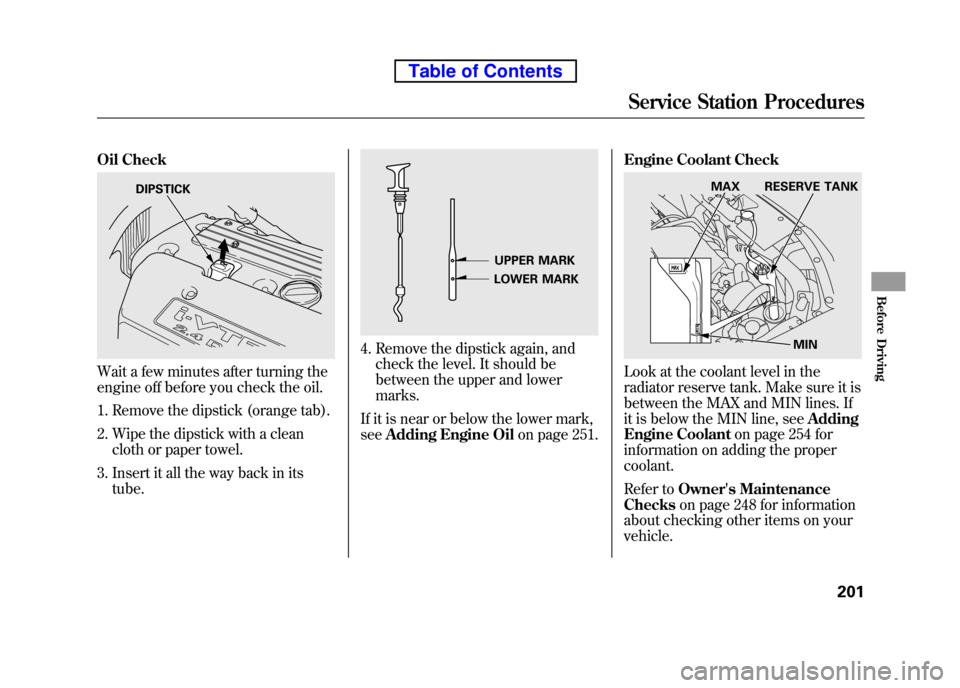
Oil Check
Wait a few minutes after turning the
engine off before you check the oil.1. Remove the dipstick (orange tab).
2. Wipe the dipstick with a clean cloth or paper towel.
3. Insert it all the way back in its tube.
4. Remove the dipstick again, andcheck the level. It should be
between the upper and lowermarks.
If it is near or below the lower mark,see Adding Engine Oil on page 251.Engine Coolant Check
Look at the coolant level in the
radiator reserve tank. Make sure it is
between the MAX and MIN lines. If
it is below the MIN line, see
Adding
Engine Coolant on page 254 for
information on adding the propercoolant.
Refer to Owner's Maintenance
Checks on page 248 for information
about checking other items on your vehicle.
DIPSTICK
UPPER MARK
LOWER MARK
MIN
MAX RESERVE TANK
Service Station Procedures
201
Before Driving
Table of Contents
Page 266 of 342
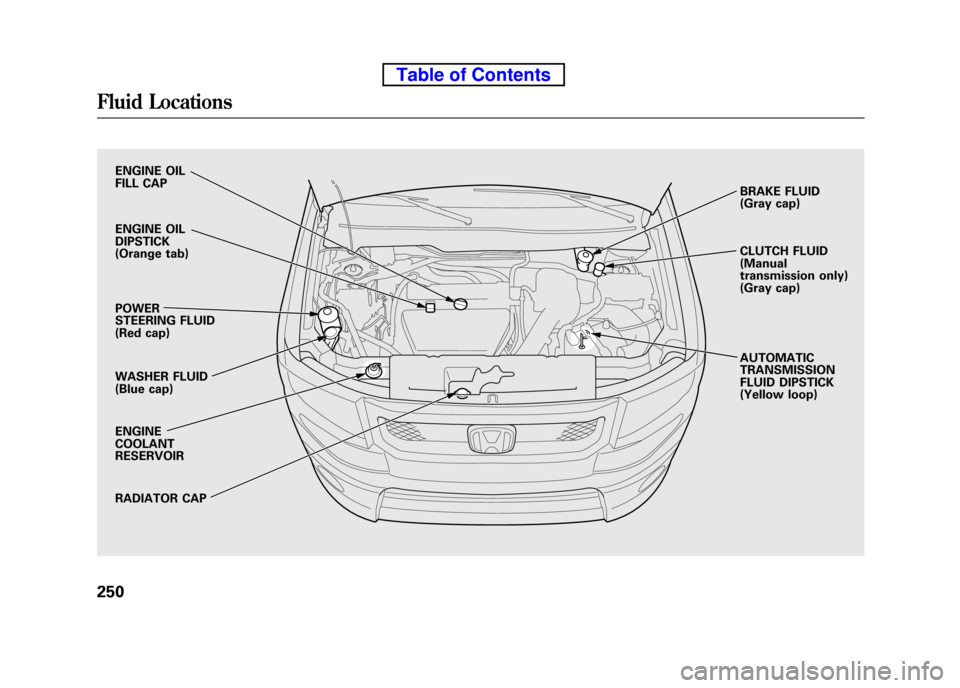
ENGINE OIL
FILL CAP
ENGINE OIL DIPSTICK
(Orange tab) POWER
STEERING FLUID
(Red cap)
WASHER FLUID
(Blue cap) ENGINE COOLANTRESERVOIR
RADIATOR CAPBRAKE FLUID
(Gray cap)
CLUTCH FLUID (Manual
transmission only)
(Gray cap) AUTOMATIC TRANSMISSION
FLUID DIPSTICK
(Yellow loop)
Fluid Locations
250
Table of Contents
Page 267 of 342
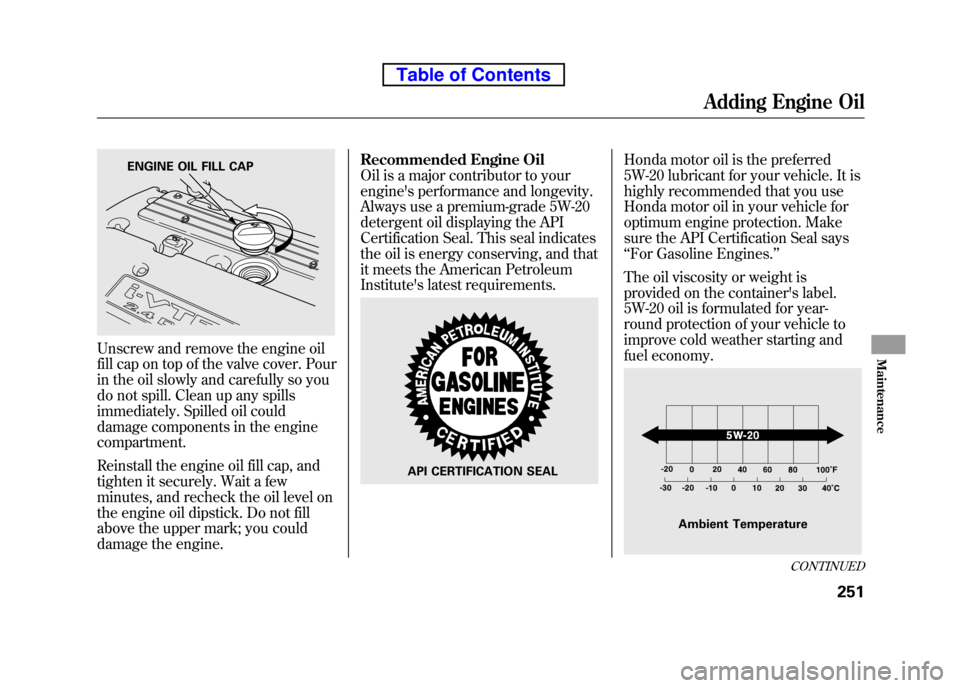
Unscrew and remove the engine oil
fill cap on top of the valve cover. Pour
in the oil slowly and carefully so you
do not spill. Clean up any spills
immediately. Spilled oil could
damage components in the engine compartment.
Reinstall the engine oil fill cap, and
tighten it securely. Wait a few
minutes, and recheck the oil level on
the engine oil dipstick. Do not fill
above the upper mark; you could
damage the engine.Recommended Engine Oil
Oil is a major contributor to your
engine's performance and longevity.
Always use a premium-grade 5W-20
detergent oil displaying the API
Certification Seal. This seal indicates
the oil is energy conserving, and that
it meets the American Petroleum
Institute's latest requirements.
Honda motor oil is the preferred
5W-20 lubricant for your vehicle. It is
highly recommended that you use
Honda motor oil in your vehicle for
optimum engine protection. Make
sure the API Certification Seal says‘‘
For Gasoline Engines. ’’
The oil viscosity or weight is
provided on the container's label.
5W-20 oil is formulated for year-
round protection of your vehicle to
improve cold weather starting and
fuel economy.ENGINE OIL FILL CAP
API CERTIFICATION SEAL
Ambient Temperature
CONTINUED
Adding Engine Oil
251
Maintenance
Table of Contents
Page 269 of 342
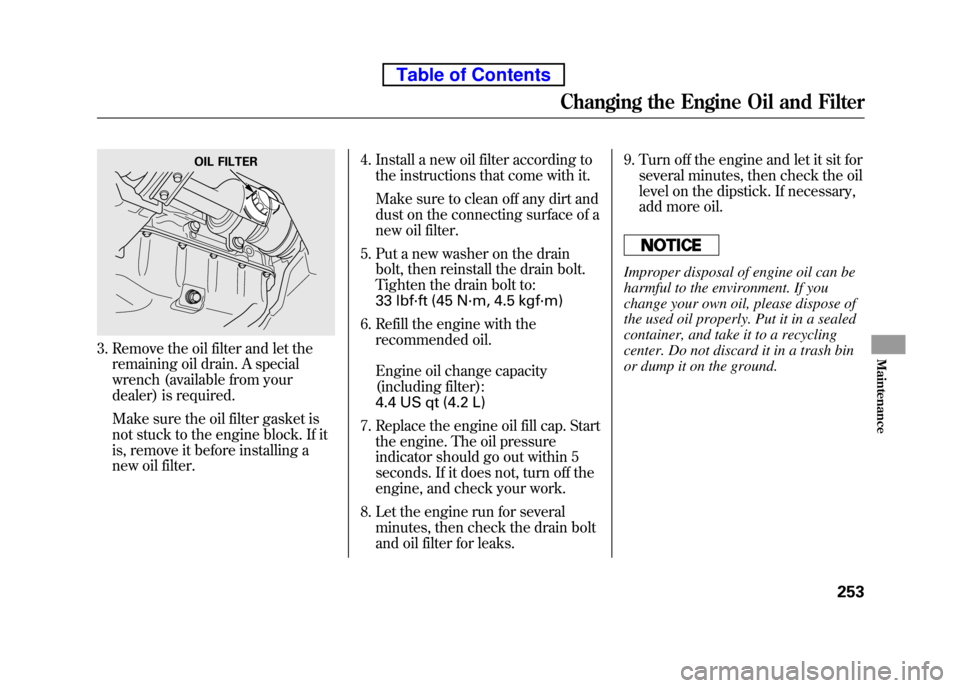
3. Remove the oil filter and let theremaining oil drain. A special
wrench (available from your
dealer) is required.
Make sure the oil filter gasket is
not stuck to the engine block. If it
is, remove it before installing a
new oil filter. 4. Install a new oil filter according to
the instructions that come with it.
Make sure to clean off any dirt and
dust on the connecting surface of a
new oil filter.
5. Put a new washer on the drain bolt, then reinstall the drain bolt.
Tighten the drain bolt to:
33 lbf·ft (45 N·m, 4.5 kgf·m)
6. Refill the engine with the recommended oil.
Engine oil change capacity
(including filter):
4.4 US qt (4.2 L)
7. Replace the engine oil fill cap. Start the engine. The oil pressure
indicator should go out within 5
seconds. If it does not, turn off the
engine, and check your work.
8. Let the engine run for several minutes, then check the drain bolt
and oil filter for leaks. 9. Turn off the engine and let it sit for
several minutes, then check the oil
level on the dipstick. If necessary,
add more oil.
Improper disposal of engine oil can be
harmful to the environment. If you
change your own oil, please dispose of
the used oil properly. Put it in a sealed
container, and take it to a recycling
center. Do not discard it in a trash bin
or dump it on the ground.
OIL FILTER
Changing the Engine Oil and Filter
253
Maintenance
Table of Contents
Page 311 of 342
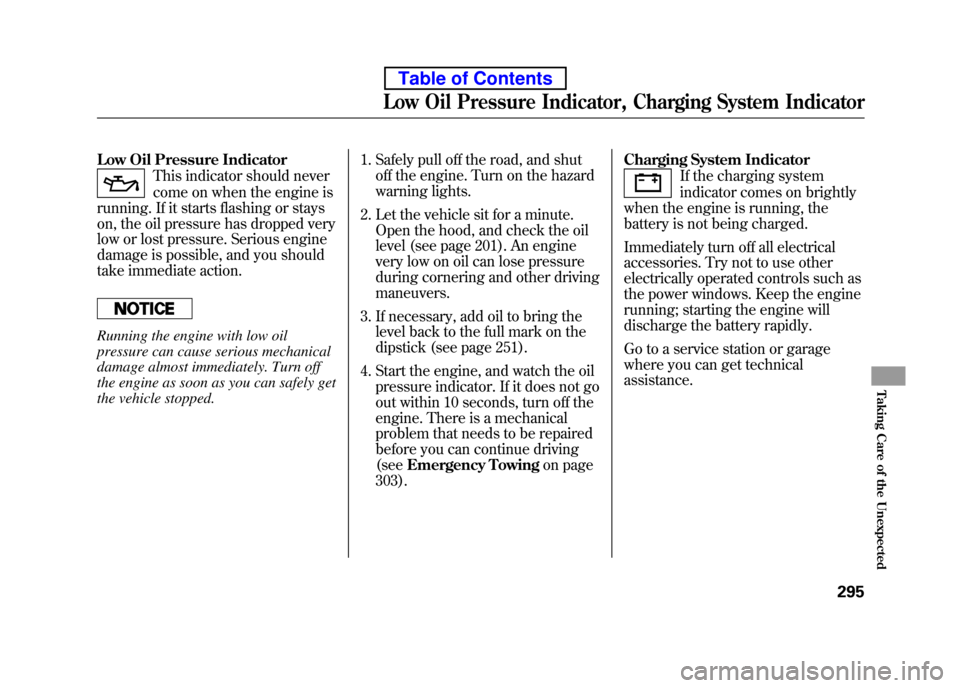
Low Oil Pressure Indicator
This indicator should never
come on when the engine is
running. If it starts flashing or stays
on, the oil pressure has dropped very
low or lost pressure. Serious engine
damage is possible, and you should
take immediate action.
Running the engine with low oil
pressure can cause serious mechanical
damage almost immediately. Turn off
the engine as soon as you can safely get
the vehicle stopped. 1. Safely pull off the road, and shut
off the engine. Turn on the hazard
warning lights.
2. Let the vehicle sit for a minute. Open the hood, and check the oil
level (see page 201). An engine
very low on oil can lose pressure
during cornering and other drivingmaneuvers.
3. If necessary, add oil to bring the level back to the full mark on the
dipstick (see page 251).
4. Start the engine, and watch the oil pressure indicator. If it does not go
out within 10 seconds, turn off the
engine. There is a mechanical
problem that needs to be repaired
before you can continue driving(see Emergency Towing on page
303). Charging System Indicator
If the charging system
indicator comes on brightly
when the engine is running, the
battery is not being charged.
Immediately turn off all electrical
accessories. Try not to use other
electrically operated controls such as
the power windows. Keep the engine
running; starting the engine will
discharge the battery rapidly.
Go to a service station or garage
where you can get technicalassistance.
Low Oil Pressure Indicator, Charging System Indicator
295
Taking Care of the Unexpected
Table of Contents