engine HONDA FIT 2013 3.G User Guide
[x] Cancel search | Manufacturer: HONDA, Model Year: 2013, Model line: FIT, Model: HONDA FIT 2013 3.GPages: 286, PDF Size: 9.38 MB
Page 69 of 286
68
uuIndicatorsu
Instrument Panel
IndicatorNameOn/BlinkingExplanation
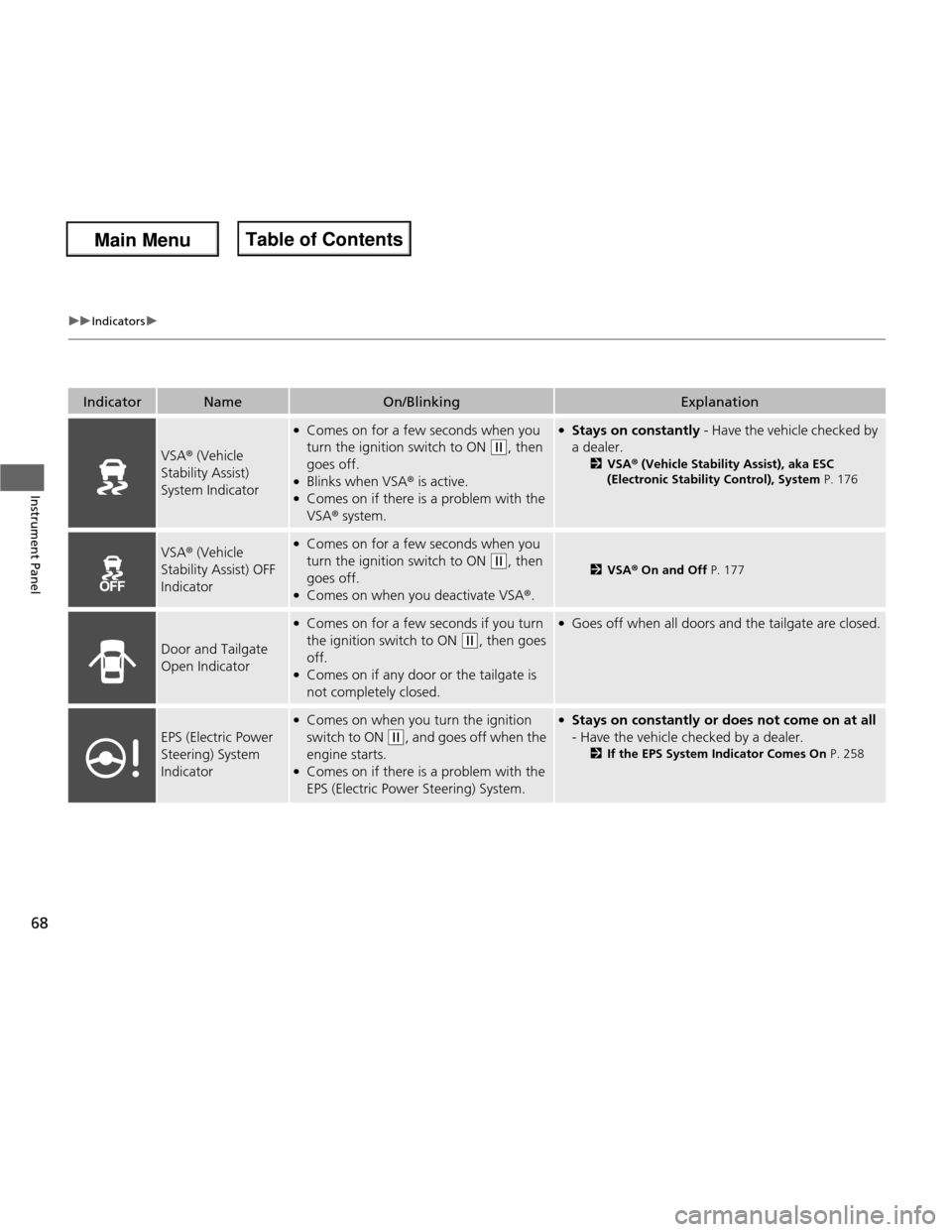
VSA® (Vehicle
Stability Assist) System Indicator
● Comes on for a few seconds when you
turn the ignition switch to ON
(w , then
goes off.
● Blinks when VSA ® is active.
● Comes on if there is a problem with the VSA ® system.
●
Stays on constantly - Have the vehicle checked by
a dealer. 2VSA ® (Vehicle Stability Assist), aka ESC
(Electronic Stability Control), System P. 176
VSA® (Vehicle
Stability Assist) OFF
Indicator● Comes on for a few seconds when you
turn the ignition switch to ON
(w , then
goes off.
● Comes on when you deactivate VSA ®.2 VSA ® On and Off P. 177
Door and Tailgate Open Indicator
●
Comes on for a few seconds if you turn
the ignition switch to ON
(w , then goes
off.
● Comes on if any door or the tailgate is
not completely closed.
●Goes off when all doors and the tailgate are closed.
EPS (Electric Power
Steering) System
Indicator
●Comes on when you turn the ignition
switch to ON
(w , and goes off when the
engine starts.
● Comes on if there is a problem with the
EPS (Electric Power Steering) System.
●Stays on constantly or does not come on at all
- Have the vehicle checked by a dealer. 2If the EPS System Indicator Comes On P. 258
Main Menu
Main MenuTable of Contents
Page 71 of 286
70
uuIndicatorsu
Instrument Panel
IndicatorNameOn/BlinkingExplanation
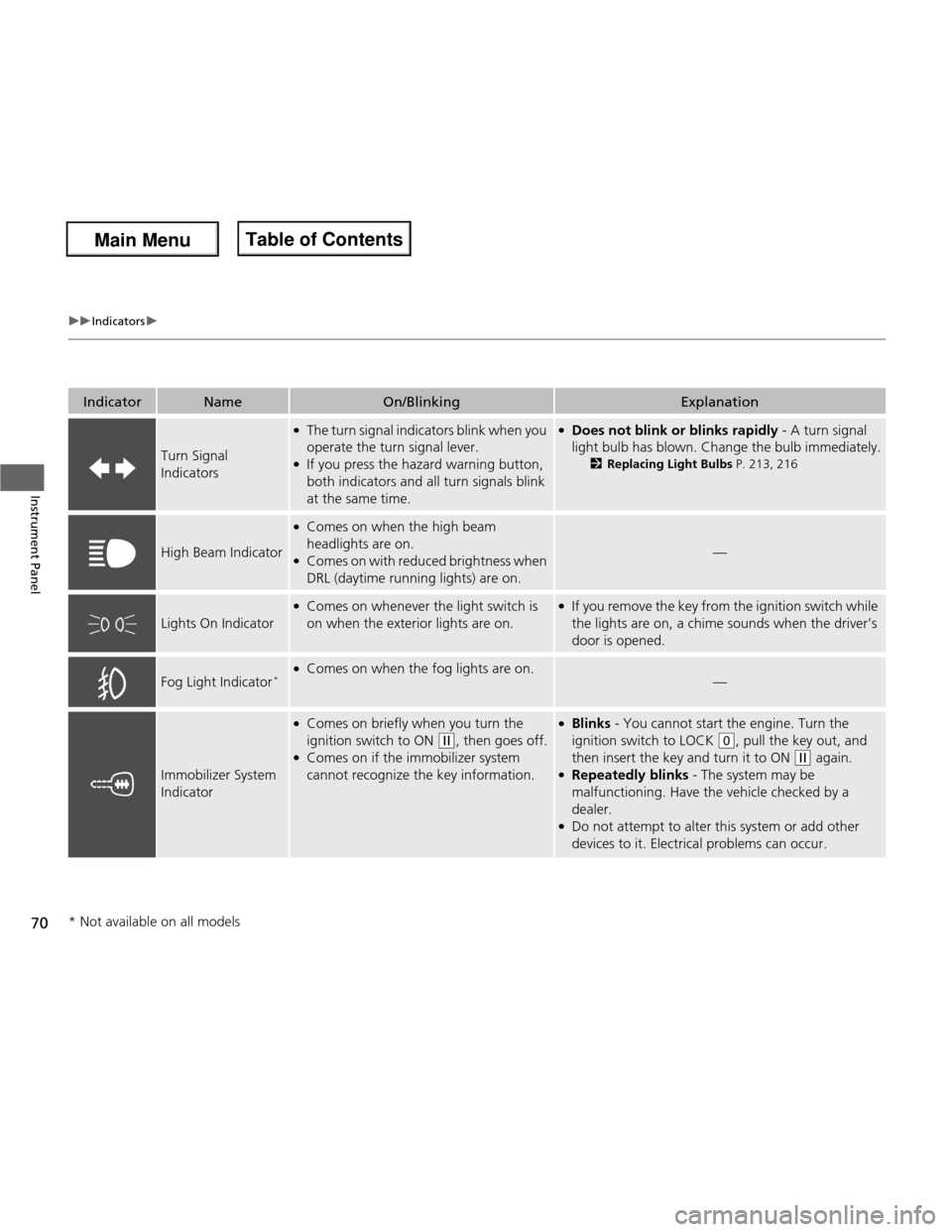
Turn Signal Indicators
●The turn signal indicators blink when you
operate the turn signal lever.
● If you press the hazard warning button,
both indicators and all turn signals blink
at the same time.●Does not blink or blinks rapidly - A turn signal
light bulb has blown. Change the bulb immediately. 2Replacing Light Bulbs P. 213, 216
High Beam Indicator
●
Comes on when the high beam
headlights are on.
● Comes on with reduced brightness when DRL (daytime running lights) are on.
—
Lights On Indicator
●Comes on whenever the light switch is
on when the exterior lights are on.●If you remove the key from the ignition switch while
the lights are on, a chime sounds when the driver’s door is opened.
Fog Light Indicator *
●
Comes on when the fog lights are on.
—
Immobilizer System
Indicator
●Comes on briefly when you turn the
ignition switch to ON
(w , then goes off.
● Comes on if the immobilizer system
cannot recognize the key information.
●Blinks - You cannot start the engine. Turn the
ignition switch to LOCK
(0 , pull the key out, and
then insert the key and turn it to ON
(w again.
● Repeatedly blinks - The system may be
malfunctioning. Have the vehicle checked by a dealer.
● Do not attempt to alter this system or add other
devices to it. Electrical problems can occur.
* Not available on all models
Main Menu
Main MenuTable of Contents
Page 73 of 286
72
Instrument Panel
Gauges and Displays
Gauges
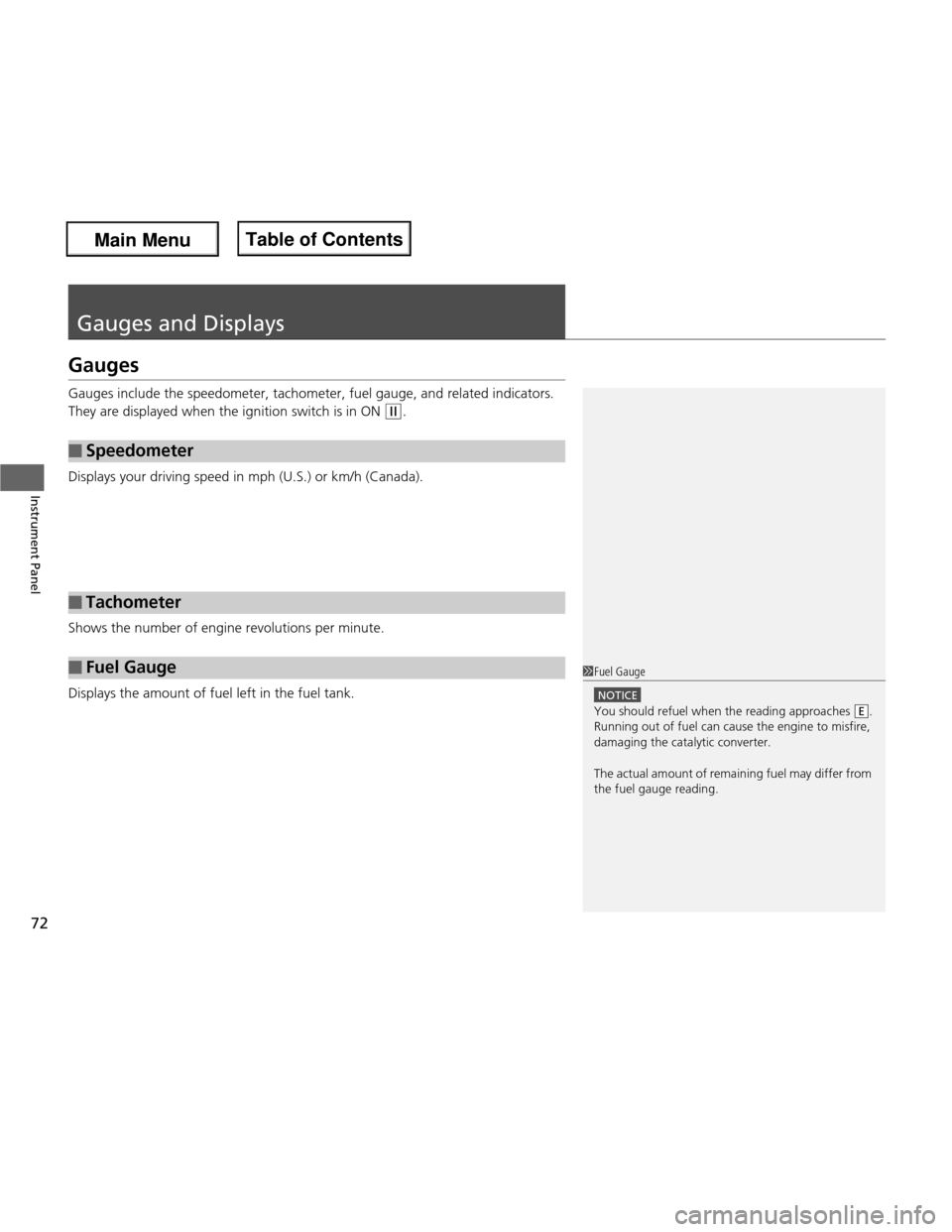
Gauges include the speedometer, tachometer, fuel gauge, and related indicators.
They are displayed when the ignition switch is in ON
(w.
Displays your driving sp eed in mph (U.S.) or km/h (Canada).
Shows the number of engine revolutions per minute.
Displays the amount of fuel left in the fuel tank.
■Speedometer
■Tachometer
■Fuel Gauge1Fuel Gauge
NOTICE
You should refuel when the reading approaches .
Running out of fuel can cause the engine to misfire,
damaging the catalytic converter.
The actual amount of remaining fuel may differ from the fuel gauge reading.E
Main Menu
Main MenuTable of Contents
Page 74 of 286
73
uuGauges and DisplaysuInformation Display
Continued
Instrument Panel
Information Display
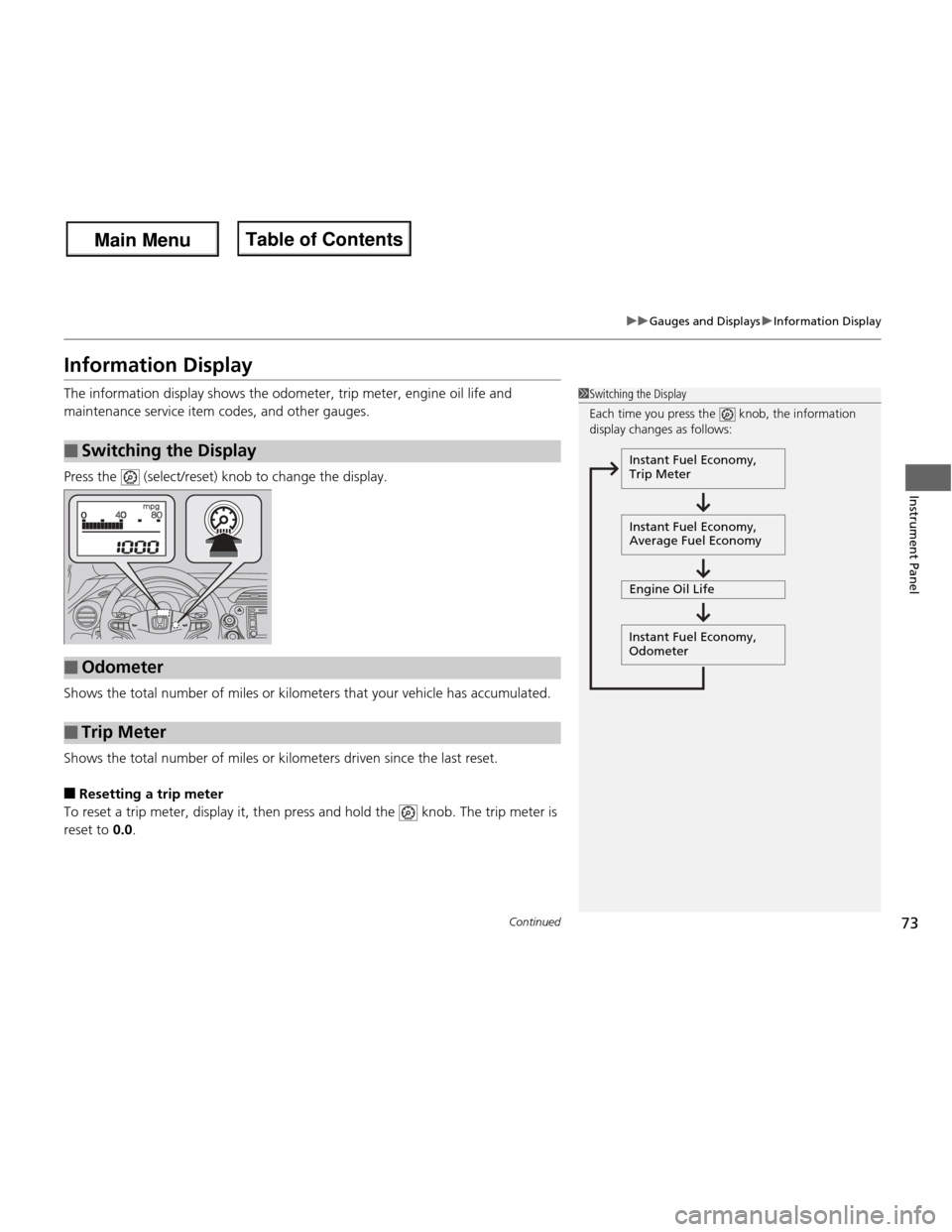
The information display shows the odometer, trip meter, engine oil life and
maintenance service item codes, and other gauges.
Press the (select/reset) knob to change the display.
Shows the total number of miles or kilometers that your vehicle has accumulated.
Shows the total number of miles or kilometers driven since the last reset. ■ Resetting a trip meter
To reset a trip meter, display it, then press and hold the knob. The trip meter is
reset to 0.0.
■Switching the Display
1Switching the Display
Each time you press the knob, the information
display changes as follows:
Instant Fuel Economy,
Trip Meter
Instant Fuel Economy,
Average Fuel Economy
Engine Oil Life
Instant Fuel Economy, Odometer
■Odometer
■Trip Meter
Main Menu
Main MenuTable of Contents
Page 75 of 286
74
uuGauges and DisplaysuInformation Display
Instrument Panel
Shows the estimated average fuel economy of the trip meter in mpg (U.S.) or l/100
km (Canada). The display is updated at set intervals. When a trip meter is reset, the
average fuel economy is also reset.
Shows the remaining oil life and Maintenance MinderTM
.
2 Maintenance Minder TM
P. 195
Shows the instant fuel economy as a bar graph in mpg or l/100 km.
Appears when the fuel fill cap is loose or is not installed. 2 Check/Tighten Fuel Cap Message P. 257
■Average Fuel Economy
■Engine Oil Life
■Instant Fuel Economy
■Check Fuel Cap
Main Menu
Main MenuTable of Contents
Page 78 of 286
77
Continued
Controls
Locking and Unlocking the Doors
Key Types and Functions
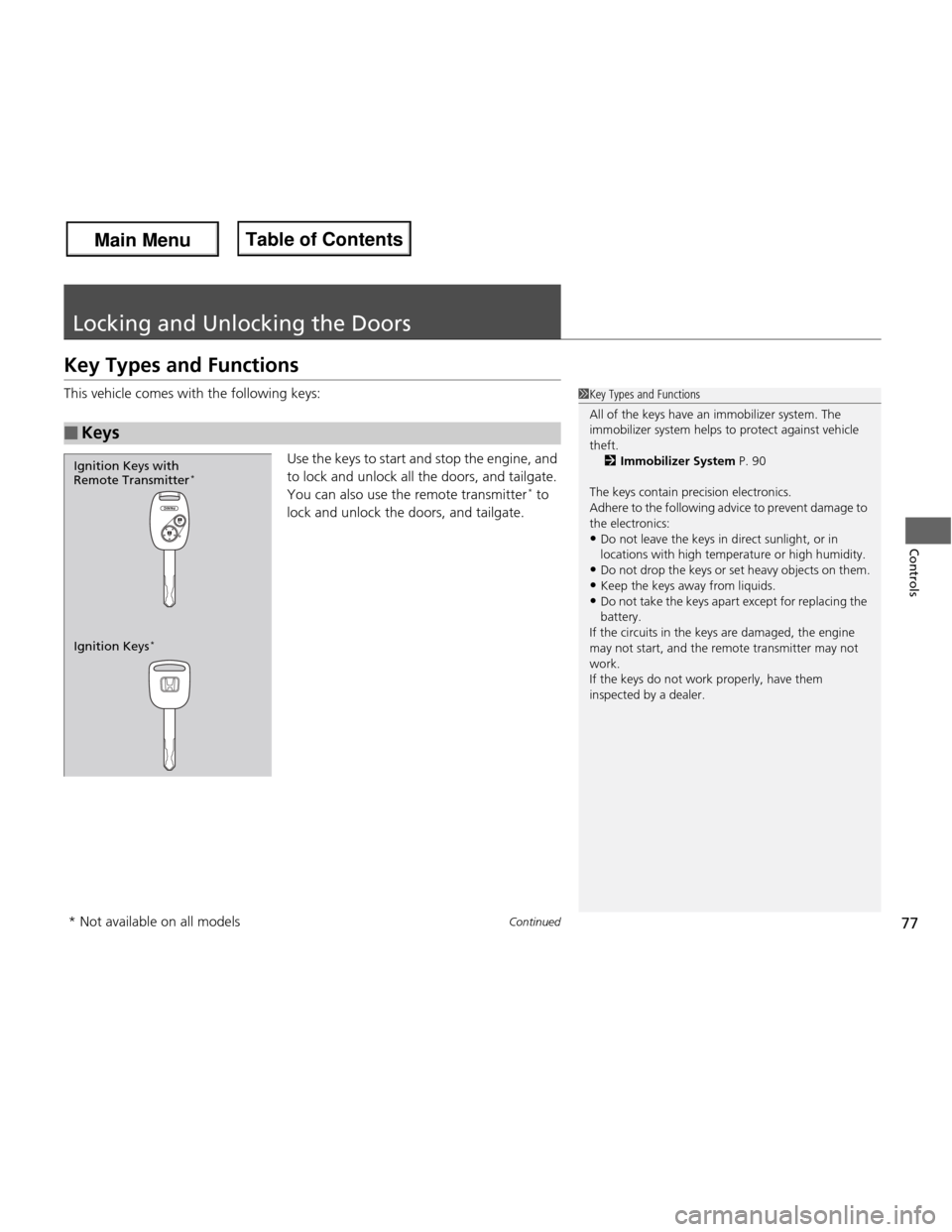
This vehicle comes with the following keys:
Use the keys to start and stop the engine, and
to lock and unlock all the doors, and tailgate.
You can also use the remote transmitter *
to
lock and unlock the doors, and tailgate.
■Keys
1Key Types and Functions
All of the keys have an immobilizer system. The
immobilizer system helps to protect against vehicle
theft. 2 Immobilizer System P. 90
The keys contain precision electronics.
Adhere to the following advice to prevent damage to
the electronics:
• Do not leave the keys in direct sunlight, or in
locations with high temperature or high humidity.
• Do not drop the keys or set heavy objects on them.
• Keep the keys away from liquids.
• Do not take the keys apa rt except for replacing the
battery.
If the circuits in the keys are damaged, the engine
may not start, and the re mote transmitter may not
work.
If the keys do not work properly, have them
inspected by a dealer.
Ignition Keys *
Ignition Keys with Remote Transmitter
*
* Not available on all models
Main Menu
Main MenuTable of Contents
Page 79 of 286
uuLocking and Unlocking the DoorsuKey Types and Functions
78
Controls
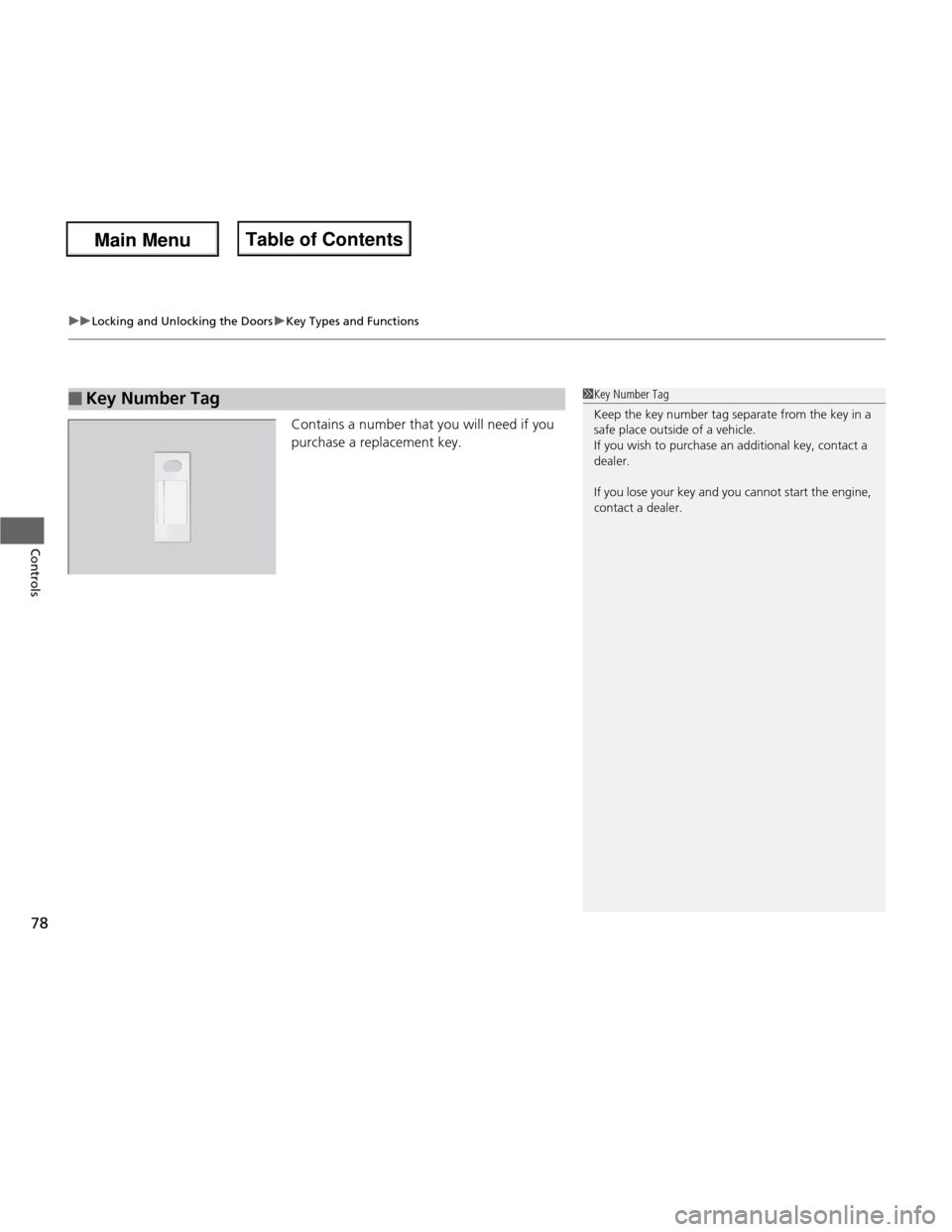
Contains a number that you will need if you
purchase a replacement key.
■Key Number Tag1Key Number Tag
Keep the key number tag separate from the key in a
safe place outside of a vehicle.
If you wish to purchase an additional key, contact a
dealer.
If you lose your key and you cannot start the engine,
contact a dealer.
Main Menu
Main MenuTable of Contents
Page 89 of 286
88
Controls
Opening and Closing the Tailgate
Precautions for Opening/Closing the Tailgate
Always make sure individuals and objects are clear of the tailgate before opening or
closing it. ■Opening the tailgate
• Open the tailgate all the way.
uIf it is not fully opened, the tailgate may begin to close under its own weight.
• Be careful when it is windy. The wind may cause the tailgate to close.
■ Closing the tailgate
Keep the tailgate closed while driving to:
uAvoid possible damage.
uPrevent exhaust gas from leaking into the vehicle.
2 Carbon Monoxide Gas P. 61
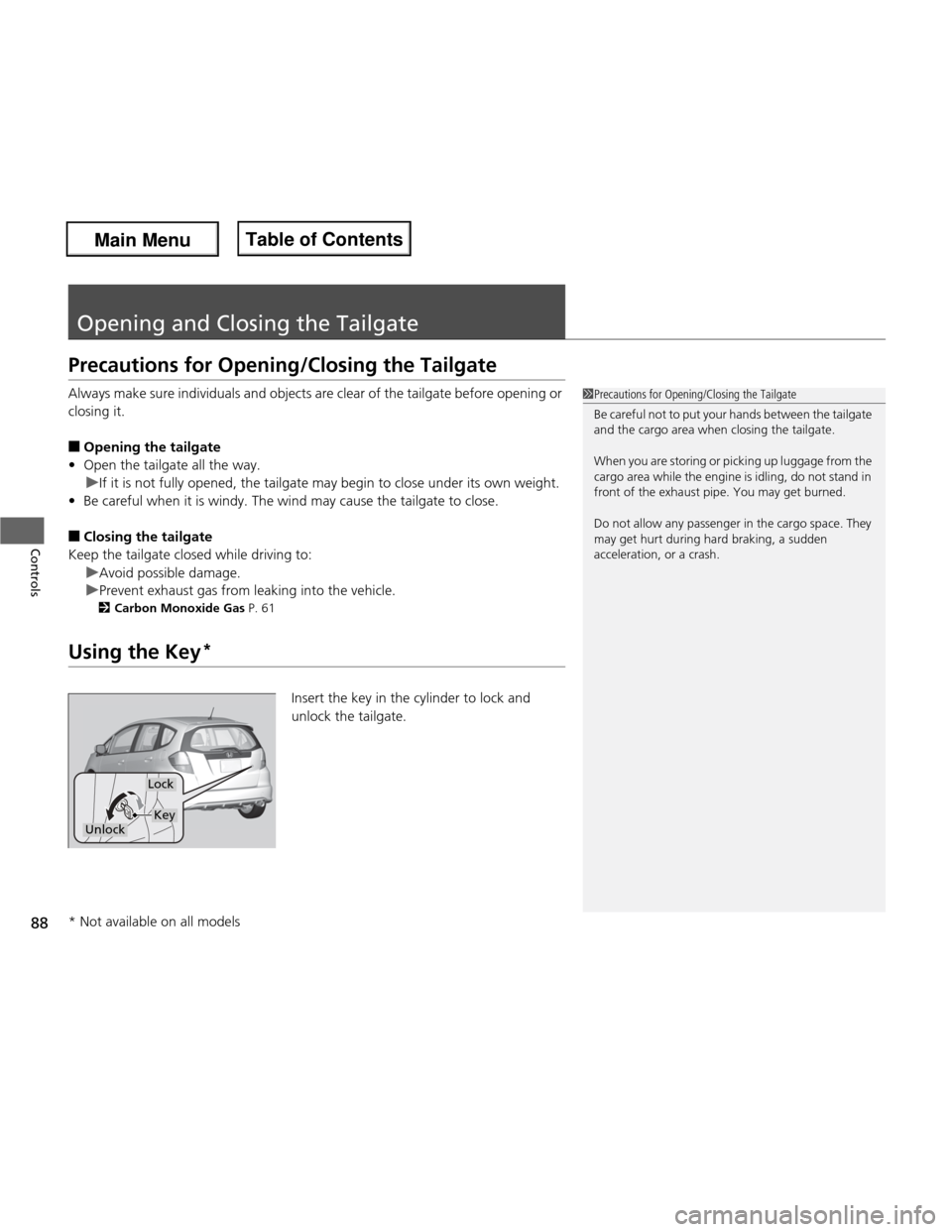
Using the Key *
Insert the key in the cylinder to lock and unlock the tailgate.
1Precautions for Opening/Closing the Tailgate
Be careful not to put your hands between the tailgate
and the cargo area when closing the tailgate.
When you are storing or picking up luggage from the
cargo area while the engine is idling, do not stand in
front of the exhaust pipe. You may get burned.
Do not allow any passenger in the cargo space. They
may get hurt during hard braking, a sudden
acceleration, or a crash.
Lock
UnlockKey
* Not available on all models
Main Menu
Main MenuTable of Contents
Page 91 of 286
90
Controls
Security System
Immobilizer System
The immobilizer system prevents a key that has not been pre-registered from
starting the engine. Each key contains electronic transmitters that use electronic
signals to verify the key.
Pay attention to the following when inserting the key into the ignition switch: •Do not allow objects that emit strong radio waves near the ignition switch.
• Make sure the key is not covered by or touching a metal object.
• Do not bring a key from another ve hicle’s immobilizer system near the ignition
switch.
Security System Alarm *
The security system alarm activates when the doors, tailgate, or hood are opened
without the key, or remote transmitter. ■ When the security system alarm activates
The horn sounds intermittently and all of the exterior lights flash. ■ To deactivate the security system alarm
Unlock the vehicle using the key, or remote transmitter. The system, along with the
horn and flashing lights, is deactivated.
1Immobilizer System
NOTICE
Leaving the ignition key in the vehicle can result in
theft or accidental movement of the vehicle.
Always take the ignition key with you whenever you
leave the vehicle unattended.
Do not alter the system or add other devices to it.
Doing so may damage the system and make your
vehicle inoperable.
1Security System Alarm *
The security alarm continues for a maximum of two
minutes until the security system deactivates.
* Not available on all models
Main Menu
Main MenuTable of Contents
Page 95 of 286
94
Controls
Operating the Switches Around the Steering Wheel
Ignition Switch
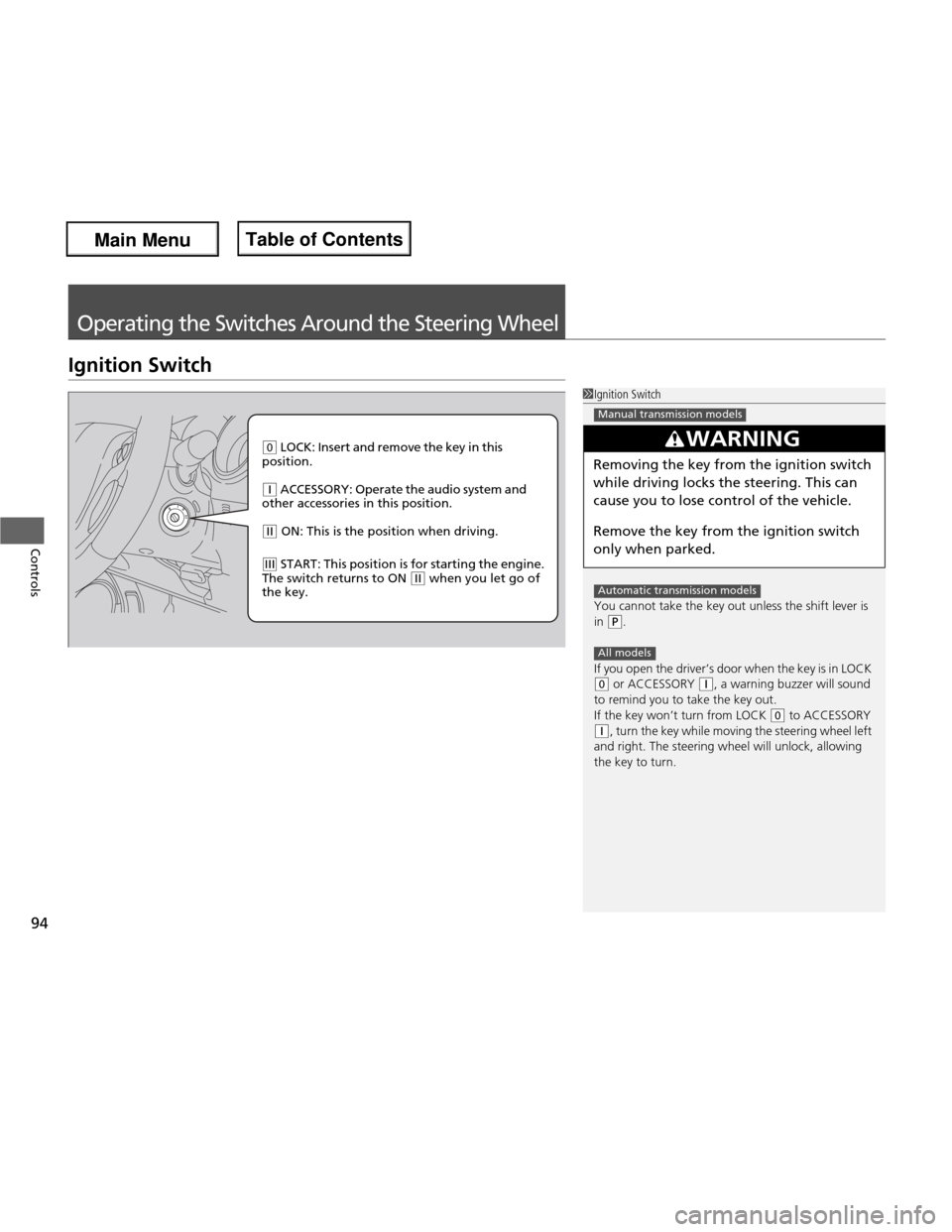
1Ignition Switch
You cannot take the key out unless the shift lever is
in
(P.
If you open the driver’s door when the key is in LOCK
(0 or ACCESSORY (q, a warning buzzer will sound
to remind you to take the key out.
If the key won’t turn from LOCK
(0 to ACCESSORY
(q, turn the key while moving the steering wheel left
and right. The steering wheel will unlock, allowing
the key to turn.
3WARNING
Removing the key from the ignition switch
while driving locks the steering. This can
cause you to lose co ntrol of the vehicle.
Remove the key from the ignition switch
only when parked.
Manual transmission models
Automatic transmission models
All models
(0 LOCK: Insert and remove the key in this
position.
(q ACCESSORY: Operate the audio system and
other accessories in this position.
(w ON: This is the position when driving.
(e START: This position is for starting the engine.
The switch returns to ON (w when you let go of
the key.
Main Menu
Main MenuTable of Contents