engine HONDA FIT 2013 3.G Owner's Guide
[x] Cancel search | Manufacturer: HONDA, Model Year: 2013, Model line: FIT, Model: HONDA FIT 2013 3.GPages: 286, PDF Size: 9.38 MB
Page 164 of 286
163
uuWhen DrivinguPrecautions While Driving
Driving
Precautions While Driving
Avoid driving in deep water and on flooded roads. This can damage the engine,
driveline, or cause electrical component failure.
If there is a strong impact with something under the vehicle, stop in a safe location.
Check the underside of the vehicle for damage or any fluid leaks.
■In Rain
■Other Precautions
1Precautions While Driving
NOTICE
Do not operate the shift lever while pressing the
accelerator pedal. You could damage the
transmission.
If the ignition switch is turned to ACCESSORY
(q or
LOCK (0 while driving, the engine will shut down
and all steering and brake power assist functions will
stop, making it difficult to control the vehicle.
Do not put the shift lever in
(N , as you will lose
engine braking (and acceleration) performance.
During the first 600 miles (1,000 km) of operation,
avoid sudden acceleration or full throttle operation so
as to not damage the engine or powertrain.
Avoid hard braking for the first 200 miles (300 km).
You should also follow this when the brake pads are replaced.
NOTICE
The following can damage the under spoiler: • Parking the vehicle by a parking block
• Parallel parking along the road shoulder
• Driving towards the bottom of a hill
• Driving up or down to a different surface level
(such as a road shoulder)
• Driving on a rutted or bumpy road
• Driving on a road with potholes.
Sport Models
Main Menu
Main MenuTable of Contents
Page 165 of 286
164
uuWhen DrivinguAutomatic Transmission
Driving
Automatic Transmission
The engine may run at a higher idle speed and creeping increases: •Immediately after the engine starts.
• When the heating and cooling system is in use.
Keep the brake pedal firmly depressed when stopped.
Quickly depressing the accelerator pedal while driving uphill may cause the
transmission to drop to a lower gear, unexpectedly increasing vehicle speed. Depress
the accelerator pedal carefully, especially on slippery roads and curves.
■Creeping
■Kickdown
Main Menu
Main MenuTable of Contents
Page 166 of 286
165
uuWhen DrivinguShifting
Continued
Driving
Shifting
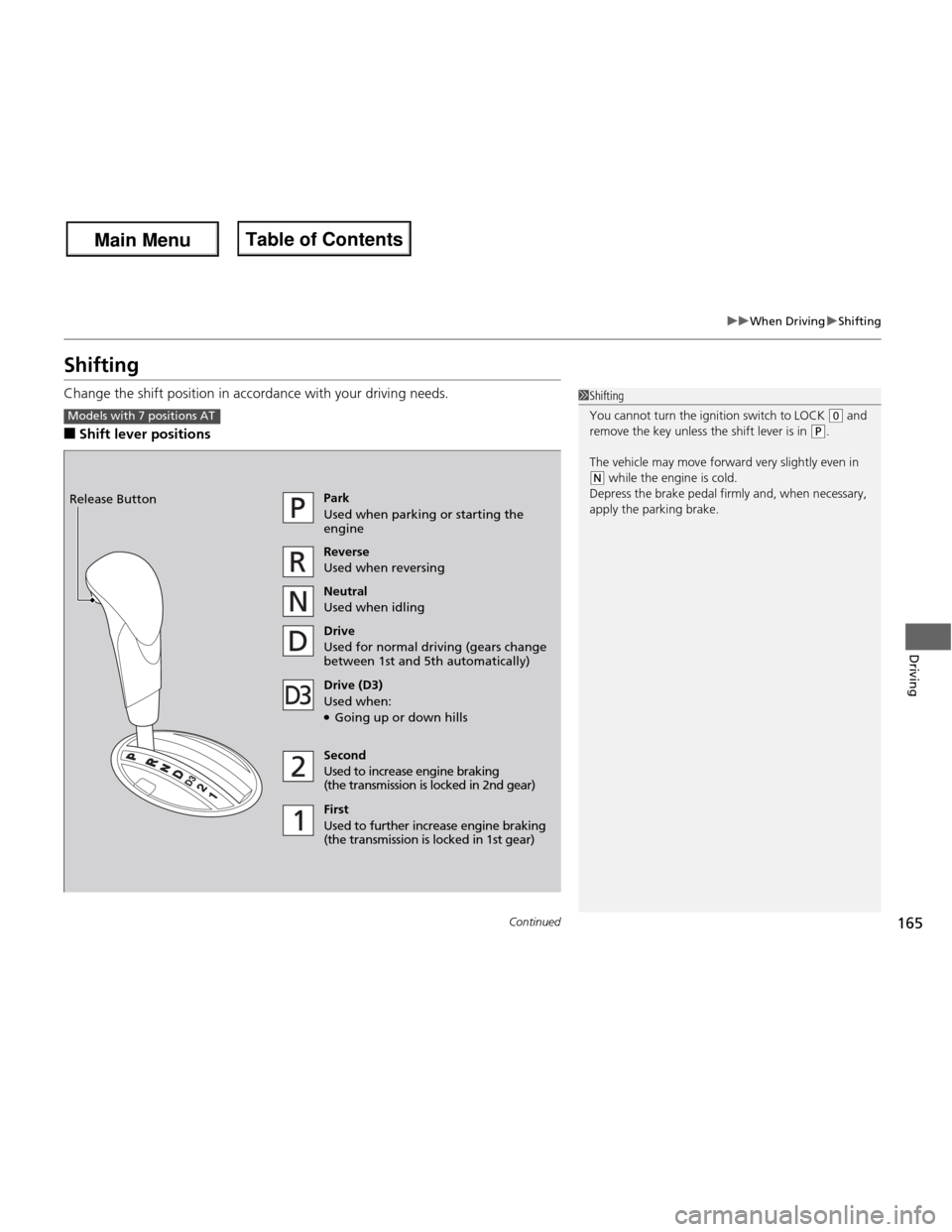
Change the shift position in accordance with your driving needs. ■Shift lever positions
1Shifting
You cannot turn the ignition switch to LOCK
(0 and
remove the key unless the shift lever is in
(P.
The vehicle may move forward very slightly even in
(N while the engine is cold.
Depress the brake pedal firmly and, when necessary,
apply the parking brake.
Models with 7 positions AT
Park
Used when parking or starting the engine Reverse
Used when reversing
Neutral
Used when idling
Drive
Used for normal driving (gears change
between 1st and 5th automatically)
Drive (D3)
Used when: ● Going up or down hills
Second
Used to increase engine braking
(the transmission is lo cked in 2nd gear)
First
Used to further increase engine braking
(the transmission is locked in 1st gear)
Release Button
Main Menu
Main MenuTable of Contents
Page 167 of 286
uuWhen DrivinguShifting
166
Driving
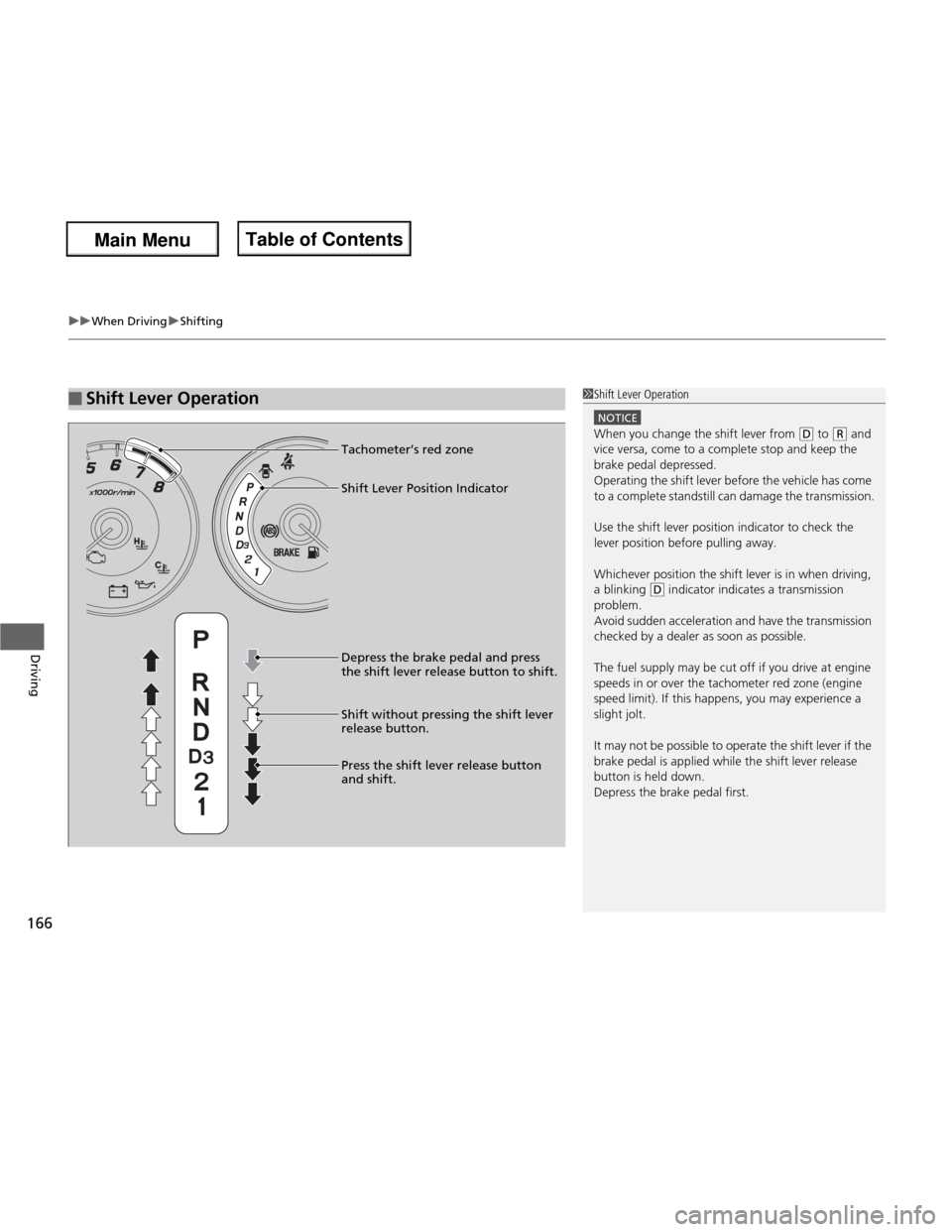
■Shift Lever Operation1Shift Lever Operation
NOTICE
When you change the shift lever from (D to (R and
vice versa, come to a complete stop and keep the brake pedal depressed.
Operating the shift lever before the vehicle has come
to a complete standstill can damage the transmission.
Use the shift lever position indicator to check the
lever position before pulling away.
Whichever position the shift lever is in when driving,
a blinking
(D indicator indicates a transmission
problem.
Avoid sudden acceleration and have the transmission
checked by a dealer as soon as possible.
The fuel supply may be cut off if you drive at engine
speeds in or over the tachometer red zone (engine
speed limit). If this happens, you may experience a
slight jolt.
It may not be possible to operate the shift lever if the
brake pedal is applied while the shift lever release
button is held down. Depress the brake pedal first.
Shift Lever Position Indicator
Tachometer’s red zone
Depress the brake pedal and press
the shift lever release button to shift. Shift without pressing the shift lever release button.
Press the shift lever release button and shift.
Main Menu
Main MenuTable of Contents
Page 168 of 286
167
uuWhen DrivinguShifting
Continued
Driving
Shifting
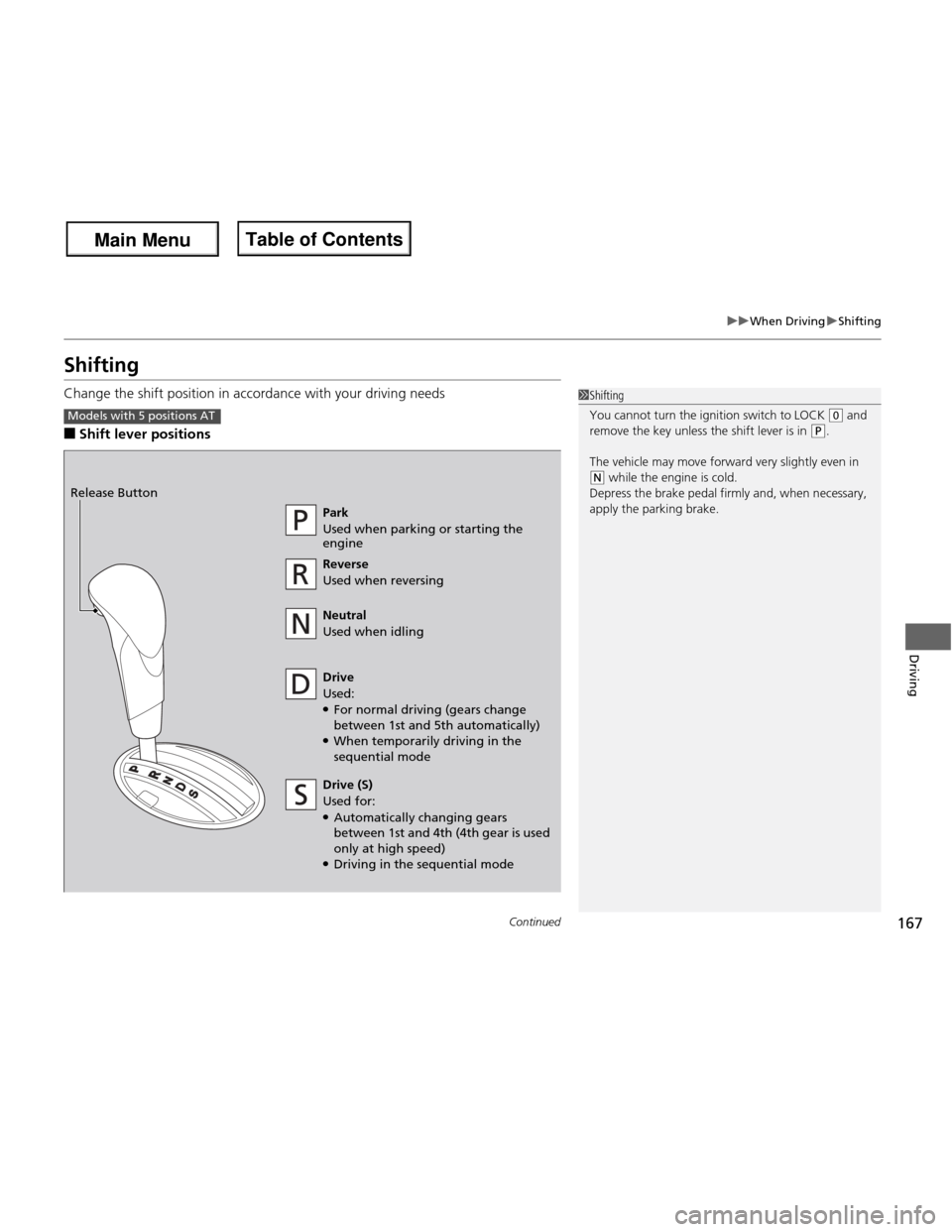
Change the shift position in accordance with your driving needs ■Shift lever positions
1Shifting
You cannot turn the ignition switch to LOCK
(0 and
remove the key unless the shift lever is in (P.
The vehicle may move forward very slightly even in
(N while the engine is cold.
Depress the brake pedal firmly and, when necessary,
apply the parking brake.
Models with 5 positions AT
Park
Used when parking or starting the engine Reverse
Used when reversing
Neutral
Used when idling
Drive
Used: ● For normal driving (gears change
between 1st and 5th automatically)
● When temporarily driving in the sequential mode
Release Button
Drive (S)
Used for:
● Automatically changing gears
between 1st and 4th (4th gear is used only at high speed)
● Driving in the sequential mode
Main Menu
Main MenuTable of Contents
Page 169 of 286
uuWhen DrivinguShifting
168
Driving
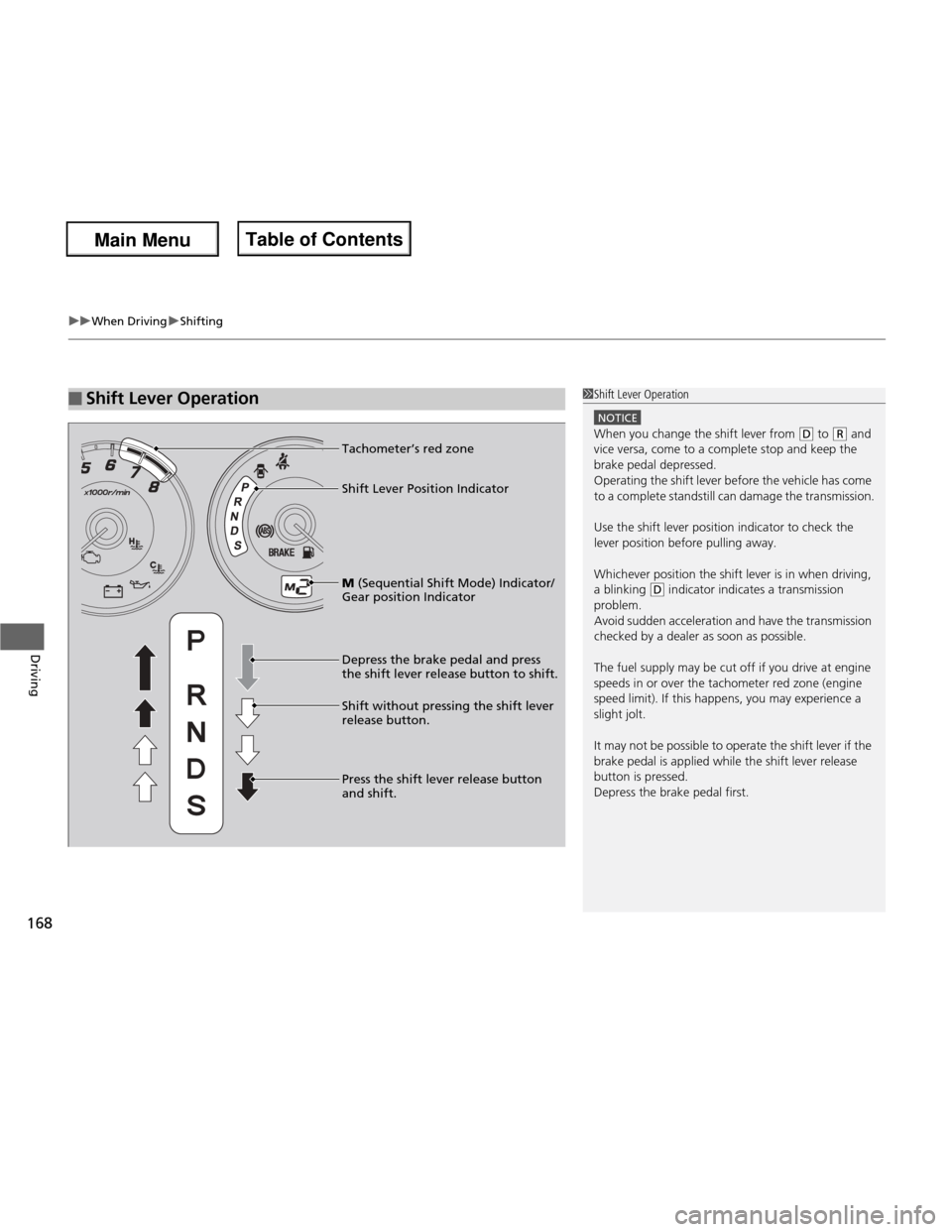
■Shift Lever Operation1Shift Lever Operation
NOTICE
When you change the shift lever from (D to (R and
vice versa, come to a complete stop and keep the brake pedal depressed.
Operating the shift lever before the vehicle has come
to a complete standstill can damage the transmission.
Use the shift lever position indicator to check the
lever position before pulling away.
Whichever position the shift lever is in when driving,
a blinking
(D indicator indicates a transmission
problem.
Avoid sudden acceleration and have the transmission
checked by a dealer as soon as possible.
The fuel supply may be cut off if you drive at engine
speeds in or over the tachometer red zone (engine
speed limit). If this happens, you may experience a
slight jolt.
It may not be possible to operate the shift lever if the
brake pedal is applied while the shift lever release
button is pressed. Depress the brake pedal first.M (Sequential Sh ift Mode) Indicator/
Gear position Indicator
Tachometer’s red zone
Depress the brake pedal and press
the shift lever release button to shift. Shift without pressing the shift lever
release button.
Press the shift lever release button and shift.
Shift Lever Position Indicator
Main Menu
Main MenuTable of Contents
Page 172 of 286
171
uuWhen DrivinguShifting
Continued
Driving
Shifting
Fully depress the clutch pedal to operate the shift lever and change gears, then
slowly release the pedal.
Depress the clutch pedal, and pause for a few seconds before shifting into
(R , or
shift into one of the forward gears for a moment. This stops the gears so they do not “grind.”
■Shift Lever Operation
Manual transmission models
1Shifting
NOTICE
Do not shift to (R before the vehicle comes to a
complete stop.
Shifting to
(R before stopping can damage the
transmission.
NOTICE
Before downshifting, make sure the engine will not
go into the tachometer’s red zone. Should this occur,
it can severely damage your engine.
Main Menu
Main MenuTable of Contents
Page 173 of 286
uuWhen DrivinguShifting
172
Driving
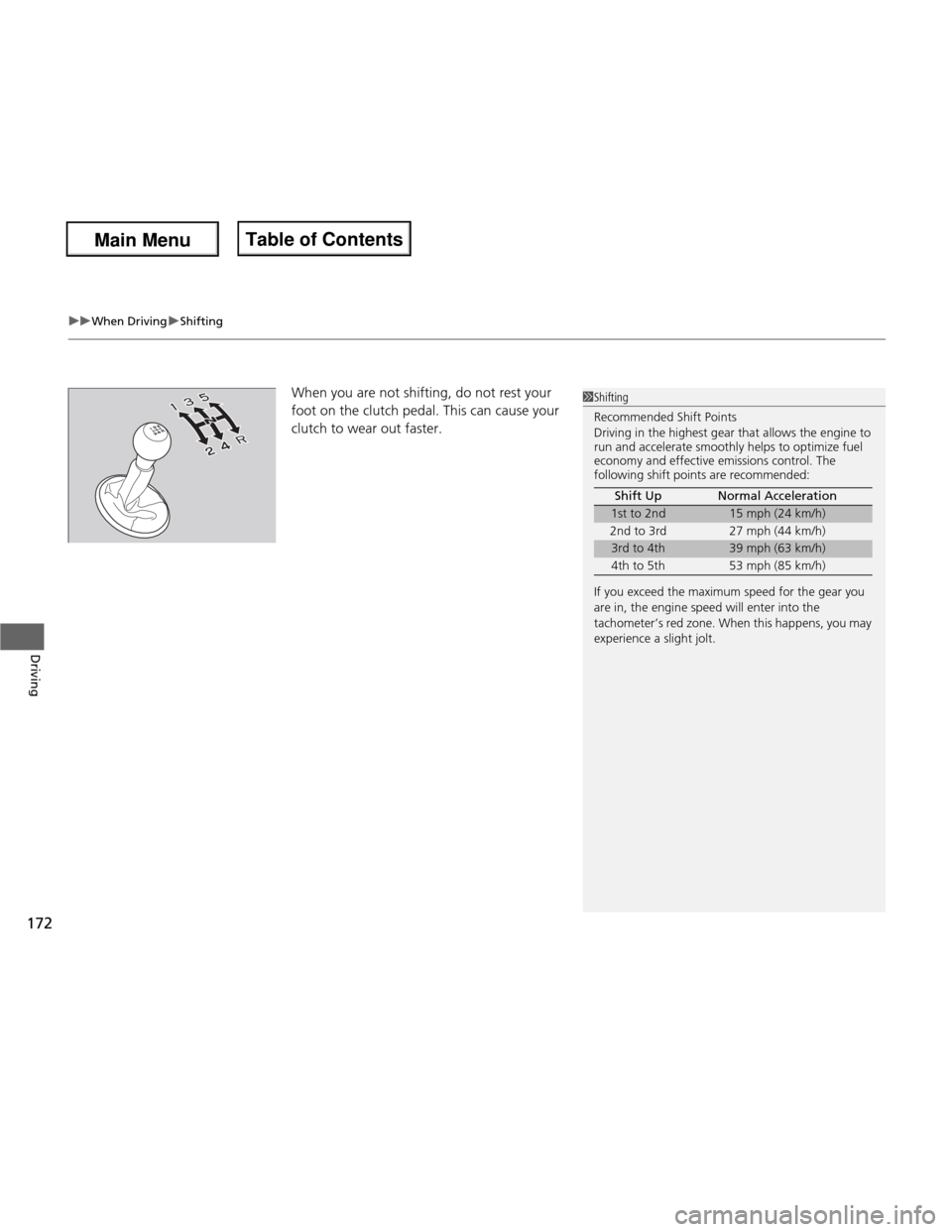
When you are not shifting , do not rest your
foot on the clutch pedal. This can cause your
clutch to wear out faster. 1Shifting Recommended Shift Points
Driving in the highest gear that allows the engine to
run and accelerate smoothly helps to optimize fuel
economy and effective emissions control. The
following shift points are recommended:
If you exceed the maximum speed for the gear you
are in, the engine speed will enter into the
tachometer’s red zone. When this happens, you may
experience a slight jolt. Shift Up Normal Acceleration
1st to 2nd15 mph (24 km/h)
2nd to 3rd 27 mph (44 km/h)
3rd to 4th39 mph (63 km/h)
4th to 5th 53 mph (85 km/h)
Main Menu
Main MenuTable of Contents
Page 177 of 286
176
uuWhen DrivinguVSA® (Vehicle Stability Assist), aka ESC (Electronic Stability Control), System
Driving
VSA ® (Vehicle Stability Assist), aka ESC (Electronic
Stability Control), System VSA ® helps to stabilize the vehicle during cornering if the vehicle turns more or less
than what was intended. It also assists in maintaining traction on slippery surfaces.
It does so by regulating engine output and selectively applying the brakes.
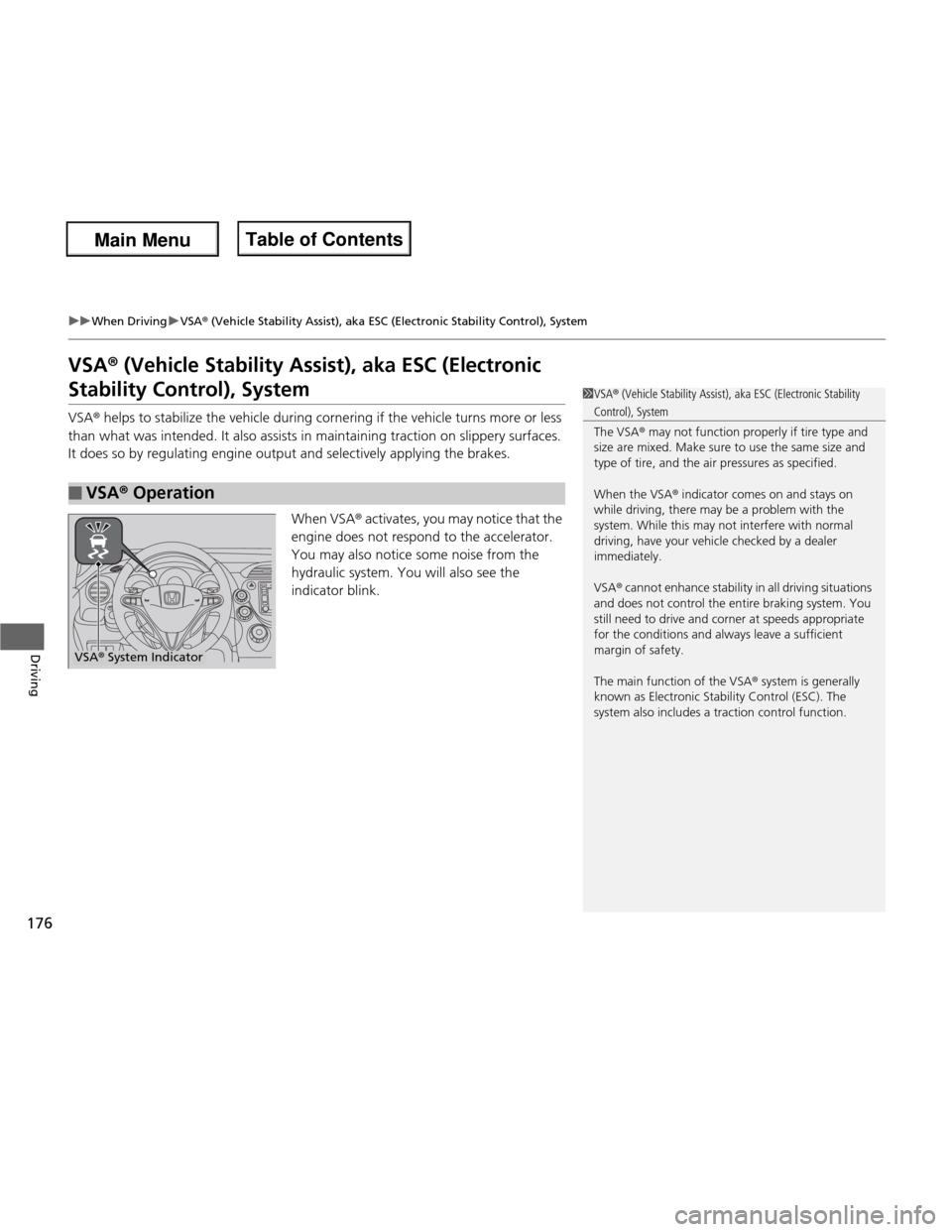
When VSA® activates, you may notice that the
engine does not respond to the accelerator.
You may also notice some noise from the
hydraulic system. You will also see the
indicator blink.
■VSA ® Operation
1VSA ® (Vehicle Stability Assist), aka ESC (Electronic Stability
Control), System
The VSA ® may not function properly if tire type and
size are mixed. Make sure to use the same size and
type of tire, and the ai r pressures as specified.
When the VSA ® indicator comes on and stays on
while driving, there may be a problem with the
system. While this may not interfere with normal
driving, have your vehicle checked by a dealer
immediately.
VSA ® cannot enhance stability in all driving situations
and does not control the entire braking system. You
still need to drive and cor ner at speeds appropriate
for the conditions and always leave a sufficient margin of safety.
The main function of the VSA ® system is generally
known as Electronic Stability Control (ESC). The
system also includes a traction control function.
VSA ® System Indicator
Main Menu
Main MenuTable of Contents
Page 178 of 286
177
uuWhen DrivinguVSA® (Vehicle Stability Assist), aka ESC (Electronic Stability Control), System
Driving
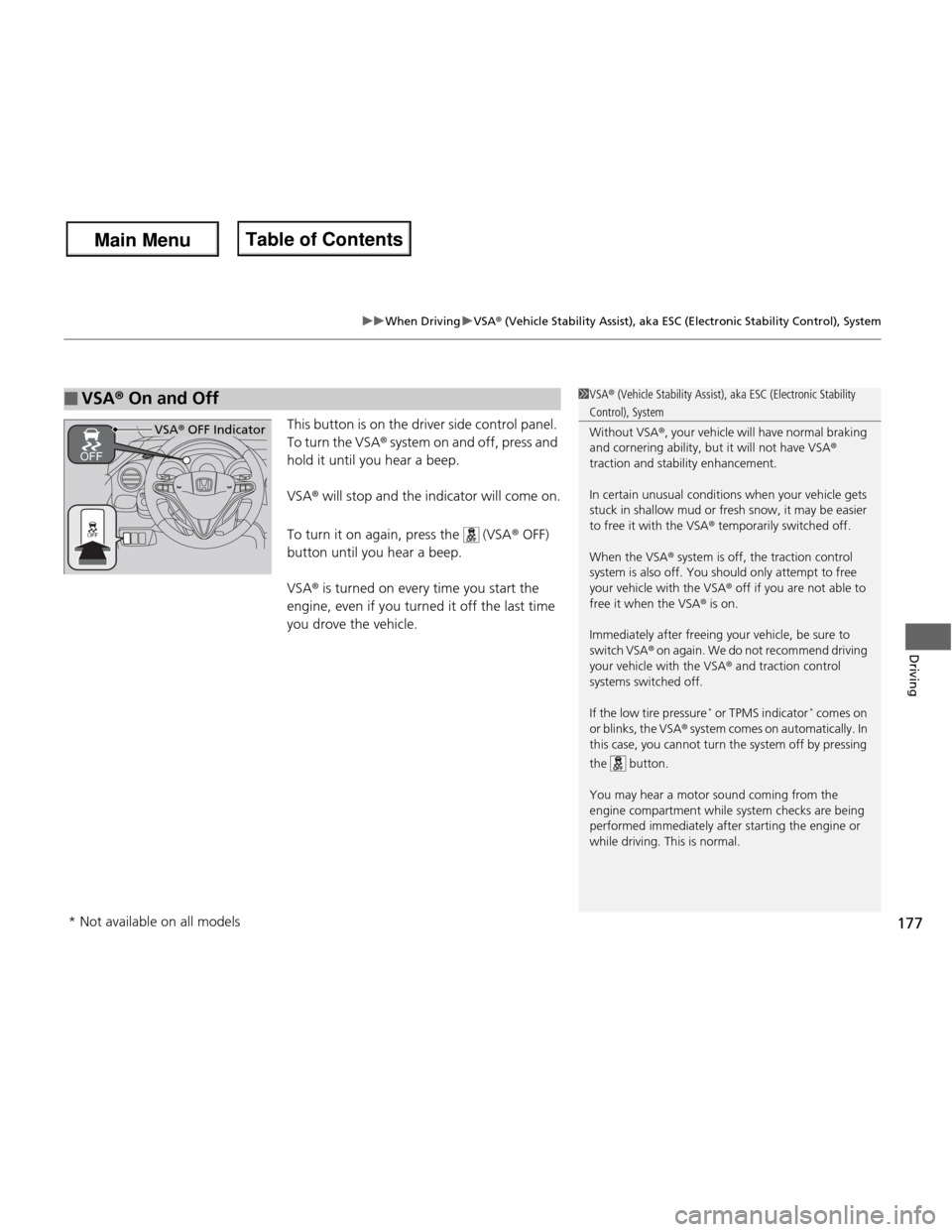
This button is on the driver side control panel.
To turn the VSA ® system on and off, press and
hold it until you hear a beep. VSA ® will stop and the indicator will come on.
To turn it on again, press the (VSA ® OFF)
button until you hear a beep.VSA ® is turned on every time you start the
engine, even if you turned it off the last time
you drove the vehicle.
■VSA ® On and Off1VSA ® (Vehicle Stability Assist), aka ESC (Electronic Stability
Control), System Without VSA ®, your vehicle will have normal braking
and cornering ability, but it will not have VSA ®
traction and stability enhancement.
In certain unusual conditions when your vehicle gets
stuck in shallow mud or fresh snow, it may be easier
to free it with the VSA ® temporarily switched off.
When the VSA ® system is off, the traction control
system is also off. You should only attempt to free
your vehicle with the VSA ® off if you are not able to
free it when the VSA ® is on.
Immediately after freeing your vehicle, be sure to
switch VSA ® on again. We do not recommend driving
your vehicle with the VSA ® and traction control
systems switched off.
If the low tire pressure *
or TPMS indicator *
comes on
or blinks, the VSA ® system comes on automatically. In
this case, you cannot turn the system off by pressing
the button.
You may hear a motor sound coming from the
engine compartment while system checks are being
performed immediatel y after starting the engine or
while driving. This is normal.
VSA ® OFF Indicator
* Not available on all models
Main Menu
Main MenuTable of Contents