maintenance HONDA FIT 2013 3.G User Guide
[x] Cancel search | Manufacturer: HONDA, Model Year: 2013, Model line: FIT, Model: HONDA FIT 2013 3.GPages: 286, PDF Size: 9.38 MB
Page 155 of 286
154
Driving
Before Driving
Driving Preparation
Check the following items before you start driving. •Make sure there are no obstructions on the windows, door mirrors, exterior
lights, or other parts of the vehicle.
uRemove any frost, snow, or ice.
uRemove any snow on the roof, as this can slip down and obstruct your field of
vision while driving. If frozen solid, remove ice once it has softened.
uWhen removing ice from around the wheels, be sure not to damage the wheel
or wheel components.
• Make sure the hood is securely closed.
uIf the hood opens while driving, your front view will be blocked.
• Make sure the tires are in good condition.
uCheck air pressure, check for damage and excessive wear.
2 Checking and Maintaining Tires P. 222
• Make sure there are no people or objects behind or around the vehicle.
uThere are blind spots from the inside.
■Exterior Checks1Exterior Checks
NOTICE
When doors are frozen shut, use warm water around
the door edges to melt any ice. Do not try to force
them open, as this can damage the rubber trim
around the doors. When done, wipe dry to avoid further freezing.
Do not pour warm water into the key cylinder.
You will be unable to insert key if the water freezes in
the hole.
Heat from the engine and exhaust can ignite
flammable materials left under the hood, causing a
fire. If you've parked your vehicle for an extended
period, inspect and remove any debris that may have
collected, such as dried grass and leaves that have
fallen or have been carried in for use as a nest by a
small animal. Also check under the hood for leftover
flammable materials after you or someone else has
performed maintenance on your vehicle.
Main Menu
Main MenuTable of Contents
Page 181 of 286
180
uuWhen DrivinguTire Pressure Monitoring System (TPMS) - Required Federal Explanation
Driving
Please note that the TPMS is not a substitute for proper tire
maintenance, and it is the driver’s responsibility to maintain correct tire pressure, even if under-inflation has not reached the
level to trigger illumination of the TPMS low tire pressure telltale. Your vehicle has also been equippe d with a TPMS malfunction
indicator to indicate when the system is not operating properly. The TPMS malfunction indicator is provided by a separate telltale,
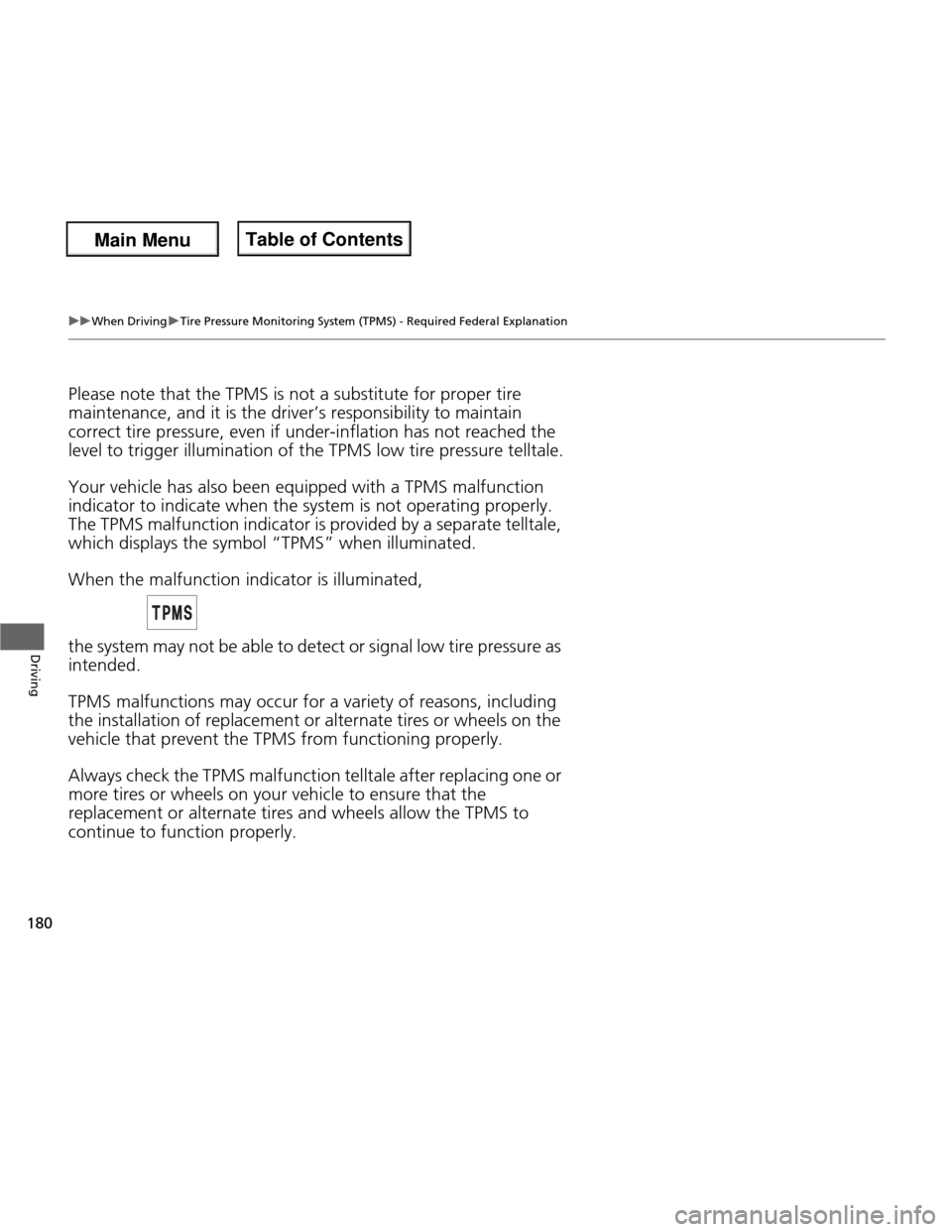
which displays the symbol “TPMS” when illuminated. When the malfunction indicator is illuminated,
the system may not be able to detect or signal low tire pressure as intended.
TPMS malfunctions may occur for a variety of reasons, including the installation of replacement or alternate tires or wheels on the
vehicle that prevent the TPMS from functioning properly.
Always check the TPMS malfunction telltale after replacing one or more tires or wheels on your vehicle to ensure that the
replacement or alternate tires and wheels allow the TPMS to continue to function properly.
Main Menu
Main MenuTable of Contents
Page 190 of 286
189
Driving
Fuel Economy
Improving Fuel Economy
Fuel economy depends on several conditions, including driving conditions, your
driving habits, the condition of your vehicle, and loading. Depending on these and
other conditions, you may or may not achieve the rated fuel economy of this vehicle.
You can optimize your fuel economy with proper maintenance of your vehicle.
Always maintain your vehicle in accordance with the messages displayed on the
information display. • Use the recommended viscosity engine oil, displaying the API Certification Seal.
• Maintain the specified tire pressure.
• Do not load the vehicle with excess cargo.
• Keep your vehicle clean. A buildup of snow or mud on your vehicle’s underside adds weight and increases wind resistance.
■Maintenance and Fuel Economy
1Improving Fuel Economy
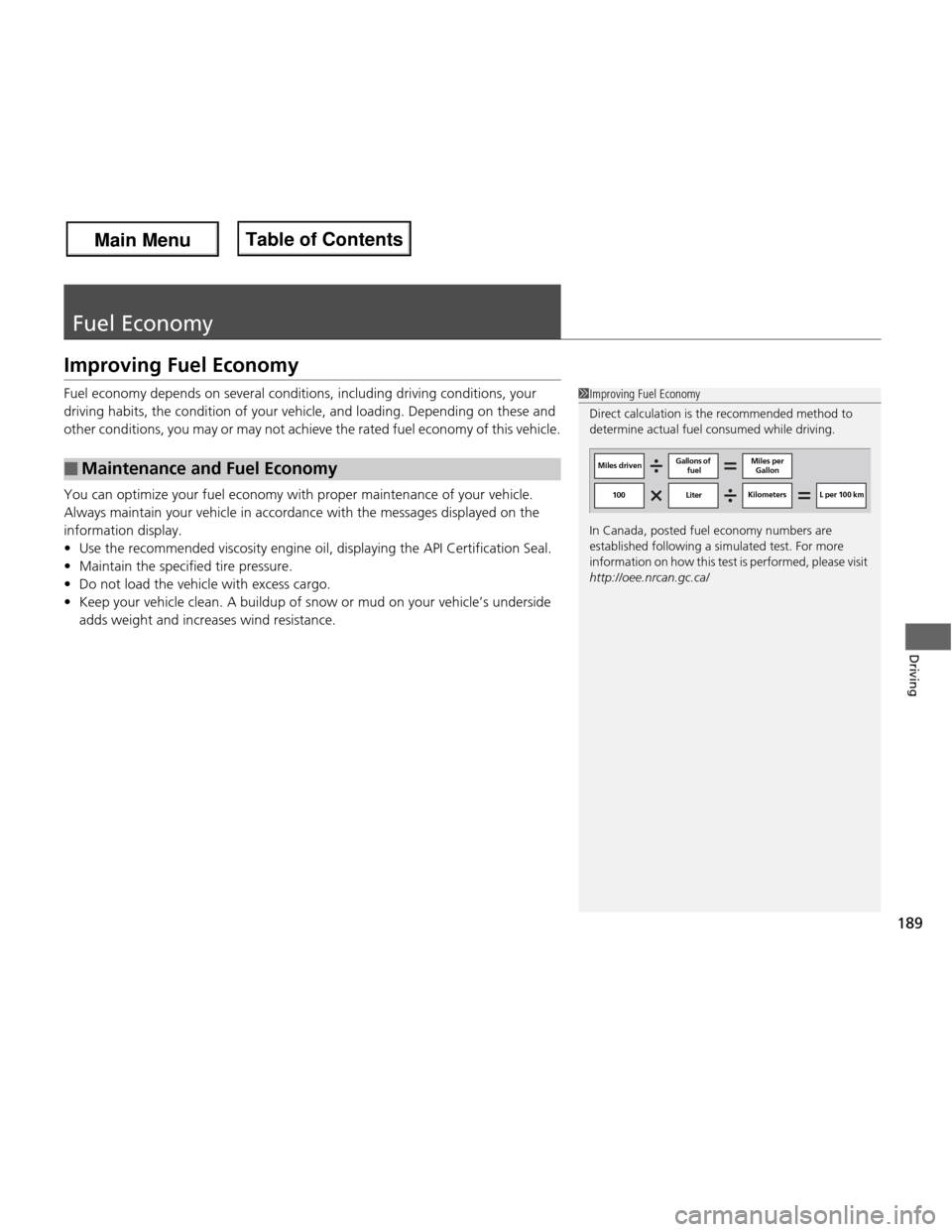
Direct calculation is the recommended method to
determine actual fuel consumed while driving.
In Canada, posted fuel economy numbers are
established following a simulated test. For more
information on how this test is performed, please visit http://oee.nrcan.gc.ca/
Miles driven Gallons of
fuel Miles per
Gallon
100 Liter Kilometers L per 100 km
Main Menu
Main MenuTable of Contents
Page 192 of 286
191
Maintenance
This chapter discusses basic maintenance.
Before Performing Maintenance Inspection and Maintenance ............ 192
Safety When Performing Maintenance .... 193Parts and Fluids Used in Maintenance Service ........................................... 194
Maintenance Minder TM
..................... 195
Maintenance Under the Hood Maintenance Items Under the Hood ..... 199
Opening the Hood ........................... 200
Recommended Engine Oil ................ 201
Oil Check ......................................... 202
Adding Engine Oil ............................ 203
Changing the Engine Oil and Oil Filter..... 204
Engine Coolant ................................ 206
Transmission Fluid ............................ 208
Brake/Clutch Fluid ............................ 210
Refilling Window Washer Fluid......... 211
Replacing Light Bulbs ....................... 212
Checking and Maintaining Wiper
Blades .......................................... 218
Checking and Maintaining Tires
Checking Tires ................................. 222
Tire and Loading Information Label .. 223
Tire Labeling .................................... 223
DOT Tire Quality Grading (U.S. Vehicles).. 225Wear Indicators................................ 227 Tire Service Life ................................ 227
Tire and Wheel Replacement ........... 228
Tire Rotation .................................... 229
Winter Tires ..................................... 230
Battery ............................................... 231
Remote Transmitter Care *
Replacing the Battery ....................... 232
Heating and Cooling *
System
Maintenance ................................... 233
Cleaning
Interior Care .................................... 234
Exterior Care.................................... 235
* Not available on all models
Main Menu
Main Menu
Page 193 of 286
192
Maintenance
Before Performing Maintenance
Inspection and Maintenance
For your safety, perform all listed inspections and maintenance to keep your vehicle
in good condition. If you become aware of any abnormality (noise, smell, insufficient
brake fluid, oil residue on the ground, etc.), have your vehicle inspected by a dealer.
(Note, however, that service at a dealer is not mandatory to keep your warranties in
effect.) Refer to the separate maintenance booklet for detailed maintenance and
inspection information. ■ Daily inspections
Perform inspections before long distance trips, when washing the vehicle, or when refueling. ■ Periodic inspections
• Check the automatic transmission fluid level monthly.
2 Automatic Transmission Fluid P. 208
• Check the brake fluid level monthly.
2 Brake/Clutch Fluid P. 210
• Check the tire pressure monthly. Examine the tread for wear and foreign objects.
2 Checking and Maintaining Tires P. 222
• Check the operation of the exterior lights monthly.
2 Replacing Light Bulbs P. 212
• Check the condition of the wiper blades at least every six months.
2 Checking and Mainta ining Wiper Blades P. 218
■Types of Inspection and Maintenance
1Inspection and Maintenance
Maintenance, replacement, or repair of
emissions control devices and systems may be
done by any automotive repair establishment or
individuals using parts that are “certified
Page 194 of 286
193
uuBefore Performing MaintenanceuSafety When Performing Maintenance
Maintenance
Safety When Performing Maintenance
Some of the most important safety precautions are given here.
However, we cannot warn you of every conceivable hazard that can arise in
performing maintenance. Only you can decide whether or not you should perform
a given task. • To reduce the possibility of fire or explosion, keep cigarettes, sparks, and flames
away from the battery and all fuel related parts.
• Never leave rags, towels, or other flammable objects under the hood.
uHeat from the engine and exhaust can ignite them causing a fire.
• To clean parts, use a commercially available degreaser or parts cleaner, not
gasoline.
• Wear eye protection and protective clothing when working with the battery or compressed air.
• Engine exhaust contains carbon monoxide, which is poisonous and can kill you.
uOnly operate the engine if there is sufficient ventilation.
• The vehicle must be in a stationary condition.
uMake sure your vehicle is parked on level ground, the parking brake is set, and
the engine is off.
• Be aware that hot parts can burn you.
uMake sure to let the engine and exhau st system cool thoroughly before
touching vehicle parts.
• Be aware that moving parts can injure you.
uDo not start the engine unless instructed, and keep your hands and limbs away from moving parts.
■Maintenance Safety
■Vehicle Safety
1Safety When Performing Maintenance
3WARNING
Improperly maintaining this vehicle or
failing to correct a problem before driving
can cause a crash in which you can be
seriously hurt or killed.
Always follow th e inspection and
maintenance recommendations according
to the schedules in this owner’s manual.
3WARNING
Failure to properly fol low maintenance
instructions and precautions can cause you
to be seriously hurt or killed.
Always follow the procedures and
precautions in this owner’s manual.
Main Menu
Main MenuTable of Contents
Page 195 of 286

194
uuBefore Performing MaintenanceuParts and Fluids Used in Maintenance Service
Maintenance
Parts and Fluids Used in Maintenance Service
The use of Honda genuine parts and fluids is recommended when maintaining and
servicing your vehicle. Honda genuine parts are manufactured according to the
same high quality standards used in Honda vehicles.
Main Menu
Main MenuTable of Contents
Page 196 of 286
195
Continued
Maintenance
Maintenance Minder TM
If the engine oil life is less than 15%, you will see the Maintenance Minder messages
appear on the information display every time you turn the ignition switch to ON
(w
.
The messages notify you when to change the engine oil, or when to bring your
vehicle to a dealer for indicated maintenance services.
To Use Maintenance Minder TM
1. Turn the ignition switch to ON
(w .
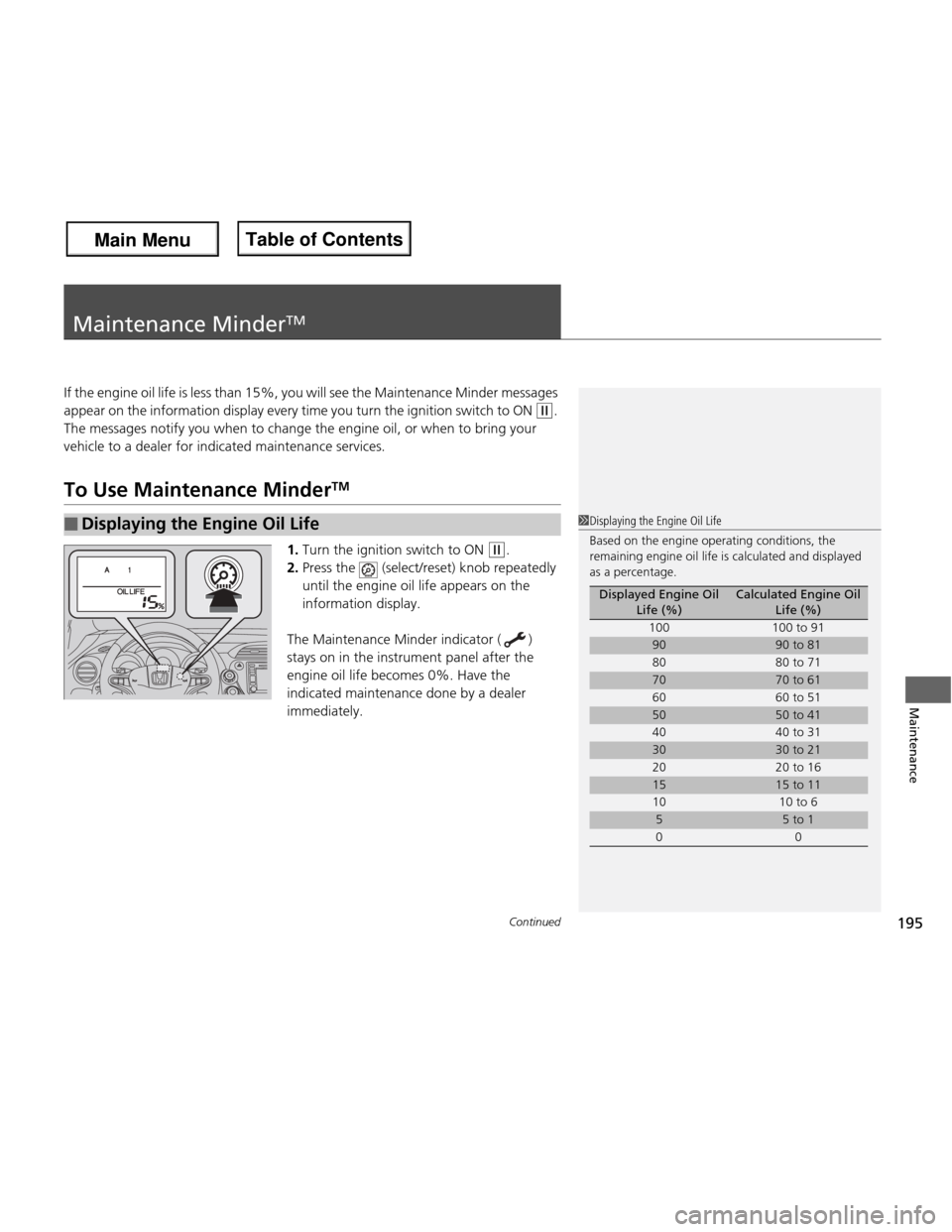
2. Press the (select/reset) knob repeatedly
until the engine oil life appears on the
information display.
The Maintenance Minder indicator ( )
stays on in the instrument panel after the
engine oil life becomes 0%. Have the
indicated maintenance done by a dealer immediately.
■Displaying the Engine Oil Life1Displaying the Engine Oil Life
Based on the engine operating conditions, the
remaining engine oil life is calculated and displayed
as a percentage.
Displayed Engine Oil Life (%)Calculated Engine Oil Life (%)
100 100 to 91
9090 to 81
80 80 to 71
7070 to 61
60 60 to 51
5050 to 41
40 40 to 31
3030 to 21
20 20 to 16
1515 to 11
10 10 to 6
55 to 1
00
Main Menu
Main MenuTable of Contents
Page 197 of 286
196
uuMaintenance MinderTMuTo Use Maintenance Minder TM
Maintenance
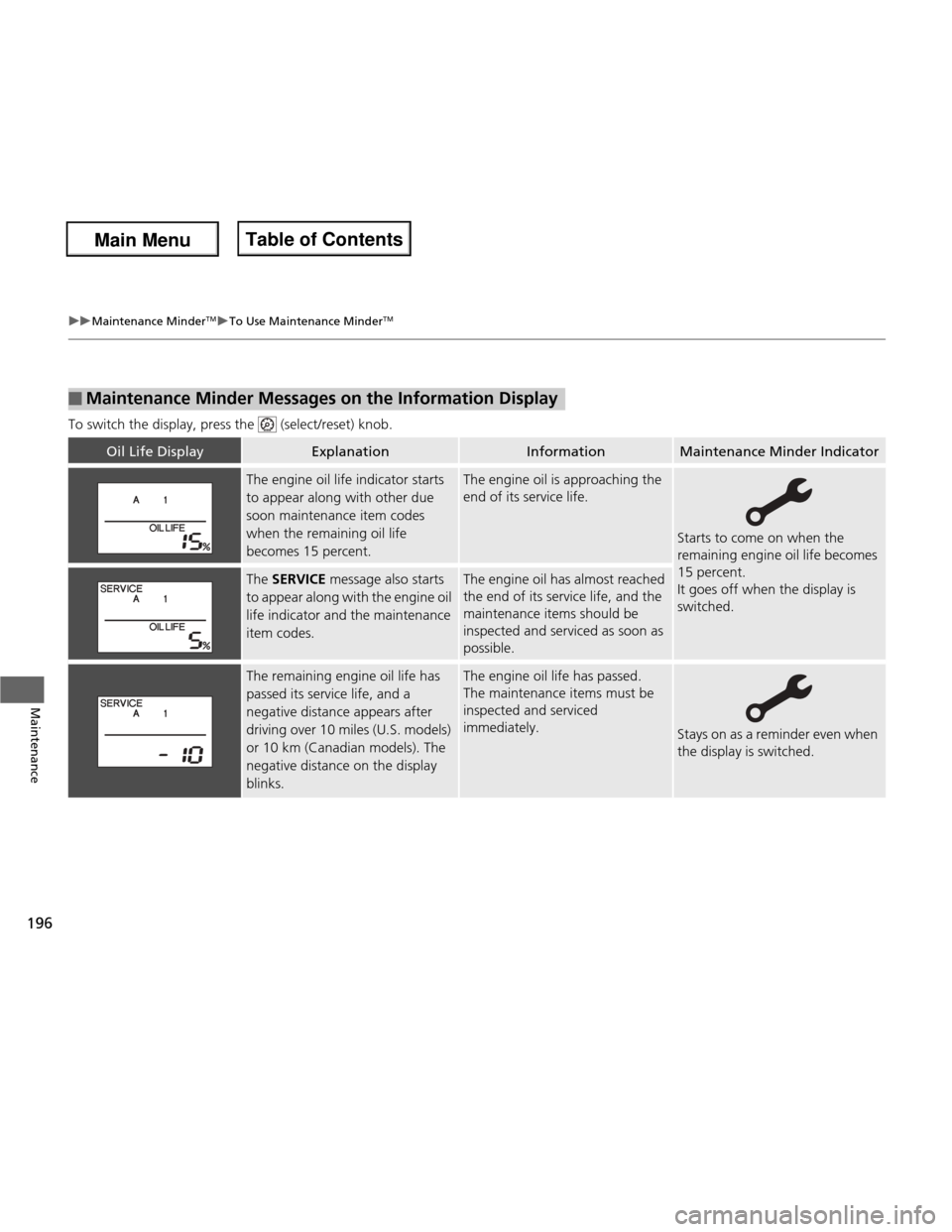
To switch the display, press the (select/reset) knob.
■Maintenance Minder Messages on the Information Display
Oil Life DisplayExplanationInformationMaintenance Minder Indicator
The engine oil life indicator starts
to appear along with other due
soon maintenance item codes
when the remaining oil life
becomes 15 percent.The engine oil is approaching the
end of its service life.
Starts to come on when the
remaining engine oil life becomes 15 percent.
It goes off when the display is switched.
The
SERVICE message also starts
to appear along with the engine oil
life indicator and the maintenance item codes.The engine oil has almost reached
the end of its service life, and the
maintenance items should be inspected and serviced as soon as
possible.
The remaining engine oil life has
passed its service life, and a
negative distance appears after
driving over 10 miles (U.S. models)
or 10 km (Canadian models). The
negative distance on the display
blinks.The engine oil life has passed.
The maintenance items must be inspected and serviced
immediately.
Stays on as a reminder even when
the display is switched.
Main Menu
Main MenuTable of Contents
Page 198 of 286
197
uuMaintenance MinderTMuTo Use Maintenance Minder TM
Continued
Maintenance
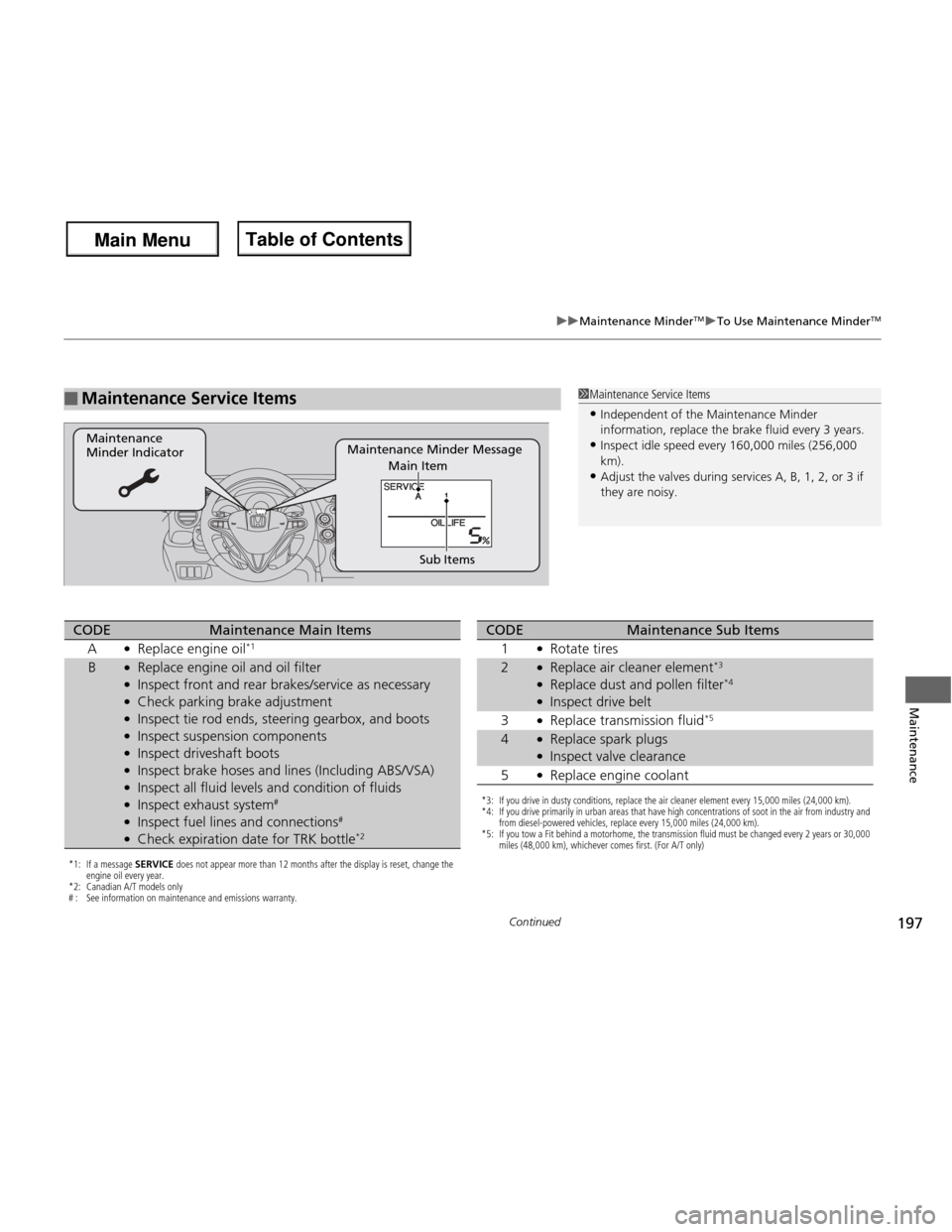
■Maintenance Service Items1Maintenance Service Items
• Independent of the Maintenance Minder
information, replace the brake fluid every 3 years.
• Inspect idle speed every 160,000 miles (256,000 km).
• Adjust the valves during services A, B, 1, 2, or 3 if they are noisy.
Maintenance Minder Message
Maintenance Minder Indicator
Sub Items
Main Item
*1: If a message SERVICE does not appear more than 12 months after the display is reset, change the
engine oil every year.
*2: Canadian A/T models only
# : See information on maintenance and emissions warranty.
CODEMaintenance Main Items
A ●
Replace engine oil *1
B●
Replace engine oil and oil filter
● Inspect front and rear brakes/service as necessary
● Check parking brake adjustment
● Inspect tie rod ends, steering gearbox, and boots
● Inspect suspension components
● Inspect driveshaft boots
● Inspect brake hoses and lines (Including ABS/VSA)
● Inspect all fluid levels and condition of fluids
● Inspect exhaust system #
● Inspect fuel lines and connections #
● Check expiration date for TRK bottle *2
*3: If you drive in dusty conditions, replace the air cleaner element every 15,000 miles (24,000 km).
*4: If you drive primarily in urban areas that have high concentrations of soot in the air from industry and
from diesel-powered vehicles, replace every 15,000 miles (24,000 km).
*5: If you tow a Fit behind a motorhome, the transmission fluid must be changed every 2 years or 30,000 miles (48,000 km), whichever comes first. (For A/T only)
CODEMaintenance Sub Items
1 ●
Rotate tires
2●Replace air cleaner element *3
● Replace dust and pollen filter *4
● Inspect drive belt
3 ●
Replace transmission fluid *5
4●
Replace spark plugs
● Inspect valve clearance
5 ●
Replace engine coolant
Main Menu
Main MenuTable of Contents