phone HONDA HR-V 2016 2.G Navigation Manual
[x] Cancel search | Manufacturer: HONDA, Model Year: 2016, Model line: HR-V, Model: HONDA HR-V 2016 2.GPages: 250, PDF Size: 4.84 MB
Page 31 of 250
uu Personal Information u Address Book
30
System Setup
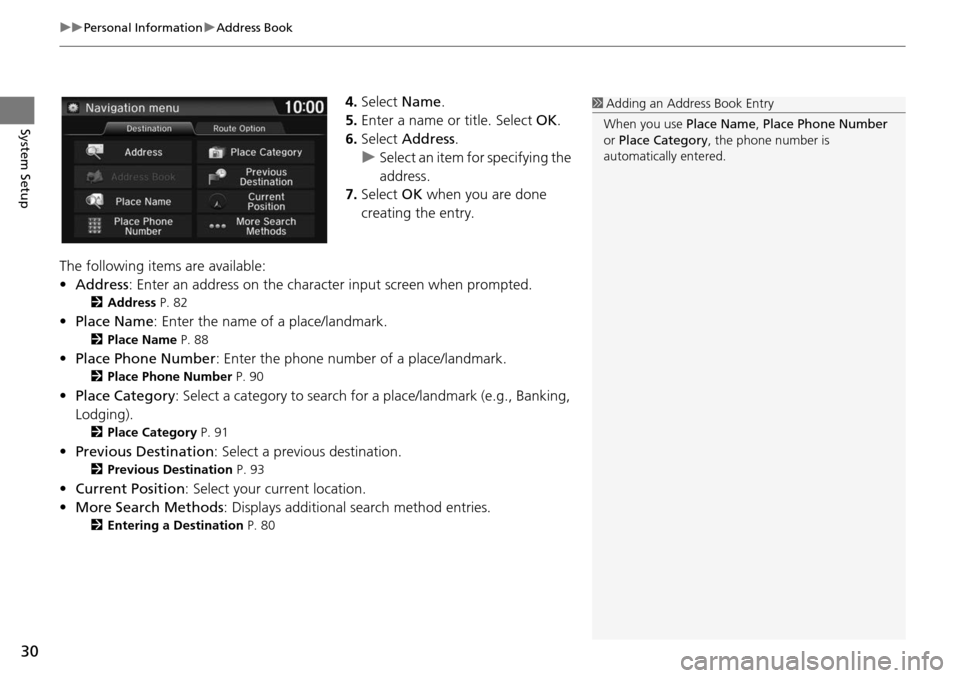
4. Select Name.
5.Enter a name or title. Select OK.
6. Select Address.
u Select an item for specifying the
addres
s.
7. Select OK when you ar
e done
creating the entry.
The following items are available:
• Address : Enter an
address on the characte r input screen when prompted.
2Address P. 82
•Place Name : Enter the name of a place/landmark.
2Place Name P. 88
• Place Phone Number : Enter the phone number of a place/landmark.
2Place Phone Number P. 90
• Place Category : Select a category to search for a place/landmark (e.g., Banking,
Lodging).
2 Place Category P. 91
• Previous Destination : Select a previous destination.
2Previous Destination P. 93
• Current Position : Select your current location.
• More Search Methods : Displays
additional search method entries.
2Entering a Destination P. 80
1 Adding an Address Book Entry
When you use Place Name, Place Phone Number
or Place Category , the phone number is
automatically entered.
Page 32 of 250
Continued31
uu Personal Information u Address Book
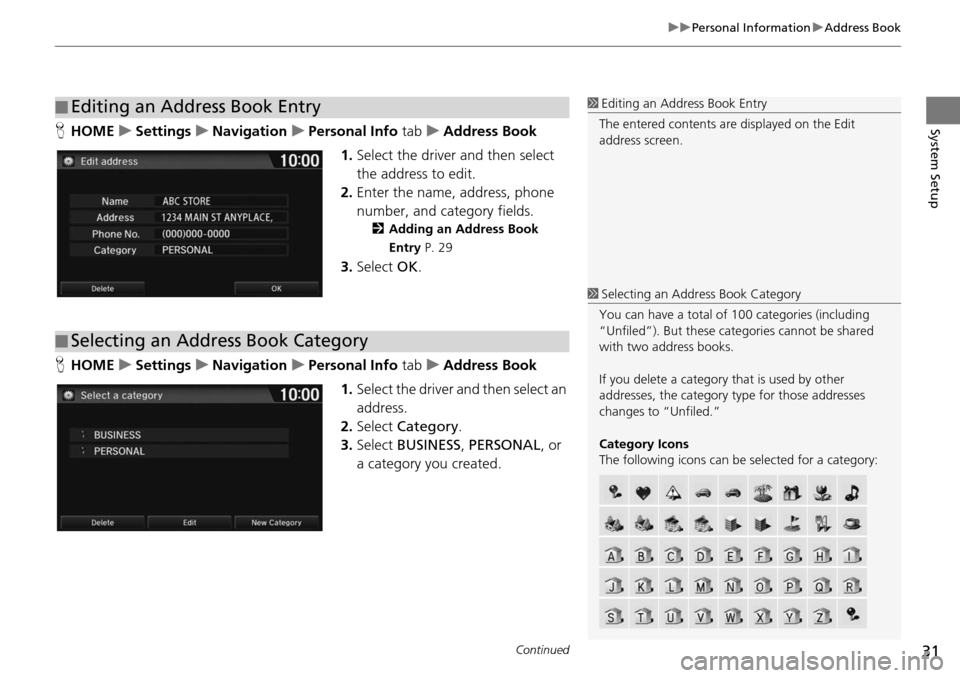
System SetupH HOME u Settings u Navigation u Personal Info tab u Address Book
1. Select the drive r
and then select
the address to edit.
2. Enter the name, address, phone
nu
mber, and category fields.
2Adding an Address Book
Entry P. 29
3. Select OK.
H HOME u Settings u Navigation u Personal Info tab u Address Book
1. Select the driver and
then select an
address.
2. Select Categ
ory.
3. Select BUSI
NESS, PERSONAL , or
a category you created.
■ Editing an Address Book Entry1
Editing an Address Book Entry
The entered contents are displayed on the Edit
address screen.
■ Selecting an Address Book Category
1
Selecting an Addr ess Book Category
You can have a total of 100 categories (including
“Unfiled”). But these cate gories cannot be shared
with two address books.
If you delete a category that is used by other
addresses, the category type for those addresses
changes to “Unfiled.”
Category Icons
The following icons can be selected for a category:
Page 34 of 250
33
uu Personal Information u Home Addresses
System Setup
Home Addresses
H HOME u Settings u Navigation u Personal Info tab u Edit Go Home 1 or
Edit Go
Home 2
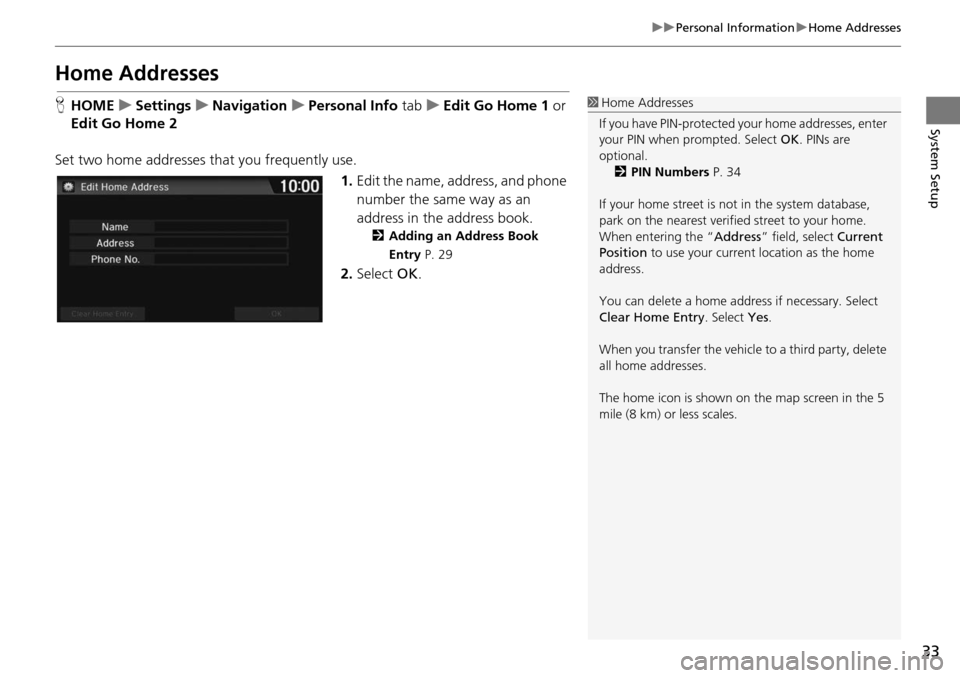
Set two home addresses that you frequently use. 1.Edit the n a
me, address, and phone
number the same way as an
address in the address book.
2 Adding an Address Book
Entry P. 29
2. Select OK.
1Home Addresses
If you have PIN-pr otected your home addresses, enter
your PIN when prompted. Select OK. PINs are
optional.
2 PIN Numbers P. 34
If your home street is not in the system database,
park on the nearest verified street to your home.
When entering the “ Address” field, select Current
Position to use your current location as the home
address.
You can delete a home addr ess if necessary. Select
Clear Home Entry . Select Yes.
When you transfer the vehicle to a third party, delete
all home addresses.
The home icon is shown on the map screen in the 5
mile (8 km) or less scales.
Page 57 of 250
56
uu Map u Current Location
System Setup
Current Location
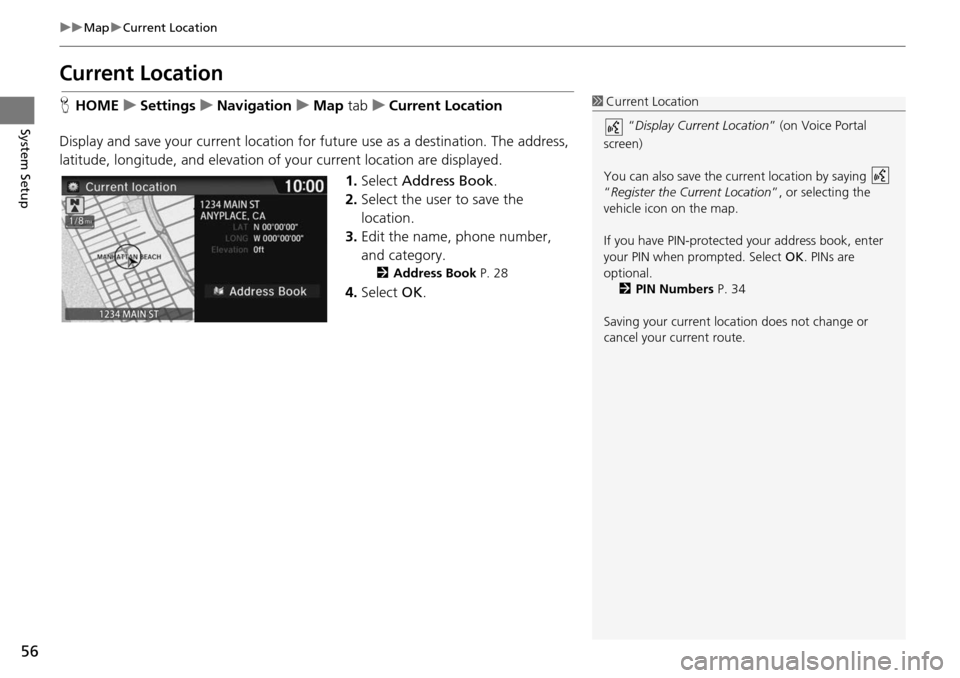
H HOME u Settings u Navigation u Map tab u Current Location
Disp
lay and save your current location fo
r future use as a destination. The address,
latitude, longitude, and elevation of your current location are displayed.
1.Select Address Book .
2. Select the user to save the
lo
cation.
3. Edit the name, phone number,
an
d category.
2Address Book P. 28
4. Select OK.
1Current Location
“Display Current Location ” (on Voice Portal
screen)
You can also save the current location by saying
“Register the Current Location ”, or selecting the
vehicle icon on the map.
If you have PIN-protecte d your address book, enter
your PIN when prompted. Select OK. PINs are
optional. 2 PIN Numbers P. 34
Saving your current loca tion does not change or
cancel your current route.
Page 64 of 250
63
System Setup
System Settings
HHOME u Settings u System
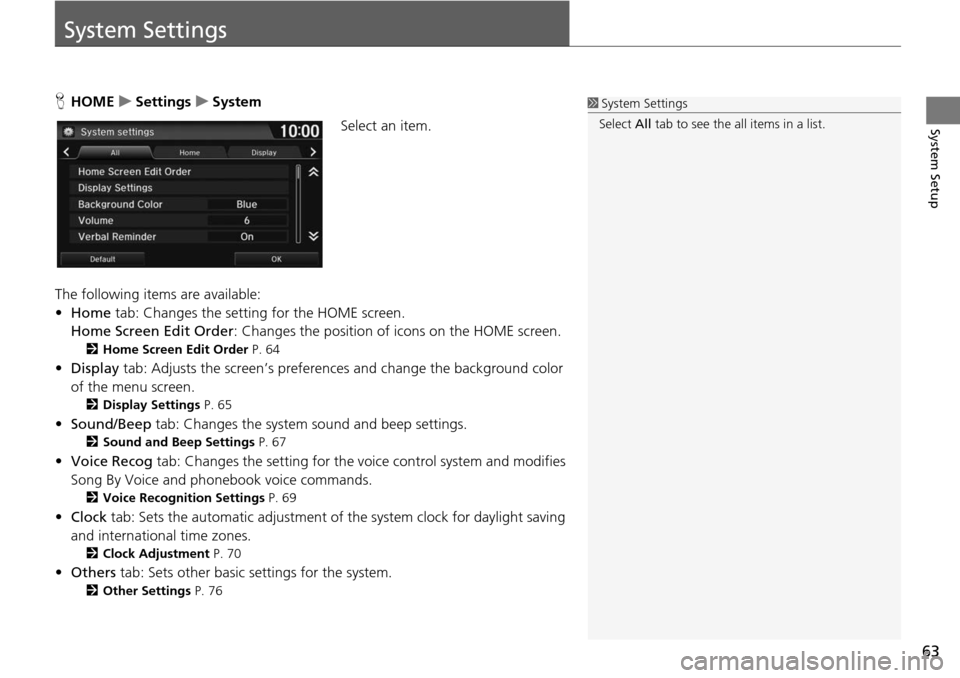
Select an item.
The following items are available:
• Home tab: Chan
ges the setting for the HOME screen.
Home Screen Edit Order : Changes the
position of icons on the HOME screen.
2Home Screen Edit Order P. 64
• Display tab: Adjusts the screen’s preferences and change the background color
of the menu screen.
2 Display Settings P. 65
• Sound/Beep tab: Changes the system sound and beep settings.
2 Sound and Beep Settings P. 67
• Voice Recog tab: Changes the setting for the vo ice control system and modifies
Song By Voice and phonebook voice commands.
2 Voice Recognition Settings P. 69
• Clock tab: Sets the automatic adjustment of the system clock for daylight saving
and international time zones.
2 Clock Adjustment P. 70
• Others tab: Sets other basic settings for the system.
2 Other Settings P. 76
1 System Settings
Select All tab to see the all items in a list.
Page 70 of 250
69
System Setup
Voice Recognition Settings
HHOME u Settings u System u Voice Recog tab
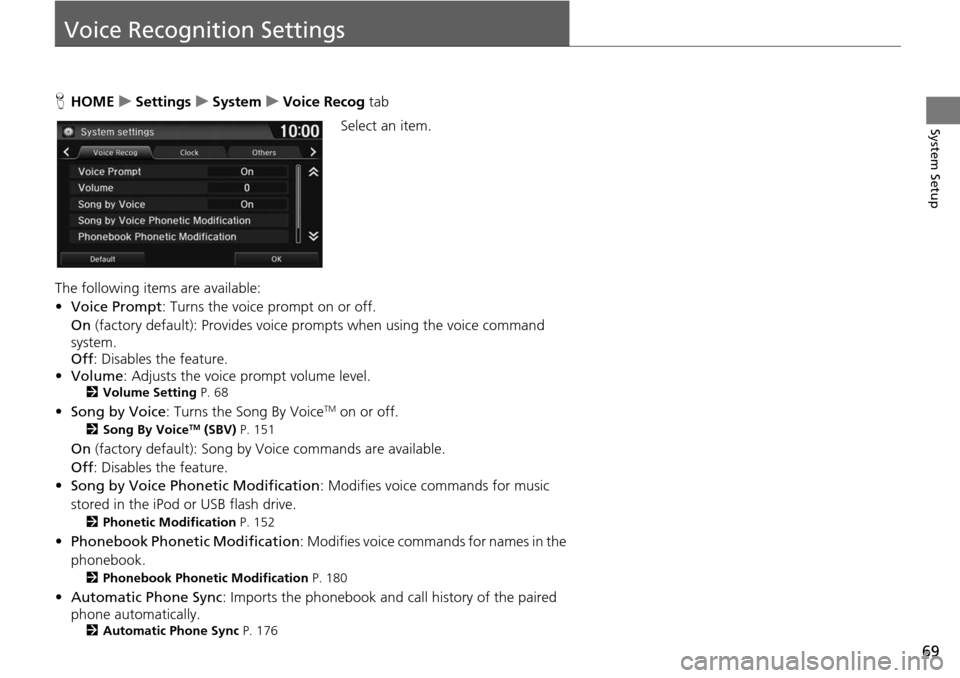
Se lect an item.
The following items are available:
• Vo ice Prompt : Turns
the voice prompt on or off.
On (factory default): Provides
voice prompts when using the voice command
system.
Off : Disables the feature.
• Volume
: Ad
justs the voice prompt volume level.2Volume Setting P. 68
• Song by Voice : Turns the Song By VoiceTM on or off.
2Song By VoiceTM (SBV) P. 151
On (factory default): Song by Voice commands are available.
Off : Disables the feature.
• So ng by Voice Phon etic Modification: Modifies voice
commands for music
stored in the iPod or USB flash drive.
2 Phonetic Modification P. 152
• Phonebook Phonet ic Modification: Modifies voice commands for names in the
phonebook.
2 Phonebook Phonetic Modification P. 180
• Automatic Phone Sync : Imports the phonebook and call history of the paired
phone automatically.
2 Automatic Phone Sync P. 176
Page 79 of 250
78
System Setup
Data Reset
Reset Factory Default Settings
HHOME u Settings u System u Others tab u Factory Data Reset
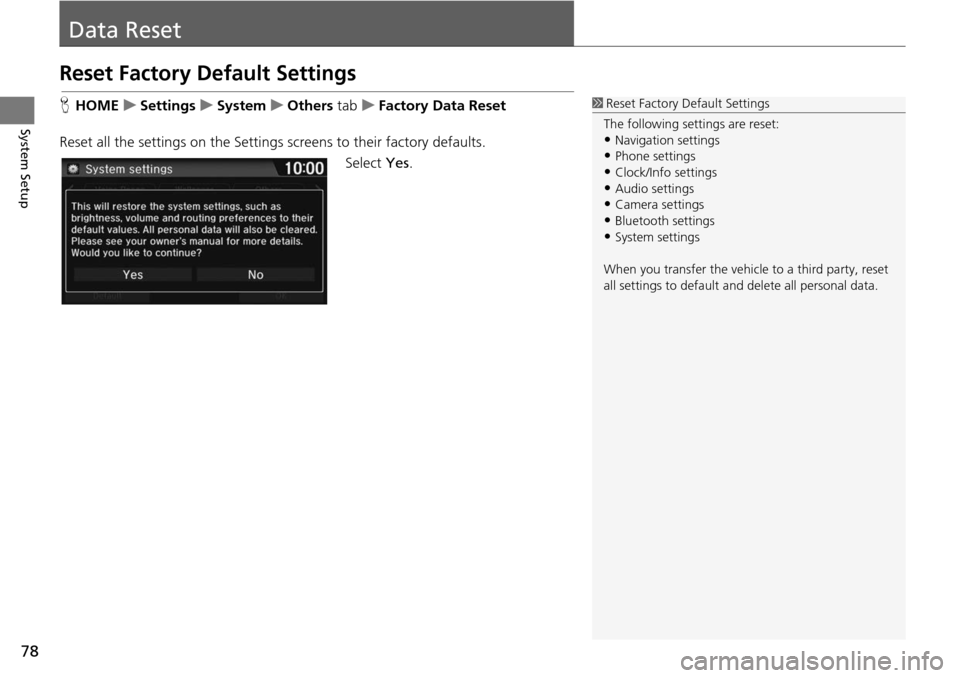
Reset all the settings on the Settings screens to their factory de
faults.
Select Yes.
1Reset Factory Default Settings
The following settings are reset:
•Navigation settings
•Phone settings
•Clock/Info settings•Audio settings
•Camera settings
•Bluetooth settings•System settings
When you transfer the vehicle to a third party, reset
all settings to default a nd delete all personal data.
Page 80 of 250
79
Navigation
This section describes how to enter a destination, select a route to take, and follow the
route to your destination. It also describes how to change your route or destination along
the way.
Entering a Destination........................... 80
Address ................................................. 82
Address Book ......................................... 87
Place Name ............................................ 88
Place Phone Number .............................. 90
Place Category ....................................... 91
Previous Destination ............................... 93
Intersection ............................................ 94
Coordinate ............................................ 95
Map Input .............................................. 96 Calculating the Route
............................
..98
Viewing the Routes .................................99
Driving to Your Destination .................100
V
iewing the Route ................................100
Listening to Voice Guidance ..................104
Map Menu .........................
.....................105
Displaying the Map Menu .....................105
Directions .............................................107
Traffic Rerouting
TM................................109
Changing Your Route ............................ 111
Adding Waypoints ................................112
Editing the Destination List ....................116
Canceling the Route .............................118
Taking a Detour ....................................118 Avoiding Streets ................................... 119
Changing Your Destination .................120
Find
Nearest Place ................................ 120
Selecting a Destination on the Map ...... 121
Entering a New Destination .................. 122
Resuming Your Trip ..............................
123
Page 82 of 250
81
uu Entering a Destination u
Navigation
•Place Phone Number : Sets a destination by ente ring the phone number of a
place/landmark.
2 Place Phone Number P. 90
• Place Category : Sets a destination by selecting a place/landmark.
2Place Category P. 91
• Previous Destination : Sets a destination by selecting a previous destination.
2Previous Destination P. 93
• Go Home 1 or 2: Sets your home address as a destination.
2 Going Home P. 12
• Intersection : Sets a destination (intersectio n) by entering two streets.
2Intersection P. 94
• Coordinate : Sets a destination by entering latitude and longitude.
2Coordinate P. 95
• Map Input : Sets a destination by sc rolling through the map.
2Map Input P. 96
Page 91 of 250
90
uu Entering a Destination u Place Phone Number
Navigation
Place Phone Number
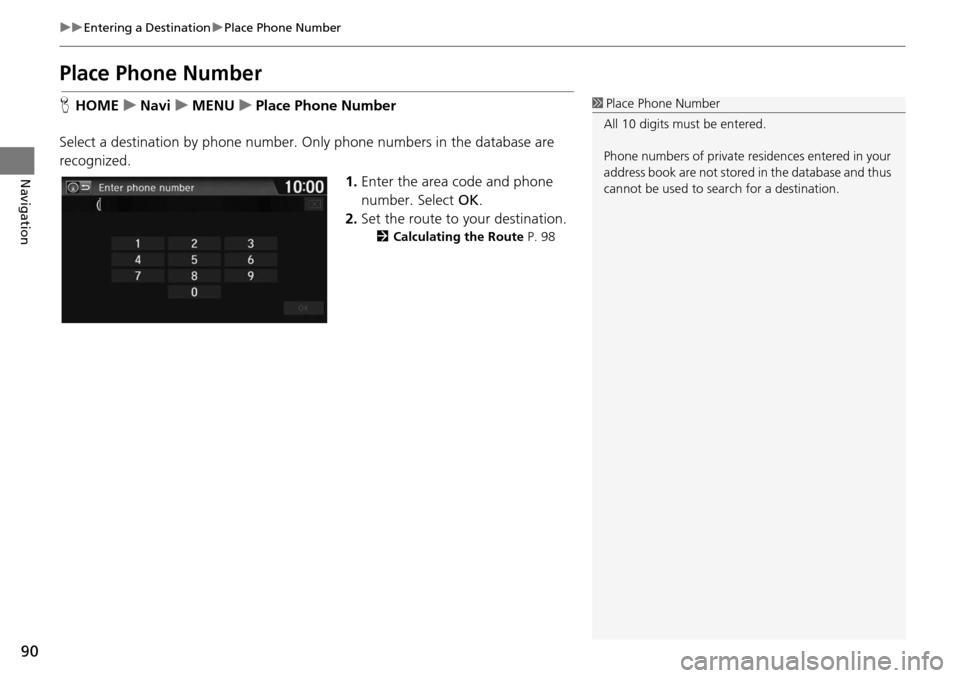
H HOME u Navi u MENU u Place Phone Number
Select a destination by phone number. Only phone numbers in the database are
recogniz
ed.
1.Enter the area code and phone
number. Select OK.
2. Set t he route to your destination.
2Calculating the Route P. 98
1 Place Phone Number
All 10 digits must be entered.
Phone numbers of private re sidences entered in your
address book are not stored in the database and thus
cannot be used to sear ch for a destination.